
Quick Answer
Correct contractor underpayments and missed payouts with component calculations, separate approval and release, safe handling of uncertain attempts, and evidence from execution through ledger close.
What Back Pay and Retroactive Payments Mean for Contractor Payouts#
A missed payout and an underpayment need different corrections. Replacing a transfer whose outcome is unknown can pay twice; fixing a rate error requires a new amount calculation. Give each case a trace from agreed earnings through approved adjustment, provider execution, and ledger reconciliation so finance and the contractor can see what changed.
Before you start#
Set one non-negotiable rule: every contractor or freelancer correction gets a case record before recalculation starts. That record should include the governing agreement terms, affected pay period, prior payout references, incident notes, and jurisdiction facts captured at intake. If those basics are missing, the case is not ready for release.
Use this sequence:
- Classify the issue so teams agree on what is being corrected.
- Assemble the evidence packet from source records before changing amounts.
- Calculate and approve the correction with clear separation between review and release.
- Execute, post, and reconcile so the approved amount, payout result, and ledger entry match.
This is operating discipline, not a legal standard.
Keep the scope tight#
This guide covers contractor and freelancer payment corrections. Employee wage, overtime, and back-pay rules can apply when worker classification or local law requires them; an independent-contractor label does not settle that question. Keep contract-based adjustments distinct from employment-law remedies and route classification concerns to the appropriate reviewer.
The scope here is practical: you are correcting a prior payment outcome for a non-employee payee, and you need a record that finance, ops, product, and audit can all follow. If you are tightening the primary payout path at the same time, Invisible Payouts for Contractors is a useful companion for drawing the line between automation and human review.
Anchor decisions in the right documents#
Use the agreement and amendments that governed the affected work, the rate history, accepted deliverables or hours, and prior payment evidence. Record the effective date of a changed rate separately from the date it was signed so the adjustment covers the right period.
When an amount depends on a legal entitlement, identify the relevant jurisdiction, worker status, rule, and effective date. Keep that review separate from the operational evidence showing whether a payment was executed. A policy label cannot replace the applicable legal obligation.
What good looks like at close#
A clean correction is more than a successful payout. At close, you should be able to show:
- who opened the case and how it was classified
- which source records supported the correction
- who approved the amount
- which provider reference confirms execution
- whether the ledger posted the same figure
Set a checkpoint for each handoff: source records complete, amount approved, instruction released, external outcome confirmed, and reconciliation closed. Give unresolved differences a named owner and next action. A missing document should hold the affected decision, with urgent legal payment deadlines and undisputed amounts reviewed separately.
From there, the next decision drives everything else: are you fixing unpaid prior-period amounts, or correcting money that was already sent?
Set the line between back pay and retroactive pay#
For this workflow, use retroactive adjustment for a prior-period underpayment and unpaid-amount correction for earnings that were not paid. Back pay can also describe a legal remedy in an employment dispute; your internal label does not change that meaning or the worker’s rights. Document the operational case type and escalate legal or classification questions separately.
Define retroactive pay precisely at intake#
Define retroactive pay precisely at intake. Apply it only when the record shows the contractor was paid for a prior period and that payment was short. A reviewer should be able to point to both numbers in the case: what should have been paid and what was actually paid.
Confirm there is an existing payout reference, ledger event, or provider record for that period. If you cannot verify money was sent, do not classify the case as retroactive yet. If you do not have a clean internal state model for that proof, Payment Status Visibility: Real-Time Payout Tracking is the next workflow to fix.
Set your own internal scope for the back pay label#
Define your internal case labels clearly: unpaid earnings, underpaid earnings, returned payout, or unresolved payout. Record whether a legal back-pay remedy is under review as a separate flag. Do not classify a timed-out instruction as unpaid until provider or bank evidence resolves it.
That consistency matters because retro corrections already require reopening prior records and approvals. If case labels drift, reconciliation and reporting get messy fast.
Record the selected type in the case and audit trail#
Record the selected type in both the case record and the audit trail. Keep the label, affected period, and evidence for why that label was chosen in the case record, then mirror that choice in the audit trail for downstream reconciliation.
Use a minimum classification evidence pack:
- pay period ID
- original calculated amount
- actual amount paid, if any
- payout or ledger reference
- incident note on missed or late-finalized inputs
If actual amount paid is blank or disputed, calculate the contractual entitlement separately but hold replacement execution until the prior outcome is resolved. Uncertainty about execution is not evidence that the original payout failed.
Map correction triggers to incident types before you touch money#
Do not start with the amount. Start with the cause. If you skip trigger classification, approvals, exception handling, and reporting all collapse into one generic path.
Define a fixed trigger map#
Use triggers that fit contractor operations: rate or input error, missed bonus, missed commission, omitted hours or deliverable, returned payout, and unresolved payout. Overtime, minimum-wage, and worker-status concerns need a separate legal review because their applicability depends on classification and local law.
Keep category names stable quarter to quarter so trend reporting stays comparable. Your first checkpoint is simple: one primary trigger, one evidence note for that choice, and one owner chain before anyone touches money.
| Trigger | Validate first | Minimum owner path | Hold condition |
|---|---|---|---|
| Rate or input error | Original input or rate vs. what was paid | Ops validates, finance approves amount, payments executes, finance closes | Missing prior payout or ledger reference |
| Missed bonus | Bonus terms, earning event, affected period | Business owner validates facts, finance approves, payments executes, finance closes | Bonus rule or approval record missing |
| Missed commission | Commission rule, source transactions, prior payout status | Revenue or ops validates, finance approves, payments executes, finance closes | Source transactions incomplete or disputed |
| Overtime or premium-pay concern | Contractual premium terms; if employee wage law may apply, worker status and local rules | Ops gathers facts, legal or payroll validates applicability, finance approves the supported amount | No conclusion on employee entitlement from the contractor label alone |
| Minimum-wage concern | Worker status, work location, applicable law, and time or output records | Legal or compliance reviews applicability; finance handles the approved correction | Applicability unresolved; separately review undisputed sums and legal deadlines |
| Independent contractor misclassification review | Contract facts, working arrangement, jurisdiction context | Ops gathers facts, legal or compliance reviews, finance waits, separate closeout signoff | Legal-status dispute or adverse-action risk |
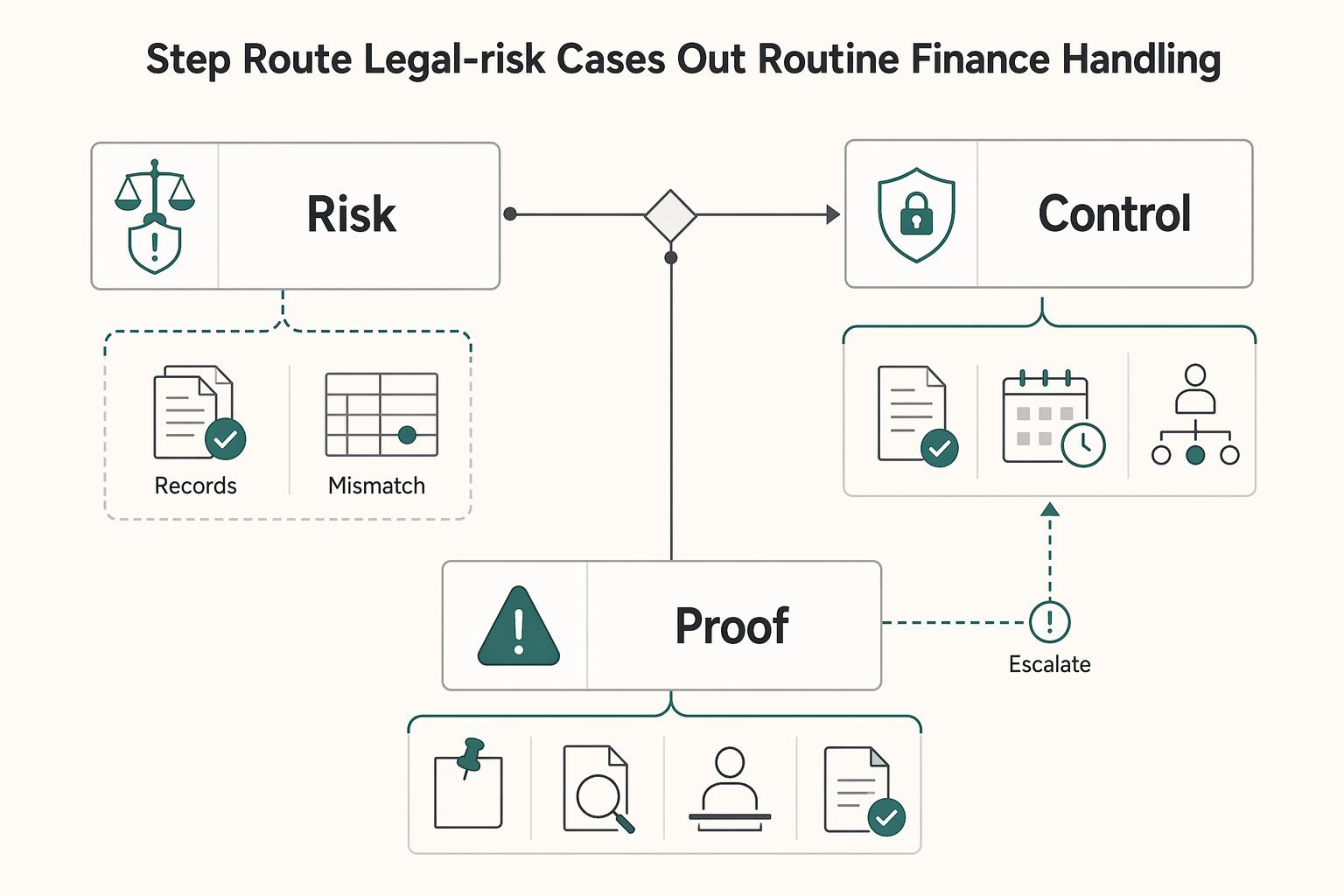
Route legal-risk cases out of routine finance handling#
Route worker-status risk to legal or compliance; finance should not decide classification alone. Preserve records and identify any urgent payment deadline. Review whether an undisputed contractual amount can be paid while the disputed classification or remedy remains open, rather than automatically freezing every obligation.
Document who gathers facts, who decides the legal issue, and which payment actions are affected. Give the worker a clear explanation and a way to supply relevant evidence, consistent with applicable requirements. Record the decision basis and deadline; an internal review process does not replace required legal procedures.
Assign ownership by trigger, not by team habit#
For each trigger, assign four roles: fact validator, amount approver, payout executor, and closeout signoff owner. Keep amount approval separate from payout execution to reduce missed-approval risk.
At close, confirm the final record includes the trigger, named owners, exception status, and routing evidence. If the trigger changes after approval, reopen and reapprove so the audit trail, reconciliation, and reporting stay aligned.
Prepare the correction packet before calculation starts#
Build the packet before approving the amount or release. If a work period, governing rate, or prior payout outcome is unclear, hold that decision for investigation and assign an owner. Review undisputed amounts and applicable deadlines separately.
| Packet item | Include |
|---|---|
| Original contract or pricing terms in force | Include the original contract or pricing terms in force. |
| Rate history | Include rate history, and do not attach only the latest contract if amendments or rate changes exist. |
| Pay-period records | Use the payment period covered and payment date, not just an invoice date or work date. |
| Prior payout references | For paid but wrong amount cases, include the prior payout reference. |
| Incident notes | Keep notes short: who raised the issue, suspected trigger, affected periods, and whether the worker disputes the amount. |
| Pay basis, rate fields, additions or deductions | Where records support it, include them so reconciliation has a concrete trail. |
Assemble the minimum evidence packet#
Use one fixed minimum packet for every correction case, even when the amount looks obvious. Include the original contract or pricing terms in force, rate history, pay-period records, prior payout references, and incident notes on what failed and when it was found.
Your checkpoint is the payment period covered and payment date, not just an invoice date or work date. Where records support it, include pay basis, rate fields, and any additions or deductions tied to that period so reconciliation has a concrete trail. If your month-end close still depends on spreadsheet exports, QuickBooks Online payout reconciliation for contractor platforms is a useful companion on the finance side.
Keep incident notes short and useful: who raised the issue, suspected trigger, affected periods, and whether the worker disputes the amount. Do not attach only the latest contract if amendments or rate changes exist.
Pull source events from the platform ledger first#
Start from platform-ledger events for calculation input, then use processor or bank records to resolve mismatches. That keeps the correction tied to the same internal entries you will use later for reconciliation and general-ledger posting.
Before opening external exports, confirm the case traces to the original internal transaction or payout events. For "paid but wrong amount" cases, include the prior payout reference. Where supported, use payout ID filtering to inspect the transactions included in that payout. For the system boundary between payout events and journals, ERP integration for payment platforms shows how to keep those references intact downstream.
Use both sources for their proper purpose: the agreement and earning events establish the obligation, while processor and bank records establish execution, fees, and returns. Settlement groups can contain multiple earnings periods, so map their references instead of treating a net batch amount as the amount originally owed.
Attach jurisdiction context before anyone calculates#
Add jurisdiction, worker location, and payout corridor before amount calculation. This is not a closeout field. It affects whether the payout path is even feasible and whether the case needs a different compliance or reporting route.
For cross-border cases, confirm the corridor is supported for the platform and connected-account regions. If worker location is unclear or the corridor is unsupported, pause and escalate before approval. For U.S.-source payments to nonresident individuals, reporting and withholding can follow a different path than domestic contractor corrections, so that context needs to be set up front.
Name every affected pay element explicitly#
Do not leave the packet as a single "underpayment" line. List affected components explicitly: base amount, bonus, commission, overtime, or other adjustment categories your platform uses.
For a genuine contractor, calculate any premium from the applicable contract and local rules. If employee overtime law may apply, route the case for that analysis before using employee formulas. Under the US FLSA, covered nonexempt employee overtime uses the regular rate and generally hours above 40 in a workweek; bonus and commission treatment can affect that rate. This is not a default formula for all contractors.
Final pre-calculation checkpoint: each component has an evidence source and a period tag. If bonus or commission appears only in notes and not as an affected element, send the packet back for completion.
Calculate the owed amount and choose the right payment method#
Rebuild the gross entitlement by documented component, subtract amounts already satisfied, and account separately for approved withholding, fees, FX, and outstanding attempts. Choose a payment route that meets the contract and any applicable legal deadline. An internal batch policy cannot postpone a required payment merely because the next scheduled cycle is convenient.
Rebuild the amount by component#
Keep each component as a line item with period, source record, and adjustment reason. A hypothetical contractor agreed to 20 hours at $50: $1,000 was owed. If $900 of gross compensation was paid and no other instruction is outstanding, the additional gross amount is $100. If that $900 was gross compensation with $10 of an agreed fee deducted, the net receipt was $890; do not mistake the fee for another $10 rate underpayment.
Checkpoint: every line traces to evidence already in the correction packet.
If an earlier $100 correction attempt timed out, the approved difference remains $100 but its execution is unresolved. Query that attempt before paying again. If the case arrives as one net adjustment without a component trail, rebuild it rather than treating the net receipt difference as the gross entitlement.
Verify non-obvious assumptions against authoritative editions#
For an unusual calculation, retain the applicable agreement clause or legal authority, its effective date, and the reviewer’s conclusion. Identify unresolved assumptions such as whether a changed rate applies to earlier work or whether a bonus was earned. Recheck the amount when those facts change.
Checkpoint: the case file names the exact authoritative document used for each non-obvious assumption.
Choose method using documented operational requirements#
Choose an off-cycle payment when the contractual or legal due date, material hardship policy, or approved service commitment cannot wait for the next batch. Otherwise use the scheduled route if it still meets the deadline. Check recipient details, provider approval, funding, currency, fees, and the prior attempt before release.
Checkpoint: the file shows the method selected, the decision reason, and confirmation completed. When the real question is cadence rather than urgency, Payment Scheduling for Platforms can help you separate off-cycle exceptions from routine batches.
Separate calculation review from payout release#
Treat amount validation and payout execution as two approvals, even in a small team. One reviewer confirms the calculation build. A different reviewer confirms method, destination, and references at release.
Checkpoint: a short approval record ties the approved amount, chosen method, and payout-creation references together before funds move.
Route approvals and compliance checks before release#
Release should be its own control point. By the time a case reaches payout creation, contract facts and internal checks should already tell you which route applies.
Map approval routing to documented case risk#
Set approval tiers by amount and risk, including disputed scope, changed bank details, cross-border withholding, and worker-status concerns. Record the route before payout creation. The case must show the governing agreement version and authorized amendment, not an unsupported email summary.
Complete required checks and stabilize the case packet before release#
Complete the checks required for the affected payment and keep approved inputs stable through release. Missing account eligibility, required withholding facts, or destination verification should block that route or decision. Document any separately payable undisputed amount and deadline rather than treating incomplete internal paperwork as permission to delay all payment.
An approval record should show the approved gross and net amounts, source packet version, and release-ready payment reference. If the period, rate, or destination changes, reopen review. For broader vendor diligence, see Global Payment Compliance Certifications for Platforms.
Record timing exceptions with explicit rationale#
When you pay outside the normal batch rhythm, capture a clear internal reason and approver note. That documentation is a policy control, not a cited legal mandate, but it preserves why one case was handled off-cycle and another was not.
Avoid vague notes. Finance and audit need to be able to sort exceptions later.
Escalate cases with missing governing facts before release#
If key jurisdiction or contract facts are incomplete, escalate instead of finalizing release on assumptions. The case file should identify the worker location, payout corridor, and contract version for the affected work period.
Use the signed agreement and authorized changes for contractual interpretation. Where a mandatory law overrides a term, retain the reviewer’s analysis and legal basis. Do not import federal procurement clauses into an ordinary contractor agreement unless that contract actually incorporates them.
Execute correction payouts with idempotent controls#
Once a case is approved and inputs are locked, execution should be boring. Retries should be safe, failures should leave the main path, and records should be clear without digging through logs later.
Create a correction instruction that is safe to retry#
Give the correction a stable business ID and each provider action its own idempotency key and locked parameters. Retry the same action with the same key only within the provider’s documented scope and retention period. A timeout requires an outcome query; changing rail, provider, amount, or destination creates a different action and needs approval after the earlier attempt is resolved.
Keep the instruction tied to the approved case version, including how the case is labeled (back pay or retroactive pay) and the covered period in your internal record. Before submission, confirm you are executing the current approved instruction, not a superseded one. If you need the event contract underneath that control, Payment Webhooks Best Practices is the right follow-on.
Track execution states and route failures to an exception path#
Do not treat provider submission as final. Use explicit internal states so operators can see whether a correction is waiting, progressing, failed, or ambiguous, then move non-clean outcomes to an exception path for review.
Move rejected, returned, and uncertain outcomes to distinct exception states. A dead-letter queue can preserve unprocessed events, but it does not prove money failed to move. Investigate the existing instruction and provider evidence before a replacement, and keep all attempts linked to the same correction obligation.
Keep contractor messaging aligned to the approved correction case#
If your workflow includes contractor-facing notice, make it specific enough to reduce confusion and support churn. The message should match the approved case record and the executed instruction, including whether the correction is labeled as back pay or retroactive pay in your system and what work period it covers.
Consistency is the checkpoint here. When support, finance, and the contractor see different descriptions for the same correction, disputes take longer to resolve.
Record provider and execution evidence in the audit trail#
Retain request and event IDs, provider reference, amount and currency, timestamps, approved case version, and each execution-state transition. Link distributed traces where supported, but keep durable payment evidence outside transient logs so incident and close reviews can reconstruct the outcome.
This serves the same control goal as idempotency and constant ledger reconciliation. If a payout state is marked complete but the trail is missing usable execution evidence, treat the record as incomplete and fix that gap before closing the case.
Post ledger entries and close reconciliation and settlement#
Do not close a correction from payout status alone. Close it from the records that show what was approved, what was executed, and what was recorded.
| Close check | Requirement |
|---|---|
| Approved vs executed | The approved case amount and the executed amount are either aligned or clearly explained. |
| Executed vs posted | The executed amount and the ledger posting are either aligned or clearly explained. |
| Delta note | Be specific and point to concrete evidence, such as split execution or retry outcomes, not a generic resolved status. |
| Settlement and statement evidence | Attach the correction record to settlement and provider or bank statement evidence before close. |
Post the correction journal to the platform ledger#
Post the correction journal to the platform ledger before treating balances or reports as final. Use the ledger entry as the anchor record, and have downstream views reflect that entry instead of manual adjustments in dashboards or spreadsheets.
Link the approved amount adjustment and the actual payout as separate events. A rejected payout leaves the approved payable outstanding; a confirmed payment settles it once. A later return needs a linked compensating entry and renewed payable review. Correct manual views from the underlying records without erasing the original journal or provider history.
Reconcile approval, execution, and recorded posting with explicit evidence#
Use a consistent close check that compares the approved case record, execution evidence, and ledger posting for the same correction. Keep the close packet concise, but complete enough to support review with timely, accurate, relevant, and complete information.
For each case, confirm:
- The approved case amount and the executed amount are either aligned or clearly explained.
- The executed amount and the ledger posting are either aligned or clearly explained.
- Any delta note is specific and points to concrete evidence, such as split execution or retry outcomes, not a generic "resolved" status.
Tie close records to settlement and statement artifacts#
Before close, attach the correction record to your settlement and provider or bank statement evidence so completion is verifiable end to end. Treat status screens as informational and rely on your official close artifacts for sign-off.
Define close criteria in your operating policy and apply them consistently. If references are missing or differences are unresolved, do not soft-close the case.
Handle cross-border and tax reporting implications early#
Review reporting and withholding early enough to affect the correct release decision. Capture worker status, tax residence, where services were performed, payer facts, and the payment date. Required withholding must be determined before the affected payment; reporting work can continue separately when it does not legally block release.
Route by jurisdiction before release approval#
Assign each case to a jurisdiction owner before approval, using both work-location and payer/payee facts. If a missing fact changes entitlement, withholding, or account eligibility, hold that affected decision and investigate. Track any undisputed amount and due date separately.
Replace generic labels such as international contractor with the facts needed for the specific decision. If the supporting record is missing, hold the affected entitlement, withholding, or routing decision and assign an owner; review unrelated and undisputed payments separately.
Flag U.S. cases for reporting-owner review#
For US cases, the reporting owner should determine the correct tax-year treatment and form from the payment facts. Contractor service payments commonly fall under 1099-NEC when reportable; employee wages generally use W-2. Foreign-person payments can require a different withholding and 1042-S path. Do not treat the earnings period alone as the reporting year or assume 1099-MISC is interchangeable.
Keep the case note short and specific: reporting review required, affected period, and correction amount. Do not treat a placeholder note as a final tax conclusion. If you need a handoff artifact for U.S. contractor reporting review, use the 1099 Filing Threshold Calculator for Platforms alongside the case note rather than relying on memory.
Separate tax-impact notes from payout-execution notes#
Keep execution facts separate from tax conclusions, but link them by case ID. Record gross entitlement, required withholding, net payment, and the owner of each filing or remittance task. If a later tax conclusion changes the net amount or reporting, approve and record the adjustment rather than silently rewriting executed payment history.
Your close check is simple: a reviewer can read reporting status without tracing execution events, and can read execution evidence without guessing reporting status.
Validate source quality before treating guidance as final#
Use the IRS guidance for the payment type and relevant tax year. For personal services, income source generally follows where the services were performed, not the payer’s country or receiving bank. Mixed US and non-US work may need allocation. Confirm residence, treaty eligibility, documentation, withholding, and reporting with the assigned tax owner.
Record the exact source and conclusion used for each reporting decision. If a necessary source is unavailable, identify which issue remains unresolved and use another authoritative route or specialist review. Keep the affected decision open without turning a website retrieval problem into an automatic freeze on unrelated payments.
Recover from common failures without creating duplicate liability#
When a correction case goes sideways, certainty matters more than speed. Do not take another payment action until the record clearly shows what happened in the first one.
Pause unresolved cases before further payment action#
If execution status is unclear, hold the case and treat it as an incident until ownership, current status, and next decision are explicit in the record. That is how you stop a documentation gap from turning into duplicate liability. We recommend pairing that hold rule with the return-and-reject playbook in Rejected Payment Recovery for Contractor Payout Platforms.
Separate execution facts from policy/legal support#
Keep the incident record clear about what is confirmed and what is still pending. If the decision depends on a legal or policy interpretation, mark that basis as unverified until it is checked against an official source.
Verify legal references against official editions#
Verify the specific rule, applicable jurisdiction, worker status, and effective date that supports the disputed adjustment. Record who reviewed it and what changed in the calculation or release decision. A generic link to a legal portal is not enough to explain the case outcome.
Close with a prevention-focused post-incident checklist#
Before closing, capture what failed, what was verified, what evidence was used, and who owns the control fix. If the same discrepancy repeats, treat it as a control defect, not a one-off cleanup task.
Build the monthly correction report finance and audit will trust#
A monthly report is credible when each case reads like a controlled change record: exact scope, exact document labels, and evidence a reviewer can verify quickly.
| Report field | What to use |
|---|---|
| Case and agreement reference | Case ID, agreement version, amendment ID, and work period |
| Calculation | Gross entitlement, prior amounts satisfied, and approved gross adjustment |
| Execution | Provider action ID, reference, net amount/currency, execution date, and outcome |
| Accounting | Amount-adjustment journal, payout journal, return journal if needed, and reconciliation status |
| Tax and deadlines | Withholding/reporting owner, due dates, and unresolved review items |
| Current status and evidence | Named owner, next action, and durable source links |
Keep the report structure stable#
Use fixed columns for case ID, agreement and amendment references, affected work period, approved gross correction, withholding, net payout, execution outcome, ledger references, tax-review status, and owner. Add effective and execution dates separately so a retrospective rate change is not confused with the date money moved.
Link each row to verifiable evidence#
Link each row to the signed terms, component calculation, approval, provider or bank evidence, and journal. For example, an illustrative case COR-104 might cite amendment A2 effective September 1, a $100 gross rate adjustment, payout action PA-2, and its posted settlement reference. These are sample identifiers, not evidence from a real contract.
Also keep scope tight. If the amendment documentation states that only specific exhibits were replaced and all other terms remain in force, the report should reflect that and nothing broader.
Export a clean monthly review package#
Publish a monthly package with one row per case and durable links to the signed terms, calculation, execution, and journals. Finance and audit should be able to verify what changed, when it changed, and who approved and executed it. Compare correction volume, delay, and exception mix over time; Payment Benchmarking for Platforms covers that reporting task.
Your next move: the correction checklist#
Use a fixed closeout checklist anchored to the executed agreement package. If a required artifact is missing, keep the case open.
- Confirm the case label. Verify the record still reflects the approved case type (
back payorretroactive pay) and current approval notes. If the case theory changed after calculation, route it back for reapproval. - Validate the governing terms. Use the agreement and amendments that applied to the affected work, with effective dates, rate basis, accepted scope, and authorized changes. Do not assume the latest agreement governed an earlier period.
- Check period and entitlement. Confirm the work period, contractual amount, and any applicable mandatory right. A zero-dollar agreement field alone does not prove no payment is owed; review scope, amendments, and legal obligations.
- Recalculate by approved pay elements. Rework the correction amount by each pay element recognized in your approved agreement or policy model, and make the calculation traceable to documented terms or approved modifications.
- Run approvals and required checks. Lock the approved calculation and destination after signoff. Reapprove material changes, complete applicable withholding and eligibility checks, and track legal deadlines and separately payable undisputed amounts.
- Execute with duplicate-prevention controls and outcome tracking. Release the correction using your stack's duplicate-prevention control, and track status to a final provider outcome. If status is unclear, do not resend until the outcome is verified.
- Post and verify ledger records, then treat settlement separately. Post the correction in the platform ledger and verify it matches the approved correction and payout reference. Run settlement as a distinct close check and attach the provider or bank reference used by finance.
- Close reconciliation and archive the audit trail. Close reconciliation with the core records attached: approved case, execution reference, posting reference, and any exception note. Archive the final audit trail with agreement artifacts, approvals, and reporting flags (
1099-NEC/1099-MISCwhere applicable).
Close the case when its approved gross adjustment, withholding, net payment, execution evidence, ledger entries, and reporting tasks reconcile. Keep unresolved differences assigned to an owner, and reopen the relevant decision if new evidence or a return changes the outcome.
Frequently Asked Questions
What is the operational difference between back pay and retroactive pay for contractors?
In this workflow, a retroactive adjustment corrects a prior-period underpayment; an unpaid-amount correction addresses earnings not yet paid. Record a returned or unresolved payout separately so it is not mistaken for an amount error. Back pay can also be a legal remedy in an employment dispute; an internal label does not determine legal rights.
When should a platform issue a standalone lump-sum payment instead of waiting for the next payout batch?
Choose off-cycle execution when the contractual or applicable legal deadline cannot wait for the next batch, or an approved exception policy applies. Use the next batch only if it still meets the deadline. Confirm the amount, destination, funding, withholding, and prior attempt before release, and document the decision.
Which checks must be complete before releasing a contractor correction payout?
Confirm the governing terms and work period, component calculation, prior settled and outstanding instructions, destination, approved gross and net amounts, applicable withholding, and release authorization. Route classification or legal entitlement questions to their owner. Missing information should hold the affected decision, with undisputed amounts and deadlines reviewed separately.
How should teams handle correction cases when rules differ by jurisdiction?
Capture where work was performed, worker and payer status, tax residence, applicable contract, payment date, and corridor eligibility. Route entitlement and tax issues to the relevant owner rather than applying one global rule. An account’s country alone does not establish the governing law or source of personal-service income.
What are the most common causes of contractor payment corrections at scale?
Typical triggers include a wrong rate, omitted hours or deliverable, missed contractual bonus or commission, returned payout, or unresolved transfer. Wage-floor, employee overtime, and worker-classification concerns need separate legal review rather than automatic treatment as routine contractor arithmetic.
How do you avoid duplicate payouts when retries or provider timeouts happen?
Use one business correction ID and a unique key for each provider action. Retry identical requests only within the provider’s documented idempotency scope and retention window. Query timed-out or uncertain attempts before replacement; an old key does not deduplicate a new rail or provider. Deduplicate webhook events and reconcile confirmed execution to the ledger.
What records should be retained so reconciliation, settlement, and year-end reporting stay clean?
Retain the governing terms and amendments, component calculation, work and payment dates, prior and outstanding payout references, approvals, gross/withholding/net amounts, execution evidence, journals, returns, and reporting decisions. Apply the retention requirements for the relevant contract, jurisdiction, tax records, and provider, with controlled access to personal data.
Where Gruv fits
Plan and approve payout batches
See how payee status, approval rules, route review, and exception handling sit in one payout workflow.
See reconciliation and mismatch review
Compare ledger entries, provider payment records, and statement rows to see what matches and what finance needs to review.
Researched and edited by the Gruv editorial team. Gruv builds cross-border billing, payouts, and finance-operations software for global businesses.
Sources
Educational content only. Not legal, tax, or financial advice.
Related Posts

The Freelance Payment Penalty: A Modeled Audit of Platform Fees, FX Spreads, and Payout Delays
The money rarely disappears through a single, easy-to-spot fee. The real loss is stacked. A marketplace takes its commission, a processor adds a charge for international cards, a bank or payment company converts the currency at a spread, a platform holds the funds before release, and a wire sheds a little to intermediaries on the way in. Each layer looks defensible on its own, but the worker feels the combined result as a smaller deposit and a later payday.

How to Respond to a Subpoena for Business Records
Move fast, but do not produce records on instinct. If you need to **respond to a subpoena for business records**, your immediate job is to control deadlines, preserve records, and make any later production defensible.
A US Expat's Guide to Investing in UCITS ETFs to Avoid PFIC Issues
The real problem is a two-system conflict. U.S. tax treatment can punish the wrong fund choice, while local product-access constraints can block the funds you want to buy in the first place. For **us expat ucits etfs**, the practical question is not "Which product is best?" It is "What can I access, report, and keep doing every year without guessing?" Use this four-part filter before any trade: