
Automate contractor payout reconciliation in QuickBooks Online by posting each payout to an interim clearing account, updating it as payout status changes, and clearing it only after a matching bank settlement appears. Keep contractor expense separate from payout cash movement, require payout IDs and bank references for traceability, and route failed, canceled, or returned payouts into named exceptions instead of forcing close.
For platform operators, this is an operations design problem. You need a reliable path from each payout event to a bank-matched close in QuickBooks Online, with controls finance can trust and automation engineering can replay safely.
Start with the actual finish line: a completed reconciliation in QBO. Reconciliation means matching entered transactions to bank or credit card statements, not just posting entries that look right.
Use one standard for "done": every payout-related posting should trace forward to a bank statement line and back to its source payout record. If that trace breaks, the process is not close-ready. A practical checkpoint is the reconciliation report QBO generates at the end of a completed reconciliation.
Treat the tension as structural from the start. Finance needs clean statement matching in QBO, product needs payout operations that still work at scale, and engineering needs retry-safe automation for replays and out-of-order events.
If you blur those goals together, month-end cleanup expands fast. "Paid" in the app can get mistaken for settled cash, and retry logic can duplicate effects. Idempotent request patterns help prevent duplicate side effects on retries, but they are not a complete control by themselves. Stripe also notes idempotency keys can be removed after 24 hours. If retries or backfills can run later, you need your own safeguards.
The key decision is where posting logic lives, not whether QBO can serve as your accounting system. Intuit exposes the QuickBooks Online Accounting API, so your platform or internal service can integrate with QBO features and data instead of relying on manual entry.
For Stripe Connect-style multi-party payouts, a practical boundary is this: use provider events and reports to determine payout status and, for automatic payouts, included transactions, then post and reconcile in QBO. Stripe recommends asynchronous payout retrieval when payout.paid or payout.reconciliation_completed events arrive for custom reporting pipelines. The main failure mode is treating cash as final before settlement is visible and matchable in reconciliation.
Before you build, align on four outcomes:
Keep a payout report or export showing what each payout batch includes. For automatic payouts, Stripe's payout-reconciliation and bank-reconciliation reporting are designed to support settlement tracking and close accuracy. For instant or manual payouts, Stripe states it cannot identify included transactions the same way, so you need a separate reconciliation path for those flows.
For a step-by-step walkthrough, see Building a Monthly Payout Reconciliation Process for a 1000-Contractor Platform.
Before you connect anything to QBO, make sure you can trace one payout from source event to bank statement line using your current manual records. If you cannot do that now, automation will only hide the gap.
| Prep area | What to gather or confirm | Key detail |
|---|---|---|
| Source exports | One period of data for Platform payouts, Contractor payments, and each related Bank settlement deposit | Keep payout IDs, status, amount, payout date, payment rail, and the bank deposit detail or statement line |
| QBO accounting surfaces | Chart of accounts, bank account reconciliation, and who can reconcile accounts and make Journal entries | Before reconciliation starts, have the statement ready and make sure statement-period transactions are already added and categorized |
| Correction rules | How canceled contractor payments are handled for Direct deposit and Paper check | Voiding changes the payment amount to $0.00, and a processed direct deposit can no longer be voided, canceled, or deleted |
| Close ownership | Month-end tie-out owner and cadence | Review open items, confirm reconciliation reaches $0.00, and retain the QBO reconciliation report |
Step 1 Gather the source exports. Pull one period of data for Platform payouts, Contractor payments, and each related Bank settlement deposit. Keep, at minimum:
Direct deposit or Paper checkIf you use Stripe automatic payouts, use the payout reconciliation report and its itemized export to connect bank payouts to underlying transactions. If you run manual payouts, do not depend on that report because Stripe states it is only available with automatic payouts enabled.
Step 2 Confirm your accounting surfaces in QBO. Verify your chart of accounts, confirm reconciliation on the bank account you close against, and define who can reconcile accounts and post Journal entries. QBO supports role assignment for this, and QBO Advanced supports custom roles when you need tighter access control. Before reconciliation starts, have the account statement ready and make sure statement-period transactions are already added and categorized in QuickBooks.
Step 3 Write correction rules from real operations. Capture how your team handles canceled contractor payments for both Direct deposit and Paper check, including when a payment is no longer reversible. In QuickBooks contractor payments, voiding changes the payment amount to $0.00. A processed direct deposit can no longer be voided, canceled, or deleted.
Step 4 Lock the close owner and tie-out cadence. Name the owner for Month-end tie-out to the Bank statement before integration work starts, and keep that ownership consistent each close cycle. That owner should review open items, confirm reconciliation reaches $0.00, and retain the QBO reconciliation report generated after each completed reconciliation session.
If you want a deeper dive, read FedNow vs. RTP: What Real-Time Payment Rails Mean for Gig Platforms and Contractor Payouts.
Keep contractor expense separate from payout cash movement. In QBO, a common failure is pushing both the obligation and the settlement through one clearing bucket, then trying to unwind it at close.
Use separate account treatment for contractor expense and processor-side cash movement. QuickBooks notes that payout totals can include sales, discounts, refunds, expenses, and adjustments, so a payout total is not a reliable proxy for a single expense category.
A practical structure is to record contractor expense in its own expense account, move processor activity through a Stripe payment account or equivalent clearing account, and post to your operating bank when the related payout reaches the bank. That keeps expense recognition separate from money in transit.
Treat the processor balance as temporary clearing, not final cash. Stripe states that moving funds from available balance to your bank creates a payout object, and Stripe provides reporting optimized for automatic payout setups that model Stripe balance as a temporary clearing account.
Design for the payout behavior you actually run:
Automatic payouts: one payout can include multiple transactions.Manual payouts: Stripe cannot automatically identify which transactions are included.Your control checkpoint is traceability. Keep the payout ID and expected bank reference on each clearing entry. Stripe supports filtering balance transactions by payout ID, which matters when you need to trace a disputed amount.
Be explicit about which entries the system posts and which may require an operator-posted Journal entry. Keep the rule strict: journal entries are for transactions not captured on standard forms, and they must balance debits and credits.
Also decide where Check payment or Credit card payment is allowed. QuickBooks supports recording bill payments by check, credit card, or cash, but those rails should be limited to flows you intentionally run outside your payout processor. For manual corrections, rely on QBO Audit history for evidence of who changed what and when.
Use one close rule: if an entry cannot be traced to both a payout ID and a bank reference, keep it out of final close. Reconciliation in QuickBooks is matching recorded transactions to bank and card statements, so entries missing one side of that match are not close-ready.
This prevents tie-outs that work for the month but break auditability later. Enforce it in review by requiring a payout reference, a matching bank line or deposit reference, and a clear poster for any manual journal.
You might also find this useful: Push Notification Strategy for Payment Platforms: How to Alert Contractors About Payouts.
Manual Journal entries can work while payout volume is still manageable and exceptions stay rare. Once reconciliation risk starts to pile up, integration is usually the safer path.
Manual means a person posts entries in QBO, then matches them during reconciliation. In QBO, a journal entry is a manual transaction to move money between accounts, and debits must equal credits. That can work when volume is small enough that a reviewer can still explain each line at close.
Integration shifts the work from manual posting to event handling and controlled matching. Stripe recommends retrieving payouts asynchronously when payout.paid or payout.reconciliation_completed arrives at your webhook handler, and Intuit webhooks notify your app when QuickBooks data changes so posting state can stay aligned.
| Decision factor | Manual journals in QBO | API/webhook-led integration |
|---|---|---|
| Posting effort | Operator posts and balances each entry | App posts from payout events and mapping rules |
| Reconciliation latency | Depends on operator timing | Can post near event time, then reconcile to bank settlement |
| Failure mode | Missed entry, wrong account, stale spreadsheet logic | Duplicate post, mapping defect, missed event handling |
| Evidence quality at close | Often split across exports, messages, and memory | Stronger when posts carry payout ID, timestamp, and source event |
Manual is still defensible when payout activity is light and statement activity is easy to review. The control test is simple: each journal should trace to payout reference(s) and to the related bank or card statement activity.
QuickBooks reconciliation is matching book transactions to bank and card statements, so unmatched journals do not remove work, they just delay it. QuickBooks also warns that uncertain debit or credit account selection should be reviewed with an accountant. That is a practical reminder that manual journals depend on accounting judgment, not just data entry.
Switch to Payout platform integration when payouts are frequent, batched, or increasingly hard to explain at close. At that point, reliable linkage and safe retries matter more than posting convenience.
Stripe states that for manual payouts it cannot automatically identify which transactions are included, and recommends automatic payouts because they preserve transaction-to-payout association. If that linkage is weak upstream, manual posting in QuickBooks will not reliably recreate it downstream.
Design for replay safety from day one. Stripe supports idempotent requests to prevent duplicate operations on retries, and notes idempotency keys can be removed after 24 hours. If retries or backfills can run later, keep your own duplicate checks keyed to payout ID or source transaction ID before posting to QBO.
Decide with evidence from recent closes, not instinct. Track:
Bank statement lines: unmatched deposits or withdrawals tied to incomplete payout support.If backlog is flat, unmatched lines are rare, and close timing is stable, manual can remain acceptable. If those signals trend the wrong way, integration is usually justified before a bad close forces the decision. We covered the float side of this in detail in Understanding Payment Platform Float Between Collection and Payout.
If your decision is to move beyond manual journals, review Gruv's integration docs to design webhook statuses, idempotent retries, and settlement matching before implementation.
Post payout activity to an interim balance first, then move it through to bank reconciliation when settlement is visible. That keeps timing gaps, failed payouts, and retries from getting buried in cash.
Treat payout.created as the start of accounting visibility, not the end of reconciliation. Stripe exposes lifecycle events such as payout.created, payout.updated, payout.paid, and payout.failed, so your first QBO post should record an expected payout without treating it as settled bank cash.
Create one traceable Journal entry in your interim payout account and attach the payout reference so later matching is deterministic. If QuickBooks is connected to a sales channel, it can bring in recent transactions automatically, but you still need consistent posting rules tied to your payout ledger.
Guard this step against replay. Stripe supports idempotency for retries, but keys may be removed after 24 hours, so keep your own duplicate check keyed to payout ID before writing to QBO. Aim for one preliminary record per new payout, one payout reference, and no direct bank-register impact yet.
Update the same payout chain as status changes so the books reflect operational reality. Stripe payout statuses such as pending, in_transit, paid, failed, and canceled should drive controlled updates, not ad hoc new entries.
| Status | What the article says | Accounting note |
|---|---|---|
| pending | Payout exists but is not yet submitted to the bank | Update the same payout chain, not a new ad hoc entry |
| in_transit | Submitted, but not yet bank-settled | Update the same payout chain, not a new ad hoc entry |
| paid | Completed on the provider side | If settlement is not yet visible in bank activity, keep it open in the interim account |
| failed | Record correction handling against the original payout record | Store the failure reason code from the failed event in the exception record |
| canceled | Record correction handling against the original payout record | Keep it traceable until settlement is confirmed |
If your internal Contractor payments model is simpler, keep the raw provider status in your evidence trail so finance can distinguish submitted from settled. Stripe also notes terminal failure or cancellation can occur within 5 business days, which is why the item should stay traceable until settlement is confirmed. For failures, store the failure reason code from the failed event in the exception record. At this point, QBO should reflect the current payout state, and updates should stay linked to the original payout record.
Use bank matching as the release control. In QBO, downloaded bank transactions land in For review and do not affect the books until matched or categorized, so match the bank line to the existing payout record instead of posting a new cash-side entry.
QuickBooks supports payout-to-deposit confirmation in connected flows. Even in custom flows, apply the same logic: match by payout reference and expected amount or date context, then clear the interim balance once matching bank activity exists.
This is an operating policy, not a vendor requirement. If provider status is paid but settlement is not yet visible in bank activity, keep it open in the interim account. If it still has not landed after 10 business days, Stripe guidance is to contact the bank and provide the Trace ID. The result is an interim account that contains unsettled and exception items, while the bank account contains settled activity.
Run a defined sweep cadence. Compare open payouts against downloaded bank activity and already matched QBO records, and route anything unmatched into explicit exceptions with ownership.
Keep two exception lanes:
QBO supports this workflow: when no match is found, a new record is created for review and approval. Use that as the holding lane instead of silently carrying items forward.
At sign-off, make sure payout references and posting history are traceable, and that reviewer activity is captured. QBO audit log includes change date and user, with events available for two years.
Final control: reconcile to a $0.00 difference. If you cannot do that cleanly, keep the item in exceptions instead of forcing a match.
This pairs well with our guide on How to Hedge FX Risk on a Global Payout Platform.
Do not treat every payout problem as the same accounting event. Pre-settlement cancel or void, post-processing correction, and late return need separate paths before month-end.
Classify each issue into one of three lanes before anyone posts a fix:
| Exception lane | When it applies | Handling | Bank treatment |
|---|---|---|---|
| Pre-settlement cancel or void | The payment never settled | Reverse the pending chain | Reverse pending interim entries and avoid bank-side adjustments for cash that never moved |
| Processed payout needing correction | The payment already processed | Keep history and post a correcting Journal entry | For a processed contractor direct deposit, you can no longer void, cancel, or delete it |
| Late return after funds movement | Funds return later | Preserve the original record and add a linked correction | Funds post back to the bank account, then payment can be resent by direct deposit or replaced with a Paper check |
Use a simple rule: if the payment never settled, reverse the pending chain; if it already processed, keep history and post a correcting Journal entry. In QuickBooks, once a contractor direct deposit is processed, you can no longer void, cancel, or delete it, so an offsetting journal entry is the correction path. Each exception record should carry payout ID, rail used, original posting date, and current bank-movement status.
If a contractor payment is canceled before settlement, reverse pending interim entries and avoid bank-side adjustments for cash that never moved. Unwind the expected movement instead of layering corrections.
In QuickBooks terms, deleting removes the payment record, while voiding keeps history and sets the amount to zero. Use only the option allowed for that transaction state, and only before processing makes those actions unavailable. The result should be a cleared interim item with no artificial bank activity.
If a payment already processed or funds return later, preserve the original record and add a linked correction. QuickBooks directs teams to offset processed or returned contractor direct deposits with Journal entries rather than voiding or deleting the original transaction.
For returned contractor direct deposits, funds post back to the bank account, then payment can be resent by direct deposit or replaced with a Paper check. In the US, reversal requests can be made within 5 business days from pay date, and there may be a $75 fee even if a reversal is unsuccessful. Keep the evidence chain together: original payment, offsetting journal, reversal or return documentation, and any replacement payment. If the wrong item was marked reconciled, unreconcile that specific transaction instead of undoing the full period.
Keep one exception policy across Direct deposit and Paper check, but make execution rail-aware. The control standard stays the same: unresolved Bank settlement items remain in triage and are not forced through reconciliation just to finish close.
Finance ops should own a standing triage queue for unresolved settlement items with clear internal status rules and monthly review. In that queue, first check for QuickBooks' common mismatch causes: missing transactions and duplicate transactions. If ending balances do not match, fix that before finishing reconciliation; the target difference is US $0.00.
Related reading: How to Build a Contractor Payment System for a Nursing or Allied Health Staffing Agency.
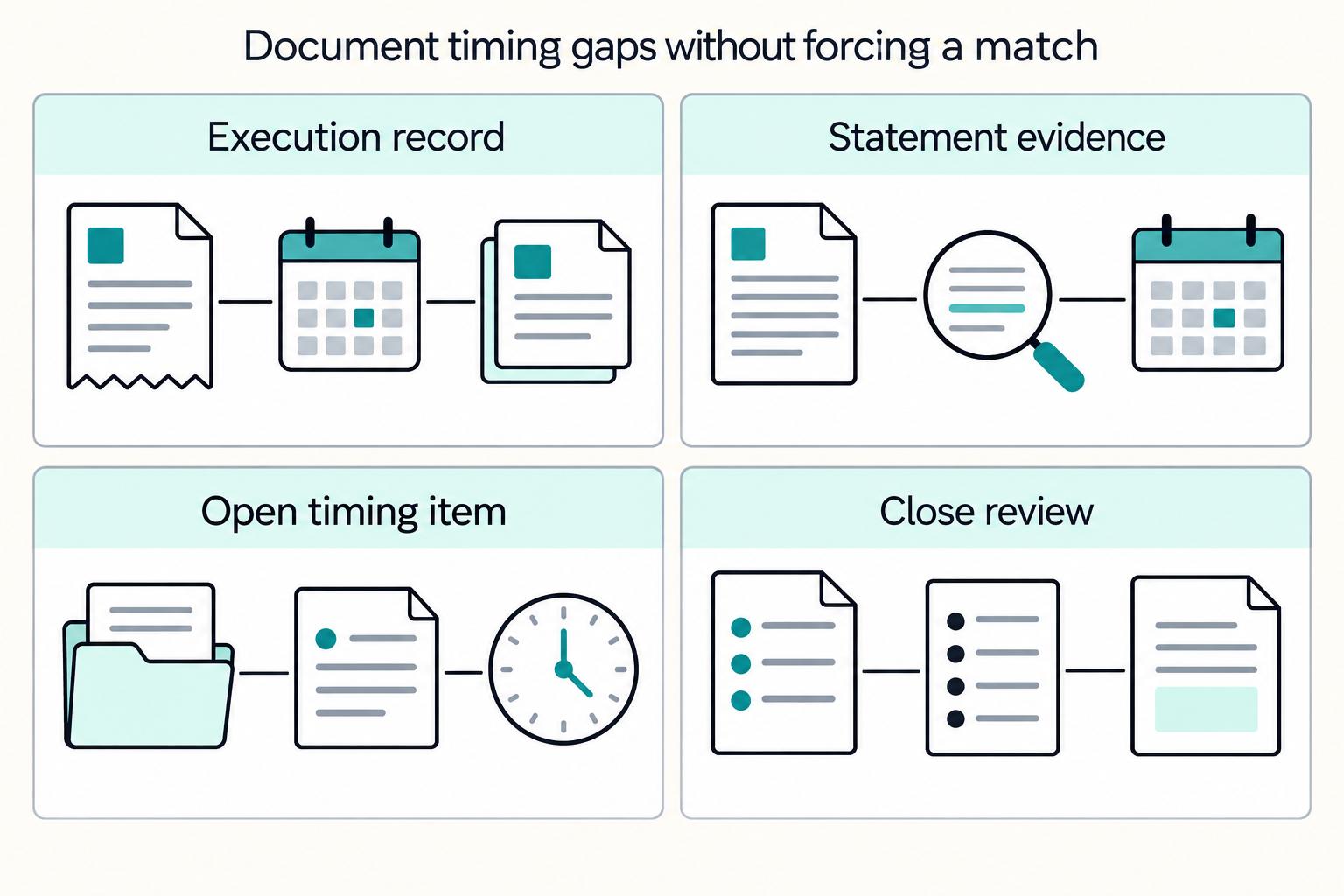
Once exceptions are parked in triage, treat timing as its own close control. If a payout was executed but the related bank deposit is not on the period Bank statement, keep it in clearing as in-transit or outstanding for Month-end tie-out rather than force-matching it.
Start by assuming some mismatches are timing, not errors. In QBO, reconciliation means matching QuickBooks transactions to statement transactions, and timing differences or uncleared transfers and deposits are a common cause of unmatched items.
Common patterns include:
For each open payout batch at period end, verify three fields side by side: execution date, expected deposit date if available, and statement presence for the period boundary you are reconciling.
Only clear items that actually match statement line items. If a deposit is not on the statement, leave it uncleared and carry it in your clearing flow, including Undeposited Funds patterns where applicable, until bank confirmation is visible.
That keeps reconciliation clean. You reach US $0.00 by matching real statement items, not by convenience adjustments or lookalike deposits.
Document open timing items so reviewers can approve carryforwards without guesswork. Include, for example:
Processor expected-deposit dates are useful support, but they do not replace the Bank statement in reconciliation.
Before finance signs off, run an engineering event-completeness check for the close window so uncleared balances are more likely to be true timing items, not ingestion gaps.
Use a close-window check:
Sign-off condition: statement-matched items reconcile cleanly, and remaining clearing balances are documented timing differences with expected settlement paths. Need the full breakdown? Read Catching Payout Errors Early in High-Volume Platform Operations.
A close is only trustworthy when duplicate prevention, approval, and evidence are built into the posting path, not cleaned up afterward. After timing items are documented, focus on three controls: posted-once logic, dual control on high-impact adjustments, and a consistent evidence pack.
Prevent duplicates in two places: at the API edge and inside your own posting flow. An idempotency key helps retries return the same result, but by itself it does not prove your process will create only one Journal entry.
Keep a posting register keyed to the source payout reference plus posting purpose, for example payout_created, payout_failed, or settlement_cleared, and store the resulting QBO transaction ID. On replay, the process should find the existing record and stop before creating another journal.
Use a replay check as a control test: replay a known event and confirm QBO does not get a second journal. Also account for key age. Stripe states idempotency keys may be pruned after 24 hours, so late retries or backfills should not rely only on provider-side idempotency.
Apply dual control and segregation of duties to the extent possible for adjustments that can change Banking Reconciliation outcomes. If an entry affects cleared cash, clears an unmatched bank line, or overrides the normal payout-to-settlement trail, use one preparer and a separate reviewer.
Your adjustment record should capture preparer, reviewer, review date, and linked payout or bank reference. Use the QuickBooks audit log and transaction-level audit history as corroboration for who changed a transaction, when, and what changed. QuickBooks Online states it tracks activity in the audit log and that the log cannot be turned off. Because audit-log events are available for two years, export and retain key evidence outside QBO if your policy window is longer.
Use the same close evidence pack every month so reviewers can validate decisions quickly and consistently. If available, store final packets in immutable storage with WORM controls.
| Evidence item | What it should show | Failure mode if missing |
|---|---|---|
| Payout export | Payout ID, status, amount, execution date, settlement reference when available | You cannot prove the journal ties to an actual payout event |
| Posting log | Source event ID, posting timestamp, posted-once key, resulting QBO transaction ID | Replays and backfills are hard to separate from valid postings |
Matched Bank statement | The statement line supporting each cleared settlement | Reviewers cannot distinguish confirmed settlement from assumption |
| Close sign-off notes | Preparer, reviewer, dates, unresolved items, and why they remain open | Approval is informal and hard to defend later |
Before sign-off, trace one cleared payout batch end to end across all four artifacts. If any step depends on chat history or memory, the control is weaker than it looks.
Once posting controls are in place, reconciliation churn usually comes from a few repeat mistakes. The fix is to undo the shortcut, restore the payout-to-bank trail, and rerun the affected close work instead of masking the gap.
Treat cash movement and expense recognition separately. In QBO, money moved between accounts should be recorded as a transfer, so move payout cash movement out of blanket expense treatment and keep expense recognition distinct from movement between clearing and settlement accounts.
Then rebuild the Month-end tie-out from the underlying transactions, not prior rolled totals. Use one checkpoint: reconciliation difference should end at zero. If it does not, resolve missing or duplicate transactions first.
Do not use ad hoc Journal entries to force a match. QuickBooks lists manual entries as a potential source of extra reconciliation transactions, so reopen matching from payout ID to actual Bank settlement.
Match and categorize downloaded bank transactions before reconciling. If the bank combines several payouts into one line, mirror that in QBO by using Undeposited Funds and then one bank deposit, including grouped deposits of 2 or more payments. If an entry clears the month but cannot tie to a payout reference and combined bank line, treat it as unresolved.
Use separate correction playbooks for Direct deposit and Paper check. For processed direct deposits, QuickBooks says you can no longer void, cancel, or delete the transaction, and documents a journal-entry offset path. Other states or methods may allow void or delete only when status permits.
After splitting the procedures, rerun recent reconciliations those corrections touched. If a reconciled transaction was edited or moved to another account, correct it transaction by transaction instead of making one large cleanup entry.
Forum ideas can suggest options, but they are not a substitute for QuickBooks guidance or accountant review. Before any workaround reaches QBO, codify the trigger, allowed entry type, required evidence, and approval owner. If you cannot show payout ID, bank reference, and sign-off, keep it out of close.
Related: Payment Scheduling for Platforms: How to Build Flexible Payout Calendars for Contractors.
Treat this as a roughly 30-day rollout, not a hard deadline. Each week is a gate, and you only move forward when owner, evidence, and verification are explicit.
Start by finalizing the Chart of accounts in QuickBooks Online, because account type drives how activity appears in reporting. In the same gate, decide where manual Journal entries are appropriate versus integration posting, and write a plain-language reconciliation policy: what posts automatically, what needs approval, and what identifying details are required before close.
Checkpoint: one approved account map, one approved posting policy, and one named close owner. If clearing versus expense is still ambiguous, stop here and resolve it before moving on.
Build and test the posting sequence from Platform payouts to Bank settlement in an Intuit sandbox company. If you run webhook-driven updates, test the endpoint locally and use idempotency keys so retries do not create duplicate postings.
Checkpoint: sample transactions trace from payout record to expected bank-side deposit, and the sandbox behavior matches your intended QBO account flow.
Use separate exception paths for failed and canceled payouts rather than one generic adjustment flow. Include returned payouts in rehearsal, since they are typically returned within 2-3 business days, and account for statuses that can remain pending for up to 10 days.
Checkpoint: mock close with sample data plus an evidence pack, including payout export, posting log, and correction path per exception type.
Run the first live Month-end tie-out only after statement-period transactions are loaded and categorized. Reconcile to Difference = $0.00, review what cleared versus uncleared in the reconciliation report, count unresolved items, and publish stabilization actions for the next close.
Set the closing date after that review. Locking before unresolved items are documented turns normal first-close learning into cleanup work.
Use this sequence, and do not start close until statement-period activity is already in QuickBooks Online. Intuit's reconcile workflow assumes the statement is ready and transactions for the period are added and categorized first.
Compare your monthly payout export to Journal entries or equivalent posting records in QBO by payout ID, amount, and date. Each source payout should map to one accounting entry path, not duplicate versions of the same event.
If ending-balance differences are unclear, check for missing or duplicate transactions before assuming a bank issue. QuickBooks flags missing and duplicate transactions as a common mismatch cause. If your payout flow uses idempotent retries, keep the payout ID or request key in memo or posting logs so duplicate retries are easier to detect.
Bank settlement lines#In QBO, reconciliation means matching book transactions to bank or card statements. If the bank combines several payments into one line, combine them the same way in QuickBooks rather than forcing one-to-one matches.
Keep matching until the reconciliation Difference is $0.00. For items that do not match, isolate them instead of forcing corrections. Use QBO's unmatched views, including items still in bank feed For Review and extra transactions not on the statement, to separate unresolved Bank statement items.
Review canceled, failed, and returned payouts individually, and apply the correction that matches payment status.
If a contractor direct-deposit payment is already processed, QBO says you can no longer void, cancel, or delete it; use an offsetting journal entry where appropriate. If it is not processed and you need history preserved, voiding is generally better than deleting.
For returned payouts, link the original payout, the return transaction, and the correction entry. Stripe describes returned payouts as failed deliveries returned in a separate transaction, typically within 2-3 business days though timing can vary by country, and provides return reasons for investigation.
Month-end tie-out with open-item rollforward and reviewer approval#List each uncleared payout or unmatched bank item with source reference, amount, current status, and next action. If an item is not on the statement, leave it uncleared.
Attach close evidence your team relies on, such as payout export, matched statement lines, posting log or journal list, and the QBO reconciliation report. QuickBooks automatically generates the reconciliation report at the end of each completed session.
If the main issues were duplicate posting, inconsistent grouping, or weak reviewer evidence, tighten manual controls first: require source IDs, standardize batch treatment, and document correction approvals.
If the same exceptions keep rolling forward and unmatched lines continue to accumulate, move toward deeper integration. The deciding signal is not raw volume alone. It is whether you still have a reliable path from payout event to reconciled bank line.
If your month-end checklist still shows recurring reconciliation backlog, talk to Gruv to scope a payout operations setup with clear controls, traceability, and audit-ready workflows.
Use a holding or clearing flow first, then clear it when the bank deposit lands. In QuickBooks Online, one recorded deposit can represent two or more payments, which fits batch payouts that settle as one bank line. When bank activity downloads, match it to the existing entry instead of adding a new one.
Record contractor pay to your contractor expense category, and run payout movement through a clearing account. QuickBooks guidance says that clearing account should be a bank account type. If the expense account choice is unclear, get accountant review before posting.
Treat it as in transit and leave it unchecked if it is not on the statement. Stripe notes payouts can take up to 5 business days after the expected post date, and initial payouts can take 7-14 days. After 10 business days, you can ask the bank to trace it with the payout Trace ID.
Void or cancel before processing when that option is still allowed and you need to preserve the record. Once a contractor direct deposit is processed, QuickBooks says you can no longer void, cancel, or delete it, so use a correcting journal entry instead. Voiding keeps history and sets the amount to $0.00, while deleting removes the record.
There is no universal monthly checklist for every company or jurisdiction. A practical baseline is the QuickBooks reconciliation report, an Audit log view of changes, and the payout-platform reconciliation artifact that matches your setup. For Stripe automatic payouts, use the payout reconciliation report; for manual payouts, Stripe points to the Balance report.
Manual reconciliation is acceptable if you can reliably match payouts to bank activity and avoid duplicate posting issues. There is no universal transaction-count cutoff for when you must switch. Move to integration when manual handling no longer produces reliable, repeatable payout-to-bank reconciliation for your workflow.
Yuki writes about banking setups, FX strategy, and payment rails for global freelancers—reducing fees while keeping compliance and cashflow predictable.
Includes 3 external sources outside the trusted-domain allowlist.
Educational content only. Not legal, tax, or financial advice.

The hard part is not calculating a commission. It is proving you can pay the right person, in the right state, over the right rail, and explain every exception at month-end. If you cannot do that cleanly, your launch is not ready, even if the demo makes it look simple.

Step 1: **Treat cross-border e-invoicing as a data operations problem, not a PDF problem.**

Cross-border platform payments still need control-focused training because the operating environment is messy. The Financial Stability Board continues to point to the same core cross-border problems: cost, speed, access, and transparency. Enhancing cross-border payments became a G20 priority in 2020. G20 leaders endorsed targets in 2021 across wholesale, retail, and remittances, but BIS has said the end-2027 timeline is unlikely to be met. Build your team's training for that reality, not for a near-term steady state.


