
Quick Answer
Start with Invoice Volume, Exception rate, Invoice Approval Time, Approval touchpoint count, Invoice Processing Cycle Time and Cost per Invoice Processed. Define each population and clock, report open-item aging, and read DPO with supplier AP turnover and payment-quality signals. Expand to the full 15 only after the numbers can be reproduced.
Why these AP metrics matter#
AP KPIs should work as an operating tool, not a glossary. Use them to review process flow, assign ownership, and decide what happens next.
Built for platform operations#
This guide is for finance, operations, and product teams managing invoice handling and payment workflows. It is not a general AP primer. The goal is to make AP records and payment activity reviewable enough for leadership to act on them.
Tracking AP KPIs can improve efficiency, support cash flow management, and surface bottlenecks, but a metric belongs in your core set only if it drives action. If it cannot trigger review, follow-up, or investigation, it is noise.
What you should expect from this guide#
Expect practical structure, not theory. This guide connects metrics to operator decisions and regular checkpoints so trend movement leads to response, not commentary.
Before you trust a KPI trend, confirm that the underlying counts and dates are consistent across reporting views. Manual entry issues, delayed approvals, and weak cash-flow visibility can hide process issues.
What this guide will not do#
This guide does not provide universal benchmark targets. KPI mixes vary by business, and the most useful baseline is usually your own trend over time and progress against your own targets.
It also does not assume one interpretation works across every business context. Use these metrics as a shared language for ownership and escalation, then calibrate targets to your operating context.
For a broader view of how AP activity flows into reporting, see What Is an Income Statement? A Platform Finance Team's Guide to P&L for Payment Businesses.
What an AP KPI system means in payment platform operations#
An AP KPI system is an operating control layer, not just a reporting layer. Keep a metric in your core set only if it is tied to a decision and a clear follow-up action.
In practice, you are monitoring flow quality across the full AP path, from invoice intake through coding, approvals, exception handling, and payment. When data is split across tools, teams, and approval points, risk comes from delayed visibility into where the process starts to break.
An AP Metrics Dashboard can improve visibility, but control comes from predefined action. If approval time rises, exception queues age, or payments stop aligning across systems, each signal should trigger investigation and a clear next step. If a signal cannot trigger a concrete action, consider removing it from the core KPI set.
Before you trust any trend, validate both the formula and the source event population. For example, Cost per Invoice Processed is Total AP costs / Total invoices processed. If invoice counts do not align across systems, the metric can drift without anyone noticing.
Also avoid optimizing one KPI in isolation. Pushing only for lower cost can create shortcuts, rework, and more exceptions later.
For a step-by-step walkthrough, see Manage a Remote Finance Team at a Payment Platform.
Pick your first six metrics before rolling out all 15#
Start with a small, balanced scorecard, then expand. The six below give you coverage across intake, approval, execution, and control before the full set is stable:
| Metric | Stage | Owner |
|---|---|---|
| Invoice Volume | Intake | Ops |
| Exception rate | Intake | Ops |
| Invoice Approval Time | Approval | Finance |
| Approval touchpoint count | Approval | Finance |
| Invoice Processing Cycle Time | Execution | Ops |
| Cost per Invoice Processed | Control / compliance | Finance |
That balance matters. If one KPI becomes the only target, controls can erode. For example, if you push cycle time down too hard, work can shift into escalations and post-pay cleanup.
Use one early if-then rule#
If Invoice Approval Time is rising, check approval routing, handoffs, and touchpoints before you add more automation. Approval delay is its own diagnostic signal, so first confirm how long approvals take and how many touchpoints invoices pass through before payment.
Stabilize definitions before expanding further#
Before you add more metrics, baseline the full AP workflow and identify bottlenecks from invoice receipt through payment. Keep receipt, approval, and payment timing definitions consistent so teams are measuring the same process.
Assign ownership by function#
Keep ownership explicit so each metric has a clear decision path. That way, escalation does not stall when a metric moves:
- Assign a clear owner for each KPI.
- Define who investigates metric movement.
- Define who approves process changes.
For a refresher, see Accrued Expenses vs. Accounts Payable: How Platform Finance Teams Classify Contractor Liabilities.
For a closer look at overdue balances and aging buckets, see Accounts Payable Aging Report for Platforms: How to Track Overdue Contractor Payments.
The full 15 metrics grouped by stage owner and action#
Once your starter metrics are stable, expand by lifecycle stage. Each metric should answer one business question, have one primary owner, and point to a corrective action you can start this week.
Management reporting is an internal decision tool, not a fixed-format filing. When KPIs lack clear ownership or source records, teams usually end up with low dashboard adoption, manual tie-out work, and lower trust in the numbers.
| Metric name | Formula input | Primary owner | Failure signal | First corrective action | Source system |
|---|---|---|---|---|---|
| Intake Invoice Volume | Count distinct invoices received during period | Ops | Volume rises but staffing or automation capacity does not | Check intake queue age and source-channel mix before changing SLAs | Intake queue / AP system |
| Intake Exception rate | 100 × distinct received invoices requiring review / distinct invoices received in the same cohort | Ops | Flat volume, higher exception share | Review top exception codes and isolate one upstream cause | AP system / exception log |
| Approval Invoice Approval Time | Mean elapsed time from approval-ready to approval-complete for approved invoices | Finance | Approval time rises while intake is flat | Audit routing paths, approver handoffs, and stuck states | Approval log / posting events |
| Approval Approval touchpoint count | Mean approval steps and reassignments per approved invoice | Finance | More handoffs, no policy change | Remove duplicate approvers and tighten routing rules | Approval workflow log |
| Execution Average Invoice Processing Time | Mean calendar days from receipt to confirmed payment for completed invoices | Finance | Mean time worsens because long-tail cases are growing | Split by invoice type, amount band, and exception status | Posting records / AP reporting |
| Execution Invoice Processing Cycle Time | Median business days from validation-complete to confirmed payment for completed invoices | Ops | Completed invoices take longer even after approval | Check payment scheduling, batch cutoffs, and queue age | Posting records / payment operations |
| Execution Payment completion exceptions | Count distinct payout commands failed or unresolved at cutoff, with unresolved age reported separately | Ops | More payment attempts fail or remain unresolved | Segment failures by rail, market, and return reason | Payout processor / bank returns |
| Execution Duplicate payment event rate | 100 × retry attempts producing duplicate or conflicting events / all retry attempts; distinguish benign duplicate receipts from repeated payments | Product | Retry activity grows with duplicate or conflicting payment events | Inspect retry and event-deduplication behavior before raising retry volume | Event log / payment API logs |
| Execution Days Payable Outstanding (DPO) | Average supplier AP / net credit purchases in period × period days | Finance | DPO improves while supplier friction or late-pay incidents rise | Review aging, payment timing policy, and complaint tickets together | AP subledger / cash reports |
| Post-payment Reconciliation Settlement reconciliation exceptions | Count unmatched or disputed settlement lines at cutoff, plus their value and age | Finance | Open reconciliation exceptions accumulate across closes | Pull the exception list and clear by root cause, not by manual write-off | Settlement report / core records / close report |
| Post-payment Reconciliation Status update latency | Median and 95th-percentile time from provider event occurrence to durable status ingestion | Product | Payment status updates arrive late enough to distort KPI timing | Check delivery failures and ingestion backlog | Event monitor / event pipeline |
| Post-payment Reconciliation Reconciliation close lag | Calendar days from period end to reconciliation signoff | Finance | Close takes longer because cash and payout records do not tie | Start with largest unmatched populations and repeated break types | Close report / core records |
| Control / compliance Cost per Invoice Processed | Total attributable AP operating costs / distinct invoices completed in period | Finance | Cost falls while manual cleanup moves outside AP | Include exception-handling labor and post-pay fixes in the cost view | Finance reporting / AP system |
| Control / compliance AP Turnover Ratio | Net credit purchases / average supplier AP for the same period | Finance | Turnover shifts sharply without a business mix change | Compare with DPO and aging before calling it improvement | AP subledger / financial statements |
| Control / compliance Payment Error Rate | 100 × distinct initiated payments containing a processing error / distinct payments initiated in the same cohort | Ops | More reversals, returns, or correction entries | Review error classes and freeze the worst failing path first | Payment ops log / correction records |
Read owner and stage before trendlines#
Stage grouping helps prevent bad diagnosis. Intake and approval metrics show demand and internal friction before money moves. Execution metrics show whether approved work converts to completed payments. Post-payment close metrics show whether records are complete enough to trust. Control metrics test whether speed or cost gains are real gains or just risk shifting.
If Invoice Approval Time and approval step count both rise, start upstream with routing and handoffs. If payment completion exceptions rise while status update latency rises, separate execution failure from visibility lag before you escalate.
Keep paired metrics paired#
Average Invoice Processing Time uses a receipt-to-payment calendar clock; this guide defines Invoice Processing Cycle Time as the median business days after validation. These are local definitions, not universally distinct industry terms. Report open-item aging beside both completed-item measures, since excluding stuck invoices can make the dashboard look faster.
| Metric | What it shows | Read with |
|---|---|---|
| Average Invoice Processing Time | Receipt-to-paid duration across completed invoices; the average can move because the long tail is getting worse | Invoice Processing Cycle Time |
| Invoice Processing Cycle Time | Median business days from validation-complete to confirmed payment; report open validation-ready items separately | Average Invoice Processing Time |
| Days Payable Outstanding (DPO) | Average payment timing; the average number of days it takes to pay suppliers | AP Turnover Ratio, aging, complaints, and payment error signals |
| AP Turnover Ratio | How quickly payables are paid off; a higher ratio means suppliers are paid more frequently | DPO and aging |
Read DPO and AP Turnover Ratio together too. If one improves while aging, complaints, or payment error signals worsen, treat that as a warning, not a win.
Verify before weekly reporting#
Before you publish, tie one recent period back to raw posting records, settlement files, and approval or status-event logs. This matters most when teams are still exporting and combining data manually, because manual collection can hide reliability gaps.
Then check actual usage. A dashboard no one uses has no operational value. Keep the weekly pack focused on metrics tied to active decisions, and review lower-priority metrics monthly until data quality and response paths are stable.
Related reading: How to Make the Case for AP Automation to Your CFO: A Platform Finance Team Playbook.
Read DPO and AP Turnover Ratio together or you will make the wrong call#
Read these two together before you call cash performance a win. DPO shows average payment timing, while AP Turnover Ratio shows how quickly payables are paid off. Either can look stronger on its own while payment execution weakens.
DPO estimates how long supplier payables remain outstanding. For a purchasing cohort, use average supplier AP divided by net credit purchases in the same period, multiplied by period days. If reporting uses COGS as a proxy, label that convention and explain its limitations. Keep customer funds and pass-through contractor payout liabilities out of a supplier AP ratio.
AP Turnover Ratio is net credit purchases divided by average supplier AP for the same period. Average AP is (opening AP + closing AP) / 2, or a documented daily average when balances vary substantially. With the same denominator and population, DPO equals period days divided by turnover. Zero purchases or zero average AP can make these ratios undefined or misleading; do not display a fabricated zero.
If DPO improves while late payments are also increasing, treat that as a potential quality issue rather than a clear win. Slow processing can lead to late payments, supplier friction, and late fees, so timing quality should be read alongside cash posture.
For supplier invoices, verify recent processing times and the late-payment trend first. A clear regression signal is DPO improving while late payments increase.
The point is not to favor one metric over the other. It is to confirm that cash timing and payment quality are improving together.
Related playbook: Key Best Practices for Improving Accounts Payable on a Two-Sided Payment Platform.
Build an AP metrics dashboard from ledger events not spreadsheets#
Build the dashboard from consistent KPI definitions and source data, then use spreadsheets as a validation layer. That helps keep KPI definitions stable and makes bottlenecks, errors, and cash-flow tradeoffs easier to see.
Define each KPI so it drives action#
A useful KPI needs a clear performance goal, a clear owner, and a clear next step when the number moves. For each metric, document the goal, the source record, who investigates when it worsens, and which exception patterns are included or excluded.
A simple working standard for each metric:
- the performance goal it tracks
- which system record feeds it
- who investigates when it worsens
- which exception patterns are included or excluded
Design tiles to explain delays, errors, and exceptions#
Your dashboard tiles should answer, "What should we do next?" not just "What happened?" Make delay, error pressure, exceptions, and cash-flow impact visible at a glance.
| Dashboard focus | What to monitor | Operator question |
|---|---|---|
| Process delay | Where items are slowing down | Where is the bottleneck right now? |
| Error pressure | Where corrections or rework are rising | Is this a one-off issue or a repeat pattern? |
| Exception rate | Distinct received invoices requiring review / distinct received invoices in the same cohort | Which exception type is driving the increase? |
| Cash-flow impact | Payment timing trend | Are timing choices helping cash flow while keeping supplier expectations in view? |
Keep spreadsheet logic from becoming the source of truth#
Spreadsheets are still useful for one-off checks, backfills, and QA. But if KPI logic lives only in a sheet, gaps appear and it becomes harder to keep definitions stable. Use one documented KPI definition per metric, and review exceptions directly against underlying records before you change formulas.
If you are evaluating AP metrics alongside tooling and process design, see How to Build a Finance Tech Stack for a Payment Platform: Accounts Payable, Billing, Treasury, and Reporting.
Run a weekly KPI review with explicit escalation triggers#
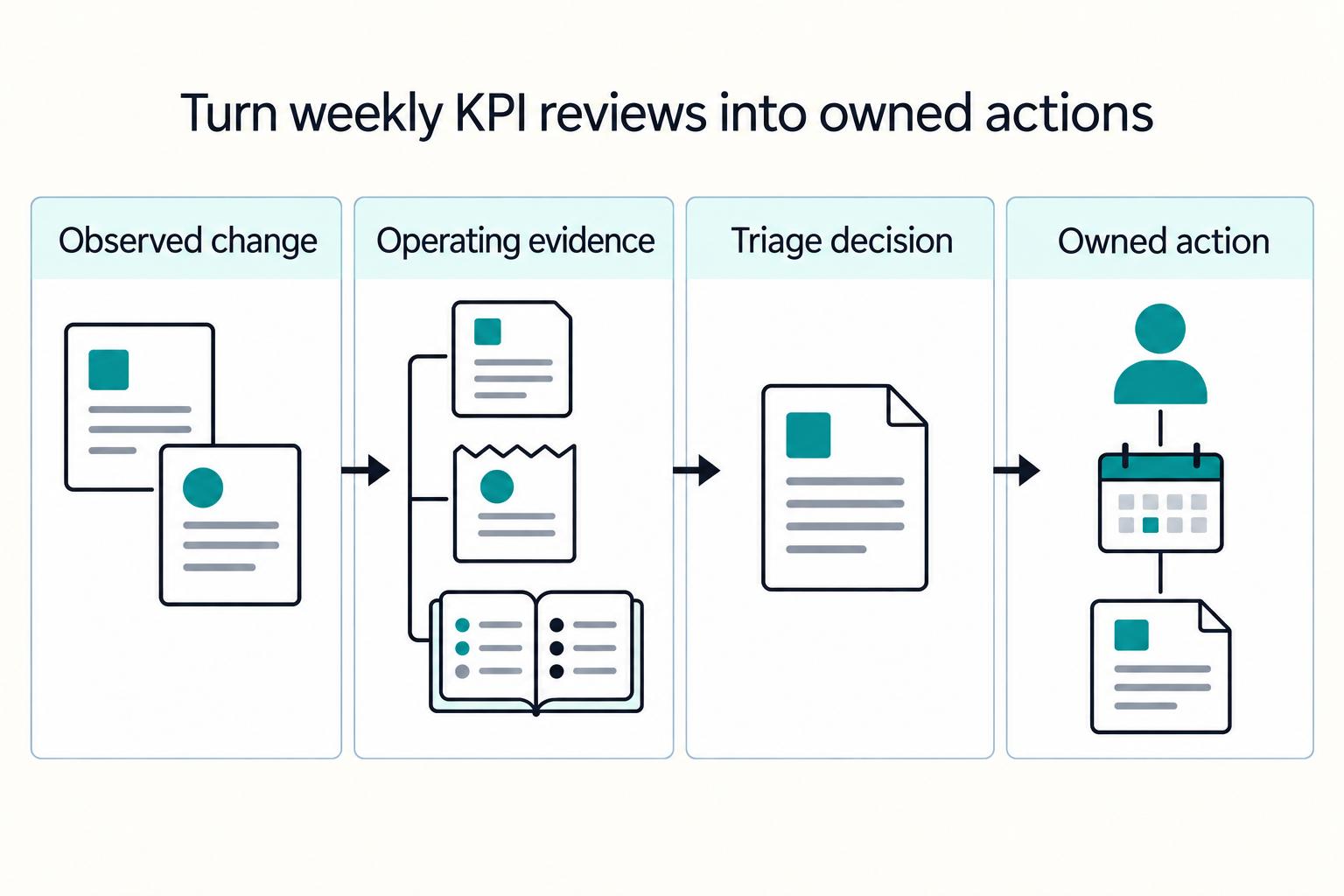
Once your dashboard runs on system events, governance becomes the next control point. A weekly KPI review should end with clear escalation decisions, named owners, and due dates, or the metrics remain descriptive instead of operational.
Use a consistent agenda every week: baseline-to-current deltas, root-cause hypothesis, owner assignment, and corrective-action due dates. KPI tracking improves decisions when movement is measured against baselines, so publish baselines and review weekly movement in the context of 30-/60-/90-day deltas.
Use the same decision sequence every week#
- Review the largest deltas from baseline and from last week.
- State the leading hypothesis for each material change.
- Route each issue to same-day triage or the weekly backlog.
- Assign one owner and one due date per corrective action.
- Add one preventive control to reduce repeat incidents.
If you skip the preventive-control step, you may resolve incidents without improving throughput or quality across the process.
Build a trigger matrix around impact and cash risk#
You do not need universal numeric thresholds, but you do need shared escalation rules so routing stays consistent. Use the matrix below to separate same-day triage from backlog work.
| Signal type | Same-day triage when | Weekly backlog when | Evidence to check first |
|---|---|---|---|
| Customer or supplier impact | Payments are blocked, delayed, or visibly failing for active items | Delay is contained and has no live payment impact | Payment state logs, open tickets, affected payout IDs |
| Cash-risk exposure | Close gaps or payout execution issues could distort cash decisions | Variance is isolated and not affecting current settlement or payout decisions | Close extract, event trail, affected Payout Batches |
| Process efficiency only | Queue growth is threatening approvals or payment timing | Drift is stable and not yet creating downstream risk | Queue aging, handoff timestamps, exception codes |
Use if-then rules to prevent false optimization#
Set one explicit rule: if Invoice Processing Cycle Time worsens and exception queues spike, pause optimization work and clear bottlenecks first. Restore flow before tuning automations, approval logic, or dashboard views.
Before you escalate, verify the spike against operating records: queue age, unresolved exception codes, current close outputs, and payment state logs. If the dashboard moved but the operating records did not, treat it as a measurement issue first.
Require an evidence pack before escalation#
When an issue moves from discussion to escalation, use a compact evidence pack with the records that fit the incident, such as ticket links, a close extract, payment state logs, and affected Payout Batches or payout IDs. That keeps finance, ops, and product aligned on the same event trail.
End each review with one preventive control added to next week's work, not just incident fixes.
Before you lock in your trigger matrix, map each KPI to concrete events and status updates so weekly reviews stay traceable in one system of record. Start in the Gruv docs.
Failure modes that make KPI numbers look healthy while operations degrade#
Healthy KPI trends are not enough on their own. Operations can still degrade when KPI quality is weak, calculations are not consistently evidenced, or reported gains hide unresolved process issues.
| Issue | What it can hide |
|---|---|
| Measurement gaps | A KPI can look stable or improved while day-to-day execution is getting harder |
| Definition drift | Trend lines can look precise while losing decision value |
| Narrow wins | A positive move in one KPI can still mask growing friction elsewhere in the workflow |
| Missing calculation evidence | A reported win that cannot be reproduced from the same evidence set |
Measurement gaps can make performance look better than it is#
A KPI can look stable or improved while day-to-day execution is getting harder. When operator reality and dashboard movement diverge, treat the metric as unverified until you confirm the underlying records and calculations.
Definition drift breaks comparability#
Comparability drops when teams stop measuring the same thing. If calculation logic or measurement boundaries change over time, trend lines can look precise while losing decision value. Keep each KPI definition and formula explicit so finance, ops, and product can reproduce the same result.
Narrow wins can hide real inefficiency#
A positive move in one KPI can still mask growing friction elsewhere in the workflow. Review changes with related process signals so you can tell whether work was improved or just shifted. Metrics should surface the tasks and technologies creating rework, not hide them.
Require calculation evidence before reporting upward#
Before you escalate or report a material KPI, require the calculation and supporting evidence behind it. A compact verification pack should include the current metric definition, formula logic, and source records used to produce the number. If the number cannot be reproduced from the same evidence set, treat it as a reporting risk, not an operating win.
Handle compliance and cross-border constraints in KPI interpretation#
Timing KPIs can include transaction compliance review and operational queues. Identify the required transaction steps before classifying a delay as avoidable.
Separate recurring transaction checks from program-level regulatory approvals. The OCC payment-systems booklet addresses national-bank payment activities; its notices for specific program activities do not impose a review clock on every supplier invoice or every payment platform. Map the controls that actually apply to your entity and route, then measure their operational delay separately.
Split delay in your dashboard so teams improve the right thing:
| Delay bucket | Include | Action |
|---|---|---|
| Policy delay | Required review, notice, or risk-control stages tied to the payment type or program | Track and explain |
| Controllable delay | Queue age, missing data, broken routing, rework, and handoff lag | Reduce through process fixes |
Confirm controls before setting global KPI targets#
Before comparing flows, identify the controls that actually apply and define where each timing clock starts and stops.
- Document which controls are enabled by program and payment type.
- Record which timer start and stop points include compliance or notice stages.
- Keep the metric definition with the applicable policy and transaction-review record; do not count a program-level approval as a recurring invoice stage.
Do not reuse one target across unlike flows. The OCC notes that each institution presents specific risks and issues, and product-specific risks differ, so flows with added notice or review should have separate baselines before optimization.
Connect AP KPIs to ERP and payment stack decisions#
Choose stack decisions based on KPI consistency, not platform labels. Your numbers should mean the same thing from source workflow to ERP record to reporting view, with one shared KPI definition set instead of system-specific interpretations.
Before you expand automation, standardize the AP workflow, assign clear ownership, and clean up vendor data, AP policies, and coding rules. Otherwise, dashboards can look precise while teams are still absorbing manual rework.
What to test across systems#
Use these as internal checks across systems. They keep one KPI definition set usable across tools:
| Criterion | What to verify | Why it matters |
|---|---|---|
| Workflow standardization | AP workflow is documented and standardized before automation | Reduces stuck invoices and repeated manual work |
| Ownership clarity | The right stakeholders are involved and AP ownership is explicit | Keeps exception handling accountable |
| Data and policy hygiene | Vendor data, AP policies, and coding rules are clean and current | Improves data quality and reduces avoidable rework |
| Balanced KPI coverage | KPIs are tracked as a linked set (cost, speed, accuracy, workload), including PO time and AP time | Prevents single-metric gains from hiding shortcuts, exceptions, and cleanup work |
One definition path (practical pattern)#
Use one shared KPI definition set from workflow through reporting so teams interpret results consistently. Treat this as a practical consistency choice, not a universal rule.
Build vs buy for KPI logic#
Whether you build or buy, keep the KPI set balanced so gains in one metric do not hide shortcuts, exceptions, or cleanup work.
Go-live checkpoint list#
- AP workflow is documented and standardized before automation.
- AP ownership is clear and the right stakeholders are involved.
- Vendor data, AP policies, and coding rules are cleaned up.
- KPI tracking is balanced so tradeoffs stay visible.
Related: Subscription Analytics Dashboard: 12 KPIs Every Platform Finance Team Should Track.
Conclusion#
Strong AP KPI programs work when each metric is tied to a decision and a corrective action. If a number moves and no one knows what changes next, it is reporting noise.
These metrics are most useful as operating signals, not vanity outputs. Used that way, they help surface errors, process inefficiencies, and cash-flow tradeoffs across the AP workflow.
For this guide, keep the rollout tight before you scale:
- Start with the six-metric scorecard above; expand only when definitions and actions are stable.
- Define each metric before publishing it: formula, start and end events, and data-source tie-break rules.
- Set a recurring cross-functional review cadence your team can sustain.
- Expand beyond the starter set only after definitions and actions are stable.
Protect trust in the dashboard by prioritizing reliable execution over vanity wins. A lower Cost per Invoice Processed is not a win if exception work is simply pushed elsewhere. A higher DPO is not a win if payment timing starts to strain supplier relationships.
Long processing times can also increase late-payment and late-fee risk. Pair timing metrics with a due-date checkpoint, such as the percentage of invoices paid on or before the due date.
Before you share results broadly, run one verification pass: trace a small invoice sample end to end and confirm the metric outputs match the underlying records. If definitions or tie-outs are unstable, pause expansion and fix that first.
If your next decision is scale, validate implementation fit and market coverage before broad rollout, especially across multiple countries or payout models. For that scenario, read International Accounts Payable for Platforms: How to Manage Multi-Country Payables Without a Global Finance Team.
For the full breakdown, read Accounts Payable Days (DPO) for Platforms in the Real Payment Cycle.
If you want to pressure-test your starter KPI set against payout coverage, compliance gates, and reconciliation workflows, talk to Gruv.
Frequently Asked Questions
What are the first AP KPIs a payment platform finance team should track?
Start with six verifiable metrics: Invoice Volume, Exception rate, Invoice Approval Time, Approval touchpoint count, Invoice Processing Cycle Time and Cost per Invoice Processed. Pair completed-item timing with open-item aging so stalled invoices stay visible.
How do Days Payable Outstanding (DPO) and AP Turnover Ratio differ in practice?
In practice, DPO shows average payment timing, while AP Turnover Ratio shows how quickly payables are paid off. Keep calculation rules, cutoffs, and data sources explicit and consistent, then read both alongside aging and operational KPIs.
What should we do first when Invoice Processing Cycle Time starts rising?
Validate the measurement before you change the process. Check receipt timing, approval events, exception handling, and payment or close status on a sample to confirm the trend is real. If it is, start with approval rules, handoffs, and exceptions before you tune automations.
How often should an AP Metrics Dashboard be reviewed by finance, ops, and product owners?
A weekly cross-functional review is the default working rhythm, with faster checks when a metric can trigger immediate action. The important part is a shared cadence so ownership, definitions, and escalation paths stay aligned.
Can automation improve AP KPIs without creating new control risk?
Yes, but only if controls stay visible. Automation may improve cycle time, accuracy, exception rates, and KPI visibility, but none of that is guaranteed. Risk is easier to manage when approval rules are clear and exceptions remain measurable.
Which AP KPIs should be excluded until data quality in the Ledger is stable?
Until core fields and event flow are reliable, hold back timing and ratio metrics that depend on consistent ledger dates and states. Start with verifiable counts and checkpoint metrics, then expand once definitions and data quality are stable.
Researched and edited by the Gruv editorial team. Gruv builds cross-border billing, payouts, and finance-operations software for global businesses.
Sources
Includes 3 external sources outside the trusted-domain allowlist.
Educational content only. Not legal, tax, or financial advice.
Related Posts

The Freelance Payment Penalty: A Modeled Audit of Platform Fees, FX Spreads, and Payout Delays
The money rarely disappears through a single, easy-to-spot fee. The real loss is stacked. A marketplace takes its commission, a processor adds a charge for international cards, a bank or payment company converts the currency at a spread, a platform holds the funds before release, and a wire sheds a little to intermediaries on the way in. Each layer looks defensible on its own, but the worker feels the combined result as a smaller deposit and a later payday.

How to Respond to a Subpoena for Business Records
Move fast, but do not produce records on instinct. If you need to **respond to a subpoena for business records**, your immediate job is to control deadlines, preserve records, and make any later production defensible.

A US Expat's Guide to Investing in UCITS ETFs to Avoid PFIC Issues
The real problem is a two-system conflict. U.S. tax treatment can punish the wrong fund choice, while local product-access constraints can block the funds you want to buy in the first place. For **us expat ucits etfs**, the practical question is not "Which product is best?" It is "What can I access, report, and keep doing every year without guessing?" Use this four-part filter before any trade: