
Quick Answer
Track overdue contractor payments with an accounts payable aging report that ties each unpaid invoice to its due date, open amount, payment status, blocker status, owner, and supporting ledger entry. Keep AP separate from AR, split execution status from accounting status, route holds into exception queues, and reconcile the report to the general ledger.
What an AP aging report shows for contractor payments#
Build this to drive action, not just generate another finance report. For platform teams, an AP aging report is most useful when each overdue line shows what is owed, when it was due, and whether the issue is a payable aging problem, a process delay, or payment-system risk.
An accounts payable (AP) aging report groups unpaid vendor invoices by due date and aging bucket. In practice, it gives you one view of what is current, what is 1-30 days overdue, and what is 31-60 days overdue. By the end of this guide, you should have clear fields, state logic, escalation rules, and reconciliation checkpoints tied to your general ledger.
- Define the operating outcome first.
The goal is not a cleaner export. It is an AP view that helps teams route each overdue item to the right next action.
- Separate liability timing from payment-system risk early.
Overdue balances can come from stale liabilities, process delays, disputes, or payout execution issues. If you lump those together, recovery slows and reporting gets noisy.
- Anchor aging to reconciliation from day one.
The report should match vendor statements and the general ledger, including partial payments, credits, and month-end accruals. Without that check, the report can look current while balances are wrong.
Use a simple operating test for each overdue line. Can you answer four questions from source data alone: What is the open amount? What due date or terms, such as 2/10, net 30, set the due status? What is the latest payment status? What ledger entry supports the remaining balance? If not, you still have manual spreadsheet prep, which is where errors tend to creep in.
Keep the scope tight. AP aging tracks money you owe vendors. Accounts receivable (AR) is the opposite view, focused on money customers owe you. Both matter for cash visibility, but they are not interchangeable.
Set scope and prevent AP and AR confusion early#
Start with the boundary. AP aging tracks what your platform owes vendors, and any contractor balances treated as payables, while an Accounts receivable (AR) aging report tracks what customers owe you. That split changes the decisions you make. Use AP aging to prioritize overdue payables. Use AR aging to support collections and credit management.
One operating rule helps prevent classification drift. If an amount is owed to a contractor and still awaiting payout, treat it as AP aging unless your accounting policy says otherwise, even if customer invoice collection ran through a Merchant of Record (MoR) flow. MoR changes customer payment-processing responsibilities, but it does not by itself create a reclassification rule for contractor balances.
Gather prerequisites and assign data ownership before you build#
Do not automate AP aging until overdue lines are explainable from source records and liability records. AP reporting depends on clear visibility into outstanding invoices, payment status, and vendor relationships. If that visibility is weak, cash-flow risk rises.
Confirm the minimum record set for aging#
Build from records, not from a dashboard view. At minimum, your aging process should tie each line to:
- outstanding invoice detail
- current payment status
- vendor relationship data
- the AP ledger entry that shows the current liability
If a line cannot be explained from those records, treat it as not ready for automation.
Assign one accountable owner per break point#
Shared accountability can let overdue items stall. Set ownership by data object and decision point so someone can make the call when something breaks. In practice, define who has final say on:
- aging classification rules
- source-record quality and corrections
- report defects and duplicate handling
Assign one decision-maker for each failure mode.
Define an evidence pack you can defend#
Before launch, decide what support is required for any overdue item. Keep the evidence tied to payable monitoring.
| Support item | When included |
|---|---|
| Invoice record | For any overdue item |
| Payment status | For any overdue item |
| Vendor relationship record | For any overdue item |
| AP-ledger liability context | For any overdue item |
| Contract traceability | If contracts are part of the obligation process |
If contracts are part of your obligation process, include contract traceability in your documentation. A procurement contract documents an agreement to purchase goods or services and requires signature by designated authority. Where applicable, account for written independent-contractor contract requirements effective January 2025 in California, and include $0 transactions when they fall within procurement contract scope.
Gate launch on report reliability, then test known failure modes#
Use a simple readiness gate. Do not automate what you cannot reliably explain. Validate with recent overdue samples, then stress-check duplicate-record behavior, because duplicates can make aging results inaccurate.
When you find a known reporting issue, record when it was first identified and use a detail-level workaround report until the defect is resolved. Slower, reliable reporting is better than scaling a report you cannot trust.
Related: Manufacturing Accounts Payable Automation: How Industrial Platforms Pay Subcontractors and Suppliers.
Build the minimum contractor aging dataset#
Keep the dataset small enough to stay reliable, but rich enough that every overdue line is explainable at a glance. You should be able to see what is owed, when it was due, and whether it is past due, upcoming, or recently paid.
Start with core fields that explain the payable#
Your first version should answer the core questions: what is past due, what is coming due, and what has been paid. A practical core set is:
- contractor or payee ID
- invoice ID
- due date
- invoice amount
- outstanding amount (if tracked)
- payment status (past due, upcoming, recently paid)
- exception or blocker status
If a field is not consistently populated, keep it optional until the data is reliable.
Add payout trace fields to reduce duplicate or ambiguous cases#
As volume rises and approvals stay manual or multi-step, error and duplicate-payment risk goes up. Core AP fields show the obligation, but they may not fully show where a payment is in the process.
Add a small set of operational trace fields only when your system can populate them reliably and your team uses them consistently. Treat them as control aids, not universal accounting requirements.
Record payout blockers as explicit statuses#
If a payment is blocked, store that blocker as a status with an owner instead of burying it in notes. Clear transaction rules are easier to enforce when blockers are explicit, and issues are less likely to stay hidden until audits, cash-flow problems, or vendor disputes.
Separate true payout blockers from context-only notes.
Maintain a field ownership table before automating joins#
Before you automate joins, document who owns each field and what it does in the payout process.
| Field name | Source system | Owner | Core/optional | Blocks payout |
|---|---|---|---|---|
| contractor/payee ID | Contractor master or ERP | Ops | Core | No |
| invoice ID | Invoice or ERP record | Finance Ops | Core | No |
| due date | Invoice or ERP record | Finance Ops | Core | No |
| invoice amount | Invoice or ERP record | Finance Ops | Core | No |
| outstanding amount | Invoice or ERP record | Finance Ops | Optional | No |
| payment status (past due/upcoming/recently paid) | AP report or payment record | Finance Ops | Core | Sometimes |
| exception or blocker status | Exception queue or ops log | Ops | Core | Yes |
| blocker owner | Exception queue or ops log | Ops | Core | Yes |
Review this table whenever your status model, processor flow, or approval path changes. This keeps operations clear: you need to prioritize payments, schedule action, and verify payment-record accuracy without turning overdue items into unexplained exceptions.
Map payment states from invoice receipt to payout completion#
If status movement is not explainable from invoice receipt through payout completion, aging gets harder to interpret. Define the internal checkpoints and the record that shows each one happened.
Define your internal state map and proof for each state#
Use one shared internal sequence, document each state in business order, and write down the evidence required to enter that state. For each checkpoint, record the owner, entry condition, and supporting record so two operators can classify the same overdue item the same way.
Where relevant, align checkpoint definitions to your payment artifacts. Formal agreements can separate invoicing and payment terms, can include audit oversight, and can reference a payment artifact such as Payment Provisions. Use those artifacts to keep state decisions consistent.
Keep execution status and accounting status distinct#
Track payout execution status and accounting status as separate fields. A payment process may move while accounting records are still being posted or reviewed, and one combined label may hide what is actually unresolved.
For each line, store both statuses and the record behind each one. Every overdue item should clearly answer what happened operationally and what has been recognized financially.
Make async and exception paths explicit#
If your workflow includes asynchronous responses or exception handling, represent those paths explicitly instead of collapsing them into a generic in-progress state. That keeps blockers visible, ownership clear, and handoffs easier to audit.
When delayed payments sit unresolved, planning gets harder, so exception visibility matters. Keep history intact so reopened or corrected items remain traceable.
Capture transition references and define mismatch escalation#
At each transition, capture the identifiers your stack already emits, such as batch, provider, request, or event references, so investigations stay evidence-based. If payout-facing and accounting-facing statuses stay out of sync, follow your documented reconciliation process before taking further action.
That keeps ambiguous overdue items from being acted on blindly and makes reconciliation faster when timing, processing, or posting paths diverge.
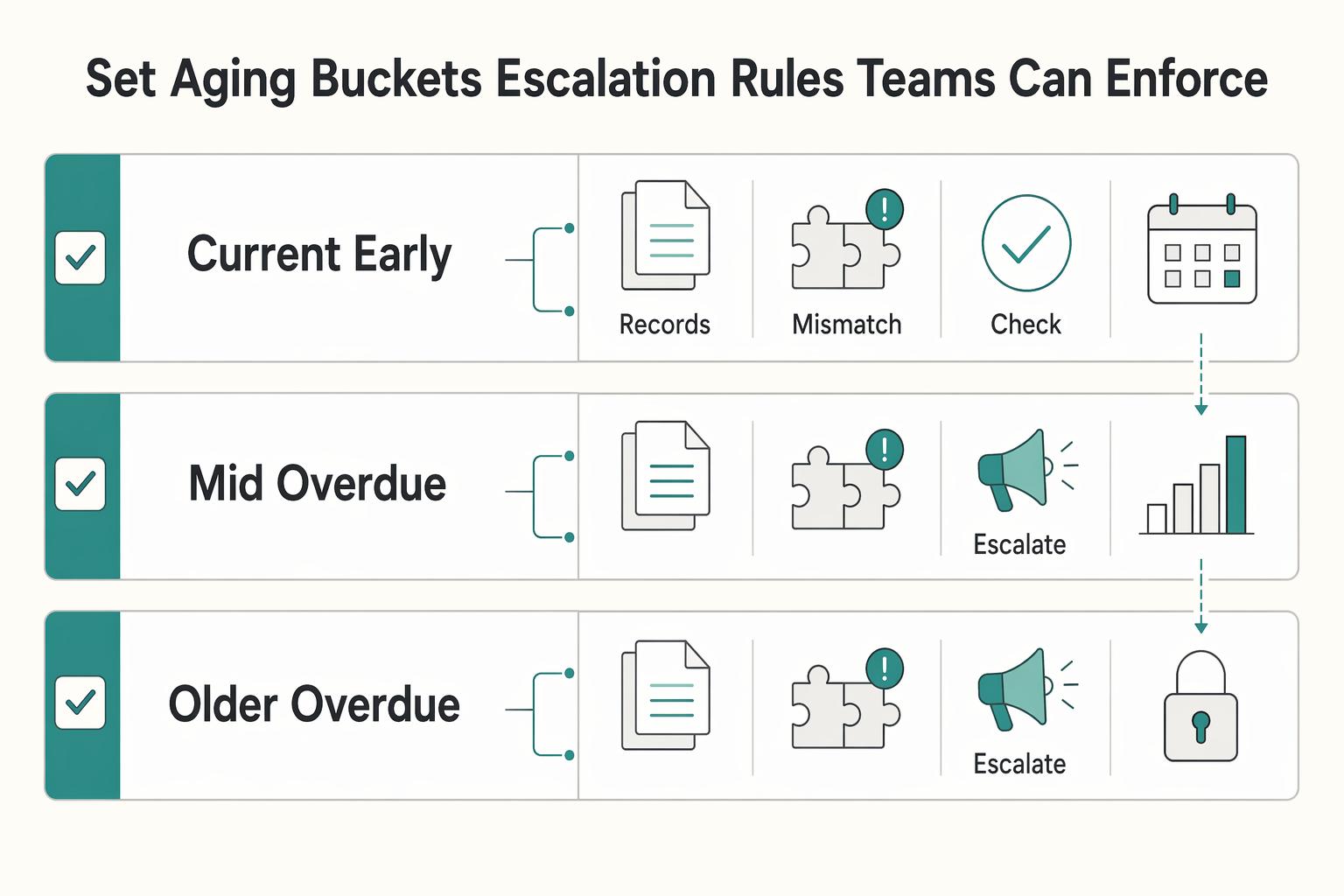
Set aging buckets and escalation rules teams can enforce#
Buckets should drive action, not just reporting. Each overdue item can show its age band, current owner, next step, and invoice-level detail for audit checks.
Use one documented bucket policy for the team, then attach clear ownership and an action state to each band. Standard aging bands from AR reports, such as 0-30, 31-60, 61-90, and 91+, are useful starting examples, but your AP policy can define its own bands.
| Bucket (your policy) | What it signals | Owner | Next action | Audit checkpoint |
|---|---|---|---|---|
| Current/early overdue | Routine follow-up window | Assigned operator | Confirm status and due-date path | Invoice-level record |
| Mid overdue | Execution or process friction | Functional owner | Resolve blocker and update status lineage | Invoice-level update note |
| Older overdue | Operational drift risk | Team lead/manager | Escalate and prioritize resolution | Escalation note plus invoice detail |
For escalations, route by root cause rather than age alone. Keep cause categories explicit, such as approval bottleneck, payment-rail reject, or data mismatch, and capture a handoff note that shows what was checked and what changed. If older buckets keep growing, treat that as a process-review trigger, because weak payable tracking raises the risk of missed payments and downstream damage.
When your bucket matrix is ready, connect those owner and escalation rules to execution and status tracking in Gruv Payouts.
Run a daily operating cadence across finance ops and product#
A daily review only works if it follows the same sequence every time. The goal is to spend time resolving overdue items, not reinterpreting status.
Refresh records before review#
Refresh the aging view and supporting account records first, then validate traceability before discussing actions. Each overdue line should map to an invoice-level record and current payment status. If that chain is incomplete, move the item to an exception queue and log what evidence is missing.
Review deltas and prioritize#
Start with what changed since the last cycle: new overdue items, bucket movement, and exception items that still need resolution. Prioritize follow-up by balance, risk, and strategic importance so your queue stays focused and predictable.
Use role-based checkpoints#
Keep cross-functional checks narrow and evidence-based so decisions move quickly.
| Function | Daily confirmation | Evidence to log |
|---|---|---|
| Finance ops | Aging position and overdue-item status for items under review | Invoice references and status notes |
| Operations | Statement/reminder cadence and exception handling progress | Communication records and action state |
| Sales, Legal, or Customer Success | Input on customer context and escalation needs | Decision notes and handoff updates |
Close with ownership and an audit-ready log#
Before the review ends, assign one owner and one next action to each unresolved item. Record what you checked, what changed, and what will be rechecked next cycle. Detailed dispute and resolution logs are core audit and reporting evidence, and a predictable review rhythm helps reduce larger operational surprises.
Handle payout failures and async events without losing traceability#
Treat payout failures as a control problem first, not a queue-clearing exercise. When volume is high, workflows are manual, and multiple approvers are involved, duplicate payments and other mistakes become more likely. Those issues may not appear until audits, cash-flow problems, or vendor disputes.
Classify exceptions by action, owner, and evidence#
Do not leave failed payouts in one generic error bucket. Define a small set of exception classes, and make each class answer three questions right away: who owns it, what action is allowed next, and what evidence is required before closure.
If a class does not tell the reviewer what to do, it is too vague. Keep labels practical and tied to workflow decisions.
Hold unresolved items in exception status#
When payout status is unclear or conflicting, keep the payable open in an exception state until the team can verify what happened. Do not force-close items just to reduce backlog, and do not treat missing evidence as resolution. That keeps aging and settlement decisions aligned with what can actually be supported in review.
Validate the full control path before resolution#
Use the same documented control path each time: receipt, review, approval, and payment. The goal is one readable history for each item, not scattered notes and partial status checks.
If any step in that chain is missing, mark the item unresolved and assign a next check.
Close only with documented resolution#
Close exceptions only when the record shows what was checked, what changed, and why the item is now resolved. Keep related credit and collections work connected so handoffs do not reduce process effectiveness. That documentation helps prevent issues from going unnoticed until they show up later as audit or cash-flow problems.
Related reading: Accrued Expenses vs. Accounts Payable: How Platform Finance Teams Classify Contractor Liabilities.
Apply compliance and tax gates without creating silent backlog#
When compliance or tax reviews can delay payout, treat those lines as explicit hold states rather than generic overdue payables. If a line is blocked because review or documentation is incomplete, show that directly in aging with a named owner, next action, and target review date.
Put policy gates on the aging line#
Make policy gates visible on the aging line itself. Show whether an item is pending compliance review or missing tax documentation instead of burying that status in notes or another queue.
Keep this operational, not policy-heavy. Finance should be able to see why payout is blocked, even if detailed review criteria live elsewhere.
Show tax readiness as document status#
Show tax readiness as document status, not tax advice. Track required tax-document status in the workflow, rather than inferring eligibility from payout status.
Route blocked items to a hold queue#
If you use a hold queue, route compliance-blocked items as on hold with clear ownership and a target date for the next check so they are not treated as ordinary overdue AP.
If you collect optional FEIE context, keep it as documentation support unless tax specialists own eligibility decisions. The physical presence test is 330 full days during any period of 12 consecutive months, the 330 days do not have to be consecutive, and a full day is midnight to midnight.
Reconcile to the ledger and close month end with defensible evidence#
Your month-end close is only defensible if aging reconciles to the general ledger and every unresolved difference is documented. Treat the aging view as a close control, not just a triage report, so the books reflect reality at cutoff.
Reconcile aging to the general ledger before signoff#
Reconcile open aging lines to the general ledger and your exception queue before close signoff. Do not run the aging report and the ledger as parallel truths.
| Checkpoint | Action |
|---|---|
| Open AP aging lines | Capture total open AP aging lines at cutoff |
| General ledger balance | Compare the aging total to the relevant general ledger balance |
| Known holds and in-flight exceptions | Separate them before close signoff |
| Remaining differences | Log owner, cause, date found, and next review date; if no clear cause exists by close day, keep the mismatch unresolved and visible |
If a mismatch has no clear cause by close day, keep it unresolved and visible. Common reconciliation failures include duplicate entries, timing differences, and system integration failures introduced upstream before data reaches the GL.
Build one evidence chain per overdue item#
Before certification, make sure each overdue item has supporting documentation another reviewer can follow from origin to current status.
Use one consistent evidence chain per item, such as:
- Source transaction record
- Supporting documentation
- Related ledger journal
- Current status
- Latest review note
Prioritize the highest-risk items first: oldest lines, largest balances, and records where transaction status and ledger status do not align.
Finish with a close pack and approval trail#
Close with a review-ready documentation pack and approval trail.
A practical close pack includes:
- Aging snapshot at cutoff
- Exception log of unresolved reconciling items
- Reconciliation report with documented approval
Keep cutoff timestamps explicit. If async transaction events arrive after the snapshot, record them in the next cycle, or in a dated post-close note, instead of rewriting the closed-period evidence set. That keeps the trail defensible when teams are expected to complete close within a standard business week.
Fix common failure modes before they compound#
Aging problems can start as classification or control problems, not just volume problems. Fix the source before you change escalations or reporting.
| Failure mode | First check | Next step |
|---|---|---|
| AP and AR classification | Separate AP from AR first; if a record is money you owe, keep it in AP, not AR | After reclassification, the item should still tie to the same obligation record and amount; if that chain is missing, treat it as unresolved |
| Stale statuses | Review the latest status record and posting history before retrying or marking an item overdue | Document what changed, who approved it, and when in the audit trail, then revalidate that operational status and accounting treatment agree |
| False overdue spikes | Compare the aging snapshot cutoff with relevant processing timestamps | Keep a short evidence pack with the aging extract, relevant timestamps, reconciliation reference, and inclusion or exclusion rule for late-recorded items |
| Compliance holds in the generic queue | Assign a named owner, set a review date, and track hold aging separately | If a hold has no owner or next review date, reassign it immediately and keep it visible in a separate hold queue |
Reclassify AP and AR before changing buckets#
Separate AP from AR first. If a record is money you owe, keep it in Accounts payable (AP), not Accounts receivable (AR). Then restate the current aging buckets so the same item is not double-counted or routed to the wrong owner.
Use a simple checkpoint: after reclassification, the item should still tie to the same obligation record and amount. If that chain is missing, treat the item as unresolved instead of relabeling it.
Repair stale statuses before retrying#
Treat stale statuses as lineage, control, and reporting gaps first, then repair them. Review the latest status record and posting history before retrying or marking an item overdue.
Keep the fix auditable: document what changed, who approved it, and when in your audit trail before reprocessing. Then revalidate that operational status and accounting treatment agree.
Test false overdue spikes against cutoff timing#
Check false overdue spikes as timing and reporting gaps before you treat them as payment delays. Compare the aging snapshot cutoff with relevant processing timestamps, because cutoff mismatches can distort overdue counts at close.
Use a closed-loop review cycle: measure, identify leakage, correct, and measure again. Keep a short evidence pack with the aging extract, relevant timestamps, reconciliation reference, and inclusion or exclusion rule for late-recorded items.
Keep compliance holds out of the generic queue#
Keep compliance holds out of the generic overdue queue. Assign a named owner, set a review date, and track hold aging separately so these items do not become a monitoring blind spot.
When a hold has no owner or next review date, reassign it immediately and keep it visible in a separate hold queue. That makes exception review and audit trails easier to defend.
For a step-by-step walkthrough, see Accounts Payable Days (DPO) for Platforms in the Real Payment Cycle.
Final checklist to launch and maintain contractor AP aging#
Launch is only complete when ownership, escalation, and evidence are clear, not just when the report refreshes.
- Document scope and ownership
Define what belongs in the AP aging report, what does not, and who owns finance review, payment execution, and data reliability. If similar items can appear in your tools, spell out how reviewers should classify them so edge cases do not depend on informal judgment.
- Validate records for actionability
Check that each aging line carries enough context to resolve: who is owed, what is owed, when it became due, the latest status, and where that status is recorded in your systems. Sample older or disputed items to confirm two reviewers can reach the same conclusion from the record alone.
- Set escalation criteria with documented follow-up
Define clear escalation criteria and procedures for overdue items, then require documented outreach or equivalent evidence at each handoff. If multiple teams can act, assign one accountable owner for each exception state to avoid stalled queues.
- Require traceable history before action
Do not rely on ad hoc reprocessing when an item appears stuck. Review its status history first, and act only when the event trail supports the next step.
- Close each cycle with review evidence
End each review cycle with a summary linked to open exceptions and supporting records. Keep the cadence predictable so unresolved items stay visible and the audit trail stays complete.
Frequently Asked Questions
How often should a platform team refresh and review an AP aging report for contractor payouts?
Use a regular review rhythm, and a daily cycle works if your team can keep the sequence consistent. Refresh records first, review what changed, assign owners and next actions, and adjust the cadence if manual follow-up is still causing delays or inconsistent execution.
What aging buckets should we use for contractor payments when payout timelines vary by rail?
Use buckets that match your actual payout and review process instead of copying an AR pattern by default. What matters is that each bucket has a clear owner, next action, and escalation rule the team can enforce.
What should happen after approval if a payout fails on the payment rail?
Move the item into a named exception state and keep the payable open until the status is resolved. Centralize the action log, assign a clear owner, define the next allowed action, and close only with documented resolution.
How do we distinguish a true overdue AP liability from a transient payout processing delay?
Treat it as an investigation, not a one-field status decision. Review payout execution status, accounting status, and processing history together, and keep the item unresolved if those records do not align.
Which fields are non-negotiable in a contractor AP aging dataset for auditability?
The key requirement is traceability, not a rigid template. Each record should tie back to invoice detail, current payment status, vendor relationship data, and the AP ledger entry for the liability, with core fields such as contractor or payee ID, invoice ID, due date, invoice amount, and exception or blocker status.
What must be logged for reconciliation when using APIs, webhooks, and batch payouts?
Log enough detail to reconstruct the event trail from request through reconciliation review. Keep logs centralized and traceable, and capture transition references your stack already emits, such as batch, provider, request, or event references.
Researched and edited by the Gruv editorial team. Gruv builds cross-border billing, payouts, and finance-operations software for global businesses.
Sources
- aggieenterprise.ucdavis.edu/support/known-issuestrusted
- congress.gov/crs-product/R48850trusted
- etf.wi.gov/sites/default/files/2025-06/Amendment%204%20...trusted
- fincen.gov/report-foreign-bank-and-financial-accountstrusted
- fingate.stanford.edu/purchasing-contracts/procurement-contractstrusted
- hcpf.colorado.gov/sites/hcpf/files/Region%204%20-%20Health%20C...trusted
- hcpf.colorado.gov/sites/hcpf/files/Hewlett%20Packard%20MMIS%20...trusted
- hfs.illinois.gov/content/dam/soi/en/web/hfs/sitecollectiondoc...trusted
Educational content only. Not legal, tax, or financial advice.
Related Posts

The Freelance Payment Penalty: A Modeled Audit of Platform Fees, FX Spreads, and Payout Delays
The money rarely disappears through a single, easy-to-spot fee. The real loss is stacked. A marketplace takes its commission, a processor adds a charge for international cards, a bank or payment company converts the currency at a spread, a platform holds the funds before release, and a wire sheds a little to intermediaries on the way in. Each layer looks defensible on its own, but the worker feels the combined result as a smaller deposit and a later payday.

How to Respond to a Subpoena for Business Records
Move fast, but do not produce records on instinct. If you need to **respond to a subpoena for business records**, your immediate job is to control deadlines, preserve records, and make any later production defensible.
A US Expat's Guide to Investing in UCITS ETFs to Avoid PFIC Issues
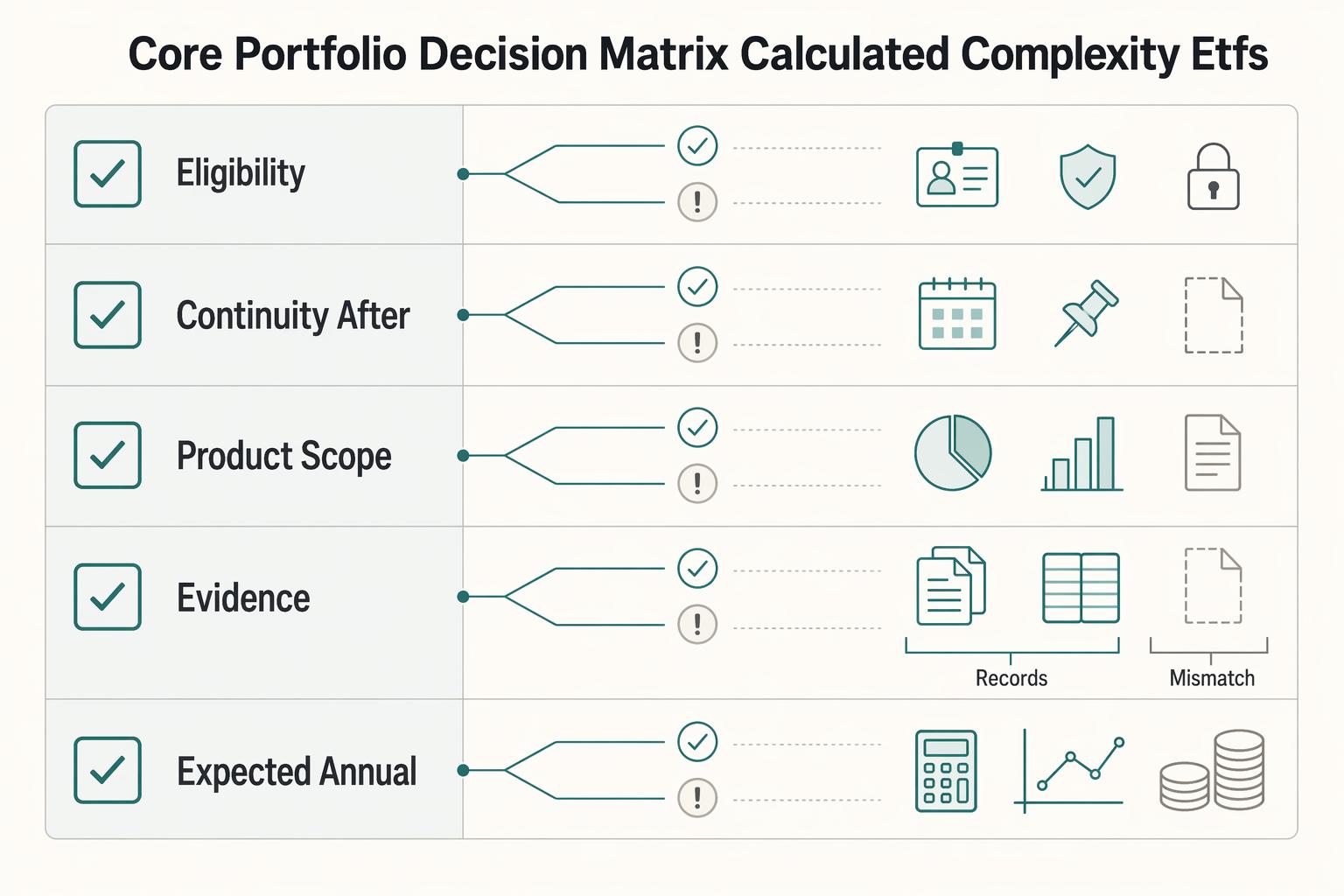
The real problem is a two-system conflict. U.S. tax treatment can punish the wrong fund choice, while local product-access constraints can block the funds you want to buy in the first place. For **us expat ucits etfs**, the practical question is not "Which product is best?" It is "What can I access, report, and keep doing every year without guessing?" Use this four-part filter before any trade: