
Quick Answer
A supplier portal is a secure self-service portal where contractors can check invoice and payment status, view payment details, and access documents without opening support tickets. For contractor payout operations, it works best when each submission maps to one traceable record, statuses are current and evidence-backed, documents are downloadable, and exceptions route to support with context.
What a Supplier Portal Gives Contractors and AP Teams#
A supplier portal gives contractors a secure place to find invoice records, payment progress and documents, reducing routine status inquiries. Its basic job is to show what happened, what remains unresolved and who owns the next action.
Public examples make the pattern concrete. New York State's vendor portal links invoices, purchase orders and payments, including issue dates and expected invoice payment timing. The federal Invoice Processing Platform gives vendors access to purchase-order transaction data and documents. These are examples of visibility, not proof of recipient bank credit or requirements for every contractor program.
The real question is not whether you have a portal. It is whether users can trust what it shows. If statuses are stale or unclear, or if key documents still require manual requests, your team still absorbs payment inquiries. This guide focuses on building self-service payment status and document access with controls that finance, ops, product, and engineering can sustain.
Before you start#
- Set a visible history window and explain how older records can be retrieved.
- Show when the data last refreshed, separately from the time an event occurred. Always-on access does not mean live bank updates.
- Route exceptions with the invoice or payout reference, current evidence, owner and next update time.
If you are early, start with trustworthy visibility before adding more self-service actions. Clear status, current documents, and a defined escalation path already deliver meaningful operational value.
For a broader look at vendor self-service design, see How to Build a Vendor Self-Service Portal That Reduces AP Workload.
What a supplier portal must do on day one#
On day one, the portal should be the operating record, not just a nicer inbox. It tends to reduce payment-status tickets when status and related documents are easy to find and verify.
Build around a traceable invoice record#
Start with one record that both your team and the supplier can locate. Show a visible Payment Status field, a clear identifier, last update time, and attached files. Some implementations support direct electronic submission and tracking, while others focus on status visibility, so choose your intake model deliberately.
Search the same authorized record from both sides and confirm equivalent permitted status information. Enforce contractor and organization access on every record, search result and download, rather than relying on hidden links. Test that another contractor cannot retrieve an invoice or tax file by changing its identifier. Display data-refresh time separately from status-change time.
Launch the minimum self-service package#
For day one, give suppliers one place to handle routine work. That means:
- invoice submission, or a portal record for each submission
- payment-status visibility for each record
- downloadable contract files and other documents your process already supports
- notifications when status changes
This reflects common capabilities in supplier portals. Status is a discrete field, contract attachments can be downloadable, and status-change notifications can be configured. If you expose support comments or outbound notices, log them against the same record or contract.
Keep email as fallback, but make the portal the system of record#
If your flow is still email-first, keep email for exceptions, but route every valid submission into one canonical portal record and respond from that record. Otherwise, duplicate drift appears fast: the same item can arrive through multiple channels, and status trust drops.
Use one canonical invoice record across intake channels. Atomically enforce a supplier-scoped invoice identity, with controlled amendment and duplicate-review paths, so concurrent submissions cannot create two payable obligations. Do not merge records solely because two suppliers use the same document number.
For implementation guidance, see Supplier Portal Best Practices: How to Give Your Contractors a Self-Service Payment Hub.
Decide your operating model before picking features#
Choose the intake model first, because intake design can shape status trust, support burden, and reconciliation effort before feature polish does. In practice, portal-only often fits lower-volume programs. Email-plus-portal can work as a transition state. A hybrid API-led plus portal model becomes more viable as volume and cross-border complexity grow.
Use portal patterns as references, then decide intake channels#
Choose intake channels that fit how suppliers submit today. A portal can accept structured entry or show the status of email/PDF/API submissions; the backend should resolve each valid submission to the same canonical record.
| Model | Ownership load (directional) | Support burden (directional) | Reconciliation effort (directional) | Implementation complexity (directional) |
|---|---|---|---|---|
| Portal-only | Concentrated in product + finance ops | Lower after supplier adoption | Lower when records originate in one system | Medium |
| Email-plus-portal | Split across ops, inbox owners, support | Higher while both paths stay open | Higher due to duplicate review and re-entry risk | Low to medium |
| Hybrid API-led + portal | Higher upfront for engineering + finance ops | Lower for routine flow; exceptions remain | Lower at scale when mapping is clean | High |
Portal-only intake works where suppliers can use it reliably. Email-plus-portal can be a controlled fallback rather than a forced temporary phase. API-led intake helps with repeat structured submissions when suppliers and your team can support the integration. Volume alone does not decide the model.
Promote API-led intake when scale signals appear#
Consider API-led intake when repeated structured submissions and re-entry work justify the integration. Measure adoption, duplicate review, processing delay and support effort against the current controlled process before expanding.
Keep structured intake and contractor visibility connected through stable invoice and supplier references. A practical split is:
- API/cXML for structured intake from larger or repeat suppliers
- Portal for payment status, document access, and exception handling
Validate your chosen integration's actual concurrency, payload and retry limits. Test concurrent duplicate submissions and partial failures before rollout; another product's limit is not a capacity assumption for your system.
Enforce one canonical intake rule per invoice#
Set one explicit control: one canonical intake per Invoice, tied to Purchase Order or Contract reference when available. This will not eliminate every delay or duplicate on its own, but it gives you a consistent operating record and clearer triage.
If email remains during transition, treat it as an attachment or routing channel to the existing record, not a second submission path. Test duplicate behavior by submitting the same document number through two channels with the same PO or Contract reference. The goal is for the second submission to resolve to the original record instead of opening a new case.
Define payment status states contractors can trust#
Tie status labels to the evidence for the relevant stage. Approval needs an internal decision record; dispatch needs provider or bank acceptance; recipient credit needs suitable external evidence. Reconcile accounting separately and disclose a mismatch without hiding the known payment outcome.
Publish a plain-language status taxonomy#
Use plain labels with defined meanings: submitted, under review, approved, scheduled, sent, delivery confirmed, rejected before dispatch, returned, and needs information. Add program-required verification states where they help the contractor take action. Internal investigation details may need a restricted view.
Approved means authorized for payment, not sent. Scheduled means a planned dispatch, not bank receipt. Sent means the bank or provider accepted the instruction; show the delivery estimate as an estimate. Use delivery confirmed only when your documented external evidence supports that claim. If a provider's paid status means dispatch rather than recipient credit, explain that mapping and display Sent instead of promising availability.
Back every visible state with evidence#
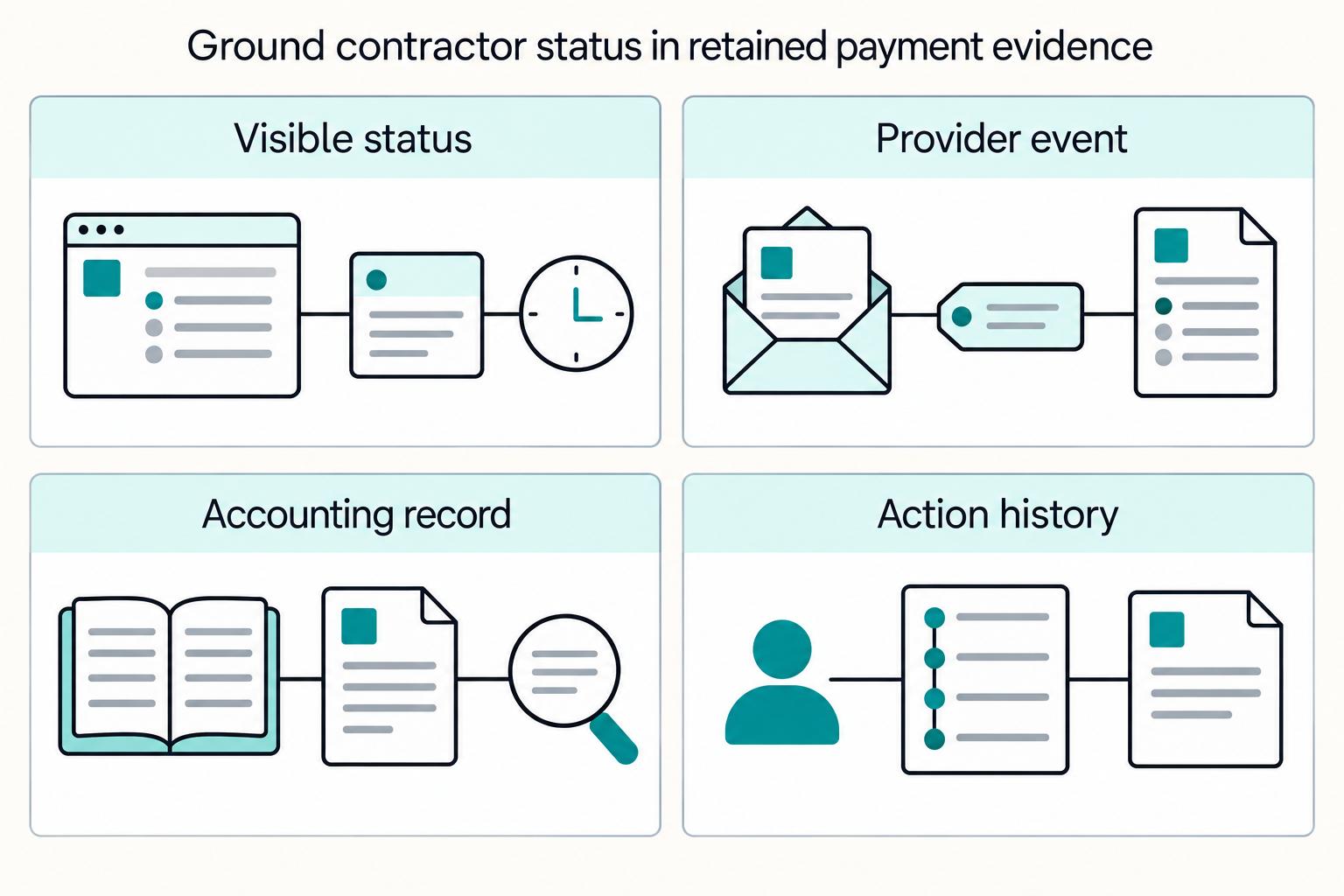
Each visible Payment Status should map to three things:
- the internal approval, provider/bank event or other evidence appropriate to the stage
- the linked accounting record or a visible reconciliation-pending exception
- a timestamped actor and action history
Provider events can be duplicated, delayed or out of order. Verify signatures, durably queue authenticated events before acknowledging them, and apply guarded transitions. Preserve occurrence and ingestion times. Deduplicate event IDs, but also guard the underlying business operation because different events can describe the same payout.
Keep rejected-before-dispatch, unresolved and returned-after-dispatch separate. A return needs provider or bank evidence and a linked accounting adjustment; its timing varies by rail and reason. Corrected bank details are not permission to send another payment while the first can still complete.
Surface policy holds as explicit states#
Show actionable verification requests early, while keeping restricted review reasons private. Use labels such as:
- Identity information needed: show the permitted documents or correction required.
- Business information needed: identify the permitted business-record action.
- Payment under review: name the support owner and next update without revealing restricted screening or investigation details.
Apply verification controls required by the actual provider and program. For example, U.S. covered institutions may have beneficial-owner duties under current rules and relief; this is not a universal duty for every portal. Explain permitted next steps and keep protected review information in an authorized staff view.
Map labels to triggers, owners, and escalation paths#
Use a status map as an operating control. Replace example owners and escalations with your actual teams before launch.
| Contractor-facing label | Internal trigger | Owner | Expected next action | Escalation path |
|---|---|---|---|---|
| Submitted | Canonical invoice accepted | Intake ops | Await review | AP support if missing |
| Under review | Approval or exception review started | Finance ops | Review requested information | Finance ops lead |
| Approved | Payment authorized internally | Finance ops | Await scheduling | Payments ops |
| Scheduled | Future dispatch planned | Payments ops | Await dispatch; see estimate | Payments ops if overdue |
| Sent | Bank/provider accepted instruction | Payments ops | Await delivery evidence; see estimate | Trace owner if overdue |
| Delivery confirmed | External evidence meets the documented recipient-credit criterion | Payments ops | View permitted reference | Trace owner for nonreceipt |
| Rejected before dispatch | Confirmed no outgoing execution | Payments ops | Correct and reapprove as required | Payments engineering |
| Returned | Bank/provider return confirmed | Finance ops | Reconcile returned funds and resolve reason | Reconciliation lead |
| Needs information | Permitted required-action request | Relevant review owner | Provide requested information securely | Support |
| Payment under review | Restricted review prevents release | Authorized review owner | Await permitted update | Review lead |
Show the latest status-change timestamp and the next expected action in the portal. That answers the contractor's core question directly: what is happening now, and what happens next?
Set ownership across product finance ops and engineering#
If ownership is vague at launch, status trust can break later. Product, Finance Ops, and Engineering can share the work, but decision rights still need clear accountability. Define decision rights with a RACI so responsibility and accountability are clear.
Name one accountable owner per lane#
Use role clarity by lane, even if job titles differ across teams. The table below is a workable example, not a universal mandate.
| Lane | Accountable outcome | Minimum evidence before handoff |
|---|---|---|
| Product | Status labels, next-action copy, role visibility in the Supplier Portal | Published taxonomy, UX rules per status, support routing rules |
| Finance Ops | Approval completion, reconciliation, failed or returned payment handling | Approver history, accounting record, exception queue ownership |
| Engineering | API write reliability, webhook authenticity, event processing reliability | Idempotent request handling, stored provider event IDs, verified webhook signatures |
Quick check: each owner should be able to name at least one decision they can make without a meeting. If that is unclear, ownership is still ambiguous.
Define handoffs from Invoice intake to payout proof#
Map handoffs from submission acceptance through approval, payout execution, and post-payment document availability. For each handoff, define the required artifact, receiving owner, and contractor-facing status.
Keep the chain concrete: accepted record, approval trail, payout instruction with provider reference, accounting posting, then remittance or related payment document availability. Approval routing can be rule-driven and proceed in stages until all required approvals are complete, so the portal can show per-record progress.
Run a trace test on one record. Confirm one portal row ties to the internal record, approval history, provider reference, accounting entry, and downloadable document version.
Set approval boundaries for Contract changes and payout reroutes#
Use segregation of duties for sensitive actions so one individual does not control all critical stages. If one person can change a Contract, alter payout details, approve exceptions, and release payment, risk rises quickly.
For bank-detail changes, verify through an established trusted contact rather than a new number supplied in the change request. Apply separate authorization and retain the before/after record. For reroutes, also establish that any original attempt cannot still complete before releasing a replacement.
Make Engineering accountable for event integrity#
Guard each business payout obligation atomically across providers, rails and new request keys. Use provider idempotency within its supported operation and retention window, authenticate events and preserve attempt history. An unknown outcome requires investigation, not a new-key retry.
Keep evidence appropriate to each stage: approval history, provider or bank reference and outcome, accounting linkage and any unresolved mismatch. Not every provider outcome arrives through a webhook, and no internal posting alone proves external delivery.
For a step-by-step walkthrough, see Building a Self-Service Subscriber Portal Finance and Ops Can Trust.
Prepare data and compliance prerequisites#
Do not launch self-service payment status until contractor data, eligibility controls, and document scope are clean. If status becomes visible before those prerequisites are reliable, trust breaks fast.
Normalize contractor records before exposing status#
Link portal users to an authorized contractor master record. Keep individual versus entity type, permitted payout methods, currency, contract references and a restricted tax-profile pointer. A supplier may have several approved bank accounts or currencies; retain versioned selections rather than forcing one immutable method.
For applicable U.S. tax documentation, W-9 generally identifies a U.S. person, not every independent contractor. Foreign persons may need the appropriate W-8 variant; W-8BEN and W-8BEN-E serve different payee types, and other variants may apply. The tax owner should choose the form from the actual facts. A submitted document and an accepted tax profile are distinct states.
Gate payout eligibility with program-required controls#
Treat portal access and payout eligibility as separate states. A contractor can be allowed to log in while payment remains blocked until required checks are complete.
Apply identity checks, business verification where relevant, and AML controls based on your program and provider capabilities. In regulated financial contexts, risk-based CDD is foundational. Include explicit non-final states such as verification pending or compliance hold, with clear evidence and next action for operations and support.
Set tax-document scope at launch#
Offer the tax-document workflows your program actually needs. For U.S. reporting that may include W-9, the appropriate W-8 form and issued information returns. A global portal should not force these forms on every contractor.
| Document | Portal handling | Applies when |
|---|---|---|
| W-9 | Restricted collection, receipt and acceptance status | Applicable U.S.-person documentation |
| Appropriate W-8 variant | Restricted collection with form-specific review | Applicable foreign-person documentation |
| Issued information return | Authorized recipient download by account and tax year | When the payer has a reporting obligation and the form is issued |
Define behavior per document in the portal:
- W-9 / W-8: collect, store status, and show current accepted version or receipt state.
- 1099-NEC: provide controlled visibility or download tied to the correct account and tax year.
Have the tax owner confirm reporting thresholds, due dates, electronic filing and recipient-delivery requirements for the relevant year and form. Preserve issuance and correction history. Portal availability alone does not satisfy electronic delivery consent or required alternative delivery arrangements.
For a staffing-specific example, see How to Build a Contractor Payment System for a Nursing or Allied Health Staffing Agency.
Build submission and document flows that prevent duplicates#
Once contractor identity and tax scope are clean, the next job is duplicate prevention. Enforce one canonical record, one document history, and notifications only when a contractor-facing status actually changes.
Add technical idempotency and business duplicate checks#
Use retry-safe intake writes within the API's documented scope and retention window. Enforce the supplier-scoped canonical invoice identity atomically, not just through a check followed by creation, so concurrent channels cannot create duplicate payable records.
Match on verified supplier identity and invoice number, with PO or contract references where applicable. Normalize carefully and send probable duplicates for review; do not silently merge legitimate credit notes, amendments, or different suppliers' invoices because their text resembles an existing record.
Use this as your validation checkpoint:
- Retry the same payload with the same idempotency key and confirm one record remains one record.
- Submit a near-duplicate, for example a case-variant document number, and confirm duplicate review catches it.
Require a lookup path that mirrors how finance verifies records#
Allow lookup by the stable portal or invoice reference, with PO or contract filters where the engagement has them. Enforce record authorization before showing results. A contractor without a PO must still be able to find an authorized service invoice.
This keeps intake, support, and self-service aligned. If intake allows weak references but support requires strict ones, contractors cannot reliably tell whether they are viewing a new submission or an existing record.
When matching flags a probable duplicate, review it against the existing record first, show current Payment Status, and state the reason clearly, for example, "Invoice number already received for this PO."
Build a versioned document center#
A document center should preserve history, not just the latest file. Track changes for submitted records, remittances, and contractor tax documents so teams can see what changed and when.
For each applicable tax file, retain receipt, accepted version, review date, superseded link and authorized actor. Limit access to the contractor and staff who need it. Secure, time-limited downloads must recheck authorization; email notifications should link to authenticated views and avoid full tax identifiers or bank details.
Notify on meaningful visible changes#
Notify on meaningful contractor-visible changes and agreed reminders or corrected delivery estimates. Suppress duplicate delivery of the same notice. Internal notes or reassignment do not usually warrant contractor email.
Keep notifications consistent with the current authorized portal record. Record the visible change and notice together, then deliver through a deduplicated outbox or equivalent mechanism. A notice retry must not trigger a new payout or expose restricted diagnostics.
If you need a deeper pattern library for this layer, see How to Reduce Contractor Support Tickets About Payments: Self-Service and Automation. Related: Contractor Tax Document Portal: How to Build a Self-Service 1099 and W-8 Download Center.
Implement API, webhooks, and ledger reconciliation checks#
Treat API writes as commands and provider or bank outcomes as external evidence. The accounting record records financial effects and reconciliation; it does not decide whether a bank actually sent, credited or returned money.
Make API writes retry-safe#
Use the provider key only for its documented operation and retention window. Retain a durable, atomic obligation guard across batches and providers. If a request times out after acceptance, retrieve or investigate the attempt; do not create a fresh request or switch rails until the original cannot complete.
Map batches to item-level obligations and attempts. A provider batch key may have a finite reuse window. After a partial failure, reconcile each item and retry only confirmed unexecuted items; never rerun successful or unresolved items with the batch.
Verification checkpoint: send the same write twice with the same idempotency key and confirm you get one resulting object, one accounting intent, and one portal record.
Process webhooks as asynchronous, out-of-order facts#
Do not treat webhook arrival order as final-state order. Handle duplicate and out-of-order deliveries by recording each event, deduplicating it, and only applying it when it advances state under your rules.
Make signature validation a hard gate. For Stripe, preserve the exact raw UTF-8 body for signature verification, validate the signature, and check the signature timestamp to reduce replay risk.
Verify authenticity and replay limits first, then durably store or queue the accepted event before acknowledging it. Deduplicate delivery, inspect the current business record and apply a guarded transition. Recover missing events through provider queries and reconciliation rather than assuming silence means failure.
Reconcile payment evidence with accounting#
Display externally evidenced progress promptly and flag reconciliation pending separately. A confirmed bank return remains Returned even if its accounting adjustment is waiting. Conversely, an internal payment posting does not make an unresolved transfer delivery confirmed. Investigate mismatches with a named owner.
Reconcile provider or bank outcomes with accounting at a cadence appropriate to the program. Preserve the report time zone, period and availability lag. Reports for incoming merchant settlement are not automatically evidence of outgoing contractor receipt.
Expose payout batches with item-level truth#
At payout scale, show Payout Batches with batch status, per-item status, and clear batch-level issue context so users can tell whether an issue is batch-wide or recipient-specific.
Fetch item-level outcomes where a batch response or event lacks them. Link each item to its obligation, attempt and external reference. Batch accepted is not proof that every contractor was paid; show recipient-specific progress and exceptions.
Launch in phases with verification gates#
Launch in phases, and only expand when each phase shows that contractor-facing status matches accounting or settlement evidence. Treat each phase as a trust check, not just a release milestone.
| Phase | Scope | Gate |
|---|---|---|
| Status visibility and documents | read-only payment status, invoice details, and notifications on real state changes | Visible progress matches evidence for each stage; accounting mismatches shown separately. |
| Self-service updates | low-risk updates such as profile or notification preferences | pause expansion if ticket volume rises or status mismatches appear after enabling edits |
| Sensitive changes | Bank details or payout-route changes | Require trusted-channel verification, separate authorization and resolution of any live attempt. |
Launch status visibility and documents first#
Start with read-only payment status, invoice details, and notifications on real state changes. This gives contractors the answers they need without adding new ways to alter payout data. Supplier portal examples already combine invoice handling with payment-status tracking, and some status portals include notification setup, not just lookup.
Sample approvals, scheduled items, sent items, confirmed deliveries and returns. Check the evidence for each label and the permitted notification. If bank evidence and accounting disagree, show the known outcome with reconciliation pending and investigate; do not invent a final state from the ledger.
Add self-service updates only after trust holds#
Add low-risk updates next, such as profile or notification preferences, before payout-routing changes. Use a guarded rollout so you can increase exposure incrementally while monitoring for regressions, including support-ticket deflection trends.
Watch for webhook-related desync. Webhooks deliver outcomes asynchronously, but lost, delayed, or unverified messages can put portal status out of sync with provider state. If ticket volume rises or status mismatches appear after enabling edits, pause expansion and resolve data integrity before proceeding.
Guard sensitive payout changes#
Add bank-detail or route changes only with verified ownership, separate approval, a version history and clear effective timing. Preserve previously dispatched attempt details. A new bank account does not cancel the old transfer.
Expose these options only after earlier phases are stable. If any phase fails checks for status-to-settlement alignment, notification accuracy, or ticket-deflection trend, pause rollout rather than widening surface area.
Related reading: Build a Contractor Payment Flow for Home Services Marketplaces. If you are turning these phase gates into build tickets, use the Gruv docs to align webhook handling, status transitions, and reconciliation checks with your rollout plan.
Common failure modes and recovery rules#
The fastest way to damage trust is to treat status accuracy, compliance visibility, tax-document clarity, and duplicate control as support clean-up instead of hard product rules.
Separate dispatch from recipient receipt#
Do not treat a payout instruction as the same as funds being available. Providers distinguish pending from available funds, and webhook events are asynchronous, so contractors can see movement before funds are usable.
Show Sent with its reference and delivery estimate when the instruction was accepted. Show delivery confirmed only with appropriate external evidence. If delivery remains unknown, keep the investigation open and prevent replacement until the original cannot complete.
Surface compliance blockers before payout day#
Show compliance blockers early with required-action prompts instead of revealing a vague hold on payout day. If verification is required before accounts can accept payments or send payouts, the portal should show what is missing and the current status before payment is expected.
Where due dates exist in your provider flow, display them and move the contractor to an explicit hold state when requirements are not met.
Separate tax forms from operational documents#
Keep tax forms in a separate area from invoices, remittances, and operational files. Label purpose clearly. Form W-9 is used to provide a correct TIN to the payer. Form W-8BEN is given to the payer or withholding agent and is not filed with the IRS. Recipient delivery timing matters for Form 1099-NEC.
Show tax-document receipt, review and acceptance separately. For issued information returns, label tax year, version and actual availability, and provide consent-compliant delivery and corrections through the approved tax process.
Enforce one canonical record and absorb duplicates#
If email fallback remains available, route submissions into one canonical portal record. Duplicate-invoice controls are standard AP safeguards, and matching by supplier plus invoice number helps prevent the same bill from being entered and paid twice.
Reject or merge duplicates in your workflow, then return the contractor to the existing record and status instead of creating a parallel case. Verify this by submitting the same document through portal and inbox paths and confirming both resolve to one record, one document set, and one visible status.
Launch checklist#
Launch narrow, prove contractors can trust the status they see, then expand. Use this checklist before go-live.
Confirm minimum scope in one Supplier Portal.#
Before go-live, make sure one portal covers invoice lookup, payment-status visibility, and email notifications tied to your workflow. Keep payment context on the same record. If a record is Paid, show the payment trace detail available in your system, for example, check number or transfer reference, so support does not have to relay it manually. Verification checkpoint: use a test contractor account to find a record and confirm it shows current status and the available payment reference. Red flag: portal, email, and AP tooling show different statuses for the same submission.
Publish a status taxonomy that maps to real processing evidence.#
Define the evidence for labels such as submitted, approved, sent, delivery confirmed and returned. Approval is not dispatch, and dispatch is not recipient credit. Verify webhook authenticity and guard repeated or out-of-order events. Replay a delivery and confirm it cannot create a second payout or regress the current state.
Enforce duplicate prevention at intake.#
Stop duplicates before they create rework. Use a canonical key, at minimum supplier plus document number, and keep PO/date fields available for search and duplicate triage. Use idempotency keys on write calls so retries do not create new records. When a duplicate is detected, route the contractor to the existing record and its status instead of a dead-end rejection. Verification checkpoint: submit the same write twice with the same idempotency key and confirm the same record is returned.
Validate compliance and tax prerequisites where they apply.#
Apply compliance controls based on your program scope, not blanket labels. For covered institutions, CIP sits inside AML, and beneficial-owner requirements can apply to legal-entity customers depending on current rules and guidance. For tax workflows, support only forms you can operate correctly: Form W-9, Form W-8BEN when requested, and Form 1099-NEC where applicable. Verification checkpoint: confirm exact form labels, collection triggers, and confirmation paths in the UI before launch.
Launch in phases and pause expansion if trust breaks.#
Start with status visibility and notifications. Expand only after sampled statuses consistently match underlying records and event and duplicate alerts stay within review capacity. If test batches show stale, missing, or premature statuses, fix the data path before shipping more features.
When your launch checklist is complete and you are ready to run contractor payments with clearer operational status tracking, explore Gruv Payouts.
Frequently Asked Questions
What is a supplier portal for contractor payment status, in practical terms?
It is a secure self-service portal where contractors can log in to check invoice and payment details directly. In the examples used throughout this guide, supplier portals are used to review status, view payment detail, submit invoices, and maintain vendor profile basics like address and contact information. If those core actions are missing, the portal may not yet be covering the baseline self-service job.
Which payment status updates should contractors see in self-service?
Show submitted, under review, approved, scheduled, sent, delivery confirmed, rejected before dispatch and returned where your evidence supports them. Approved is internal authorization; Sent is dispatch acceptance. Do not promise bank availability from a provider label or accounting posting alone. Include last update, permitted next action and the support owner.
Is portal tracking better than email for invoice and payment status?
A portal can give a consistent view across intake channels, while email remains a controlled fallback. Every valid invoice should resolve to the same authorized record, current status and document history. Measure whether it reduces repeated inquiries rather than assuming a channel alone fixes delays.
How do duplicate invoice submissions cause payment delays?
Duplicates slow payment by creating control risk and rework. AP systems use duplicate controls to prevent paying the same bill twice, and some platforms reject submissions when the same identifier is already present. That rejection path can force resubmission and extend cycle time.
Which documents belong in a contractor self-service portal at launch?
Start with high-use items: submission records, payment detail or remittance visibility, and the core tax-document workflows your program actually supports. For US tax handling, Form W-9 is used to provide a correct TIN to the payer, and Form 1099-NEC is used to report nonemployee compensation. If you include Form W-8BEN for foreign individuals, verify the exact IRS form variant and UI labeling before rollout.
When should a contractor be routed to support instead of relying on portal status?
Route to support for a missing record, stale or contradictory evidence, overdue delivery, reported nonreceipt or help using the portal. Carry the invoice or payout reference and next update owner into the case. Do not create a new payout merely because the contractor asks about an unresolved one.
Researched and edited by the Gruv editorial team. Gruv builds cross-border billing, payouts, and finance-operations software for global businesses.
Sources
- docs.stripe.com/webhookstrusted
- docs.stripe.com/api/idempotent_requeststrusted
- fbi.gov/how-we-can-help-you/common-frauds-and-scams/...trusted
- ipp.gov/vendorstrusted
- irs.gov/forms-pubs/about-form-w-9trusted
- irs.gov/individuals/international-taxpayers/forms-fo...trusted
- osc.ny.gov/state-vendors/portaltrusted
Educational content only. Not legal, tax, or financial advice.
Related Posts

The Freelance Payment Penalty: A Modeled Audit of Platform Fees, FX Spreads, and Payout Delays
The money rarely disappears through a single, easy-to-spot fee. The real loss is stacked. A marketplace takes its commission, a processor adds a charge for international cards, a bank or payment company converts the currency at a spread, a platform holds the funds before release, and a wire sheds a little to intermediaries on the way in. Each layer looks defensible on its own, but the worker feels the combined result as a smaller deposit and a later payday.

How to Respond to a Subpoena for Business Records
Move fast, but do not produce records on instinct. If you need to **respond to a subpoena for business records**, your immediate job is to control deadlines, preserve records, and make any later production defensible.

A US Expat's Guide to Investing in UCITS ETFs to Avoid PFIC Issues
The real problem is a two-system conflict. U.S. tax treatment can punish the wrong fund choice, while local product-access constraints can block the funds you want to buy in the first place. For **us expat ucits etfs**, the practical question is not "Which product is best?" It is "What can I access, report, and keep doing every year without guessing?" Use this four-part filter before any trade: