
Quick Answer
Start with classification and visibility, not broader bot coverage. Map each ticket type to a defined payout stage and an inspectable record, then expose a clear contractor status view with next checkpoint and required action. Automate only when your system can return verifiable context and a concrete next step; otherwise escalate to human review. Keep duplicate suppression tied to a single case key, and require reconciliation evidence before closure.
Why Self-Service Payment Status Reduces Support Tickets#
Reducing avoidable contractor payment tickets usually starts with better visibility and tighter automation. When contractors cannot see payment status, required action, or the next step, status checks and repeat follow-ups become more likely.
Self-service only works when it gives a usable answer. Users need to be able to find information and complete simple tasks on their own. Salesforce reports that 61% of customers prefer self-service for simple issues. The constraint is quality. The same research reports 72% will not reuse a company chatbot after one negative experience. In payments, one weak automated answer can trigger repeat follow-up and manual investigation instead of true deflection.
This guide stays focused on operations. You are not trying to automate every payment question. You are trying to remove avoidable status traffic, make the next step clear, and route ambiguous or higher-risk cases to the right queue with the right evidence. In practice, that means combining a Contractor Payment Hub or Supplier Portal with targeted automation and policy-gated escalation.
Use one test throughout: can both sides verify the same payment state? A practical checkpoint is shared visibility into outstanding invoices, approvals, and disputes so issues can be reconciled quickly. In each case, the contractor should be able to see the current status, the next checkpoint, expected timing, and any required action. Your team should be able to validate that view against the underlying payment records.
Watch for the common partial-automation failure mode. Follow-up stays manual, visibility stays weak, and reconciliation is never tied back to the case. Teams then end up stitching together multiple tools, which raises error risk and can increase repeat contacts.
The sections ahead stay focused on finance-ops quality. They cover baselining ticket demand by payout stage, defining a self-service status contract, setting safe automation boundaries, and adding closure checks that hold up in ledger and reconciliation workflows. Controls and coverage vary by market and program, and some capabilities apply only when enabled.
If you want a deeper dive, read Supplier Portal Best Practices: How to Give Your Contractors a Self-Service Payment Hub.
What to prepare before you start#
Do this setup before you expand automation. Make the self-service guidance easy to follow, keep the support entry point obvious, and draw a clear boundary between automation and human handling.
| Preparation area | Article guidance |
|---|---|
| Self-service guidance | Organize step-by-step guidance for common questions so users can complete routine tasks without opening a ticket |
| Support entrypoint | Confirm one visible support entrypoint for anything self-service cannot resolve |
| Automation boundaries | Use automation for routing and repetitive support work, but require a clean human handoff for complex issues |
Start by organizing step-by-step guidance for common questions so users can complete routine tasks without opening a ticket. Self-service works best for high-volume, low-value requests, so keep those flows explicit and easy to scan.
Confirm one visible support entry point for anything self-service cannot resolve. In HR Links, that checkpoint is the Help Desk Home tile where users can submit a help desk ticket. Your intake should be just as clear so users do not have to guess what to do next.
Set automation boundaries before launch. Use automation for routing and repetitive support work, but require a clean human handoff for complex issues.
Related reading: IRS Form 1042-S for Platform Operators: How to Report and Withhold on Foreign Contractor Payments.
Step 1 baseline ticket demand by payout stage#
Start with disciplined classification. As a conservative rule, if you cannot tie a ticket to a clearly defined stage and a verifiable system record, keep that ticket type in the human-reviewed lane for now.
Use explicit category rules so counts stay consistent across agents and over time. When category rules are vague, totals drift and the baseline stops being reliable.
Build a stage taxonomy with explicit rules#
Start with a working model, then validate it against your own Payouts, Settlements, and support data before you lock it in.
| Payout stage (define locally) | Ticket bucket (define locally) | Minimum evidence to classify |
|---|---|---|
| Stage 1 | Bucket A | Ticket context plus current system-of-record status |
| Stage 2 | Bucket B | Linked payout or settlement reference plus current status/event record |
| Stage 3 | Bucket C | Failure or exception history plus ownership signal |
Keep buckets action-oriented. If two tickets need different evidence or different owners, they should not share a bucket. Define a classification order of precedence before rollout so conflicts resolve the same way every time. For example:
- Current system-of-record status and event history
- Structured payout metadata
- Agent disposition code
- Free-text ticket description
Add repeat-contact and reopen tracking from day one#
Track volume, repeat-contact rate, and reopen rate for every bucket. These metrics show where the support flow is breaking, not just where tickets are arriving.
Use clear internal definitions anchored to the payout reference and issue type so routine follow-ups are not mixed with true repeat failures.
Set the automation gate now#
Set the automation gate early, not after launch. As a governance rule, do not automate a ticket type unless it can be matched to a specific, inspectable system state you can verify in your records. If state evidence is ambiguous, route to human handling until instrumentation improves.
By the end of this step, you should have a governed baseline: a validated taxonomy table, explicit counting and precedence rules, and a clear evidence threshold for automation eligibility.
Step 2 define the self-service status contract#
Once you have a baseline, define what a trusted answer looks like. A status contract is more useful than a longer FAQ.
Your self-service portal should let users answer four questions without opening a ticket: current status, what happens next, when to check again, and whether they need to act now.
Use a short, finite set of plain-language statuses tied to records your team can inspect. If one label covers different realities, users may still contact support for clarification.
Define the contract for each visible status#
Use one consistent structure for every visible status so the experience stays clear and repeatable.
| Portal field | What the user should see | Internal checkpoint before launch |
|---|---|---|
| Current status | One clear label in plain language | The label maps to a single recorded state |
| Next checkpoint | The next step or decision point | The checkpoint can be traced in your system records |
| Expected timing | A realistic check-back cue | The cue matches actual update behavior |
| Required action | One specific action, or "no action needed" | The action can be completed without agent help |
| Reason | A short explanation in user language | The explanation is supported by recorded history |
Keep the contract versioned and shared across product, support, and operations so everyone uses the same status language. A status alone is not self-service, so pair each one with next-step guidance users can follow without waiting for a human reply.
Do not publish internal diagnostics that users cannot act on. Show the status, reason, next checkpoint, and required action. Keep deeper technical traces for internal investigation.
Validate consistency before automation#
Before rollout, test each status against recent real cases. If teams still need side-channel context to explain a portal message, the contract is not ready.
A common failure mode is fragmented tracking across tools. When request registration and progress tracking are not unified, teams can end up overloaded with manual follow-up tickets. Tighten the contract first, then automate.
Related: The Future of Contractor Payments: AI Automation and Instant Settlement.
Step 3 decide what to automate and what to escalate#
After the status contract is stable, automate only the request types where users can get a trustworthy answer or complete a low-risk action without human judgment. Everything else needs a clear human handoff path. In practice, a hybrid model is usually right: automation for repetitive, low-value work, and people for complex issues.
Build the three-lane matrix first#
Sort each issue class into one of three lanes before you tune channels or bot prompts: self-serve resolution, AI Agent assisted resolution, and human-reviewed escalation. This keeps ownership and escalation timing explicit across support, ops, and product.
| Lane | Use it for | Required checkpoint before launch | Escalate when |
|---|---|---|---|
| Self-serve resolution | Repetitive requests with one clear user action or a clear "no action needed" status | User-facing status, next checkpoint, and expected timing are clear and consistent | The user cannot tell what to do next |
AI Agent assisted resolution | High-volume requests where automation can triage and assemble context | Routing can classify the request and pass structured context to a person when needed | The case is ambiguous, disputed, or missing key context |
| Human-reviewed escalation | Complex or exception-heavy issues | Ownership and escalation timing are defined | A person must review details and make a judgment call |
Set the gate around verifiable context#
Use automation when it can return a verifiable status and a concrete next step from your own records. If it can only produce a generic update, route to human review instead of treating the issue as solved.
Keep policy-sensitive and complex requests in reviewed lanes#
Some requests look simple at intake but still require case-by-case review. Route those directly to a reviewed lane with the relevant case context attached rather than forcing a bot loop.
Review the matrix with real cases#
Before broad rollout, replay recent tickets through the matrix and compare the outcome with the human-handled result. Then run regular workflow reviews using performance data and team feedback to catch bottlenecks and adjust lane rules. Stay conservative early on, especially since Zoho cites research showing average self-service success can be low (around 14%).
Once your escalation matrix is set, map each lane to explicit ownership, status checkpoints, and handoff rules in Payouts.
Step 4 connect ticket intake to payment systems without duplicate cases#
This is where teams often lose control. If support questions arrive through portal, chat, email, and alerts but split across separate records, teams can duplicate work and users can get mixed answers. Centralize intake into one trackable workflow before you expand automation, and use a single self-service portal so users can see updates in one place.
Pull current case state into the case first#
Create or enrich the case at intake with the latest known status, not after assignment. The record should already show the current status and latest update time so the first response is based on current information.
Use available integrations to keep case context current. If you cannot do that, require a refresh check before agents send status updates on older cases so they are not working from stale information.
Normalize every channel into one case object#
Support requests will come from multiple channels, so normalize them into one case object in your ITSM. Keep one active case thread per issue where possible, and append new contacts from any channel instead of opening parallel investigations.
At minimum, keep these fields together in that object:
- source channel (portal, chat, email, alerts)
- issue summary
- latest known status
- last update time and related user messages
Suppress duplicates and keep the timeline visible#
Use conservative duplicate-handling rules. Merge obvious repeat contacts into an active case and route uncertain matches for review so distinct issues are not hidden.
Keep one visible timeline from creation to closure for both agents and users. When internal case history and portal status tell the same story, updates are clearer and exceptions are easier to escalate.
Step 5 route compliance and tax issues with policy gates#
Do not let compliance-sensitive or tax-sensitive tickets flow through standard payment support. If policy review is still open, auto-resolution should stop and ownership should be explicit.
Split sensitive cases before they reach standard support#
If a case is marked for policy review or tax-document review, send it to a distinct queue with a named owner. Support can acknowledge receipt, but resolution should stay with the responsible policy team until review is complete.
At intake, mark each case as standard support or policy review, then capture:
- policy lane
- blocked payout reference
- required artifact
- responsible team and implementer
- last request timestamp
- current review state and next checkpoint
Keep the implementer field explicit. In outsourced or cloud-heavy models, control handling can involve multiple parties, so the case should show who owns the next action.
Add explicit document checkpoints for tax issues#
Tax and document cases need concrete checkpoints. Use states that make the next action obvious instead of leaving "pending review" open-ended. For the tax forms your workflow uses, publish clear states such as requested, received, incomplete, under review, accepted, or action required.
If a payout is blocked, state the exact artifact needed and which team is reviewing it. Avoid generic delay messages.
Time-based checkpoints help here too. Some compliance workflows run on a recurring cadence. For example, OASIS+ references reporting within 30 days, monthly invoicing, and quarterly remittance. Your cadence may differ, but support should always be able to communicate the next dated checkpoint.
Lock down PII handling by default#
Treat these cases as sensitive through the full lifecycle, not only at upload. Use policy defaults that reduce unnecessary exposure and keep handling aligned to documented controls.
When requirements conflict, apply the stricter control baseline. Then audit this lane with sample case reviews to confirm ownership, artifacts, and checkpoint records are documented through the lifecycle.
Related reading: Contractor Onboarding Optimization: How to Reduce KYC Drop-Off and Get to First Payout Faster.
Step 6 standardize failed payout and return handling#
After compliance and tax routing, fragmented failure handling can still drive repeat tickets. If state is ambiguous and handoffs are loose, the same case can bounce between teams. Standardize this work in one documented flow with clear classes, owners, and evidence requirements.
Define your failure labels as internal operating choices, then make each label testable at intake and in review. For each class, publish:
- what the class means in your system
- who owns the next action
- the minimum evidence required before action
- the next checkpoint recorded in the case
If two reviewers cannot assign the same class and owner from the same case history, tighten the definitions.
Separate state handling before investigation starts#
Document payout-state definitions and investigation triggers before cases hit support. Keep the trigger list short and explicit, and make sure the case record shows why a case was routed and who owns the next check.
Use a fixed pre-action sequence#
Treat retry and replay order as a documented internal control. Before you take another action, follow one order of operations:
| Step | Check |
|---|---|
| 1 | Validate beneficiary or payee data and internal mappings. |
| 2 | Confirm the recorded system response state in the case history. |
| 3 | Confirm whether another action is safe and non-duplicative. |
| 4 | Communicate the next action to the user from the confirmed case class. |
This helps reduce duplicate paths and conflicting support messages.
Stop blind retries and require documentation#
Blind retries can add noise and risk. Set a documented stop condition for repeated failures, then require human diagnosis with the full case history attached.
For obligation-control checkpoints, require supporting documentation rather than free-text notes. In VA Form 1358 workflows, keep required fields explicit, including vendor, contract number, period of performance, and purpose. Also document invalid-use examples in your exception process so reviewers can spot and correct misuse quickly.
Step 7 make reconciliation the closure gate for support tickets#
Do not close payment support tickets just because the conversation appears done. Close them only when the documented accounting controls are complete. In practice, tie closure to the same control points your finance process already uses: original supporting documentation, reconciliation, and any required certification, approval, or acceptance record.
Use a single closure checklist in the case record:
- Transaction record being resolved
- Original supporting documentation reviewed
- Reconciliation status and result
- Required certification/approval evidence (where applicable)
- Required acceptance evidence (where applicable)
This aligns with documented control categories in the BARS Cash Manual: Original Supporting Documentation (3.1.4), Bank Reconciliations (3.1.9), Voucher Certification and Approval (3.8.5), and Issuance of Duplicate Instruments (3.4.5).
It also aligns with a documented review/acceptance checkpoint, as reflected by Government Review and Acceptance (APR 2013) in the Volpe contract table of contents.
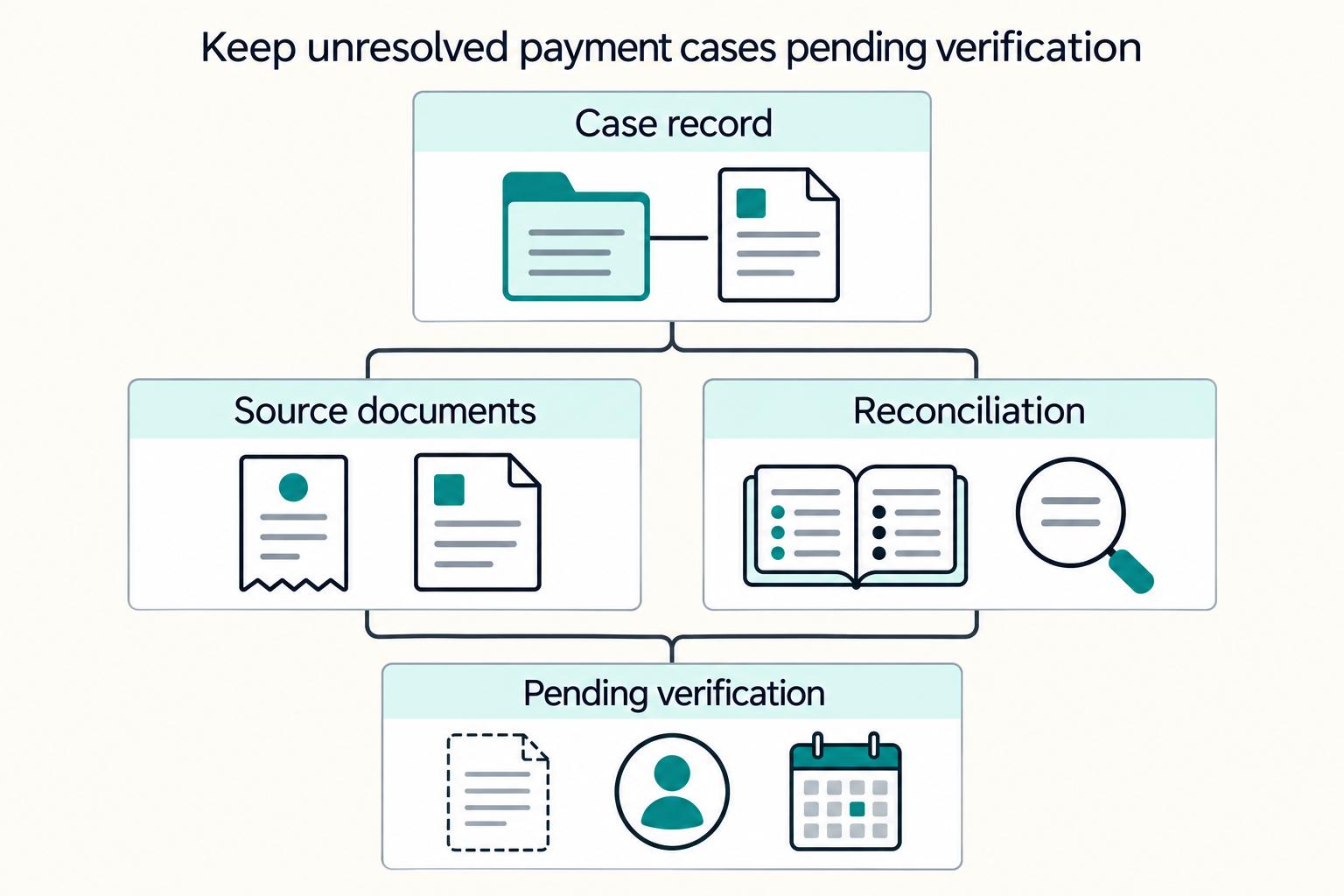
If reconciliation or required approval or acceptance evidence is still unresolved, keep the case in pending verification. Record what is missing, who owns the next check, and the next review point. That keeps closure decisions testable.
This pairs well with our guide on Upskilling Platform Finance Teams for Payments Compliance and Automation.
Step 8 add payout batch controls before scale#
Batch scale can create ticket churn quickly if the control points are weak. To scale Payout Batches cleanly, treat each batch as a control point and manage validation, item-level outcomes, and retries as one flow.
Validate before submission#
Run a preflight check before every submission. For PayPal, the initial scan checks syntax and duplicated or missing keywords, and a successful scan moves the batch to PENDING. PayPal also notes some payout item values are not immediately validated, so preflight should still verify recipient data shape, item count, currency, and total amount before the API call.
| Control | Article detail |
|---|---|
| Initial scan | checks syntax and duplicated or missing keywords |
| Successful scan | moves the batch to PENDING |
| Preflight verification | verify recipient data shape, item count, currency, and total amount before the API call |
| Submission evidence | record batch identifier, item count, and timestamp |
| Standard batch limit | 15,000 payments per call |
| HTTP 5xx retry | retry with the same sender_batch_id |
sender_batch_id reuse | reusing one from the prior 30 days is rejected |
| Transport retry key | reuse the same Idempotency key so the result is replayed instead of creating a second operation |
Record the submission evidence you will need later: batch identifier, item count, and timestamp. If you use PayPal standard batch payouts, stay within the documented limit of 15,000 payments per call.
For retry safety, keep identifiers deterministic. On PayPal, retry HTTP 5xx responses with the same sender_batch_id and note that reusing one from the prior 30 days is rejected. On providers that use an Idempotency key, reuse the same key on transport retries so the result is replayed instead of creating a second operation.
Handle partial failures at item level#
Do not treat batch acceptance as item success. PayPal states PAYOUTSBATCH webhooks do not include item-level details, so monitoring has to ingest item-level events and join them back to the batch.
Route items with failure-like states, such as held, failed, or returned, into review and retry workflows. Keep retry history tied to each affected item so operations and support can distinguish true failures from duplicate attempts.
Alert on patterns and rehearse response#
Set batch-level alerts for unusual held or returned patterns and route them directly to the named operations owner. An anomaly detection alarm is a practical fit because it can model expected behavior instead of relying on a fixed manual threshold.
Run recurring failure drills on recent batches with the same responders who handle production incidents. Confirm the escalation path, evidence completeness, and item-level disposition trail: retried, held back, reconciled.
Step 9 measure deflection quality not just ticket volume#
Lower ticket volume is not enough. What matters is whether issues are actually resolved, owned, and traceable. Use a balanced scorecard where each metric maps to a structured ticket record, including unique ID, priority, and owner, or your trend lines will not hold up.
| KPI | What it tells you | Evidence to require |
|---|---|---|
| Deflection rate | Inquiries resolved through self-service or automation without agent handling | inquiry ID, channel, resolution path, final disposition |
| First-contact resolution | Whether the first handled touch solved the issue | first response time, closure reason, no follow-up on the same case key |
| Repeat-contact rate | Whether users return with the same issue | linked case key, issue class, repeat contact on the same case key |
| Exception aging | How long unresolved or escalated cases stay open | open time, current owner, status, aging bucket |
| Traceability coverage | Whether closures remain auditable across the ticket lifecycle | ticket ID, priority, owner, closure reason |
Segment by the lane, not just the total#
A blended total can hide risk. Report these KPIs by ticket taxonomy, not just in aggregate. If one lane improves while another regresses, the total can make the operation look healthier than it is.
Split by issue class, for example status inquiries, access issues, process requests, and policy blocks. Then split again by handling path (self-service, automation, or agent-handled resolution). That makes regressions visible instead of averaged away.
Use one verification check across all reporting. Each closed case should tie back to one case key and one owner. If ticket ID, priority, owner, and closure reason cannot be tied together consistently, treat deflection and repeat-contact metrics as provisional.
Add a quality guardrail for deflection#
Treat rising deflection as credible only when reopen behavior stays stable. If deflection rises in a class and reopen rate rises with it, investigate that class before expanding automation further.
This guardrail addresses a common failure pattern. Support can look faster on paper while unresolved work returns as repeat contacts or gets lost in shared inbox and email-thread workflows.
Calibrate support operations together#
Run a recurring calibration review focused on false deflections and escalation accuracy. Review a small case sample with ticket history, issue class, owner, closure reason, and final disposition.
Use that review to correct two errors: cases marked resolved without enough evidence, and cases routed to the wrong team at the wrong time. Ticket volume alone cannot show either problem.
For a step-by-step walkthrough, see Building a Self-Service Subscriber Portal Finance and Ops Can Trust.
Common mistakes and how to recover quickly#
When things go off track, the fix is usually tighter ticket workflow control, not more auto-replies. If a case cannot be tied to a unique ID, timestamp, and logged resolution check, treat it as still in progress.
Step 1. Keep bot replies from counting as resolution. A reply is not a resolution. Keep the ticket open until the record shows current status, clear next action, and whether the user still needs to act. If that evidence is missing, route it to human triage.
Use a simple spot check: open ticket #12345 and confirm the interaction history is complete and the next action is explicit. If volume drops while repeat contacts climb, your team is probably counting responses as fixes.
Step 2. Reduce duplicate intake by consolidating updates in one record. Duplicate requests can create parallel work and weaken accountability. Recover by checking intake for an already open ticket, then attach new updates to that existing case when it matches.
At triage, confirm follow-up requests are linked to the existing ticket record. The operating test is simple: one incident, one active case history.
Step 3. Make closure evidence explicit. Early closure creates false deflection. Keep the ticket open through the resolution tracking in Step 7 and close only after confirmation is logged in the case history.
Define required closure fields in advance so agents are not guessing at close time. If a case is marked closed but the history lacks final confirmation, reopen it and correct the record.
Step 4. Separate urgent incidents from routine requests. Urgent incidents should not follow the same path as routine requests. Split them at initial triage, assign clear priority, and keep logs complete for handoff.
This protects both speed and control. Routine requests can move quickly, while urgent incidents stay traceable and consistently handled.
Need the full breakdown? Read Virtual Credit Cards for Platforms: How to Issue Single-Use Cards for Contractor and Vendor Payments.
Conclusion#
The pattern that holds up is simple: give contractors trustworthy status visibility, automate repetitive requests, and hand complex or policy-sensitive cases to humans with full context. That can reduce ticket noise without weakening resolution quality.
The main failure mode is fragmentation. When support, payments operations, and compliance work from different records, contractors repeat context, agents re-triage, and time to resolution can expand. Automation helps most when it handles high-volume, low-value work and preserves clean human handoffs for exceptions.
If you keep one operating rule, make it this: no portal message, automated reply, or case closure should get ahead of what your records can verify.
Copy and use this launch checklist.
- Set clear ownership and case taxonomy across support, payments operations, and compliance.
Define who owns each case type before you automate, and confirm similar cases get the same owner and handling path.
- Publish clear status labels, reason context, and next actions in the contractor hub.
Keep statuses finite and plain, and only show states your team can verify from current records.
- Unify case history so agents see one complete timeline.
Route new contacts and later updates into the same case record where possible to lower duplicate triage risk and conflicting replies.
- Separate routine status requests from compliance or policy-review exceptions.
Use deliberate routing so complex cases move to the right human team with the context already attached.
- Review outcomes weekly, not ticket volume alone.
Track volume with time to resolution, repeat contacts, reopens, and unresolved aging to confirm deflection reflects real resolution.
Keep support anchored to verifiable records, keep automation narrow, and make human escalation intentional. That combination keeps payment support controlled.
Use the launch checklist as your implementation brief, then validate webhook events, status contracts, and reconciliation flows in the Gruv docs.
Frequently Asked Questions
What are the fastest ways to reduce contractor payment support tickets without increasing risk?
Start with clearer status visibility before adding more automation. Give contractors a reliable view of payment status and expected timing, then connect support intake to that same record where possible. Keep SLAs and regular payment audits in place so lower ticket volume does not hide weaker resolution quality.
Which payment tickets should never be fully automated?
Use selective automation rather than trying to automate everything. Keep a human escalation path for cases that are unclear, need judgment, or involve compliance review so you avoid fast but incomplete responses.
What should a self-service contractor payment hub include on day one?
Keep day one narrow and reliable: verified payment status, expected timing, and a clear next step. Prioritize information your payment records can support in real time, and leave out fields you cannot verify yet.
How do we prevent duplicate incidents when retries and webhooks arrive out of order?
At minimum, keep ownership and case history centralized in one ticketing workflow so teams can track updates in one place.
What is the difference between ticket deflection and true ticket resolution in payments ops?
Deflection means fewer incoming tickets. Resolution means the issue is actually settled, or the contractor receives a verified answer with a clear next action. If responses are quick but contractors are still in limbo, resolution quality is still weak.
When should support escalate to payments operations versus compliance?
Grounding supports keeping human escalation available and treating compliance as a distinct requirement in contractor payments, including cross-border contexts and tax documentation such as Form 1099. Define exact routing thresholds internally, and keep routine status handling separate from compliance review.
Which KPIs prove the system is working beyond raw ticket-volume reduction?
Track ticket volume, but pair it with SLA performance and regular payment-audit results. Also check whether issues are actually resolved rather than left in limbo. If volume drops while unresolved cases persist, the process is suppressing demand instead of fixing it.
Try a related tool
Researched and edited by the Gruv editorial team. Gruv builds cross-border billing, payouts, and finance-operations software for global businesses.
Sources
- department.va.gov/financial-policy-documents/financial-documen...trusted
- gsa.gov/buy-through-us/shared-services/support-servi...trusted
- gsa.gov/buy-through-us/products-and-services/profess...trusted
- hcpf.colorado.gov/sites/hcpf/files/Sandata%20EVV%20Contract%20...trusted
- its.ny.gov/system/files/documents/2023/02/c000671-servi...trusted
- patreasury.gov/transparency/e-library//ContractFiles/622140...trusted
- sao.wa.gov/book/export/html/1076trusted
Educational content only. Not legal, tax, or financial advice.
Related Posts
Supplier Portal Best Practices for a Self-Service Contractor Payment Hub
If you are building a **supplier portal self-service contractor payment hub**, the real issue is not terminology. It is whether the portal cuts payment-support load without weakening control or reconciliation.
What Is a Supplier Portal? How to Give Contractors Self-Service Access to Payment Status and Documents
A supplier portal can answer routine payment-status and document questions so fewer requests become support tickets. Oracle defines this as a secure self-service channel for buyer-supplier transactions, and SAP describes status portals as self-service access to invoice status and details. For contractor payout operations, this is a practical baseline: clear status visibility and usable document access.
The Future of Contractor Payments: AI Automation and Instant Settlement
Treat instant settlement as a market-by-market operating outcome, not a feature badge. This explainer is for founders and operators deciding where contractor payment automation can deliver immediate, final funds availability, and where it still means only faster initiation, approval, or messaging.