
Quick Answer
Build it as a gated release flow: publish scope and owner, verify payee data, then expose downloads. Keep Form 1099-NEC and Form 1099-MISC separate from Form 1099-K requests, and route uncertain Form W-8 cases to specialist review before release. Use the General Instructions for Certain Information Returns for filing and correction scripts, including the paper-correction warning not to check VOID. That combination reduces avoidable tickets without weakening audit posture.
Why finance and ops teams need a contractor tax document portal#
A useful contractor tax document portal is a controlled release process, not just a file shelf. Deliver Form W-9, Form W-8, and recipient copies of Form 1099-NEC only when the underlying payee record is clean. Give each release a clear owner and a defined escalation path for cases that are not ready.
Before you start#
Before you design screens or support scripts, lock down four basics:
- which forms are in scope for phase 1
- who approves tax-document changes
- what evidence you must retain for each document event
- which cases must route to tax operations or counsel
This matters because IRS reporting obligations do not stop at the form PDF. The Form 1099-NEC and Form 1099-MISC instructions also direct filers to use the current General Instructions for Certain Information Returns. Those instructions cover recipient statements, TINs, backup withholding, and penalties. A self-service flow that ignores those controls may lower tickets while increasing filing and audit risk.
What is the control objective?#
Use a simple standard: self-service should reduce support work only when the tax record is already fit for release. If legal name, TIN status, jurisdiction, or payee classification is unclear, hold the document and route the case for review instead of forcing automation.
A good early checkpoint is a small end-to-end test. Validate complete profiles, generate the expected output, send notifications, and confirm recipients can download through the same path they will use in production. If you cannot show a reliable audit trail for that flow, the portal is not ready.
As you do this, write down the exact reasons a release can stop. "Profile incomplete" is too vague for support and tax ops. A usable control list says whether the hold came from identity data, form applicability, foreign-payee handling, or a correction state still under review. That makes later triage faster and prevents teams from treating all missing-document cases as the same problem.
Draw form boundaries early#
Separate reporting lanes before launch. IRS instructions state that payment card and third-party network transactions are not reported on Form 1099-MISC or Form 1099-NEC. Those transactions are in the Form 1099-K lane. Keeping that boundary clear prevents avoidable requests for the wrong form.
Apply the same caution to worker classification assumptions. In 2026, U.S. rulemaking activity is shown as proposed, not final. Keep classification exceptions and overrides outside the download flow so policy changes do not silently break your release logic.
If you do not set these boundaries now, support will create them for you later in ad hoc macros and case notes. That usually leads to inconsistent handling. One team treats a form request as an access issue, another treats it as a classification issue, and neither can explain the final decision cleanly. A published boundary helps prevent that drift.
Know when specialist review begins#
Form W-8 is usually where document delivery turns into a tax-judgment workflow. At a baseline, Form W-8 is used to certify non-US status for foreign payees receiving US-source income, and that handling can affect withholding outcomes. When market or program differences change treatment, escalate before automating.
Treat corrections with the same discipline. IRS instructions state that for paper corrections you should not check the VOID box, and a correction with VOID checked will not be entered into IRS records. Build those checkpoints into your operating process from the start.
This guide stays at that control level: what to prepare, what to exclude, what to verify before release, and where to hand off to a specialist. The portal can still feel simple to the recipient, but the internal rule should stay firm. Once a case requires tax judgment rather than document retrieval, the self-service flow stops and the specialist path takes over.
Set Scope and Ownership Before You Build#
Publish scope before you publish documents. Define which forms belong in your reporting lanes and who handles exceptions, then build the portal to match that decision record.
Lock the phase 1 form list#
Start with a short inventory and make a yes-or-no scope decision for each item. The key test is whether the document clearly fits your reporting population and operating model, not whether it shows up in the loudest tickets.
At minimum, your scope sheet should name five things:
- the form or document copy
- who must file or receive it
- the source system of record
- who approves IRS-linked rule changes
- where incomplete records are routed
Use the General Instructions for Certain Information Returns as a boundary check. The 1099-NEC and 1099-MISC instructions say filers should also use those general instructions, and one early scope question is "Who must file."
A short, explicit scope sheet also helps you avoid accidental promises in product copy. If a document is still waiting on owner approval, a verified source system, or an exception route, leave it out of the visible menu instead of showing a placeholder that implies availability.
Separate adjacent lanes before support does#
Keep reporting lanes explicit. IRS instructions say payment card and certain third-party network transactions are reported on Form 1099-K, not Form 1099-MISC or Form 1099-NEC.
Apply the same escalation rule to worker status. If employee versus independent contractor classification is unclear, route the case for review instead of forcing self-service release. Firms or workers can request an IRS determination with Form SS-8.
In practice, your internal list should distinguish at least three different support outcomes: "wrong portal lane," "classification unresolved," and "document not yet issued." Those are different cases with different owners. If your support tool treats them as one generic missing-form reason, routing quality will fall immediately after launch.
Name the owner and handoff rule#
Ambiguity here turns into rework later. Document who owns scope decisions, who approves IRS-driven updates, and who handles classification or correction escalations. If a form has no owner or no exception path, do not expose it in self-service yet.
State the boundary clearly in product copy and support macros: portal access and document delivery are operational controls, not individualized tax advice. That does not replace legal review, but it helps keep edge cases with tax operations or counsel.
Publish the handoff rule in the same place agents look up form availability. If the owner list lives in one document and the escalation rule lives somewhere else, teams will improvise. A workable handoff rule tells the agent when to stop troubleshooting access, what evidence to attach, and which queue receives the case next.
For a step-by-step walkthrough, see How to Build a Vendor Self-Service Portal That Reduces AP Workload.
Prepare Prerequisites and Evidence Packs#
Once scope is set, treat readiness and evidence as launch controls, not cleanup work for later. Before self-service goes live, define payee-profile readiness, event evidence, form-output ownership, and pre-launch verification.
Build a minimum release checklist for each payee#
Use a defined payee checklist as an internal release gate. If your operating model uses fields like legal name, TIN status, jurisdiction, and W-9 versus W-8 path, treat them as program controls, not as IRS-required fields established by this excerpt set.
Ground this step in the 2025 General Instructions topics: Taxpayer Identification Number (TIN) Matching and payments to foreign persons. If a record does not clearly support TIN handling or domestic or foreign routing, hold release until resolved.
Keep this checklist short enough that reviewers will actually use it. A long checklist that mixes release controls with nice-to-have profile details quickly turns into a box-checking exercise. You need a release gate, not a full profile audit.
Define the evidence pack for each document event#
Decide in advance which event artifacts your team will retain for delivery and access disputes. Keep evidence tied to the specific delivered version, not just to the account.
That matches the control direction in the IRS materials. The 2025 guidance includes Substitute Statements to Recipients, and the 2026 Form 1042-S instructions include Record Retention, Substitute Forms, and a penalty for filing incorrect substitute form.
A practical evidence pack should let someone who was not involved in the original case answer three questions quickly: what version was available, how it was made available, and what the user actually tried to do. If your retained record only proves that an account existed, it will not help with a dispute over a specific recipient statement or corrected version.
Confirm which outputs are generated or uploaded#
Do not build around an assumed source of truth. Publish a form inventory that states which documents your system generates and which are imported from another source. If your scope includes Form 1099-NEC, Form 1099-MISC, or Form 1042-S, assign a clear owner for each output path before build-out.
For Form 1042-S lanes, the 2026 instructions also call out a unique form identifier and an electronic filing requirement, so your team should know where identifiers originate and which system is authoritative.
This matters operationally because generation and import failures look different. If the system should have created a form and did not, that is one investigation. If the system was waiting for an upstream file that never arrived or arrived in the wrong state, that is another. Users will still say only "my form is missing," so your internal model has to separate those paths.
Add a no-release verification gate before go-live#
Require end-to-end test records for each supported path before launch. Verify that profile state, document availability, and retained evidence all reconcile to the same document version.
Treat system-transition gaps as blockers, especially where upstream filing assumptions are outdated. The 2026 Form 1042-S instructions note the FIRE system is being retired, so unresolved legacy-path assumptions should stop release.
Do not limit the test to one happy path. Run at least one blocked case as well, so you can confirm the portal suppresses release when profile state is not ready and that the hold reason is visible to the right internal owner. A release gate that works only when everything is clean is not enough.
If your intake checklist still has gaps for non-U.S. payees, draft a consistent baseline with the W-8 Form Generator.
Decide Your Form Matrix by Payee Type#
Now freeze the form matrix before any download link goes live. Keep one control explicit throughout: do not mix payer document-routing decisions with recipient filing obligations.
Build a payee-type matrix with approval ownership#
Use one shared matrix for product, tax ops, compliance, and support. For each row, show the program path, whether that path is actually established by this section's IRS excerpts, and who must approve it before release.
| Payee scenario | Program path to approve before release | Confirm with the relevant authority | Owner note |
|---|---|---|---|
| Contractor | Program assumption: Form W-9 intake and Form 1099-NEC availability | No definitive IRS mapping rule here | Tax owner approval required |
| TPSO settlement scenario | Program assumption: Form 1099-K availability | No trigger or threshold rule here | Payments/tax specialist approval required |
| Employee | Program assumption: Form W-2 path | No portal routing rule here | Payroll/HR owner approval required |
| Non-U.S. payee | Program assumption: Form W-8 collection and possible Form 1042-S path | No routing logic or applicability rule here | Specialist approval required; market/program variance applies |
| Do not conflate | Form 1099-NEC is payer-side; Schedule SE (Form 1040) is recipient-side | Schedule SE does not determine payer information-return routing | Keep this distinction in support scripts |
If a row has no named approver, treat it as not ready for release. If a row still carries a program assumption that nobody has validated, keep it out of the user experience until that approval exists in writing.
Why keep recipient filing context separate from payer routing?#
This is where teams often drift into the wrong logic. Schedule SE (Form 1040) is a recipient filing item, not a payer routing rule. IRS states Schedule SE is used to calculate tax due on net earnings from self-employment. SSA uses Schedule SE information for benefits, and Topic 554 includes independent contractors in self-employed scope for this purpose.
The self-employment explainer is limited to Social Security and Medicare taxes and is not all-inclusive. So even familiar recipient-side figures, for example the 15.3% rate or the usual $400 net-earnings threshold, should not become portal authorization logic for issuing a specific information return.
A good product test here is simple: if a support agent can answer "why is my form available?" by pointing only to recipient filing concepts, your routing logic is leaking. Availability should tie back to your payer-side form matrix and approval path, not to a recipient's later tax filing step.
Hold ambiguous classification for manual review#
Make this an internal product control: if classification is unclear, do not auto-publish a document. This is a control choice, not a rule established here.
For Form W-8 rows, keep a visible caveat that specialist review is required because market or program variance rules are not established. Also version-stamp each matrix release with source set, approval date, and owner. IRS shows a correction entry for 2025 Schedule SE instructions dated 20-FEB-2026, which is a practical reminder to track guidance changes.
Version-stamping matters because support and tax ops will otherwise debate which rule set applied when a document was released. If the matrix changed after issuance, you should be able to show which version controlled that tax year and which owner approved it.
Design Access, Consent, and Data-Protection Controls#
After you know what can be released, design how it is accessed. Treat this area as a control system, not just a download feature. Access decisions should be deliberate, reversible, and reviewable.
Capture consent as a distinct control event#
Treat e-delivery consent as its own recorded event, separate from account creation. Keep a history of consent states and term versions so you can explain what changed, when, and by whom. This is an internal control choice aligned with a program-controls approach (IRM 1.4.18.1.4), not a claim about required wording or storage format.
| Consent record element | What to capture |
|---|---|
| Consent state history | History of consent states |
| Term version | Which term version applied |
| Actor | Who acted |
| Timestamp | When the action happened |
| Authenticated account | Under which authenticated account the action occurred |
| State change | What state changed |
| Later change | Whether a later change followed |
For each tax-document path, make sure logs can answer who acted, when, under which authenticated account, what state changed, and whether a later change followed.
This becomes especially useful when support receives an "I never agreed to this" complaint after a document was made available. You do not need a broad narrative pulled from several systems. You need one clear event chain that shows the consent state attached to the release.
Restrict retrieval and limit sensitive exposure#
Restrict retrieval to the people and roles that need it. The IRS material here does not prescribe a specific role model, but it does support controlled access and oversight (IRM 1.4.18.5.4.7).
Mask TIN-derived values in general views, and expose full values only in explicitly authorized flows. Review overview pages, support views, and activity panels for accidental full-value exposure, not just the PDF screen.
Do not assume the download page is the only sensitive surface. Teams often review the PDF carefully and miss the surrounding account views, search results, or case panels where full values can leak to broader internal audiences. Check those surfaces before launch, not after the first access dispute.
Define notification and session behavior as approved controls#
Notification timing and session behavior are policy choices, so approve them explicitly before launch. No required timeout values or channel rules are established here. That is exactly why you should treat them as managed controls rather than ad hoc defaults.
Include a monitored fallback path when self-service does not resolve the issue. That is consistent with the Help Desk Support and follow-up themes in IRM 1.4.18.1.7 and IRM 1.4.18.5.4.4.
As you approve these controls, document the operational purpose of each one. For example, a notification should tell the user a document is ready without encouraging the wrong support path, and a session rule should reduce exposure without breaking legitimate retrieval. That framing makes later change review easier.
Gate high-risk profile changes before regeneration#
For high-impact profile edits, do not regenerate dependent tax outputs automatically. Route those changes through review, preserve prior document history, and record who approved the new state and why.
If a change can affect tax identity, classification, or form applicability, pause new downloads until review is complete. Keep a clear audit trail of old value, new value, actor, timestamp, reason, and reviewer so support and tax ops can verify decisions without reconstructing them later.
Also make sure the user experience reflects that pause. If regeneration is blocked pending review, the portal should not look like a silent failure. A clear internal status and a defined assisted path are better than letting the user keep retrying the same unavailable download.
Build the Download Journey and Backup Retrieval Paths#
With access and consent controls in place, make retrieval predictable. Use one repeatable self-service path for every supported form, plus a controlled assisted path when self-service fails.
Build one primary retrieval sequence#
Keep the default flow simple: document-ready notification, authenticated login, tax-year selection, PDF download, then a confirmation event in your audit trail. This is an internal control choice, not an IRS-mandated UX, but it gives support and tax ops a reliable record.
For each retrieval event, log at least the authenticated account, form type, tax year, document version, timestamp, and triggering notification or request. Version tracking matters when corrected forms are later issued.
Before launch, run a simple trace test: complete one end-to-end retrieval and confirm the logs reconstruct the full path without engineering intervention. Then repeat the same test with a corrected or replacement version so you know the audit trail distinguishes original access from later access to a changed document.
Keep the experience consistent, and the boundaries clear#
Consistency reduces confusion, but only if the boundaries stay sharp. Keep the same layout and actions across Form 1099-NEC, Form 1099-MISC, and any other form already in scope for your environment so users do not need to relearn navigation by form type.
At the same time, label the exact form name and tax year, and clearly mark corrected or replacement versions. Do not blur report types: payments reportable on Form 1099-K are not subject to reporting on Form 1099-MISC or Form 1099-NEC.
If a user expects one form and only sees another, treat it as a classification or issuance issue, not a download-flow issue. That distinction should also show up in the UI and in support macros, so an agent does not keep troubleshooting login steps when the real issue is form routing.
Add controlled backup channels for blocked users#
When self-service is blocked, offer controlled assisted retrieval through a support case path and a secure request form. If you reference patterns like myPay or askDFAS, use them as workflow examples, not legal authority.
Prefill assisted cases with the core evidence: user identifier, session or request ID, attempted form type, tax year, failure code, timestamp, and verification result. That avoids repeated intake and preserves a complete review trail.
Do not bypass controls with ad hoc document delivery over ordinary email. The backup path should still preserve the same core questions: who requested access, what document was involved, what verification occurred, and what final delivery action was taken.
Auto-escalate repeat failures and separate retrieval from correction#
Repeat access failures should open an assisted case, not an open-ended support loop. Use a clear internal rule: after two self-service failures for the same user or session, auto-open assisted retrieval with required audit fields prefilled. That threshold is a policy choice, not an IRS requirement.
Route by issue type. If the document cannot be accessed, keep it in retrieval handling. If the user reports incorrect legal name, TIN, or form type, move to correction handling using the documented channel rules. Paper corrections follow part H of the General Instructions for Certain Information Returns. Electronic corrections use channel-specific guidance (Pub. 1220 for FIRE, Pub. 5718 for IRIS Application to Application, Pub. 5717 for IRS Portal).
For paper corrections, protect against the VOID failure mode. Checking VOID can cause IRS scanning to ignore the form, and the correction will not enter IRS records. Keep that warning in the escalation workflow itself, not only in training material, so it appears when a case actually moves from retrieval to correction.
Related: Supplier Portal Best Practices: How to Give Your Contractors a Self-Service Payment Hub.
Create Escalation Rules for Missing, Pending, or Incorrect Forms#
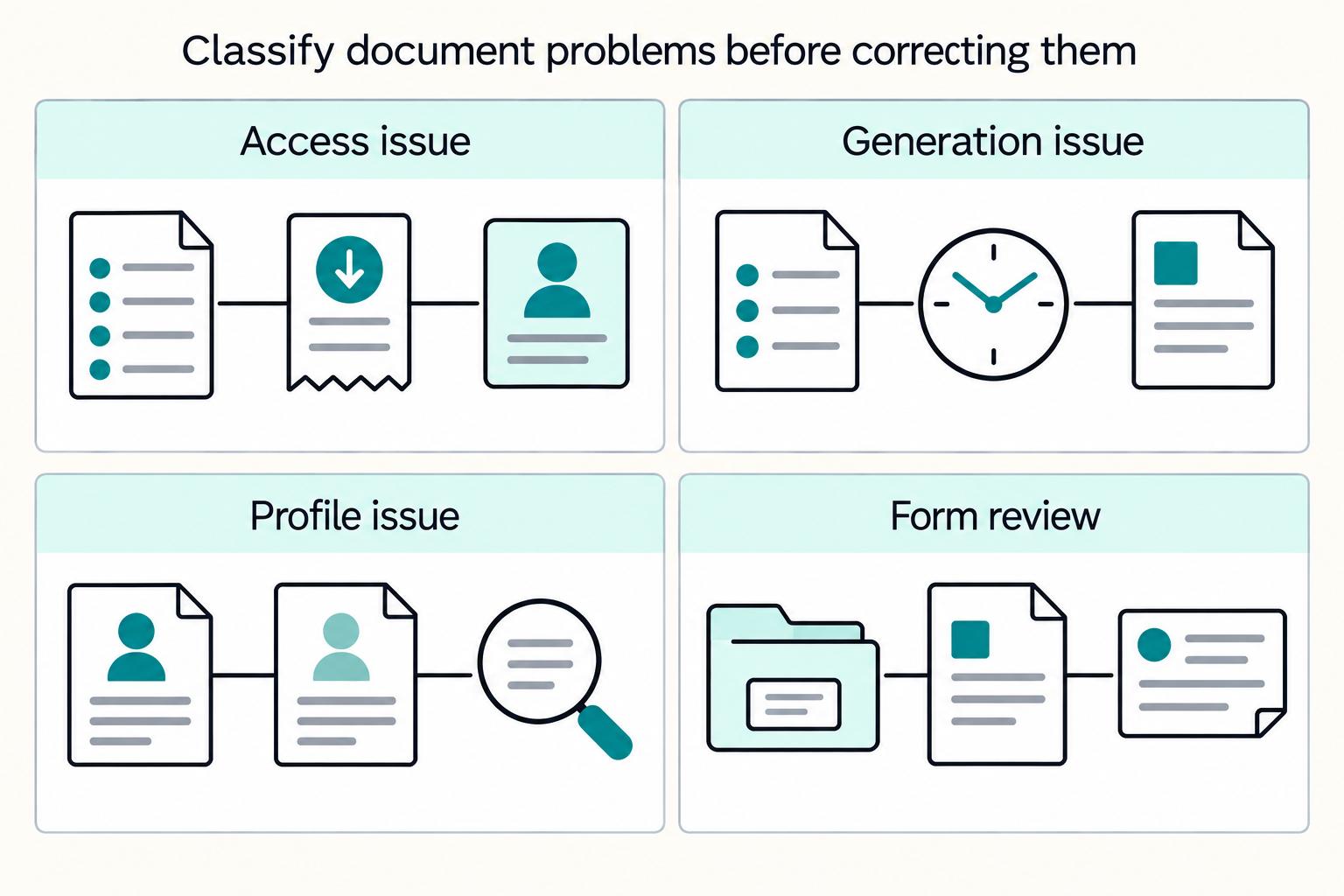
Once retrieval is stable, define what happens when it fails. Set one default route, one owner, and one required evidence pack for each failure mode before any reissue or correction. Without that structure, "missing 1099" tickets mix access issues, data defects, and form-classification disputes.
Build a four-lane escalation matrix#
Use four lanes: not visible, pending too long, wrong legal name or TIN, and wrong form type (Form 1099-NEC vs Form 1099-K). The goal is clear routing, not tax-law interpretation in support queues.
| Failure mode | Trigger | Primary owner | Maximum response window | Required evidence before reissue |
|---|---|---|---|---|
| Not visible | User should have access for a tax year, but no document appears after login | Support or portal operations first, then tax ops if issuance is uncertain | Defined in your internal policy | User ID, session/request ID, tax year, expected form type, notification status, consent status, retrieval logs |
| Pending too long | Status remains pending after your internal publish cutoff or generation batch completion | Tax ops plus engineering/platform owner for generation review | Defined in your internal policy | Job or batch reference, status history, tax year, payee profile state, last successful generation event, error code if present |
| Wrong legal name or TIN | Recipient reports a mismatch on an issued form or in source profile data | Tax ops or compliance review | Before reissue or correction submission | Current profile snapshot, source Form W-9 or Form W-8 state, exact field challenged, prior form version, audit trail |
| Wrong form type | Recipient disputes whether the form should be Form 1099-NEC, Form 1099-MISC, or Form 1099-K | Tax ops or compliance, with classification input as needed | Before reissue, withdrawal, or recipient explanation | Payment classification record, payee type, tax year, issued form copy, supporting transaction context |
Support should be able to place a case into one of these lanes quickly, even if the final outcome still needs specialist review. If the first owner cannot tell which lane applies, your case form probably needs better required fields.
Split data-quality issues from generation issues#
Start triage with one question: is this a source-data problem or a generation problem? Data-quality issues start in profile records (Form W-9 or Form W-8 details, legal name, TIN). Generation issues start when profile data is complete but the form is missing, stuck pending, or not replaced correctly after correction. Keep wrong-form disputes separate. Some payments must be reported on Form 1099-K and are not subject to reporting on Form 1099-MISC or Form 1099-NEC.
The practical difference is sequencing. For a data-quality issue, you usually need record review before you discuss reissue timing. For a generation issue, you first confirm the record was release-ready and then trace what happened in the output path. Mixing those steps causes unnecessary back-and-forth and weakens the audit trail.
Require an evidence pack before any reissue or correction#
Do not reissue based on a screenshot or chat claim alone. Before any reissue or correction, require a minimum evidence pack. That standard keeps access disputes from turning into unsupported reissues:
- payee identifier, account identifier, and tax year
- exact form type expected or disputed
- current document version and any prior issued version
- notification, login, and download history
- source
Form W-9orForm W-8profile state - generation or batch reference when a form should have been created
- correction channel, if correction is required
If the case moves to correction, record the channel explicitly: paper, FIRE (Pub. 1220), IRIS Application to Application (Pub. 5718), or IRS Portal (Pub. 5717). Also hardcode one paper-correction safeguard: do not check the VOID box on a paper correction, or the correction will not be entered into IRS records.
The evidence pack should stand on its own. If a reviewer has to go back to the agent for missing basics like the tax year, current version, or challenged field, the case was not ready for reissue or correction review.
Test the matrix with realistic failures#
Run table tests for one case in each lane: not visible, pending too long, wrong legal name or TIN, and wrong-form (1099-NEC vs 1099-K). Confirm ownership is unambiguous, evidence is complete without manual chasing, and the outcome is correctly routed to retrieval, data remediation, or correction handling.
Success here is a clean decision trail. From the case record alone, you should be able to identify whether the issue started in access, profile data, form classification, or generation.
If you cannot do that from the test cases, tighten the matrix before launch. It is much easier to fix a missing field requirement or ownership gap in a dry run than after real year-end tickets start arriving.
Need the full breakdown? Read TIN Matching for Platforms: How to Validate Contractor Tax IDs Before Filing Season.
Add IRS Filing and Distribution Guardrails Teams Often Miss#
Once escalation lanes are in place, lock down how your team answers filing questions. Support should answer filing questions only from approved IRS-based scripts tied to your actual filing channel. The bigger risk is not a missing PDF. It is ad hoc advice that conflicts with current IRS instructions.
Anchor portal language to IRS instructions, not team memory#
Use the current-year General Instructions for Certain Information Returns as the control document for broad filing questions. The Form 1099-MISC and Form 1099-NEC instructions direct filers to use those General Instructions. They cover the controls teams most often mishandle: when and where to file, electronic reporting, corrected and void returns, recipient statements, TIN topics, backup withholding, and penalties.
Set one verification rule: route any product copy, help content, or support macro discussing filing format back to the General Instructions. If a script answers from memory, replace it.
This is also a maintenance rule. When forms are updated, you should know exactly which scripts and product surfaces need review because they point back to the same control document instead of scattered internal summaries.
Add a hard gate for e-file and paper-submission questions#
Do not let support improvise on whether returns can be mailed. The e-file threshold is 10 information returns, aggregated across all information returns, effective for returns required to be filed on or after January 1, 2024.
If paper is still used in edge cases, tie that path to the 2025 General Instructions, including Form 1096 for paper submission. If an agent cannot confirm aggregated return count and filing channel, the script should stop at approved language and escalate.
Operationally, your script should not try to be clever. It should either confirm the channel from approved data or stop. A partial answer about mailing forms is worse than an escalation when the agent cannot verify the filing path.
Hardcode approved responses for risky support prompts#
Preapprove short responses for "Can I paper file this?", "How do I correct this?", and "Why did I get 1099-K instead of 1099-NEC?" Keep the form-boundary rule explicit. Payment card and third-party network transactions are reported on Form 1099-K, not Form 1099-MISC or Form 1099-NEC.
Include one non-negotiable correction warning in macros: for paper corrections, do not check the VOID box. IRS instructions state that a checked VOID box causes scanning equipment to ignore the form, so the correction is not entered into IRS records.
Keep these responses short enough to be used consistently under pressure. Long guidance blocks encourage agents to paraphrase, and paraphrasing is where unsupported advice tends to creep in. For more on intake controls, see How to Automate W-9 Collection for a 1099 Contractor Pool.
Tie the Portal to Gruv Audit Trails and Reconciliation#
Guardrails only work if you can prove what happened. Every tax-document action should be auditable end to end, not trapped in UI logs.
Record each document event as a traceable audit chain#
In a Gruv ledger-first setup, record each touchpoint as an auditable event: request, generated artifact, delivery state, and provider or channel reference. The goal is practical traceability, not an IRS-mandated schema.
| Correction channel | Guidance source | Handling note |
|---|---|---|
| Paper | Part H of the General Instructions for Certain Information Returns | Do not check the VOID box on a paper correction |
| FIRE | Pub. 1220 | Channel-specific correction guidance |
| IRIS Application to Application | Pub. 5718 | Channel-specific correction guidance |
| IRS Portal | Pub. 5717 | Channel-specific correction guidance |
Keep the filing or generation channel on each record. Correction paths are channel-specific: paper corrections route to Part H of the current year General Instructions for Certain Information Returns, FIRE corrections to Pub. 1220, IRIS Application to Application corrections to Pub. 5718, and IRS Portal corrections to Pub. 5717.
Use a simple verification check: for one payee, one form, and one tax year, confirm you can reconstruct the full sequence without relying on support tickets. If a ticket is the only place where the story makes sense, your system record is incomplete.
Reconcile issued forms against payout populations#
Use payout activity as the starting population, then reconcile it to forms that are issued, held, corrected, or explicitly excluded. Do not use portal downloads alone as a coverage check.
Apply form-boundary rules before flagging exceptions: payment card and certain third-party network transactions belong on Form 1099-K, not Form 1099-NEC or Form 1099-MISC. For release readiness, require each expected record to end in a clear state with a reason when excluded.
This reconciliation should answer two different questions: did every expected record reach a controlled state, and can you explain every exclusion without reading free-text notes? If the answer to either is no, tighten your status model before peak filing periods.
Make regeneration and notification retries idempotent#
Retries should resolve cleanly, not create duplicate artifacts or conflicting statuses. Repeated download clicks or retried notifications should map to one authoritative artifact per payee, form, tax year, and correction state unless source data changed and a new version is intentional.
Use a stable request key, log every attempt, and enforce one active final artifact per state. That same rule helps during support review. When several notifications or download attempts exist, the reviewer should still be able to identify the authoritative document version immediately rather than inferring it from timestamps alone.
Export review packs before finance and risk ask#
Prepare export-ready review packs in advance. Do not wait for finance, risk, or audit stakeholders to ask for proof after a filing issue or user complaint appears. By then, teams often pull partial screenshots from several systems and lose the clean chain you need.
| Review pack field | Include |
|---|---|
| Identifier | Payee or account identifier used internally |
| Tax year | Tax year |
| Form type | Form type |
| Current version | Current document version |
| Prior version | Prior version if applicable |
| Release state | Current release state |
| Owner | Owner |
| Key timestamps | Key timestamps |
| Channel | Relevant retrieval or correction channel |
| Exception reason | Hold reason or exclusion reason in a structured field |
At minimum, your review pack should show the payee or account identifier used internally, tax year, form type, current document version, and prior version if applicable. It should also show the current release state, owner, key timestamps, and the relevant retrieval or correction channel. For exception cases, include the hold reason or exclusion reason in a structured field, not just in analyst notes.
Build the export around the same states used elsewhere in the portal: issued, held, corrected, and excluded. If those states reconcile cleanly to payout populations and to your audit chain, finance and risk teams can review the record without a separate reconstruction exercise. That is the payoff of treating the portal as a controlled release system rather than a document shelf. If you want a deeper dive, read What Is a Supplier Portal? How to Give Contractors Self-Service Access to Payment Status and Documents.
Next step for portal launch#
We use one final release check before a contractor tax document portal goes live: if we cannot explain form scope, access status, and correction ownership from one record, the portal is not ready.
- confirm each payee type maps to one approved form lane
- confirm retrieval, held, corrected, and excluded states reconcile to the payout population
- confirm support macros stop at approved escalation points for wrong-form and correction cases
- confirm finance or compliance can export the review pack without manual stitching
Start with that checklist before launch week. We keep it short on purpose so portal, support, finance, and compliance teams can use the same readiness view instead of rebuilding the story from tickets.
Frequently Asked Questions
Which forms should a contractor tax document portal show by payee type?
Your portal should only show the forms that match the payee and payment lane you defined in policy. Keep Form 1099-NEC, Form 1099-MISC, Form 1099-K, and Form W-8 routing separate so support does not guess from the download screen.
When should we hold a tax document instead of releasing it?
Hold release when legal name, TIN status, jurisdiction, payee classification, or required evidence is unresolved. If your team cannot show why the document is release-ready from one record, the safer control is a hold with an owner and next action.
How should the portal handle Form 1099-K versus Form 1099-NEC questions?
Treat that as a form-boundary question, not a download issue. Your support script should route the case to the approved classification lane and keep payment card and third-party network reporting separate from Form 1099-NEC and Form 1099-MISC handling.
What evidence should a reissue or correction case include?
Start with the payee identifier, tax year, expected form type, current and prior version, notification and download history, source Form W-9 or Form W-8 state, and the relevant generation or correction reference. That packet should stand on its own before your team reissues anything.
Can portal download logs replace payout reconciliation?
No. Download logs tell you whether retrieval happened, but they do not prove whether every expected record reached a controlled issued, held, corrected, or excluded state. You still need payout-population reconciliation and a traceable audit chain.
When should support escalate to tax or compliance review?
Escalate when the case involves wrong-form disputes, unresolved classification, mismatched legal name or TIN data, or a correction path that is not obvious from approved guidance. Those are the points where scripted support should stop and specialist review should begin.
Try a related tool
Researched and edited by the Gruv editorial team. Gruv builds cross-border billing, payouts, and finance-operations software for global businesses.
Sources
Educational content only. Not legal, tax, or financial advice.
Related Posts
What Is a Supplier Portal? How to Give Contractors Self-Service Access to Payment Status and Documents
A supplier portal can answer routine payment-status and document questions so fewer requests become support tickets. Oracle defines this as a secure self-service channel for buyer-supplier transactions, and SAP describes status portals as self-service access to invoice status and details. For contractor payout operations, this is a practical baseline: clear status visibility and usable document access.
Supplier Portal Best Practices for a Self-Service Contractor Payment Hub
If you are building a **supplier portal self-service contractor payment hub**, the real issue is not terminology. It is whether the portal cuts payment-support load without weakening control or reconciliation.
How to Create a Knowledge Base for Your SaaS Product
Treat your SaaS knowledge base as part of your support system. As volume rises, answers often get scattered across docs, saved replies, and team chat. When guidance fragments, work slows down and small mistakes pile up.