
Quick Answer
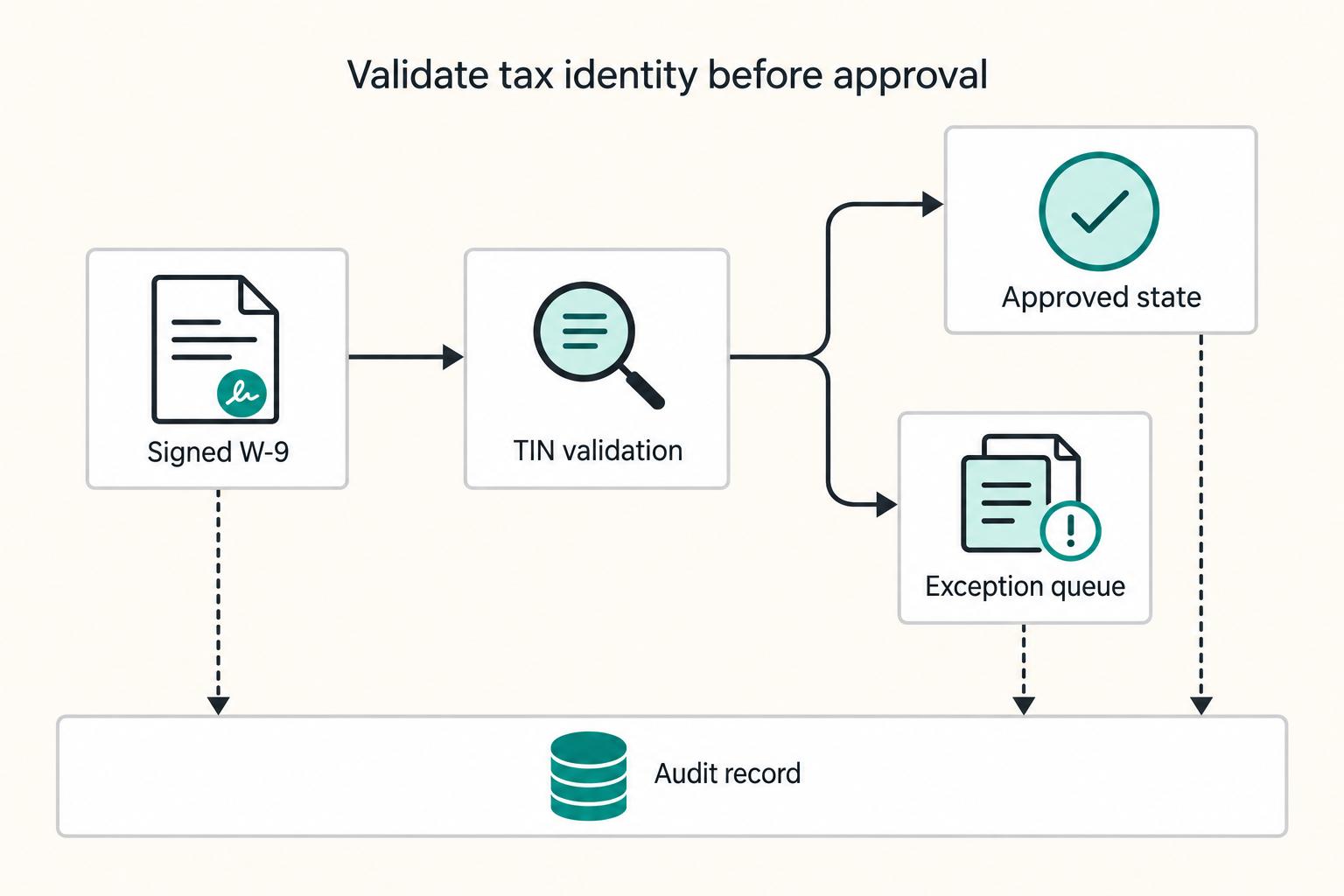
Build the process in this order: capture a signed Form W-9, run TIN Matching, and only then mark the record approved. Keep separate states for received, validated, and approved, and route failed checks into a named exception queue with an owner. For multi-entity contractor pools, tie each decision to the payee profile and payer profile so finance can trust Form 1099 readiness and escalate missing records for backup withholding review when policy requires it.
Automating W-9 Collection for a Contractor Pool Without Creating New Risk#
Automating Form W-9 intake pays off only when it is auditable, scalable, and clear about when a human needs to step in. Faster data entry is not the main win. The real gain is a tax-document control that shows which payees are ready, which are blocked, and who owns the next action.
Step 1. Define the promise as a control, not a convenience. For a contractor pool, automation should standardize how tax documents are collected, preserve an audit trail, and route exceptions to an owned queue instead of leaving them in inboxes or support tickets. A quick check: for any payee, you should be able to show when the request went out, whether it was submitted, whether it passed validation, and who owns the record now. If you cannot answer those four questions quickly, you have a faster form, not a dependable intake process.
Step 2. Treat growth as the risk multiplier. High-volume vendor onboarding and expansion across more payer entities can expose weak intake controls at the worst time. Manual document chasing can break down at scale. The failure mode is straightforward: documents expire, requests fall through the cracks, and teams lose a clear view of what is complete versus still pending.
Step 3. Set the scope boundary before anyone starts building. This guide is about U.S. tax-document operations for contractor pools: collecting W-9s, handling intake exceptions, and producing evidence that downstream filing teams can trust. It also touches cross-border branches where Form W-8 collection and Form 1042-S reporting may become relevant, but it does not decide underlying eligibility or routing rules on its own.
For that branch, use official IRS material for the operational points that matter. IRS Publication 1187 for Tax Year 2025 covers electronic filing specifications for Forms 1042-S and includes filing requirements, retention requirements, due dates, and extensions. If you are checking public summaries elsewhere, remember that FederalRegister.gov states its prototype pages are not an official legal edition and should be verified against an official source.
Step 4. Aim for a handoff design each team can execute cleanly. Compliance should be able to approve collection rules and escalation points. Finance should receive a clear tax-ready status and exception disposition, not raw intake noise. Ops needs owned remediation queues, and product needs event logging that can prove what happened and when. A good outcome should be boring: clean states, named owners, and no ambiguity about whether a payee is accepted, pending remediation, or blocked. If status is still arguable, fix the handoff before you automate more.
Define Scope and Preconditions Before You Automate#
Set scope and ownership before design starts, or a clean intake flow can still fail as a control when volume rises.
| Intake element | Article requirement | Workflow treatment |
|---|---|---|
| Payee entity type | Included in the intake baseline | Required data |
| Legal Name (as shown on your income tax return) | Included in the intake baseline | Required data |
| Social Security # or Federal Tax ID # | One of those IDs must be entered | Required data |
| TAXPAYER ID CERTIFICATION block | Included in the substitute W-9 example | Required certification evidence |
| Certification signature and date | Included in the substitute W-9 example | Required certification evidence |
Step 1. Separate routing from policy ownership. Capture payee attributes first, then assign one owner for W-9 versus W-8 policy interpretation and exception approval. Keep this as a short written rule so routing decisions stay consistent instead of turning ad hoc.
Step 2. Lock required fields before build. Your intake baseline should include payee entity type, Legal Name (as shown on your income tax return), and either Social Security # or Federal Tax ID #. The substitute W-9 example states one of those IDs must be entered, and it includes a TAXPAYER ID CERTIFICATION block with signature and date. Treat those items as required data and required certification evidence in your workflow.
Step 3. Assign control owners early. Name who approves tax-form content and routing rules, and who owns the operations queue for incomplete or mismatched submissions. If ownership is unclear, issues sit between teams even when the form itself works.
Step 4. Define your evidence pack at kickoff. Decide what records your team needs to retain to reconstruct each case end to end, including request status, selected payee type, submitted form details, certification completion, and exception handling. Test this on one sample contractor to confirm the record is complete without pulling screenshots from multiple teams.
For a step-by-step walkthrough, see How to Handle a Signing Bonus for Freelance Contractor Work.
Build a Control Ownership Map That Prevents Gaps#
Most control gaps come from unclear ownership, not missing automation. Give each control one accountable approver, map handoffs from intake to payout, and define escalation paths before exceptions pile up.
Step 1. Assign approval authority by control. Start with explicit Roles and Responsibilities, Program Controls, and an Escalation Path for Assistance. Use the split that fits your operation: compliance for TIN Matching policy and exception criteria, finance for filing readiness, and operations for exception turnaround. The test is whether each control has one named approver with authority to hold or release progress.
Step 2. Map handoffs from payee profile to payout gate. Write the sequence end to end: payee profile creation, Form W-9 or Form W-8 request, tax document completion, validation status, then payout release or hold. If KYC/KYB/AML checks are enabled, show where tax status intersects with those controls before funds move. Also name the authoritative status when systems disagree.
Step 3. Define escalation triggers in advance. Escalation should be a documented control, not an informal rescue step. Make triggers explicit: unresolved identity mismatch, repeated failed validations, and cases requiring legal review before backup withholding operations. For each trigger, specify who escalates, to whom, and what evidence is required.
| Control area | Accountable owner | Required evidence | Escalation authority |
|---|---|---|---|
| TIN Matching policy and review criteria | Compliance or tax | Approved policy note, validation result, reviewer decision | Compliance lead or designated tax approver |
| Filing readiness for 1099 population | Finance or tax ops | Tax status flag, exception disposition, filing-ready record | Finance manager or tax operations lead |
| Exception turnaround | Operations | Queue age, outreach history, final disposition | Ops manager |
| Payout release gate where KYC/KYB/AML also applies | Risk, payments, or platform ops | Tax status, identity status, release decision log | Named release approver |
Step 4. Keep a one-page RACI visible and testable. Your RACI only needs to cover controls, evidence, and escalation authority, but it should be easy for every team to find. Include required artifacts such as the submitted Request for Taxpayer Identification Number and Certification, validation outcome, and approval history. Recheck it whenever onboarding flow or filing logic changes.
Choose Collection Paths by Contractor Segment and Completion Risk#
Choose intake paths by contractor segment and review risk, then document the rule so collection stays consistent and auditable. Use the lowest-friction channel that still meets your control requirements, and move flagged records into tighter paths before acceptance.
Route low-risk contractors into self-serve collection#
Use self-serve channels (email, text, secure URL, or embedded UI) for low-risk, high-volume onboarding when your controls can still capture a complete audit trail. For higher-scrutiny records, keep collection inside your authenticated flow so review and release decisions stay tied to the same case record.
| Intake channel | When to use it | What to log for traceability |
|---|---|---|
| Email link | Broad self-serve onboarding | Request sent, delivery status, completion event, document version |
| Text link | Mobile-first self-serve onboarding | Request sent, delivery status, completion event, document version |
| Secure URL | Controlled retries or remediation | Issued link, case ID, completion event, reviewer actions |
| Embedded UI | Payout-gated or account-gated flows | Submission, consent/certification event, validation status, release decision |
Turn segment rules into documented program controls#
Write segment routing as a formal control, not an informal ops habit. IRM 21.8.4 includes a named Program Controls subsection, and that is a useful model: define the rule, the owner, and the evidence required to clear exceptions.
For error handling, keep your notification mapping explicit. IRS notification guidance references using a 3-letter code to locate the relevant error context, so your internal queueing should make code-to-action mapping easy to audit.
Stop duplicate requests before they become duplicate records#
Treat duplicate intake as its own exception class and route it early. Where your policy allows, keep one authoritative tax-document record and link it across payer profiles instead of sending repeat requests.
This is a control issue, not just a support issue. IRS ICMM guidance includes Duplicate MessageRefId Notification (NDM) as a defined notification category, and IRS notes that notifications may be sent after files are processed by ICMM; take that as a practical reminder to assign an owner, a route, and required evidence for duplicate cases.
Implement the Validation and Approval Sequence in the Right Order#
Sequence is the control: collect the signed tax form, validate it, then approve it. If approval happens on receipt alone, you create avoidable correction work later.
Step 1. Capture the electronic W-9 submission and electronic signature before validation. Start with a durable record of the completed Request for Taxpayer Identification Number and Certification, tied to the contractor, payer entity, submission timestamp, and signed document version. Keep form received and form approved as separate states from the start.
A partial save, emailed PDF, or support-uploaded attachment can support remediation, but it should not by itself trigger tax-ready status. At this checkpoint, verify that accepted records show submission time, signed version, and who or what created the intake event.
Step 2. Run TIN Matching after intake acceptance, then branch to approval or exception. Approval should follow a successful validation outcome, not just form existence.
If legal name and TIN pass, move the record to approved status. If validation fails, times out, or needs review, hold downstream actions and route to manual review before enabling tax-ready status, including cases where readiness gates payout release, payee activation, or 1099 tracking and generation.
For operators, the branch decision should be auditable: validation result, current owner, remediation request status, and whether validation was rerun after edits.
Step 3. Keep SSN and EIN handling tight while preserving an immutable event trail. Use masked SSN/EIN views in operational screens, and limit full-value access to the smallest group that truly needs it. Keep full identifiers out of chat, ticket comments, and other broad-access free text.
Maintain an append-only event chain that shows intake accepted, validation attempted, validation passed or failed, remediation completed, and final approval or rejection. Where supported, link key tax-status events to ledger journals or payout records so finance can trace eligibility timing against money movement.
Step 4. Lock the final tax profile used for reporting, and version changes instead of overwriting. After remediation and successful validation, lock the approved profile for 1099 tracking and generation. If name or TIN changes later, create a new version and retain the prior approved record with its timestamps and decision history.
| Checkpoint | What you should verify | Why it matters |
|---|---|---|
| Intake accepted | Submission time, document version, signature event, payer entity link | Proves defensible collection |
| Validation result | Pass, fail, or manual-review branch recorded on the same tax record | Keeps approval aligned to checked data |
| Remediation complete | Requested fixes, resubmission, and rerun of validation are visible | Prevents stale failures or stale passes |
| Final profile locked | Approved version is frozen for reporting and linked to 1099 status | Reduces downstream reporting integrity breaks |
For a contractor pool, this is the sequence to defend with controls. Better intake UX can improve completion, but ordering keeps approval, payouts, and Form 1099 output aligned.
Design Exception Queues and Escalation Rules Before Launch#
Define exception handling before launch so cases move to a clear next action instead of sitting in a generic hold state.
| Exception type | Recovery path | Disposition or escalation |
|---|---|---|
| Missing Form W-9 | Document request retry | Escalate for backup withholding review and legal or tax review after the policy-defined outreach window |
| Failed TIN Matching | Resubmission link | Resolved by resubmission |
| Mismatched identity | Manual document verification | Cleared by manual verification |
| Duplicate payee | Keep one authoritative tax-document record and link it across payer profiles | Closed as duplicate |
Define a small taxonomy tied to next actions#
Use a compact set of internal queue categories that maps directly to operator decisions:
- missing Form W-9
- failed TIN Matching
- mismatched identity
- duplicate payee
- stale or partial submission
These are internal control categories, not IRS-defined classes. If an exception code does not make the next step obvious, the taxonomy is too broad.
Set escalation rules before the first case arrives#
Set escalation criteria up front. If a contractor still has no valid Form W-9 after your policy-defined outreach window, escalate for backup withholding review and legal or tax review instead of leaving the call to ad hoc ops decisions.
This should be explicit in your workflow because the 2025 General Instructions for Certain Information Returns lists both topics separately in its contents: N. Backup Withholding (page 18) and recipient names/TINs (page 13). At minimum, your queue should show exception type, outreach attempts, payout eligibility status, and the authorized decision owner.
Build recovery paths and close with a durable disposition#
Most exceptions should have a defined recovery route:
- resubmission link for failed TIN checks
- document request retry for missing or unreadable files
- manual document verification for identity mismatches
Log a final disposition that survives later profile edits (for example: resolved by resubmission, cleared by manual verification, closed as duplicate, or escalated for backup withholding review). For queue health, track aging by exception type, reopen rate, and unresolved cases nearing your Form 1099 production window. Related reading: How to Automate Client Onboarding with Notion and Zapier.
Handle Multi-Entity and Cross-Border Cases Without Rework#
The lowest-rework design is to classify cross-border records early and keep that decision controlled. Put the branch decision at the payee-profile stage, require authorized review for branch changes, and avoid manual document-type swaps that erase decision history.
Classify early and preserve the decision trail#
Classify at intake, not in the exception queue. Your process should show which branch was selected, when it was selected, which payer profile it applies to, and who approved any later change. A common failure mode is fixing a submission by changing document handling ad hoc, without preserving the original decision, reviewer, and reason code.
Map one contractor to multiple entities with controlled reuse#
Use one payee identity record across multiple payer profiles only when your policy allows it, and treat reuse as a controlled decision. If reuse is allowed, carry the same evidence for each mapped profile: source document ID, validation result, signature timestamp, effective status, and approval history. When core tax data changes, run an impact review across mapped entities before the next payout or filing cycle to prevent stale records from driving rework.
Keep cross-border reporting triggers separate from intake fixes#
Cross-border intake fixes and foreign-asset reporting triggers are not the same control. Under FATCA, certain U.S. taxpayers with foreign financial assets must report those assets to the IRS using Form 8938, and Form 8938 must be attached to the annual tax return. IRS materials describe a general reportability threshold above $50,000, with higher thresholds in some cases, and Form 8938 instructions reference $50,000 at year-end or $75,000 at any time during the tax year for specified domestic entities. This requirement is additional to FBAR reporting on FinCEN Form 114. If applicable cases are missed, IRS materials describe a $10,000 penalty, up to $50,000 for continued failure after notification, and a 40 percent substantial understatement penalty in some cases. Route these cases to specialist review instead of treating them as routine intake exceptions.
| Threshold or penalty | Value | Context |
|---|---|---|
| General reportability threshold | Above $50,000 | IRS materials describe a general threshold |
| Specified domestic entities threshold at year-end | $50,000 at year-end | Form 8938 instructions |
| Specified domestic entities threshold during the tax year | $75,000 at any time during the tax year | Form 8938 instructions |
| Penalty for missed applicable cases | $10,000 | IRS materials describe this penalty |
| Continued failure after notification | Up to $50,000 | IRS materials describe this penalty |
| Substantial understatement penalty | 40 percent | In some cases |
Tie Intake Controls to Year-End Filing and Audit Evidence#
Your year-end control point is the handoff package: tax operations should receive a decision-ready record, not partial queue history.
Define one final handoff record per payee and payer profile#
Create one final handoff record per payee and payer profile with the validated tax profile status, final exception disposition, document path taken, and reporting-readiness flag (Form 1099 or Form 1042-S). If a case is not ready, state the reason directly (for example, validation failed, remediation missing, or review pending) so tax ops does not have to infer status from notes.
Verification check: for a random contractor, you should be able to see the latest document type, validation outcome, approval state, and reporting track in one place.
Map the handoff to filing outputs before year-end#
Map the handoff output to filing workflows before year-end, especially for non-U.S. reporting. The 2026 Instructions for Form 1042-S include both "Where, When, and How To File" and an "Electronic filing requirement" section, reference IRIS, and note that FIRE is being retired. The 2025 Instructions for Form 1042 also include an "Electronic filing" section.
Keep Form 1099 and state handling in a separate filing matrix owned by tax or finance, rather than assuming one IRS-oriented export covers every downstream workflow.
Retain the evidence pack that supports filing-ready status#
Retain the full evidence pack behind filing-ready status: intake logs, validation results, approval history, and immutable audit-trail entries. Each status change should tie to a timestamped event, source record, and actor or reviewer.
Related: Tail-End Spend Management: How Platforms Can Automate Long-Tail Contractor Payments.
Copy-Paste Launch Checklist for Compliance and Ops#
Use this as a launch gate: if any step is missing a named owner, a verification check, or a saved artifact, pause the rollout.
-
Lock scope and owners. Confirm your documented scope for the Form W-9 path versus the Form W-8 path, then assign ownership across compliance, finance, ops, and engineering. Keep governance explicit using IRS-style control headings such as Roles and Responsibilities and Program Controls (IRM 21.10.1). Verify each control has a decision owner, an operator, and an escalation contact.
-
Publish intake and duplicate rules. Document intake-channel rules by segment and how one tax certificate is linked across payee profile and payer profile records under your policy. Verify with a test record that your system links to the existing certificate instead of creating a duplicate request. Red flag: duplicate outreach creates conflicting records and harder year-end reconciliation.
-
Activate validation states and visibility. If your policy uses electronic signature, TIN Matching, exception routing, and approvals, make every state visible and keep rejected or superseded submissions from appearing approved. Verify in one record that current status, latest action, reviewer action, and tax-ready state are all clear. Failure mode: requests are sent, but unresolved exceptions remain hidden.
-
Approve escalation before first payout. Define escalation for missing, stale, partial, or unresolved forms, including when to involve tax or legal specialists. Document who can authorize backup withholding and ensure outreach history plus final disposition are preserved in the record.
-
Test year-end handoff and evidence pack. For 1099 tracking and generation, confirm outputs include readiness status, exception disposition, and the record identifier tax ops uses. For Form 1042-S, validate outputs against Publication 1187 (Rev. 9-2025) for Tax Year 2025, with focus on Sec. 6 (filing requirements, retention requirements, due dates, extensions) and Sec. 9 (penalties associated with information returns). Final check: your audit trail should show request, submission, validation result, reviewer action, remediation, and approval or exception closeout.
Frequently Asked Questions
What are the minimum controls to automate W-9 collection for a contractor pool?
Start with a small set of controls you can enforce: collect Form W-9 before work begins where your 1099/U.S. payee policy requires it, capture core fields such as name, address, tax classification, and TIN data, and track status (for example: signed, submitted, rejected). A practical check is to open one contractor record and confirm you can see the current document and status without searching email threads. One failure mode is automating the request but not the status handling, which can leave partial or rejected forms looking complete.
When should backup withholding be escalated if a contractor has not provided a valid Form W-9?
Escalate based on your internal outreach policy when the record still has no W-9, rather than letting payout, onboarding, and tax teams make ad hoc calls. The grounded point here is risk, not a universal deadline: a single missing W-9 can lead to backup withholding penalties or delays in issuing year-end 1099s. If you escalate, keep the outreach history and decision owner in the record.
What validation steps reduce Form 1099 correction risk before year-end filing?
Validate what the form gives you before marking anything tax-ready: name, address, tax classification, TIN data, and current submission status (such as signed, submitted, or rejected). For higher-volume pools, resolve incomplete or rejected records during intake instead of waiting for filing season. Red flag: a contractor marked approved even though the latest status is rejected.
How should we handle one contractor working across multiple payer entities?
Set a clear internal policy for multi-entity handling and apply it consistently. The key control is explicit recordkeeping for each payer profile so teams can see which record is being used and what its current status is. This helps avoid duplicate outreach and inconsistent form records.
When do we route a payee to Form W-8 instead of Form W-9?
Use your tax-policy branch logic to decide whether the payee belongs on a W-9 path or a W-8 path, and record that decision early. The grounded requirement is that teams may need to collect and maintain up-to-date W-9 or W-8 forms. Keep the handoff clear so reporting workflows follow the correct document path.
What evidence should be retained in the audit trail for IRS and internal review?
Keep decision history, not just the final PDF: request timing, request channel, submission status, and key follow-up actions. If you use no-code automation or batch workflows for high-volume onboarding, retain the event that created the request and the event that changed status. The goal is a clear record of how each file moved from request to filing-ready status.
Try a related tool
Researched and edited by the Gruv editorial team. Gruv builds cross-border billing, payouts, and finance-operations software for global businesses.
Sources
Educational content only. Not legal, tax, or financial advice.
Related Posts
How Platforms Use Pooled Wallets vs. Individual Wallets for Contractors
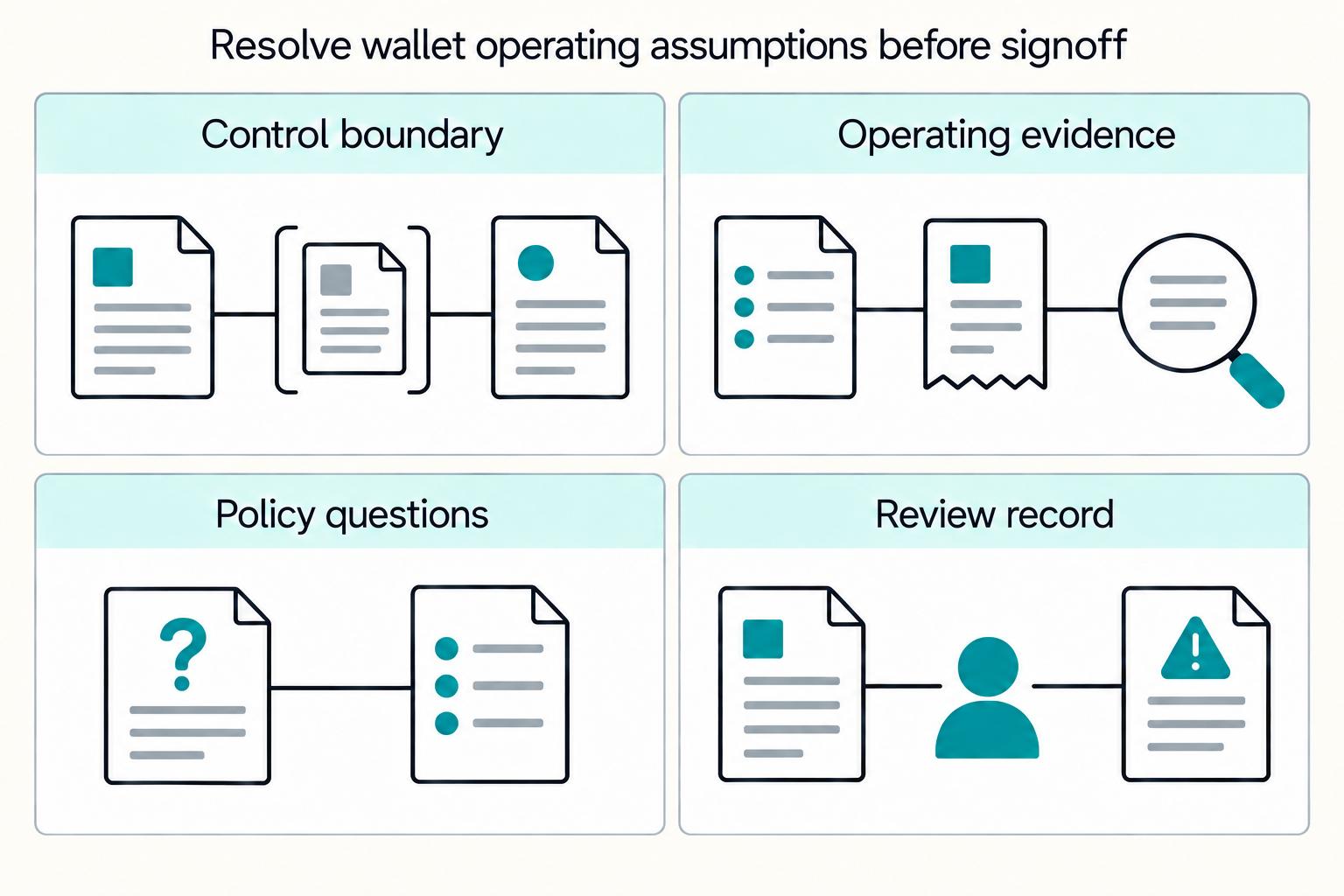
Choose pooled wallets when your platform needs centralized control over funds and operations. Choose individual wallets when users must control private keys and accept the recovery boundary that comes with that choice.
Choosing a Tail-End Spend Management Platform for Long-Tail Contractor Payments
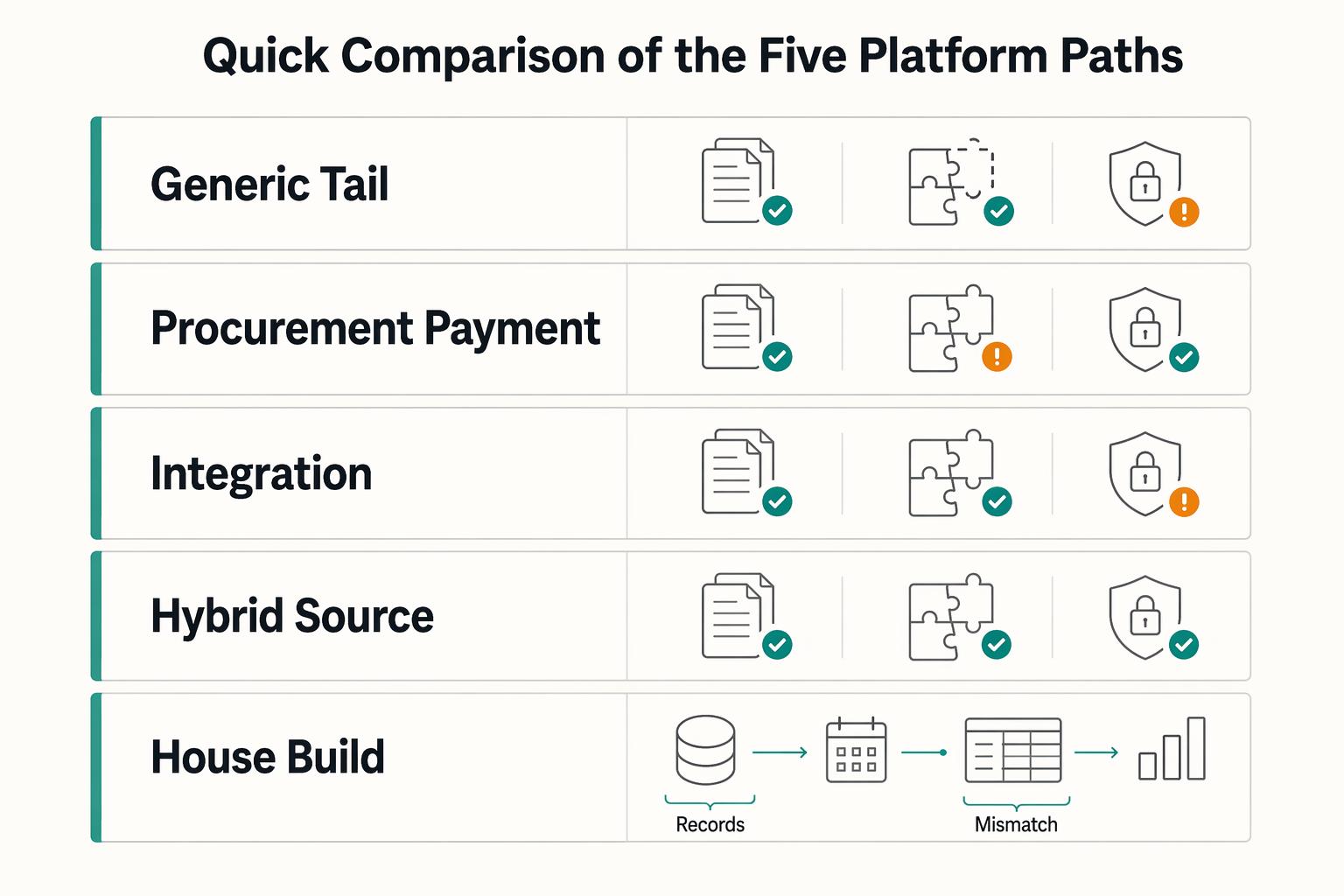
Tail-end spend management can start to break down when long-tail contractor payouts begin to scale. Tools built for low-value, low-visibility procurement can tighten approvals and policy. They are not automatically built for payout-state tracking, retry safety, payout failures, or reconciliation evidence. That gap is the real decision here.
QuickBooks Online + Payout Platform Integration: How to Automate Contractor Payment Reconciliation
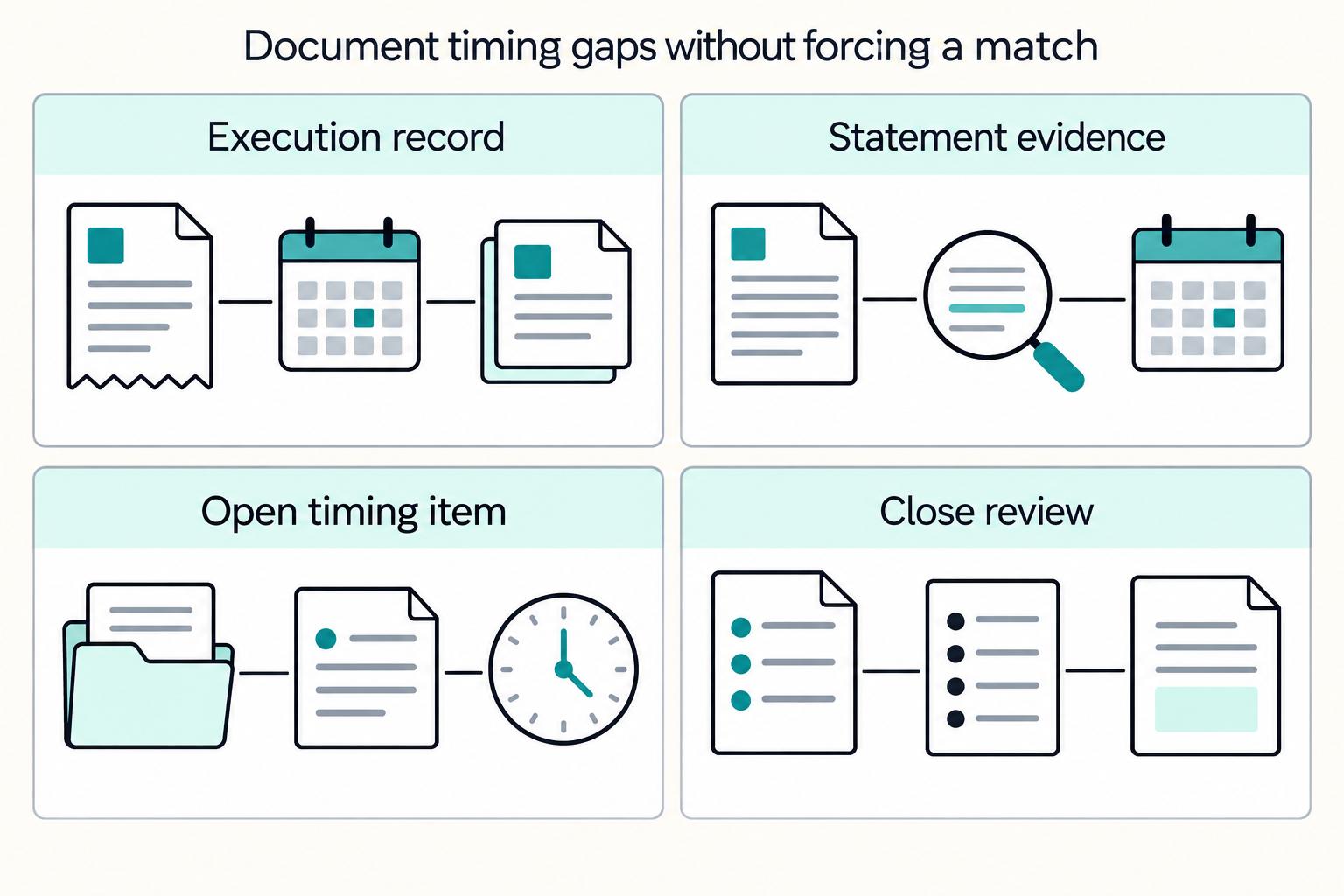
For platform operators, this is an operations design problem. You need a reliable path from each payout event to a bank-matched close in QuickBooks Online, with controls finance can trust and automation engineering can replay safely.