

Quick Answer
Map intake into Notion, approve a readiness state, and use Zapier for the required cross-app actions. Save destination IDs and send results, check client access, and route incomplete or failed runs to a named owner. Test retries so they reuse completed work.
Start Here and Decide What to Automate#
Build a small onboarding flow: intake arrives in Notion, an owner approves readiness, Zapier creates the required workspace assets and tasks, and the client receives a checked welcome message. Keep custom scope, access decisions and exceptions with a named human owner.
Use one boundary rule before you build: automate steps with the same input and output most of the time; keep approvals and edge cases manual. That keeps scope under control as you add app connections. It also makes weekly reviews easier because failures are more likely to trace back to either data or a decision.
Map the onboarding path in one place.#
Sequence the flow in order, for example: Onboarding form submitted, Client Portal created, Onboarding tasks assigned, Welcome email sent. Add an Owner and a Failure owner to each step so issues do not sit unclaimed. If two people could own a failed step, assign one primary owner now and keep the backup owner for escalation only.
Separate repeatable actions from judgment calls.#
Tag each step as Auto or Manual. Keep data transfer and status updates in Auto; keep approvals, exception handling, and custom decisions in Manual. A simple check: if you would still want a human to review it when the client record is incomplete, keep it manual.
Set the automation boundary.#
Use Notion database automations where their actions fit. Most editable database automations require a paid plan and full database access. They cannot trigger other database automations, although user button actions can. Test the actual trigger route; do not assume a chain of native automations will run. Zapier can coordinate external apps, but native Notion actions also include some external notifications.
Define verification checks before launch.#
Test for one intended set of outputs per onboarding run. A status checkbox alone does not guarantee this: duplicate events, retries or overlapping runs can still repeat an action. Save a stable client ID, onboarding run ID and destination IDs; check those before creating resources or sending messages.
Start small, review failure points, and automate one additional repeatable step at a time. Once that boundary is clear, lock prerequisites before adding more triggers.
Gather Your Prerequisites Before You Build#
Lock down the setup before you create triggers. Many launch issues start with unclear ownership and inconsistent records.
That cleanup pays off later because every automation branch depends on predictable fields, owners, and status language. If those basics are unstable, adding more logic can hide the real issue.
Create one canonical Client Onboarding Database in Notion first.#
As an illustrative first version, use 4–7 intake fields and 1–3 service paths. For example: submission ID, client name, contact email, service package, project summary and requested start date. Internal ownership and readiness fields belong in the database, not necessarily on the public form. Add fields only when a downstream decision needs them.
Connect only the tools you need for Day 0.#
Connect the form, Notion, Drive, Slack and email accounts you actually need. Grant access to the intended pages and folders, then test it. Zapier's Notion connection guide describes page permissions and current data-source events; new pages may require additional permission. Confirm your Zapier plan supports the chosen multi-step flow and any optional branching or replay features before enabling it.
Use a template as a draft, then simplify.#
If you start from a template, trim aggressively. Keep only fields and action items you will actively use, with a named owner and deadline for each follow-up. Remove extra structure that makes the handoff harder to read.
Assign ownership and failure handling before launch.#
Decide who reviews the Onboarding form and who resolves failed automations. Log failures in a shared tracker so the team has visibility and can follow up.
Before building the downstream chain, verify intake mapping, a missing-field case and the named failure owner. This is a setup check; end-to-end launch tests come after the actions exist. Related: Automating Your Freelance Finances.
Should You Start with Notion Alone or Add Zapier Now#
Start with Notion's supported actions if they cover the workflow. Add Zapier when the required app, sequencing or recovery controls are missing. The number of apps alone is not the deciding factor.
| Option | Use when | Article note |
|---|---|---|
| Notion native | Supported actions cover intake, tasks or notifications | Check plan, access and native trigger limitations |
| Zapier | You need the selected apps and an explicit cross-tool sequence | Check supported events, plan and replay controls |
| n8n | The team needs a workflow it can operate in n8n | Compare Cloud and self-hosted operation; name a maintenance owner |
List the exact trigger and actions before choosing the tool. A native Slack notification may be enough for a simple flow; a Drive setup plus conditional welcome email may need an external workflow. Keep the first path small enough to troubleshoot.
Start native for single-workspace flows.#
If supported native actions meet the need, validate that path first. A Notion-only record still needs permissions, clear failure ownership and a check that its trigger fires from your actual intake method.
Add Zapier for recurring multi-tool handoffs.#
Use Zapier for app handoffs you can test with the available actions. Repeated copy-and-paste is a useful candidate, but confirm the search, creation and update steps can carry stable identifiers and report partial success.
Use a drift check before deciding.#
Compare active onboarding runs with their required destination IDs, not just total counts. As an illustrative check, 10 approved runs with only nine recorded folders reveals a gap, but equal counts can still hide one duplicate and one missing client. Match by run ID.
Treat n8n as a scope choice, not a default.#
n8n offers Cloud and self-hosted options. Cloud reduces infrastructure work; self-hosting adds ownership of hosting, updates, backups and incident recovery. Compare the workflow and maintenance needs rather than treating n8n as automatically broader or better.
Before expanding, run one test close event and confirm each required destination updates once, with failures visible to a named owner. Then compare destination counts against Notion so drift is visible before launch.
Build a Client Record That Automation Can Trust#
Reliable automation starts with one structured client record and one intentional trigger. Every tool should reference the same core client details and identifiers.
If your record design is loose, automation gets unpredictable because each app interprets missing or inconsistent values differently. A strict record shape helps reduce that drift before it starts.
Define core fields in Client Onboarding Database before enabling triggers.#
Use required properties such as Client ID, Submission ID, service package, contact email, Owner, Readiness status and Onboarding run ID. Add Drive folder ID, task IDs, welcome-message status and Last error as outputs. A linked Communication Log can hold dated approvals and messages. Validate fields needed by a step before that step runs.
Use controlled status values across tools.#
Use a small state model, for example Intake received → Ready for onboarding → In progress → Complete, with Needs attention for exceptions. Keep each step's success separately so one overall status does not hide partial progress. Reserve a new run ID for an approved new project or restart, rather than resetting a completed client silently.
Use one client identifier everywhere.#
Carry a stable Client ID and run ID into destination names or metadata, for example CL-104_ONB-02. Do not use a mutable name or email as the sole identifier, or parse sensitive contact details out of filenames. Save the actual Notion page and destination IDs so renamed resources remain traceable.
Start onboarding from one gated trigger field.#
Let the owner set Ready for onboarding after intake review. In Zapier, select the current Updated Properties in Data Source Item event for the intended data source, then filter for readiness and required fields. New Data Source Item watches creation, not a later readiness edit. Re-read current run progress before side effects; exclude routine write-backs from relaunching the same run.
Test one run and then repeat its event. The second attempt should reuse existing resources and skip completed sends. Search-before-create and status checks reduce duplicates, but do not provide an atomic lock against simultaneous runs. For a small launch, route overlapping attempts to one owner for review; higher concurrency needs a reliable claim mechanism or serialized processing.
Create the Intake Trigger and First Task Set#
Use intake to start one clear sequence: capture form answers in your Client Onboarding Database, then move the record through a defined readiness step.
The main goal is clean routing, not maximum form length. Intake should focus on the details needed for kickoff and keep records structured for review.
Build the Onboarding form and map inputs to database fields.#
Tally's Notion integration lets you connect Notion, select the destination and map fields to properties before activating the integration. Map the Submission ID as well as the answers, then submit a test. Choose one intake writer: either this direct integration or a form-triggered Zap creating the record, rather than both creating it.
Use one readiness status as the automation start point.#
Set new submissions to Intake received for review, then have the owner approve Ready for onboarding. When a client submits a corrected form, link it to the existing client and decide whether it updates the current run or starts a new approved run.
Create baseline onboarding tasks in Notion.#
For the first task set, create three linked items such as confirm scope, check client access and schedule kickoff. Use a supported Notion action or Zapier's Create Data Source Item for each task, with owner, due date and a relation to the client. Save each task ID against the run so retrying a later step does not create the tasks again.
Run one verification pass before going live.#
Submit a test form, confirm a client record is created, and verify the first task set is generated as expected.
Manual onboarding creates delays and confusion. A structured sequence can cut that noise at launch. Related: The Best Proposal Software for Freelancers and Agencies.
Automate Cross-Tool Setup in the Right Order#
Keep required cross-tool actions in an explicit sequence and store their outputs. The following example uses a Drive folder, an internal Slack notice and a final readiness update; adapt the dependencies to your service.
| Step or rule | When | Required action |
|---|---|---|
| Find or create Drive folder | After readiness validation | Reuse its saved ID, or search by stable run reference; create only if absent and save the output |
| Send Slack team notice | After folder setup | Include the run reference; record message status and ID when available |
| Publish client links and readiness | After required assets and access checks | Confirm intended client access, save links and update status |
| Needs attention | If required data or a required action fails | Record failed step, successful outputs and recovery owner |
| Write-back failure | If Notion cannot be updated | Use Zap history and an independent alert or exception record to retain outputs |
In the Zap editor, configure the readiness trigger and filter, then the Drive search/create action, Notion progress update, Slack send and final Notion update. Use the connected app's current action labels. If Slack is only an internal notice, a failed Slack send need not invalidate a correctly created folder; define whether it blocks client readiness. A folder link is not a client portal until sharing and the required page or workspace are configured.
For example, Drive succeeds with folder ID F123, but Slack fails. Keep F123 and the error visible. Recover the notification and final write-back without creating a new folder. If the Notion write-back itself fails, the owner must use the Zap run outputs to restore the record; a failed connection cannot reliably log its own failure.
Test complete intake, missing fields and a forced failure after an asset is created. Also test an intended client with limited access: the correct person should open the intended folder or page without seeing another client's files. Do not make the shared onboarding database public to solve a permission issue.
Send a Welcome Email That Reduces Back-and-Forth#
Send a short, structured Welcome email from Notion record data, and pause the send if required fields are missing.
A good first-touch message answers immediate questions before the client asks them, then gives one clear reply path. That can reduce back-and-forth and keep ownership obvious.
Generate from Notion fields only.#
Pull client name, service type, onboarding owner, intake doc link, and current timeline from the same record your team updates. Include only what the client needs now: Client Portal, intake docs, and immediate next steps. If a required field is empty, route the record to Needs attention with an owner instead of improvising text.
Use one approved template per service type.#
Keep one base template per package so legal and admin language stays consistent. Keep templates editable and trimmed to essentials. If a template is hard to modify or overloaded with features you do not use, replace it before launch.
Make ownership and replies explicit.#
Add a clear reply path and name the onboarding owner in the signature. Keep owner details in Contact Management, and record client replies and follow-ups in Communication Logs so handoffs stay clear. This helps avoid handoff issues, including replies to a mailbox no one is actively watching.
Test sends and escalation before going live.#
Send internal test emails, check the recipient and merge fields, and verify links as the intended client before enabling live sends. Record message ID or send result and timestamp. If sending succeeds but the Notion update fails, recover that update without sending again. If the send times out and its result is unknown, inspect the sender's record before retrying. Never treat a blank Sent field alone as proof no message went out.
Add Guardrails So Automation Fails Loudly Not Quietly#
Set guardrails where errors can become client-facing: make failures visible, assign ownership, and define recovery before launch.
Keep the failure record small: run ID, failed step, time, owner, error, completed outputs and next action. Avoid placing credentials or unnecessary client details in alerts. If Notion is unavailable, use a separate monitored channel or exception log and reconcile it later.
- Set Needs attention for blocked work. Capture the run ID, failed step and owner; use an external alert if the tracker cannot be updated.
- Classify failures with a small taxonomy. Start with a few practical classes based on your own logs, for example intake-data issues, app auth issues, and duplicate triggers, then map incidents to each class.
- Define recovery per class. Repair missing input or expired credentials, inspect destination outputs after uncertain results, and resume only the necessary actions. Record what was reused or retried.
- Test failure paths before live traffic. Intentionally trigger representative failures and confirm status changes and owner assignment work end to end.
- Run a recurring exception review. Close unresolved onboarding tickets and remove repeat root causes so the same failures do not keep returning.
Zapier replay from Zap History retries errored steps and leaves successful steps alone. A full replay from the editor creates a new run and repeats all steps, so it can duplicate resources or emails. Filters and Paths are not rerun during error replay. Autoreplay is plan-dependent, and its error notifications can wait until the final failed attempt. Configure a monitoring window that fits your onboarding promise rather than assuming every failure alerts immediately.
Assign unowned or overdue failures promptly. Stop the affected client-facing action until its required data or access is correct; unrelated completed work need not be discarded. Check paused native automations as well as Zap history: Notion does not notify every failure type, and fixed automations may need manual reactivation.
Keep Records Professional and Audit-Ready as You Scale#
As volume grows, record quality becomes an execution issue, not just documentation. Keep each client in one structured Notion record and link supporting files so decisions are easy to confirm later.
Use a simple standard: a teammate who did not work the account yesterday should still be able to understand status, approvals, and evidence quickly from the record alone.
- Step 1: Create a canonical client record in
Notion. Use one full-pageTabledatabase so client information is scannable at a glance. Create a new entry for each prospect or client, then keep properties such as owner, status, service package, and key dates consistent. - Step 2: Keep commitments in
Notionand link supporting evidence. Record client-facing decisions and status updates in the client entry, then attach relevant file links, for example fromGoogle Drive, to that same entry. If a decision happens in chat or email, add a dated summary before moving status forward. - Step 3: Make key events explicit in the record. Add clear fields for who changed status and when, with an assigned owner to maintain those fields.
- Step 4: Add a review checkpoint before major status changes. Before moving a client to the next stage, confirm required information is complete and note where supporting evidence is stored.
- Keep operational systems aligned. Map approved milestone labels and owners across the tools you actually use. Confirm whether updates are manual or supported by a tested integration; do not assume an automatic Gruv–Notion sync.
A practical review test is to open a single client record and answer three questions quickly: what changed last, who approved it, and where the supporting file lives. If any answer requires searching multiple tools, tighten your record fields.
Use a two-minute handoff review as a team target: can a colleague find the last change, approver and evidence? Missing approval or access information can block the affected action; a slower search alone does not prove the workflow is unsafe.
Test End to End Before You Roll This Out to Real Clients#
Test the whole flow before live use. In Notion-based onboarding, progress can still depend on manual updates, so your test should focus on whether status changes stay clear and trustworthy across your workflow.
Volume alone does not establish when a Notion workflow will strain. Track simultaneous runs, unresolved exceptions, owner time and app limits in your own setup. Give each scenario a run ID so timing and output differences can be compared.
- Step 1: Run a few scenarios with expected outcomes up front. Test cases can include
clean intake,incomplete intake, and a repeated submission case. Write expected end status and ownership before each run so pass and fail are unambiguous. - Step 2: Verify each step against one source of truth. For each scenario, confirm
Notionupdates correctly and that connected tools create or skip actions as intended. - Step 3: Validate timing in your own environment. Measure how long each path takes and define when owners should step in based on observed runs.
- Step 4: Rehearse once with an internal fake client before enabling live triggers. Document that statuses match expectations, handoffs are clear, and failure ownership is assigned.
Repeat the same run event to test duplicate handling, then create a different run to test normal new onboarding. Include expired access, a post-send write-back failure and an unknown send result. Expected behavior differs by case: a repeated event should skip completed outputs; a new run should create its own approved outputs.
Common Mistakes and Fast Recovery Steps#
Many onboarding failures come from added complexity and untested assumptions, not from the tools themselves.
| Mistake | What to check | Recovery move |
|---|---|---|
| Overbuilding from day one | Start with one service package, one intake path, and one baseline checklist | Pause new branches, return to the baseline path, and confirm clean test results before adding complexity again |
| Keeping a template you never trimmed | Imported templates can include extra fields and noisy statuses | Archive unused or confusing fields after checking dependencies; retain properties needed by active steps |
| Allowing multiple kickoff triggers | Duplicate onboarding can start when more than one event launches the process | Disable unintended triggers, inspect destination IDs and retest repeated events before resuming |
| Trusting one-click claims without local testing | Vendor and creator examples do not establish your local outcome | Require a short test record before adopting any new automation pattern |
When you need to recover, change one variable at a time and retest. If you change several things at once, it becomes harder to tell what actually fixed the issue.
If performance drops after launch, review failed cases first, fix the highest-friction step, then expand. Keep the baseline predictable before tailoring by use case.
Use This Copy-Paste Checklist and Launch#
Before enabling the affected live path, resolve missing required data, access, duplicate handling and failure ownership. Record minor remaining administrative fixes with owners and dates; one unchecked housekeeping item need not block every workflow.
Assign a launch owner to confirm evidence for each required action and accept any documented minor gaps. A solo operator can perform both the review and sign-off. Date the checklist so later changes can be compared.
- I have a canonical client record, stable client/run IDs and one reviewed readiness trigger.
- My
Onboarding formmaps cleanly intoNotionwith required fields only. - Required steps save destination IDs and progress, with explicit reuse and retry rules.
- My
Welcome emailtemplate is tested with real merge fields. - Failures and overdue runs reach a monitored owner, including when Notion write-back fails.
- Tests cover clean, incomplete, repeated and partially completed runs, send uncertainty and client access.
- I scheduled a recurring review cadence (for example, weekly) to fix recurring onboarding failures.
Keep the checklist for the first review cycle. Compare expected outputs by run ID, resolve repeated failures and update the recovery notes when an action or permission changes.
Frequently Asked Questions
What is the minimum setup for automating client onboarding in Notion?
Use one client database or data source, a reviewed readiness state, a small task set and a named owner. Add Zapier only for actions the native workflow cannot cover. Validate the whole path and exceptions before launch; there is no universal 45-minute build time or client-count threshold.
When should I use `Notion Forms` and `Notion Buttons` instead of `Zapier`?
Use native forms and supported button or automation actions when they meet the need. User buttons can trigger native database automations, but one database automation cannot trigger another. Use Zapier for the selected external actions and recovery controls, with one approved kickoff route.
Which onboarding steps should stay manual even after automation?
Keep judgment calls manual. Approval-sensitive communication, exceptions, and edge-case decisions usually need a human owner. Use automation for repeatable handoffs and tracking, then keep final quality decisions human. A practical split is to automate data movement and task creation while keeping client-specific decisions with the onboarding owner.
How do I prevent silent failures between `Notion`, `Google Drive`, and `Slack`?
Save destination IDs and step status in the client record, monitor failed and overdue runs, and assign a recovery owner. If Notion write-back fails, use Zap history and an independent alert. Check existing resources and message results before retrying; a missing status does not prove nothing happened.
How do I keep onboarding consistent if I use a `Client Onboarding Automation Template`?
Trim the template after checking field dependencies. Current Notion APIs support creating pages from data-source templates, but template content is populated asynchronously. Verify the selected Zapier action's template support and wait for the required content before proceeding. Applying a data-source template is different from duplicating an arbitrary existing page.
Is `n8n` a better fit than `Zapier` for independent professionals?
Choose based on supported actions and who maintains the workflow. n8n has Cloud and self-hosted options; self-hosting requires infrastructure ownership. Neither tool removes the need for permissions, duplicate handling, monitoring and recovery tests.
What should I check before going live with automated onboarding?
Test clean, incomplete and repeated submissions, partial provisioning, expired access and a send that succeeds before write-back fails. Confirm destination reuse, client access, final status and recovery ownership. Stop the affected live path if a required action is unresolved, then retest the fix.
Try a related tool
Researched and edited by the Gruv editorial team. Gruv builds cross-border billing, payouts, and finance-operations software for global businesses.
Sources
Includes 6 external sources outside the trusted-domain allowlist.
- developers.notion.com/guides/data-apis/creating-pages-from-templatesexternal
- docs.n8n.ioexternal
- help.zapier.com/hc/en-us/articles/8496102470541-How-to-get-s...external
- help.zapier.com/hc/en-us/articles/19220226086797-What-is-replayexternal
- notion.com/help/database-automationsexternal
- tally.so/help/notion-integrationexternal
Educational content only. Not legal, tax, or financial advice.
Related Posts

Automating Freelance Finances Without Losing Cashflow Control
Automate repeated administrative steps while keeping invoice, payment, settlement and available-cash records distinct. A scheduled invoice saves work; it does not guarantee collection or make funds available.
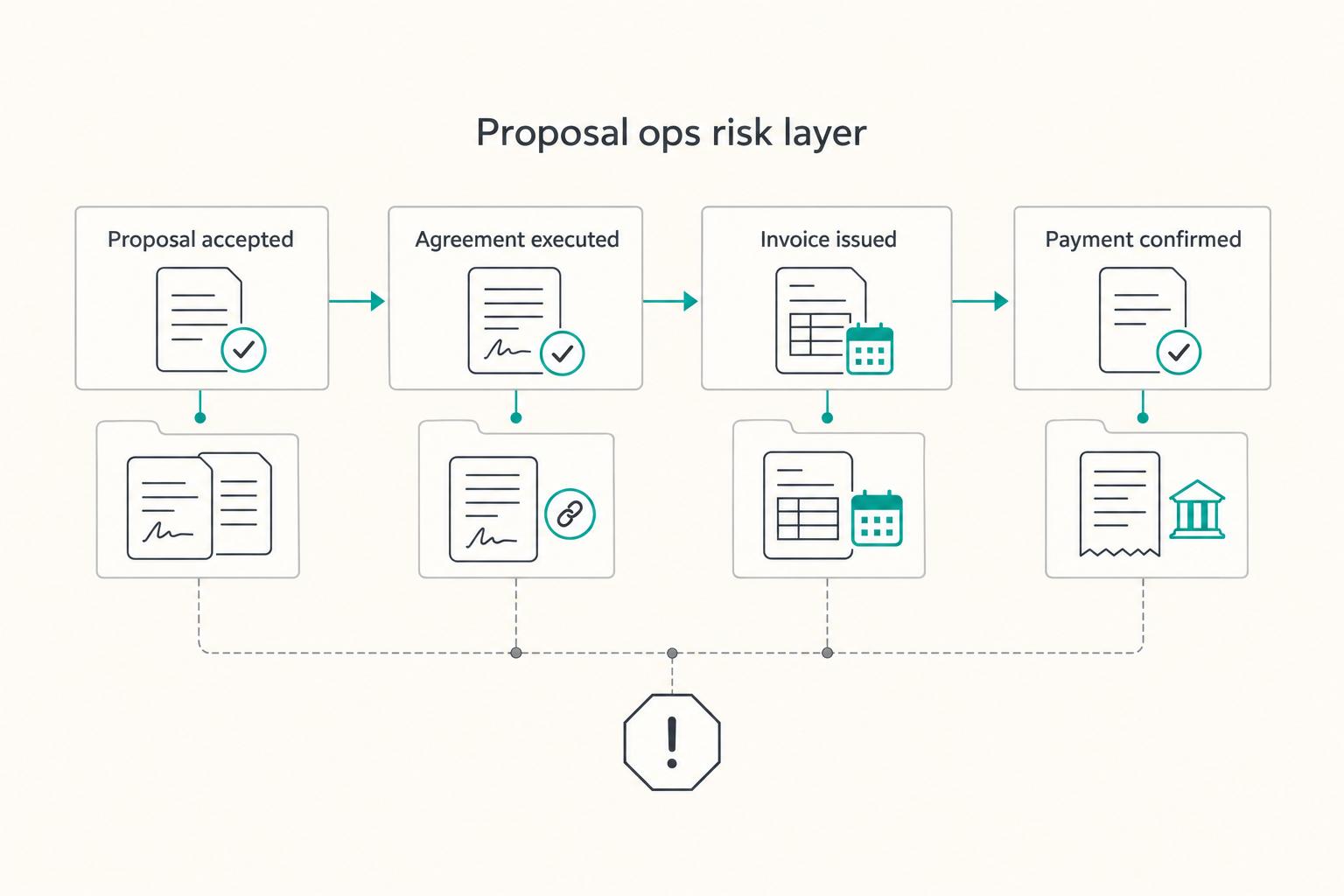
The Best Proposal Software for Freelancers and Agencies
**Pick proposal software based on your ability to produce a clear, retrievable "what was sent and what got accepted" record, not on how pretty the template looks.** As a business-of-one, your proposal process is not admin. It is a control system for scope, timing, and cash.

The Freelance Payment Penalty: A Modeled Audit of Platform Fees, FX Spreads, and Payout Delays
The money rarely disappears through a single, easy-to-spot fee. The real loss is stacked. A marketplace takes its commission, a processor adds a charge for international cards, a bank or payment company converts the currency at a spread, a platform holds the funds before release, and a wire sheds a little to intermediaries on the way in. Each layer looks defensible on its own, but the worker feels the combined result as a smaller deposit and a later payday.