
Quick Answer
Yes: treat spend controls contractor cards limits as authorization logic, not card-setting UI. Start with merchant and vendor policy checks, then apply per-transaction and recurring caps, then route true edge cases into named approval workflows. Keep every decision traceable in webhook events and ledger journals so operators can explain any decline quickly. If teams cannot state which rule fired and why, the program is not ready for launch.
Spend controls are authorization rules, not dashboard preferences#
If you are designing contractor cards, treat controls as authorization logic first and UI second. Problems start when teams configure category toggles and card settings before deciding what should happen at transaction authorization.
- Start from the authorization decision.
Spend controls are not just dashboard preferences. They are rules applied to authorization data, and some providers enforce them before a real-time authorization request ever reaches your approval endpoint. That changes scope immediately. A blocked merchant category or a failed amount check may never hit your custom approval logic. If engineering assumes every card swipe will arrive for downstream review, your decline path, support copy, and audit records can drift from actual authorization behavior.
- Choose the control surface that actually changes engineering work.
The choices that matter are not cosmetic. They are the rules that shape decisioning: merchant restrictions, spend limits, real-time approval steps, and the order they run in. Merchant restrictions can block or allow spend by merchant category, country, or merchant ID. Limits can apply per authorization or over a time period such as a month. Approval steps matter when a transaction is not clearly allowed or blocked. One detail teams often miss is enforcement order. Different order means different outcomes. If a transaction is both over limit and from a blocked merchant, you should already know which rule fires first and which decline reason the user sees.
- Design for traceability before you launch controls.
You will feel these decisions later in audit and support workflows. A clear evidence trail for each approval or decline should be part of the design. A practical checkpoint is simple: for any test authorization, can an operator explain in one sentence what rule matched, what limit applied, and why the transaction passed or failed? If not, the design is not ready. Mastercard documentation also points to custom data attached to real or virtual cards to improve traceability and reconciliation. That is a useful reminder that policy decisions need to survive beyond the UI.
This guide stays on the decisions that change build scope, not just card settings screens. We will move in the same order your product should: define the program boundary, choose the control surface, set limit logic, wire outcomes into records you can audit, and then handle exceptions. The goal is straightforward: fewer ambiguous declines, cleaner support handling, and controls you can still explain after the fact. Related reading: How to Handle Termination of an International Contractor.
Scope and prerequisites before you ship contractor cards#
Decide scope and operating prerequisites before you configure any card settings. Start by defining who should get contractor cards, who should remain on payouts, and which funding path can reliably support card spend.
| Pre-build area | What to define | Checkpoint |
|---|---|---|
| Program boundary | Which cohorts stay on payouts and which move to card spend; who owns stored balances and reconciliation | Every cohort is tagged as payouts only or card spend, with a clear source of funds |
| Policy input pack | Approved categories, blocked categories, required approvers, and fallback owners | Use named roles or named people so approvals do not stall |
| Build dependencies | Ledger ownership, webhook coverage for authorization and related issuing events, and any Virtual Accounts or Merchant of Record implications | Webhook-driven approval logic can return approve or decline within the 2-second authorization window |
| Verification gates | Where KYC, KYB, and AML state blocks payouts, card activation, or access to financial products | Maintain a market matrix of verification states and the exact capabilities each state enables or blocks |
Write this on one page before you build: funding model, approval owners, ledger owner, and verification gates.
- Define the program boundary.
Keep cash-out-only or low-frequency cohorts on the payout path, where the platform manages external payout accounts and payout schedules. Move only cohorts with real purchase demand to cards. If you rely on stored balances, assign balance ownership and reconciliation to a single ledger, and confirm issuing funds are sufficient to avoid insufficient-funds declines. Checkpoint: every cohort is explicitly tagged as payouts only or card spend, with a clear source of funds.
- Assemble the policy input pack.
Document approved categories, blocked categories, required approvers, and fallback owners. Use named roles or named people, not broad labels like "finance" or "ops," so approvals do not stall during absences. Failure mode: a transaction enters review with no active owner, and support cannot escalate.
- Confirm build dependencies.
Set ledger ownership early, then verify webhook coverage for authorization and related issuing events. If your approval logic is webhook-driven, confirm it can return approve/decline decisions within the 2-second authorization window. If Virtual Accounts or Merchant of Record flows apply, resolve their funding and transaction-data implications in provider docs before implementation.
- Set verification gates by market and program.
Do not assume KYC, KYB, and AML gates are identical across markets. Map where verification state must block payouts, card activation, or access to financial products, and account for country-level document differences. Checkpoint: maintain a market matrix of verification states and the exact capabilities each state enables or blocks.
You might also find this useful: How to Handle a Signing Bonus for Freelance Contractor Work.
Decide your control surface before choosing defaults#
Choose the smallest control surface that enforces your policy clearly at authorization time, then set defaults to match that policy. Do not start from issuer defaults.
Compare the control types before you turn anything on#
These controls complement each other; they are not interchangeable. Stripe documents category, country, merchant ID, and per-authorization controls; Checkout.com documents MCC, MID, and velocity controls, and notes that when multiple controls apply, the strictest one wins.
| Control type | Best fit | What it blocks well | Where it gets messy |
|---|---|---|---|
| Merchant category restrictions | Broad policy by spend type | Entire merchant category code groups | Merchant coding can be wrong, broad, or ambiguous |
| Vendor allowlists via vendor-specific cards | Fixed subscriptions or known merchants | Spend outside a named merchant or merchant ID | Merchant-ID controls are not available in every issuing setup |
| Per-transaction limits | One-off purchase caps and abuse containment | Single charges above a defined amount | Does not control total spend over time |
| Recurring spending limits | Weekly or monthly budget control | Spend that exceeds a time-window cap | Renewals can fail when timing or amount changes |
Use this default rule deliberately, not as a universal truth: if spend is predictable and recurring, start with virtual cards configured for recurring use; if spend is variable, start with category rules plus tighter approval workflows.
Before you finalize product behavior, verify which controls your issuer actually enforces at authorization.
Define your precedence on paper before engineering it#
Issuers do not evaluate controls the same way, so document your own order and map it to provider behavior. Mastercard's Business Payment Controls says evaluation order depends on rule order; Checkout.com says strictest applicable control overrides.
A practical internal sequence is:
- Policy match: allowed category, country, or merchant (if supported).
- Amount checks: per-transaction limit, then recurring or velocity cap.
- Approval state: if reviewable, route to the named approver.
- Decline path: return a clear decline reason tied to the matched rule.
This is an internal operating rule so product, support, finance, and engineering explain outcomes consistently.
Also confirm defaults before launch. Stripe states that if you do not set custom limits, a default 500 USD daily limit can apply, and an unconfigurable 10000 USD per-authorization limit also applies.
Add an explainability checkpoint before launch#
Do not launch because the dashboard looks complete. Launch when an operator can explain a failed authorization in one sentence from ledger journals plus the linked authorization payload, matched rule, and decline reason.
This matters because decline-code fragmentation increases analysis burden: similar failures can return different codes across providers. Normalize internal decline reasons around your policy, for example blocked category, over per-transaction limit, or pending approver decision, instead of relying on raw network language.
If your rule set cannot produce a short human explanation and an auditable trail, simplify it before you add more controls.
If you want a deeper dive, read Spending Controls for AI Agents: Approval Chains Limits and Human-in-the-Loop Safeguards.
Define allowed spend with merchant and vendor rules#
Define allowed spend with category rules first, then apply vendor rules only where the merchant is stable and known.
Step 1: Build your category policy in three tiers. Use merchant category restrictions as the base layer because controls apply at transaction authorization. For always-allowed, use an allowed category list where non-listed categories are blocked. For always-blocked, use a blocked category list where listed categories are declined and other categories are allowed. Treat approval-required as your own review state rather than assuming the issuer provides it natively.
A practical policy output for each spend type is: approve automatically, block automatically, or hold for review.
Step 2: Use vendor-specific cards for fixed, recurring merchants. Subscriptions, memberships, and known vendor services fit vendor-specific cards or vendor-dedicated virtual cards because the merchant is predictable. Mastercard's recurring-payment guidance supports generating dedicated virtual cards per vendor for this use case.
Keep variable spend under broader category policy plus amount controls. If merchant-specific enforcement depends on MID support, confirm your issuing setup exposes it before you design around it.
Step 3: Define your fallback for ambiguous merchant coding. Merchant classification can differ from user expectation, so decide in advance how you will handle blocked or unknown categories that may still be legitimate. Route those cases into auditable approval workflows instead of widening rules by default.
Your review evidence should include authorization payload, merchant name, MCC, MID (if available), amount, matched rule, and approver decision.
Step 4: Test rule combinations before launch. Mastercard recommends testing the combinations you plan to run, and Treasury Prime notes testing is essential before rollout. Run at least these scenarios in sandbox or auth simulation:
- allowed merchant or category plus within limit
- blocked merchant or category plus within limit
- allowed merchant or category plus over limit
Each scenario should return a clear authorization outcome and a human-readable reason tied to the rule that fired.
Related: Tail-End Spend Management: How Platforms Can Automate Long-Tail Contractor Payments.
Set limit logic that matches contractor work patterns#
Use two limit layers on purpose: per-transaction limits to contain single-charge risk, and recurring spending limits to control total budget over time. Keeping those jobs separate makes approvals clearer and budget drift easier to prevent.
Step 1: Define both layers explicitly in policy. Set a hard single-authorization cap for each contractor or spend type, then set a recurring interval cap for total spend over time. In your policy table, document the single authorization max, recurring max, interval type, and reset boundary. For monthly logic, note whether interval behavior follows date-based boundaries like midnight UTC or a configured day-of-month reset, for example day 15, because that directly affects why a charge passes one day and fails the next.
Step 2: Handle spend spikes with scoped changes, not permanent baseline increases. If normal spending is moderate but work patterns include occasional bursts, keep the recurring baseline controlled and use targeted limit updates for the exception window. Spend controls can be updated after card or cardholder setup, and some programs allow overriding a broader rule for one entity. Validate these three outcomes before rollout: below the per-transaction cap, above it, and a charge that exceeds the recurring interval cap. Also test near the reset boundary so your team knows exactly when counters roll.
Step 3: Separate person-level and purpose-level controls. Use cardholder-level limits to cap total exposure across that contractor's cards, then use purpose-bound virtual cards to constrain specific budgets. This combination prevents a common failure mode where each individual card appears compliant but total spend drifts across multiple cards. Pairing a person cap with narrower card-level rules gives cleaner enforcement.
Step 4: Make reset and decision logic visible in product UX and logs. Do not assume your provider exposes reset timing or pass/fail rationale by default. Record enough authorization detail for operators to explain outcomes quickly: matched limit type, card-level vs cardholder-level rule, interval timing, amount before and after authorization, and remaining allowance. Your checkpoint is simple: finance should be able to explain any decline in one sentence from the event record.
For a step-by-step walkthrough, see How to Set Up Parental Controls on Your Kids' Devices.
Wire authorization decisions into ledger and webhook flows#
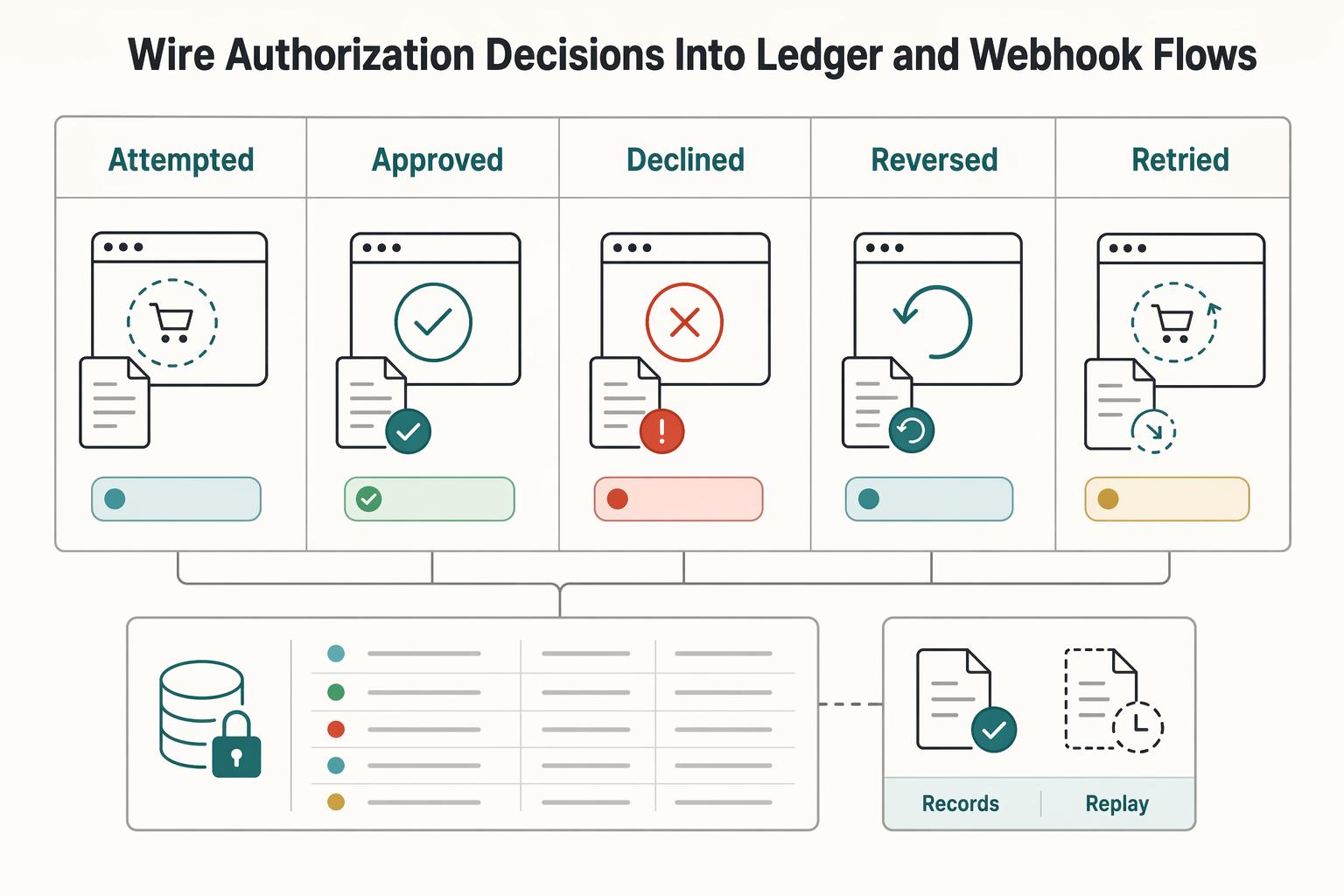
Treat the ledger as your financial source of truth, and treat authorization webhooks as inputs that must resolve into traceable records. Every attempted, approved, declined, and reversed authorization should map to a durable ledger journal entry or a linked audit record.
| Event state | Record requirement | Operational note |
|---|---|---|
| Attempted | Store the authorization payload and capture the attempt in a durable ledger journal entry or linked audit record | Record the attempt even if money movement does not settle |
| Approved | Link the decision to a durable ledger journal entry or linked audit record | Keep the outcome traceable to downstream posting status |
| Declined | Store the matched rule, applied limit, and emitted decline reasons | Support should be able to answer what happened and which rule decided it |
| Reversed | Link the reversal back to the original record | Keep account and transaction history traceable end to end |
| Retried | Track retried as a separate state and use the same idempotency key for timeout or no-response cases | Avoid duplicate ledger or wallet effects |
Step 1 Record each authorization outcome, not just settled money movement. A card purchase creates an authorization request event, and some providers allow approve/decline decisions directly in webhook handling. Your internal trail should still capture the attempt, decision, and any later reversal so finance can trace account and transaction history end to end.
Step 2 Design webhooks for storage first, processing second. Acknowledge with HTTP 200 or another 2xx status, store the payload, then process it. In documented direct-decision flows, you have 2 seconds to respond before timeout settings apply, and downstream authorization events are still sent.
Step 3 Build explicit event states and retry safety. Track authorization attempted, approved, declined, reversed, and retried as separate states, and do not assume delivery order. Where supported, use idempotent retries with the same idempotency key for timeout or no-response cases, with documented key validity of at least 7 days, to avoid duplicate ledger or wallet effects.
Step 4 Reconcile wallet projections against journal state and keep an incident evidence pack. For each authorization, store the raw payload, internal authorization ID, matched rule, applied limit, emitted decline reasons, and downstream posting status, then link reversals back to the original record. Support should be able to answer quickly: what happened, which rule decided it, and whether ledger and wallet views now agree.
For the full breakdown, read How to Classify a Worker as an Employee vs. an Independent Contractor in the US.
Handle exceptions and recovery without breaking controls#
Exception recovery should resolve urgent spend issues without weakening the policy baseline. The standard is simple: fix the rule path, keep ledger history explainable, and avoid one-off workarounds that become permanent exceptions.
Define exception classes before launch#
Define a short exception taxonomy that support can route in seconds:
| Exception class | What it indicates | Recovery path |
|---|---|---|
| Urgent over-limit request | A one-time over-limit need | Approve a narrow lift and let it expire instead of increasing a standing cap |
| Wrong merchant coding (including MCC mismatch) | A merchant classification issue, not a budget problem | Inspect merchant coding; incorrect MCC classification can drive declines, reporting errors, or compliance issues |
| Duplicate authorization | A retry or duplicate-operation issue | Wait for reversal state and retry with the same idempotency key so the first result is replayed |
| Offline capture mismatch | A higher-risk exception because offline approvals can happen before funds are received | Handle it as a controlled recovery, not a routine support ticket |
Each class needs a distinct recovery path. Wrong merchant coding is not a budget problem, and incorrect MCC classification can drive declines, reporting errors, or compliance issues. Your check is whether support can tell when to inspect merchant coding, when to wait for reversal state, when to use approval workflow, and when to investigate retry behavior.
Fix the policy at the source#
Apply one recovery rule consistently: correct policy at the source, not with manual credits outside pre-authorization controls. Otherwise, later declines and balance changes stop being auditable from one record set.
This is especially important because spending controls can decline before any real-time authorization request is sent. In that case, recovery records should capture the matched internal rule, the failed limit or restriction, and the policy correction taken. For duplicate-operation recovery, retry with the same idempotency key so the first result is replayed instead of creating a second financial effect. If an authorization is voided, tie recovery to the reversed state rather than manually restoring funds.
Use time-bound approvals for true exceptions#
Route true exceptions through time-bound approval workflows with automatic expiry. For one-time over-limit needs, approve a narrow lift and let it expire instead of increasing a standing cap.
Be stricter with offline capture mismatches. Offline approvals can happen before funds are received, so treat these as higher-risk exceptions and handle them as controlled recoveries, not routine support tickets.
Build support macros from system facts#
Write macros from system facts, not symptom descriptions. Each macro should include:
- The blocking rule
- The failed
spend limitsor merchant restriction - Whether merchant coding is implicated
- Whether a reversal exists
- The exact compliant action that re-enables spend
Include one operator note: spend aggregation can lag, up to 30 seconds, so balance views may briefly differ from the latest event. The operational checkpoint is whether support can answer "why it failed" and "what compliant action fixes it" directly from macro inputs.
We covered this in detail in Best Business Credit Cards for Airline Miles for Global Freelancers.
Compliance and tax gates that change card behavior#
This layer is about eligibility state, not spend logic. If you do not map compliance and tax states to explicit product behavior, users will see a "card" or "limit" issue when the real blocker is onboarding, reporting, or cross-border scope.
Map activation to compliance state#
Set card activation from compliance state first, then decide whether higher limits depend on that state. In covered programs, Customer Identification Program checks sit inside the AML compliance program, and legal-entity onboarding can require beneficial-owner identification and verification at account opening.
At minimum, keep distinct states such as pending KYC, pending KYB, AML review, active, and restricted. Support should be able to tell whether a block came from identity status, beneficial ownership due diligence, or an actual spend-policy rule. Do not label AML holds as spend declines.
Keep tax documents separate from spend permissions#
Treat tax-document workflows as reporting and payout artifacts unless your program explicitly ties them to card behavior.
| Workflow item | Primary use |
|---|---|
| Form W-9 | Provide the correct TIN for information reporting |
| Form W-8 BEN | Foreign-person certification for the payer/withholding agent |
| Form 1099-NEC | Report nonemployee compensation |
If you run both payouts and cards, say this plainly in product rules: missing W-9 or W-8 can block payout setup, withholding handling, or reporting, but does not automatically block card activation. Apply the same discipline to FBAR: it is triggered at $10,000 aggregate foreign-account value, due April 15, with an automatic extension to October 15, and should appear in card UX only when foreign-account facts make it relevant.
Put market and program caveats in product copy#
State scope directly in product copy. Cross-border issuing coverage varies by country and program, and Merchant of Record setups can shift who carries financial, legal, compliance, KYC/AML, and indirect-tax responsibilities.
For multi-geo contractor-card controls, specify which markets, which entity types, and which flows are in scope instead of implying one global behavior.
Final rollout checklist for launch week#
Launch week should be a policy-execution check, not a manual-override week. If any item below is still ambiguous, narrow eligibility or route the contractor to Payouts until the card path is ready.
- Lock eligibility and fallback.
Define which cohorts get contractor cards now and which stay on Payouts. Support and ops should be able to explain card eligibility in one sentence for any contractor.
- Freeze the policy matrix in writing.
Document merchant category restrictions, vendor-specific exceptions, and approval workflows, including the rule-evaluation order used at authorization. If product, support, and engineering describe the same decline differently, the matrix is not final.
- Go live with limits and a real exception path.
Enable per-transaction limits and recurring spending limits before launch traffic. Per-transaction caps should hard-decline overspend, and temporary increase requests should follow an explicit flow with approver and expiry logged.
- Make authorization events and webhooks idempotent.
Assume duplicate event delivery. Same-key retries should return the same result, including 500 errors, and every decision path should trace to ledger journals without duplicate postings.
- Equip support with decline playbooks and owners.
Playbooks should map matched rule, applied limit, card status, and final decline reason to a clear escalation owner. Example: a per-transaction breach like "transaction value exceeds the limit currently set on the card per transaction."
- Map compliance and tax artifacts to actual behavior.
Define what KYC, KYB, AML, and beneficial-owner verification control in your program; for covered institutions, beneficial-owner procedures sit inside the AML program. Keep tax handling explicit: Form W-9 provides a correct TIN for information returns, Form W-8 BEN is submitted when requested by the payer or withholding agent, and card payments are reported on Form 1099-K rather than Form 1099-MISC or Form 1099-NEC; do not imply W-8/W-9 completion alone determines card-spend eligibility unless your rules explicitly say so.
This pairs well with our guide on Best Corporate Debit Cards for Global Spending in Small Teams.
Frequently Asked Questions
What is the difference between spend controls and spend limits for contractor cards?
Spend controls decide where a card can be used, such as by merchant category, country, or specific merchant ID. Spend limits decide how much can be spent, usually at a defined interval such as per authorization or per month. In practice, these are separate policy layers, and it helps to track them separately.
Can a transaction be declined even when it is under the card limit?
Yes. Authorization checks are not only about amount headroom. A charge can still fail because the funding balance is insufficient, the card is inactive, or the transaction does not meet the applicable spending-control rules. If support cannot point to the exact decline reason from the authorization record, you can waste time treating a control failure like a limit issue.
What minimum controls should we launch first for a contractor card program?
There is no universal minimum stack that fits every program. Start with the smallest set of controls and limits your team can clearly explain and test with your issuer, then expand based on what authorization and decline data show.
Should we start with virtual cards or broad category-based contractor cards?
There is no universal default. Real and virtual cards can both be managed with the same rule framework, so choose based on your spend pattern and the control behavior you need. This guide on virtual cards for contractors is useful if you are deciding between those two shapes.
In what order should teams configure categories, limits, approvals, and monitoring?
There is no single mandatory sequence across issuers. What matters is understanding how your issuer evaluates rules, because evaluation order can affect outcomes, and when multiple controls apply, the strictest control can determine the result.
How should we handle recurring vendor charges that fail because of policy rules?
There is no guaranteed one-size-fits-all recovery playbook. First, check the authorization payload and matched rule before changing anything. A recurring charge can fail because of spending-control eligibility, card status, funding availability, merchant restrictions, or configured spending-limit caps. Use issuer-specific retry and approval documentation before applying policy changes.
What if multiple allowed rules apply to the same card?
Do not assume they cancel each other out. Some issuers apply multiple Allow controls cumulatively, while the most restrictive control can still override when rules conflict. That is why your evidence pack for each decline should include the authorization attempt, the matched rule, and the final decline reason, not just the card’s headline limit.
Try a related tool
Researched and edited by the Gruv editorial team. Gruv builds cross-border billing, payouts, and finance-operations software for global businesses.
Sources
Includes 2 external sources outside the trusted-domain allowlist.
- docs.stripe.com/issuing/controls/spending-controlstrusted
- docs.stripe.com/issuing/purchases/authorizationstrusted
- ecfr.gov/current/title-31/subtitle-B/chapter-X/part-1...trusted
- ecfr.gov/current/title-31/subtitle-B/chapter-X/part-1...trusted
- irs.gov/forms-pubs/about-form-w-9trusted
- irs.gov/forms-pubs/about-form-w-8-bentrusted
- checkout.com/docs/card-issuing/manage-controls/card-controlsexternal
- developer.mastercard.com/business-payment-controls/documentation/use-...external
Educational content only. Not legal, tax, or financial advice.
Related Posts
Spending Controls for AI Agents in Platform Payment Operations
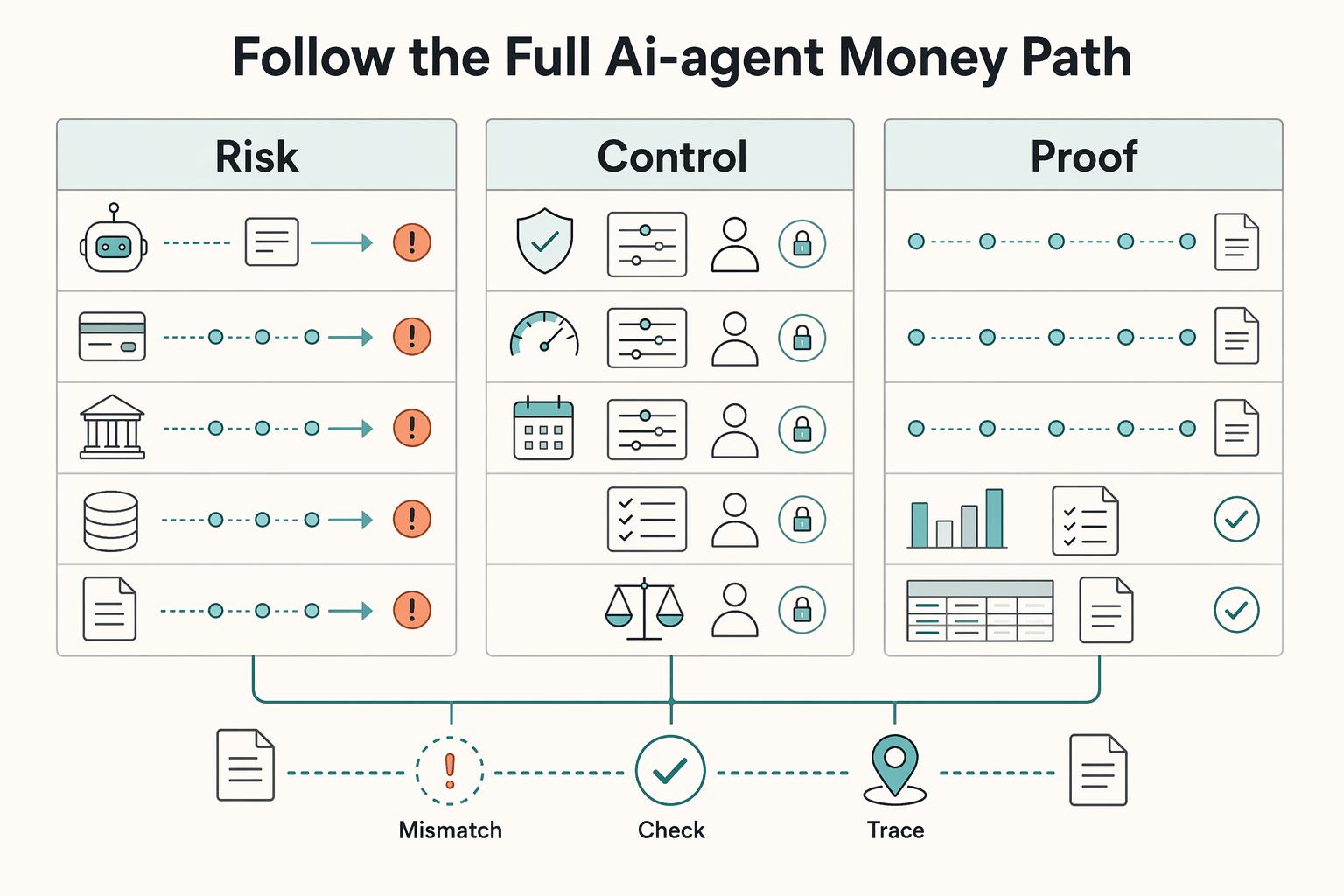
Spending controls for AI agents are only credible when they follow the full money path, not just the moment an agent asks to spend. For platform finance, ops, and product owners, the job is to set approvals, hard limits, and human-in-the-loop checkpoints that can actually be enforced from authorization through execution, settlement, posting to the books, and final record matching.
Virtual Cards for Contractors and the Real Cost of Getting Issuance Wrong
Virtual cards deserve a serious look if you need tighter control over contractor spend without turning payments into a bottleneck. For most teams, a practical place to start is a virtual card tied to an approved invoice or request. They can reduce misuse risk compared with standard corporate cards and speed some supplier payments, but they do not fix weak approval logic, poor accounting links, or fuzzy ownership between AP and product ops.
Choosing a Tail-End Spend Management Platform for Long-Tail Contractor Payments
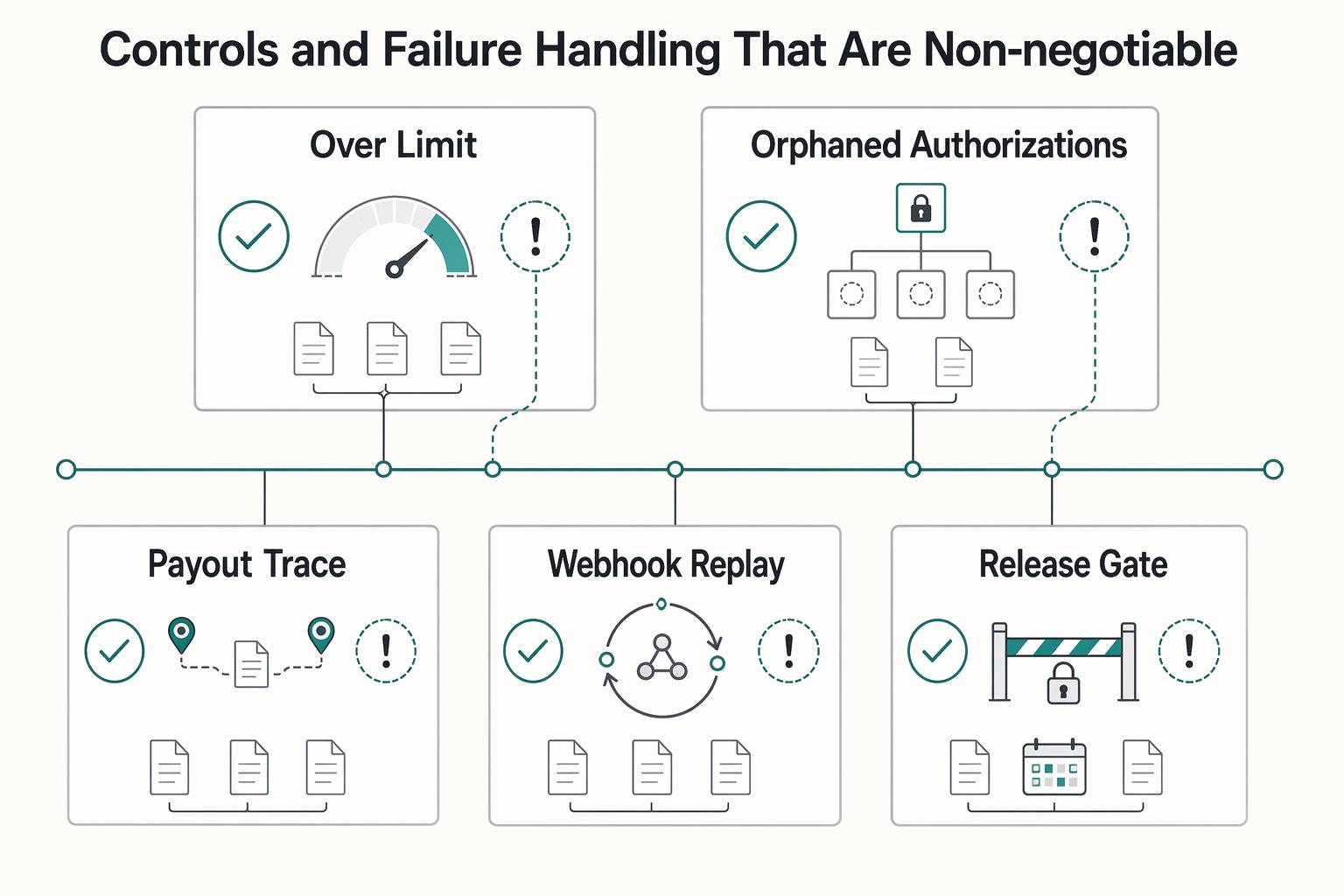
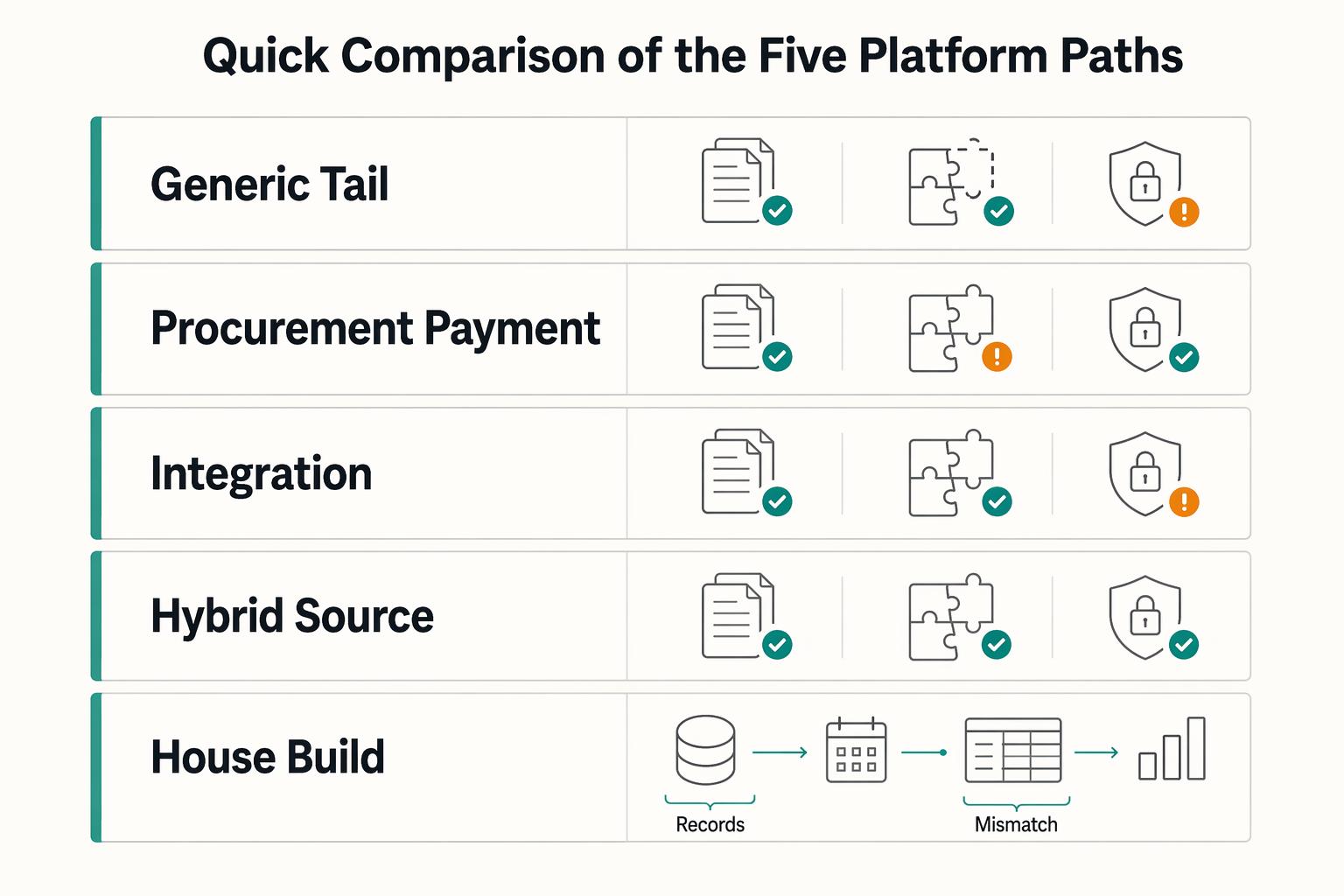
Tail-end spend management can start to break down when long-tail contractor payouts begin to scale. Tools built for low-value, low-visibility procurement can tighten approvals and policy. They are not automatically built for payout-state tracking, retry safety, payout failures, or reconciliation evidence. That gap is the real decision here.