
Quick Answer
Choose the model first, then build controls around it. For gift subscription prepaid plans platform billing, the practical sequence is: decide start timing (redeem later or start at purchase), define payer-versus-recipient ownership, configure fixed-term behavior with explicit end logic, and run dry tests for charge timestamp, service dates, and renewal outcomes. Launch only after Support macros and Finance reconciliation checks confirm the same order can be explained from payment event to ledger posting.
Set the Rules Before Gift and Prepaid Plans Go Live#
Gift offers look simple on the storefront, but the billing choice underneath them affects cash flow, customer clarity, and how much cleanup lands on Support and Finance. Prepaid subscriptions can work well because the customer pays the full subscription cost upfront, often with a discount. The catch is that gifting breaks the normal pattern of scheduled recurring transactions on a fixed billing cycle, so small design mistakes can show up later as preventable tickets, refunds, and reconciliation noise.
If you are evaluating gift subscription prepaid plan options, start with the commercial and operational reality, not the campaign idea. This guide is for teams comparing gift cards and gift plans, including prepaid gift setups across subscription platforms. The goal is simple: make gifting easy for the buyer, clear for the recipient, and traceable inside your subscription billing engine.
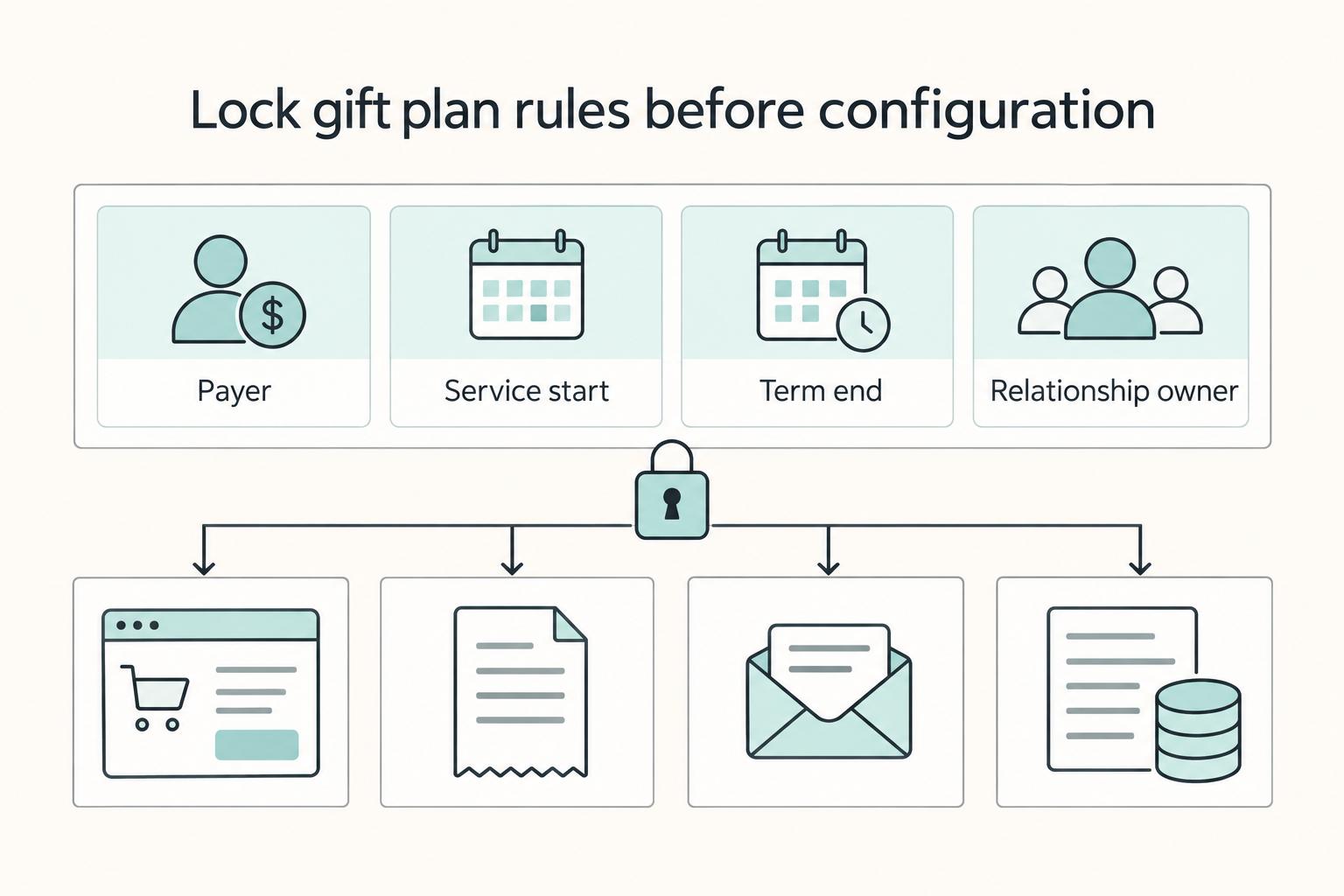
Before you touch configuration, your team should be able to answer four questions in plain English: who pays, when service starts, what happens when the term ends, and who owns the relationship after claim or activation. If those answers are fuzzy, you are not ready. That is usually where avoidable leakage starts, because marketing promises one thing, checkout says another, and the account record says a third.
There is upside here, but it is not automatic. Cratejoy says its prepaid conclusions are based on analysis of more than one million subscription box transactions, and it reports 3-month, 6-month, and 12-month terms as the most common prepaid lengths. It also says prepaid transactions are about 20% of sales on average and rise to nearly 30% in December. Those numbers are useful as directional evidence that prepaid gifting can matter, especially in seasonal periods, but they are not a benchmark to copy blindly across every subscription business.
The practical risk is not just demand. Failed subscription payments are a known revenue-loss problem in recurring billing, and gifting changes where that risk sits. In some setups, prepayment can reduce exposure to failed renewals during the gift term. In others, unclear continuation handling simply moves the problem to the handoff point.
A reliable launch starts with a tighter evidence pack than most teams expect. Checkout copy, receipt copy, recipient messaging, and order records should all match on amount charged, term length, start timing, and end-of-term behavior.
That is the lens for the rest of this guide. We are not just comparing features. We are choosing the gift model that fits your economics, your support capacity, and the level of billing traceability your Finance team will need after the promotion goes live.
For a step-by-step walkthrough, see How to Automate Client Gift Sending with a Gifting Platform.
Choose the gift model before you touch configuration#
Choose the gift model first, because it determines start timing, recipient handoff, and your failure mode.
| Model | Start logic | What you can rely on | Main tradeoff |
|---|---|---|---|
| Recurly Gift Cards | Purchased on the giver account and redeemed by the recipient later | Delayed recipient start | More redemption uncertainty and less predictable activation timing |
| Recurly Gift Subscription Plans | Upfront payment for a specific service period; subscription starts at purchase | Clear fixed-term start tied to purchase | More lifecycle responsibility for recipient messaging and delivery |
| Prepaid subscription selling plan in a Shopify stack | Depends on your subscription app setup | Recharge supports delivery frequency, discounts, and multiple subscription options per product | Gift lifecycle behavior is not standardized here, so you must define and test it |
Use this decision rule before configuration:
- If you need delayed recipient start and lower fulfillment timing risk, favor gift-card-style redemption.
- If you need purchase timing and service timing to align, use a fixed-term gift plan.
- If "no surprise rebills" is part of your promise, make end-of-term continuation explicit and opt in, and repeat that clearly in checkout and recipient messaging.
The core tradeoff is simple: gift-card flexibility increases timing uncertainty; fixed prepaid gifts improve predictability but raise your responsibility for communication and lifecycle handling. Related: How to Build a Subscription Billing Engine for Your B2B Platform: Architecture and Trade-Offs.
Prepare the prerequisites your teams will need#
Before launch, confirm your stack and permissions can support the gift flow you plan to sell.
Step 1. Confirm required access before build work starts#
If you are using a Shopify + Recharge gifting flow, make sure the launch owner can complete the documented setup steps: Step 3 (update tax settings), Step 4 (add the gift widget to your Shopify theme), and Step 8 (configure gifting notifications). If those permissions are split across teams, assign owners early so setup does not stall late.
| Item | Flow | What to confirm |
|---|---|---|
| Step 3 | Shopify + Recharge gifting flow | Update tax settings |
| Step 4 | Shopify + Recharge gifting flow | Add the gift widget to your Shopify theme |
| Step 8 | Shopify + Recharge gifting flow | Configure gifting notifications |
| Pay-as-you-go billing path | Active Azure subscription linked to the environment | The right roles can create the billing policy |
If your billing path depends on pay-as-you-go, verify you have an active Azure subscription linked to the environment and that the right roles can create the billing policy.
Step 2. Align the customer promise with what the system can actually do#
Keep term and end-of-term language consistent across the product page, checkout, and recipient messaging. Do not ship launch copy until the gift widget is visible in-theme and gifting notifications are configured, or buyers and recipients can get different experiences.
Step 3. Ship with a compact launch evidence pack#
Document the operating decisions in one place: billing policy notes, renewal or end-of-term copy, claim-flow handling, and support responses for common gift exceptions. Use this as your pre-launch check so policy, messaging, and configuration stay aligned. For accounting depth on prepaid terms, see Deferred revenue for subscription platforms. For broader billing architecture tradeoffs, see Retainer Subscription Billing for Talent Platforms That Protects ARR Margin.
Define billing lifecycle states and handoffs end to end#
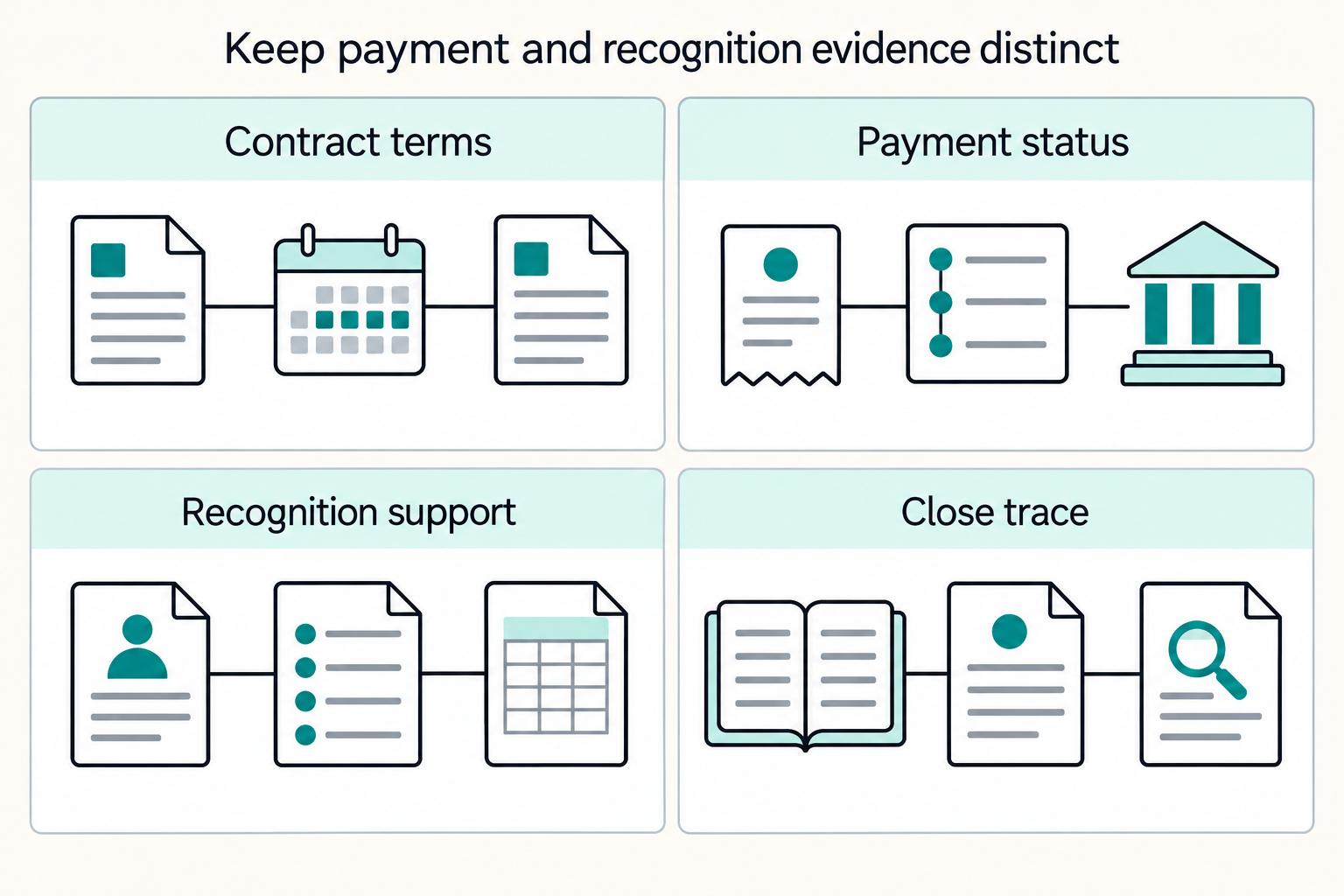
Define your gifting lifecycle as explicit states with explicit owners. Keep payment status, service status, and customer ownership separate, or Support will improvise and Finance will have to reconstruct the truth at month-end.
Step 1. Map the states before you configure them#
Map purchase to claim to fulfillment to expiry, then assign one owner and one trigger to each transition. Decide in writing who can act at each point (buyer, recipient, Support, Finance) instead of relying on portal defaults.
| State | Trigger into state | Who should be allowed to act | What you must verify |
|---|---|---|---|
| Purchased, not yet active | Successful charge | Buyer and Support | Charge captured, invoice created, no service started by accident |
| Claimed or activated | Recipient claim or scheduled start trigger | Recipient and Support | Entitlement moved to recipient profile, service start timestamp recorded |
| In service | Service Start Date reached | Recipient and Support | Delivery cadence matches purchased term, remaining cycles decrement correctly |
| Expired or completed | Final prepaid cycle fulfilled | Recipient for opt-in continuation, Support for exceptions | Hard stop or explicit continuation path, no silent rebill |
For each transition, require one verifiable event that moves the order forward. If no one can point to that event in logs, the flow is still a concept, not an operable billing lifecycle.
Step 2. Separate payer and recipient records by design#
Treat payer and recipient as linked but distinct records. The payer record should own payment instrument, invoice, and billing notices; the recipient record should own service access, claim status, and post-claim self-service rights.
Use a quick support test: can your team answer who paid, who claimed, and who received fulfillment without reading free-text notes? If not, fix the data model before launch. This also protects the continuation path into a recurring billing cycle, where recipient opt-in should not overwrite payer history.
Step 3. Lock the hard date checkpoints for Finance#
Prepaid gifting needs explicit date controls: start trigger, service period, end trigger, and post-expiry behavior. In a Coupa-style prepaid process, that means marking whether the item is prepaid, classifying prepayment vs deposit, selecting Prepaid Expense Amortization, and setting Service Start Date and Service End Date.
Do not leave service dates blank. In Coupa, missing dates can auto-fill from the original PO date, which can shift booking timing away from the actual service window. The cited example (4/1/22 to 3/31/23) shows the precision you want. Since 2023-02-01, the cited process assigns FP&A responsibility for prepaid fields in Coupa; even outside Coupa, the control principle is the same.
Step 4. Add reconciliation checks that survive month-end#
Make reconciliation possible from system evidence, not Slack history. For each gift order, tie together payment event, invoice status, service dates, and ledger posting with a consistent ID chain (order, invoice, entitlement or claim, journal reference).
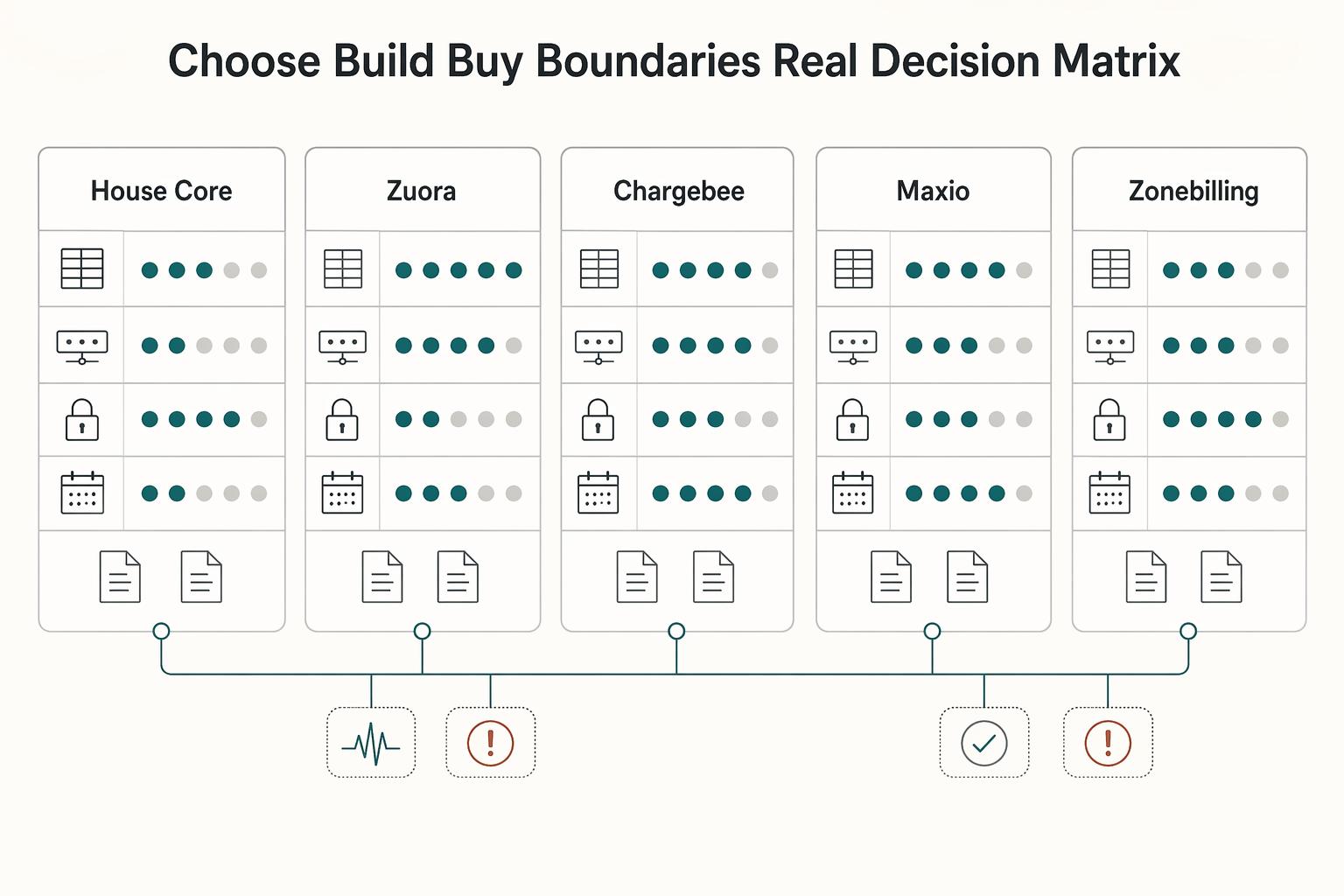
Platform fit affects whether this stays clean at scale. One source notes subscription billing platforms are not one-size-fits-all and describes a fast, flexible setup that can be shallower on complex revenue recognition. If your offer is simple, that can work; if Finance needs tight prepaid and rev rec controls, validate lifecycle depth before launch.
If you want a deeper dive, read Subscription Billing for Platforms: How to Manage Plans Add-Ons Coupons and Dunning.
Configure prepaid and fixed-term plans without hidden rebills#
Set gift offers up as fixed-term, upfront purchases, then verify they end cleanly before launch. If you cannot prove stop behavior with a test order, the offer is not ready.
Step 1. Configure the offer as a finite plan, not an open subscription#
For PayWhirl, use selling plans for prepaid gift subscriptions, set a fixed number of deliveries, and assign the plan to the intended products. The documented pattern uses a 3-month example you can duplicate for 2, 6, or 12 months.
Your core check is simple: the delivery count and cadence must match the term you sell. If you sell "3 months," fulfillment should end at that term, not continue into a recurring cycle.
If you sell through Shopify, do not treat native gift cards as a substitute for this flow. PayWhirl notes that Shopify's native gift card functionality applies only to the initial payment for subscriptions.
Step 2. Make the end-of-term behavior explicit to buyers#
State the billing promise clearly in checkout and confirmation copy:
- this is a one-time upfront charge
- the exact fixed term (or delivery count)
- what happens at the end, including whether continuation requires a new opt-in choice
Clear copy reduces ambiguity between what buyers expect and what billing actually does.
Step 3. Dry test plan-end behavior before launch#
Run a dry test for each term you publish. Confirm the upfront charge, verify the fixed delivery count, and check the plan-end state.
Pause launch if testing shows any silent continuation into recurring billing, renewal invoice creation, or continued service without an explicit new choice.
You might also find this useful: Building Subscription Revenue on a Marketplace Without Billing Gaps.
Build recipient handoff and delivery timing that support can actually run#
After you validate plan-end behavior, make handoff rules explicit so buyers, recipients, and Support are not interpreting timing differently.
Step 1. Make claim and activation messaging unambiguous#
Use one clear claim path in your gift message, and state timing in plain language: when the recipient can activate and what happens next. Run a live inbox test with one buyer and one recipient to confirm the message is understandable without opening a ticket.
Keep labels distinct across gift options and redemption flows. Similar names can create redemption confusion for both customers and staff.
Step 2. Define delayed-delivery operations before you market it#
Do not promote "buy now, deliver later" until you have a documented internal workflow for how delayed recipient notification or reminder timing is handled. Your workflow should name intake, approval owner, release trigger, and what you will not promise during peak periods.
This is where manual exceptions usually pile up. If timing is unclear at purchase, Support inherits the gap.
Step 3. Script communications and edge cases for Support#
Keep a short macro for common gifting requests so agents respond consistently on delivery timing, reminders, and escalation paths. If you use recipient reminders, define when they are sent and by whom.
Also document charging behavior for each gift flow. Some gift designs are redemption-dependent: no redemption means no charge and no transaction. If that applies to any flow, keep that logic separate from fixed-term prepaid messaging. Save buyer and recipient message samples, reminder copy, and macro version date so Support and Finance work from the same record. Related reading: ARR vs MRR for Your Platform's Fundraising Story.
Add finance controls that protect margin after launch#
Once buyer and recipient messaging is stable, lock finance controls before you scale paid campaigns. If Finance cannot reconcile a gift order from cash receipt to term coverage and ownership, treat that as a launch blocker.
Step 1. Build deferred revenue checks before launch#
Set a clear deferred revenue treatment for gift transactions with Finance, then make it part of month-end reconciliation. The goal is simple: the same gift order should read consistently across billing exports and ledger views.
Use a live sample to verify order date, charge timestamp, access start, stated term, refund status, and buyer-versus-recipient records. If those fields do not align, close becomes a manual investigation.
If you need a deeper accounting reference, keep Deferred Revenue for Subscription Platforms: How to Account for Prepaid Plans and Annual Contracts nearby.
Step 2. Reuse your existing dunning rules for any post-gift billing#
Default to your existing dunning path for post-gift continuation unless you have a proven reason to split it. Most risk shows up around upgrades during the gift term, add-ons, or opt-in continuation after a fixed term ends.
Run a continuation test and confirm who gets charged, which notices are sent, and whether failed collection follows your normal recurring-billing behavior. A common failure is a recipient moved to paid continuation while the buyer still appears as bill-to.
Step 3. Make your subscription billing engine auditable enough to answer disputes fast#
Your subscription billing engine data should explain charge timing, term coverage, and account ownership without manual reconstruction. If it cannot, fix that before volume grows.
For dispute handling, keep an evidence pack with invoice or payment ID, plan name, checkout term promise, buyer email, recipient email, refund status, and any manual override notes. That usually gives Support and Finance one shared record to resolve from.
Step 4. Review margin leakage by platform every month#
Track gift conversion, Support ticket categories, and refund causes separately for Recurly, PayWhirl, and Shopify. A blended report hides which flow is creating avoidable cost.
| Charge type | Fee | When it applies |
|---|---|---|
| Successful domestic card transaction | 2.9% + 30¢ | Per successful domestic card transaction |
| Manually entered cards | 0.5% | For manually entered cards |
| International cards | 1.5% | For international cards |
| Currency conversion required | 1% | When currency conversion is required |
Review payment costs as volume and mix change. Stripe lists 2.9% + 30¢ per successful domestic card transaction, plus 0.5% for manually entered cards, 1.5% for international cards, and 1% when currency conversion is required. Revisit pricing terms early if campaign mix shifts.
This pairs well with The Best Tools for Managing Subscription Billing.
Common failure modes and fast recovery actions#
When gift behavior diverges from what you sold, pause promotion first, fix the live setup, and then remediate affected orders from one owner workflow.
| Failure mode | Immediate action | Required detail |
|---|---|---|
| Fixed billing cycles are wrong | Pause the offer the same day; patch plan configuration; re-issue affected schedules | Verify key fields before relaunch |
| Auto-renew is unclear | Update product page, checkout, and confirmation copy; use automatic email reminders to contact impacted cohorts | State what happens at term end, when it happens, and where they can change it |
| Recipient portal failures | Give Support a defined way to complete claims without waiting on engineering | Payment or invoice ID, buyer email, recipient email, plan term, and intended start date |
| Delayed delivery without gift scheduling | Stop promising it as an automated experience; use a documented manual path | Track requested send date, approver, and actual send timestamp for each exception |
-
Freeze and re-issue when fixed billing cycles are wrong. If the promised term and delivery cadence do not match, pause the offer the same day. Patch plan configuration, then re-issue affected schedules and verify key fields before relaunch. A common miss is fixing config but leaving already-created schedules unchanged.
-
Clarify auto-renew everywhere, then notify buyers. Update product page, checkout, and confirmation copy immediately so the renewal outcome is explicit. Use automatic email reminders to contact impacted cohorts and state what happens at term end, when it happens, and where they can change it. If Legal references FederalRegister.gov pages, treat them as informational and verify against an official edition before you treat language guidance as final.
-
Add a manual claim override for recipient portal failures. Give Support a defined way to complete claims without waiting on engineering. Require a compact evidence pack before override: payment or invoice ID, buyer email, recipient email, plan term, and intended start date. This reduces payer-recipient record mix-ups during manual access grants.
-
Use a documented manual path for delayed delivery until gift scheduling exists. If your stack cannot queue delayed sends natively, stop promising it as an automated experience. Track requested send date, approver, and actual send timestamp for each exception. If follow-on billing fails, treat soft declines as temporary, use reminders or multiple payment channels, and avoid blind retry loops; one industry source warns retry counts may be limited, so use that as a caution signal, not a universal rule.
Conclusion and copy-paste launch checklist#
The practical finish is simple: choose the commercial model first, then prove the handoffs with a real test order before you promote it. If your team is still guessing about who owns each step, pause the launch.
That matters because gifting issues usually come from small unresolved details, not just the big product idea. Published ecommerce launch materials make the same point: Shopify launch checklists and subscription setup guides call out payment rules and shipping automation as explicit steps. Gifting needs that same discipline.
Keep your last pre-launch review concrete. For any prepaid-card style offer, make sure your records can show the equivalent of Card Type, Bought by, and Value. Zenoti uses those exact fields, and it lets staff access prepaid card details from the Appointment Book or the Guest Profile.
That is a practical verification standard for your own setup. Support should be able to confirm what was sold, who bought it, and what value was attached without digging through multiple tools.
Paste this into your launch doc and do not mark a line complete until someone has verified it in staging or on a controlled live test:
Offer type documented (prepaid card vs gift card)Payment rules for subscription customers configured and testedShipping automation steps configured and testedCard Type, Bought by, and Value fields visible in recordsStaff access path for prepaid details verified in the primary views you useChecklist progress tracked against a full launch list before promotion
If you want one final rule, use this one: no campaign goes live until your team can answer the same customer scenario the same way. That is the difference between a gift offer that scales cleanly and one that creates preventable cleanup in operations.
Need the full breakdown? Read Choosing Between Subscription and Transaction Fees for Your Revenue Model.
Frequently Asked Questions
What is the practical difference between Recurly Gift Cards and Recurly Gift Subscription Plans?
The platform documents two approaches, Gift Cards and Gift Plans, and says the feature is available on any subscription plan. The practical split is timing: Recurly Gift Cards are purchased on the giver’s account and redeemed later by the recipient, while Recurly Gift Subscription Plans take upfront payment for a specific service period that starts at purchase. If delayed recipient start matters more than fixed-term predictability, choose gift-card style redemption.
When does billing start for a prepaid gift, and when does service start for the recipient?
For Recurly Gift Subscription Plans, billing and the service commitment start at purchase, and the merchant handles recipient messaging and delivery. For prepaid products more broadly, Recharge describes them as collecting payment upfront for multiple deliveries, so you should not assume recipient activation happens later unless your product explicitly supports that. Your launch check is simple: place a test order and confirm the charge timestamp, service start date, and first recipient email all line up with what you sold.
Should gift plans default to auto-renew on or off?
This guide does not establish a platform default, so do not rely on assumptions or old plan behavior. Make it an explicit product decision, then show that state in checkout, confirmation email, and the account view. A practical risk is having the setting right in configuration but leaving it unclear in customer-facing copy.
Who should control the subscription after claim: buyer, recipient, or support?
There is no universal control model to default to here, so you need to set one and document the edge cases before launch. One risk to watch is account crossover, where billing notices and recipient access actions land on the wrong person. Keep a small evidence pack for overrides: payment or invoice ID, buyer email, recipient email, plan term, and intended start date.
Can I offer delayed gift delivery if my platform has limited gift scheduling support?
If you offer delayed delivery, treat it as a manual exception instead of a promised native feature. Record the requested send date, approver, and actual send timestamp for every delayed gift until your platform truly supports scheduling. If you cannot audit that handoff, do not market “deliver later.”
What should I validate before launch if my stack includes Shopify, Skio, or PayWhirl?
Validate the live mechanics yourself in staging before launch. Check four things on a full test order: fixed term, delivery cadence, renewal state, and which account gets each notification. If your broader stack includes Recharge, note that gift-subscription setup explicitly includes Step 8, Configure gifting notifications, which is a useful reminder not to leave messaging until the end.
How do gift subscriptions affect deferred revenue and dunning decisions?
Accounting treatment and retry policy are not prescribed here, so Finance should approve both before you scale. The minimum control is being able to explain charge timing, service coverage period, and account ownership from your transaction logs. If you need a deeper accounting view, use a dedicated guide on deferred revenue for subscription platforms.
Try a related tool
Researched and edited by the Gruv editorial team. Gruv builds cross-border billing, payouts, and finance-operations software for global businesses.
Sources
- centralstate.edu/sites/default/files/2024-02/2023-2025Academi...trusted
- ecfr.gov/current/title-47/chapter-I/subchapter-B/part-64trusted
- federalregister.gov/documents/2016/11/22/2016-24503/prepaid-acco...trusted
- files.consumerfinance.gov/f/documents/cfpb_final-rule_general-use-digi...trusted
- health.ny.gov/statistics/health_care/managed_care/plans/re...trusted
- lawsonstate.edu/learn_at_lawson/academic_catalog/catalog%202...trusted
- leginfo.legislature.ca.gov/faces/billTextClient.xhtmltrusted
- lis.virginia.gov/bill-details/20261/HB271/text/HB271trusted
Educational content only. Not legal, tax, or financial advice.
Related Posts
Deferred Revenue for Subscription Platforms: How to Account for Prepaid Plans and Annual Contracts
If you collect cash upfront for an annual plan, you have not automatically earned revenue. For a platform selling prepaid subscriptions across markets, the gap between cash receipt and service delivery is a control issue, not just an accounting entry.
Subscription Billing Platforms for Plans, Add-Ons, Coupons, and Dunning
**Treat subscription billing as an operating discipline, not just a pricing setup.** A subscription is the billing object used to charge a customer for a selected plan. Every choice around Plans, Add-ons, and Coupons has downstream effects once renewal time arrives.
How to Build a Subscription Billing Engine for Your B2B Platform
If you are designing a B2B subscription billing engine, get the close and reconciliation model right before you chase product flexibility. A durable sequence is to define recurring billing scope (plans, billing periods, usage, and trials), then map settlement and payout reconciliation to transaction-level settlement outputs, and finally tie that discipline into month-end close controls. The real test is simple: finance should be able to trace invoices, payments, and payouts from source events through settlement records into reconciled close outputs without ad hoc spreadsheet rescue.