
Quick Answer
Choose Scrivener or Ulysses only after you validate how each one handles export, access, and recovery in your actual writing process. Product Reviews are useful for feature discovery, but your first pass should check dependency risks like iCloud sync behavior, license limits, and what happens when payment status changes app access. Then run one real manuscript test from drafting through final handoff format. If that path holds and your records stay organized, move forward; if not, reject the tool and keep looking.
The Resilient Operations Stack: Start With Operational Risk Checks#
You are not just choosing a writing app. You are deciding how your solo business will handle draft control, file recovery, and the risk of getting stuck mid-project. That is why reviews of author tools should start with operational risk checks, not feature excitement.
Here, a Business-of-One means you running an unincorporated business by yourself. Admin tax is the time and cost pulled out of your day by paperwork and information obligations. Compliance-first means you screen a tool for rule and requirement fit before convenience. A resilient stack is a set of tools that can keep operating and recover when something breaks. Use the stack in this order:
| Decision point | Feature-first app picking | Framework-first selection | Good evidence before you go deeper |
|---|---|---|---|
| Manuscript control | "Does it have the features I like?" | "Can I export, share, and leave without losing work?" | Export formats documented and tested, such as Scrivener compile to PDF or Word, or Ulysses export to Text, HTML, ePub, PDF, and DOCX |
| Continuity | "Does it sync?" | "What happens when sync or a device fails?" | Backup settings visible, plus your own backup plan; note that Ulysses syncs via iCloud and Ulysses says it cannot force a sync |
| Cost model | "Is it cheap?" | "Is pricing clear enough for long-term use?" | Terms you can verify, such as Ulysses at $39.99/year or $5.99/month in the U.S., with local pricing differences and a 7-day free trial |
- Foundation: Check portability, backup, and sync dependency first. If you cannot verify export and recovery, stop there.
- Operations: Assess whether daily drafting and organization lower your admin tax instead of creating file sprawl.
- Growth: Postpone polish, edge-case features, and taste-based preferences until the first two layers hold up.
If a tool depends on sync you do not control, keep an independent export and backup habit from day one. That habit can save you more pain than any feature list.
If you want a deeper dive, read The best 'editing software' for writers (ProWritingAid).
Why Your Current Evaluation Method is Flawed#
Most writing-app roundups push you to optimize the wrong thing first. If you choose on price, feature volume, or review polish before checking risk control, portability, workflow fit, and total operating burden, you can end up with a tool that looks great but fails during real manuscript work.
| Evaluation error | What it overweights | What to evaluate instead | Evidence that counts |
|---|---|---|---|
price-vs-risk | Headline price | Risk control, portability limits, and ongoing operating burden | Ulysses pricing is shown as $39.99/year or $5.99/month; subscription expiry switches the app to read-only mode; Scrivener trial is full-featured for 30 days of use; Scrivener licenses are platform-specific |
feature quantity trap | Capability count and demo appeal | Workflow fit in your real drafting-to-handoff loop | Can you draft, restructure, and export cleanly to formats you actually need (for example DOCX/PDF)? |
affiliate bias | Rankings without method context | Whether incentives are disclosed and testing is explained | FTC guidance requires clear, conspicuous disclosure of material connections; disclosure can include payment or free/discounted products; PCMag explicitly states independent reviews plus affiliate commissions and describes its testing volume |
1. price-vs-risk#
Price is rarely the highest-risk variable in author tooling. The bigger risk is losing practical access to your draft flow, depending on sync behavior you do not control, or discovering access or licensing limits after your process is built.
| Check | Product | Fact |
|---|---|---|
| Pricing | Ulysses | $39.99/year or $5.99/month in the U.S.; local pricing differences; 7-day free trial |
| Access after subscription expiry | Ulysses | Subscription expiry switches the app to read-only mode |
| Trial terms | Scrivener | Full-featured for 30 days of use |
| License scope | Scrivener | Licenses are platform-specific |
How this misleads your app choice: you pick the cheapest-looking option, then pay the real cost in interruptions, migration friction, or avoidable rework.
2. feature quantity trap#
More features do not always help. They can reduce satisfaction when daily use gets complex; that is the core issue behind feature fatigue. In practice, an app can win the comparison chart and still slow you down on ordinary drafting, revision, and export tasks.
How this misleads your app choice: you reward breadth, then discover your real manuscript loop is heavier and harder to finish.
3. affiliate bias#
Affiliate bias does not automatically make a review dishonest; it means financial connections can change how much weight you should give an endorsement unless disclosure is clear. FTC guidance also notes that disclosure sufficiency depends on context, so read both the disclosure and the testing method before you trust rankings.
How this misleads your app choice: you treat polished recommendations as proof of fit, even when the review does not validate your actual risk profile.
Before the next section, use this filter:
- Stop optimizing for headline price, feature count, and reviewer confidence.
- Validate first: sync dependency, export behavior, access/licensing limits, and recovery path.
- Count only decision-grade evidence: vendor docs, trial terms, sync/help documentation, and explicit disclosure plus testing-method detail in reviews.
We covered this in detail in How to Structure a Joint Venture Agreement for a Software Product.
The Foundation: Is Your Tech Stack Built on Bedrock or Sand?#
Your foundation is simple to test: your stack should produce compliant invoices, keep audit-ready records, protect money access if one provider fails, and make risk ownership explicit before you optimize for convenience.
| Foundation check | What to verify | Anchor |
|---|---|---|
| Compliant invoice | Required identifiers and transaction details; required tax-treatment wording where applicable; exportable records; dispute traceability | UK guidance requires a unique identification number; electronic and paper invoices can be treated as equivalent |
| Audit-ready records | Invoice, contract/SOW, proof of payment, receipt, and any credit-note or refund record | 3 years baseline; 6 years if unreported income exceeds the cited threshold; 4 years minimum for employment tax records |
| Single-point-of-failure risk | Export complete statements; reconcile cleanly; maintain a second account and a rerouting plan | FDIC $250,000 limit per depositor, per insured bank, per ownership category; FDIC states a goal of payment within two business days |
| EOR or MoR liability transfer | Use EOR when hiring where you do not have a legal entity; use MoR when cross-border transaction compliance is the primary constraint | EOR legally employs workers on your behalf; MoR takes legal responsibility for transaction compliance, including tax handling, refunds, and chargebacks |
- Compliant invoice
A compliant invoice includes the jurisdiction-required identifiers and transaction details, not just polished formatting. UK guidance, for example, requires a unique identification number, so treat required fields as a pass/fail checklist.
Use this checklist before you trust any invoicing tool:
- required identifiers and transaction details for your jurisdiction and your client's jurisdiction
- required tax-treatment wording where applicable, including reverse-charge references pending official, tax-advisor, or source-record verification
- exportable records in durable formats (electronic and paper invoices can be treated as equivalent)
- dispute traceability: invoice, payment proof, delivery evidence, and communications organized in chronological order
If a tool cannot reconstruct that timeline during a dispute, it is not foundation-grade.
- Audit-ready records
Audit-ready records mean each tax-return entry and expense can be tied to documentary evidence. In practice, keep a complete file per transaction: invoice, contract/SOW, proof of payment, receipt, and any credit-note or refund record.
For IRS retention context, keep in view:
- 3 years baseline in the cited limitation context
- 6 years if unreported income exceeds the cited threshold
- 4 years minimum for employment tax records
Treat these as concrete policy anchors, then verify any stricter local requirement where you operate.
- Single-point-of-failure risk
Single-point-of-failure risk shows up when one provider controls a critical function and you have no workable fallback. For banking, evaluate control and continuity first: statement quality, clean reconciliation, and what you do if account access is restricted.
Run this continuity check:
- export complete statements on demand
- confirm your bookkeeping workflow reconciles those statements without brittle manual cleanup
- maintain a second account and a documented rerouting plan for incoming client payments
- if balances are high, map exposure against the FDIC $250,000 limit per depositor, per insured bank, per ownership category
Also plan for timing risk: in failure scenarios with an assuming bank, access to insured funds may continue quickly, and FDIC states a goal of payment within two business days, but do not treat speed as guaranteed in every case.
- EOR or MoR liability transfer
Use EOR or MoR when they solve a specific cross-border risk you would otherwise carry yourself, not as a default. An EOR legally employs workers on your behalf, while you can still direct day-to-day work. An MoR takes legal responsibility for transaction compliance, including tax handling, refunds, and chargebacks.
| Model | Risk ownership | Admin burden | Operational control |
|---|---|---|---|
| Direct contracting | You retain core compliance and documentation responsibility | Stays with your team | Highest |
| EOR | Employment administration/compliance shifts to EOR; day-to-day direction can remain with you | Employment admin shifts to provider | Medium to high |
| MoR | Transaction compliance shifts to MoR, including tax and post-transaction handling | Transaction admin shifts to provider | Medium |
Use an EOR when hiring in a country where you do not have a legal entity. Use an MoR when cross-border transaction compliance is the primary constraint. If your setup is simple and domestic, either model may add process you do not need.
You might also find this useful: The Pre-Launch Checklist for a Digital Product.
The Automation Layer: Protect Decision Time With Auditable Handoffs#
Your automation layer should protect decision time, not trap you in admin loops. If you are still chasing signatures, retyping client data, and manually pushing each next step, your tools are running you.
| Automation check | What must be visible | Failure sign |
|---|---|---|
| SSOT | Current manuscript or project stage; contract/payment status; next delivery step | You still need inbox searches to confirm whether work can start |
| Owner, trigger, fallback | Who is responsible for noticing and resolving failure; the event that should fire once; the manual recovery step if automation stalls | A handoff is a hope instead of a rule you can audit |
| Auditability | Each step reduces rekeying; each handoff leaves a timestamped trace; failed actions are visible; records are exportable; fallback steps are documented | A flow only works on the happy path |
| Cash partitioning by policy | Taxes, owner pay, savings, and operating cash stay separated consistently | Tax money is moved when you remember |
In a business of one, you wear both hats. The CEO role is decision-accountable; the administrative role keeps daily operations moving. Your setup should preserve time for decisions like which clients to serve, which offers to retire, and where to double down. In your operating docs, avoid acronym-only ownership labels like CAO, since that can mean different roles; write the full owner name for each step.
- One source of truth (SSOT)
For this article, SSOT means one current record per client/project that answers three questions without guesswork: current manuscript or project stage, contract/payment status, and next delivery step.
Use one-record testing before you trust any workflow:
- scope/status is current
- agreement state is visible
- invoice/payment state is visible
- next delivery action is visible
If you still need inbox searches to confirm whether work can start, your SSOT is not operational.
- Define every automation as owner, trigger, fallback
Treat each handoff as a rule you can audit, not a hope:
- owner: who is responsible for noticing and resolving failure
- trigger: the event that should fire once
- fallback: the manual recovery step if automation stalls
Use a practical sequence for your own process, for example: deal won -> agreement sent -> project created -> invoice issued. This is not about a universal template; it is about explicit accountability.
- Build only what you can audit
Do not chase "zero admin." Build a sequence you can verify and recover.
Use this pre-adoption checklist:
- each step reduces rekeying across tools
- each handoff leaves a timestamped trace
- failed actions are visible without deep vendor-log digging
- records are exportable if you switch tools
- fallback steps are documented before go-live
If a flow only works on the happy path, it is an administrative risk.
- Automate cash partitioning by policy, not memory
Use a written allocation policy so taxes, owner pay, savings, and operating cash stay separated consistently.
| Manual handling | Policy-based automation |
|---|---|
| One payment lands in a general account and you sort it out later. | Incoming funds are partitioned on receipt according to your written policy. |
| Tax money is moved when you remember. | Confirm the allocation range with a tax advisor, then route it to a dedicated tax bucket every time. |
| Savings or retirement happen irregularly. | Confirm the allocation range with a tax advisor, then move it on the same rule every time cash arrives. |
| Operating cash is whatever is left. | The remainder stays clearly assigned to operations after the other rules fire. |
The final check is simple: if a step fails, can you immediately answer who owns recovery, what triggered the step, and what happens next? If not, tighten the system before you add more automation.
For a step-by-step walkthrough, see Build a Product-Led Growth System for Your SaaS Startup.
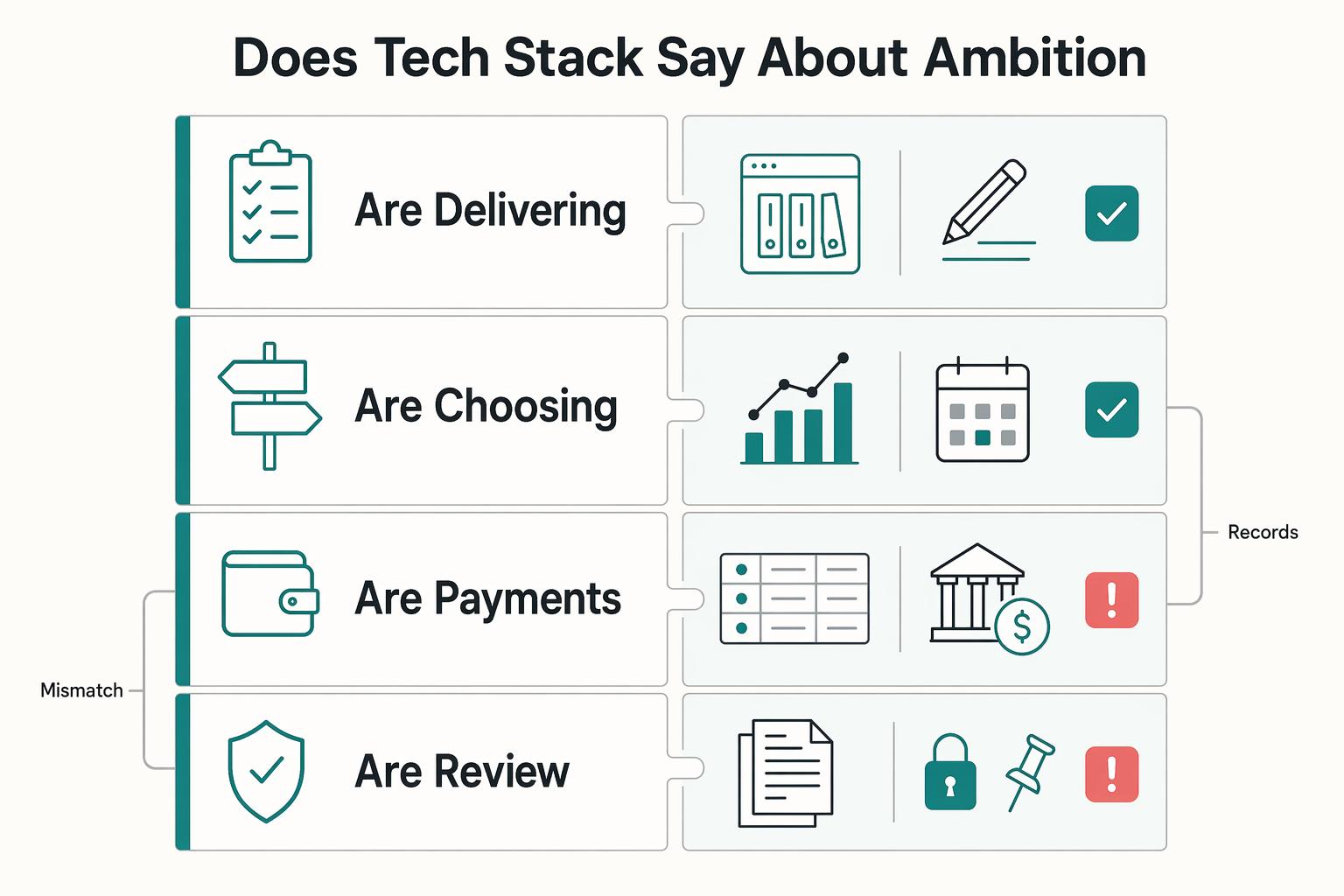
The Scaling Engine: What Does Your Tech Stack Say About Your Ambition?#
After automation, the real test is whether your stack helps you make better growth decisions, not just finish drafts. For writers, that means clearly separating tools that organize writing from tools that guide business decisions and stand up to external review.
Scrivener and Ulysses are strong on organization. Scrivener positions itself as an all-in-one long-form writing app, with a 30-day free trial and one-time purchase model. Ulysses supports progress goals, including a 50,000-word target, and uses subscription pricing at $39.99/year or $5.99/month. That is useful for output tracking, but not enough on its own for profitability, receivables, or evidence-ready reporting.
| Question | Tools that organize work | Tools that support strategic decisions | Pass/fail check |
|---|---|---|---|
| Are you delivering reliably? | Scrivener, Ulysses, basic task lists | Asana dashboards (completed vs overdue tasks) | Pass if you can see delivery drift early, not after deadlines are missed |
| Are you choosing profitable work? | Notes, spreadsheets, CRM without reporting | HubSpot pipeline reporting + QuickBooks estimate-vs-actuals | Pass if you can review pipeline health and project profitability without rebuilding reports manually |
| Are payments staying healthy? | Sent invoices in inbox folders | Xero aged receivables + Stripe reminder workflows | Pass if you can see what is unpaid and how long it has been unpaid |
| Are you review-ready? | Scattered PDFs/screenshots | Record summaries, supporting documents, agreement history | Pass if income, expenses, and source documents are exportable on request |
- Track decision signals, not just activity
Keep four signals on a regular review cadence: pipeline health, project profitability, client concentration, and delivery reliability. HubSpot supports pipeline-health reporting and expected outcomes. QuickBooks supports estimate-versus-actual comparison. Xero aged receivables shows unpaid duration. Asana dashboards show completed and overdue work. The goal is simple: identify what to repeat, what to fix, and where cash risk is building.
- Build evidence readiness into the stack
Dashboards are useful, but they are not evidence by themselves. Your system should produce records that clearly show income, expenses, and transaction summaries, plus supporting documents such as invoices, receipts, deposit slips, paid bills, and agreement history. IRS guidance emphasizes keeping business records that support reported items and are available for inspection. In lending contexts, Fannie Mae (12/13/2023 page date) notes that reported business income may not equal distributed cash, and Freddie Mac (effective 05/11/2025) ties self-employment review to income stability and ownership context, including a 25% ownership threshold in that guidance.
- Use client-facing reliability as a growth lever
Professionalism matters when it produces measurable process outcomes. PandaDoc analytics can show proposal views and time spent by page. DocuSign provides agreement audit trail history. Stripe supports hosted invoice links and scheduled reminders. Word Track Changes makes revision control explicit by reviewer. When scope, deadlines, or revisions are disputed, your stack should let you show what was proposed, signed, edited, invoiced, and paid.
This pairs well with our guide on How to Structure an Affiliate Agreement for Your Digital Product.
Conclusion: You Are the Architect of Your Resilience#
The main point is simple: choose tools in an order that reduces avoidable risk first, then removes friction, then proves they can support the business you want to run in 2026. More features are not the goal. Durable control is.
- Compliance & Risk Mitigation
Start with required protections. In plain terms, the tool must help you protect access, keep records, and avoid creating blind spots you cannot explain later. A practical checkpoint is simple: require MFA before you put real work or client data into any platform. CISA says MFA is a layered approach and that accounts using it are 99% less likely to be hacked. For records, IRS Topic 305 says you must keep supporting documents, with a general assessment period of 3 years, 6 years in some underreporting cases, and no limit for fraudulent returns. If a tool makes export or retention messy, fail it at the foundation layer. Jurisdiction-specific requirements must be verified from official guidance, tax-advisor input, or source records before use.
- Operational Efficiency
Next, look for workflow fit, not novelty. OECD productivity language is useful here: you are judging how efficiently inputs become outputs. For writing tools, that means checking the actual handoff path you need. Scrivener can compile to print, PDF, or Microsoft Word, and Ulysses can publish directly to WordPress or Ghost. Verify one real draft-to-output test before adoption. A common failure mode is buying a clean interface that still forces manual copy-paste at every handoff.
- Strategic Growth
Last, ask for one clear growth signal before you adopt. That might be cleaner publishing, easier collaboration, or licensing that still works when you add help. Ulysses offers volume licensing outside the App Store, which is a better growth sign than a long feature list if you expect editors or contractors later.
Do this next: audit your current stack, mark any tool that fails the foundation layer, and replace those first. Risk exposure comes before convenience.
Related: The Best Tools for Creating Interactive Product Demos.
Frequently Asked Questions
How do I tell a consumer review from a testimonial?
Start with the plain definition. A consumer review is a consumer, or purported consumer, evaluation submitted to and published on a review-capable website or platform. A testimonial is an advertising message people are likely to take as someone’s opinions, beliefs, or experiences. Tag each item before publishing or reusing it, because the wrong label sends you into the wrong checks.
What is the first compliance check before I publish Product Reviews?
Classify the content first, then verify that the facts and context of use are clear. That matters because the FTC rule addresses deceptive and unfair conduct involving consumer reviews and testimonials. If the item type or context is unclear, pause and verify more before publishing.
Can I rely on the FTC staff Q&A as my legal answer?
No. The FTC says its staff guidance is not definitive or comprehensive, and it does not provide a safe harbor from potential liability. Use the Q&A to frame questions, then confirm the rule text and your specific facts.
When does context matter more than the label?
Often. The FTC explicitly says some answers depend on the context and the specific facts at issue, so a label by itself is not enough. If the source, intended use, or publishing context is fuzzy, treat that as a stop sign until you verify the facts.
What happens if a violation is knowing?
The risk is not theoretical. The rule authorizes courts to impose civil penalties for knowing violations. Treat potential knowing-violation scenarios as escalation points, not routine publishing decisions.
How current does my review compliance check need to be?
As of now, the FTC Consumer Reviews and Testimonials Rule went into effect on October 21, 2024. Date-stamp your checklist and verify current FTC materials before major publishing or refresh cycles. If your team is using a pre-2024 checklist, update it.
What should I do with vendor labels like “compliance-first,” “MoR,” “EOR,” or “Business-of-One stack”?
Treat them as shorthand, not proof. The FTC material here does not define those terms or allocate legal responsibility behind them. Verify those claims separately against the actual contracts and rules that apply to your facts.
What is the most practical review process for a small team or solo operator?
Keep it simple and repeatable: classify each item, verify facts and context, and do not treat FTC staff Q&A as a liability safe harbor. If you cannot clearly classify or fact-check an item, pause publication and verify more first.
Try a related tool
Researched and edited by the Gruv editorial team. Gruv builds cross-border billing, payouts, and finance-operations software for global businesses.
Sources
- cisa.gov/topics/cybersecurity-best-practices/multifac...trusted
- consumerfinance.gov/ask-cfpb/the-bankcredit-union-closed-my-chec...trusted
- csrc.nist.gov/glossary/term/resiliencetrusted
- dol.gov/agencies/whd/flsa/misclassification/2026rule...trusted
- ecfr.gov/current/title-16/chapter-I/subchapter-B/part...trusted
- ecfr.gov/current/title-16/chapter-I/subchapter-B/part...trusted
- fdic.gov/bank-failures/payment-depositorstrusted
- fdic.gov/resources/deposit-insurance/understanding-de...trusted
Educational content only. Not legal, tax, or financial advice.
Related Posts

The Freelance Payment Penalty: A Modeled Audit of Platform Fees, FX Spreads, and Payout Delays
The money rarely disappears through a single, easy-to-spot fee. The real loss is stacked. A marketplace takes its commission, a processor adds a charge for international cards, a bank or payment company converts the currency at a spread, a platform holds the funds before release, and a wire sheds a little to intermediaries on the way in. Each layer looks defensible on its own, but the worker feels the combined result as a smaller deposit and a later payday.

How to Respond to a Subpoena for Business Records
Move fast, but do not produce records on instinct. If you need to **respond to a subpoena for business records**, your immediate job is to control deadlines, preserve records, and make any later production defensible.

A US Expat's Guide to Investing in UCITS ETFs to Avoid PFIC Issues
The real problem is a two-system conflict. U.S. tax treatment can punish the wrong fund choice, while local product-access constraints can block the funds you want to buy in the first place. For **us expat ucits etfs**, the practical question is not "Which product is best?" It is "What can I access, report, and keep doing every year without guessing?" Use this four-part filter before any trade: