
Quick Answer
Shortlist Grammarly for routine professional writing and style consistency, ProWritingAid for detailed line/story reports, and AutoCrit for manuscript-centered revision. Test a permitted sample, review account privacy/training settings and collaborator limits, then round-trip the required file. Compare subscription plus actual cleanup time; these are documented feature fits, not measured product rankings.
Choose by Writing Task Before Comparing Plans#
ProWritingAid, Grammarly and AutoCrit overlap in sentence-level feedback, but their useful roles differ. Shortlist Grammarly for routine professional writing and style consistency, ProWritingAid for detailed line reports and story-focused analysis, and AutoCrit for a manuscript workspace and author-focused revision. These are starting fits inferred from current documented features, not hands-on quality rankings. Use a nonconfidential sample from your actual work to decide.
| Lens | Checkpoint | If ignored |
|---|---|---|
| Editing fit | Does the feedback improve this brief, chapter or article while preserving voice? | Accepting irrelevant advice changes meaning |
| Data permission | Can the text be uploaded under client terms and the selected account's privacy controls? | Confidential material enters an unapproved service |
| Handoff | Can collaborators review and receive usable files in the actual workflow? | Comments, formatting or approved changes disappear |
| Cost | Subscription plus timed review, cleanup and migration effort | A cheaper plan consumes more paid working time |
Start with one representative deliverable, the editing task, the file you must return and the collaborators involved. A fiction chapter, a client email and a citation-heavy report need different checks. Then assess the four lenses below rather than asking one software score to answer every question.
-
Editing and permission fit: define the task and whether client/personal data may enter the service. For EU personal data, assess applicable GDPR obligations and the actual processing relationship; Article 25 concerns controller design/default obligations, not a universal software badge.
-
Risk controls: Look for safeguards that protect confidentiality, integrity, and availability. A real checkpoint here is whether the vendor provides current security documentation or an independent controls report, rather than vague trust-page language.
-
Workflow friction: Judge the tool by effectiveness, efficiency, and satisfaction in your actual writing path. A common failure mode is saving time on edits but adding extra time through copy-paste, version confusion, or approval cleanup.
-
Decision confidence: Good reviews help you choose between alternatives, not just admire features. That means matching tool claims to your use case, evidence, and tradeoffs.
We will audit the stack in this order:
- Compare feedback against the same representative sample and acceptance criteria.
- Review privacy, training settings, access and support for the account/plan you would use.
- Time collaboration and export cleanup, then compare total cost and the exit route.
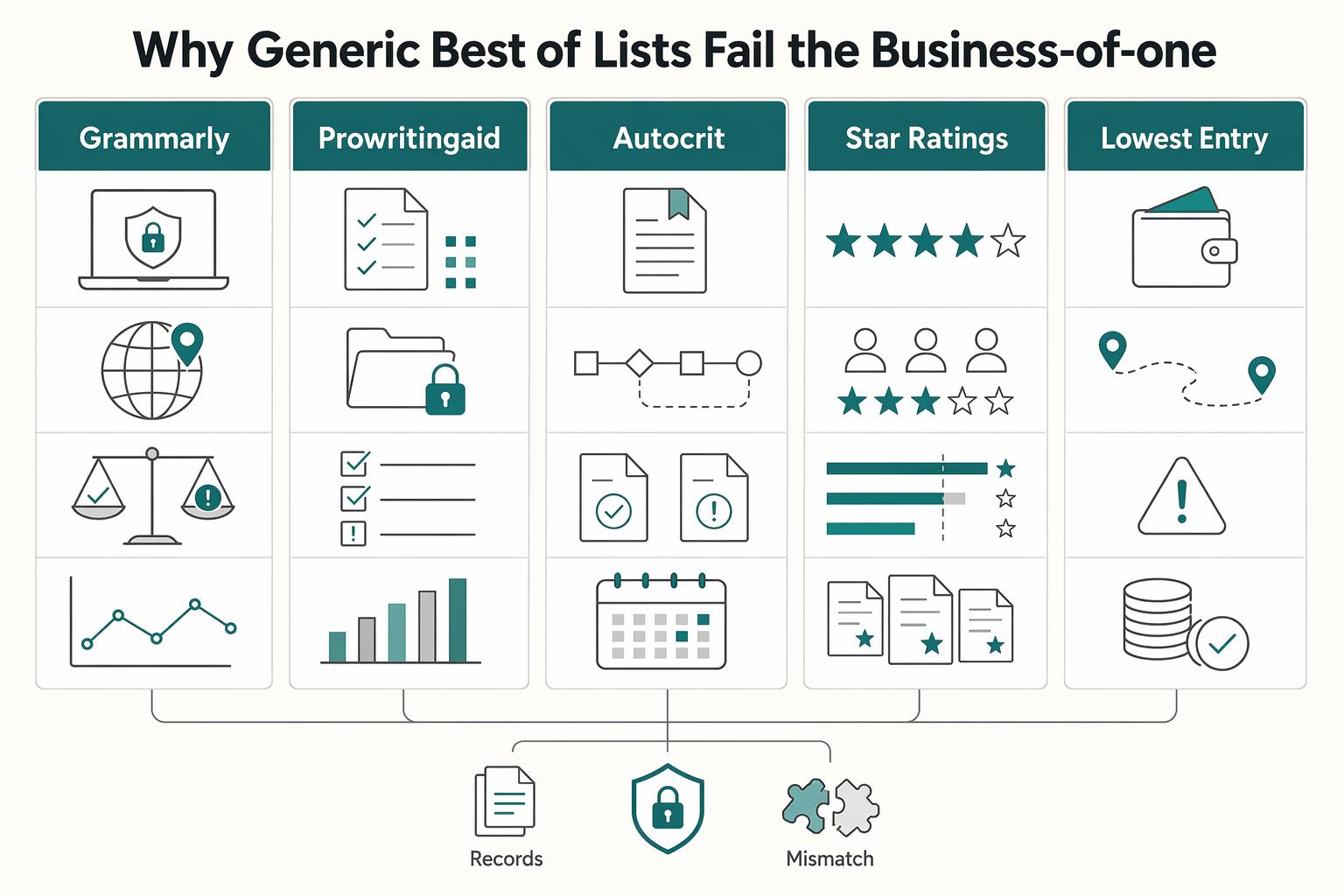
Why Generic 'Best Of' Lists Fail Cross-Border Work#
Generic rankings optimize for fast, broad purchase decisions; you need a risk-aware decision for cross-border work where one editing tool can affect confidentiality, review integrity, and operational reliability.
| Tool | Useful starting fit | Verified limitation or handoff check |
|---|---|---|
| Grammarly | Everyday grammar/clarity and plan-supported style consistency | Style guide unsupported on mobile; current Docs export can lose elements including comments/images/citations; Classic differs |
| ProWritingAid | Detailed line reports, repetition/pacing/dialogue and story-focused feedback | Collaboration is in Web Editor; import/export formatting must be checked in the chosen integration |
| AutoCrit | Fiction/nonfiction manuscript workspace, analysis and author revision | File sharing needs Pro members; only one user can have edit access to a file at a time |
Ratings can help discover options but cannot prove editorial quality, confidentiality or file fidelity for your use. This comparison uses current vendor documentation and worked planning examples; it does not claim an independent hands-on benchmark. When publishing your own paid or affiliate review, disclose material relationships clearly under applicable endorsement rules.
| Typical "Best Of" Criteria | Business-of-One Decision Criteria |
|---|---|
| Star ratings and badge wins | Evidence pack: privacy terms, security documentation, and current controls evidence such as SOC 2 Type 2 |
| Lowest entry price | Total operating cost, including export cleanup, rework, and approval friction |
| Feature count | Fit with your real writing workflow and client data-handling obligations |
| Popularity | Jurisdiction fit, including GDPR-era data handling and transfer checks |
| Easy onboarding | Exit check: usable manuscript files and the records you need, tested before renewal |
Where generic lists usually fail:
- Wrong audience fit
Most rankings target general convenience, not cross-border operators. For Grammarly, ProWritingAid, and AutoCrit, badge position matters less than fit for client-facing delivery, review cycles, and privacy expectations.
- Shallow criteria
ProWritingAid says it does not use user data or writing to train its AI models. Grammarly's product-improvement/training controls allow eligible individual accounts to opt out, and account/plan settings matter. Read the current policy and verify the selected account's controls before uploading client work; 'does not sell content' is not the same claim as 'never uses content for training.'
- No workflow-level evaluation
Check the exact editing environment. ProWritingAid's collaboration feature is in its Web Editor, and copy/paste or export can affect formatting. AutoCrit's documented sharing requires Pro accounts and grants edit access to only one user at a time. Grammarly's current Docs and Classic editor have different export behavior; test the surface your account actually uses.
- Weak compliance context
GDPR has applied since 25 May 2018, and cross-border transfers still need a lawful path (such as adequacy or other safeguards). Generic rankings rarely test where text is processed, how transfer mechanisms are handled, or whether disclosure obligations are met.
Carry these checks into the next audit sections:
- What client/personal data enters the editor, and is that processing authorized?
- What current privacy/security evidence and account-specific training controls can I review?
- Does this sample need sentence editing, structural feedback, collaboration or publishing output?
- Which suggestions change meaning, voice or citations, and how will I review them?
- Can I export usable files and preserve required approval evidence without lock-in?
Choose the writing stage first: draft structure in your manuscript workspace, review line-level suggestions deliberately, then proofread the approved output. Do not make each tool rewrite the same text merely because all three offer feedback.
Check Editing Fit and File Handoff#
An editing service does not need to hold your tax forms, travel history or bank-reporting records. Keep those in the appropriate business systems. Its job here is to help revise writing while preserving meaning, confidentiality and a usable deliverable.
Use the same permitted sample in each shortlisted tool. Save the original locally, apply only accepted changes and compare the resulting file against explicit checks. If client permission is absent, use anonymized or invented text with the same structural demands.
| Test | Minimum acceptable | Preferred | Red-flag |
|---|---|---|---|
| Sentence-level accuracy | Correct clear errors without changing facts | Record accepted/rejected suggestions and reasons | Changed number, attribution or technical meaning |
| Voice and structure | Relevant advice for audience and genre | Check repetition/pacing alongside intentional rhythm | All dialogue or distinctive phrasing normalized |
| Collaboration | Authorized reviewer sees the correct version | Verify permission, comments and edit handoff | Two final versions or unapproved overwrite |
| Export | Required file remains usable | Compare headings, notes, citations, images and revisions | Missing elements or silently lost review evidence |
- Accuracy and meaning test
Use a 1,000-word invented client article containing a few deliberate spelling errors, a quotation, product names, dates, numbers and a technical claim. Save expected corrections in a separate checklist. Count clear errors caught and false positives, and check whether suggested rewrites alter facts. This is a method you can run, not test results claimed for these products.
- Voice and structural feedback test
Use a fiction scene or long-form passage with intentional fragments and dialogue. Ask whether the reports point to repetition, pacing or clarity that matters to the scene. Compare advice with your creative intent; a higher score is not proof of a better manuscript. ProWritingAid documents line reports and plot analysis; AutoCrit's own summary-report guidance says no score guarantees publication readiness.
- Reviewer handoff test
Invite the actual kind of collaborator you need using permitted sample text. Check view/edit permissions, the current version and how feedback is returned. In AutoCrit, test the one-editor-at-a-time handoff and Pro-member requirement; in ProWritingAid, test Web Editor collaboration. Export or retain decisions separately when comments/history do not travel with the manuscript.
- Export and exit test
Round-trip the file through the intended surface. Grammarly's current Docs supports Word/PDF export but warns that uploaded-file elements such as images, charts, citations, bookmarks and comments may not survive. Its Classic editor has a separate workflow. For ProWritingAid, test the original format through the chosen integration; for AutoCrit, distinguish editable DOCX/report-highlight export from formatted EPUB/PDF. Exporting a file does not prove every review artifact or layout element survives.
Keep a short result sheet: product/surface/plan, policy date, sample type, suggestions accepted or rejected, minutes spent, export defects and the final usable format. The sample outcome should drive the purchase decision.
The Audit Part 2: The Stress Test for Risk, Trust, and Stability#
After editing fit is established, review account access, data handling and the support path. A useful service still needs permission to process your work and a practical way to retrieve it near a deadline.
Stability is not a feature list. It is what happens on a bad day: login trouble, policy ambiguity, stale docs, or support gaps near a deadline.
| Claim | What to verify | Risk if false |
|---|---|---|
| "Your data is secure" | Independent security attestation status from the vendor, dated policy docs, and clear control scope | You are relying on marketing instead of evidence |
| "We align with privacy rules" | Current privacy terms, scope boundaries, and handling expectations for sensitive data | You may use a tool that conflicts with client obligations |
| "You will always have access" | Export path, recovery steps, and continuity options documented before purchase | Account issues can stop delivery work |
| "Support is here when needed" | Published support windows, escalation path, and blocked-work handling process | You lose time with no reliable human fallback |
- Account access continuity
A tool fails this test if you cannot reliably reach your drafts during a login, billing, or role-permission issue. What to verify: exports work without special intervention, recovery steps are published, and there is a fallback when the primary login method fails. Evidence to request: current help docs, export instructions, and written recovery/escalation handling; confirm document date/version. No-go red flags: recovery depends fully on support, exports are partial/unclear, or the vendor cannot point to current policy material.
- Data handling proof
Review the vendor's privacy terms, processors, retention/deletion, training controls and available security assurance for the actual account. ProWritingAid's no-training statement and Grammarly's individual opt-out describe different controls. If client terms prohibit generative-AI processing or external storage, confirm the relevant feature can be disabled and that the remaining workflow is authorized. A security report does not establish every client contract or regulated-data use is permitted.
- Vendor durability
Check current documentation, material policy-change notices, export guidance and account cancellation terms. Retain a local deliverable backup and an exit procedure. A bank compliance rating is not a suitable proxy for an editing-service vendor's financial durability, and SOC 2 is a scoped controls report rather than a guarantee of uninterrupted access.
- Escalation quality when work is blocked
Identify the current help channel, published support availability and account/export recovery instructions. Ask a concrete question before committing: how do I retrieve an approved manuscript if account access is blocked? Do not assume response times or invent business-critical support guarantees where the vendor does not publish them.
Before a deadline, export the current approved manuscript and record which comments or revisions remain only in the service. That backup is a practical continuity control even when the account and support normally work.
The Audit Part 3: The Friction Analysis of Your Workflow's True Cost#
A tool passes this audit only if it reduces total workflow effort, not just where the effort happens. Use these four checks to measure real operating cost before you renew or switch.
| Check | Definition | How to test |
|---|---|---|
| Admin Tax | Recurring time loss from task-switching, reorientation, duplicate checks, and revision cleanup | (review/cleanup/switching minutes per document ÷ 60) × monthly documents × hourly cost |
| Withdrawal Penalty | Practical cost of replacing a tool after it is embedded in your process | (migration + template rebuild + reviewer retraining hours) × hourly cost + actual exit/new fees |
| Single Source of Truth | One agreed place where everyone works from the same current version | Run a live handoff test and confirm review intent survives each step |
| Professional Signal | Visible proof that your editing process is consistent, controlled, and client-safe | Verify rule enforcement, review behavior, and export behavior in the exact environments your team and clients use |
- Admin Tax
Time review, export cleanup and unnecessary switching for the same sample. Monthly effort cost = minutes per document ÷ 60 × documents per month × your hourly cost. For example, an illustrative 15 minutes of cleanup on 12 documents at $60/hour costs $180 monthly. A $20 subscription with that cleanup costs $200 before any other work; a $40 alternative needing 5 minutes per document costs $100 in the same model. These are hypothetical costs, not current vendor prices.
- Withdrawal Penalty
Estimate exit separately: migration, template rebuild and reviewer retraining hours × hourly cost, plus actual subscription overlap or exit fees. For example, eight hours at $60 plus $40 overlap costs $520. Compare that one-time cost with recurring savings, while checking whether switching preserves your files and client obligations.
- Single Source of Truth
Choose one authoritative manuscript version and make reviewer handoffs explicit. Comments and tracked changes are different from automatic writing suggestions; exporting accepted text may discard the decision trail. Test the exact round trip and keep a separate approval log where required.
- Professional Signal
Use style rules where they help your deliverable, and verify that they work in the editing surface the team uses. Grammarly's documented style guide is not supported on mobile and availability depends on plan. A security certification or a polished score does not establish that terminology, voice and factual details are correct.
| Tool | Fit to test | Plan/surface check | Output check | Privacy check |
|---|---|---|---|---|
| Grammarly | Professional sentence-level feedback and style rules | Verify current Docs vs Classic, plan and mobile limitations | DOCX/PDF export plus element/approval loss | Review individual training opt-out and account terms |
| ProWritingAid | Line reports and story-focused revision | Free editing up to 500 words at a time; current plan limits need checking | Chosen integration formatting and Web Editor collaboration | Vendor says writing is not used for AI training; check storage/processing terms |
| AutoCrit | Manuscript analysis and author-side revision | Sharing requires Pro members and one edit-access user at a time | Editable manuscript vs highlights/EPUB/PDF | Review current manuscript/privacy terms and feature scope |
Use this pass/fail checklist before you renew:
- Keep the tool when one document can move draft-to-final with low switching, clean exports, and one clear current version.
- Fix integrations first when the main drag is a specific handoff (for example, Web Editor collaboration, tracked-change conversion, or mobile workflow gaps).
- Replace the tool when handoffs repeatedly break review intent, trigger duplicate checking, or force multiple "current" versions.
Choose a monthly plan or trial only after confirming the relevant capability and cancellation terms. A long-term discount is useful only when the tool already passes your actual workflow; this article does not quote prices or claim measured superiority.
Conclusion: Run New Tools Through One Four-Part Filter#
Choose the tool that improves the actual writing task within your data permissions and returns a usable deliverable. Use the same sample, record rejected as well as accepted suggestions and compare total effort before buying.
- Compliance fit
Confirm the brief, audience, genre and allowed processing. Keep financial, tax and residency records in the appropriate business systems; an editing app does not need to become their archive.
- Data and access
Save current privacy/settings evidence, confirm permissions and retain a local manuscript backup. Security assurance is one input to review, not a guarantee of confidentiality for every use or permanent account access.
- Workflow integration
Keep one authoritative manuscript and an explicit approval handoff. Test the required export, check facts and citations after revision and preserve any review evidence that remains only in the app.
- Total operating cost
Compare the subscription plus timed recurring review/cleanup. Include plan limits, collaborator requirements, formatting repair and exit cost. Replace only when the alternative meets the task and the transition is worthwhile.
Before the next renewal, complete this small decision record:
- Identify the representative writing task, audience and permitted sample.
- Compare feedback and false positives, preserving meaning and voice.
- Check account privacy/training settings and collaborator permissions.
- Round-trip the file, document lost elements and retain the approved master.
- Calculate monthly effort and one-time exit cost, then choose keep, fix the handoff or switch.
This pairs well with our guide on Best Dictation Software for Writers Who Need Better ROI and Data Control.
Frequently Asked Questions
Which tool should a fiction author try first?
Shortlist ProWritingAid for detailed line/story reports and AutoCrit for a manuscript-centered revision workspace. Compare their feedback on a permitted scene and the export you need. Grammarly can still help sentence-level writing, but no automated score replaces a developmental or copy editor's judgment.
Which fits client emails and professional articles?
Grammarly is a reasonable starting shortlist for routine grammar/clarity and plan-supported style rules; ProWritingAid can fit deeper line analysis. Test your terminology, facts, audience and required output before subscribing. This is a feature-based starting recommendation, not a claimed hands-on quality ranking.
Do these tools replace a human editor?
No. They can identify patterns and suggest changes, but you must review meaning, evidence, creative intent and the final output. Structural decisions, fact checking and deliberate voice need human judgment. A report score does not prove a manuscript is publication-ready.
What are the hidden costs?
Count subscription, review time, false-positive cleanup, formatting repair, reviewer handoffs and eventual migration. Use minutes ÷ 60 × document count × hourly cost for recurring effort, and cost exit hours separately. The hypothetical 15-minute/12-document/$60 example shows why subscription price alone can mislead.
Can I upload confidential client work?
Only when the client terms and applicable data obligations allow the selected service/features. Review current privacy, retention and training controls for your account; use anonymized samples when permission is absent. ProWritingAid's no-training statement and Grammarly's eligible individual opt-out do not by themselves authorize an upload.
Will formatting and comments survive export?
Do not assume so. Grammarly's current Docs documents export element losses, while Classic has a separate workflow. ProWritingAid integration/export behavior and AutoCrit's different manuscript/publishing exports also need a round-trip test. Preserve required approval evidence separately when comments or history do not travel.
Researched and edited by the Gruv editorial team. Gruv builds cross-border billing, payouts, and finance-operations software for global businesses.
Sources
Includes 7 external sources outside the trusted-domain allowlist.
- ftc.gov/business-guidance/resources/ftcs-endorsement...trusted
- autocrit.comexternal
- autocrit.com/privacy-policyexternal
- grammarly.com/business/styleguideexternal
- help.autocrit.com/en/articles/10279426-how-to-share-a-fileexternal
- help.autocrit.com/en/articles/11570997-what-is-export-with-hig...external
- help.prowritingaid.com/article/25-what-is-prowritingaid-and-how-doe...external
- help.prowritingaid.com/article/14-is-my-data-safe-with-prowritingaidexternal
Educational content only. Not legal, tax, or financial advice.
Related Posts

The Freelance Payment Penalty: A Modeled Audit of Platform Fees, FX Spreads, and Payout Delays
The money rarely disappears through a single, easy-to-spot fee. The real loss is stacked. A marketplace takes its commission, a processor adds a charge for international cards, a bank or payment company converts the currency at a spread, a platform holds the funds before release, and a wire sheds a little to intermediaries on the way in. Each layer looks defensible on its own, but the worker feels the combined result as a smaller deposit and a later payday.

How to Respond to a Subpoena for Business Records
Move fast, but do not produce records on instinct. If you need to **respond to a subpoena for business records**, your immediate job is to control deadlines, preserve records, and make any later production defensible.
A US Expat's Guide to Investing in UCITS ETFs to Avoid PFIC Issues
The real problem is a two-system conflict. U.S. tax treatment can punish the wrong fund choice, while local product-access constraints can block the funds you want to buy in the first place. For **us expat ucits etfs**, the practical question is not "Which product is best?" It is "What can I access, report, and keep doing every year without guessing?" Use this four-part filter before any trade: