
Quick Answer
Close an invoice when its remaining balance is zero in the relevant AP or AR subledger after posted applications, and the accounting records reconcile. Verify the payment outcome where cash is involved; apply required credits or adjustments without inventing a journal for a status-only action. Track excess credits and unresolved disputes separately.
Why Invoice Settlement Gets Complicated on Platforms#
Invoice settlement clears an invoice’s outstanding balance through applied payments, credits or approved adjustments. Use the relevant book: a supplier invoice is an accounts-payable item; a customer invoice is an accounts-receivable item. Cash can move while that item remains open. Conversely, an invoice can be fully applied while a separate overpayment credit or dispute case still needs attention.
Platforms often operate both flows. Accounts payable records obligations to suppliers; accounts receivable records amounts customers owe. A processor payout to your bank consolidates collection activity, while a supplier payout pays a beneficiary. Record which flow you mean: a bank deposit alone does not establish which customer invoices were paid, and a submitted supplier transfer does not prove receipt.
For teams handling AP, AR, payouts and disputes, settlement means applying the right transactions to the right open items. A payment, credit memo, fee or approved adjustment may each affect the outcome. Use one closure rule per lane and retain the records behind it.
An invoice dispute challenges the billed amount, delivery or agreed terms. Track its case status separately from the invoice balance. A paid invoice may remain under review, and a resolved dispute may still leave an amount to collect. If a payment is reversed, finance must record that reversal and determine the resulting receivable or adjustment.
Use one working checkpoint for the rest of this article. Before you automate anything, make sure finance, ops, and engineering can all answer the same question for a single invoice: "What exact event or document makes this closed?" The test is simple. Pull one invoice and confirm that you can trace the invoice record, the payment or payout reference, any adjustment, and the remaining AP or AR balance without guesswork. If you cannot answer that quickly, do not automate the close yet.
A red flag is when teams use paid, settled, and closed as if they mean the same thing. If that language is still loose, keep the process manual until you define it properly.
For the broader workflow around invoices, payouts, and disputes, see How to Build a Vendor Portal for Platforms: Tax Forms Invoices Payouts and Disputes in One Workspace.
Define the close state before you automate anything#
Define closure in one sentence: the invoice’s outstanding balance is zero in the relevant AP or AR subledger, its applications are posted, and the accounting records reconcile. Journal entries preserve the history; they do not all become zero. A payment event alone does not prove closure.
Write the zero-balance rule#
Document the close condition in plain language and align finance, ops, and engineering on the records that must reconcile before status changes. Settlement can involve multiple balance-affecting transaction types, so your rule should require invoice-level application, not just payment activity.
Trace one invoice from its scoped invoice reference to the applied payment, any adjustment and journal impact. Confirm zero remaining invoice balance. Separately identify unapplied cash or credits: an overpayment can leave a payment balance open even after the invoice closes.
Separate money movement from accounting closure#
Treat money movement and closure as separate tests. You may need a Credit memo to reduce what is owed or a Debit memo to reflect an additional valid amount owed before the invoice can be settled cleanly.
Apply payments and memo adjustments directly to the invoice. Unapplied payments or unapplied adjustments create the common failure mode where cash moved but the invoice remains open.
Assign owners before you add auto-close logic#
Assign responsibilities in writing before you enable auto-close paths. A practical split is finance owning accounting outcomes, ops owning triage and exceptions, and engineering owning system state transitions and controls.
If close criteria are still unclear in real cases, keep automation narrow and route exceptions through manual review until the rule is consistent.
Related: Improving Credit Card Reconciliation for Platforms: How to Auto-Match Card Charges to Invoices.
Prepare the evidence pack and system prerequisites#
Require the evidence specified for each lane before approving a match. Procurement invoices may need PO and receipt records; non-PO services may instead rely on the contract, authorized approval and service acceptance. Do not invent a PO merely to satisfy a generic gate.
Gate settlement on minimum evidence#
Keep the required artifacts linked to each invoice:
- Invoice record with legal entity, counterparty, currency and stable reference
- Purchase order when the procurement lane requires one
- Receipt or service-acceptance evidence when required
- Contract or authorized non-PO approval for the applicable service lane
In Dynamics 365 AP matching, two-way matching compares invoice and PO prices; three-way matching also checks invoice quantities against receipts. Configure validation, tolerances and approval of discrepancies. Where your contract or policy requires receipt proof before release, hold that lane until the evidence or an authorized exception is recorded.
Run a small pre-queue sample check: confirm each invoice traces cleanly to its required matching records. If a lane still depends on inbox threads or manual memory, keep that lane on manual review.
Define reconciliation inputs by rail#
Define evidence by payment rail instead of relying on one generic paid signal:
| Rail | Evidence |
|---|---|
| Bank-funded flows | Bank statement, transfer reference, amount/currency and reversal or return records |
| Card collections | Captured-payment and balance records, fees/refunds/disputes, payout report and bank deposit |
| Supplier disbursements | Provider payout reference, beneficiary, completion/return/failure evidence and invoice application |
For processor collections, reconcile transaction-level gross amounts, fees and refunds to the payout and bank deposit. For supplier disbursements, retain the beneficiary and provider reference plus completion, return or failure evidence. Define the exact status meaning for each rail; card authorization or an accepted payout request is not bank receipt.
Configure control surfaces and choose the matching mode#
Before broad automation, configure these control surfaces:
- Dispute intake in the
Vendor portal - Clear ownership for the exception queue
- Audit export from
Ledger journalentries
Then choose matching mode by use case:
- Use two-way invoice/PO price matching for a PO-backed lane that does not require receipt quantity validation
- Use three-way matching when invoice quantities must match receipt evidence
- Use an approved non-PO lane with contract and acceptance evidence where no PO exists
For service work, use a documented acceptance or milestone record where required instead of fabricating a goods receipt. Keep non-PO approval lanes distinct. Where delivery proof is required, configure the release gate and its authorized exception path explicitly.
For the payout operations side, see Mass Payouts for Gig Platforms That Teams Can Actually Operate.
Step 1 map matching rules from invoice to payout#
Set identity-first matching rules before amount tolerance, or you will auto-close the wrong items.
Define deterministic match keys#
Scope the invoice ID to the legal entity and counterparty before matching. Invoice numbers can repeat across suppliers. Check currency, then allocate the amount using the invoice’s remaining balance. Treat partial payment separately from tolerance: applying part of an invoice is valid, but leaves the remainder open unless an approved adjustment clears it.
| Order | Match element |
|---|---|
| 1 | Legal entity and counterparty |
| 2 | Invoice ID within that scope |
| 3 | Currency |
| 4 | Remaining balance, application amount and relevant tolerance rule |
Apply price tolerance only after identity fields match. Dynamics 365 flags discrepancies against configured limits; a 5 percent policy is an example, not a default. Approval of a pricing variance does not forgive an unpaid balance. Document any discount, rounding or write-off separately and post it before closing.
An auto-close candidate needs an unambiguous legal entity, counterparty, invoice reference, currency and application record. Require the remaining balance to be zero after any approved adjustments; an amount falling within a matching tolerance is insufficient.
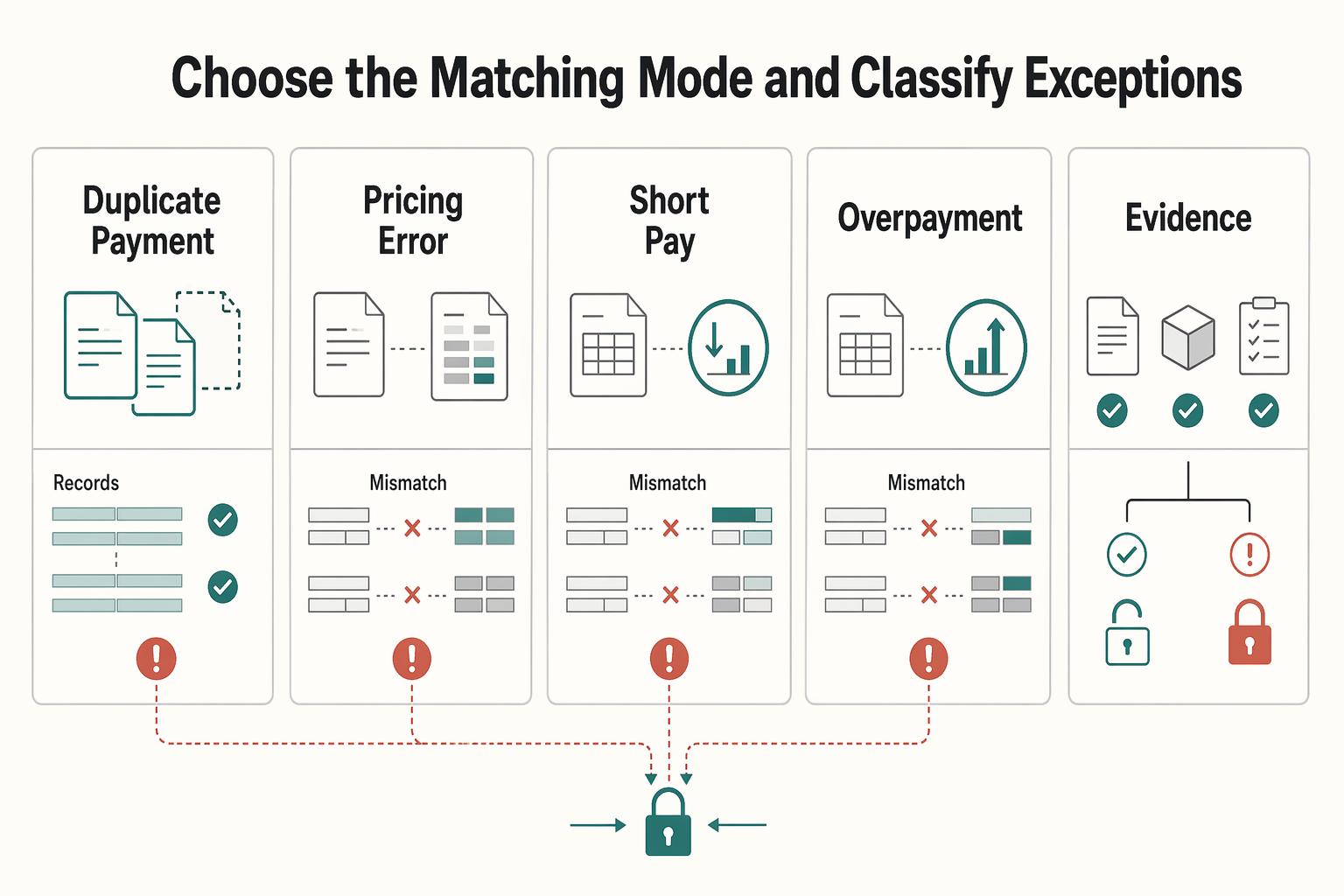
Choose the matching mode and classify exceptions#
Choose invoice-price versus PO-price checks for two-way matching; add receipt-quantity checks for three-way matching. Dynamics 365 can flag discrepancies and permit configured approvals, so confirm the actual posting and payment-release settings. A required receipt exception should follow the hold or authorized override policy, with its evidence preserved.
Make exception categories explicit so ops can route them fast:
| Exception category | What failed | Next action |
|---|---|---|
| Possible duplicate payment | Prior applications or another transfer share the invoice reference | Check full versus partial payments and original transfer outcome before any replacement |
| Pricing error | Invoice price vs. Purchase order is outside tolerance | Route for price review and approved correction |
| Short-pay | Paid amount is below invoice amount | Keep invoice open for the outstanding balance with amount/currency context |
| Overpayment | Receipt exceeds the amount owed | Apply only the amount owed; keep excess on a separate credit/refund record |
| Missing evidence | Required Purchase order or Receiving report is absent | Block payment release until evidence is attached or linked |
If the first pass cannot classify the mismatch, route it to manual ops review instead of forcing auto-close.
Record each decision in a journal-linked trail#
For each match decision, store the legal entity, counterparty, invoice reference, payment or payout reference, exception or tolerance result, decision time and approver where required. Link posted journal and application identifiers when the action affects accounting. A match-only review may have no new journal entry; record the decision without inventing one.
This gives finance a review export that separates a matched invoice, a submitted transfer and a posted application. It also exposes the individual exceptions hidden inside a successful batch.
Step 2 reconcile money movement before invoice closure#
Reconcile the payment evidence and its accounting posting, then check invoice application. Dynamics 365 settlement allows a posted payment to remain unapplied before it is settled against an invoice. Credit-only closure may require no cash movement; record the approved document and application that cleared the invoice instead.
Run payment reconciliation against posted cash#
For collections, match the processor record to the bank deposit and accounting posting. Stripe’s payout reconciliation report groups transactions for automatic payouts. Manual payouts use balance reconciliation, and Instant Payouts require your own transaction allocation. Report ranges use estimated arrival dates rather than bank posting dates; keep the actual bank date and report availability separate.
Reconcile gross activity, fees, refunds and adjustments to the net deposit. For an illustrative USD1,000 customer invoice paid in full, a USD30 processor fee can leave USD970 in the bank. Apply USD1,000 to the invoice, record the USD30 fee in the appropriate expense or clearing account, and match the USD970 deposit. The fee is not a USD30 customer short-payment. Retain the payment, payout, batch and posting identifiers behind that bridge.
Then reconcile invoices to that posted cash#
Apply customer receipts to AR invoices and supplier payments to AP invoices. Confirm the right legal entity, counterparty and currency in each lane. Settlement changes the invoice’s remaining balance; a partial payment can be fully applied while the invoice stays open for the remainder.
Review each application in a mixed batch. A USD600 payment against a USD1,000 invoice leaves USD400 open; another invoice’s overpayment must not silently erase it. Any authorized netting, discount or adjustment needs its own recorded basis. Check residuals and journal-linked application evidence rather than trusting the batch total.
Reconcile batches in two passes#
For batch operations, a practical control is two passes: reconcile the Payout batch first, then reconcile invoice lines inside it. This helps catch the common blind spot where a batch total looks right while one invoice still fails. Your team should be able to identify the bad invoice without reopening the whole batch.
For each invoice, confirm the posted payment or approved adjustment, its application, and zero remaining balance in the relevant subledger. Reconcile the subledger totals to the GL control account at close; the control account does not have to be zero. Keep unrelated account credits and unresolved dispute cases visible separately.
Step 3 resolve disputes with explicit decision rules#
Track reconciliation differences and dispute decisions separately. A payment can reconcile while its commercial validity is contested. Require a documented outcome before changing dispute status, and calculate whether that outcome also changes the invoice or customer credit balance.
Classify the dispute before you post anything#
Do not leave disputes in vague states while balances age. Use a clear internal triage so each case has a next action:
- Valid invoice: issued amount stands; continue collection or defend the payment challenge.
- Valid customer objection: invoice is wrong, so reduce or reverse the receivable.
- Mixed fault: part stands and part does not; calculate the net effect and document the split.
For a formal card dispute, the account owner’s bank decides the network dispute outcome; Stripe facilitates evidence submission. That process does not cover every invoice complaint or bank-transfer refund, and it does not by itself settle the underlying contractual amount owed. Link the invoice, original calculation, delivery evidence, dispute reference, deadlines and finance-approved accounting outcome.
Post the right adjustment document#
In the customer AR lane, a credit memo reduces the billed amount; a debit memo or additional invoice increases it. Apply the approved document rather than changing the original transaction history. In AP, follow your system’s supplier-credit conventions and approval workflow instead of copying AR debit/credit labels blindly.
| Dispute scenario | Primary action | Completion condition |
|---|---|---|
| Overstated price or quantity | Post and apply approved credit memo | Invoice closes only when remaining AR balance is zero |
| Understated price or quantity | Post approved debit memo or additional invoice | Case can resolve with an approved receivable; invoice stays open until that balance is cleared |
| Duplicate payment with expected future activity | Identify excess as account credit with agreed use | Original invoice can close at zero; excess remains tracked until applied or refunded |
| Required evidence incomplete at deadline | Escalate missing action and protect formal response deadline | Keep the relevant case open and preserve any genuine invoice residual |
Keep the approved calculation, decision and resulting posting or application together. If the invoice stands unchanged, the decision may require no adjustment journal. Resolve the dispute case when its decision and accounting consequences are recorded; close the invoice only when its remaining balance is zero.
Handle duplicate payments and missing evidence conservatively#
Confirm a duplicate using invoice IDs, remittance details, prior applications and unapplied cash. Apply only the amount owed to the invoice; retain the excess as an identified account credit or refund obligation. Agree on credit use or refund under the contract and applicable policy, assign an owner and a review date, and record authorization. There is no universal three-month refund rule. A credit memo correcting an invoice is different from cash already received in excess.
Set evidence-owner deadlines that leave time for the actual dispute submission deadline. If evidence is incomplete, preserve the case and escalate the missing action. An already fully applied invoice need not be reopened merely because a ticket is unresolved. Use a write-off only under the approved accounting policy for that balance; do not use it as an unexplained status shortcut. Small-balance adjustments and uncollectible debts can have different approval rules.
Step 4 post adjustments and close invoices with audit trail integrity#
Post any necessary approved accounting adjustment, then apply it to the invoice. A correctly applied full payment needs no artificial credit memo or write-off. A debit adjustment can leave a further amount due, so posting it does not automatically authorize closure.
Closure requires zero outstanding invoice balance after posted applications. Preserve the payment, adjustment and approval history explaining that result. A dispute decision, cash receipt or posted memo alone may each leave work outstanding.
Post first, then verify zero balance#
Verify the same legal-entity and counterparty-scoped invoice reference in the relevant AP or AR subledger and its settlement history. Confirm applications and any adjustment postings reconcile. The platform does not need both its AP and AR books to show the same invoice, nor should it erase the journal history.
| Close checkpoint | What must exist | If it fails |
|---|---|---|
| Necessary posting finalized | Approved payment or adjustment posted and linked to its application | Recover posting/approval; do not manufacture an adjustment |
| Invoice balance cleared | Zero remaining balance in relevant AP or AR open-item record | Resolve missing application or genuine residual |
| Trace preserved | Source, application, approval where required, and relevant posted accounting references | Repair evidence before automated close |
Trace the subledger application to the corresponding posted accounting records, including any generated settlement adjustment. Match the closing subledger total to its GL control account; retain the entries that explain the balance.
Tie close status to immutable evidence#
For each settlement action, retain the source record, application identifiers, approval where required and accounting posting references. Record a status-only decision as such; requiring a fictional journal ID would weaken the trail.
A common failure mode is closing in the application layer before posting is final. That creates closed invoices without posted accounting, or duplicate effects after retries.
Make retries safe#
Retries are expected; duplicate postings are not. Enforce idempotent close operations so repeated requests return the same result instead of creating duplicate settlement effects.
Keep a durable operation record for each close or adjustment action and recover its original result before retrying. Provider idempotency keys cover supported requests, not your entire accounting workflow, and Stripe may prune keys after at least 24 hours. Use the same key and parameters for a retry within that scope; after an unknown outcome, retrieve the original object before creating another adjustment. Commit the local operation identity, application and close state together where possible, with a recovery queue for cross-system failures.
Common failure modes and how to recover fast#
A failed close often means one record moved ahead of the evidence. Recover the original record or operation before creating a replacement.
| Failure mode | Recovery check |
|---|---|
| Payout marked complete, invoice still open | Re-run Invoice reconciliation against the specific Payout batch, not only aggregate balances |
| Overpayment parked with no clear resolution | Track excess separately; assign owner and authorized refund or future-credit application |
| Missing PO or receipt evidence | Do not auto-close when required matching artifacts are missing |
| Dispute closed in ticketing, not in accounting | Treat ticket status as workflow state, not settlement proof |
- Payout marked complete, invoice still open: Re-run
Invoice reconciliationagainst the specificPayout batch, not only aggregate balances. Settlement-batch reconciliation is strongest at payout level, where a batch can look complete while an invoice line is still unmatched.
If cash exists but the invoice remains open, recover the payment and application records. Apply the missing allocation or investigate the genuine residual; do not resend money just because the invoice status is open.
- Overpayment parked with no clear resolution: Keep the excess on its own credit or refund record, assign a finance owner and obtain the agreed disposition. A fully applied original invoice can close while that separate obligation remains open.
Recovery check: reconcile a refund to its provider outcome and bank record; keep an unapplied credit visible until authorized application. If the result is unknown, recover that operation before submitting another refund.
- Missing PO or receipt evidence: Do not auto-close when required matching artifacts are missing. Missing
Purchase orderevidence breaks a clean2-way matchingflow, and where required, missing receipt evidence breaks3-way matching.
Recovery check: send discrepancies beyond configured tolerance to manual exception review with a clear requester action.
- Dispute closed in ticketing, not in accounting: Treat ticket status as workflow state, not settlement proof. Mark disputes resolved only when linked accounting evidence, such as a
Ledger journalrecord or transaction audit history, shows what changed, by whom, and when.
Recovery check: preserve the dispute decision and any missing posting action. Leave an invoice open when it has an unresolved balance; track an unresolved case separately when the invoice is already fully applied.
Close invoices faster without losing control#
You close invoices faster by tightening close controls, not by skipping them. If your team cannot trace a closed invoice from request and evidence to the final Ledger journal details, treat that as a design gap and fix it before scaling automation.
- Define the close state in writing.
An invoice is closed only when the balance is properly zeroed out in Accounts receivable or Accounts payable, and journal-side records reflect the same outcome. A payment event alone is not closure.
- Collect required evidence before settlement starts.
Keep the invoice and supporting documents together from the start. Where configured, include Purchase order data for 2-way matching and receipt evidence such as a Receiving report for 3-way matching, and compare discrepancies to your set tolerances.
- Settle the payment, then settle the invoice balance.
Confirm the cash outcome where payment is involved, then apply it to the invoice. A credit-only closure may need no cash movement. If the invoice stays open, recover the missing application or investigate the true residual before creating another payment or adjustment.
- Resolve disputes with explicit outcome rules.
Document whether the original amount stands, an adjustment is needed, or only part stands. Post and apply any required document. Keep an approved residual open for collection and a separate excess credit or refund visible; resolving the dispute case does not itself close the invoice.
- Post journal-impacting adjustments before marking closed.
Post necessary approved adjustments and retain approval and accounting references. Close only at zero remaining invoice balance after applications. Recover the original operation after an unknown result and use durable operation identities to prevent a second posting. A status-only decision needs a decision record, not a fabricated journal.
- Pilot narrowly, then expand with review gates.
Start with one payout lane and one dispute lane, prove normal-case accuracy and broken-case recovery, then widen automation. Auto-approve only invoices that meet criteria, and route the rest to authorized review. Your team should prove both the easy path and the ugly path before you scale automation.
For a step-by-step walkthrough, see Accounting Automation for Platforms That Removes Manual Journals and Speeds Close.
Frequently Asked Questions
What is `Invoice settlement` for platforms versus standard payment collection?
For platforms, Invoice settlement is broader than collecting money. In Accounts receivable and Accounts payable, settlement can involve any balance-affecting transaction, including invoices, payments, Credit memo entries, and fees. A payout or payment event may move cash while the invoice still needs an accounting adjustment before it is settled.
What is the difference between payment completion and invoice closure in `Accounts receivable`?
Payment completion describes the cash leg. Invoice closure means zero remaining balance in AR after posted applications, with the accounting history explaining why. A short-payment leaves a residual unless an approved adjustment clears it; an overpayment can leave a separate credit even after the invoice closes.
When should teams use `2-way matching` instead of `3-way matching`?
Use 2-way matching when approval only depends on the invoice matching the Purchase order. Use 3-way matching when payment should also depend on delivery or receipt evidence, usually a Receiving report or product receipt.
How should we match payouts to invoices when amounts do not exactly match?
Match legal entity, counterparty, invoice reference and currency, then allocate the actual amount. Price-matching tolerance determines whether a variance needs approval; it does not automatically clear an unpaid invoice balance. A partial payment leaves a residual unless a separately approved discount, write-off or other adjustment is posted and applied.
When should we issue a refund versus a `Credit memo` after an `Invoice dispute`?
Use a credit memo to correct the billed amount and a refund to return cash. Both may be needed when an already paid invoice is reduced. Excess cash can instead remain as an authorized account credit. Track the actual refund outcome and expected arrival for the selected method; a submitted request is not confirmed customer receipt.
What evidence is required before marking a disputed invoice as closed?
Keep the dispute decision, supporting invoice and required PO or acceptance records, plus posted payment or adjustment applications that bring the invoice balance to zero. A decision that leaves an approved amount to collect can resolve the dispute case while the invoice stays open. Keep separate refund or credit obligations visible.
What minimum controls should exist before enabling auto-close logic?
Separate vendor setup, invoice approval and payment processing responsibilities. Require the evidence specified for the lane, posted applications and zero remaining invoice balance before auto-close. Route unapproved variances to review, and retain the approval or authorized policy plus accounting references explaining the result.
Try a related tool
Where Gruv fits
See reconciliation and mismatch review
Compare ledger entries, provider payment records, and statement rows to see what matches and what finance needs to review.
Plan and approve payout batches
See how payee status, approval rules, route review, and exception handling sit in one payout workflow.
Researched and edited by the Gruv editorial team. Gruv builds cross-border billing, payouts, and finance-operations software for global businesses.
Sources
Includes 2 external sources outside the trusted-domain allowlist.
Educational content only. Not legal, tax, or financial advice.
Related Posts
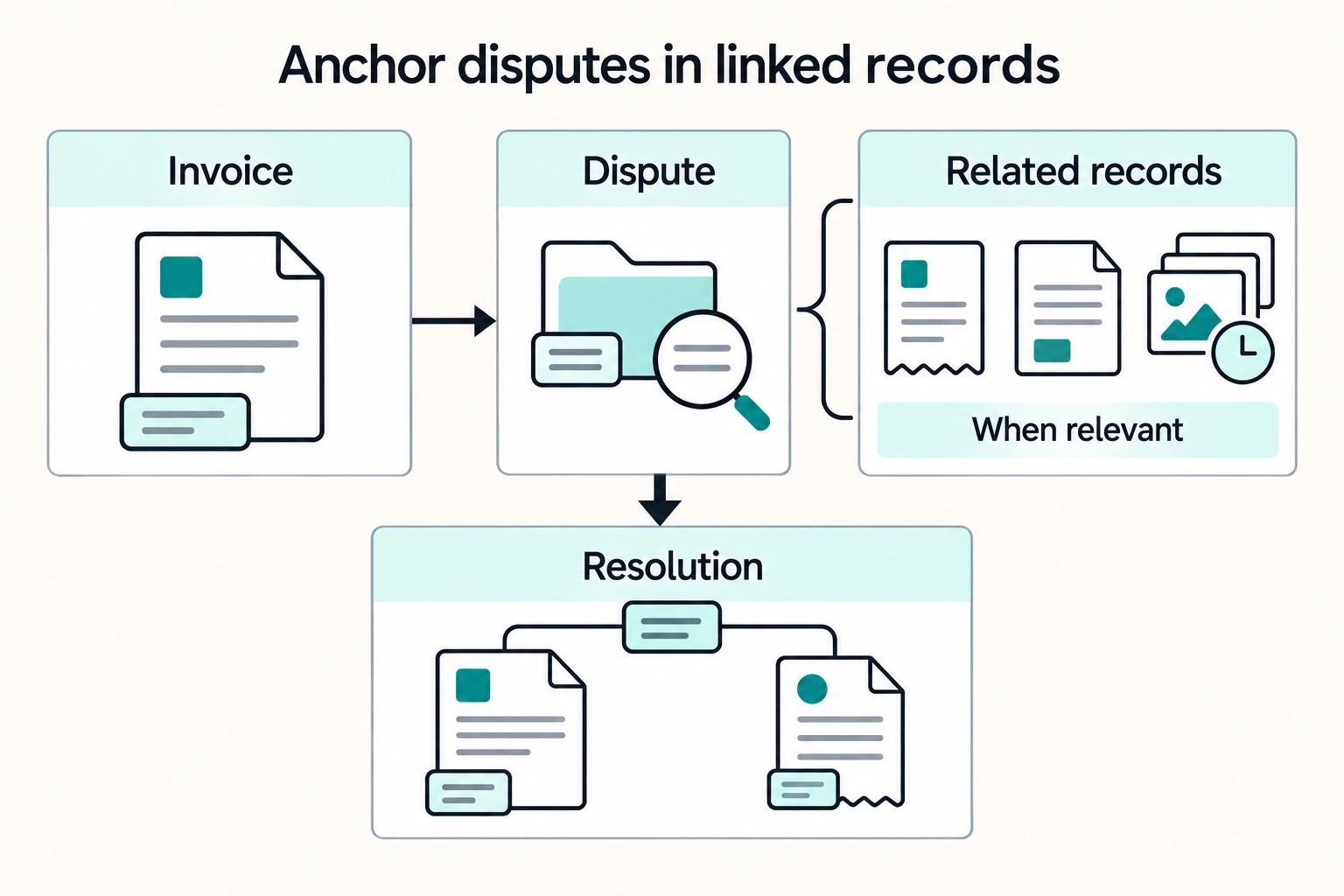
How to Build a Vendor Portal for Platforms: Tax Forms Invoices Payouts and Disputes in One Workspace
Treat the **vendor portal for platforms** as an operating surface, not a file drop or message inbox. If it cannot support onboarding checks, invoice and payment visibility, clear access boundaries, and a reliable record of status changes, it will not take real work off finance and ops.
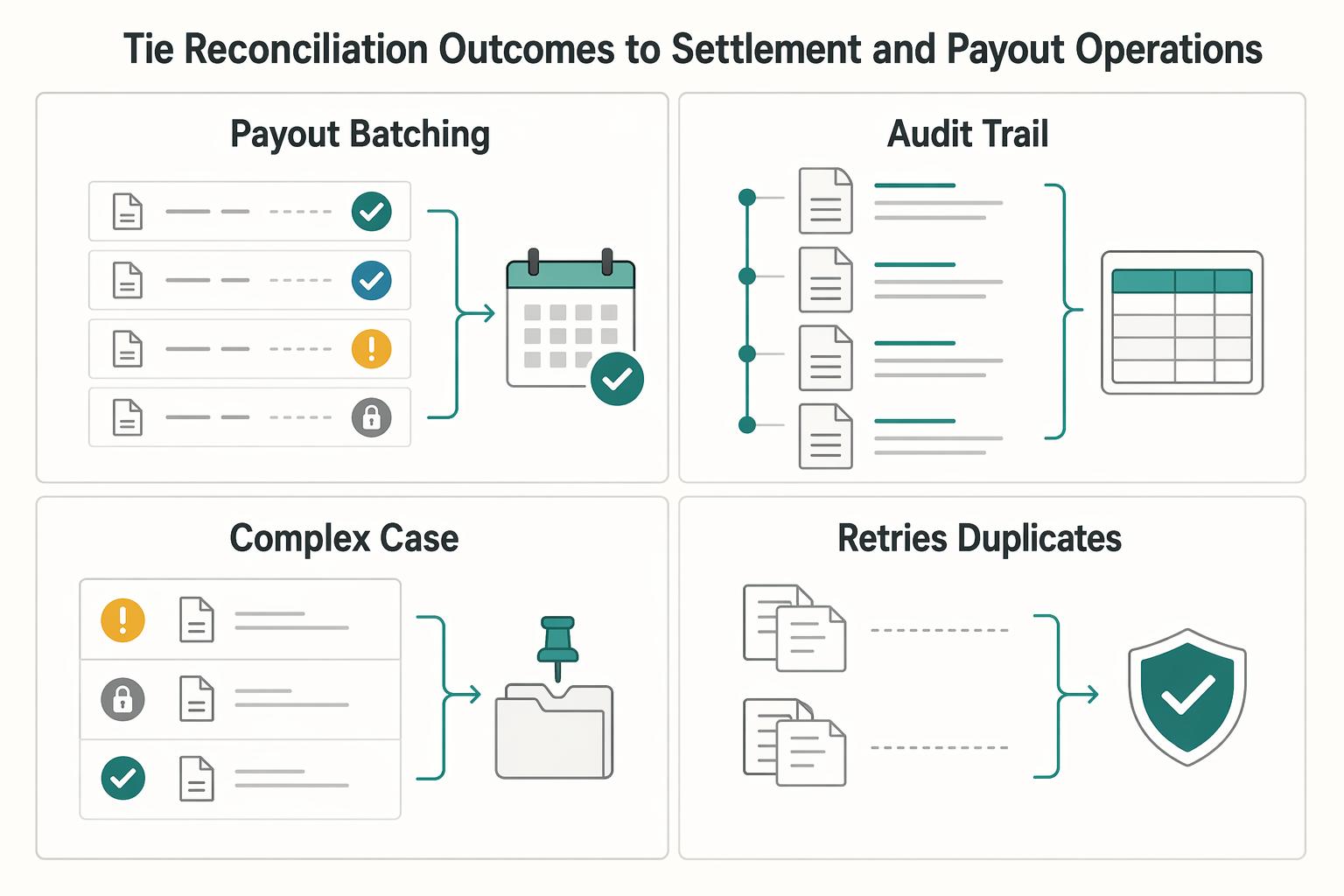
Improving Credit Card Reconciliation for Platforms with Auto-Match Invoice Controls
Auto-match works at scale only when you treat it as a control layer across invoices, the general ledger, approvals, and payout decisions, not as a convenience feature. At its core, credit card reconciliation is still a financial-control task. You are comparing card activity to internal accounting records to confirm transactions are accurate, authorized, and posted correctly.
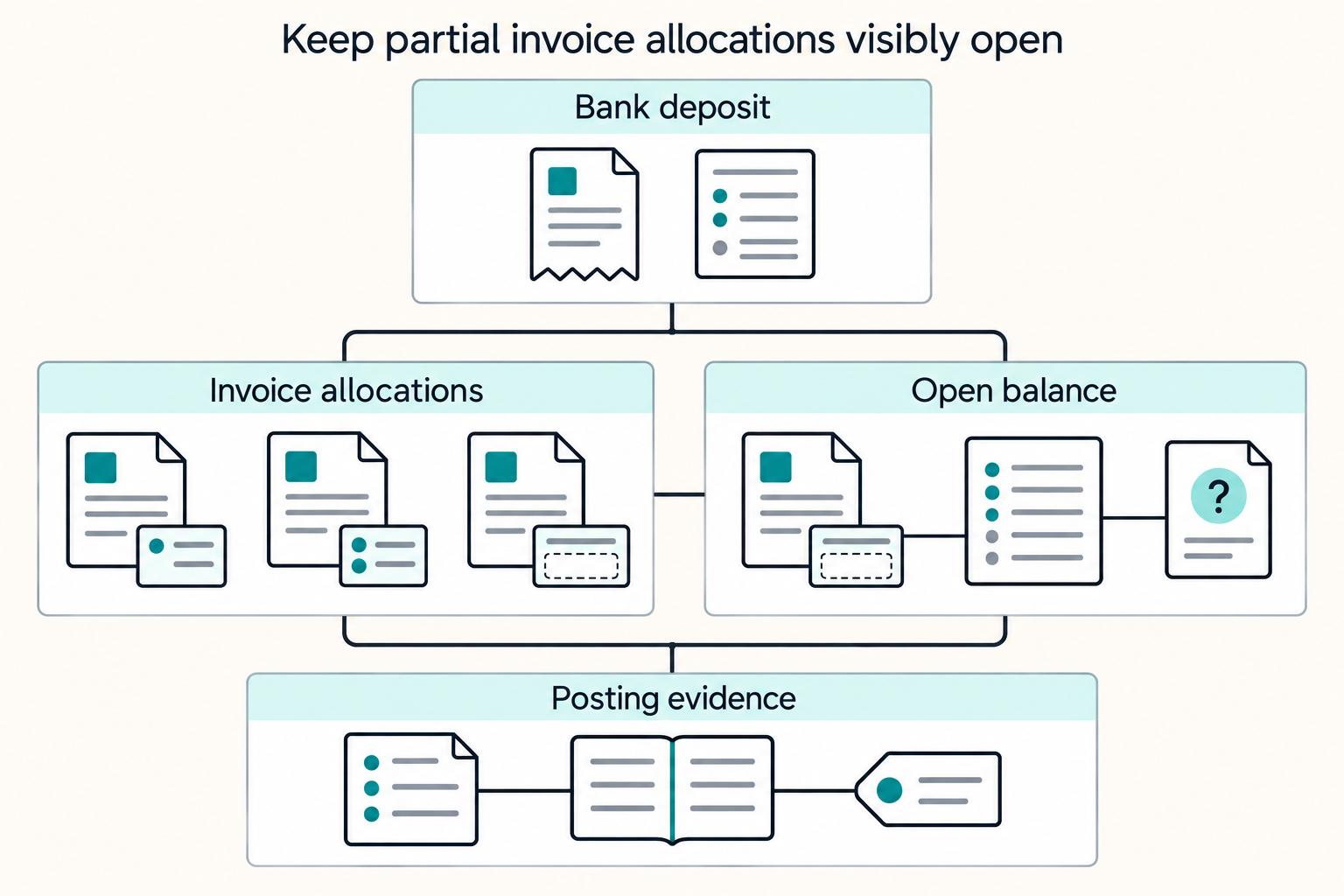
Payment Reconciliation for Freelancers: How to Match Invoices to Bank Deposits
Payment reconciliation on freelancer platforms breaks down when a bank deposit cannot be tied, with confidence, to the right internal transaction. Your operating goal is simple: route each deposit into the right path, auto-match, manual review, or exception handling, and keep a record that can be traced from bank transfer through GL posting.