
Quick Answer
Use deterministic matching first: require Invoice ID, vendor, legal entity, amount, currency, and posting date before a charge can post. Send any multi-candidate or conflicting result to the Exception queue, then require Approval gates and override evidence instead of forcing auto-posting. Map each approved match to GL codes and keep unreconciled or disputed items out of final payout batches. This gives finance teams a traceable path from card activity to the General ledger.
Why Auto-Match Invoice Controls Matter#
Auto-match works at scale only when you treat it as a control layer across invoices, the general ledger, approvals, and payout decisions, not as a convenience feature. At its core, credit card reconciliation is still a financial-control task. You are comparing card activity to internal accounting records to confirm transactions are accurate, authorized, and posted correctly.
Define auto-match as a control decision#
Start by defining auto-match as the decision point between a card charge and a booked outcome. A sound setup does more than pair an amount to an invoice. It can link fields such as Invoice ID, vendor, entity, amount, currency, posting date, and target GL codes, then decide whether the item should post, pause, or go to an Exception queue.
That distinction matters because matching logic can be technically fast and still weak in practice. Automatic reconciliation tools can handle mismatched payment amounts, including overpayment or underpayment, but not every match is safe to post. If your rules accept weak signals such as amount-only matches, you raise the risk of errors that look reconciled until later in close.
Assign owners and verify before close#
Put clear ownership around the parts that tend to fail under pressure. Someone should own the exception queue, someone should have authority to approve edge cases, and someone should decide when close is ready. Without that structure, auto-match can turn into a hidden manual process where unresolved items age quietly and override decisions are hard to explain later.
Your first verification checkpoint should be simple and repeatable. Sample matched transactions before close and confirm a consistent Invoice ID appears on the source invoice, the card-side record, and the posted general ledger entry. For any manual override, make sure your audit log shows who changed the record and what they changed. If that history is missing, it may be difficult to explain why an item posted.
Optimize for fewer bad postings#
Aim for fewer bad postings, not just a faster close. The real test is whether reconciliation outcomes carry cleanly into settlement and payout operations. Payout reconciliation looks at the transactions included in each payout as a settlement batch, so a weak match upstream can become a payout problem downstream.
One practical control is to block unreconciled, disputed, or manually overridden items from final payout batches unless they receive explicit approval. Keep a small evidence pack for exceptions from day one: source invoice, card statement line, approval record, and the intended GL treatment. That gives you more than a speed metric. It gives you a traceable record of why a charge matched, why it did not, and whether the platform should move money on the back of that decision.
What to prepare before you turn on auto-match#
Set controls before you enable automatic posting. Weak record requirements, unclear accounting targets, and unowned exceptions are where auto-match usually fails.
| Step | Focus | What to set |
|---|---|---|
| 1 | Minimum record set | Usable Invoice ID, legal entity, vendor name, amount, currency, and posting date on both the invoice and card-side record |
| 2 | Accounting primitives | Canonical GL codes, target Chart of accounts, and what posts immediately versus what stays in Accounts payable (AP) for review |
| 3 | Operators and approval paths | Owner of the Exception queue, who can approve edge cases through Approval gates, and who signs off close-readiness |
| 4 | Evidence pack template | Source invoice, card transaction record, approval decision, intended GL codes, and override reason when applicable |
Step 1. Define the minimum record set. Require a usable Invoice ID, legal entity, vendor name, amount, currency, and posting date on both the invoice and card-side record before Invoice matching runs. Invoice detail standards commonly include a unique invoice number, issue date, and payer/payee identity, and many card workflows prefill merchant, amount, currency, and date. Run a sample check before go-live to confirm these fields are consistently present. If you match on amount alone, similar vendor charges can be mis-matched across entities.
Step 2. Align accounting primitives upfront. Set canonical GL codes, confirm the target Chart of accounts, and define what posts immediately versus what stays in Accounts payable (AP) for review. AP workflows typically include validation or matching, coding and posting, approval routing, and GL reconciliation, so each handoff needs a rule before launch. If your system supports legal-entity-scoped matching, configure it early to reduce cross-entity posting errors.
Step 3. Assign operators and approval paths. Name the owner of the Exception queue, who can approve edge cases through Approval gates, and who signs off close-readiness. Set SLAs before launch so exceptions have clear ownership and next actions from day one.
Step 4. Create the evidence pack template. For each matched or overridden transaction, capture the source invoice, card transaction record, approval decision, intended GL codes, and override reason when applicable. Your Audit trail should clearly show who changed the record and what changed.
For upstream invoice controls, see Vendor Contract Management for Platforms: How to Automate SOWs MSAs and Rate Cards.
Map the transaction path from card charge to posted entry#
Map the lifecycle before you tune matching rules, because most false alarms come from comparing different moments in the flow.
Step 1. Document the exact event order. Write the sequence your stack actually uses: card authorization, capture, invoice state update, Auto-match attempt, General ledger posting, then reconciliation export. Keep authorization and capture separate. Authorization is an initial approval step, and funds can stay held until capture, void, or expiry without capture. Verification point: for a sample charge, trace one transaction ID, or linked reference, through every handoff in the Audit trail.
Step 2. Define source-of-truth ownership by stage. In your control design, assign one owning system for each status used in reconciliation so teams do not work from conflicting snapshots. A common pattern is: payment system for authorization or capture state, invoice or AP system for invoice state, and accounting platform for posted General ledger status and reconciliation outputs. Practical check: every reconciliation status should map to one owning record at that stage.
Step 3. Separate synchronous decisions from async confirmations. Treat immediate authorization decisions and later confirmation events as different checkpoints. In asynchronous flows, final status might not be available when the original API call returns, so avoid posting from an early response alone. Route records to a pending bucket or Exception queue until the required Webhook confirmation arrives, then continue matching and posting.
For a step-by-step walkthrough, see How to Maximize Credit Card Rewards for Free Travel.
Build deterministic matching rules before adding AI scoring#
Start with deterministic rules, then use lower-confidence scoring only where your rules do not produce a clear match. That keeps match outcomes explainable for Accounts payable (AP) and ties posting behavior to explicit controls.
Order rules from strongest evidence to weakest#
Configure the rule set in strict sequence so strong evidence runs first. A practical order is exact Invoice ID, then amount + vendor checks within approved tolerance, then cardholder-to-entity mapping.
- If exact
Invoice IDand exact amount match a single open invoice, allowAuto-matchand post to theGeneral ledger. - If amount matches but vendor conflicts, or multiple invoices qualify, route to the
Exception queue. - If
Invoice IDis missing and the match depends on cardholder or entity mapping, require policy-based review before auto-posting.
Some reconciliation tools match the first transaction that meets criteria, so ambiguous matches need a fail-closed path to review.
Define tolerances and posting outcomes explicitly#
Treat tolerance as a configured input, not an implied judgment. AP matching compares discrepancies against configured thresholds, and over-threshold variance should route to review. If your policy allows a 5 percent net unit price tolerance, keep that threshold explicit. Boundary behavior like 1.05 acceptable vs 1.10 not acceptable should be clear to reviewers.
Tie each successful match rule to posting configuration so accounting results are deterministic, including the posting profile that determines the summary account used for vendor balances.
| Match condition | Allowed tolerance | Assigned GL codes | Failure route | Required reviewer |
|---|---|---|---|---|
Exact Invoice ID + exact amount + single candidate | None | AP posting profile codes | Exception queue if duplicate candidates or missing posting config | AP analyst on exception |
| Amount + vendor match within approved invoice tolerance | Per policy (for example, approved 5 percent where applicable) | Pre-mapped vendor/category codes | Exception queue if variance exceeds threshold or vendor conflicts | AP reviewer |
| Cardholder-to-entity mapping + amount | Policy-gated | Hold for manual assignment unless policy allows auto-post | Exception queue for entity confirmation | Entity owner or finance approver |
Version the rule catalog and log outcome reasons#
Maintain a shared rule catalog with match condition, tolerance, assigned GL codes, failure route, required reviewer, effective date, and version. Log rule version, pass or fail fields, candidate count, and posting result per transaction so AP and product can explain week-to-week outcome changes from specific rule edits.
Design exception handling that resolves quickly without bad postings#
When deterministic matching fails, resolve quickly by classifying exceptions clearly, assigning ownership, and blocking overrides until evidence is complete.
Step 1. Split the Exception queue into practical buckets. Do not keep a single generic mismatch state. Most exceptions are failures on amount, currency, date, or identifier, so bucket by failure mode first.
| Exception bucket | Typical trigger | Default owner | Evidence before override |
|---|---|---|---|
Missing Invoice ID | Charge has amount and vendor clues, but no usable identifier | AP analyst | Source invoice, card statement line, proposed GL codes |
| Duplicate charge suspicion | Same card, amount, merchant, or close timestamp appears more than once | Payments or finance ops | Card statement line, prior match history, source invoice |
| Timing mismatch | Invoice date and posting date do not align yet, or updates arrived late | AP analyst | Source invoice, statement line, prior match history |
| Reversal or credit | Refund, reversal, or negative line offsets a prior charge | Finance ops | Statement line, prior match history, proposed GL codes |
Policy blocked behind Approval gates | Transaction breaks approval, vendor, entity, or tax policy | Finance approver or entity owner | Source invoice, statement line, proposed GL codes, approval note |
Every exception should have one bucket, one owner, and one next action.
Step 2. Apply triage rules before posting. Allow controlled auto-approval only for narrow, preapproved cases where impact is low under your policy and the evidence pack is complete. If entity, tax treatment, or vendor identity is unclear, require manual approval and hold General ledger posting.
Treat timing mismatches carefully. If core fields align and only timing is off, route to a timed hold instead of forcing an override.
Step 3. Require a minimum evidence pack for every override. Before bypassing Auto-match, require artifacts that let another operator reconstruct the decision: source invoice, card statement line, prior match history when relevant, and proposed GL codes. Record the approver and block posting until required artifacts are attached for that bucket.
Step 4. Add aging controls and reason codes. Set response and escalation timers per bucket, assign ownership, and escalate unresolved items before close. Require override reason codes and write them to the Audit trail, then review recurring codes weekly to tune upstream rules.
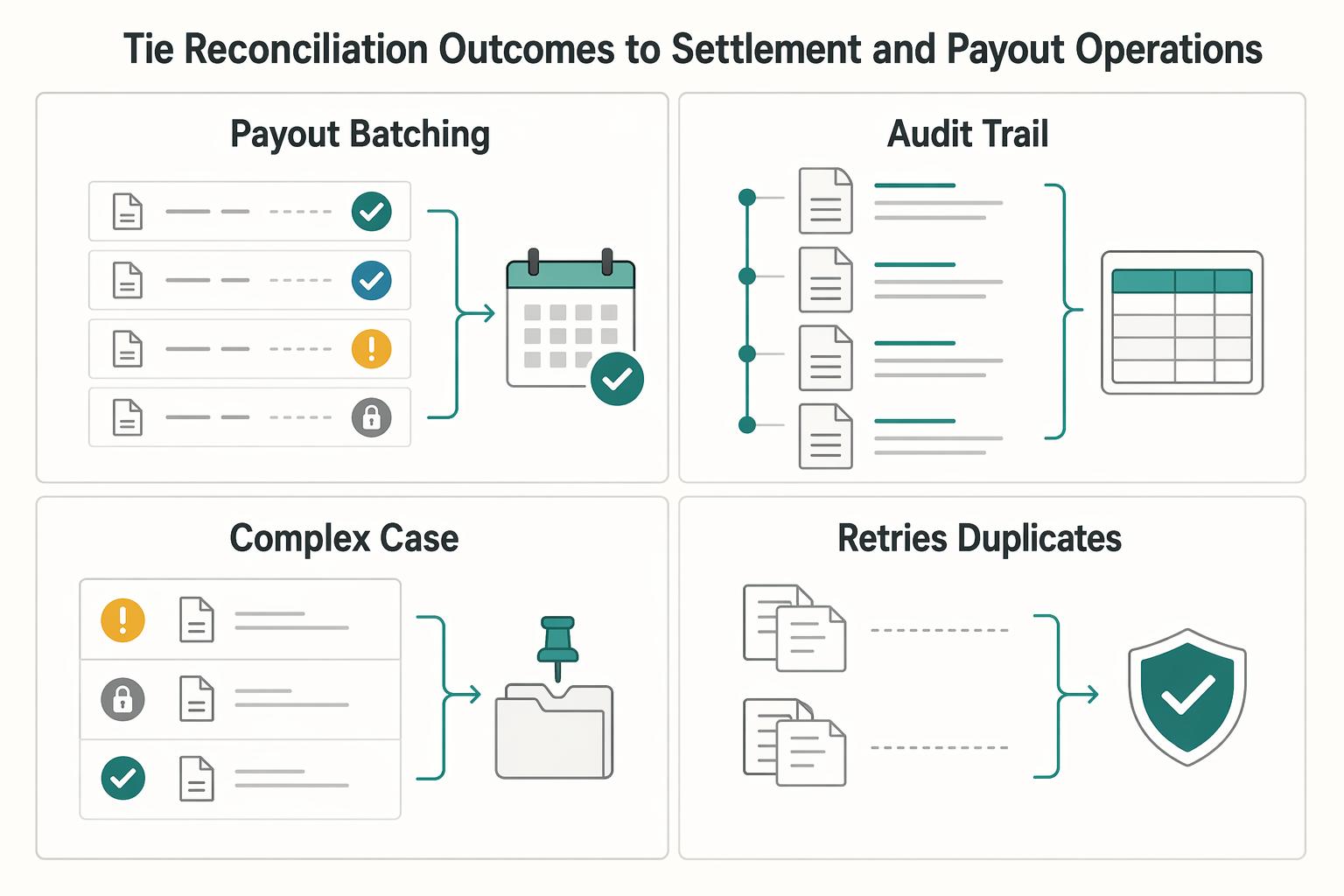
Tie reconciliation outcomes to settlement and payout operations#
Reconciliation state should directly control settlement and payout flow where your stack supports it, so unresolved items do not move to cash by default.
| Control point | What to require | Fallback or note |
|---|---|---|
| Payout batching | Each item is matched, explicitly approved as an exception, or intentionally held before finalizing a batch | Include refunds and disputes because they affect the Payments balance |
| Audit trail | Keep card charge reference, Invoice matching outcome, override reason, payout include/hold status, and General ledger export status on one traceable transaction history | If you can see the match but not the payout/hold decision and resulting journal export, the trail is incomplete |
| Legal-entity boundaries | Require legal-entity consistency across the charge, invoice, payout record, and target journal line before export | If they do not align, stop posting and route to review |
| Retries and duplicates | Use an Idempotency key and dedupe webhook-driven processing with durable event checks | Keys can be up to 255 characters, may be pruned once they are at least 24 hours old, and undelivered events can be resent for up to three days |
Step 1. Gate payout batching on reconciliation state. Use reconciliation status as a payout-eligibility input, not just a month-end reporting field. A settlement-batch view like a Payout reconciliation report helps because it is organized around the transactions included in each payout batch. Before finalizing a batch, confirm each item is matched, explicitly approved as an exception, or intentionally held.
Include refunds and disputes in that check. They affect the Payments balance, and that balance is also used to reconcile transactions and payouts to the external bank account.
Step 2. Keep one continuous Audit trail from match to payout. Do not break the record across teams or systems. Keep card charge reference, Invoice matching outcome, override reason, payout include or hold status, and General ledger export status on one traceable transaction history. If you can see the match but not the payout or hold decision and resulting journal export, the trail is incomplete.
Step 3. Enforce legal-entity boundaries before General ledger posting. For multi-entity operations, require legal-entity consistency across the charge, invoice, payout record, and target journal line before export. If they do not align, stop posting and route to review. Entity-level balancing controls exist specifically to keep journals balanced at legal-entity or primary balancing-segment level, so treat mixed-entity payout-to-journal paths as a hard control failure.
Step 4. Make retries safe against duplicates. Assume retries will happen in posting and webhook pipelines. Use an Idempotency key so repeated posting requests are recognized as the same operation; keys can be up to 255 characters and may be pruned once they are at least 24 hours old. Also dedupe webhook-driven processing with durable event checks, because duplicate deliveries can occur and undelivered events can be resent for up to three days.
Related: How to Use Wise to Pay International Invoices with a US Credit Card.
Use operating metrics that prove control not just speed#
Use operating metrics to prove match quality and control, not just a faster close. Track speed, but require each KPI to answer a control question: was the match correct, was the exception handled, and did posting stay clean through Accounts payable (AP) and the General ledger?
| KPI | What it tells you | Verification checkpoint |
|---|---|---|
| Auto-match rate | Share of transactions matched without manual touch | Confirm rule coverage is helping without accepting weak matches |
| First-pass match rate | Share matched on the first attempt | Confirm rule order and input quality are reducing rework |
Exception queue aging | How long unresolved items stay open | Confirm unresolved risk is not accumulating |
| Manual override rate | How often reviewers bypass normal matching | Confirm overrides are justified, not masking rule gaps |
| Time to close in AP | How quickly reconciliation and posting are completed | Confirm speed gains are not pushing errors downstream |
Keep definitions consistent month to month before setting targets. First-pass match rate and aging exceptions are useful only when measured the same way each cycle.
Pair every KPI with a quality check. Use audit sampling on less than 100 percent of matched transactions, and test core fields like Invoice ID integrity and assigned GL codes. For exceptions, sample older open items and confirm owner, reason, and next action are present. For overrides, verify the reason aligns with the invoice and intended posting outcome.
Add guardrails that catch bad matching. Track false-match incidents and reopened reconciliations separately, and review trends after each Reconciliation Matching rules revision using the same KPI definitions and sampling method. If match rates rise while false matches or reopens rise, tighten rules and route more items to review.
Common mistakes and how to recover fast#
Most failures in Credit card reconciliation are recoverable when you fix rules, exception handling, and posting controls before close.
| Mistake | Recovery |
|---|---|
| Overbroad rules that force weak matches | Tighten rule precedence and route ambiguous vendor or legal-entity cases to Approval gates instead of auto-posting |
| Treating all exceptions the same | Classify the Exception queue by failure mode and assign owner SLAs, notifications, and escalation paths |
| Posting before documentation is complete | Block final General ledger posting unless the minimum evidence pack is present |
| Trusting vendor claims without internal validation | Benchmark your own Auto-match outcomes against sampled invoices, overrides, and reopened items |
| Unclear system boundaries across tools | Document where each tool stops and where your controls begin |
- Mistake: overbroad rules that force weak matches.
Recovery: tighten rule precedence and route ambiguous vendor or legal-entity cases to Approval gates instead of auto-posting. If your system supports discrepant-invoice controls like Require approval, use them for these cases. Keep tolerance settings explicit: a legal-entity tolerance such as 2 percent can exist, and invoices may still post while being blocked for payment when upper limits are exceeded.
- Mistake: treating all exceptions the same.
Recovery: classify the Exception queue by failure mode and assign owner SLAs, notifications, and escalation paths. Exceptions should trigger follow-up, not sit as a silent backlog.
- Mistake: posting before documentation is complete.
Recovery: block final General ledger posting unless the minimum evidence pack is present: invoice or receipt, card line, vendor, legal entity, amount, currency, proposed GL codes, and any approval or override record. If the record cannot be re-performed from its own audit trail, do not post.
- Mistake: trusting vendor claims without internal validation.
Recovery: benchmark your own Auto-match outcomes against sampled invoices, overrides, and reopened items. Use internal sampling to confirm control quality, not dashboard automation claims alone.
- Mistake: unclear system boundaries across tools.
Recovery: document where each tool stops and where your controls begin. Payhawk is positioned around expense management, Fyle around card reconciliation, Emagia around receivables automation, and Quadient around AP invoice processing; those are different scopes, not one identical end-to-end process.
Conclusion and copy-paste launch checklist#
The approach that holds up at month end is usually the least flashy one: lock a clear Auto-match rule set, route anything unclear into a disciplined Exception queue, and verify outcomes from the record, not from memory. If your team cannot re-perform a match and explain why it posted, you do not have reliable automation yet.
- Confirm the minimum data contract before launch.
Do not turn on broad matching until every charge and invoice record has the key fields your reviewers actually use. Your first checkpoint is a simple sample test: pick a small set of recent transactions and see whether a reviewer can match each one without opening side channels or asking the cardholder for context. If they cannot, fix the data intake first.
- Lock rule precedence inside one named rule set.
Platforms such as Dynamics 365 Finance support more than one matching rule inside a reconciliation matching rule set, which is exactly why precedence matters. Put your strictest rule first, then narrower rules, then any lower-confidence logic. The failure mode to avoid is silent first-hit matching: Microsoft notes that rules can match the first transaction that meets criteria, so ambiguous multi-match cases should go to manual review instead of posting forward.
- Map posting intent and failure routing together.
For each rule, decide what happens next: whether the item can post, and where it goes if one condition breaks. Keep that in the same rule catalog so operators are not guessing whether a vendor conflict should block posting or request more evidence. A rule is only useful when the downstream routing decision is explicit.
- Assign owners, approval paths, and evidence requirements for exceptions.
Unmatched items should route to an Exception queue, not drift in email or get posted "for now." Give every exception class an owner, an SLA timer, and clear Approval gates for overrides. Where overrides are used, capture the reason and supporting evidence so the Audit trail is useful later.
- Review KPIs on a fixed cadence and tune from verified errors.
A monthly KPI review is the grounded minimum worth institutionalizing: auto-match rate, first-pass match rate, queue aging, manual override rate, and reopened reconciliations. Do not tune rules because a loud stakeholder says "matching is broken." Tune them because sampled errors show a repeatable pattern, such as vendor-name collisions, stale dates, or incomplete mapping. That is the difference between faster posting and controls that support ICFR-quality reporting reliability.
Related reading: How Platforms Detect Free-Trial Abuse and Card Testing in Subscription Fraud.
Frequently Asked Questions
What is auto-matching card charges to invoices in practical terms?
In practice, auto-match is a rule set that filters and pairs a card statement line with a transaction or invoice record. It is not just a UI convenience. A good setup checks concrete fields, makes a clear match decision, and routes ambiguous items to manual review.
Which fields are required for high-confidence `Invoice matching`?
There is no universal field list that fits every platform. High-confidence matching usually starts with fields most tools can reliably prefill or capture: merchant or vendor name, amount, currency, and date. Additional transaction references and document details can improve confidence. Your checkpoint is simple: if a reviewer cannot re-perform the match from the record itself, the record is still too thin for clean automation.
When should a transaction be auto-approved versus routed to manual review?
Auto-approve only when one candidate clearly satisfies your rule and required documentation is present. If multiple candidates meet the same criteria, or a discrepancy needs interpretation against tolerances, route it to manual review. In Dynamics 365 Finance, this is explicit: you can require manual matching when multiple transactions meet the rule criteria.
Why do matches fail even when amounts look correct?
Amount is only one signal. Invoice matching also depends on tolerances, timing, and document relationships, so the amount can look right while other details do not align. A common failure mode is delayed reconciliation: by the time someone checks it, the data can be stale, so an amount-only rule may create the wrong pair.
How do we reduce false positives without slowing month-end close?
Tighten rule design before you add more automation. Use stronger identifiers where available, then combine amount, vendor, and date with configured tolerances, and force ambiguous cases into review instead of letting them post automatically. The practical check is to review corrected or reversed matches regularly. If the same rule keeps producing corrections, narrow that rule.
What should we do when an invoice is missing but the card charge is valid?
Do not auto-approve it by default just because the charge is probably legitimate. Request duplicate source documentation from the vendor, and attach that evidence to the same reconciliation record. If the invoice never arrives, use a policy-backed exception path with explicit reviewer signoff.
Try a related tool
Researched and edited by the Gruv editorial team. Gruv builds cross-border billing, payouts, and finance-operations software for global businesses.
Sources
Includes 4 external sources outside the trusted-domain allowlist.
- american.edu/policies/finance-business/upload/corporate-c...trusted
- docs.stripe.com/reports/payout-reconciliationtrusted
- docs.stripe.com/issuing/purchases/authorizationstrusted
- stripe.com/gb/resources/more/invoice-details-explained-...trusted
- acarp-edu.org/masterclasses/wp-content/uploads/sites/10/20...external
- apqc.org/resource-library/resource-collection/account...external
- docs.adyen.com/development-resources/webhooksexternal
- docs.oracle.com/en/cloud/saas/financials/25b/faipp/reconcili...external
Educational content only. Not legal, tax, or financial advice.
Related Posts
Expired Card Management for Platform Teams Scaling Card-on-File Payments
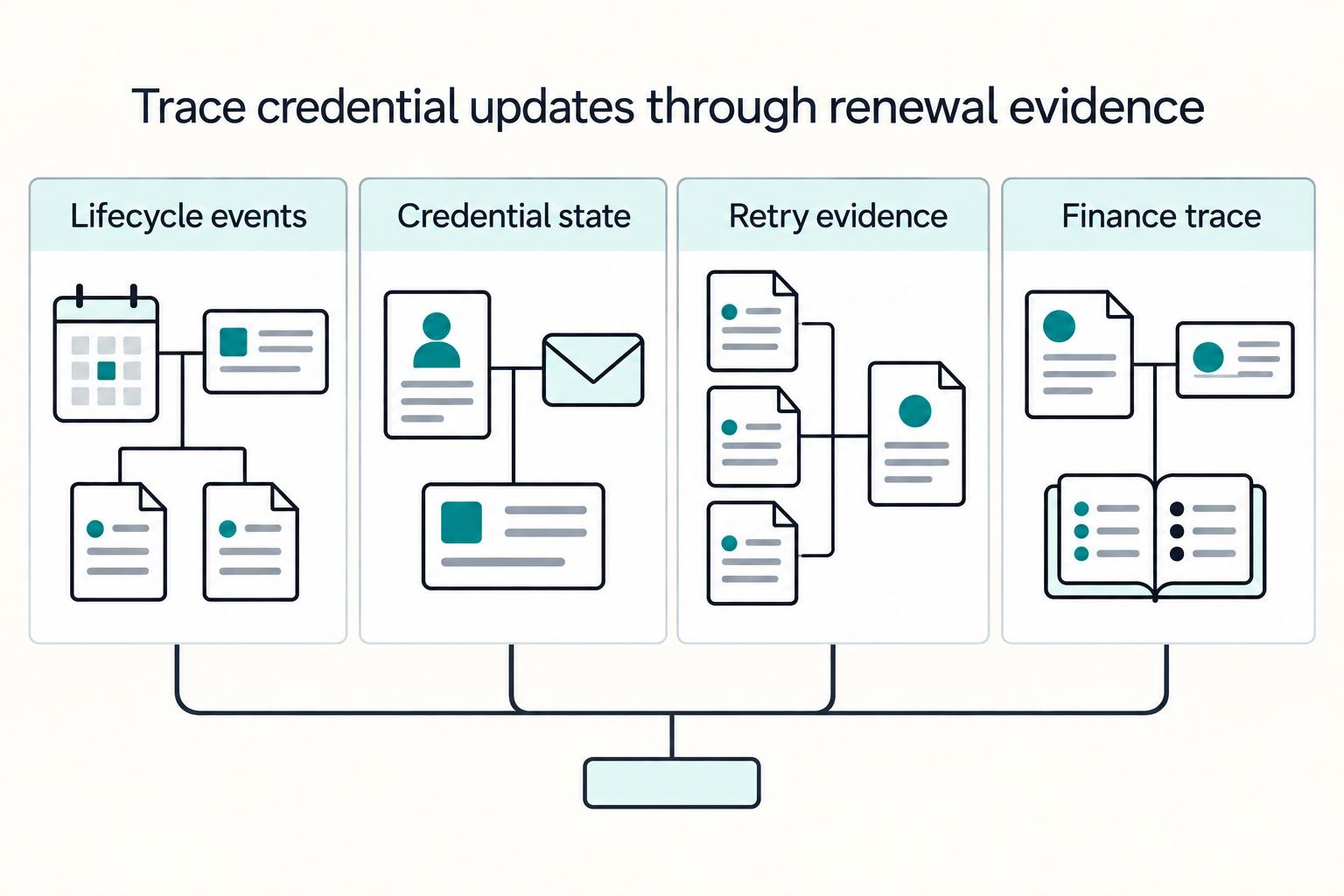
If you run card-on-file payments across products or merchant entities, this guide is about operating decisions, not billing basics. The real question is not whether you have an updater. It is which credential failures you actually cover, what still falls through, and how you will prove outcomes in logs and reconciliation.

How to Use Wise to Pay International Invoices with a US Credit Card
If you want to pay a Wise invoice with a credit card, start by choosing the right flow, not the card. The first decision is whether you are paying a supplier or collecting from a customer, because those are separate jobs in Wise.
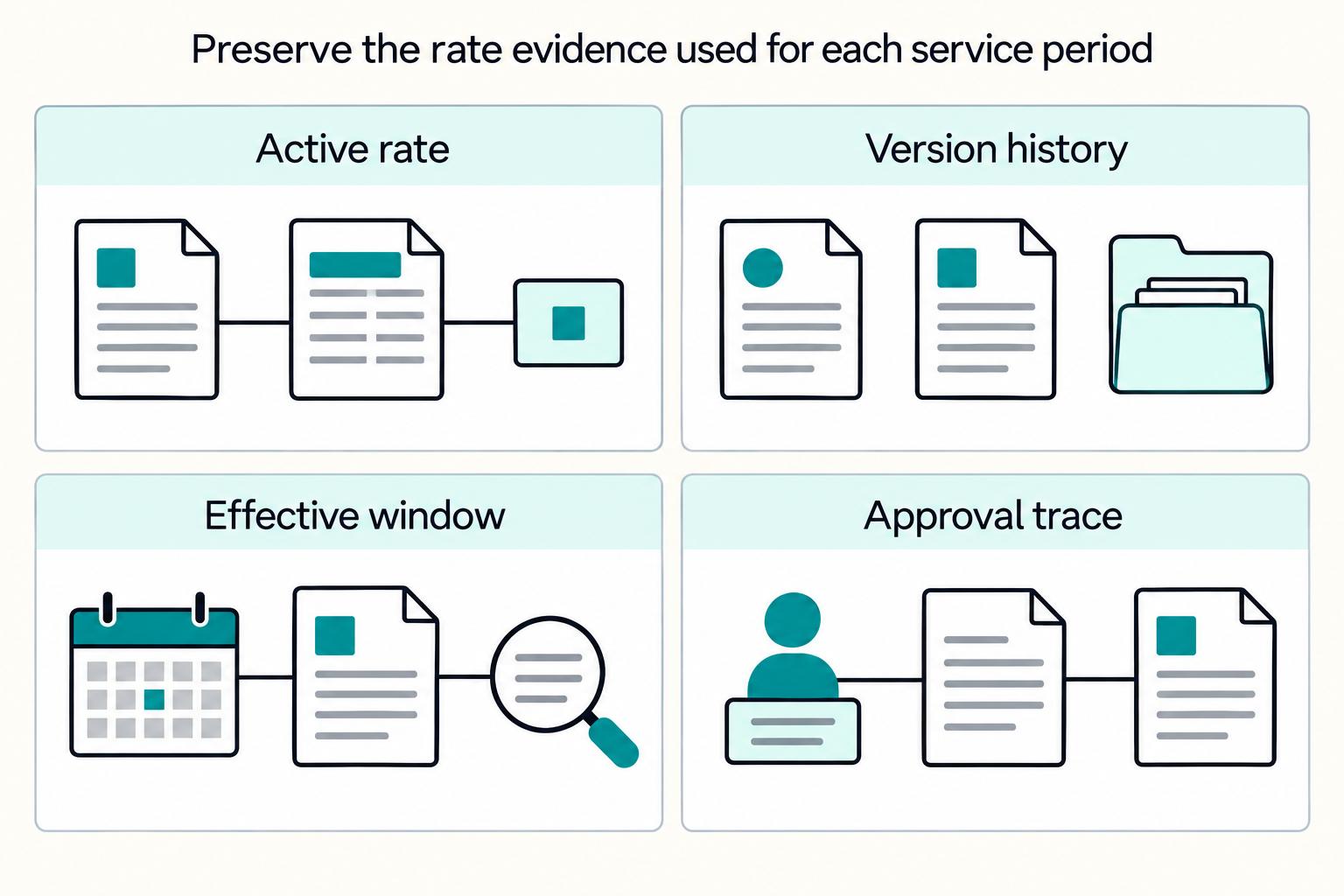
Vendor Contract Management for Platforms: How to Automate SOWs MSAs and Rate Cards
If you are evaluating how **vendor contract management platforms automate SOWs, MSAs, and rate cards**, start with the control chain, not a feature grid. You need a governing **Master Service Agreement (MSA)**, the right **Statement of Work (SOW)** for each engagement, a current **Contract Rate Card**, and checks before anyone is approved, activated, or paid.