
Quick Answer
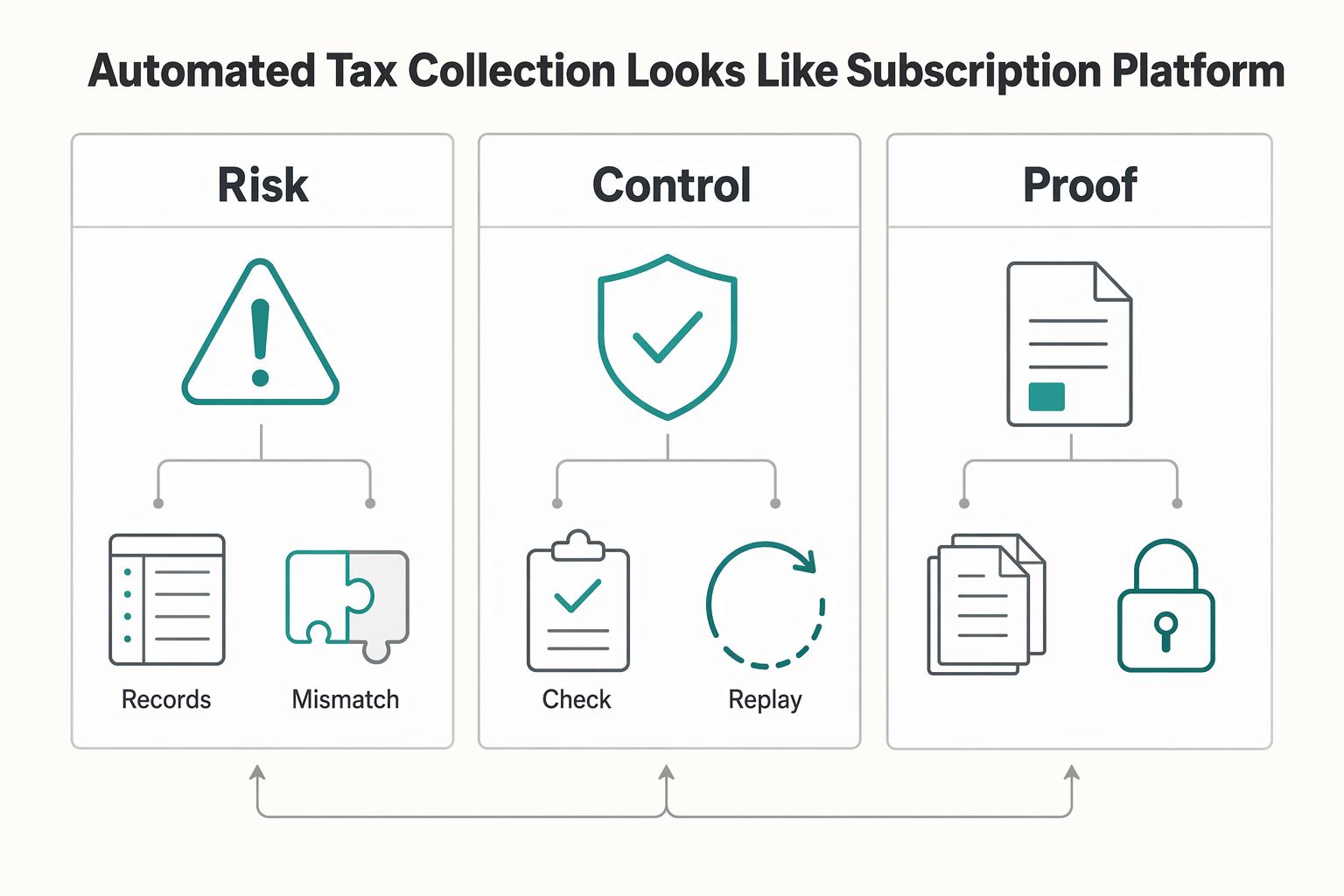
Define the seller, registrations, product taxability and customer-location evidence first. Calculate tax while the invoice is draft, verify its final total, then finalize and collect. Separately create the reportable sale and adjustment records and reconcile them with the configured filing service. Use durable action keys and lookup after timeouts so replay cannot duplicate tax or ledger effects.
What Automated Tax Collection Looks Like in a Subscription Platform#
A subscription tax integration has three distinct jobs: calculate the amount on each bill, record the sale and adjustments for reporting, and prepare and submit returns through the agreed filing service. A successful calculation alone does not accomplish the other two. Choose the vendor around your markets and billing stack, then test that complete lifecycle.
TaxJar’s API is focused on U.S. sales tax for new implementations. Avalara offers broader tax products and NetSuite connectors. Confirm the specific product and connector you are buying; a calculation API, an ERP connector and a filing service can have separate setup and commercial terms.
Identify the seller and its registration obligations for each flow before configuring collection. Local U.S. tax treatment and EU VAT place-of-supply rules differ. A marketplace arrangement can introduce obligations distinct from the platform’s own subscription sales.
For eligible EU subscription services using the Union or non-Union OSS scheme, returns are quarterly. OSS records must be kept for ten years from the end of the transaction year, including after leaving the scheme. The monthly import scheme concerns qualifying goods, not a SaaS subscription merely sold across borders.
What to prepare before you touch settings#
Do not start in your billing platform, Avalara, or TaxJar until ownership and evidence are documented. A common early mistake is configuring tax behavior before deciding which entity is responsible for collecting and reporting tax.
Name accountable owners#
Assign clear owners across tax, engineering, and finance or operations. Have the tax owner explicitly sign off on U.S. sales tax and VAT decisions so those calls do not get pushed into integration defaults.
If you support connected accounts, add a pre-enable checkpoint. Confirm that each connected account has tax settings and registrations configured. Decide and record who is liable to collect and report tax for each flow, since liability can sit with the platform or the connected account depending on the model and the regulations.
Draw the system boundary#
Put the boundary on one page: billing source, tax engine, finance destination, and seller model. For example, a billing platform creates the billing event, Avalara or TaxJar calculates tax, an ERP such as NetSuite or Sage 50 receives the accounting output, and the MoR is either in scope or out of scope.
Record the seller by flow and identify which system supplies the authoritative tax amount. If both billing and the ERP have tax connectors, configure them so an imported invoice is not charged tax a second time.
Define the evidence pack before go-live#
Define the required records before go-live: tax decision logs, an exception queue with a clear owner, and reconciliation outputs that tie billing records to tax outcomes and ERP postings. A practical test is whether finance can trace one invoice, one credit, and one refund end to end without asking engineering for raw logs.
Build a retention schedule for the actual jurisdictions and record types. Keep the tax decision, customer-location evidence, invoice, adjustment and return linkage together. Apply the OSS period where that scheme is used; do not assume a general U.S. income-tax recordkeeping period governs sales-tax records.
Turn vendor claims into test items#
Vendor pages are test input, not proof. Claims such as "prebuilt integrations," "easy to connect," or "set up in minutes" should become validation items in your own environment. Before you touch production settings, test at least:
- liability handling across platform, connected-account, and MoR flows
- transaction-level reporting outputs used for filing and reconciliation
- refund, credit, and replay behavior
- ERP field mapping into NetSuite or Sage 50
- support handoff boundaries when an integration fails
If an open question affects liability, records, or filing outputs, block launch until you have a tested answer.
We covered this in detail in How to Build a Subscription Billing Engine for Your B2B Platform.
Choose Avalara or TaxJar with a decision table you can defend#
For a new U.S.-focused custom integration, TaxJar is an option to assess. For a NetSuite-dependent or multinational rollout, assess the relevant Avalara products first. TaxJar’s published NetSuite and Stripe connectors are for existing integration users, so a new buyer should not budget on those connectors being available.
Use the comparison below to choose the supported implementation path and identify what your own tests must resolve.
Score only risk-changing criteria#
Compare product scope and connector eligibility before testing billing events.
| Criterion | Avalara | TaxJar | Implementation check |
|---|---|---|---|
| Jurisdictions | Sales/use tax and additional VAT/GST products | U.S.-focused API for new implementations | Confirm exact product treatment and registration scope |
| NetSuite | Published SuiteSuccess and OneWorld connectors | New NetSuite integrations not supported | Verify edition, tax configuration and support owner |
| Stripe | Documented AvaTax Stripe Invoicing connector path | Published Stripe integrations for existing users only | Test first invoice, renewal and draft/finalization timing |
| Reporting and filing | Commit reportable transactions; filing service separately configured | Calculation and order/refund import are distinct; filing setup separate | Reconcile sale records and filing totals, not only API responses |
| Adjustments | Supported credit/refund path and locked-record limits | Refund has a unique ID linked to the original order | Exercise partial credits, duplicate recovery and already-filed corrections |
Treat contradictions as blockers#
Treat a connector’s current support policy as a purchasing constraint. TaxJar says it does not support new NetSuite integrations, and its Stripe guide is also for existing integration users. A custom API build is a different project with its own ownership and support; a broad marketing logo does not change that distinction.
Use badges as secondary signals#
Reviews can help you identify support and usability questions to ask. They do not establish that a connector supports your billing version or that a replay avoids duplicate tax records.
Run a short validation cycle before approval#
Test one end-to-end invoice and adjustment in a permitted test environment, then inject a duplicate and a downstream failure. Capture the expected tax treatment and compare it with the result.
- one taxable invoice path
- one refund or credit path
- one replay or duplicate-event path
- one finance handoff check for controller-required output
Record a concise decision: the supported tax product, jurisdictions, connector or custom API path, filing service and the team responsible for each integration boundary.
Lock tax scope before integration work starts#
Freeze tax scope before anyone touches mappings or API calls. The quickest route to rework is treating charges, geographies, and tax documents as one undifferentiated problem.
Split charge types before you split vendors#
Separate what you bill from where you bill it. At minimum, map recurring subscription fees, add-ons, and credits or refunds as distinct transaction types, and do it separately for U.S. sales tax and VAT.
For U.S. sales tax, scope by state and local exposure, not state alone, because local rates can materially change outcomes. For VAT, scope by country. Each EU Member State sets its own VAT rates, and place-of-taxation rules determine which country's rules apply.
Use one checkpoint before implementation: every in-scope SKU or billing line has a product tax code or an explicit phase-one non-tax decision. If finance or product cannot confirm whether an add-on is the same supply as the base subscription, stop and decide that first.
Decide who is the seller for each flow#
In a Merchant of Record arrangement, the MoR is the contractual seller for covered transactions and typically takes their transaction-tax calculation, collection and remittance duties. A tax engine or payment processor alone is not a MoR. If your own entity sells the subscription, responsibility does not transfer merely because it uses Avalara or TaxJar.
Confirm the scope of any MoR contract, including direct sales it does not cover. EU deemed-supplier rules are a separate legal analysis for applicable interface and supply types; operating a subscription platform does not automatically make every sale a deemed-supplier transaction.
Cut phase-one scope on purpose#
A narrow rollout can cover named subscription products, seller entities and registered jurisdictions. Keep unsupported markets out of the offer until their treatment and implementation are ready. An internal exclusion cannot remove an obligation for sales you already make.
| Phase-one boundary | Condition |
|---|---|
| Initial geography | Named registered jurisdictions and approved product treatment |
| VAT expansion | Separate place-of-supply analysis, product support and OSS/registration setup |
| Credits and refunds | Include an adjustment path for every product sold in the pilot |
A narrower phase one is slower to expand, but much easier to defend when credits, local rates, or document gaps surface downstream.
If MoR vs seller-of-record ownership is still unresolved, review Merchant of Record workflows before finalizing phase-one tax boundaries.
Implement the event sequence in the right order#
Resolve the final tax amount before finalizing the customer invoice or charging its total. Accounting recognition, tax reporting and payment settlement are separate events; do not defer every invoice or tax record until bank settlement.
Trigger tax before downstream posting#
Create the draft invoice with its lines, discounts, currency, customer location and applicable exemption evidence. Calculate tax, attach and verify the result, then finalize and collect the total. Record the sale and any adjustments in the tax system according to the reporting policy for that jurisdiction and connector, with payment settlement tracked separately.
For TaxJar custom integrations, POST /v2/taxes calculates an order but does not save a reportable sale. Store the result and separately POST the order to /v2/transactions/orders with its stable transaction identifier and tax collected. For AvaTax, a SalesOrder estimate differs from a saved SalesInvoice; committing the invoice marks it ready for reporting. Configure the reporting milestone deliberately rather than equating it with a card payment.
In the Stripe Invoicing/Avalara connector flow described by Stripe, AvaTax adds tax as a standalone invoice item while the invoice is draft. Configure the required draft interval and connector settings, and test renewal and first-cycle behavior. Do not finalize early and then expect to change the monetary total.
Make retries idempotent at API and event layers#
For Stripe POST requests, reuse the same idempotency key and parameters for a retry of the same action. Stripe can remove keys after at least 24 hours, so maintain durable business records beyond that cache. Log webhook event IDs for delivery deduplication and separately enforce uniqueness of the tax-record or ledger action for the invoice or adjustment. Different events can describe the same business effect.
Persist each action’s state and external reference. A timeout means the outcome may be unknown: retrieve the existing transaction by its stable identifier before creating another one. Protect the write with a unique constraint or atomic claim so concurrent workers cannot both post; mark completion only after confirmed success.
Verify at quote, checkout, and refund or credit adjustment#
Use three checkpoints to catch sequence breaks early.
| Checkpoint | What to verify | What should block processing |
|---|---|---|
| Quote time | Required tax inputs are present and quote tax is based on current quote details | Missing required tax inputs or no tax response |
| Checkout confirmation | Final tax matches the address and checkout details used at payment | Address or checkout details changed without recalculation, or collected total differs from the tax-backed total |
| Refund/credit adjustment | Refund links to the original tax transaction and uses a unique reversal identifier | No original transaction link, or reversal logic does not match the adjustment |
Recalculate when material inputs change before finalization. For a partial credit, preserve the original invoice and line references, original tax treatment and a unique adjustment identifier. A successful customer refund and a recorded tax adjustment are separate completion checks.
Define an outage path that fails visibly#
If calculation is unavailable before finalization, keep the invoice tax-pending and retry through an owned queue. If an invoice was already issued or paid, preserve the actual invoice and payment record, route the tax exception for correction and replay only the missing step. For Stripe webhooks, automatic retries last up to three days in live mode; internal recovery must also handle later reconciliation discoveries.
Do not make a collection gap disappear by omitting the sale from reporting. A manual exception needs an approved treatment, owner and correction deadline, with the actual amounts preserved.
For a step-by-step walkthrough, see How Platform Builders Implement Subscription Pause for Retention.
Keep customer tax evidence separate from payee onboarding#
The inputs for subscription tax are the seller, registration and nexus configuration, product treatment, customer location and applicable exemptions. Payee identity checks and W-8/W-9 or information-return workflows are separate controls if the platform also pays others. Their rules should not be inferred from a sales-tax calculation API or used as a universal reason to freeze customer or seller funds.
Keep full customer addresses and exemption evidence in the systems that need them, with controlled access. Downstream finance exports can reference the tax decision and customer record rather than duplicating every document.
Log access and manual changes to tax inputs. Keep the old and new values, reason and approver so a tax adjustment can be explained during reconciliation.
Test jurisdiction edge cases that break generic setups#
Choose test jurisdictions from the actual sales footprint and product taxability. Address boundaries can affect local tax outcomes, but an accurate local rate does not establish that your subscription is taxable there.
Build a state-focused matrix before sandbox runs#
Colorado’s state-administered local taxes generally follow delivery location, and its GIS supports address-level jurisdiction lookup. Self-collecting home-rule cities add separate administration and potentially different treatment. Test the subscription’s taxability and filing responsibility alongside the address result.
| Jurisdiction | Why it needs targeted testing | What to verify |
|---|---|---|
| Alabama | Local tax rates and applicable remote-seller regimes differ | Confirm the regime and product treatment before comparing address-level results |
| Colorado | State-administered and self-collecting home-rule jurisdictions differ | Confirm address, product treatment and filing authority |
| Other launch jurisdictions | Sourcing and product exemptions vary | Use the actual customer-location evidence and expected treatment |
Use realistic subscription orders. TaxJar's integration guidance favors integration-style mock orders with unique tax scenarios, which is the right approach here.
Compare address-level and ZIP-level outcomes in the same scenarios#
Run the same order with complete address data and with any reduced input your application permits. Compare both results with the tax owner’s approved treatment, not merely with each other: two engines can agree and still be configured incorrectly.
Capture more than total tax:
- normalized address and other sourcing evidence used in the request
- approved product treatment and returned jurisdiction/rate components
- invoice, tax record and adjustment identifiers with timestamps
- differences caused by reduced input or configuration changes
Watch for input-quality contamination first. Incomplete or inconsistent address inputs can create false variance.
Include subscription changes and partial refunds#
Test beyond new signups. Include mid-cycle upgrades, downgrades, plan swaps, and partial-refund scenarios, since subscription changes can create prorated charges.
Test partial refunds and credit adjustments using each vendor’s documented transaction model. Confirm the original sale link, affected line quantities, tax signs and remaining amounts. Multiple partial adjustments must not exceed the original eligible amounts.
Pause expansion when variance is unresolved#
Set this rule before launch pressure builds: if variance in priority jurisdictions exceeds your risk tolerance, pause expansion there and investigate. Do not average away edge-case failures with easier-state results.
Escalate repeatable mismatches first: same address and order facts, but different jurisdiction outcomes between vendors or between address-level and ZIP-level inputs. Share one evidence pack across tax, engineering, and finance with the test case, input address, returned jurisdiction data, and proration or refund behavior.
This pairs well with our guide on How to Migrate Your Subscription Billing to a New Platform Without Losing Revenue.
Build the monthly evidence pack finance and auditors will ask for#
Once edge-case results are stable, lock a monthly evidence pack that lets finance trace each tax outcome from source transaction to filing support and ERP posting.
Standardize the four exports before month end#
Keep one fixed pack each month: tax determination logs, filing summaries, exception resolutions, and reconciliation trails. Consistency is the control here, so controllers and auditors are not re-learning format and location each close.
For TaxJar, send reportable order and refund records under the approved timing policy; a successful calculation is not an import. Reconcile reports to the invoices and adjustments for the same period, including zero-tax sales where reporting requires them.
Use a simple verification point: select one invoice and confirm end-to-end traceability from source ID to tax transaction record to filing-summary inclusion to finance posting, without manual filter changes.
Tie the evidence pack to NetSuite or Sage 50 with shared keys#
Avoid monthly hand stitching by standardizing shared keys across tax and ERP records. For NetSuite, keep mapping stable so returns support, journal support, and exception notes all reference the same invoice or transaction key. Avalara documents that calculation, returns, and exemption workflows can run in NetSuite, which helps keep evidence close to the accounting record.
If Sage 50 is the destination, verify the exact edition, connector owner and import behavior. Preserve tax amounts, invoice and adjustment keys, and a record of later edits; a product name alone does not prove connector compatibility.
Reconcile taxable and nontaxable sales, credits, tax collected and the return totals. For example, an illustrative $100 taxable subscription at 8% yields a $108 invoice: $100 sales and $8 tax. A processor fee of $3 leaves $105 received, while the tax amount remains $8. A later $25 pretax credit at the same original rate creates a $27 credit adjustment and reduces tax by $2. Returning that $27 to the customer requires a separate refund through the payment provider; recording the credit alone does not move money. Preserve each amount separately; actual taxability, rates and rounding follow the jurisdiction’s rules.
Set retention and access rules by artifact, not by habit#
Set retention by the governing tax rules and artifact, and preserve relevant records while a dispute or examination remains open. For OSS, retain records for ten years from the end of the transaction year. Give finance and authorized reviewers access to the evidence without giving them permission to rewrite closed records.
Keep tax configuration and exception overrides restricted to named administrators. Record approvals and effective dates for registration, product-code and exemption changes so historical invoices remain explainable.
If you want a deeper dive, read VAT and SEPA: How European Platforms Combine Tax Compliance with Automated Euro Payouts.
Run a pilot with explicit promotion and rollback rules#
This rollout is a canary deployment, not a one-time switch. Start with one narrow U.S. sales tax cohort, and expand only after results stay consistent through reconciliation and close.
Start with a small cohort that still reaches filing and reconciliation#
Choose a cohort with enough live volume to expose exceptions, but a limited blast radius if mappings are wrong. If you're expanding from U.S. sales tax into VAT markets, validate the domestic operating model first, then add a VAT phase once the domestic path is stable.
Select the products required for the actual geography. TaxJar restricts international calculations to existing implementations; a new VAT/GST rollout needs an appropriate supported product and separate jurisdiction setup.
Define promotion checks before the first live transaction#
Set promotion checks in advance and review them each pilot cycle:
- calculation consistency from source transaction to tax result to ERP posting
- exception volume and whether exceptions were resolved
- close-cycle impact, including any manual row matching
- on-time reporting support, including filing-date visibility and return reconciliation
TaxJar’s Professional sandbox is stateless and validates request/response formatting; it cannot prove durable report state or filing. TaxJar recommends a separate trial account for more complete testing. Keep test data separate from real returns, and agree how report and filing checks will be exercised without submitting a test return.
Prewrite rollback triggers and owner actions#
If a pilot fails, freeze expansion and restore safe processing for new work. Preserve real invoices, payments and tax records already created. Reverting code does not reverse those effects; use the approved invoice, tax and filing correction process.
Use one practical internal gate: if you cannot trace a pilot invoice from billing event to tax determination to filing support to ledger posting without manual edits, reject promotion.
Require cross-functional sign-off before widening scope#
Before adding states, products, or any VAT market, require explicit sign-off from finance, compliance, and engineering. This is an internal control, not a vendor mandate, and it catches cases where tax output looks correct but reconciliation or reporting timeliness is already slipping.
Recover fast when implementation goes wrong#
Recover by matching the response to the failure type: replay only failed downstream posting, pause only records you cannot trust, and escalate immediately when filings, customer invoices, or statutory reporting may be affected.
| Failure mode | Immediate containment | Recovery path |
|---|---|---|
| Tax record succeeded, ERP posting failed | Confirm saved tax reference and posting state | Replay only the missing ERP action under a unique business key |
| Tax-record write timed out | Mark outcome unknown and retrieve by stable transaction identity | Complete the missing step after lookup; do not blindly recreate |
| Jurisdiction or product treatment incorrect | Isolate affected invoice lines and periods | Create supported adjustments and assess already-filed return corrections |
Contain the break before replay#
Classify the failure before you act, because posting failures, profile errors, and jurisdiction errors need different controls. Your first checkpoint is traceability: source event ID, tax response ID, and final posting status for each affected transaction.
Retrieve the current invoice, payment and tax-record state before replaying a failed action. Events may arrive out of order. A delivery receipt is not confirmation that every downstream operation completed.
Replay posting failures with duplicate protection#
When the provider confirms that the tax transaction was recorded but ERP posting failed, replay only the ERP posting step. A successful calculation alone does not establish that the sale was recorded for reporting. If recording is uncertain, look up the provider transaction before choosing the next step.
When tax recording succeeded, use its external reference and retry only the missing ERP action. If the tax-record write timed out, look it up before repeating creation. Maintain a recovery queue for work the provider did not complete.
AvaTax locked transactions cannot be edited through ordinary adjustment calls; use the supported correction or filing-amendment path. TaxJar supports order updates and deletes, but customer refunds need their own unique refund transaction_id and original-order transaction_reference_id. Preserve reporting history and reconcile any correction already included in a return.
Isolate Alabama and Colorado misclassification and fix in batches#
For jurisdiction errors, isolate affected invoices first, then run targeted corrections. Alabama rates vary at state, municipality, and county levels, and Colorado adds complexity because some home-rule cities administer their own sales taxes.
Use address-level validation where results look suspicious, especially in Colorado. Correction logic should be invoice-specific and account for whether the original transaction has already fed filing workflows. If the error may affect filings, customer invoices, or statutory reporting, involve legal and compliance before bulk fixes.
Copy and paste launch checklist#
Use these checks before expanding the pilot:
- Seller, registration, product treatment and customer evidence are approved for the pilot.
- The supported connector or API path calculates tax before invoice finalization.
- Sale and adjustment records reconcile with finance and the filing service.
- Duplicates, timeouts, out-of-order events and locked-record corrections have recovery owners.
- Expansion and rollback preserve existing customer, accounting and tax records.
Conclusion#
Choose a supported vendor path, calculate before invoice finalization and keep sale recording and filing distinct. Expand after one invoice, one adjustment and one recovery case reconcile through the reporting and finance outputs. Preserve actual customer and tax records whenever you roll back code.
Frequently Asked Questions
How do I decide between Avalara and TaxJar for a subscription platform without overbuying?
Assess TaxJar for a new U.S.-focused API implementation and the appropriate Avalara products for broader tax scope or supported NetSuite requirements. TaxJar’s published Stripe and NetSuite connectors are for existing integration users. Confirm the exact product, support path and filing service; calculation alone does not file a return.
What must be validated before go-live if vendor comparison pages do not show API and webhook behavior?
In a Stripe-based flow, verify signatures using the raw request body and test duplicates, out-of-order events and recovery beyond live-mode automatic retries of up to three days. Distinguish delivery deduplication from uniqueness of the tax-record and ledger actions, and check unknown outcomes before recreating transactions.
Can ZIP-based logic be reliable enough for complex jurisdictions like Alabama, Colorado, and Louisiana?
Use the address detail required for the relevant jurisdiction and product. A ZIP can contain different local taxing areas, so test complete-address results against an approved expected outcome. Colorado home-rule administration is one example of why product taxability and filing responsibility must be checked as well as the rate.
What evidence should compliance teams require every month to stay audit-ready?
Require a monthly evidence pack that connects tax determination, reporting or filing, and finance reconciliation. At minimum, keep determination logs, jurisdiction-level reports, filing summaries, exception resolutions, and traceable IDs from the billing event or invoice through tax response to final posting. Keep records long enough to support return positions.
How should U.S. sales tax and VAT responsibilities change when using a Merchant of Record (MoR) model?
For covered transactions, the MoR is the legal seller responsible for calculating, collecting, and remitting sales tax, VAT, or GST. That can change who files and which entity appears as seller in the transaction flow. It does not automatically remove all obligations for your own entity, so confirm exactly which flows are covered and whether any direct sales or deemed-supplier scenarios remain in scope.
Which integration points are most likely to fail first in a Stripe-based billing flow?
Test early invoice finalization, incomplete tax inputs, duplicate effects and partial failures between billing, tax records and ERP posting. If tax recording succeeds but accounting fails, replay the accounting step only. Preserve the invoice and payment facts while correcting any tax-reporting gap.
Researched and edited by the Gruv editorial team. Gruv builds cross-border billing, payouts, and finance-operations software for global businesses.
Sources
Includes 1 external source outside the trusted-domain allowlist.
- docs.stripe.com/api/invoicestrusted
- docs.stripe.com/webhookstrusted
- revenue.alabama.gov/sales-use/tax-ratestrusted
- support.stripe.com/questions/calculate-tax-with-avalaratrusted
- tax.colorado.gov/sites/tax/files/documents/Sales_Tax_Guide_Oc...trusted
- vat-one-stop-shop.ec.europa.eu/one-stop-shop_entrusted
- vat-one-stop-shop.ec.europa.eu/one-stop-shop/record-keeping-and-audits-oss_entrusted
- avalara.com/us/en/products/integrations/netsuite/netsuit...external
Educational content only. Not legal, tax, or financial advice.
Related Posts

The Freelance Payment Penalty: A Modeled Audit of Platform Fees, FX Spreads, and Payout Delays
The money rarely disappears through a single, easy-to-spot fee. The real loss is stacked. A marketplace takes its commission, a processor adds a charge for international cards, a bank or payment company converts the currency at a spread, a platform holds the funds before release, and a wire sheds a little to intermediaries on the way in. Each layer looks defensible on its own, but the worker feels the combined result as a smaller deposit and a later payday.

How to Respond to a Subpoena for Business Records
Move fast, but do not produce records on instinct. If you need to **respond to a subpoena for business records**, your immediate job is to control deadlines, preserve records, and make any later production defensible.
A US Expat's Guide to Investing in UCITS ETFs to Avoid PFIC Issues
The real problem is a two-system conflict. U.S. tax treatment can punish the wrong fund choice, while local product-access constraints can block the funds you want to buy in the first place. For **us expat ucits etfs**, the practical question is not "Which product is best?" It is "What can I access, report, and keep doing every year without guessing?" Use this four-part filter before any trade: