
Quick Answer
Define ownership first, then execute in phases. Set one System of Record for accounts, subscriptions, invoices, payments, and cases; keep write authority narrow; and start with read-only Webhooks to validate mappings. Next, enable limited write-backs with Idempotency Keys and duplicate suppression. Only activate support and finance automations after reconciliation is clean and each state change can be traced through an Audit Trail.
Integrate billing, CRM, and support tools without creating platform debt#
Start with ownership, not tooling. You can move fast on a billing, CRM, and support integration, but only if you protect System of Record boundaries from day one. Treat every sync as part of Quote-to-Cash, not just an API project.
- Set the integration target before you pick the path.
The goal is not to make billing, CRM, and support all know everything. It is to move the right data and actions automatically so teams stop doing the same work twice. This guide is written for the CTO, engineering lead, or solution architect connecting subscription billing and related operations across sales, support, and finance. If that sounds broader than a CRM project, that is the point. Quote-to-Cash spans sales, fulfillment, billing, accounts receivable, and more, so your scope should reflect that from the start.
Your first checkpoint is simple: write one sentence per object that says which product owns the truth and which products only consume or display it. If you cannot do that for accounts, subscriptions, invoices, payments, and support cases, you are not ready to automate writes.
- Protect System of Record boundaries early.
A System of Record is the authoritative source of business data. In practice, you need explicit ownership boundaries before anyone asks for bidirectional sync everywhere. Billing should not lose control of financial state because a CRM field was updated by mistake, and support should not become the place where subscription status gets manually "fixed." If one team wants every tool fully in sync on every field, treat that as a red flag, not a feature request.
Platform debt starts when multiple tools can edit the same business fact without a written conflict rule. The safer path is to keep ownership narrow, document exceptions, and add automation only after engineering and ops agree on those rules.
- Define success as cleaner operations plus reconstructable evidence.
Success here means fewer manual handoffs, cleaner Quote-to-Cash, and an Audit Trail that lets you reconstruct what happened when something goes wrong. "It synced" is not enough. You want a chronological record that shows the sequence of events across systems.
Use that verification standard throughout the build. For any important state change, you should be able to trace the source event, the target record that changed, and the downstream result without asking multiple teams to dig through logs. If you cannot reconstruct that sequence, support escalations and finance exceptions can turn into manual cleanup.
What to prepare before you connect anything#
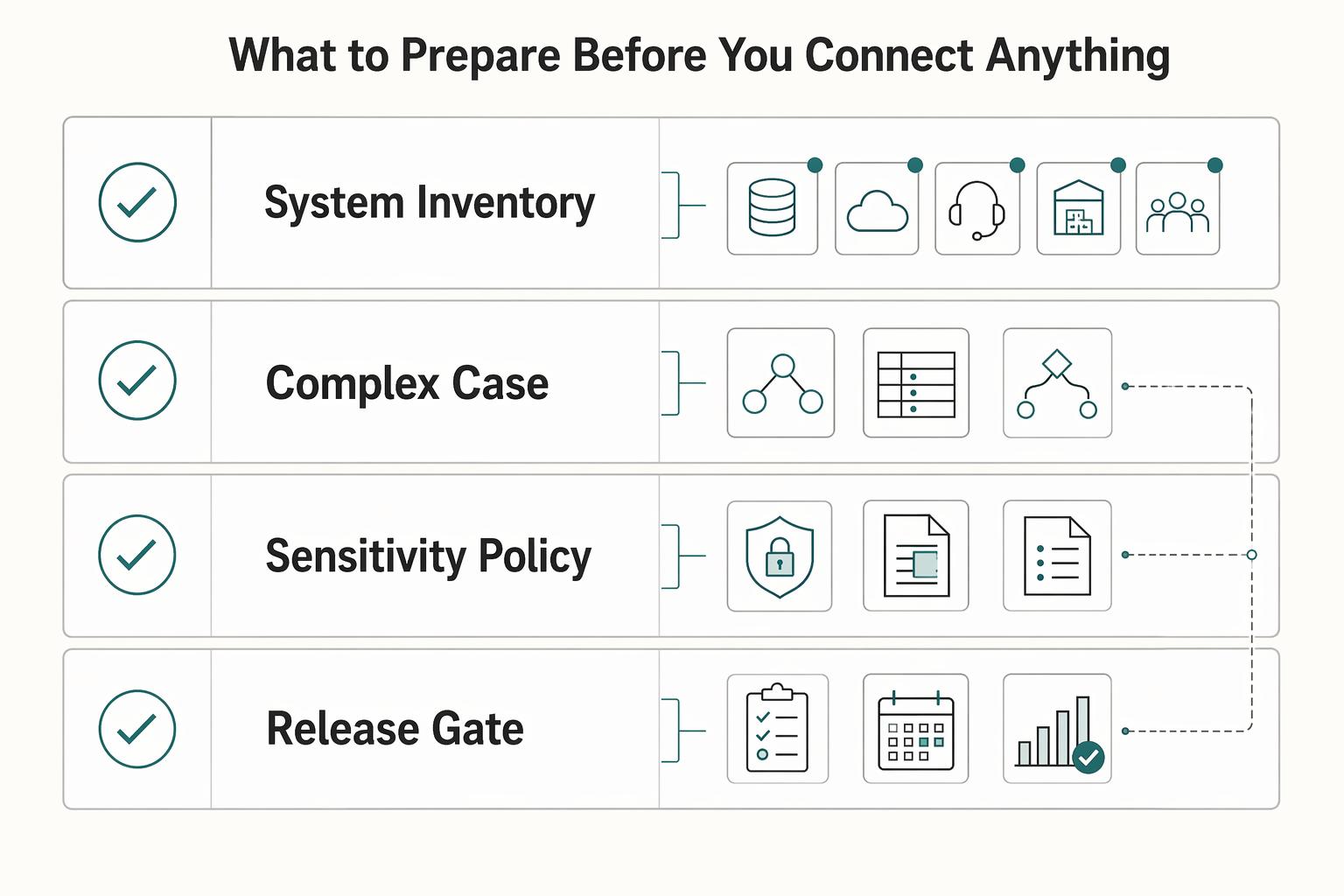
Before you connect systems, lock four artifacts: a system inventory, an entity map, a sensitivity policy, and a compliance gate list. If they are not clear up front, sync automation usually creates platform debt instead of reducing it.
| Artifact | What to lock | Grounded details |
|---|---|---|
| System inventory | List each system and owner | Include the billing platform, Salesforce CRM or equivalent CRM, support tool, ERP, and finance stakeholders; assign a named owner to each system and workflow |
| Entity map | Define core objects and ownership | Map account, subscription, invoice, payment, case, and payout objects, and assign one System of Record per object |
| Sensitivity policy | Set field-level masking rules | Treat PII as data that can identify or trace a person; define what is masked in logs, events, and support views; keep Form W-9, Form W-8 BEN, and 1099-related data in controlled reporting flows |
| Compliance gate list | Define status checks that block actions | If the workflow depends on KYC, KYB, AML, or VAT validation, define which status blocks downstream actions such as activation or payout release; use VIES for EU VAT checks |
- Inventory every system and owner.
List your billing platform (for example, BillingPlatform or Recurly), Salesforce CRM (or equivalent CRM), support tool, ERP, and the finance stakeholders responsible for tax, reporting, and payout outcomes. Assign a named owner to each system and workflow so decisions and exceptions have clear accountability.
- Lock the entity map before coding.
Define account, subscription, invoice, payment, case, and payout objects in one shared map, and assign one System of Record per object. Where needed, map fields before sync so write paths and read paths are explicit.
- Set sensitivity rules at the field level.
Treat PII as data that can identify or trace a person, then define what is masked in logs, events, and support views. Be explicit about tax-document handling: Form W-9 is used to request a U.S. person's TIN, Form W-8 BEN is submitted when requested by a payer or withholding agent, and 1099-related data should stay in controlled reporting flows.
- Confirm compliance gates that can block downstream actions.
If your workflow depends on KYC, KYB, AML, or VAT validation, define which status blocks which downstream action (such as activation or payout release). For EU VAT checks, use VIES for cross-border VAT registration checks.
Set source-of-truth rules before choosing connectors#
Write ownership and conflict rules down before you evaluate connectors, or the connector behavior becomes your policy by default.
- Assign one source of truth per object.
For financial reporting, define an explicit system of record for each object. Many teams keep subscription, invoice, and payment state in billing, account and pipeline context in Salesforce CRM, and GL/reporting in ERP where applicable. The key is one authoritative owner per object, with any field-level exceptions documented.
- Define a deterministic conflict rule before enabling sync.
If updates collide, use a conflict resolver so one winner is applied and the losing version is retained for traceability. You can set winner rules by object type (for example, financial objects vs. sales metadata), but document exceptions clearly and keep an inspectable record of changed values.
- Choose synchronization direction by object.
Decide inbound, outbound, or bidirectional sync per object based on risk and purpose, not connector feature lists. Keep write ownership narrow for revenue-impacting data, and only allow broader write paths where fields are operational context rather than financial state.
- Gate automation expansion with change control.
Plan automation up front instead of retrofitting it later. Before adding new write-back automation, align engineering and operations on ownership, conflict handling, and override rules, with a short evidence pack (object map, winner rules, exceptions, and sample record flows).
Related: How to Build a Subscription Billing Engine for Your B2B Platform: Architecture and Trade-Offs.
Choose native connector or custom API build with a decision matrix#
Start connector-first when your process is mostly standard Quote-to-Cash and the prebuilt path covers the objects you need. Move to API plus webhooks sooner when billing events must drive entitlement, support routing, or other behavior that needs explicit control and recovery.
This choice should follow your source-of-truth rules. A fast connector that cannot honor write ownership, retry safety, and audit needs usually costs you more once it is in production.
Step 1. Score requirements before tools#
Use a requirements-first matrix, not a demo-first decision. If a standard connector exists for your source type and your flow is mostly record sync, connector-first is a valid default. If prebuilt coverage is missing, custom connector/API paths are the fallback.
The real cutoff is process behavior, not field count:
- Mostly sync: connector-first stays viable.
- Behavior-heavy flow (entitlements, nonstandard event handling, support branching): API plus webhooks is usually cleaner.
Step 2. Compare control and operations, not setup speed#
| Path | Best fit | Control and extensibility | Operational checks before approval | Lock-in tradeoff |
|---|---|---|---|---|
| Native connector | Standard Quote-to-Cash, common object sync | Lowest build effort, limited to exposed mappings/actions | Confirm support ownership and SLA scope in writing, replay method, retry behavior, and duplicate safety | Faster now, but mappings/automation can become connector-specific |
| Custom connector wrapper | Mostly standard flow with gaps in prebuilt actions/triggers | More reach than native, still constrained by connector platform | Verify request identity propagation, retry-safe writes, failure inspection, and replay path | Medium; less effort than full custom but still platform-shaped |
| Direct API + webhooks | Custom entitlement logic, complex support routing, nonstandard billing events | Highest control over payloads, sequencing, and recovery | Require idempotency keys on writes, clear webhook retry handling (some providers retry for up to 3 days with exponential backoff), and DLQ capability with explicit redrive policy (for example, maxReceiveCount) | More upfront build, usually less hidden migration pain later |
Step 3. Approve only with recovery evidence#
Before you sign off, require an evidence pack: scored matrix, sample event traces, retry/replay design, and where idempotency is enforced. If the team cannot explain how duplicate events, partial outages, or failed CRM writes are recovered without manual record edits, the integration is not ready.
Implement in phases that protect revenue and support operations#
Do not cut over everything at once. The low-risk sequence is: prove event intake in read-only mode, enable narrow retry-safe writes, then activate automations after reconciliation is consistently clean.
| Phase | Writes and automation | Checks before expanding |
|---|---|---|
| Read-only validation | Send Webhooks to a staging endpoint, map into a sandbox CRM view, and keep production write-backs off | Store raw event payloads and provider event references; confirm representative event types map correctly and can be traced from CRM or support records back to the originating provider event |
| Controlled writes | Enable only a narrow approved write set and keep automation triggers off | Use Idempotency Keys on create or update paths and suppress duplicate webhook events |
| Automation rollout | Enable renewals, support enrichment, and finance notifications only after reconciliation is consistently clean | Roll out one automation class at a time, observe results, and keep rollback controls at object or flow level |
Step 1. Start read-only and keep raw event evidence#
Send Webhooks to a staging endpoint, map the results into a sandbox CRM view, and keep production write-backs off. This is where you validate mappings without affecting production users or data.
Store raw event payloads and provider event references so you can reconstruct what happened later. Keep that record as your Audit Trail baseline: a chronological history of received events and resulting actions.
Before moving on, confirm representative event types map correctly and can be traced from CRM/support records back to the originating provider event.
Step 2. Enable controlled writes with duplicate protection#
After mappings are stable, enable only a narrow write set (for example, invoice/payment/account updates already approved by your source-of-truth rules). Keep automation triggers off in this phase.
Use Idempotency Keys on create/update paths so retries do not duplicate operations. If Stripe is in your flow, remember practical limits: idempotency keys are up to 255 characters, and stored keys may be pruned after at least 24 hours, so internal duplicate defenses still matter.
Webhook handlers should also suppress duplicates. Stripe can retry undelivered events for up to three days; when an event is already processed, ignore it and return success so retries stop.
Step 3. Turn on automation only after reconciliation is consistently clean#
Enable renewals, support enrichment, and finance notifications only after provider records, CRM state, and event logs reconcile reliably under real traffic.
Roll out one automation class at a time, observe results, then expand. Keep rollback controls at the object or flow level so you can pause a failing write path without stopping ingestion.
Use the same go-live checks in every phase:
- event delivery health is visible
- mismatch criteria are defined before incidents
- rollback steps are documented and tested
- on-call ownership is explicitly assigned
Keep traceability front and center throughout: each downstream status change should tie to a provider reference and an Audit Trail record you can follow end to end.
For a step-by-step walkthrough, see Building Subscription Revenue on a Marketplace Without Billing Gaps.
Decide what syncs in real time and what syncs in batch#
Use real time for signals that can change customer treatment, support handling, or collection outcomes. Keep lower-volatility reporting and export flows in batch.
Step 1. Classify by consequence, not convenience. List key objects and events across billing, CRM, support, and ERP, then apply one rule: if delay can cause wrong outreach, wrong access, or duplicate collections, keep it real time. If not, batch is usually the better fit.
| Data or event | Sync mode | Why |
|---|---|---|
| Payment success/failure signals | Real time | Delays can affect access, outreach, and collections handling |
| Subscription cancellation state | Real time | Late cancellation state can leave customer treatment out of sync |
| CRM support-priority flag | Real time, if your CRM emits it | Late priority changes can misroute urgent work |
| Reporting aggregates | Batch | Aggregate/analytical processing is a standard batch use case |
| Noncritical account enrichment | Batch | Typically low volatility and not customer-critical in the moment |
| ERP exports | Batch by default | Scheduled exports are often cleaner unless you define an exception |
Step 2. Put customer-impacting signals on webhook paths. Billing and CRM systems can push event data in real time through webhooks, which is usually the right path for payment and support-impacting events. Verify your actual CRM webhook schema before committing to real-time behavior for any specific priority field.
Step 3. Batch analytical and low-volatility data on purpose. Use scheduled fetches/exports for reporting and other low-volatility data where short delays do not change customer treatment or frontline decisions. This keeps downstream processing predictable without forcing every system to act like it is real time.
Step 4. Document eventual consistency expectations. Some reads will lag recent writes, so make that explicit in your integration spec and support runbook. For each object, record source of truth, sync mode, expected lag behavior, where to verify latest state, and when lag is an incident. A single shared reference for billing, CRM, support, and ERP reduces false escalations and prevents manual workarounds that create new conflicts. Related reading: Choosing Between Subscription and Transaction Fees for Your Revenue Model.
Build compliance and financial controls into integration events#
Treat compliance status as a release gate for money movement, not a note after the fact. If a payout or withdrawal is blocked, your systems should show why it was blocked, when status changed, and what action is required next.
Step 1. Gate payouts and withdrawals on verification status. Do not release funds just because a billing event says "payable." Some platform flows require user verification before payments and payouts, and providers may pause charges or payouts when required information is missing or unverified. Check KYC and AML status at payout or withdrawal creation time, then surface holds clearly in CRM and support views with status, reason, timestamp, and next action.
Step 2. Keep tax and compliance artifacts in controlled workflows. Limit W-8, W-9, FBAR, and 1099 handling to masked fields and restricted access. Form W-9 supports TIN collection for information-return reporting, and W-8BEN is submitted when requested by a payer or withholding agent, so most downstream tools should receive status metadata rather than full payloads.
If FBAR applies, the trigger is aggregate foreign financial accounts above $10,000 at any time during the calendar year, with filing due April 15 and an automatic extension to October 15. Treat that as workflow logic, not a reason to expose full account details in support screens. Where account numbers are displayed, mask them to no more than the first six and last four digits.
Step 3. Preserve collection-to-payout lineage across MoR and virtual account flows. Event lineage must stay intact from collection through balance movement to payout. In Merchant of Record (MoR) models, ownership boundaries are critical because the MoR carries transaction liability, so each movement should keep immutable references that explain source and responsibility. If you use Virtual Accounts, verify lineage explicitly rather than assuming it is preserved by default.
Step 4. Validate controls with sampled audit traces before go-live. Run sampled traces for both blocked and successful payouts and confirm one evidence chain can prove the policy decision, actor or source, date/time, and downstream result in billing, CRM, and support systems. If your team cannot answer "why was this held or released?" from the Audit Trail, the control is not production-ready.
Handle failure modes before they hit customers#
Assume duplicates, outages, and late events will happen. Design recovery before you enable automations. If billing events can update CRM, create support tickets, or trigger financial actions, pause customer-facing automations first and stabilize the event stream second.
| Failure mode | Primary control | Recovery note |
|---|---|---|
| Duplicate or stale events | Use idempotency keys on write operations and dedupe inbound event IDs | Logs should show one accepted business action, with later attempts marked as already processed |
| Poison messages | Move messages to a Dead-Letter Queue after maxReceiveCount | Before redrive, verify the defect is fixed, the target write is idempotent, and the event is still inside the provider replay window |
| Backlog during incidents | Pause customer-facing automations and freeze nonessential CRM writes before replay | Reconcile invoices and payments, replay financial events first, then subscription-state updates, then support enrichment, then restore automations |
| High-risk red flags | Stop automation and route to manual review | Include source event ID, affected invoice or payment ID, timestamps, retry history, and before or after values across billing, CRM, and ERP in the approval packet |
Step 1. Treat duplicate and stale events as normal input. Webhook endpoints may receive the same event more than once, and live-mode delivery retries can continue for up to three days with exponential backoff. Use idempotency keys on write operations and a separate dedupe check on inbound event IDs before creating CRM updates, support tickets, or invoice actions.
Your logs should show one accepted business action, with later attempts marked as already processed. If support tickets are event-driven, key them to the source event ID or billing object change, not only the customer ID, so retries do not flood your queue.
Step 2. Use a Dead-Letter Queue with explicit replay rules. Set maxReceiveCount so poison messages move to a Dead-Letter Queue after a bounded number of receives, then define who can redrive and under what checks. Before reprocessing, verify the defect is fixed, the target write is idempotent, and the event is still inside the provider replay window.
For Stripe recovery, query undelivered events with delivery_success=false, account for the last-30-days listing limit, and replay in chronological order. For SQS, use an explicit message move task for redrive instead of ad hoc recovery.
Step 3. Recover incidents in controlled sequence. When backlog builds, pause automations that contact customers or move money before replay. Then reconcile financial deltas, replay by event type, and re-enable downstream automations only after systems align.
A practical order is: pause support-ticket creation and outbound messaging, freeze nonessential CRM writes, reconcile invoices and payments, replay financial events first, then subscription-state updates, then support enrichment, then restore automations. The checkpoint is not an empty queue; it is matching billing records, CRM status, and ERP postings.
Step 4. Require manual approval for high-risk red flags. Stop automation and route to manual review when you see unexplained invoice reversals or credit-note patterns that do not fit invoice totals, repeated idempotency collisions on the same operation, or CRM updates without a source event or audit trail.
When risk is unresolved, consider pausing payouts during review. The approval packet should include source event ID, affected invoice or payment ID, timestamps, retry history, and before/after values across billing, CRM, and ERP.
Launch checklist you can copy into your implementation ticket#
Do not enable customer-facing automation until ownership rules, retry behavior, and traceability are proven end to end.
- Lock one System of Record per object.
Assign one authoritative owner for each mapped object or field before bidirectional sync starts, and document conflict rules. Your go/no-go check is simple: every mapped field has a named owner and a clear resolution rule.
- Ship Webhooks with retry controls before enabling writes.
Assume duplicate webhook delivery can happen, log processed event IDs, and suppress reprocessing. Use Idempotency Keys on create/update writes, route repeated failures to a Dead-Letter Queue with an explicit maxReceiveCount, and only redrive when replay is still safe.
- Gate compliance-sensitive actions and restrict tax artifacts.
Confirm where KYC, KYB, AML, and VAT Validation checks are enforced before downstream actions run. In legal-entity onboarding contexts, include beneficial-owner verification, use VIES for EU cross-border VAT checks, and keep W-8/W-9/1099 artifacts in restricted handling paths instead of open CRM or support fields.
- Run a phased go-live, not a one-shot cutover.
Start read-only to validate event ingestion and mapping, then enable controlled writes in phases and reconcile source-to-target results before expanding scope. Require traceability from source event through write outcome to final record state at each phase.
- Turn on support and finance automations last, after Audit Trail checks pass.
Enable automations only when each state change is traceable to source event ID, affected records, timestamps, retry history, and before/after values. Treat untraceable updates or unexplained idempotency collisions as launch blockers.
Frequently Asked Questions
Which system should be the source of truth for subscription status?
Pick one authoritative system per object or business domain, then write the conflict rule down. A common pattern is for the billing platform to own subscription, invoice, and payment state, while the CRM owns customer profile and sales context. If billing and CRM disagree, reconcile from whichever system is defined as authoritative for that object before support or sales acts.
When is a prebuilt connector enough, and when should we build custom APIs?
A prebuilt connector can be enough when your mappings are standard, the write paths are simple, and you do not need special entitlement logic or support routing. Move to custom APIs if you need strict idempotency, replay control, dead-letter handling, or object-level conflict rules the connector cannot express. A good checkpoint is whether you can answer, for every write, what the source event is, where the audit entry lives, and how you replay it safely.
How do we prevent duplicate charges or duplicate CRM updates during retries?
Use idempotency keys on create or update requests, and keep a store of processed webhook event IDs so repeated deliveries are ignored. Webhook consumers should assume duplicate delivery can happen, so duplicate suppression cannot live only in the upstream billing tool. Verify it in logs: one accepted business action, later attempts marked as already processed, and no second charge, case, or account update created from the same source event.
What should sync in real time versus batch for billing, CRM, and support data?
Use near-real-time sync for frequently changing operational records that must stay synchronized. For CRM records that need outward synchronization, Salesforce Change Data Capture is a near-real-time option. Use asynchronous batch rails for larger backfills or reconciliations that can tolerate lag; for Salesforce, operations with more than 2,000 records are a good candidate for Bulk API 2.0.
What metrics show the integration is healthy after go-live?
Start with queue-health telemetry, because it tells you whether events are flowing or piling up. Watch queue depth, message age, dead-letter queue volume, and processing success versus failure. Then run reconciliation checks to confirm key downstream fields still match the designated source of record.
How do we roll back safely if automation starts creating bad updates?
Pause customer-facing automations first, then stop nonessential downstream writes while you assess scope. Messages that keep failing should go to a dead-letter queue with an explicit maxReceiveCount, not loop forever. After the fix, replay only idempotent writes and keep an evidence pack with the source event ID, affected record IDs, timestamps, retry history, and before-and-after values across systems.
Try a related tool
Researched and edited by the Gruv editorial team. Gruv builds cross-border billing, payouts, and finance-operations software for global businesses.
Sources
- csrc.nist.gov/glossary/term/audit_trailtrusted
- csrc.nist.gov/glossary/term/personally_identifiable_inform...trusted
- docs.stripe.com/webhookstrusted
- docs.stripe.com/webhooks/process-undelivered-eventstrusted
- ecfr.gov/current/title-31/subtitle-B/chapter-X/part-1029trusted
- ecfr.gov/current/title-31/subtitle-B/chapter-X/part-1...trusted
- europa.eu/youreurope/business/taxation/vat/check-vat-n...trusted
- irs.gov/forms-pubs/about-form-w-8-bentrusted
Educational content only. Not legal, tax, or financial advice.
Related Posts
The Best Tools for Managing Subscription Billing
**Protect cashflow by selecting for recovery and control first, then layering convenience features.**
How to Build a Subscription Billing Engine for Your B2B Platform
If you are designing a B2B subscription billing engine, get the close and reconciliation model right before you chase product flexibility. A durable sequence is to define recurring billing scope (plans, billing periods, usage, and trials), then map settlement and payout reconciliation to transaction-level settlement outputs, and finally tie that discipline into month-end close controls. The real test is simple: finance should be able to trace invoices, payments, and payouts from source events through settlement records into reconciled close outputs without ad hoc spreadsheet rescue.
How to Migrate Your Subscription Billing to a New Platform Without Losing Revenue
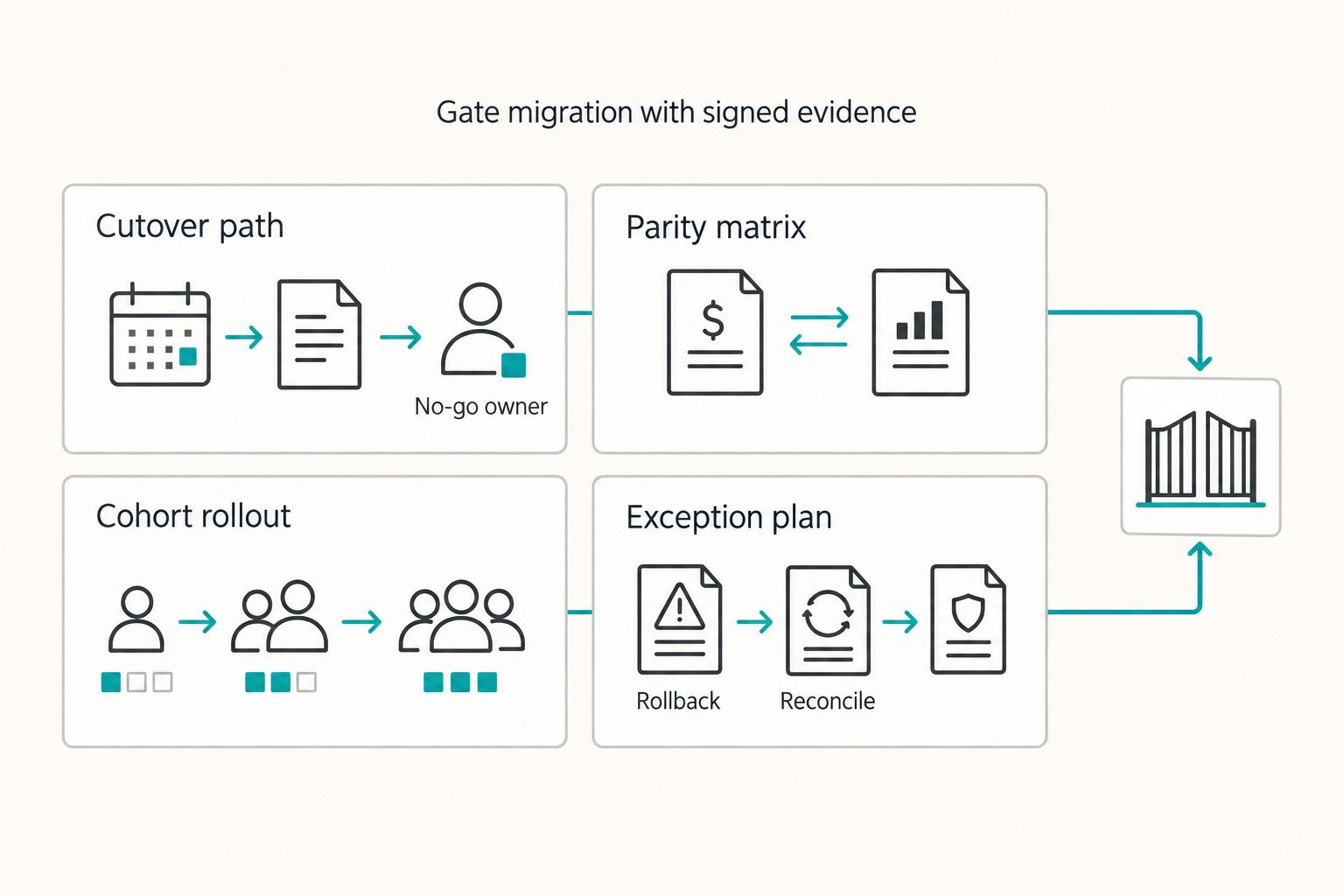
If you need to **migrate subscription billing platform without losing revenue**, treat it as a revenue operations change, not a simple software swap. Billing migrations sit close to renewals, revenue reporting, and payment credentials, so mistakes rarely stay technical. They can show up as duplicate records, inaccurate revenue reporting, failed renewals, or customer-facing downtime.