
Quick Answer
Xero can handle the accounting side of international contractor payments, but it is not, by itself, a proven end-to-end global payout solution. Native invoice payment features are receivables tools, while contractor payouts belong in payables. For cross-border disbursements, validate a connector or payout platform that syncs draft Supplier Bills, references, and failed-sync handling into Xero.
What a reliable Xero sync should cover#
Treat this as a disbursement-sync problem, not a receivables setup task. Xero has clear ways to help customers pay invoices and, in some cases, to pay certain supplier bills. That is not the same as running outbound contractor payouts across countries, currencies, and payout methods end to end.
Identify whether the problem is collection or disbursement#
Xero documentation and app positioning commonly highlight receivables: getting paid faster through customer-facing actions like Pay now on invoices. That matters when the problem is invoice collection and payment acceptance.
Contractor payouts are a different operating flow. You are approving payables, moving funds out, tracking payout states, and keeping an audit trail finance can close against. Before you configure anything, answer one question: are you optimizing inbound customer collection, or outbound contractor disbursement and reconciliation? If it is the second, design the payout sync first.
Check Xero's native boundary before you design around assumptions#
Xero does support payables in specific contexts, and that boundary matters. In US documentation, online bill payments let you pay supplier bills from Xero using Melio. The same documentation also states those payments are for businesses, not individuals or personal accounts, and currently for US bills in USD. Do not treat that as a blanket answer for global contractor payout operations.
Also do not over-read multicurrency or payroll pages. Xero states multicurrency supports invoicing customers and receiving payments in more than 160 currencies. On that page, the capability is framed around receivables. Xero Payroll includes a contractor payment action, and the support page marks Xero Payroll as early access. Use native capability where it fits, but verify the exact document type, geography, counterparty type, and ownership model before you build around it.
Set the outcome you actually need from this guide#
The goal is not just to connect an app. It is a clean, auditable accounting path for outbound payouts into Xero that finance, ops, and engineering can defend at close.
Before you map fields, confirm with sample data which system owns payout status, which system owns the accounting entry, and what evidence proves one contractor payout reached its final Xero record.
One early red flag is easy to miss: the Xero App Store states that contractor-management integrations can differ and that Xero does not guarantee app suitability. If a vendor demo shows invoice sync but not how outbound payout events, bill states, and failed payments land in Xero, treat that as an architecture gap.
Define the boundary between getting paid and paying contractors#
Start with the boundary decision, because everything downstream depends on it: customer invoice payment features are receivables flows, while contractor payouts are payables operations.
Classify invoice payment features as receivables#
If a feature starts from an issued customer invoice, it is a collection flow. In Xero, the Pay now button is added through a payment service on the invoice so the customer can pay online. The same pattern applies to Stripe and GoCardless integrations in Xero: they are positioned around collecting invoice payments from customers.
Use a simple check in demos and setup: if it is attached to a customer invoice, you are in accounts receivable (money owed by customers), not contractor disbursement.
Classify contractor payouts as payables operations#
Contractor payouts sit on the payables side. Xero's AP guidance defines this as bills your business owes. Xero's contractor guidance points to outbound methods such as international wire transfer, global ACH, PayPal, and Wise.
That changes the operating problem. You are dealing with outbound execution and payables-side reconciliation, not invoice checkout.
Apply the decision rule before you configure anything#
If your core issue is customer invoice collection, optimize Xero payment methods first. If your core issue is outbound contractor disbursement and reconciliation, design the payables workflow first.
If a walkthrough only shows online invoices, recurring collections, or customer payment methods, and cannot show how contractor payouts map into payables-side records, stop and re-scope.
For the compliance side of paying international contractors, see How to Manage and Pay a Global Team of Contractors Compliantly.
Choose your integration architecture before you touch mappings#
Choose the path before you touch fields. If the architecture is wrong, clean mappings can still produce the wrong accounting objects, weak audit trails, and manual month-end cleanup.
Compare the three paths against payables requirements first#
Start with one test: can the setup produce payables-side records for contractor disbursements, not just help customers pay invoices?
| Path | Support for international contractor payments | Pre-funding invoices | Reconciliation invoices | Supplier Bills automation |
|---|---|---|---|---|
| Native Xero invoice/payment setup | No evidence here of end-to-end contractor payout disbursement; this setup is positioned around customer invoice collection. | Confirm with the relevant authority. | Confirm with the relevant authority. | Confirm with the relevant authority. |
| Xero App Store connector | Possible, but app-specific; Xero says suitability is your responsibility. | Varies by connector; verify directly. | Varies by connector; verify directly. | Varies by connector; verify directly. |
| Third-party payout sync platform | Vendor-specific scope. The documented integration syncs specific invoice types into Xero. | The documented integration syncs pre-funding invoices. | The documented integration syncs reconciliation invoices. | The documented integration maps invoice data as draft Supplier Bills. |
Bottom line: native invoice setup is a receivables path, not a proven outbound payout-sync architecture. Connectors can work for narrower needs, but scope and sync behavior are app-specific. A payout-platform model may fit better when vendor documentation explicitly includes payables-side objects and reconciliation invoice sync.
Match the architecture to your operating shape#
If your requirements are simpler and finance can handle some manual review, an App Store connector may be enough.
As complexity rises, treat connector selection as vendor diligence, not a default Xero extension. Xero reviews apps but does not guarantee fit, so require a clear demo of how contractor payouts become payables-side records. If the demo keeps centering online invoice links, card acceptance, or customer checkout, re-scope. That is receivables behavior. Benji Pays' Xero page describes Xero custom invoice payment links for customer invoice payments, which is not evidence of payables-side contractor payout sync.
Verify the unknowns that break implementations#
Before you map anything, get written answers from each vendor on the items most likely to break a rollout:
- Country coverage: verify exact corridor coverage for your entity and worker mix. One provider here references both 200+ jurisdictions and 180+ countries in different contexts.
- Payout rails: confirm rails available for your billing currency and contractor withdrawal setup.
- Sync direction: do not assume two-way. Some providers advertise 2-way sync, but behavior varies by app and the provided docs here do not state bi-directional sync.
- Failed-sync ownership: define who owns monitoring, retries, replay, and support when sync fails or partially succeeds. Xero directs app-usage questions to the app provider.
Prove the architecture with a small audit test#
Run one controlled test before you build it out. In the documented flow for this provider, the latest invoices sync manually first. Future invoices then sync automatically. Success is not just "data arrived." Verify that the promised objects appear as expected, for example, draft Supplier Bills where documented.
Then check Xero transaction history for traceability. App-originated writes should appear as System Generated. If you cannot verify the object, reference, and app-generated audit trail, the architecture is not proven yet.
If no listed app fits, Xero allows a custom integration path after you rule out connector or platform options that already cover your invoice types, sync behavior, and exception ownership.
Gather prerequisites and ownership before build#
This is where most avoidable mess starts. If ownership, approvals, and close checks are fuzzy, sync issues turn into month-end cleanup.
Assign owners for accounting setup, approvals, and close controls#
Set a simple ownership matrix across the teams involved, then validate it against actual Xero permissions.
Assign clear ownership for chart-of-accounts mapping because financial data must map to your Xero chart of accounts, and default account codes are not a safe assumption across tenants. Many teams customize or import codes, so copied mappings can fail.
Keep bill approval ownership separate from mapping ownership. In Xero, purchases permissions control who can create and approve bills, credit notes, and purchase orders. If you are using this integration, the person enabling it needs Standard or Adviser permissions in Xero. Confirm this in a test org before you build.
For close controls, assign one owner to verify Xero bank balances against actual bank balances and investigate mismatches.
Freeze the source-of-truth rules before sync logic exists#
Lock source-of-truth rules before anyone writes sync logic. Decide which system owns accounting entries and when invoices are final for close.
In the documented Xero scope for this platform, pre-funding and reconciliation invoices from EOR sync in, draft Supplier Bills are created, and invoice PDFs are attached. Use a clear rule: treat the platform as the invoice-origin source for those documents, and Xero as the accounting record receiving bill objects.
For close timing, treat reconciliation invoices as final only within the stated 1st to 5th of the following month finalization window. After sign-off, set a Xero lock date so past-period transactions cannot be added or edited.
Prepare a sample data pack that includes failure cases#
Build a test pack that reflects real operations, not just a happy-path invoice:
- department values and account mappings you plan to use
- one pre-funding invoice and one reconciliation invoice
- at least one failed sync case with returned error details for retry
- expected Xero outcomes for each item, including account code, bill status, and attached PDF where supported
If you use this setup, choose the invoice sync preference up front: standard invoice breakdown or line-item breakdown by team departments. That choice affects account-mapping configuration.
Run this pack in the Xero demo company before production. It is designed for integration testing, and its data resets after 28 days.
Document exactly what syncs into Xero and what stays manual#
Write a short scope note that lists what syncs into Xero and what stays manual.
For this integration, document the proven scope: EOR pre-funding invoices, reconciliation invoices, draft Supplier Bills, and invoice PDFs. Mark everything else as manual unless you have direct vendor evidence.
Include failed-sync ownership in the same note. The platform exposes sync status and failure details for retry, so a named owner must monitor and retry failures.
Related: A Guide to Using Wise for Payroll for International Contractors.
Map payout events into accounting objects that close cleanly#
Each payout should land one way in accounting. Keep review state, cash movement, and final expense recognition separate so close stays readable.
Build a one-line mapping matrix for each payout stage#
Force each provider event into a single accounting result before automation. If one event can post in multiple ways, close drifts and retries can create duplicates.
| Provider stage or event | Xero object | Posting rule | Trace key to store |
|---|---|---|---|
| Pre-funding stage document received | Supplier Bill (ACCPAY), typically DRAFT or SUBMITTED while under review | No journals in DRAFT/SUBMITTED | Provider document ID in Reference, source record in URL |
| Cash prefunding sent | Bank Transaction or Prepayment via BankTransactions into a clearing account | Records cash movement | Funding transaction ID or batch ID in Reference, source record in URL |
| Final provider document received for close | Supplier Bill (ACCPAY), move to AUTHORISED when final amounts are accepted | Creates journals and reporting impact | Final invoice ID plus payout batch ID in Reference, source record in URL |
Do not treat both early-stage and final provider documents as final expense without a clearing design, or contractor cost can be double counted.
Use Xero bill stages as a quick control check. Draft, Awaiting approval, Awaiting payment, and Paid should match your payout lifecycle.
Separate pre-funding timing from final reconciliation timing#
Treat pre-funding as operational timing and final reconciliation as close timing, unless your policy explicitly says otherwise.
For pre-funding documents, keep bills in DRAFT or SUBMITTED when amounts may still change. If cash leaves before final settlement, record it as a Bank Transaction or Prepayment to a clearing account so finance sees cash out immediately.
For final provider documents, move the ACCPAY bill to AUTHORISED only when the final provider document is accepted for close. That is when journals are created.
Choose one pattern and document it:
- Cash-first: cash movement now,
AUTHORISEDfinal bill later. - Early authorisation: only when amounts are firm, with a clearing step that prevents a second expense at reconciliation.
Make references deterministic before you automate retries#
Build duplicate control into the design, not into manual review. Xero can warn on matching bill reference and contact name, but that warning is not a hard block.
Use one immutable reference format, for example:
provider-doc-type | provider-doc-id | payout-or-batch-id
Write that value to Xero Reference, and set the optional URL field to the source record. That gives both human traceability and direct click-through to the origin.
For retries, resend the same Idempotency-Key for the same write request. Xero stores keys for 6 minutes, so longer-delay retries still need a pre-create lookup by deterministic reference.
Checkpoint: for one payout, confirm the bill or bank transaction Reference, URL back-link, and clearing-account cash movement all match.
Decide exactly where FX differences will live#
For cross-currency payouts, define FX handling explicitly. Xero supports more than 160 currencies, updates rates hourly, and uses the final official daily rate at 11 pm. You still need a posting policy.
Document, for each corridor:
- Bill currency on the Supplier Bill.
- Settlement currency of the bank or clearing account.
- Account used to review realised or settlement variance.
If a foreign-currency bill stays open, Xero revaluation can create unrealised gains or losses, visible in FX reporting across payables and bank accounts. Keep provider-rate settlement differences in your chosen FX gain/loss or variance account, not mixed into contractor expense.
Close test: trace one foreign-currency payout end to end and verify bill, bank movement, and FX difference all reconcile to the same payout trail.
Configure sync logic with idempotency and replay safety#
Assume duplicate delivery can happen. If one replay can create a second Supplier Bill or settlement entry in Xero, close will drift even when the payload itself is valid.
Record source events before any write to Xero#
Record each source event before you write anything to Xero. Since webhook providers can deliver the same event more than once, check a stored event key first and skip processing if it was already applied.
If your source provides a stable event ID, store it with tenant, event type, source document ID, processing status, and the created Xero object ID. If it does not, build a surrogate key from immutable values only, for example, provider document ID + event type + payout or batch ID. Do not use mutable fields like contractor email, display name, or edited invoice labels as dedupe keys.
Test this directly: send the same payload twice and confirm the second run returns the existing Xero object reference instead of creating a new one. For Supplier Bills, apply this check before creating purchase bills through Xero's Invoices API.
Differentiate create and update paths by event type#
Create and update paths should behave differently by event type. A replayed "invoice available" event should find the existing draft bill and update only allowed fields. A replayed "settlement posted" event should never create a second cash movement.
This matters in Remote's Xero integration because the documented behavior is to sync pre-funding and reconciliation invoices into Xero as draft Supplier Bills. On replay, locate the same draft bill using your deterministic reference and stored source key instead of treating it as new.
If you also consume Xero webhooks, store sequence information and alert on gaps or out-of-order processing. Xero webhook payloads are sent as HTTP POST requests, and webhook examples include sequence fields that support replay and ordering checks.
Define retries and dead-letter handling before go-live#
Define retries and dead-letter handling before go-live. Put outbound Xero writes behind a queue with a redrive policy, and set maxReceiveCount high enough that one transient failure does not immediately push a message to the dead-letter queue.
Split ownership by failure type. Engineering owns transport, auth, and queue failures. Finance ops owns mapping and data exceptions that could post to the wrong account, contact, or bill state even when the API call succeeds. Each dead-letter item should include raw payload, source key, intended Xero action, last error, and mapping version for safe replay.
Do not assume providers auto-redeliver failed events or provide long redelivery windows. Replay behavior varies, so document who can trigger replay, where they do it, and what checks are required before reprocessing.
Version mapping changes like accounting changes#
Treat mapping changes as accounting changes and version them. Xero requires account mapping and/or payment mapping for apps that create financial data, and App Store behavior varies by app, so your team needs to control mapping behavior.
This integration shows why that matters: the invoice sync preference affects account mapping configuration. A sync-mode change, renamed field, or new enum can change where costs land in Xero without breaking API calls. Store a mapping_version on each processed event and created object, and keep a short change log with old rule, new rule, effective date, owner, and test payloads.
Validate with a before/after sandbox replay. Process one payload under the old version and one under the new version, then confirm both land on the intended accounts and contacts without rewriting prior results.
Reconcile pre-funding and settlement on a fixed operating cadence#
Even good sync logic will not save a sloppy close. Reconcile on a fixed monthly cadence tied to invoice issuance, not only when variances appear.
Anchor the cadence to the provider's invoice lifecycle#
Anchor the cadence to your provider's invoice lifecycle and keep it consistent each month. In the documented flow here, pre-funding invoices are issued on the first business day of the month. Reconciliation invoices are issued around the 3rd business day of the following month, and they are finalized between the 1st and 5th of that following month.
Use that timing for two scheduled checks:
- Pass 1: when the pre-funding invoice syncs to Xero.
- Pass 2: in the following month after the reconciliation invoice is finalized.
As an internal control for each payout batch, compare:
- Provider ledger or payout export.
- Bank movement.
- Xero entries tied to the related invoices.
In Xero, bank reconciliation confirms bank-account transactions are recorded in accounting records, and the Reconcile view matches bank statement lines against Xero transactions.
Standardize one close evidence pack#
Standardize one close evidence pack so finance is not rebuilding it every month. Keep:
- Provider payout batch export.
- Exception log.
- Xero Payable Invoice Summary grouped by status, with separate totals.
Add supplier activity reports when you need payment validation or dispute support. If the sync fails, attach the retry details to the same exception item so the operational record stays in one place.
Set tolerance and escalation rules before month-end#
Set tolerance and escalation rules before month-end for unmatched items, partial settlements, and stale payout statuses.
For partial settlements, avoid clearing the full pre-funding amount after one cash movement; keep the remainder open until reconciliation invoices are finalized. For unmatched items, assign ownership immediately across finance, payments ops, and engineering based on the issue type.
Treat stale statuses as escalation triggers. If the provider shows settled but no matching bank movement appears by the next scheduled review, escalate. If Xero shows paid but bank-side reconciliation does not support it, pause further settlement posting for that batch until the mismatch is explained.
Handle the failure modes competitors skip#
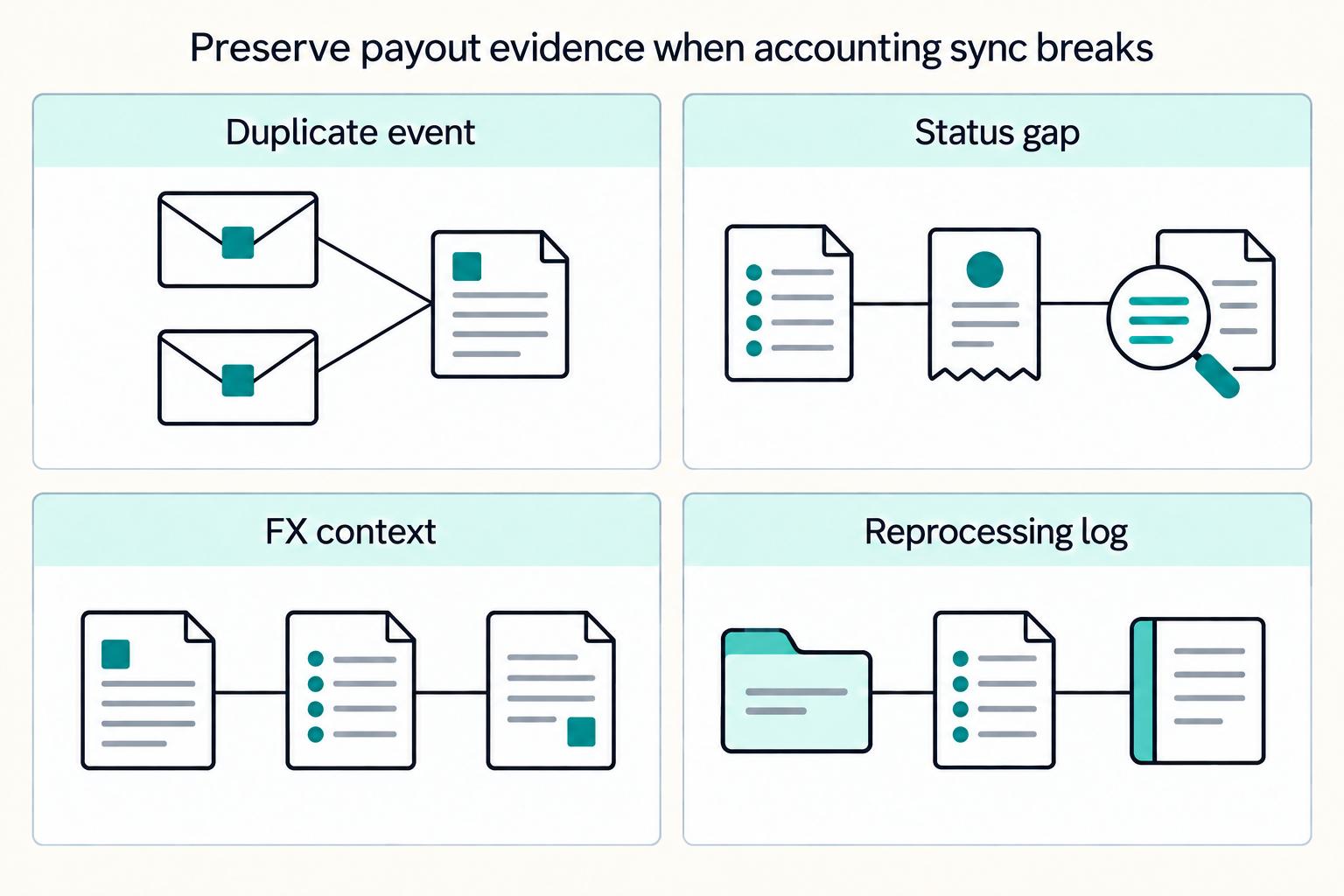
This is the difference between a usable integration and one that quietly corrupts close. If duplicate delivery, status gaps, stale FX context, or late settlement evidence can change accounting outcomes, stop trusting automation until the exception is contained.
Protect every Xero write from duplicate delivery#
Use Idempotency-Key on mutating requests (POST, PUT, PATCH) and reuse the same key when retrying the same business event.
This matters because webhook systems can deliver the same event more than once, and retries can continue for up to three days. Store the upstream event ID, your payout ID, and the idempotency key used for the Xero write. Since keys are stored for 6 minutes from first use, retries inside that window should return the cached result rather than create a second mutation.
Verification point: replay a known duplicate and confirm no second bill or payment mutation is created.
Do not post final settlement on incomplete status movement#
Do not post final settlement unless status movement is complete enough to trust. Check webhook flow continuity with Last Event Sequence, then confirm payment recency with UpdatedDateUTC and FX context with CurrencyRate where relevant.
If ledger or bank movement advances but status does not, treat it as an exception. Flag affected items in your own workflow, and route related reconciliation work into an internal reprocessing queue so finance can see exactly what was replayed and why.
Separate FX-context errors from cash-delay issues#
Separate FX-context errors from true cash-delay issues. If payment records and CurrencyRate context are out of sync, reconciliation can drift even when payout execution succeeded.
Keep the original reference, replay with idempotent write behavior, and route the variance through your clearing or suspense account. This matters most when remittances arrive in aggregate and do not map cleanly to invoice-level items.
Verification point: the replay ties to the same payout reference, updated FX context, and reconciliation exception tag.
Pause global payouts when integrity issues can compound#
Pause global payouts when integrity issues can compound across batches. Continue only when the exception is isolated, manually controlled, and fully traceable.
Use this operating rule:
- Pause if duplicate mutations are appearing, status gaps span multiple batches, or paid states cannot be supported by bank-side evidence.
- Continue with controlled exceptions only if affected items are explicitly flagged, each payout is traceable by event and document reference, and unreconciled amounts stay in clearing until replay completes.
Red flags to stop feature expansion and fix sync integrity first:
- Unmatched payouts keep rolling from one close cycle into the next.
- One upstream event ID maps to more than one Xero mutation.
- Reconciliation work requires repeated manual correction after retries.
UpdatedDateUTCor settlement timing repeatedly conflicts with bank movement.- Finance cannot show one evidence pack linking event log, affected bills, replay action, and bank match.
For a step-by-step walkthrough, see Instant Payouts: The Economics Behind Same-Day Contractor Payments.
Validate compliance and market coverage before go-live#
Do not launch production payouts on headline claims alone. You need written confirmation that each target country, currency route, legal-entity setup, and Xero posting flow is supported for your operating model.
Validate coverage corridor by corridor#
Validate coverage corridor by corridor, not from headline claims. One provider states contractor payouts are available in 200+ jurisdictions. Payout currency still depends on the employer billing currency and the contractor's bank location, and non-local-currency routes should be confirmed with support before launch. If you use Benji Pays, confirm your gateway-supported currency list first, because unsupported gateway currencies cannot be processed.
Use a simple approval matrix per corridor: hiring entity, contractor country, contractor bank country, billing currency, and payout currency. Checkpoint: each in-scope corridor is explicitly confirmed as supported or removed from phase 1.
Confirm compliance gates are complete before any live payout#
Confirm compliance gates are complete before any live payout. For contractors affiliated with a US-based company in this provider flow, one of W-9, W-8BEN, or W-8BEN-E is required during onboarding. If a W-9 is collected, keep it for four years, and keep contractor-vs-employee classification records aligned with IRS reporting distinctions.
Treat profile creation as incomplete while required tax-form or classification evidence is still missing. Your payout-readiness evidence should show onboarding status, collected form where relevant, and an approval record that the contractor is eligible for payout.
Require explicit sign-off before go-live#
Require explicit sign-off from legal, finance, and the integration owner before go-live. The app scope here is specific. It syncs pre-funding and reconciliation invoices into Xero as draft Supplier Bills with invoice PDFs attached. Xero also states App Store review is not a suitability guarantee.
If your plan depends on EOR, confirm that model matches countries where you do not have your own legal entity. If any signer cannot confirm entity model, Xero treatment, or provider coverage, hold launch and narrow scope.
If FX planning is part of your payout process, see How to Lock In FX Rates for Contractor Payouts Using Forward Contracts.
Run a staged launch with hard acceptance criteria#
Once coverage and compliance are signed off, launch in phases. The goal is not early scale. It is proving that a small live slice can close cleanly and repeatably.
Start with a deliberately small canary cohort#
Start with a deliberately small canary cohort and run the exact production flow. The objective is evidence, not volume.
If you use Remote's Xero integration, confirm that pre-funding invoices and reconciliation invoices sync into draft Supplier Bills with invoice PDFs attached. Do not treat the canary as passed if invoice sync works but settlement evidence is still manual or unclear.
Use one hard acceptance check#
Use one hard acceptance check: every in-scope payout must have a traceable chain to the correct Supplier Bill and reconciled settlement evidence in Xero.
For each sample payout, a reviewer should be able to trace:
- Provider batch or transaction reference
- Related pre-funding or reconciliation invoice
- Synced Supplier Bill in Xero
- Bank movement or other settlement evidence
- Reconciled status in Xero bank reconciliation
If settlement arrives as a grouped movement, use Xero reconciliation tooling. This includes matching one statement line to multiple items, so the bank line still ties back to the synced bill set.
Define rollback triggers before go-live#
Define rollback triggers before go-live and freeze expansion if they appear in canary scope.
Rollback or pause when you see:
- Unresolved duplicate postings in Supplier Bills or settlement entries
- Unexplained variance across provider records, bank movement, and Xero entries
- Repeated failed sync events that force manual re-entry or leave status gaps
For API write retries, verify consistent use of the same Idempotency-Key so retries with the same key are not processed as new writes.
Expand only after two consecutive clean close cycles#
Expand only after two consecutive clean close cycles in canary scope. This is an operating rule for risk control, not a vendor-mandated standard.
Scale by corridor or contractor segment, not all at once. If your process includes Xero batch payments, validate that behavior for your region and currency mix before expansion, since guidance can differ by region, including base-currency-only constraints in some cases.
If your canary passes but exception handling is still manual, use this checkpoint to compare your rollout plan against a production-grade payouts workflow.
Conclusion and copy-paste launch checklist#
The sequence matters: define the boundary first, choose architecture second, then implement mappings and retry logic. Teams that treat payout sync as an accounting control system, not a plugin setup, are better positioned to avoid close-cycle surprises.
Decide Xero's role before build starts#
Decide whether Xero is receivables-only or part of outbound payables accounting. Xero payment services and the Pay Now button are for customers paying invoices, while accounts payable and Supplier Bills track money you owe suppliers.
Checkpoint: capture this in a short decision note before build work starts.
Choose architecture only after validating fit#
Choose architecture only after validating connector fit for your exact operating model. App connections can sync data across systems, but Xero does not guarantee app suitability, so you still need explicit confirmation for your countries, rails, and expected accounting objects.
Checkpoint: if a vendor says "payments" but cannot show how outbound contractor disbursements and sync failures are handled, treat it as not launch-ready.
Map each payout event to the object you will reconcile#
Map each payout event to the accounting object you will reconcile. In Xero, Supplier Bills are usually the payables anchor. If you use pre-funding invoices and reconciliation invoices, treat them as your process stages or synced documents, not native Xero object names.
Checkpoint: trace one payout from provider reference to Supplier Bill to settlement evidence without spreadsheet-only workarounds.
Test replay safety before production#
Test replay safety before production. For mutating Xero API calls (POST, PUT, PATCH), retry with the same Idempotency-Key so duplicate writes are not processed and a cached response is returned.
Checkpoint: resolve failed payment causes before reattempting. Retries without fixing the failure cause can repeat the same failure.
Run canary reconciliation and assign exception ownership#
Run canary reconciliation and assign exception ownership. Close evidence should include provider payout or settlement exports, an exception log, and a Xero report such as Supplier Bill Activity (payments and refunds). If prefunding matters, Payable Invoice Detail can include prepayments.
Checkpoint: assign one owner for mismatch review, replay approval, and manual holds.
Copy and use this before go-live:
- We documented whether Xero is receivables-only or part of outbound payables accounting.
- We selected an architecture and validated Xero App Store or third-party coverage for our countries and rails.
- We mapped payout events to Supplier Bills and any process-stage documents (for example, pre-funding invoices and reconciliation invoices) with traceable IDs.
- We tested idempotent retries and confirmed no duplicate postings into Xero.
- We completed canary reconciliation and assigned an owner for exception handling.
Related reading: Choosing Global Contractor Payment Rails in 2026 Without False Precision.
Before expanding to more corridors, align finance, ops, and engineering on coverage, controls, and ownership in a quick implementation review.
Frequently Asked Questions
Does Xero natively support global contractor payouts, or do we need a separate integration?
Xero is better treated as the accounting layer than as proof of end-to-end global contractor payout coverage. Its native payment services and custom payment URLs are for customers paying invoices, while contractor disbursements require you to validate a separate connector or payout platform.
What exactly should sync into Xero for international contractor payments?
At minimum, sync invoice data that creates a draft Supplier Bill plus references back to the source system. In the documented integration, invoice fields map into a draft Supplier Bill, and matching invoice numbers improve traceability. Test supplier mapping, values, and references with real sample data before go-live.
What is the practical difference between invoice collection tools and contractor payout sync?
Invoice collection tools are receivables features for customers paying invoices online. Contractor payout sync is payables accounting, built around bills, pre-funding and reconciliation invoices, and close traceability. Do not assume a payments label in the Xero App Store means outbound contractor disbursements are supported.
How should we account for pre-funding invoices versus reconciliation invoices?
Treat pre-funding and reconciliation as separate stages, not interchangeable documents. In Remote's Xero integration, both can sync into Xero, and reconciliation invoices are finalized between the 1st and 5th of the following month. Use pre-funding to reflect expected cash movement, then tie out to the finalized reconciliation invoice before close.
When is a Xero App Store connector enough, and when should we adopt a payout platform?
A connector can be enough when it reliably fits your exact accounting objects and operating flow. Verify draft Supplier Bill behavior, failed-sync retry handling, references, and your actual country and currency mix. If those checks do not hold consistently, evaluate a dedicated payout platform.
What should finance, ops, and engineering validate before production go-live?
Finance should validate bill mapping, close evidence, and any Xero payment-method constraints relevant to your setup. Ops should own failed-sync review and retry. Engineering should confirm reference consistency across retries and prevent duplicate Supplier Bills.
Where Gruv fits
Plan and approve payout batches
See how payee status, approval rules, route review, and exception handling sit in one payout workflow.
See reconciliation and mismatch review
Compare ledger entries, provider payment records, and statement rows to see what matches and what finance needs to review.
Researched and edited by the Gruv editorial team. Gruv builds cross-border billing, payouts, and finance-operations software for global businesses.
Sources
Includes 6 external sources outside the trusted-domain allowlist.
- docs.stripe.com/webhookstrusted
- irs.gov/businesses/small-businesses-self-employed/fo...trusted
- apps.xero.com/us/function/paymentsexternal
- apps.xero.com/us/app/remoteexternal
- central.xero.com/s/article/Pay-contractors-in-Xero-Payrollexternal
- central.xero.com/s/article/About-payment-servicesexternal
- developer.xero.com/documentation/guides/idempotent-requests/ide...external
- developer.xero.com/documentation/best-practices/categorising-tr...external
Educational content only. Not legal, tax, or financial advice.
Related Posts

The Freelance Payment Penalty: A Modeled Audit of Platform Fees, FX Spreads, and Payout Delays
The money rarely disappears through a single, easy-to-spot fee. The real loss is stacked. A marketplace takes its commission, a processor adds a charge for international cards, a bank or payment company converts the currency at a spread, a platform holds the funds before release, and a wire sheds a little to intermediaries on the way in. Each layer looks defensible on its own, but the worker feels the combined result as a smaller deposit and a later payday.

How to Respond to a Subpoena for Business Records
Move fast, but do not produce records on instinct. If you need to **respond to a subpoena for business records**, your immediate job is to control deadlines, preserve records, and make any later production defensible.

A US Expat's Guide to Investing in UCITS ETFs to Avoid PFIC Issues
The real problem is a two-system conflict. U.S. tax treatment can punish the wrong fund choice, while local product-access constraints can block the funds you want to buy in the first place. For **us expat ucits etfs**, the practical question is not "Which product is best?" It is "What can I access, report, and keep doing every year without guessing?" Use this four-part filter before any trade: