

Quick Answer
Use Wise Business to execute approved contractor payments, with separate ownership for classification, tax, approvals and reconciliation. Validate the chosen batch template, confirm account and route eligibility, preserve transfer references, and investigate uncertain outcomes before rerunning payments.
Run Wise Contractor Payout Batches With Clear Approvals#
Use Wise as the execution layer for payroll, then wrap it in your own controls so every cycle runs the same way with clearer fees and fewer avoidable delays.
A contractor payout run needs clear ownership before, during and after submission. Keep one approved register, one run owner and a linked record of transfer outcomes so finance can explain each payment.
Wise Business supports up to 1,000 payments in one CSV or XLSX upload where batch payments are available. Account permissions and approval requirements still apply; verify the current limit for your workflow rather than treat file capacity as an approval bypass.
| Workflow layer | What it should own |
|---|---|
| Wise and Wise Business | Batch payments execution, transfer status visibility, and fee transparency |
| Your internal process | Worker classification decisions, legal correctness, data quality checks, approval rules, and exception follow-up |
Freeze the approved file before cutoff and route later edits through a controlled exception process. A cosmetic correction can wait, but a credible bank-destination or fraud concern should hold the affected payout until independently verified. Submit unaffected approved rows only if you can exclude the held item safely and reapprove the changed totals.
- Decision framework: Use Wise Business for straightforward international payroll and recurring contractor payouts. Add tighter policy and reconciliation layers as exception volume rises.
- Pre-run checklist: Confirm approvers, freeze beneficiary data, validate template fields, and match batch totals to internal records.
- Run checklist: Submit once, capture confirmations, and monitor status changes until each payout reaches a clear end state.
- Post-run checklist: Reconcile paid, pending, and failed payouts, assign owners to fixes, and log root causes for the next cycle.
If classification risk is still fuzzy, resolve that before sending funds. What to Do If You've Been Misclassified as an Independent Contractor helps tighten that boundary. It can also help reduce avoidable legal risk when paying contractors.
Build the Right Mental Model Before You Touch a Payroll Batch#
Treat Wise BatchTransfer as one control layer inside your payroll system, not the system itself.
If you want payroll runs through Wise BatchTransfer to stay clean as you scale, you need a mental model that keeps ownership obvious when exceptions show up.
Use this rule before every international payroll cycle: separate execution, reconciliation, reliability, and coverage. When you blend them, you miss gaps and start chasing problems after the money is already in motion.
Use a four-part control model#
| Control area | What it means in practice | What to verify before you run |
|---|---|---|
| Payroll execution | BatchTransfer helps you send payouts in one flow. It is a payout mechanism. | Confirm approvals in Wise Business, then release only validated and approved records. |
| Reconciliation | You prove each payout from instruction to final accounting status. QuickBooks and Xero can support this loop through transaction sync and bill-state updates. | Check that bill updates and transaction sync rules match your chart and workflow. |
| Reliability | Speed signals matter, but they do not replace controls. Wise Platform publishes high STP and fast payment metrics, yet exceptions can still occur. | Validate beneficiary data quality, enforce approval gates, and maintain an exception queue. |
| Coverage | Wise Platform highlights broad reach across countries and currencies, but route and program availability can differ. | Confirm each country, currency route, and program setting before you scale volume. |
Turn the model into pre-batch decisions#
You onboard a new contractor group in a new currency right before payroll day. Do not guess. Run a small controlled cycle first. Confirm route coverage and reconciliation mapping, then roll into full batch payments.
| If | Action |
|---|---|
| You cannot prove reconciliation in QuickBooks or Xero | Pause and fix mapping first |
| Approvals feel optional in practice | Tighten Wise Business approval ownership before release |
| Someone points to STP speed as proof of safety | Require data validation and exception handling anyway |
| Xero sync behavior or regional feature limits affect your flow | Document those limits in your SOP and assign an owner |
Is Wise Enough for Your Payroll Complexity Right Now?#
Use Wise for supported contractor payout execution. If you need employee payroll or legal-employer services, evaluate that responsibility separately rather than add an EOR solely because payment volume rises.
Make a scope call before your next run. The goal is to keep Wise in the right role instead of turning it into a bottleneck.
Run this quick decision tree#
| Current operating need | Best fit right now | Why this is the safe call |
|---|---|---|
| You are paying contractors on a repeat cycle and need simple batch payments | Wise Business plus Batch Payments | You can send up to 1,000 payouts in one go with a CSV workflow, even without integrations |
| You want less manual work across recurring international payroll runs | Wise Business plus API automation | Wise supports API-connected payout flows for deeper automation |
| You are spending hours closing payout status in finance | Prioritize QuickBooks or Xero connectivity first | Wise positions integration with both, so reconciliation can stay cleaner as volume grows |
| You need legal-employer coverage across countries | Evaluate EOR options like Remote or Deel | EOR models cover legal-employer obligations, which sit outside payout execution |
Use one decision rule: if your problem is mostly moving approved money, Wise can carry this phase. If your problem includes legal-employer responsibility or multi-country employment complexity, do not force a payout tool to do compliance work.
If your boundary between payout execution and compliance still feels fuzzy, sort that out before you scale. Start with How to Manage and Pay a Global Team of Contractors Compliantly.
What Must You Prepare Before Your First BatchTransfer Run?#
Before your first Wise batch run, lock four things: file structure, approval ownership, validation checks, and rerun rules.
If Wise fits your current complexity, set these controls before payroll week so the first cycle does not turn into manual cleanup.
Batch payments in Wise Business start with structure. Upload one of Wise's supported batch templates, then fund the batch with a single pay-in. Each recipient line needs transfer details such as name, transfer amount, and target currency. Keep one controlled file version per run, especially for international payroll. Choose whether the template fixes the source-funded amount or the recipient amount. For a contracted net payout, validate the target amount and currency; a source-funded amount can have fees deducted and deliver less.
Use this pre-run setup standard#
| Setup area | Minimum standard before release | Why it protects you |
|---|---|---|
| Batch file design | Pick one approved template format and standardize field names across teams. | You reduce upload errors and keep contractor payouts consistent across cycles. |
| Capacity and funding | Confirm batch size and fund once for the full run. Wise supports up to 1,000 payments per CSV or XLSX file. | You avoid partial runs caused by funding mismatch or file confusion. |
| Approval ownership | If approval is required, assign a run approver with the right payment-approval permission and document who handles exceptions in your SOP. | You make approval and exception ownership explicit before go-live. |
| Validation checks | Validate transfer requirements and recipient details before submit. Use API transfer-requirements validation where possible. | You catch preventable failures before money leaves your account. |
| Rerun rules | Keep the original transfer identity, check provider status before retrying, and follow the actual quote expiry and funding instructions. Re-create only when the prior transfer is confirmed cancelled, failed or never submitted. | You prevent duplicate operational work when late edits or retries appear. |
If a contractor changes bank details after cutoff, independently verify the request and check the affected transfer’s state. Hold an unreleased payment with a credible destination concern; for a submitted payment, investigate available cancellation or recovery rather than create another transfer. Keep the approved file version, changed totals and new authorization linked.
Accounting records and payment execution are separate controls. Confirm which bill-payment or bank-feed features your region and accounting plan support, and keep an approved payout record regardless of the integration.
How Do You Control Cost and Timing Without Guesswork?#
Control cost and timing by separating price drivers, setting conservative cutoff windows, and validating assumptions with a pilot run before full release.
Once your data, approvals, and rerun rules are locked, cost and timing are easier to manage because you stop improvising mid-run.
Plan costs in three buckets before every run#
| Cost bucket | What to track | Control action |
|---|---|---|
| Transfer fees | Fee impact by payment method and payout route | Price the run with the exact payment method you will use, then document expected fee totals before approval |
| FX impact | Conversion effect around the mid-market rate | Compare planned payout amounts against current conversion assumptions and lock a guaranteed rate window when available |
| Exception rework | Internal time spent fixing rejects, edits, and retries | Log each exception type and owner, then add that workload into your true cost per payroll cycle |
Treat pricing as dynamic inputs, not a flat number. Transfer cost changes based on amount, payment method, and exchange-rate mechanics. Wise states it uses the mid-market rate. A guaranteed rate can apply for a limited period when available. Capture when that window opens and closes before you send. A guaranteed rate generally requires funds to reach Wise within the displayed deadline; submission alone does not secure it. Recheck any changed quote and obtain the required approval before funding.
Build cutoff windows from evidence, not optimism#
STP means transactions move with minimal human intervention, but you still need buffers. Cross-border flows can miss bank cutoffs, and weekends or bank holidays can extend arrival time. Wise also frames delivery as estimate-based, so delays can appear at different stages.
| Calendar input | What to capture or do |
|---|---|
| Submit cutoffs | Record submit cutoffs by currency route and payment method |
| Arrival windows | Capture expected versus actual arrival windows for contractor payouts |
| Exceptions | Tag exceptions by type, then assign a fixed owner for each type |
| Exception buffer | Set a standard buffer for exceptions so stage-level delays do not break the run |
| Send calendar | Publish the finalized send calendar your team must follow each cycle |
If you add a new contractor corridor right before a major payout cycle, do a small pilot in Wise. Watch actual submit-to-arrival behavior. Then update your Wise Business send calendar before you release the full run.
Execute Payroll Week With a Risk-First Runbook#
Execute payroll through Wise as a controlled weekly system: lock inputs before release, run batch payments with evidence capture, then close reconciliation before the next cycle.
This is where teams usually drift. They have a setup, but no weekly discipline. Your goal is simple: run the same way every cycle, and push anything messy into a controlled exception path.
Use a three-step payroll week checklist#
| Phase | What your team does | What you keep as proof |
|---|---|---|
| Pre-run | Confirm approvals are complete where approval is required, freeze contractor data, validate the payout file, and match batch totals to your internal register before submission. Confirm source funding totals and target obligation totals separately, including fees. | Approved file version, approval record, and total-match check logged for the run owner. |
| Run | Upload the CSV or XLSX file in Wise, review transfers, submit payment, and monitor transfer statuses. Route exceptions to a single internal queue so one owner triages quickly, then reconcile in QuickBooks or Xero where supported. | Transfer references and provider status history; distinguish sent to the recipient bank from confirmed receipt, and retain later failure or return follow-up |
| Post-run | Map Wise status outcomes into your internal buckets (for example, paid, pending, and failed), reconcile against accounting records, assign follow-up owners, and capture root causes. | Reconciliation record, follow-up owners and retained transfer statements for the cycle |
Your team spots a naming mismatch after submission for a few contractors. Do not patch records in multiple places. Keep the batch ledger as the source of truth, push each exception into one queue, assign one owner, and document the correction path before the next run.
Escalate before manual work becomes normal#
When repeats increase, move from ad hoc uploads to stronger controls. Wise supports API-driven payment automation, so use it when manual steps start creating risk.
- Escalate when the same exception types show up cycle after cycle.
- Escalate when your team spends payroll day chasing status updates instead of making approval decisions.
- Escalate when reconciliation in QuickBooks or Xero depends on tribal knowledge.
- Add policy gates around who can edit, approve, and release payout data.
Make Your Payroll Process Audit-Ready as You Scale#
Make Wise payroll operations more audit-ready by packaging proof for every cycle, locking ownership boundaries, and checking route coverage before each release.
A reviewer should be able to follow a full cycle without calling your team. This usually breaks when payout evidence lives in one place and the decisions behind it live somewhere else.
Build one packet per cycle#
Create a single cycle packet that links operational approvals to accounting outcomes. Keep it in one folder, name it by pay period, and assign one owner to close it.
| Packet item | System of record | Why it matters |
|---|---|---|
| Final approved payout file version | Internal payroll workspace | Proves what you intended to send |
| Approval chain and exception decisions | Internal approvals log | Shows who approved, who overrode, and why |
| Transfer references and statuses | Wise transfer records | Helps reviewers trace what moved and what failed |
| Audit report | Wise Business | Adds currency account details and totals for auditor review |
| Reconciliation evidence | Your accounting system | Shows ledger impact and close status |
Confirm who can retrieve the Wise Business audit report and assign authorized backup coverage. Where available, Wise Business can send the account-balance report directly to an auditor; it supplements rather than replaces transfer-level reconciliation evidence.
Draw hard boundaries and caveats in your SOP#
Treat payout execution and compliance as separate tracks. Use Wise for contractor payouts where supported, but keep tax and classification decisions with your team. Wise states it does not provide personal tax advice, and you or the recipient may still need to declare and pay tax.
| Caveat | What the SOP should note |
|---|---|
| Business transfer support | Route checked for business transfer support |
| Restrictions | Known restrictions or unsupported service areas |
| First payout review | Extra review required before first payout |
| Compliance ownership | Named owner for compliance sign-off |
If you use Wise or Wise Platform for international contractor payouts, add a caveat block for each country or program. Coverage varies by country and currency route, including whether business transfers are supported and where service is restricted, so include a forced pause before a new corridor goes live.
You onboard a contractor in a new market right before release. Your caveat block should force a route check and owner sign-off before anyone sends funds.
Turn This Into Your Default Operating System#
Run Wise payout cycles as a control system you improve every cycle, not a one-time setup.
At this point, you have the pieces. The win is making them boring: the same steps, the same owners, the same proof, every cycle.
Lock your safe defaults now#
Start with a conservative runbook, then improve it using evidence from exceptions and reconciliation results. Keep the first version simple, enforce it weekly, and change only what your logs prove.
- Verify your Wise Business account before the first live run.
- Standardize one batch template and one approval path.
- Treat batch capacity as a ceiling, not a target. You can send up to 1,000 payments per file, so define an internal cap that keeps review quality high.
- Store one audit packet per cycle with approvals, payout file version, Wise transfer references, and close evidence from your accounting system where supported.
- Verify audit-report permissions and assign an authorized backup owner.
You onboard a new contractor group late in payroll week. Your default should require route confirmation, approval, and documentation before anyone releases batch payments.
Upgrade from tool-first to system-first#
As your international payroll operation grows, protect reliability with preset escalation triggers. Do not wait for fire drills. Put the trigger in writing, then run the response the same way each cycle.
| Trigger | System response |
|---|---|
| Coverage uncertainty for a new corridor | Confirm route-level availability before release, even if product pages mention broad reach across many countries and currencies |
| Policy control gaps | Enforce separation between payment preparer and approver where approvals are available |
| Region-specific constraints | Add SOP caveats for restricted programs, including places where batch is unavailable for business accounts |
| Recurring manual reconciliation work | Move repetitive steps to API-assisted flows and keep human review on exceptions |
Wise Platform and Wise Business do not give identical coverage in every program or region, so keep ownership boundaries explicit when you pay contractors. Run your next cycle with this playbook, then review coverage and control gaps before you scale payout volume. For a stronger compliance ownership model, use How to Manage and Pay a Global Team of Contractors Compliantly.
Frequently Asked Questions
Is `Wise` good for paying international contractors?
Yes, if your main need is payout execution across borders. Wise Business supports payout workflows across many countries, and BatchTransfer helps you run repeatable batch payments at scale. If you also need tax withholding, benefits, and employment compliance, pair Wise with a separate compliance process.
Can `Wise` run full payroll or only payout execution through `BatchTransfer`?
Treat Wise as a payout rail, not a full payroll compliance engine. BatchTransfer helps you send approved payouts, but you still own classification, tax, and local payroll obligations. Keep those ownership lines explicit in your SOP before you scale.
How many people can I pay in one payroll run with `BatchTransfer`?
The general Wise Business batch guide supports up to 1,000 payments per CSV or XLSX file where available. Check the selected account’s current permissions, approval requirements and route limits before planning a run at that size.
What does payroll cost beyond free signup in `Wise Business`?
Pricing depends on region and feature usage. In some regions, signup is free, but account details can carry a fee. Build your international payroll budget around route-level transfer costs and operational rework, not signup alone.
How fast are `Wise` payouts in practice, and what causes delays?
Use the estimate shown for the actual route and funding method. Sender-bank processing, recipient-bank processing, weekends, holidays and additional checks can affect arrival. Pilot a new corridor and retain expected versus actual timing rather than promise that all payouts are instant or slow.
What data should I validate before uploading a batch file?
Validate the chosen template’s required fields, including the recipient identifier or bank details as applicable, amount, currency and payment reference. Check destination changes independently, preserve leading zeros and required formats, and remove duplicate or stale rows before approval. Specify source-funded versus fixed-target amounts; compare the target amount and currency to the contractor obligation and check that source funding covers fees.
How do I reconcile `Wise` payouts correctly in `QuickBooks` or `Xero`?
For QuickBooks, Wise documents separate connections for bank feeds and bill reconciliation; confirm plan and multi-currency requirements. In Xero, map each supported Wise currency to the right account and distinguish bank-feed import from bill-payment features, which can have regional limits. Match contractor transfers to their approved obligations and separately account for fees and FX; do not automatically code contractor payments as employee wages.
Try a related tool
Researched and edited by the Gruv editorial team. Gruv builds cross-border billing, payouts, and finance-operations software for global businesses.
Sources
Educational content only. Not legal, tax, or financial advice.
Related Posts

What to Do If You've Been Misclassified as an Independent Contractor
If a business calls you an independent contractor but directs your work like an employee, check the rules for the rights you need to recover. A contract label, LLC or Form 1099 does not decide every legal status. Federal wage law, federal employment taxes and state employment laws can use different tests and provide different remedies.
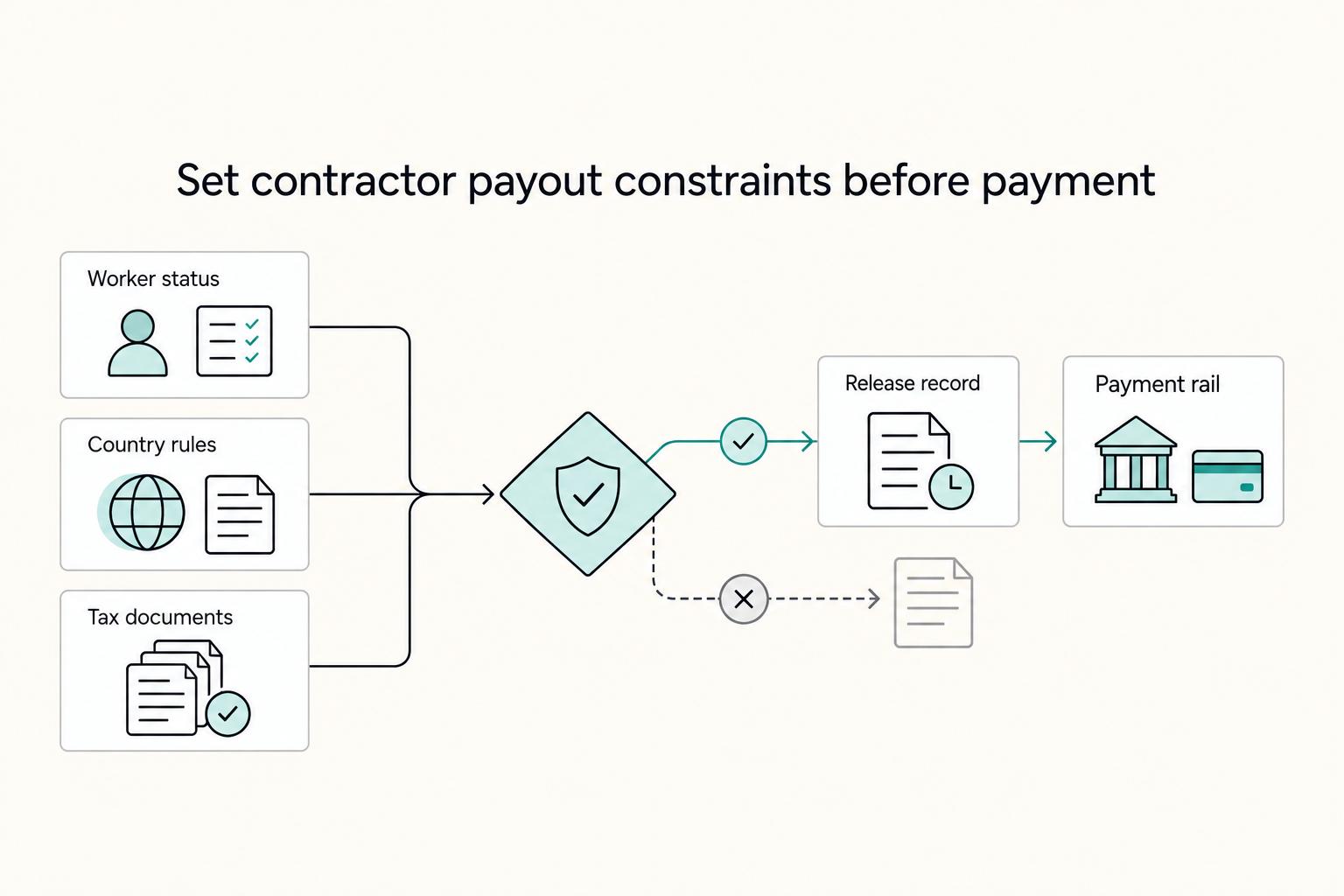
How to Pay International Contractors With Fewer Delays and Disputes
Reliable contractor payments begin with verified payee details, clear terms and the checks required for the actual engagement. Separate the payer’s release and withholding obligations from the contractor’s own tax-registration and filing tasks.

The Freelance Payment Penalty: A Modeled Audit of Platform Fees, FX Spreads, and Payout Delays
The money rarely disappears through a single, easy-to-spot fee. The real loss is stacked. A marketplace takes its commission, a processor adds a charge for international cards, a bank or payment company converts the currency at a spread, a platform holds the funds before release, and a wire sheds a little to intermediaries on the way in. Each layer looks defensible on its own, but the worker feels the combined result as a smaller deposit and a later payday.