
Quick Answer
Use one approval standard from day one: require project, task, billable hours, rate, breaks or overtime, totals, submission status, and reviewer sign-off before any billing or payroll handoff. Keep templates only while one reviewer can verify records without version confusion. Move to a timesheet app when you need Android or iOS entry, approve or reject history, and locked records after approval. Then run a fixed weekly order: daily logging, supervisor review, finance decision, and lock.
A Simple System for Tracking and Submitting Contractor Hours#
A contractor timesheet should function as a payout record in progress, not a loose note about hours worked. If your team cannot trace a clear line from logged time to an approved billing or payroll input, payment operations are not under enough control.
At its core, a contractor timesheet tracks billable hours spent on client work. The approval step turns "I worked these hours" into "we are ready to pay or bill from this record." When that handoff is loose or fully manual, errors can flow into payroll, billing, and reconciliation work.
Who this guide is for#
This guide is for finance, ops, and product owners who need contractor hours to become payout-grade records. The standard is not "good enough to remember what happened." It is "complete enough for another reviewer to verify, approve, and match to downstream payment or billing data without chasing email threads."
Set the bar for a usable record#
Start by setting the bar for what counts as a usable record. A timesheet entry should do more than show a date and a total. It needs enough context to explain the work, usually at the project or task level, and enough structure to support review.
Common templates already point in the right direction with fields like project, task, hourly rate, regular hours, overtime, breaks, and totals. A practical check is simple: can a reviewer confirm what was worked, at what rate, and whether the total belongs on a bill or payout run?
Choose your capture method by control needs#
Choose your capture method based on control needs, not habit. Excel, Google Sheets, Word, or PDF templates can work for straightforward workflows. A time tracking app often works better when you need more automated submission and approval.
The real red flag is not that you use spreadsheets. It is that reviewers keep fixing totals by hand, guessing which version is final, or approving hours without enough detail.
Plan for exceptions before payout#
Build exceptions into the process from the start instead of treating them like edge cases. Late submissions, missing rates, disputed billable hours, and duplicate entries still happen. This guide gives you a submission standard, decision rules for choosing templates versus software, and recovery steps for when records break before payout. If an entry cannot be validated, stop it there until the issue is clear and owned.
By the end, you should have a practical way to run contractor timesheets without surprises: one submission standard, one review path, one reconciliation path, and a checklist you can reuse in your weekly operating routine.
For the payout side of the process, see Payment Transparency for Contractors: How to Build a Payout Tracker Your Recipients Trust.
Define the minimum standard for payout-grade timesheets#
Set the minimum fields and acceptance rule#
Use one internal minimum standard every week: if a contractor timesheet cannot stand on its own as an approval record, do not move it to billing, payroll, or reconciliation.
Required fields:
- contractor name or ID
- date range, or clear time entries with start and end times
- project
- task (or work code)
- billable hours
- rate
- breaks (and overtime, if used)
- totals
- submission status
- approval section or equivalent reviewer sign-off
This keeps records reviewable, not interpretive, because identity, work context, and payout math live in one place. The check is simple: can another reviewer confirm what was worked, for which project/task, at what rate, and whether totals are ready for downstream use?
For disputed entries, set an internal rule: attach one evidence note before review starts, such as a supporting note, ticket, client message, or short line-item explanation. This reduces avoidable back-and-forth when a record is challenged.
Set one acceptance rule and enforce it consistently: no approval when rate, project/task code, or totals are missing, even if logged hours look reasonable. Once approved, that same record can support invoice creation and feed payroll and reconciliation from the same structured hours.
If teams approve one version and bill from another, reconciliation turns into a manual line-by-line match. Related: A Guide to Time Tracking Software for Billable Hours.
Decide when templates are enough and when software is required#
Pick the tool by control needs#
Use templates when your approval path is simple and stable; move to software when control requirements increase. If you need multi-approver routing, mobile capture on Android or iOS, approval locking, or a consistent record of changes, template-only operations are usually not enough.
Use this test: can your current format show who submitted time, who approved it, what changed, and whether approved entries were edited later? If that evidence depends on email threads or file-version guesswork, your process is below payout-grade control.
| Option | Works well when | Main control gap |
|---|---|---|
| Excel | One reviewer, limited volume, stable rates, and disciplined weekly checks | Manual edits and formula cascades raise review risk as complexity grows. |
| Google Sheets | Similar to Excel, especially when reviewers need one shared file | Shared visibility helps, but approvals, version discipline, and post-approval control are still manual. |
| Microsoft Word | Very small volumes reviewed like documents | Totals and cross-entry checks stay manual, and line-level change tracking is harder at scale. |
| Fixed submission or sign-off record | Useful as an end record, weak as the operating layer when you still need routing or edits. | |
| Timesheet app | Repeated submissions with approval, locking, and mobile capture needs | Requires setup and verification of exact approval and history controls before rollout. |
The cutoff is not one universal contractor or project count. It is the point where operational complexity outruns manual control: more contractors or projects, more disputes, and slower approvals that start to affect billing or payout prep.
Use these rules:
- Stay on templates when you have one approval layer, rare disputes, and reviewers can finish checks without reconstructing missing context.
- Move to software when files split by team, reviewer, or week, or when approval latency starts delaying downstream work.
- Move now if field teams need phone-based logging and your process depends on Android/iOS capture.
- Move now if approved entries must be locked and you need a visible approve/reject history.
The named tools are useful as control examples, not as interchangeable choices. My Hours documents approval hierarchy and timesheet locking. ClockShark documents timesheet approvals to lock recorded time and advertises iOS/Android availability. QuickBooks Time documents approve, unapprove, and reject actions and advertises iOS/Android mobile support. Apploye positions approve/reject as a gate before payroll calculations. Do not assume identical routing depth or record-history behavior across all four.
Before deciding, run a quick trace test: sample five approved entries and follow each from submission to approval to final total. If you cannot reliably confirm who submitted it, approval status, whether values changed after approval, and whether the approved record is the one used for billing or payout, template convenience is costing control.
For a step-by-step walkthrough, see Expense Management for Freelance Agencies to Track and Reimburse Client Costs.
Prepare the submission packet before the week starts#
Lock the submission packet before the period opens#
Lock one submission packet before the period opens so submission, approval, and payout use the same inputs from day one. Most avoidable friction comes from missing codes, unclear approvers, or field names that change between timesheets, billing records, and payout processing.
| Packet item | Required detail |
|---|---|
| Contractor roster | Current roster with the exact downstream name or ID |
| Rate card | Approved rate card, including wage basis (for example, hourly) |
| Project/task codes | Valid project/task or job/cost codes contractors can charge |
| Deadline calendar | Submission and approval deadline calendar |
| Escalation contacts | Contacts for exceptions such as rate disputes or missing codes |
At minimum, the packet should include the five items above.
Define approval ownership in writing before submissions start. Specify who approves first pass, who handles exceptions, and who can reopen rejected submissions if your tool supports that action. In some setups, both worker and supervisor sign off to confirm the record.
Use one visible status ladder across the process. A house ladder like draft, submitted, approved, rejected, paid is fine if it is clearly mapped to actual tool states, for example Open, Pending Approval, Approved, Rejected. When workflow is active, submitted time should move into a clear approval state.
Finish with a pre-flight field check. Make sure timesheet fields match invoicing and payout fields, for example contractor ID, project, task, billable hours, daily hours, weekly total, rate, status, and test Project/Task mapping if invoicing is based on timesheets. Run a small dry run to confirm entries can be submitted, approved or rejected, exported without retyping, and matched back to the same approved record.
Run the weekly sequence from capture to approval#
Run the week in a fixed order: log daily, review, approve or reject, then lock approved time.
| Step | Action | Metric |
|---|---|---|
| 1 | Log billable hours daily by approved project and task, then submit for approval at period end | Submission on-time rate |
| 2 | Supervisors review anomalies such as overlaps, missing breaks, and unexpected overtime | Approval latency |
| 3 | Finance applies approval rules, sets status, and routes rejected lines to the exception queue | Rejection rate by reason code |
| 4 | Lock approved entries and require a formal reopen or unlock action for edits | Reopen frequency |
Step 1: Log billable hours daily. Contractors should enter billable hours each day by approved project and task in your selected app or template. At period end, submit for approval rather than reconstructing from memory. Track submission on-time rate: the share of expected timesheets that move into submitted or pending approval on schedule.
Step 2: Review anomalies before finance. Supervisors review submitted entries before finance, including overlaps, missing breaks, and unexpected overtime. If the record is unclear, send it back for correction so issues are resolved before downstream processing. Track approval latency: how long entries wait for supervisor action.
Step 3: Apply finance policy checks and route rejections. Finance applies approval rules and sets an explicit status, for example Open, Pending Approval, Approved, or Rejected. Rejected lines should go to the exception queue with reason codes and notes so contractors can correct and resubmit. Track rejection rate by reason code to find recurring process gaps.
Step 4: Lock approved entries and control reopens. After approval, close the period and lock approved entries for billing and payout. If edits are needed, require a formal reopen or unlock action by an authorized role and rely on approval history to record date, action, user, and notes. Track reopen frequency to catch weak review patterns early.
If you handle cross-border contractor payments, How Independent Contractors Should Use Deel for International Payments, Records, and Compliance covers the payment and recordkeeping side.
Reconcile approved hours to billing and payouts#
Use the locked, approved timesheet batch as your single source for billing and payouts, then reconcile before release. Do not let invoicing, payroll, or contractor payouts pull hours from side exports or spreadsheets.
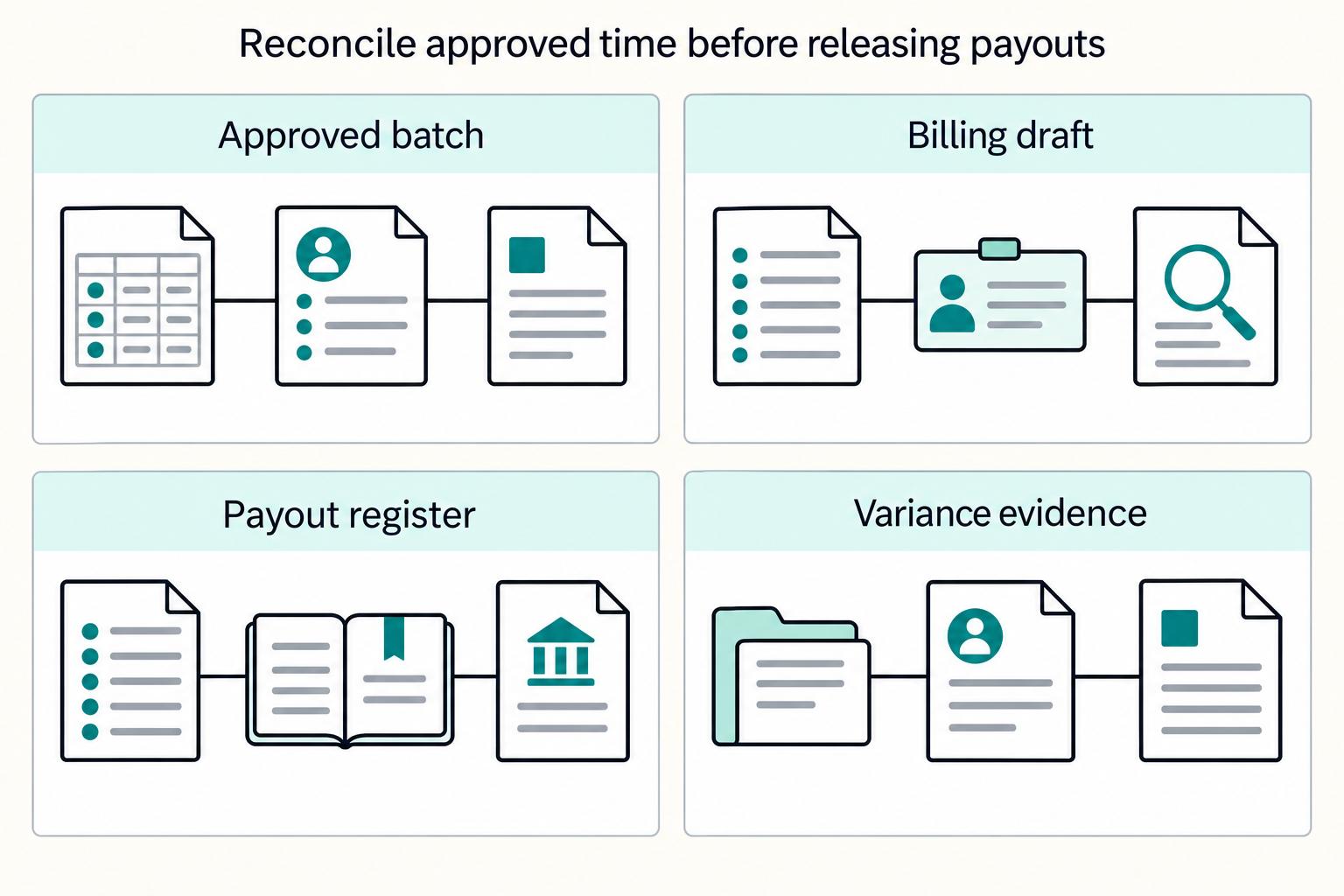
Step 1. Convert approved entries into billing line items. Approved time feeds both billing and payout processing, so generate bill lines from the closed approval batch only. First check: approved hours and billed hours should align for the same contractor, code, and rate grouping. Before release, spot-check lines against the approved timesheet and current rate reference to catch mapping issues.
Step 2. Reconcile from one evidence set. Reconciliation means matching transaction records to accounting records, so assemble the full record set before payment: closed timesheets, billing draft, payout register or payroll file, accounting records, and payout or bank reporting. Keep transaction-to-payout linkage so each paid amount can be traced during review. If a variance cannot be explained from records, pause release until it is resolved.
Step 3. Hold affected releases and route exceptions cleanly. When billed totals and approved time diverge, hold the affected contractor, billing record, or payout batch based on your policy, then route it to the exception queue with an owner and due date. Include the minimum evidence needed to resolve it: approved timesheet ID, invoice reference, rate reference, payout batch ID, and reviewer notes. If the approved record is wrong, use the formal unapprove or unlock path so the correction stays in the audit trail.
Step 4. Keep a consistent close sequence. At scale, publish one close order and follow it every cycle so reporting reflects approved, billed, and paid states consistently. A common sequence is timesheet close, billing close, payout file close, then reporting export. Track match rate and unresolved exception count at each close point, and fix handoff gaps before the next cycle.
Recover quickly when timesheet operations break#
When timesheet operations break, contain the issue before you correct it. Use one rule before payout release: if a dispute is above your internal tolerance, keep the affected timesheet in submission status = pending review.
Step 1. Triage by failure type, then build the evidence pack. Route missing-time issues, like late or missed punches, through your exception path, and classify other items by the actual break, not by who reported it. In practice, queues often include late submissions, rate mismatches, duplicate lines, overlap across work codes, and disputed billable hours.
Your first checkpoint is a complete record for each flagged item: timesheet ID, contractor, code values, date range, entered hours, rate reference, related billing line if present, and reviewer notes. If your system supports a reviewed state, mark it only after triage, not before.
Step 2. Apply one if X, do Y control before money moves. If a dispute, duplicate, or overlap would push impact above your internal tolerance, set the record to pending review and hold billing and payout for that record or batch. If impact is below tolerance, let the broader cycle continue, but still log the exception with an owner and due date.
Step 3. Route corrections through the right path. Keep correction lanes separate so fixes stay auditable:
- Data fix: wrong field (code, date, rate, duplicate line). Decline or reopen, correct, and resubmit.
- Policy fix: wrong or missing approver. Send back through the correct approval path and record why.
- System fix: sync failure between systems. Hold release, preserve source records, and reconcile before reprocessing.
Step 4. Run a standing exception queue with SLA owners. Review unresolved exceptions on a fixed cadence tied to the pay period, with named owners for ops, finance, and system issues. Track count, age, reason code, and current blocker so unresolved items do not roll into the next payout cycle.
Related reading: Vendor Relationship Management for Platforms That Finance and Ops Can Run.
Connect timesheet approvals to Gruv payout controls#
Treat payout submission as a controlled handoff, not an automatic next step after timesheet approval. In Gruv, keep one reference chain from approval through final payout status so each paid amount is explainable.
Step 1. Create one join key before submission. For each approved record, create a payout request record with the approved timesheet ID, contractor ID, approved amount, currency, and request timestamp. Finance should be able to open any paid line and trace it back to the source approval without using a side spreadsheet. If you run batch payouts, keep internal references at both item and batch level instead of relying only on a provider batch ID.
Step 2. Make retries idempotent. If a submission times out or returns a 5xx, retry with the same idempotency value, not a new one. Stripe supports idempotency keys, and PayPal uses PayPal-Request-Id; for batch payouts, PayPal also supports retry with the same sender_batch_id and stores keys for 30 days. Replaying with a new identifier is the main duplicate-processing risk.
Step 3. Hold release behind policy gates where supported. Align final approval, compliance checks, and release timing through policy gates where your program supports them. If formal gates are not enabled in your setup or market, keep the payout request in an internal held state until checks are complete. This prevents approved hours from being submitted before required controls clear.
Step 4. Export for reconciliation, not just reporting. Include approved timesheet IDs, internal payout request IDs, provider references such as payout_batch_id where available, amount, currency, and final status in reconciliation exports. Preserve raw provider states like pending, in_transit, paid, canceled, and failed, and keep metadata that links back to the approved record. That is what gives finance an end-to-end audit trail.
Conclusion#
The practical move is deliberately boring: tighten the controls before you chase new tooling. Standard fields, explicit approval rules, visible submission status, locked approved entries, and clean reconciliation generally do more for payout quality than another template redesign.
Use this as your copy-and-paste closeout checklist for the month:
- Define mandatory contractor timesheet fields
Require the same core fields on every record: project, task, hourly rate, regular hours, overtime, breaks, totals, and a visible status. Your verification point is whether finance can read one submitted entry and tell if it is complete enough to bill and pay without checking a side spreadsheet. If rate, code, or totals are missing, do not approve even if the hours look reasonable.
- Choose template vs app using control requirements
Pick a timesheet template only if your volume and approval path are still easy to inspect by hand. Move to a timesheet app when you need routing, reminders, edit controls, or a cleaner audit trail, because manual approval chains get slow and brittle at scale. The tradeoff is simple: templates are cheap to start, but they break down when status visibility and post-approval edit control start to matter.
- Publish approval rules and status definitions
Name who reviews first pass, who handles exceptions, and who can reopen rejected or approved entries. Define a visible status ladder for your process, for example draft, submitted, approved, rejected, paid, so handoffs are not guessed from email threads. A common failure mode is ambiguous ownership after rejection, which is why your exception queue should carry a reason and an owner.
- Run weekly capture, review, approve cadence
Ask contractors to log time consistently during the week instead of reconstructing it at week end. Have supervisors review overlaps, missing breaks, and unexpected overtime before finance touches the batch, then lock approved entries so billing and compliance work from finalized time. The check here is whether approved hours stay unchanged unless someone performs a formal reopen action.
- Reconcile approved hours to invoice and payout outputs
Treat approvals as a primary billing and payroll control, not an admin step. Match approved hours and rates to the bill and payout outputs from a consistent record, and stop release when totals diverge. If you cannot explain the variance from the approved record, the batch is not ready.
- Track exception turnaround, approval latency, and match rate
Watch whether exceptions are being resolved, how long approvals take, and how often approved totals match billing and payout totals on first pass. Poor visibility can slow payroll, so status and reporting are not nice-to-have controls. They are the feedback loop that tells you whether your process is actually getting cleaner.
If you take one practical priority from all of this, start with a single acceptance standard and an owned exception queue. That gives you better approvals, fewer payout surprises, and a process you can scale without losing trust.
Frequently Asked Questions
How should contractors track and submit hours if finance needs audit-ready records?
Use daily entry, not end-of-week reconstruction from memory. A timesheet is a record of time worked during a fixed period, and records are stronger when hours are entered each day with clear project or task context. A practical check is whether a reviewer can follow each logged day to the approved total.
What fields must a contractor timesheet include to support billing and payout reconciliation?
A practical minimum is project, task, hourly rate, regular hours, overtime, breaks, and totals. To support cleaner billing and reconciliation, also capture start and end times. The red flag is approving hours that have a total but no rate or work code attached.
When should we switch from Excel or Google Sheets to a timesheet app?
Switch when manual entry and review become a burden. If finance can no longer trust that the approved number is the same one used for billing and payout steps, spreadsheets have stopped being enough.
How do we reduce timesheet disputes before invoice and payout runs?
Make contractors log time daily and give them a clear field standard up front. Review exceptions early, especially missing breaks, overtime, or entries on the wrong code, before finance touches the batch. The goal is to resolve disputes before billing or payout processing.
What is the fastest way to handle rejected or late timesheets without delaying everyone else?
Late or rejected timesheets should be handled as exceptions quickly, because messy or delayed handling can slow payroll. Keep clear separation in your process so only approved time flows into payroll or invoicing.
How do approved timesheets map to payroll, job costing, and payout processing?
Approved time is used downstream for payroll and invoicing, so keep a clear link between approved timesheets and downstream records. Project and task fields can support internal cost tracking, while approved totals support downstream matching.
Which metrics best show that our timesheet process is getting healthier over time?
Start with on-time submission rate, because payroll depends on accurate, on-time timesheets. Then track how often late or inaccurate timesheets delay payroll or invoicing and whether reconciliation issues are declining.
Try a related tool
Researched and edited by the Gruv editorial team. Gruv builds cross-border billing, payouts, and finance-operations software for global businesses.
Sources
Includes 2 external sources outside the trusted-domain allowlist.
- developer.paypal.com/docs/api/payments.payouts-batch/v1trusted
- dol.gov/agencies/whd/fact-sheets/21-flsa-recordkeepingtrusted
- en.wikipedia.org/wiki/Service-level_agreementtrusted
- en.wikipedia.org/wiki/Audit_trailtrusted
- gsa.gov/buy-through-us/shared-services/support-servi...trusted
- hrmanual.calhr.ca.gov/Home/ManualItem/1/1716trusted
- beebole.com/blog/best-time-tracking-tools-with-automated...external
- clockify.me/timesheets-questions-answeredexternal
Educational content only. Not legal, tax, or financial advice.
Related Posts
How Freelance Developers Use Linear to Control Scope and Billing
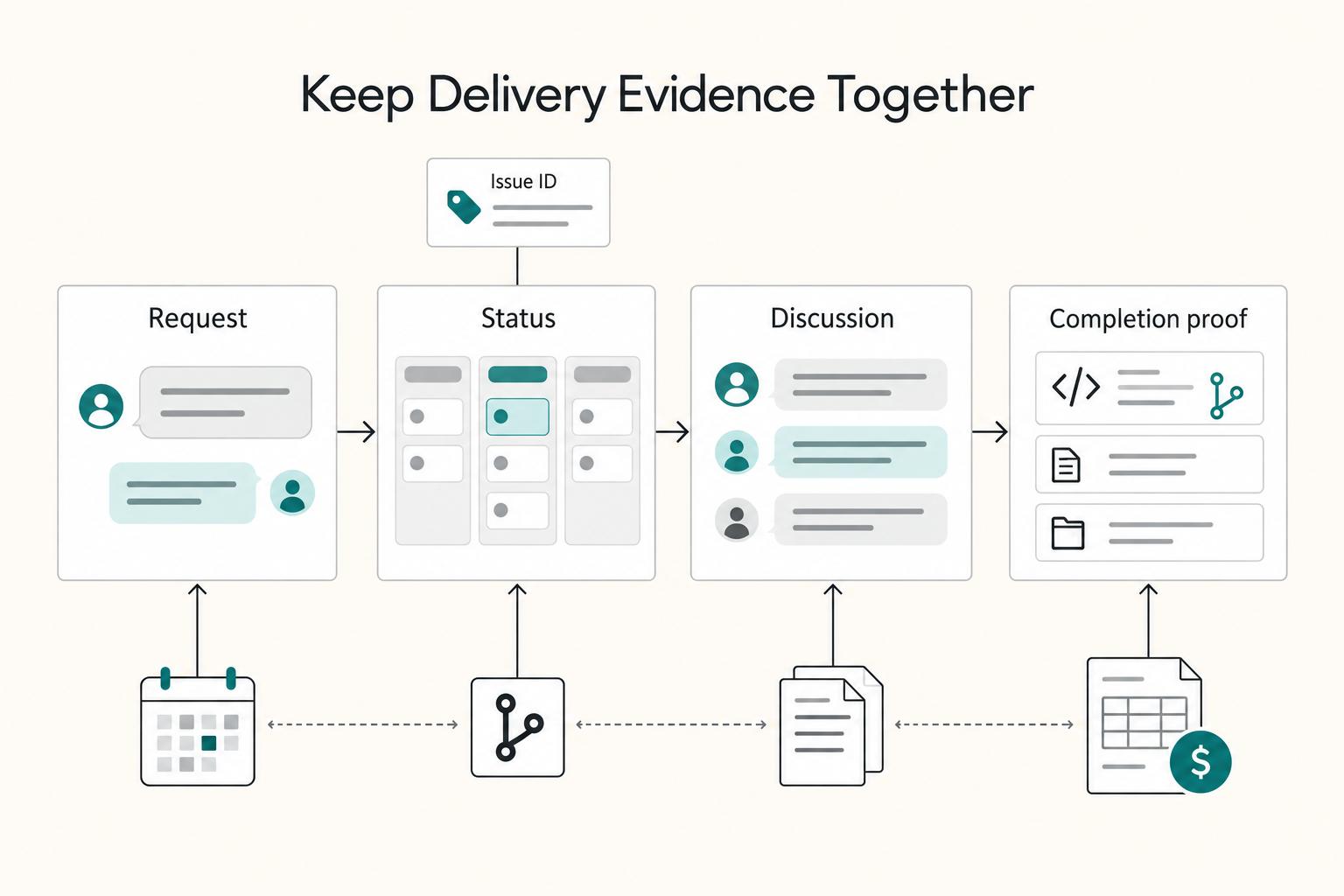
If your delivery record is split across email, chat, docs, and a separate tracker, you are likely giving up margin in ways you can verify this week. The loss usually shows up in three places on a normal project: admin overhead, rework from misalignment, and scope ambiguity.
Choosing Time Tracking Software for Billable Hours in 2026
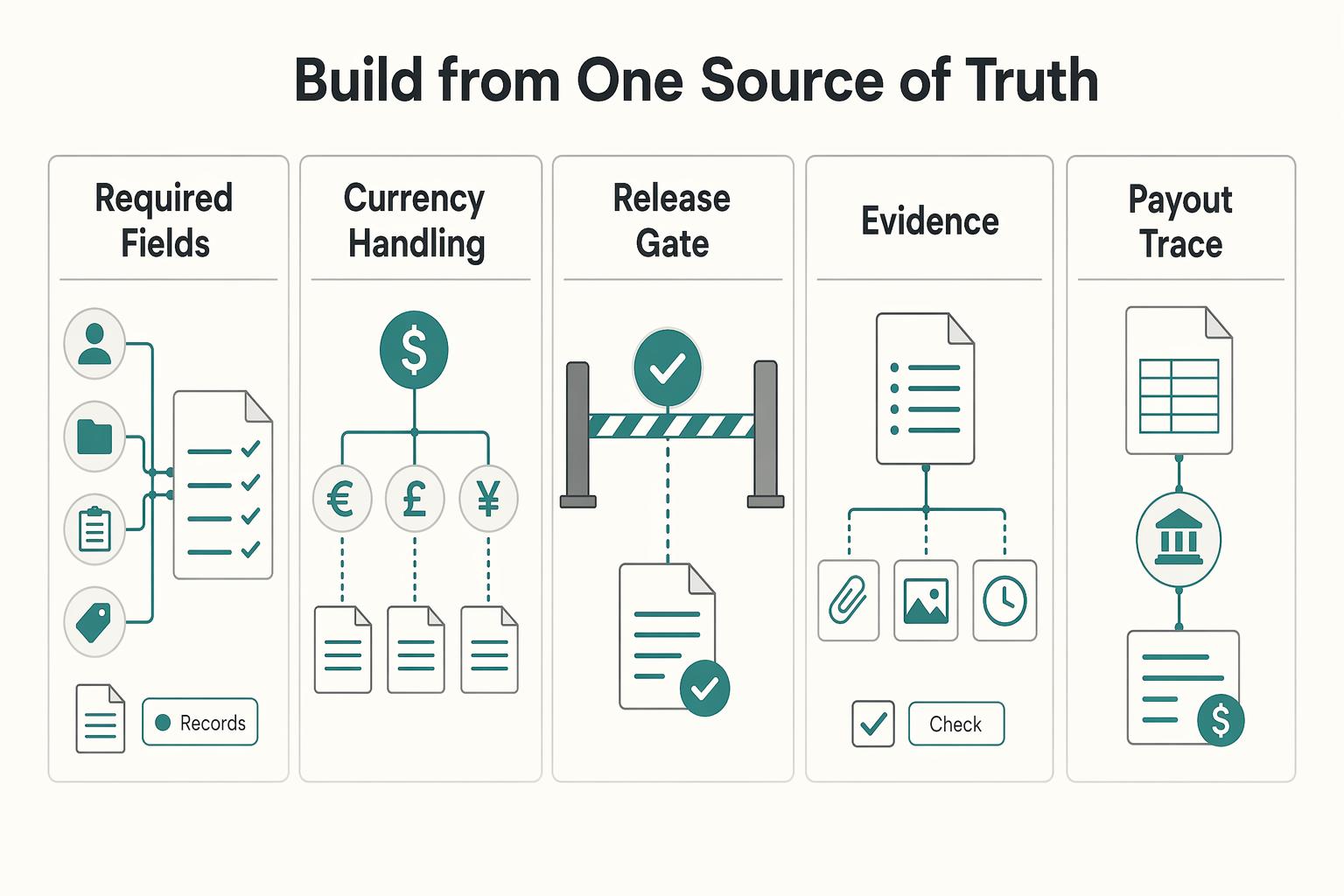
If a client challenges an invoice, or you need to support a tax position later, vague timers will not help. The goal is simpler: keep records that make disputes easier to resolve, invoices easier to justify, and your file easier to explain when someone asks, "What exactly happened here?"
Building a Contractor Payout Tracker Recipients Trust
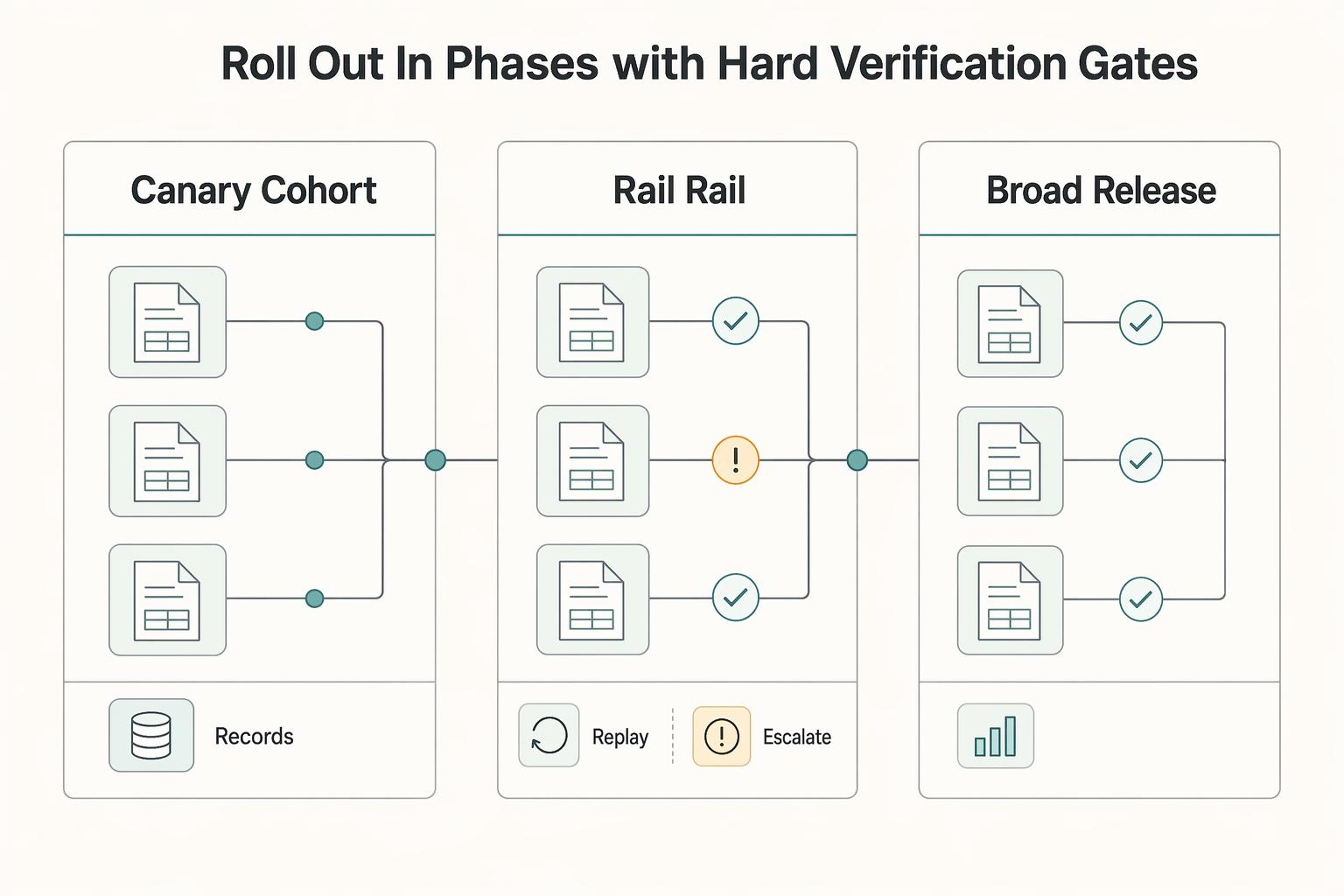
A payout tracker can help build trust when recipients can see what is happening, what happens next, and whether they need to act, without opening a support ticket. When payout status is vague, routine questions can turn into tickets, calls, and escalations. When status is clear, timestamped, and action-oriented, recipients can self-serve and support teams may spend less time chasing updates.