
Quick Answer
Use a subscription app and Purchase options for recurring product orders. For merchant app charges, choose Shopify App Pricing or an appropriate Billing API integration. In a manual AppSubscription flow, verify merchant approval, status and effective replacement timing before changing paid access.
Separate Shopify storefront billing from subscription control#
Separate customer product subscriptions from merchant app charges before writing code. A shopper subscribing to monthly coffee deliveries and a merchant paying for your app need different billing records, approval flows and recovery steps.
The split is straightforward, but teams still blur it because both paths use the word subscription. One path is customer-facing recurring product purchases. Shopify defines subscriptions as customers purchasing products on a recurring basis and describes this as adding a subscription as a purchase option. The other path is merchant-facing app monetization. Shopify defines an app subscription as a recurring fee to access an app or certain app features, implemented with the GraphQL Admin API billing objects and mutations.
That distinction matters because the owners, documents, and failure modes are different. If your goal is to let shoppers subscribe to coffee, supplements, or refills, your first checkpoint is whether the store is using subscription purchase options correctly. If your goal is to charge merchants monthly for your app, your first checkpoint is whether app billing lifecycle behavior is modeled correctly. Those are different projects, even if both create recurring revenue.
A good working rule is this: define the revenue event before you define the integration. Ask, "Who is being billed, and for what?" If the billed party is the customer purchasing products on a recurring basis, stay anchored to subscription products and purchase options. If the billed party is the merchant paying for app access or app features, stay anchored to app subscriptions and the GraphQL Admin API. If you cannot answer that in one sentence, stop and resolve it before scope grows.
The main cleanup risk is not that Shopify lacks subscription support. It is connecting the wrong layer to the wrong business requirement, then patching around that mismatch later. Common examples include treating merchant app fees like store subscription logic, or provisioning paid app features before app billing is fully confirmed. These patterns can create reporting and support complexity as plans and cancellations evolve.
Choose the billing layer, configure its lifecycle, then test a renewal, a plan change and a cancellation. Keep the subscription ID and the resulting order or app charge traceable through support and finance records.
This pairs well with our guide on Subscription Billing Platforms for Plans, Add-Ons, Coupons, and Dunning.
Define the two billing layers before writing code#
Before anyone touches the integration, make the billing target explicit: Shopify subscriptions split into two different layers.
Store subscription selling (customer-facing): install a subscription app from the Shopify App Store, configure subscription products, and use Purchase options so customers can buy on a recurring basis. A practical early check is whether shoppers can actually see and select the subscription option for the intended SKU, and whether setup is complete enough for scheduled recurring purchases. If your requirement is "sell product subscriptions," keep implementation anchored to the Shopify Help Center subscription setup path.
App subscription billing (merchant-facing): use Shopify App Pricing when its hosted plans fit, or the Billing API for an existing/manual-pricing integration. In the Billing API path, appSubscriptionCreate returns a confirmation URL. Merchant approval activates the subscription; any trial delays the start of charges. Verify the resulting subscription before granting the matching paid access.
Treating these as one system is where rework starts. Teams often mix customer checkout behavior with app monetization logic, then discover scope drift in entitlements, reporting, and support expectations.
Lock in this constraint early for app monetization: an app can have only one active subscription per merchant. If your plan assumes overlapping paid app plans for the same shop, fix that before you build UI, entitlements, or reporting.
If you want a deeper dive, read Subscription Billing for eCommerce: How DTC Brands Can Add Recurring Revenue to Physical Products.
Choose your integration path with a decision table#
Choose by who pays: customer recurring orders use a subscription app and Purchase options; merchant app charges use Shopify App Pricing or a supported Billing API integration. The lifecycle details below use the manual Billing API path.
| Objective | Primary system | Owner | Failure risk |
|---|---|---|---|
| Sell recurring product orders to shoppers | Shopify admin + subscription app using Purchase options | Ecommerce / store ops with product input | Team builds app-billing logic first and misses customer-facing setup that determines whether shoppers can buy a subscription |
| Charge merchants for your app on a recurring basis | Shopify App Pricing or manual Billing API AppSubscription | App engineering / platform product | Paid features turn on before merchant approval, or plan-change handling is left undefined |
| Do not mix in phase one unless both are required on day one | Keep store subscriptions and custom usage-based subscription billing as separate tracks | Product lead plus engineering lead | Scope creep blocks checkout launch and muddies support/reporting ownership |
| Pay suppliers on a schedule | Shopify Bill Pay (accounts payable) | Finance / accounts payable | Confusing an outgoing bill-payment schedule with customer checkout or app charges |
Use the table as a hard routing decision. If success depends on customer checkout behavior, prioritize store-layer execution: confirm the right SKU is available through Purchase options, and treat subscription cancellation policy plus checkout footer experience as release criteria.
For manual merchant app billing, send the merchant through the confirmation URL and verify the resulting subscription. Approval alone does not mean a deferred replacement is already effective: keep the old entitlements until the chosen replacement takes effect.
Keep phase one narrow unless your model requires both tracks immediately. Customer product subscriptions and merchant app billing have different ownership, state transitions, and failure tickets. Also keep the one-subscription constraint in scope: an app can have only one active subscription per merchant.
Shopify Bill Pay schedules payments for business bills. Keep this accounts-payable workflow separate from customer subscription checkout and merchant app monetization.
You might also find this useful: How to Integrate Your Subscription Billing Platform with Your CRM and Support Tools.
Configure Shopify store subscriptions without hidden rework#
For customer-facing subscriptions, use this setup order to avoid rework: configure your subscription app first, then configure subscription products in Shopify admin, then review the subscription cancellation policy shown in checkout.
Shopify documents this sequence directly: complete setup in your chosen subscription app before admin setup steps, then manage product subscriptions in Purchase options on the product details page. If you start with Shopify Subscriptions app, Shopify also documents auto-billed renewal cadences such as weekly, monthly, or yearly.
Set the store up in the order Shopify expects#
- Install and configure your chosen subscription app.
- Add subscriptions to target products in Shopify admin.
- Set or review the purchase options cancellation policy.
Treat step 3 as a release check. Shopify states that a purchase options cancellation policy is added automatically after subscription setup, and that policy is linked in the checkout footer. Verify this by checking a subscribed product's purchase option and then confirming the subscription policy link appears in checkout.
If cancellation policy text is blank in Settings, Shopify shows generated template text to customers. That can still create launch risk if legal or support teams expect store-specific cancellation terms.
Decide SKU behavior on purpose#
Choose SKU behavior intentionally in Purchase options: subscription-only or one-time plus subscription. Shopify explicitly supports mixed mode by unchecking Only sell this product as a subscription.
Document the decision per SKU so product, merchandising, and support stay aligned as changes happen. Also confirm channel fit before launch: Shopify documents that subscription-only products without a one-time option can be sold only on the Online Store sales channel.
For a step-by-step walkthrough, see Building Subscription Revenue on a Marketplace Without Billing Gaps.
Implement app billing lifecycle events in GraphQL Admin API#
For manual Billing API integrations, map Shopify subscription status to your app’s access rules. Shopify defines statuses such as PENDING, ACTIVE, FROZEN and CANCELLED; requested and replaced can be additional internal labels. A returned confirmation URL is not proof that the merchant approved or that a replacement took effect.
Define internal states before wiring entitlements#
Set a deterministic mapping from each internal billing label to:
- Product access behavior
- Finance/reporting behavior
- Verification evidence (event source, timestamp, actor, related plan/shop record)
Keep Shopify’s returned status alongside your internal entitlement state. For example, a pending replacement can coexist with the merchant’s current paid access until its effective date. Record the old and new IDs and verify which subscription actually governs access.
Use GraphQL Admin API prerequisites as hard launch gates#
Merchant app billing needs authenticated API access and the selected Shopify billing product. Customer Subscription APIs have separate protected-scope requirements; do not treat those as prerequisites for charging merchants for app access:
| Requirement | Scope | Implementation check |
|---|---|---|
| Authenticated API access | Manual merchant app billing | Obtain a valid app token; handle userErrors and persist the returned subscription ID and confirmation URL. |
| Shopify billing solution | Apps published in the Shopify App Store | Choose Shopify App Pricing or an appropriate manual Billing API path; keep off-platform business workflows separate. |
| Protected Subscription API scopes | Apps creating customer product subscriptions | Request approval for read_customer_payment_methods and own-subscription-contract scopes; these are not the merchant AppSubscription approval flow. |
| Extensions and app configuration | Customer purchase-options apps | Use the supported app creation/distribution path and configure the required extensions and approved scopes. |
If your app also builds customer subscriptions, request the approved Subscription API scopes for that separate feature and verify the required extensions and distribution path before testing it.
For plan replacement behavior, document your chosen implementation and expected outcomes in your own design notes.
Separate time-based and usage-based billing paths early#
Do not merge time-based and usage-based billing into one ambiguous flow. Keep records structured so support and finance can independently verify:
- Current plan and billing model
- Approval/activation evidence
- Effective entitlement timestamps
- Usage records (separate from plan records when applicable)
For manual recurring app charges, merchant approval is part of Shopify’s charge-creation flow. Your app must separately decide access during trials, deferred replacements and freezes; verify status and effective dates instead of granting access from a redirect alone.
We covered this in detail in Retainer Subscription Billing for Talent Platforms That Protects ARR Margin.
Handle plan changes cancellations and account freezes safely#
Treat plan changes, uninstalls, and billing freezes as explicit workflow states backed by evidence, not assumptions.
For a manual Billing API plan change, create the replacement charge and obtain merchant approval. Record replacement behavior and currency: APPLY_IMMEDIATELY switches now; APPLY_ON_NEXT_BILLING_CYCLE normally waits, but a currency change overrides that deferral. STANDARD can defer certain annual downgrades, annual-to-monthly moves and discount-only changes. Align access with the actual effective subscription.
Before support confirms an upgrade or downgrade, make sure the record includes:
- old plan
- new plan
- approval event
- effective timestamp
- replacement path attempted by code
Do not guess at credits or bill behavior#
Use only what Shopify billing docs clearly support. App-related billing is described as four types: subscription charges (recurring app use on the regular Shopify bill), app usage charges (amount varies with usage), one-time app purchases (billed separately), and application credits (may appear in specific cases such as mid-cycle downgrade and can apply to future app-related charges).
So avoid promising automatic credits for every downgrade, cancellation, or uninstall. A safer support response is that credits may be issued in specific cases, and your team will verify what actually posted on the merchant's Shopify bill.
Make uninstall and freeze states operational#
Uninstall automatically cancels a manual app subscription without a credit for the unused period. Remove access while the app is uninstalled. If the merchant reinstalls during that paid period, check the remaining-period entitlement before charging again; cancellation does not imply an automatic refund.
For a billing account freeze, keep a visible internal branch so the account does not drift silently:
- set entitlement state to
frozen - alert support/ops with shop, current plan, and last successful billing evidence
- restore premium access only after a verified recovery signal
Use shared support macros for replaced, canceled, frozen, pending credit review, and access removed so teams do not improvise case-by-case language. If a ticket cannot be resolved with those labels plus bill evidence, escalate. For the full breakdown, read The Best Tools for Managing Subscription Billing.
Build finance ops visibility and reconciliation from day one#
Build finance reconciliation into your billing flow from day one. For any recurring app charge, your team should be able to show what changed, whether the merchant approved it, what Shopify recorded, and what your app did next.
In the manual Billing API path, persist subscription ID, shop ID, status, current period end and the entitlement action taken. Consume APP_SUBSCRIPTIONS_UPDATE and verify current state before applying changes. Shopify App Pricing uses its own billing events and Partner API subscription records; its subscription changes do not emit Billing API webhooks, so select the event source that matches your billing product.
Use one hard reconciliation rule: if your system shows two active paid plans for one merchant, treat it as a defect and investigate. Shopify states an app can have only one active subscription per merchant.
Keep an incident evidence pack#
Use one standard evidence pack for disputed invoices, upgrades, downgrades, and cancellations so finance, support, and engineering are reviewing the same facts.
- merchant approval status, including confirmation URL creation and whether approval occurred
- exact
AppSubscriptionReplacementBehaviorused for the new subscription - old and new subscription IDs, statuses, and period end dates
- expected billing outcome as
proration,deferral, or manual review - entitlement action your app took, with timestamp
For a deferred replacement, record the currency pair and effective date as well as APPLY_ON_NEXT_BILLING_CYCLE. If the currencies differ, Shopify applies the new subscription immediately. Your recovery job should query the governing subscription before changing entitlements after a missed or delayed event.
Tie finance records to the broader money trail#
If separate downstream collections or contractor payouts are part of your business, reconcile them under their own transaction references. They do not replace Shopify’s app-charge records or merchant approval flow.
An app published in the Shopify App Store must use a Shopify-provided billing solution for its app charges. Keep any separate business collections or payouts distinct, and link records only where they describe the same commercial event.
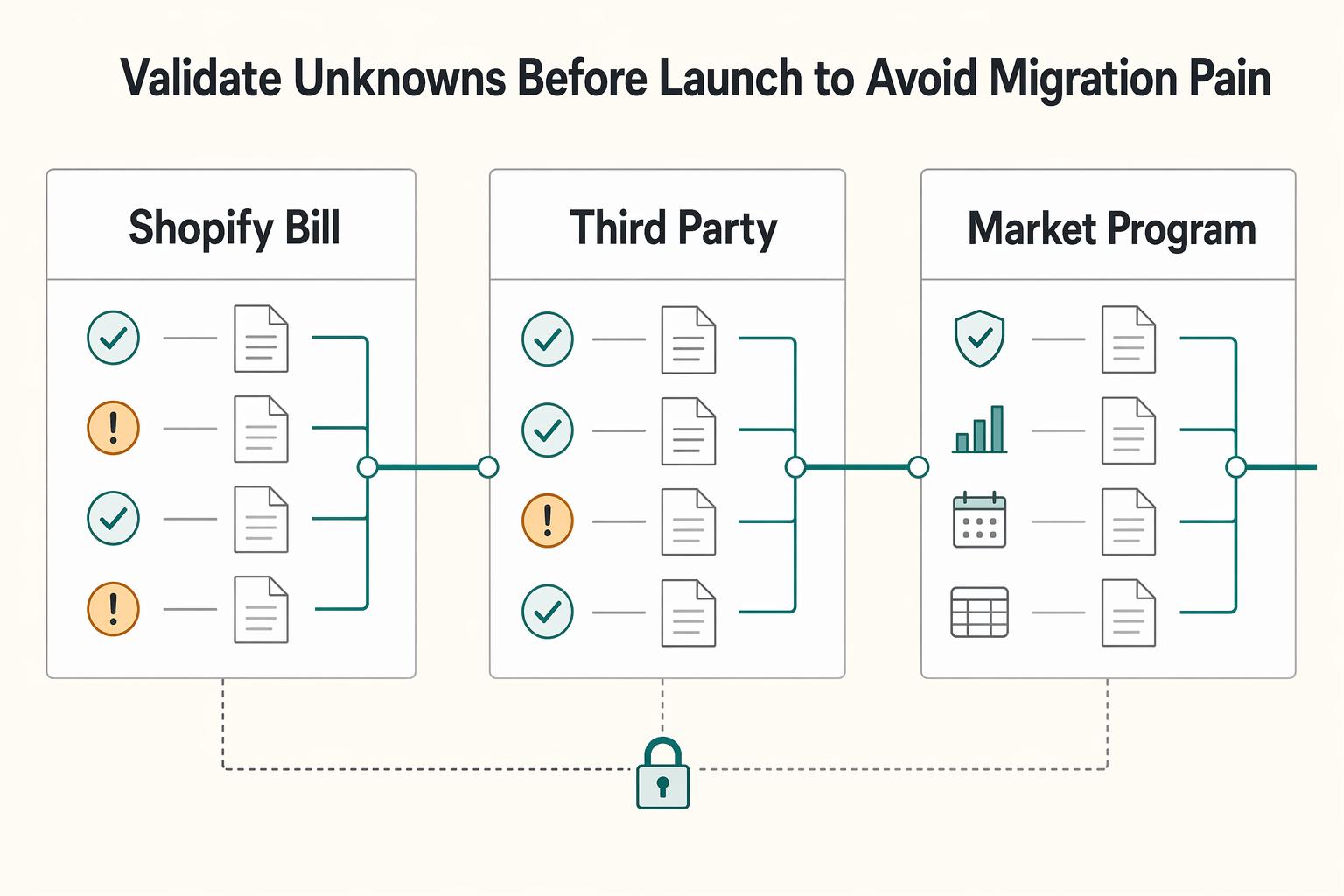
Validate unknowns before launch to avoid migration pain#
Before launch, turn every unresolved billing assumption into an owned go/no-go decision with a deadline. Anything that can change scope, cost, or rollout should be explicit before you ship.
| Unknown | What to verify | Owner | Decision deadline |
|---|---|---|---|
| Bill Pay workflow | Keep vendor bill schedules separate from product subscriptions and app fees. | Finance | Before release scope signoff |
| Third-party app limits and migration | Verify the selected app’s export/import format, payment-method migration path, currency, cadence and current quote before selection. | Engineering + finance | Before app selection |
| Market or program support | Confirm country and business-category constraints for Shopify Payments. Where unsupported, plan for a third-party payment provider. | Payments/ops | Before regional rollout |
Compare the selected app’s current plan price, transaction fee, migration support and export access before choosing it. The RecurrinGO listing checked on October 4, 2026 shows an Unlimited plan at $19.99/month with a 0% transaction fee. Save the actual quote with the migration decision.
Use a final written release checklist to confirm:
- policy visibility is live where expected
- lifecycle edge cases are tested
- approval dependencies are enforced before paid entitlements activate
- reporting fields exist for subscription IDs, status, timestamps, and decision notes
If any rule only applies in certain markets or programs, say "where supported" in release notes rather than presenting it as universal coverage. Related: The Best Payment Gateways for SaaS Businesses.
Conclusion#
In practice, the lowest-regret path is also the fastest one: separate the two billing layers first, then implement in sequence: decide, configure, validate, harden. If you treat customer subscription checkout in Shopify admin Purchase options and merchant app billing as one problem, you usually create cleanup work in support, reporting, and entitlement logic.
On the customer-facing side, keep the launch bar simple and visible. A store subscription purchase option is the layer Shopify documents for selling products on a recurring basis, and subscription setup automatically adds a purchase options cancellation policy that is linked in the checkout footer. That footer link is not a minor polish item. It is a release checkpoint. If your team cannot verify that the subscription policy is live in checkout, you are not done; cancellations and support contacts can hit that gap quickly.
For manual merchant app billing, request approval through Shopify’s confirmation URL, then verify status and the replacement’s effective date. Approval, trial access and the start of charges are separate checkpoints. A deferred downgrade should leave the current paid entitlement intact until the switch actually takes effect.
The same goes for lifecycle edge states. A team that logs replacement behavior, approval state, and resulting billing outcome will handle replacements and cancellations with far less guesswork than a team relying on generic "subscription active" flags. One common failure mode is granting access from UI intent instead of billing state. Another is assuming a plan move should behave as an immediate switch without checking the post-approval billing outcome.
If you need deeper collection, payout, or reconciliation coverage beyond Shopify's native surface area, take a modular approach and verify scope before rollout. Shopify itself documents that some capabilities vary by market and program: Shopify Bill Pay is only available to merchants in the United States, and Shopify Payments is only available in certain countries and regions. So the right final check is not "does the feature exist." It is "is this exact feature supported in this market, for this program, with the controls finance and support will need?" That question prevents the migration pain that generic guides tend to miss.
Frequently Asked Questions
What is the practical difference between `subscription products` in `Shopify admin` and `app subscription` billing in `Shopify Dev Docs`?
Subscription products are customer-facing purchase options in Shopify admin that let you sell products on a recurring basis. An app subscription is merchant-facing billing for access to your app or paid features. If the requirement affects storefront checkout, start in Purchase options; if it affects how merchants pay your app, start in the billing APIs.
Can one app hold multiple active subscriptions for the same merchant?
No. Shopify states that an app can have only one active subscription for each merchant. If you need plan changes, design for replacement rather than stacking active plans, and log the chosen AppSubscriptionReplacementBehavior plus the merchant approval timestamp so support and finance can verify what happened.
What exactly happens when a merchant changes plan mid-cycle, and how do `proration` and `deferral` affect implementation?
In the manual Billing API path, the merchant approves the replacement charge. Its effective time depends on replacement behavior and currency; approval does not always switch plans immediately. Verify the governing subscription before changing access, then reconcile any posted charge or credit.
What happens to billing and feature access when an app is uninstalled?
Uninstall automatically cancels a manual app subscription without a credit for the unused period. Remove access while uninstalled; on reinstall during the paid period, verify remaining-period access before charging again.
How should systems react when a merchant hits a `billing account freeze`?
Shopify says that when a store’s billing account freezes, associated app subscriptions also freeze. Treat this as a billing exception state, not a silent retry state: restrict paid features, alert support, and require a billing-status check before re-enabling access. A failure mode to avoid is leaving premium features on when the app only listens for install and cancel events.
What are the minimum steps to launch recurring product billing through a `subscription app` and `Purchase options`?
At minimum, set up a subscription app, set up subscriptions on your products, and add a subscription cancellation policy. Shopify surfaces that policy in the checkout footer as a subscription policy, so verify the footer link is live before launch. That checkpoint matters because this is the customer-facing side of the recurring billing flow, not merchant app billing.
Is `Shopify Bill Pay` recurring payments the same thing as customer subscription checkout for ecommerce?
No. Shopify Bill Pay recurring payments are for paying vendors or bills your business owes, and Shopify says Bill Pay is available only to merchants in the United States. Its recurring options include weekly, monthly, and annually, but that is accounts payable behavior, not customer subscription checkout for ecommerce.
Try a related tool
Researched and edited by the Gruv editorial team. Gruv builds cross-border billing, payouts, and finance-operations software for global businesses.
Sources
Includes 8 external sources outside the trusted-domain allowlist.
- apps.shopify.com/recurring-invoicesexternal
- digittrix.com/scripts/shopify-app-billing-recurring-subscr...external
- help.shopify.com/en/manual/products/purchase-options/subscrip...external
- help.shopify.com/en/manual/products/purchase-options/subscrip...external
- mintlify.com/Shopify/subscriptions-reference-app/introduc...external
- shopify.com/enterprise/blog/composable-subscriptions-sho...external
- shopify.dev/docs/api/admin-graphql/latest/mutations/apps...external
- shopify.dev/docs/api/admin-graphql/latest/enums/AppSubsc...external
Educational content only. Not legal, tax, or financial advice.
Related Posts
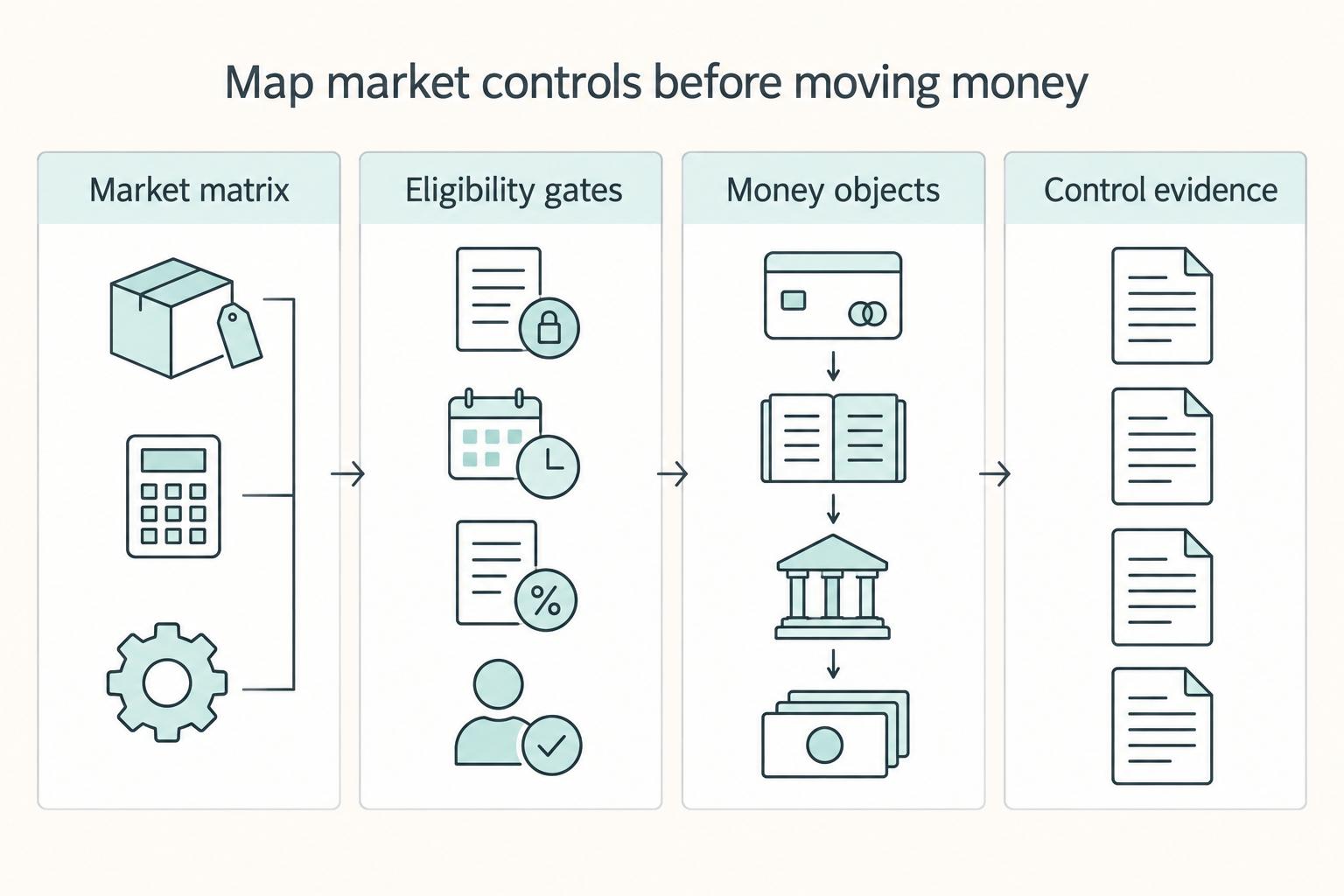
Subscription Billing for eCommerce DTC Brands Adding Recurring Revenue to Physical Products
Direct-to-Consumer (DTC) teams are adding recurring billing for a simple reason. It can make revenue more predictable and planning less reactive. That upside is real, especially in ecommerce, where subscriptions are often associated with steadier revenue and stronger retention than one-time purchases alone.
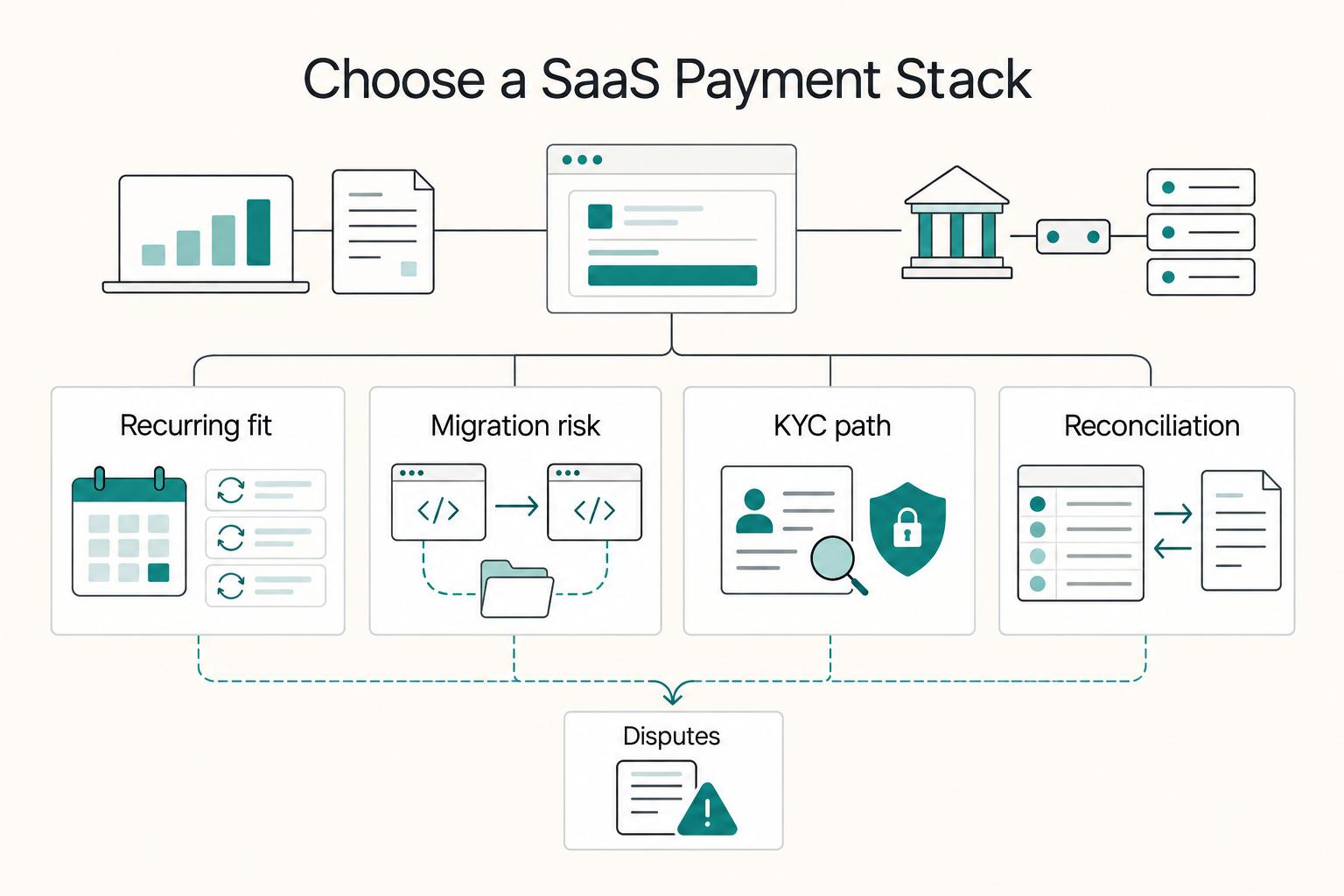
Choosing Payment Gateways and Billing for SaaS Businesses
The first checkout is only one payment in a SaaS relationship. Your provider must also support the next renewal, a seat change, a failed collection and a cancellation that stops future billing. Evaluate those cases before choosing a checkout logo.
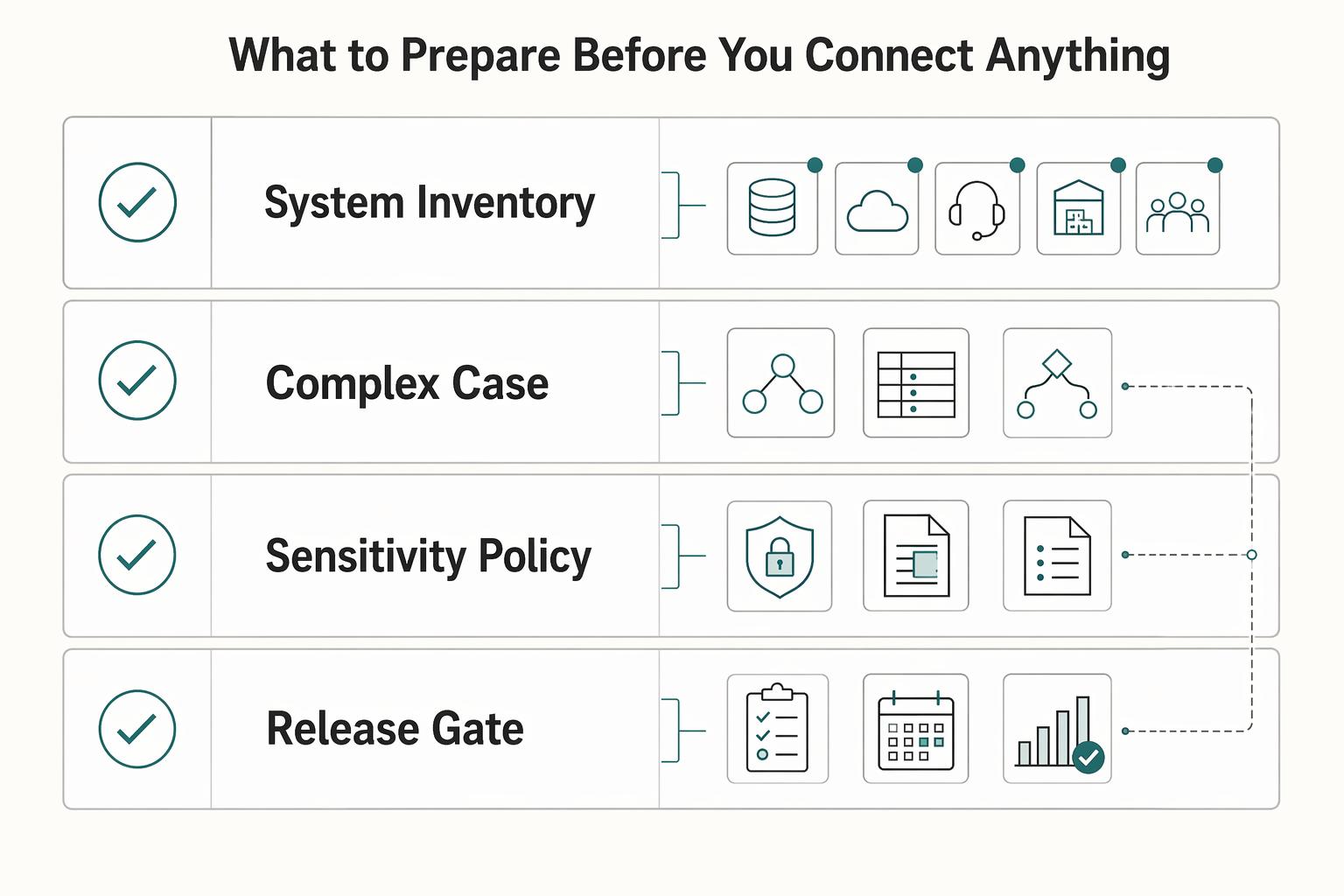
How to Integrate Your Subscription Billing Platform with Your CRM and Support Tools
Start with ownership, not tooling. You can move fast on a billing, CRM, and support integration, but only if you protect System of Record boundaries from day one. Treat every sync as part of Quote-to-Cash, not just an API project.