
Quick Answer
Use four steps: AP checks the invoice and supporting evidence, codes it to the right entity and project, routes it to the authorized spend approver, and sends it to finance for payment readiness. Define amount limits, substitutes and exception owners before automating. Approval authorizes the invoice; posting and payment remain separate actions with their own records.
What a practical invoice approval workflow looks like#
An invoice approval workflow should make the decision easy for the approver and leave finance a usable record. AP checks the invoice, the business owner confirms the spend, and finance verifies readiness for payment. Keep the reviewed invoice version, approver and decision time together so a later change or dispute can be traced.
- Start with the control gate, not the notification.
An invoice approval workflow is a structured pre-payment process for reviewing and approving vendor invoices before payment. In practice, AP verifies invoice details after receipt and before downstream approval and payment activity begin. Your first design decision is simple: approval is a human control point, not just a message to a manager. A useful test is whether a pending invoice stays locked from further processing until required approvals are complete. If it can keep moving while still "awaiting approval," you already have a bypass risk.
- Separate AP speed from finance traceability.
AP feels the pressure first because intake, validation, and routing happen upstream of everything else. Finance and platform operations feel a different pressure: they need traceability from approval to the next accounting event, including the point a posting step is triggered. Those goals can work together, but only if approval stays separate from payment execution. The failure mode to avoid is treating chat, email, or a verbal signoff alone as the real approval while the system record lags behind or never updates. Messages can help people respond faster, but they should not replace the approval record or become the only evidence tied to payment decisions.
- Use this guide to make the process decisions before you choose screens or automation.
Before choosing screens or automation, decide who checks intake evidence, how coding is reviewed, who can authorize spend and which issues block payment. Use a real invoice to walk through those decisions and identify any step with no owner.
By the end, you should have an approval path that is fast for approvers, clear for AP, and credible to finance during reconciliation or audit review. The next step is to define that path in plain operational terms so approval and payment do not get blurred together.
Managers should be able to confirm the business purpose of a clean invoice. AP handles missing information and finance checks the release conditions, so approval does not become a request to fix someone else’s record.
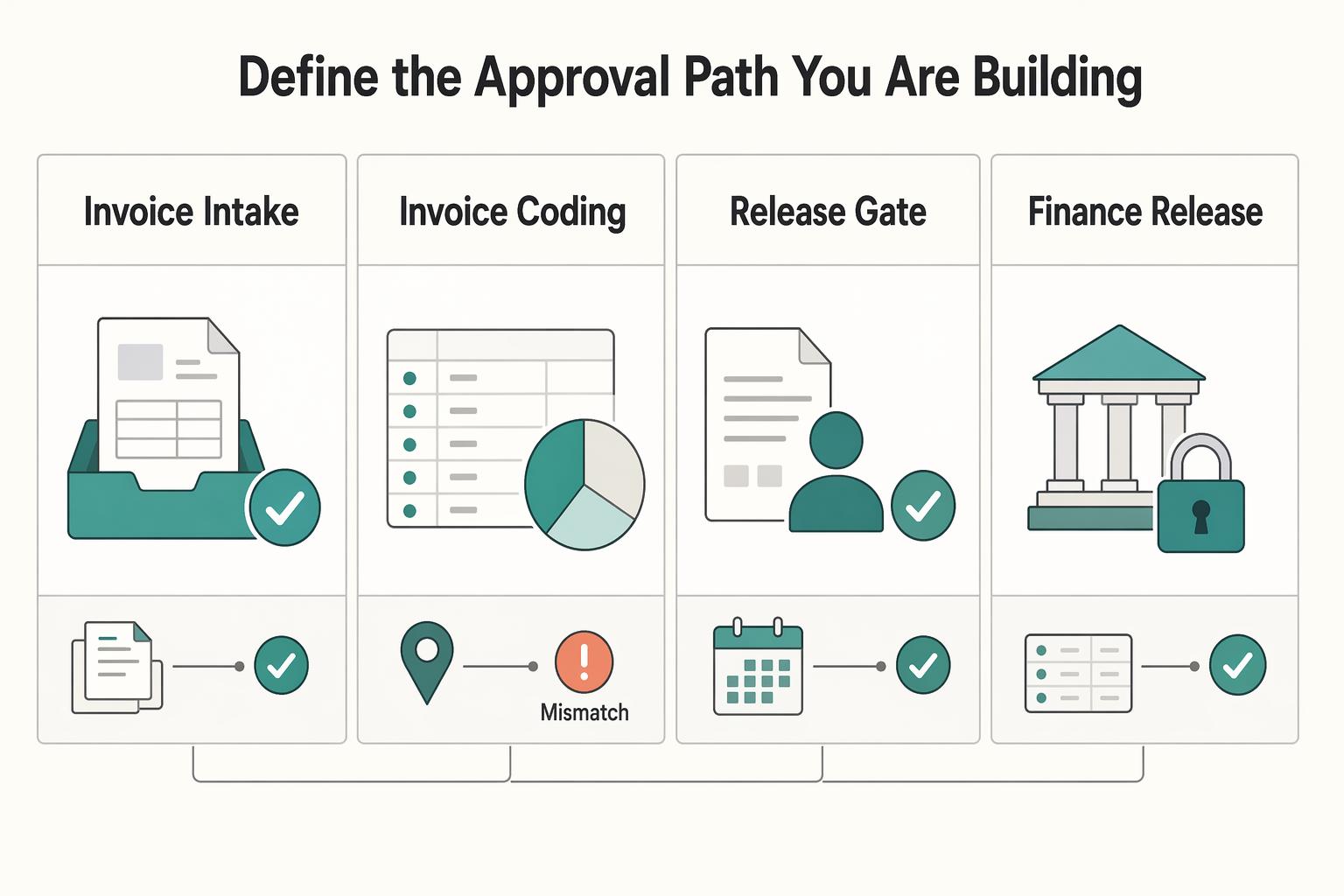
Define the approval path you are building#
Use a four-gate path and keep each gate explicit: invoice intake review, invoice coding, department manager approval, and finance release. If those gates collapse into one action, or payment starts before the final gate, you create a control gap that is difficult to defend later.
| Gate | Owner | What to confirm |
|---|---|---|
| Invoice intake review | AP | Confirm the invoice came through the right intake channel, includes the data needed to proceed, and is complete enough to route |
| Invoice coding | AP | Code the invoice to the right accounts and business context before it leaves the AP queue |
| Department manager approval | Department manager | Confirm the spend is legitimate for the department or budget area |
| Finance release | Finance | Confirm release readiness after approvals are complete and exceptions are resolved |
- Step 1: Review invoice intake.
AP owns first review: confirm the invoice came through the right intake channel, includes the data needed to proceed, and is complete enough to route. Keep invoices blocked when key data is missing. Many stalls start here because missing data and unclear responsibility slow everything downstream.
- Step 2: Code the invoice before spend approval.
AP should code the invoice to the right accounts and business context before it leaves the AP queue. Coding after approval creates rework and approval records that may not match the final accounting outcome.
- Step 3: Route to the department manager for spend approval.
This is a business-owner decision, not an AP decision. The manager confirms the spend is legitimate for their department or budget area. If approver paths differ by department, define that up front so invoices do not bounce between teams.
- Step 4: Keep finance release as a separate final gate.
Finance should confirm release readiness after approvals are complete and exceptions are resolved. Keep this separate from payment execution so approval and processing are handled by different people.
Document the ownership map before configuration: AP owns intake and coding, business owners approve spend, and finance owns final release and exception governance. If your system requires predefined workflow users and approval users, align those roles first so routing reflects your real control path.
For more detail on roles, approval limits, and escalation paths, see How to Build an Invoice Approval Workflow for Your Platform: Roles Limits and Escalation.
Gather prerequisites and evidence before setup#
Before you configure routing, lock down the intake evidence and coding standards AP needs so invoices can clear first review without rework.
| Area | Required items | Key rule |
|---|---|---|
| Document checklist | Vendor master record, commercial reference for the charge, and required tax and payment data; PO-based spend also needs PO-to-receipt-to-invoice linkage; non-PO services need the SOW or equivalent commercial record | Build it by vendor and invoice type before routing starts |
| Portal fields | Invoice number, invoice date, vendor legal name, billing entity, currency, PO or SOW reference, line descriptions, amounts, and supporting attachment upload | Do not accept submissions that cannot be tied to the underlying PO, receipt, or services agreement when one should exist |
| Coding rules | Entity, cost center, and project/client mapping; use vendor defaults as a starting point and define when overrides are allowed | Two AP reviewers should code the same sample invoice the same way |
| Retention | Invoice image, coding result, approval history, vendor master changes, and PO/SOW evidence used to justify the charge | Treat a pro forma invoice as intake or exception documentation, not as a final payment authorization |
-
Assemble a document file by vendor and invoice type. Include the vendor master record, the commercial reference for the charge, and the tax and payment data your process requires before routing starts. For PO-based spend, retain PO-to-receipt-to-invoice linkage because invoice matching depends on those records. For non-PO services, retain the SOW or equivalent commercial record.
-
Define structured portal fields for intake. Require enough header- and line-level invoice data for AP to review without back-and-forth. Use a consistent required-field set, such as invoice number, invoice date, vendor legal name, billing entity, currency, PO or SOW reference, line descriptions, amounts, and supporting attachment upload. Do not accept submissions that cannot be tied to the underlying PO, receipt, or services agreement when one should exist.
-
Standardize coding rules before automation. Set the minimum coding dimensions first (entity, cost center, project/client mapping) so postings stay consistent. If vendor defaults exist, use them as a starting point and define when overrides are allowed. A practical check: two AP reviewers should code the same sample invoice the same way.
-
Set a retention policy for the whole record. Keep the invoice, coding, supporting commercial documents, approval history and vendor changes for the applicable legal and business retention period. Preserve records longer when a dispute or legal hold requires it. Identify any prepayment authorization explicitly rather than treating a pro forma document as an ordinary final invoice.
Related: What Is a Proforma Invoice? How Platforms Use Pre-Payment Invoices in Contractor Workflows.
Set roles limits and escalation rules#
Set authority limits and escalation before go-live: invoices with incomplete evidence should route to an exception queue first, and invoices that cross a risk tier should require dual approval even if cycle time increases.
Test whether a substitute approver can decide an invoice when the primary approver is unavailable, while preserving the delegation and approval history.
Step 1. Build the approval matrix around authority, not job titles#
Build the matrix by entity, invoice type, and spend tier. For each row, define the approver role, substitute approver, and SLA.
In Business Central, configure approval users, amount limits, substitutes and notifications. Its Purchase Amount Approval Limit is expressed in local currency (LCY). For foreign-currency invoices, verify the conversion and limit-routing behavior in your configured system before relying on it.
Make segregation of duties explicit: the same user should not be both requester and approver in the same workflow path.
Verification point: test one invoice from each matrix row and confirm it routes to the intended approver and substitute path.
Step 2. Define escalation and exception handling before turning on notifications#
Define escalation policy in plain terms: trigger condition, handoff owner, and next action. Overdue monitoring and notifications can support this, but decide first what counts as overdue and who owns follow-up.
Use an exception queue for blocked invoices. If evidence is incomplete, route to exception before manager approval. This includes missing PO/receipt linkage, missing SOW/change order, unsupported coding, or unresolved matching discrepancies. When discrepancies exist, hold the invoice until they are resolved.
| Invoice condition | Approver | SLA | Escalation owner | Release gate |
|---|---|---|---|---|
| Evidence complete, within approved spend tier, standard invoice type | Assigned approver role from matrix | Team-defined SLA for that tier | AP or approval administrator | Hold until required approval completes, then eligible for Released status |
| Crosses a higher risk tier or policy threshold | Dual approval group per matrix | Longer SLA accepted by policy | Finance owner or approval administrator | No release until both required approvals complete |
| Missing PO, receipt, SOW, coding support, or mismatch unresolved | Exception queue owner, not manager | Exception review SLA | AP owner for intake exceptions | Not eligible for release |
| No response after SLA expires | Substitute approver or escalated approver path | Escalation SLA | Named escalation owner | Remains locked until approval is completed |
Step 3. Make the release gate non-negotiable#
Require dual approval when spend crosses your risk tier. Multi-approver routing is supported through approver groups, so this can be system-enforced.
Keep the release gate strict: the invoice remains locked until all required approvals are complete, and only then moves to Released.
Final checkpoint: test three cases in production-like flow (straight-through, high-risk dual approval, and missing-evidence exception) and confirm approver path, delegation, escalation behavior, and lock-until-approved release control.
Related reading: Expense Management for Freelance Agencies to Track and Reimburse Client Costs.
Build the step sequence from intake to payment release#
Use a gated sequence: finish intake review and coding first, run approvals while the record is locked in Pending Approval, then release and validate posting only after all required approvals are complete.
| Step | Owner | Action | Gate to pass | Status or handoff |
|---|---|---|---|---|
| 1 | AP intake | Run invoice intake review and convert the incoming file into the operational record | Missing documents check; readable incoming file; usable record for downstream processing | Ready for coding or held in exception |
| 2 | AP or finance ops | Complete invoice coding before any approval request | Coding mismatch check; duplicate invoice ID check (external document numbers are not inherently unique-checked); policy check for expired business context | Ready to request approval |
| 3 | Department manager | Confirm business spend | Spend is legitimate, expected, and tied to current business need | Record advances in approval flow |
| 4 | Finance | Run finance review and decide release readiness | No conflicts or stale context; evidence and coding still hold; if not, cancel and return to intake | Approval completes, or status returns to Open for correction |
| 5 | Finance or posting owner | Release the approved document, then post and verify accounting entries | Required approvals complete; the document is eligible for processing | Posted invoice linked to accounting entries; payment tracked separately |
Step 1. Intake review before approval routing. Treat intake as a hard control gate. If required inputs are missing or unclear, stop and route to exception instead of sending a weak approval request.
Step 2. Coding before approval. Keep approval focused on authorization, not recoding. Add explicit checks for coding mismatch, duplicate invoice ID, and expired business context before the record enters approval.
Step 3. Manager approval for spend confirmation. Route only clean records to the business owner in your matrix. This step should confirm spend intent, not repair record quality.
Step 4. Finance review after manager approval. Finance confirms policy and record consistency. If conflicts appear, cancel and return the record for correction; while the invoice is in Pending Approval, it should stay locked for processing.
Step 5. Release after full approval, then validate posting. In Business Central, a Released purchase invoice is available for further processing; release does not itself post or pay it. Confirm the separate posting action creates the expected accounting entries, then link any payment to the posted invoice.
Connect approvals to systems without losing controls#
Use Teams or Outlook to collect responses through a supported integration. Verify that each response creates the authoritative approval event and the expected workflow transition; a document can remain pending while another required approval is outstanding.
Step 1. Set one approval system of record and enforce status control#
Set one approval system of record and enforce status-driven control. In Microsoft Dynamics 365 Business Central, records move from Open to Pending Approval (locked) and then to Released after required approvals. That status path is what AP should trust over chat threads or screenshots.
Run a channel test before go-live: respond through the Teams or Outlook integration you plan to use and confirm the decision appears on the underlying approval entry. A document may legitimately remain Pending Approval while another approver is still required. Check the expected step transition rather than treating every pending document as a failed action.
Step 2. Document what is native and what needs extra implementation#
Document what is native in Business Central and what needs extra implementation. Native workflows are limited to supported events and responses; unsupported policy logic needs Power Automate, a Marketplace app, or partner customization.
Capture each approval rule in a short control note:
| Approval rule element | Native in Business Central | Needs extra implementation |
|---|---|---|
| Status control and record locking | Yes, via Open to Pending Approval to Released | No |
| Unsupported workflow event or response | No | Yes, via Power Automate or customization |
| Teams or Outlook response path | Only if connected to the approval record | Often requires design/testing |
| App-based email approval flow, such as Invoice Workflow (Business Central app) notifications | App dependent | Yes, validate implementation behavior |
Use this note when someone asks to bypass workflow with chat-only approvals.
Step 3. Release only when the record shows approver and timestamp#
Teams has an Approvals surface backed by Microsoft Dataverse. That approval record does not automatically approve an invoice in your accounting system: the integration must update the right invoice and approval step. For supported Outlook actions, test the same write-back and keep the resulting event linked to the invoice.
The common failure mode is simple: an approver replies "approved" or clicks an action, but the workflow record never updates. Keep the rule strict: no release unless the official record shows approver, timestamp, and status change. Use Teams and Outlook notifications for speed, but require the approval event to land in the audit trail before finance acts.
Add reconciliation and audit checkpoints#
Trace an approved invoice through its separate release, posting and payment actions. A pending posting or payment is a stage to track, rather than evidence that the approval itself failed.
| Checkpoint | What to verify | Exception signal |
|---|---|---|
| Approval audit trail | Who approved, when, what evidence supported the decision, and what changed in the system record after approval | An informal approved message with no timestamped approval event or no supporting evidence |
| Ledger journal match | Each release-ready invoice has a journal reference, or is explicitly listed as not yet posted with an owner and reason | Neither a posting reference nor a documented pending-posting state exists; posting is overdue; or required approval was bypassed |
| Month-end review | Still-pending approvals, released invoices later reversed, and approved invoices not yet posted or paid | Each exception needs an owner, next action, and disposition |
| Payment status | Individual transfer and any batch reference, provider status and expected arrival window | Failure, return, unknown outcome or arrival estimate missed |
Step 1. Define the minimum approval audit trail. Use one audit artifact that AP, finance, and audit can read without interpretation. At minimum, capture: who approved, when, what evidence supported the decision, and what changed in the system record after approval. Keep approval-channel records linked to the invoice record so the response and official approval trail stay together.
Mark any invoice as incomplete if the record shows an informal "approved" message but no timestamped approval event or no supporting evidence in the audit trail.
Step 2. Reconcile approved invoices to accounting records. Track which approved invoices are awaiting posting, which have been posted and which have been paid. Match the posted invoice to its accounting entries and investigate postings that bypassed required approval. This keeps an approved but unposted invoice distinct from an accounting discrepancy.
Each release-ready invoice should have a posting reference or a documented pending-posting state with an owner and target date. Investigate overdue posting, invoices with neither record, and accounting entries that bypassed required approval.
Step 3. Run a monthly reconciliation checkpoint at the end of each month. Review exceptions, reversals, and pending approvals that missed SLA in one structured pass. Include at least: still-pending approvals, released invoices later reversed, and approved invoices not yet posted or paid.
For each exception, record owner, next action, and disposition (stay open, reroute, or cancel). If a reversal occurs, keep the correction reason with the original approval trail.
Step 4. Connect approval to the individual payment instruction. Approval makes the invoice eligible for payment review; it does not execute a transfer. Link the authorized instruction, provider reference and status to the invoice. Record batch membership when the selected route uses batches, and keep unknown or returned payments in the exception workflow.
Where the provider groups transfers in batches, keep both the individual transfer reference and its batch reference. Escalate when the selected route’s expected arrival window is missed or a failed, returned or unknown status appears. Keep the invoice linked to the investigation and replacement payment, if one is needed; do not wait for a universal ten-business-day cutoff.
Handle failures disputes and recovery paths#
When an invoice leaves the normal path, route it through controlled exception handling, keep payment blocked, and protect the approval history through resolution and recovery.
Step 1. Route disputed or unmatched invoices to the exception queue. Move any disputed or unmatched invoice into the exception queue as soon as a discrepancy is identified. Assign a clear owner, set an SLA-based response timer, and make sure the record shows status, age, and next action so work does not stall in private inboxes.
Step 2. Escalate stalled approvals before breach. Use your escalation policy to surface approvals at risk of SLA breach, then route them to a configured backup approver (for example, a substitute approver). Keep this in the workflow system, not side-channel messages. Records that are still pending approval should remain locked until required approvers complete the step.
Step 3. Re-route, never bypass, when recovery is needed. If the dispute is resolved or invoice details change, send the invoice back through the proper approval path. Do not overwrite or remove prior approval events. Keep one continuous record of what changed, who approved, and when.
Step 4. Define recovery before payment execution. If the amount or beneficiary no longer matches the approved record, stop the payment instruction and send it back for review. After posting or payment, use the correction or reversal process appropriate to that transaction type. A check-reversal process applies to eligible check payments, not every invoice or transfer. Preserve the original entries and the reason for correction.
Use this launch checklist before go-live#
If you only protect two things at launch, protect ownership and traceability. A go-live check is credible only when the workflow works as expected in normal, escalated, and exception cases.
- Step 1: Lock owners and sign-off
Get written sign-off on the approval matrix, escalation policy, and exception-queue ownership before routing goes live. Define approver role, backup approver, SLA, and escalation owner for each rule so timeouts and exceptions always have a clear next owner.
- Step 2: Trace approvals to finance outputs
Trace a sample invoice from the approval event to release, posting and payment. In Business Central, the purchase document moves from Open to Pending Approval to Released; its approval entry separately moves from Created to Open when the request is sent. Neither Released status nor an approval entry proves the invoice has been posted, paid or reconciled.
- Step 3: Test three end-to-end scenarios
Run three separate tests: straight-through approval, escalation when the primary approver does not respond, and exception recovery that returns to the normal path after resolution. For multi-approver steps, verify the record does not progress until all required approvers respond. Validate approval logic, not just notification delivery.
- Step 4: Verify notifications mirror status, not control it
Use Microsoft Teams and Microsoft Outlook as notification channels, but keep the approval system as the source of truth. Confirm chat or email responses write back to the audit trail and cannot override a record that is still pending. If you use Power Platform data, verify auditing is enabled and logs are reviewable in admin tooling, and review each workflow user's notification timing and delivery settings.
- Step 5: Publish an operating checklist and run an initial tuning window
Give AP, approvers, and finance a copy/paste checklist they can execute without interpretation.
- AP: confirm intake completeness, coding, and required evidence before submission.
- Approvers: confirm spend ownership, supporting documents, and whether escalation or exception routing applies.
- Finance: confirm required approvals are complete, release gate is met, and ledger traceability is intact before payment continues.
Run an initial two-week review window, then tune SLAs and routing based on observed queue behavior (stuck approvals, exception volume, reroutes, and notification misses).
If you are also evaluating vendor-side controls, see Vendor Portal Requirements Checklist: Permissions Approvals Audit Trails and Self-Service Workflows.
Frequently Asked Questions
Who should approve invoices at each spend tier in agencies and platform teams?
Define approver roles by spend or risk tier, then set explicit amount limits and substitute approvers for each tier. For higher-risk or higher-value rows, add multi-approver requirements where every selected approver must respond. Keep requester and approver separate, because the same user should not be both in the approval path.
How do we speed approvals in Microsoft Teams without weakening financial controls?
Use Teams to collect responses when the integration updates the invoice’s authoritative approval record. For a multi-approver step, confirm every required decision is recorded. A document may remain Pending Approval after one manager responds; the defect is a missing approval event or an incorrect transition after all required decisions.
What is the minimum approval matrix we need before automation?
At minimum, each row should define the invoice condition, approver role, amount limit, substitute approver, and escalation owner. You also need one clear routing rule for exceptions, such as "matching variance outside tolerance goes to exception handling before manager approval." If you cannot fill those fields without debate, do not automate yet.
Which checkpoints prove an invoice approval process is audit-ready?
Keep the invoice version, supporting documents, approver, decision time and delegation history together. Validate the invoice before posting and payment, and preserve any hold and its authorized release. If the amount, beneficiary or other material detail changes, route the changed record through the required review.
What are the most common bottlenecks in AP invoice approvals, and how do we remove them?
Review aging approvals against your team’s response targets. Group delays by missing evidence, routing mistakes and approver availability so you can fix the cause. Choose a review period that covers your payment cycle rather than relying on a fixed display window.
When should an invoice go to an exception queue instead of direct manager approval?
Send invoices to exception handling when matching differences exceed your permitted tolerance, required evidence is missing or a payment hold applies. Assign an owner to resolve the issue and an authorized person to release any hold. Managers should receive the corrected record and enough evidence to make the spend decision.
Try a related tool
Where Gruv fits
See reconciliation and mismatch review
Compare ledger entries, provider payment records, and statement rows to see what matches and what finance needs to review.
Plan and approve payout batches
See how payee status, approval rules, route review, and exception handling sit in one payout workflow.
Researched and edited by the Gruv editorial team. Gruv builds cross-border billing, payouts, and finance-operations software for global businesses.
Sources
Includes 6 external sources outside the trusted-domain allowlist.
- irs.gov/businesses/small-businesses-self-employed/ho...trusted
- irs.gov/forms-pubs/about-form-w-9trusted
- blog.pleo.io/en/invoice-approval-workflowexternal
- learn.microsoft.com/en-us/dynamics365/business-central/across-ho...external
- learn.microsoft.com/en-us/training/modules/integrate-teams-appro...external
- moxo.com/blog/invoice-processing-workflowexternal
- ramp.com/blog/accounts-payable/segregation-of-duties-...external
- rillion.com/blog/invoice-approval-workflow-best-practicesexternal
Educational content only. Not legal, tax, or financial advice.
Related Posts
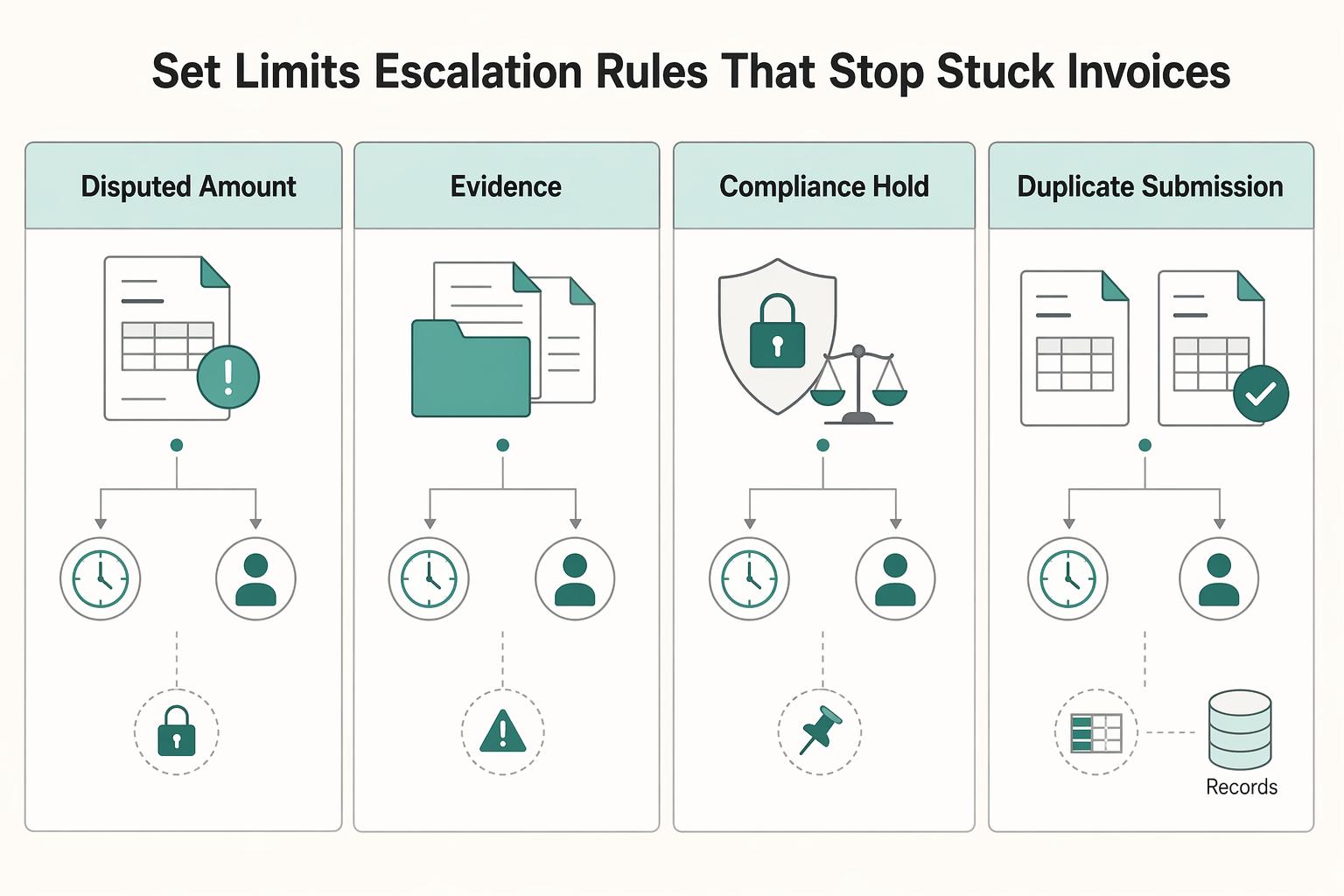
Build an Invoice Approval Workflow Platform with Clear Escalation Rules
Clear ownership, enforceable approval limits, and explicit escalation rules are core controls for reducing payment delays. If you are building for contractor, creator, or marketplace payouts, start by deciding who can approve what, who steps in when they are unavailable, and how that decision stays visible across finance, ops, and engineering.
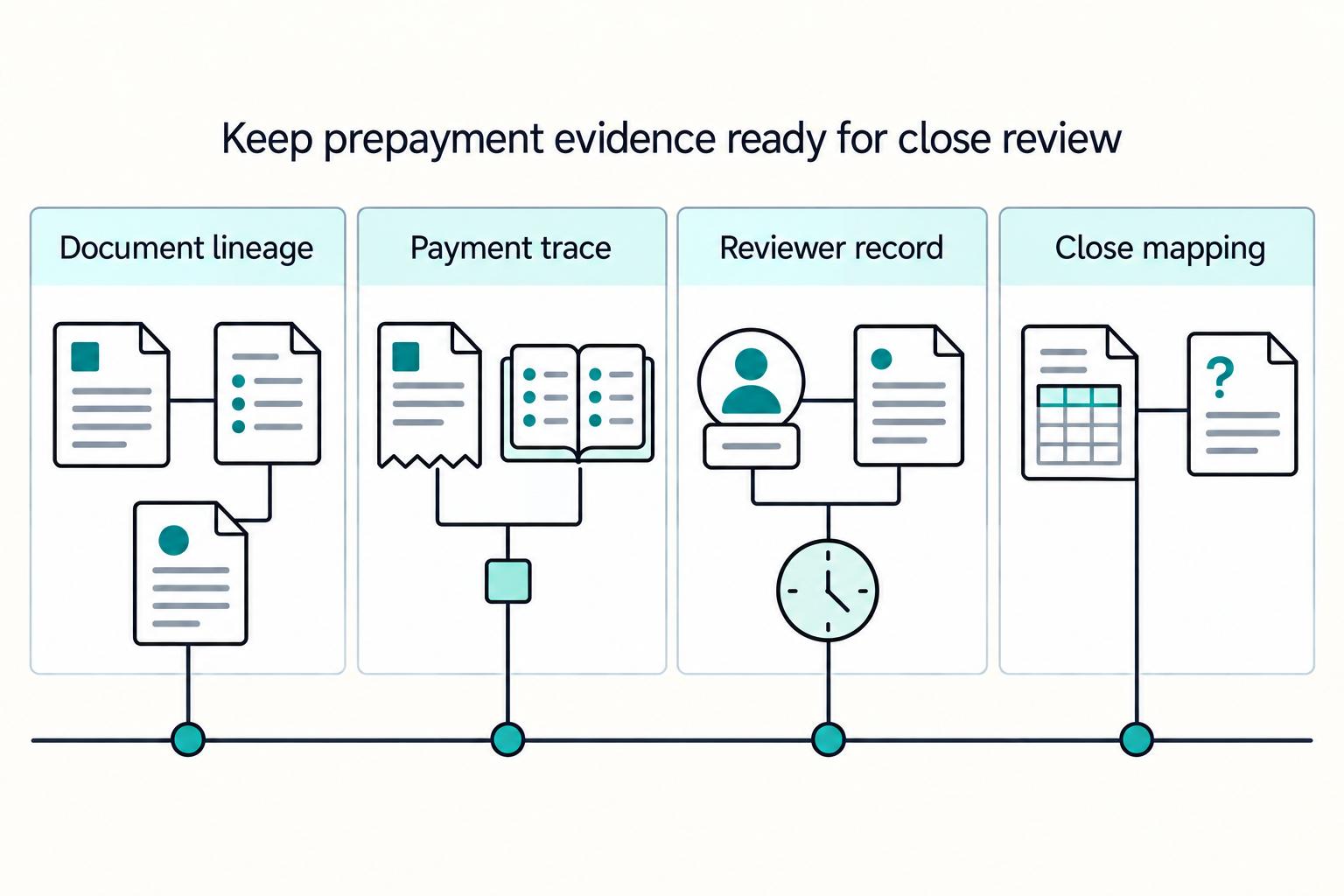
Proforma Invoice Controls for Contractor Platform Pre-Payment Workflows
Speed matters, but speed alone is not the job. If you are designing pre-payment contractor workflows around **proforma invoice platforms**, the goal is to keep contractor payments moving while giving finance clear states, verifiable records, and a clean path to matching and closeout.

Vendor Portal Requirements Checklist for Platform Payment Ops
A useful **vendor portal requirements checklist** starts with money movement, not screen mockups. Define which actions can create an obligation, release funds, or only capture data. Then set the control, evidence, and reconciliation rules before finance, ops, and product start building inside the same boundary.