
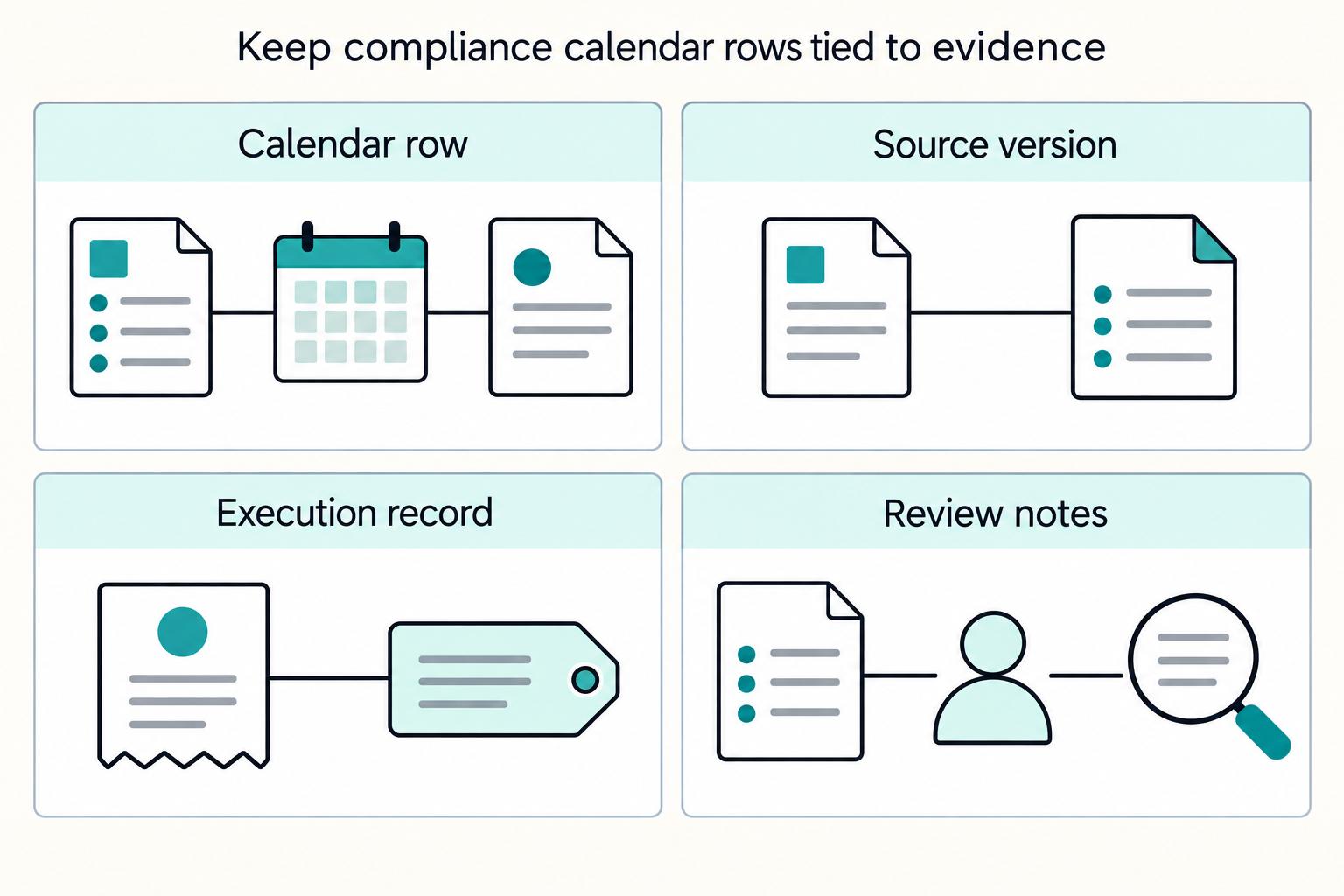
Quick Answer
Build one global contractor payment compliance calendar monthly quarterly annual as an operating control, then add deadlines only after each row has ownership, evidence requirements, and escalation rules. Anchor quarterly and annual controls to concrete checkpoints like Form 941, W-2 reconciliation, and EEO-1 applicability status. Keep uncertain jurisdictions in a monitor + legal validation lane, and mark any item without source recency, review path, or completion artifact as incomplete.
What a Global Contractor Payment Compliance Calendar Should Cover#
A usable first version of your global contractor payment compliance calendar monthly quarterly annual should work as a control document, not just a list of dates. Keep monthly, quarterly, and annual obligations in one place, assign clear owners and reviewers, and define when unclear rules or missing evidence must be escalated. If you are building version 1, we recommend starting with the obligations your team can evidence today and marking the rest for legal review.
Before you start#
This guide is for compliance, legal, finance, and risk owners managing contractor, seller, or creator payouts across multiple jurisdictions. If your team cannot quickly show who owns a filing, where proof is stored, or how mid-cycle rule changes are handled, this is probably the control you are missing.
Use this calendar as an operating tool first, then validate jurisdiction-specific legal points with specialist counsel when requirements are unclear. A calendar can organize deadlines and decisions, but it cannot resolve legal ambiguity on its own. A good first version does three things at once:
- it tells operators what must happen and when
- it shows reviewers what must be checked before something is treated as complete
- it gives legal, compliance, and finance a shared place to see uncertainty before it turns into a missed filing, late payment, or unsupported assumption
That is why the calendar should sit above email threads, personal reminders, and scattered local trackers. Those may still exist, but the calendar is where the current decision, the current source position, and the current owner are visible together.
Build for ownership, not just dates#
A deadline summary stops being useful the moment something slips, a filing is challenged, or proof is requested. Your calendar should define ownership, decision rules, exception handling, and evidence standards.
That matters because compliance gets slow and error-prone when it is fragmented. A centralized process helps by keeping jurisdictions, payment rails, and reporting tasks in one controlled place. For any obligation, your team should be able to answer:
- who owns it
- who reviews it
- what source supports the current treatment
- what artifact proves completion
- what escalation path applies when facts are unclear
If any one of those is missing, the item is not really controlled yet. It is only listed.
Make the evidence pack explicit from day one#
Audit-ready means another person can reconstruct what happened without guesswork. For each calendar item, keep the completion evidence your team relies on. That may include a submission confirmation, approval record, a source-data snapshot, a reconciliation note, and payment tracking detail when execution is part of the chain.
In the IRS electronic payment context, IRM 3.17.277 includes "Roles and Responsibilities" and "Program Controls." EFPPS payment methods also include identifiers such as ACH Credits (EFT # 210) and IRS Direct Pay for Businesses (EFT # 223). Details like these make completion verifiable instead of assumed.
The same principle applies outside payment submission. A filing row should not close because someone says it was filed. It should close because the calendar points to the filing receipt, the reviewed draft, the instruction version used, and the owner who signed off on completion.
If an item has a due date but no owner, no backup owner, no evidence requirement, and no escalation rule, treat it as incomplete. The goal is one centralized calendar draft your teams can run, challenge, and improve when exceptions happen. For a related operational angle, see Invisible Payouts: How to Remove Payment Friction for Contractors Without Sacrificing Compliance.
Set scope and risk tiers before adding deadlines#
Set scope and risk tiers first, then add dates only where source status and recency are clear. If you cannot show the governing source, its status, and its version context, leave the item out of committed deadlines.
Define the coverage boundary#
Split scope by legal entity and obligation type before you think about cadence. Contractor payouts, employer payroll obligations, and broader workforce reporting may sit with different entities, so treat applicability as a separate decision from timing.
That distinction prevents a common mistake. Teams often assume that because a payment touches a worker or creator, every related filing or notice belongs in the same operating lane. In practice, the covered entity and the reporting obligation may not line up neatly. Your calendar should make that visible, not hide it.
Make an explicit release choice: US-first or multi-jurisdiction now. If your current compliance documentation is mostly US regulatory metadata, keep version 1 US-first and place unverified jurisdictions in a monitor + legal validation lane.
That is not a retreat from coverage. It is better control. A narrow calendar with clear status is more usable than a global calendar filled with dates nobody can defend.
Check source authority and recency before entering any date#
Before you enter any date, verify both source authority and recency. An eCFR page can help with working interpretation, but it is labeled "authoritative but unofficial." Record that confidence level along with on-page recency markers like "up to date as of 3/30/2026" and "last amended 3/23/2026."
For FAR-based items, capture version metadata such as FAC Number 2026-01 and Effective Date 03/13/2026.
This is a practical control, not a drafting nicety. The same calendar entry can look solid while still resting on a stale or unofficial source. By recording the source status and version context directly in the row, you make uncertainty visible before it becomes embedded in operations.
Where a source is still in proposal stage, do not let habit turn it into a deadline. FederalRegister.gov says users should verify against an official Federal Register edition, and its XML content does not provide legal notice. If an item is still marked Proposed Rule, do not treat it as a settled due-date obligation.
Classify by risk before cadence#
Start with consequence, not frequency. What happens if this item is wrong, late, or based on the wrong source?
| Risk tier | Typical items | Penalty exposure | Operational disruption | Confidence level |
|---|---|---|---|---|
| Filing-critical | Federal tax filings, State UI reports | High if missed, rejected, or based on the wrong rule | High if reconciliation, reporting, or entity standing is affected | Require current, status-checked source support |
| Notice/reporting | EEO-1 report, OSHA 300A, similar duties | Medium to high depending on applicability and source status | Medium because governance and audit risk rises even if payouts continue | Lower until entity-level applicability is confirmed |
| Operational timing controls | Internal cutoff dates, approval deadlines, data-freeze points | Usually indirect, but delays can cascade into filing errors | High when slippage blocks payment execution or complete reporting | Can be high for internal controls even while legal review is open |
This framing helps in two ways. First, it stops the team from spending too much energy polishing low-confidence items that are not ready for date commitment. Second, it tells you where escalation needs to happen faster. If an item is filing-critical but confidence is low, send it to review before you assign a normal deadline.
Keep uncertainty visible without fake precision#
Use a monitored lane for unresolved items: monitor + legal validation. Assign an owner, state what evidence is missing, and track the unblock condition.
That lane matters because uncertainty will exist. The mistake is pretending it does not. The calendar should show the difference between:
- an obligation with a supported date
- an obligation that probably applies but still needs source confirmation
- a possible obligation that is only being monitored while legal confirms scope or status
Store concrete evidence artifacts, not just filenames. For example, when applicable, keep traceable references such as a Regulations.gov docket entry. For CMS materials, CMS-2024-0360 is one checkpoint artifact.
Before you add any deadline, confirm these four fields are complete for each item:
- covered entity
- jurisdiction
- risk tier
- confidence basis
If one is missing, it is not ready for date commitment.
Gather inputs and evidence before you touch dates#
Do not assign dates until your evidence is complete and owned. Before anything goes on the calendar, you need a current documentation folder, a single artifact folder, and documented execution constraints. If you cannot show the source, owner, and storage path in one review, we recommend leaving the row out until your documentation folder is complete.
Assemble the documentation folder#
Start with the materials your team already uses: the prior Payroll Compliance Calendar, the current International payroll calendar, internal tax or legal memos, and the filing portal references your operators rely on. Keep this traceable, not bloated. Each obligation should map to a named source and owner.
For US information returns, include the current IRS instructions for Form 1099-NEC and log the version marker. One checkpoint is Instructions for Forms 1099-MISC and 1099-NEC (04/2025), which also references Information Reporting Intake System (IRIS). If you copied last year's entry without confirming the current instruction version and portal path, treat it as unverified.
The documentation folder should answer two questions quickly:
- what are we relying on right now
- who is responsible for checking whether that source is still current
A documentation folder that nobody owns ages fast. A smaller documentation folder with explicit owners is safer than a large library that nobody reviews.
Pull evidence artifacts into one folder#
Collect the records that support both applicability and prior practice: form references, including Form 1099-NEC and W-2 materials, prior submissions or receipts, and ownership notes for preparation, review, and approval.
Keep supporting records that can change payment handling, such as contractor agreements. In Sweden, for example, companies are expected to verify F-tax certification before processing contractor payments. Without it, the cited consequence is mandatory 30% withholding in that context.
That example shows why evidence gathering comes before date entry. A team can know a payment cycle exists and still miss a document that changes how the payment should be handled. Your calendar should force the question early: what document, certification, or prior receipt changes the control decision here?
A single artifact folder does not mean a single huge file dump. It means one controlled location where each obligation points to the exact records needed to support applicability, preparation, approval, submission, and completion.
Capture execution constraints before you back into dates#
Document corridor-level execution inputs up front: bank cutoff references, operating timezone assumptions, and holiday calendars, with a clear owner for each. A calendar can centralize obligations, but it is unreliable when these inputs are undocumented.
Use a simple gate before you commit any date. If the cutoff source, timezone, or holiday owner is missing, keep the item in review. This reduces late-payment risk and supports the expectation that you stay current on regulatory changes where you operate.
This matters most where the payment event and the reporting event do not happen on the same operational clock. A filing may be due on one schedule while the underlying payout depends on a bank cutoff, a timezone assumption, or a holiday effect that pushes execution into a different window. If those inputs are not documented, the date in the calendar becomes more decorative than operational.
Separate evidence of applicability from evidence of completion#
Treat these as different categories in your folder structure and in your calendar rows.
- Applicability evidence supports why the item belongs on the calendar at all.
- Completion evidence supports that the item was actually done.
- Change evidence supports why the treatment changed from a prior cycle.
That distinction helps when a reviewer asks why a row exists. Is it there because the law requires it, because the company chose an internal control, or because the team copied it forward from a prior year? Your documentation should make the answer obvious.
Related reading: How Much Should a Freelancer Save for Taxes? A Monthly Reserve Rule and Quarterly True-Ups.
Build the obligation inventory by monthly quarterly and annual cadence#
Build one master inventory table before assigning dates. When each recurring obligation has a cadence, legal trigger, named owner and backup, evidence requirement, escalation path, and law-change flag, the calendar is easier to run and easier to audit.
Create one master table and use it as the control record#
Use one shared table across finance, compliance, payroll, and legal so ownership and evidence stay consistent.
| Obligation name | Cadence | Jurisdiction | Legal trigger | Owner | Backup owner | Evidence required | Escalation path | Law-change effective date |
|---|---|---|---|---|---|---|---|---|
| Payroll and payout reconciliation | Monthly | US or in-scope jurisdiction | Recurring payroll and contractor payment cycle | Payroll ops | Finance manager | Reconciliation output, payout register, exception log | Escalate unresolved variances to finance lead and compliance | If source memo says affected |
| UI wage base assumption review | Monthly | State specific | State unemployment setup and withholding logic in use | Payroll tax | HRIS/payroll admin | Current wage base source, payroll setting screenshot, review note | Escalate mismatch to payroll tax owner and legal if rule changed | If statute or agency update changes treatment |
| Form 941 preparation and filing control | Quarterly | US federal | Employer payroll tax reporting obligation | Tax manager | Controller | Draft Form 941, deposit proof, filing receipt, instruction version | Escalate interpretation issues to tax counsel | Track items from "What's New" in Instructions for Form 941 (03/2026) |
| Estimated tax payment checkpoint | Quarterly | Jurisdiction in scope | Applicability confirmed in documentation folder | Tax owner | Finance lead | Applicability memo, calculation support, payment proof | Escalate if scope or method is unclear | If law or guidance changed |
| W-2 year-end reconciliation and reporting | Annual | US federal and state where applicable | Year-end wage statement and reporting cycle | Payroll lead | Tax manager | W-2 draft, reconciliation to payroll totals, filing receipt | Escalate discrepancies to tax and payroll leadership | If year-end reporting rules changed |
| EEO-1 report or annual state notice/report cycle | Annual | Jurisdiction specific | Applicability confirmed by legal or compliance source | HR compliance | Legal ops | Applicability note, submission copy, confirmation receipt | Escalate uncertainty to employment counsel | Record statute or rule effective date |
Control check: every row needs a real owner and backup owner, not an unnamed team.
The value of one table is not simplicity for its own sake. It is that a reviewer can scan across different obligation types and still see the same control fields. That consistency is what makes gaps stand out.
Fill the monthly lane with prevention checks#
Use monthly rows for reconciliations, payroll checks, and recurring withholding tasks that confirm your settings still match current sources.
Include a reconciliation row across approved pay, executed pay, withheld amounts, and exceptions. For contractor schedules, log cutoff, timezone, or holiday effects that move execution across month boundaries so later reporting reviews have a clear trail.
For UI wage base assumptions, keep the monthly check evidence-based: current source plus payroll-system proof, such as a screenshot or export. Avoid adding unsupported thresholds to the table.
Monthly rows are often the least glamorous, but they are the ones that prevent quarter-end and year-end surprises. They are also where control drift usually starts. If the monthly lane is vague, annual cleanup becomes expensive and unreliable. A useful monthly row should make clear:
- what is being checked
- what evidence proves the check happened
- what variance requires escalation
- who must act if the setting no longer matches the source
Build the quarterly lane around filing readiness#
Quarterly rows should define both the filing or payment obligation and the readiness evidence required before submission.
For US payroll reporting, Form 941 is the anchor. It covers withheld federal income tax, Social Security and Medicare taxes from employee paychecks, and the employer share of Social Security and Medicare taxes. Require a draft return, EFT deposit proof, filing receipt, and review of the current instruction marker.
Include depositor-status logic in the row criteria. If the employer reported more than $50,000 of employment taxes in the lookback period, or had $100,000 or more liability on any day in the current or prior year, treat Schedule B requirements as part of the Form 941 control.
If estimated tax monitoring applies, keep it as its own quarterly row tied to an applicability memo. For calculation mechanics, link to your detailed guide: Quarterly Tax Payment Calendar for Contractors: All Four Deadlines and How to Calculate Each.
The quarterly lane should not exist only to remind someone to file. It should also tell the team what must be true before filing is allowed to move forward. That is the difference between a calendar that merely tracks time and one that enforces readiness.
Use the annual lane for reconciliation and change control#
Annual rows should include W-2, EEO-1, and annual state notice or report cycles in the same inventory so cross-functional reporting does not drift.
For W-2 controls, require reconciliation to quarterly payroll reporting totals. If Form 941 and W-2 totals do not align, capture whether Schedule D (Form 941) is needed to explain the discrepancy.
Add a law-change effective date field to any affected row. You do not need to summarize each law here. You do need a visible revalidation flag before the next cycle.
Annual rows are where copied assumptions often survive longest. Make them work harder by requiring a short applicability note, the current source marker, the owner, the reviewer, and the exact evidence expected at completion. If the row has not been revalidated, it should not look the same as a clean, current obligation.
For a step-by-step walkthrough, see How to Build a Contractor Payment System for a Nursing or Allied Health Staffing Agency.
Assign owners, escalation triggers, and payment execution cutoffs that actually work#
Ownership and escalation only work when every obligation has one person accountable for movement, one backup owner who can step in, and one review path that activates before the due point is at risk.
Use named owners, not departments. A row assigned to "tax," "payroll," or "legal" is usually not assigned at all. Put a named primary owner and a named backup owner on every row. If the work is shared across teams, the calendar should still show who drives the item forward.
That owner does not need to do every task personally. The owner needs to make sure the item is prepared, reviewed, evidenced, and escalated if facts change or inputs are missing. A practical ownership model usually includes:
- a primary owner for preparation and status updates
- a backup owner for continuity
- a reviewer where the obligation needs an independent check
- an escalation target when the issue is not a simple operational delay
You can keep reviewer and escalation target in the row itself or in a related workflow, but they need to be visible where operators actually work.
Define escalation triggers before the cycle starts. Escalation should not depend on instinct or personality. It should follow a short list of known triggers. At minimum, trigger escalation when:
- applicability is unclear
- the source status is unclear or appears outdated
- evidence needed to support the row is missing
- a reconciliation variance remains unresolved
- the payment execution plan no longer fits the cutoff, timezone, or holiday assumptions
- the current cycle depends on a rule change that has not been validated
These are not edge cases. They are normal events in cross-functional compliance work. The mistake is waiting until the filing or payment point is too close to solve the issue cleanly.
The escalation path should also match the problem. A missing filing receipt is different from a legal interpretation question. A bank cutoff conflict is different from a disagreement over whether a row applies at all. Your calendar should show where each of those goes.
Make backup ownership real. Backup ownership only matters if the backup can actually perform the task. For key rows, the backup owner should know:
- where the documentation folder sits
- where the completion evidence must be stored
- what approval is required
- what system or portal path is used
- what escalations are already open
If the backup cannot reconstruct the process from the calendar and linked artifacts, the row is still fragile. The point of backup ownership is continuity, not just coverage on paper.
Set payment execution cutoffs that survive cross-border reality. Internal cutoffs should be designed from execution reality backward, not from the target due point forward. That means each payment-related row should reflect the actual corridor-level execution inputs your team documented earlier: bank cutoff references, operating timezone assumptions, holiday calendars, and the owner for each.
For payment execution controls, the calendar should tell the team:
- the latest point by which approvals must be complete
- the point at which source data must stop changing for that cycle
- the owner of the cutoff assumptions
- what happens when a cutoff is missed
What you want to avoid is a row that says payment or filing is due on a certain date while the operating team knows the bank or approval chain needs action earlier. That kind of hidden dependency is one of the easiest ways to create late execution and poor evidence at the same time.
Treat timezone and holiday assumptions as control inputs. A timezone assumption is not a minor note. It can change whether an execution lands in one period or the next. The same goes for holiday handling. If a payment is pushed by a holiday effect, the calendar should not simply absorb that silently. It should log the effect so later reconciliations and reporting reviews have a clear trail.
This is especially important where monthly, quarterly, and annual reporting all rely on the same underlying execution data. A small timing shift can ripple through several downstream rows if nobody records it.
Make "complete" mean the same thing across teams. For a payment execution row, completion should usually mean more than "payment initiated." It should mean the team can point to the expected evidence and show whether any exception remained open.
For a filing row, completion should usually mean more than "prepared." It should mean the filing was reviewed where required, submitted where required, and stored with the relevant receipt and supporting records.
Your calendar becomes much easier to run when every team shares a common rule: a row is complete only when the defined evidence exists in the defined place. If your operators cannot verify that evidence in minutes, your row is not ready for live use.
If you want a deeper dive, read How to Manage and Pay a Global Team of Contractors Compliantly.
Once owners and escalation windows are defined, implement them in an operational payout flow with visible statuses and retry-safe execution using Gruv Payouts.
Add filing controls for quarterly and annual events#
Quarterly and annual events need more than reminders. They need readiness controls, reconciliation controls, and a clear rule for what blocks submission.
Start with a pre-submission control stack. For any filing-critical row, define the minimum items that must exist before submission is treated as allowed. The exact documents vary by row, but the structure should stay consistent. A filing control stack commonly includes:
- current instruction or source version marker
- applicability confirmation
- draft prepared by the owner
- supporting calculation or reconciliation record
- required payment proof where payment is part of the chain
- reviewer signoff where review is required
- filing receipt or submission confirmation once complete
This is already visible in the Form 941 row and should carry into other quarterly and annual events.
Use Form 941 as the model quarterly control. For US payroll reporting, Form 941 is a strong anchor because it forces the team to tie preparation, payment proof, instruction review, and filing evidence together.
The row should require:
- the draft Form 941
- deposit proof
- the filing receipt
- the current instruction marker
- escalation if interpretation issues arise
Where depositor-status logic applies, make Schedule B part of the control. Do that if the employer reported more than $50,000 of employment taxes in the lookback period, or had $100,000 or more liability on any day in the current or prior year.
That kind of row helps prevent a narrow definition of success. Filing alone is not enough if the preparation logic, deposit proof, or supporting evidence is incomplete.
Keep estimated tax checkpoints separate from payroll filings. If estimated tax monitoring applies, keep it in its own quarterly row tied to an applicability memo and supporting calculation. That separation matters because estimated tax logic can have a different owner, a different evidence set, and a different escalation path than payroll reporting.
If the team needs mechanics support, the detailed guide remains the right place for that: Quarterly Tax Payment Calendar for Contractors: All Four Deadlines and How to Calculate Each.
The calendar itself should stay focused on control fields: applicability, owner, evidence, escalation, and completion.
Make annual controls reconciliation-driven, not checklist-only. Annual events are where reconciliation has to become explicit. For W-2 controls, require reconciliation to quarterly payroll reporting totals. If Form 941 and W-2 totals do not align, capture whether Schedule D (Form 941) is needed to explain the discrepancy.
That row should not close until the discrepancy is either resolved or clearly documented with the required explanation path.
The same principle applies to annual notice and reporting cycles such as EEO-1. If applicability is still under review, the row belongs in monitor + legal validation until a legal or compliance source confirms coverage. Once confirmed, the row should require an applicability note, a submission copy, and a confirmation receipt.
Revalidate annual rows even when the process feels routine. Annual items are often handled by habit because they happen less frequently. That makes them the easiest place for stale assumptions to hide.
The calendar should force a brief revalidation step each cycle:
- confirm the covered entity
- confirm the current source version or instruction marker
- confirm the owner and backup owner
- confirm what evidence is expected
- confirm whether any law-change effective date field has been triggered
That is enough to stop the common pattern where last year's entry is copied forward without real review.
Keep information returns current if they are in scope. Where Form 1099-NEC or related information returns are part of your operating scope, use the current instruction version and the current portal path rather than relying on a prior-year process note. One checkpoint is Instructions for Forms 1099-MISC and 1099-NEC (04/2025), which references Information Reporting Intake System (IRIS).
The control lesson is simple. A prior practice note can support continuity, but it should not replace current instructions and current portal references.
Connect the calendar to systems, audit trail evidence, and monthly review#
A calendar that lives in a document but not in operations will drift. Connect each row to the system your teams actually use, and make sure the evidence trail is as deliberate as the schedule itself.
Mirror the same fields in your system. Whether your team runs from a task tracker, a workflow tool, or a shared operating sheet, the fields should mirror the calendar rather than forcing teams to translate by memory.
At minimum, keep the same core fields visible:
- obligation name
- cadence
- jurisdiction
- legal trigger
- owner
- backup owner
- evidence required
- escalation path
- law-change effective date
- status
The less translation required, the fewer silent failures you get. A row that looks clear in the policy document but vague in the day-to-day system will eventually be managed by habit.
Make the audit trail reconstructable. Audit-ready means someone else can see what happened without relying on verbal context. For each row, store the evidence in a way that lets a reviewer reconstruct:
- why the row applied
- what source supported the treatment
- who prepared it
- who reviewed it if review was required
- what was submitted or executed
- what confirmation or receipt proved completion
- what exceptions remained open and how they were handled
This is where the earlier evidence examples matter. Submission confirmations, approval records, source-data snapshots, reconciliation notes, and payment tracking details are not optional extras. They are what make the control credible.
If you use identifiers such as EFT # 210 or EFT # 223, keep them where the completion record can actually be traced. A future reviewer should not have to guess which payment method or record path was used.
Version the source references, not just the files. Do not store only the latest file and assume that is enough. Store the version marker or recency marker you relied on. Otherwise, your evidence may prove the current state without explaining the historical one.
Run a monthly review for law changes and control drift. A monthly review is the simplest way to stop stale assumptions from hardening into process. Keep it short, but make it disciplined. A useful monthly review checks:
- whether any row in the
monitor + legal validationlane can now be moved, revised, or closed - whether any source version or instruction marker needs refresh
- whether any law-change effective date field has been triggered
- whether any repeated exception shows the control is drifting
- whether any owner or backup owner change needs to be reflected
- whether any payment execution cutoff assumption has changed
You do not need to relitigate every row every month. You do need to look for the few changes that could invalidate a date, a workflow, or an assumption.
Use source-status checks as part of the monthly review. This is where the source authority notes become operational. If a team has been using eCFR for working interpretation, the monthly review should confirm whether the source status remains acceptable for that row. If a Federal Register item was still in proposal stage, the review should confirm whether that status has changed before anyone moves it into a committed deadline lane.
If a row depends on a traceable artifact such as a docket entry or a CMS checkpoint like CMS-2024-0360, the monthly review is the right time to confirm the artifact still supports the current treatment.
Watch for control drift, not just legal change. Not every problem starts with a legal update. Many start because the process quietly moved away from the documented control. Examples include:
- evidence stored in a different place than the calendar expects
- a row handled by a different person than the listed owner
- approval happening after execution instead of before
- repeated manual workarounds around the same cutoff problem
- reconciliations closing with unresolved variance notes that never reach escalation
A monthly review should catch these patterns early. Control drift is often easier to fix than a legal interpretation issue, but only if someone sees it.
Need the full breakdown? Read Building a Monthly Payout Reconciliation Process for a 1000-Contractor Platform.
Fix common failure modes without creating new risk#
Most calendar failures come from a handful of patterns. Fix those patterns directly, but avoid solving one problem by making the control harder to run.
Failure mode 1: copying prior-year entries forward without revalidation. This is one of the most common problems because it feels efficient. A copied row may preserve useful structure, but it can also carry forward stale instructions, outdated portal paths, unsupported applicability assumptions, or missing evidence requirements.
Fix it by requiring a visible revalidation step for any row carried forward. Check the source version marker, the owner, the evidence list, and the law-change field before the row is treated as current.
Failure mode 2: adding dates before source status is clear. A date creates false confidence if the source behind it is still under review. This often happens when a team wants a complete-looking calendar early.
Fix it by using monitor + legal validation instead of forcing premature deadlines. A row in review is not a gap. It is an honest representation of current knowledge.
Failure mode 3: assigning rows to teams instead of people. Department labels are weak controls because nobody feels direct responsibility for movement.
Fix it by using named primary and backup owners. If you need team visibility, keep the team name too, but not in place of a person.
Failure mode 4: separating the calendar from the evidence. A row is hard to audit when the calendar says one thing, the workflow tool says another, and the proof lives in a third place with no link back.
Fix it by making the calendar point directly to the controlled evidence location and by using the same fields across systems. The row should tell a reviewer where to look and what they should find there.
Failure mode 5: treating payment execution as a simple date problem. Cross-border reality often turns payment timing into a dependency problem involving approvals, cutoff references, timezones, and holidays. A date alone does not control that.
Fix it by defining internal cutoffs from execution reality backward and by naming the owners of the cutoff, timezone, and holiday assumptions. Log the effect when month boundaries shift because of those inputs.
Failure mode 6: closing rows without a common completion rule. One team may mark a row complete when prepared. Another may wait for filing. Another may wait for receipt storage. That inconsistency makes status reporting unreliable.
Fix it by defining completion in evidence terms. A row is complete only when the required evidence exists in the defined place and any required review has happened.
Failure mode 7: overbuilding the first version. A control calendar does not need to solve every legal nuance in its first pass. Teams create delay when they try to make version 1 perfect.
Fix it by building a runnable first version with clear scope, visible uncertainty, owned rows, and evidence requirements. Then improve it through monthly review and exception handling.
Failure mode 8: fixing gaps by adding vague process language. When a control fails, teams often respond with broad instructions that sound safe but do not change behavior. That creates documentation weight without improving accountability.
Fix it by changing one of the operational fields instead:
- clarify the owner
- tighten the evidence requirement
- adjust the escalation trigger
- reclassify the risk tier
- correct the source status
- move the row into monitoring until it is supportable
Operational edits usually work better than abstract warnings.
Build the first version in 90 minutes#
You do not need a perfect global system to create a workable first version. You need a disciplined session that produces a single control record with visible gaps, real owners, and enough evidence structure to operate. If you are under deadline, we recommend shipping the smallest control version your owners can actually maintain each cycle.
What the first version should accomplish#
At the end of the session, version 1 should let your team answer:
- what is in scope now
- what is still in
monitor + legal validation - which rows are monthly, quarterly, and annual
- who owns each row
- what evidence proves completion
- what gets escalated and to whom
- which source markers were used
- where the artifacts live
If you can answer those questions, you have something teams can run. If not, you still have a planning note, not an operating calendar.
Build it in sequence, not all at once#
The easiest path is to build the calendar in a fixed order:
- Set scope. Decide whether version 1 is US-first or broader.
- List obligations already known. Pull from the prior Payroll Compliance Calendar, current International payroll calendar, and internal memos.
- Mark risk and confidence. Separate supported rows from rows that still need validation.
- Assign named owners and backups. Do not leave team labels unconverted.
- Define evidence requirements. Keep them short and concrete.
- Capture payment execution assumptions. Add cutoff, timezone, and holiday ownership where payment timing matters.
- Create the monitored lane. Move unresolved rows there instead of forcing dates.
- Link the documentation folder and artifact folder. Make support traceable from the start.
That order prevents the two biggest early mistakes: entering dates too soon and creating rows that nobody can really own.
Use a minimum viable row standard#
For version 1, every row should have at least:
- obligation name
- cadence
- jurisdiction
- legal trigger
- owner
- backup owner
- evidence required
- escalation path
- law-change effective date field
If a proposed row cannot meet that minimum, it should stay out of the committed calendar until it can.
Keep the first session evidence-focused#
Do not spend the session debating every edge case. Instead, capture what evidence would settle the issue and who will obtain it. For example:
- if applicability is uncertain, note the source or memo needed
- if a filing path is unclear, note the current instruction marker or portal reference to confirm
- if a payment rule depends on a contractor document, note that artifact explicitly
- if a source is unofficial or stale, record that confidence issue instead of pretending it is resolved
That approach moves the calendar from opinion to action.
Build visible confidence levels into the first draft#
Not all rows will be equally mature. That is acceptable as long as the calendar shows it clearly. A practical first draft can include:
- supported rows with current source markers
- monitored rows awaiting legal validation
- internal timing controls that are operationally necessary even while legal review continues elsewhere
The important thing is honesty of status. A mature-looking row with weak support is more dangerous than a clearly flagged row still under review.
Do not confuse the first version with final legal signoff#
Version 1 is an operating baseline. It is where the team stops relying on memory and starts using a shared control record. Specialist counsel can and should refine unclear jurisdiction-specific points where needed, but waiting for every detail to be resolved before building the calendar usually leaves teams with no usable control at all.
The better pattern is:
- build the controlled structure now
- flag the uncertain rows clearly
- assign the validation work
- use monthly review to keep the calendar current
That gives you a living control instead of a delayed project.
We covered this in detail in Build a Contractor Payment Flow for Home Services Marketplaces.
Conclusion and copy-paste checklist#
A strong global contractor payment compliance calendar across monthly, quarterly, and annual obligations is a working control layer. It tells your team what applies, who owns it, what evidence proves completion, and when uncertainty must be escalated instead of buried.
The fastest way to make it useful is to stop treating it like a date list. Build one master inventory, classify risk before cadence, keep unsupported items in monitor + legal validation, attach evidence requirements to every row, and connect payment timing to the real cutoff, timezone, and holiday assumptions your operators face. We recommend writing each row so your reviewer can tell what your team will do next without opening a second document.
If you do that, the calendar becomes more than an annual planning tool. It becomes the place where finance, payroll, legal, and compliance can see the same obligation, the same support, and the same current status.
Copy-paste checklist#
- Define the coverage boundary by entity, obligation type, and jurisdiction.
- Decide whether version 1 is US-first or broader.
- Create a
monitor + legal validationlane for unresolved items. - Check source authority, status, and recency before entering any committed date.
- Record version markers and confidence basis for the sources you rely on.
- Build one master inventory table for monthly, quarterly, and annual rows.
- Include obligation name, cadence, jurisdiction, legal trigger, owner, backup owner, evidence required, escalation path, and law-change effective date field.
- Use named people, not only department labels.
- Define what completion means for each row in evidence terms.
- Pull applicability records, prior receipts, approvals, and filing or payment proof into one controlled artifact location.
- For payment-related rows, document bank cutoff references, operating timezone assumptions, holiday calendars, and the owner for each.
- Add monthly reconciliation and prevention checks.
- Add quarterly filing readiness controls, including Form 941 evidence requirements where applicable.
- Include depositor-status logic for Schedule B where the stated thresholds apply.
- Add annual reconciliation and reporting controls, including W-2 and EEO-1 where applicable.
- Reconcile W-2 totals to quarterly payroll reporting totals.
- Capture whether Schedule D (Form 941) is needed if Form 941 and W-2 totals do not align.
- Refresh current instructions for information returns, including Form 1099-NEC, rather than relying on prior-year copies.
- Connect the calendar fields to the system your teams actually use day to day.
- Run a monthly review for law changes, owner changes, source updates, and control drift.
Before expanding this calendar to additional jurisdictions, confirm coverage, compliance gates, and rollout constraints with Gruv.
Frequently Asked Questions
Do I need a separate calendar for contractors and employees?
Not necessarily. The stronger approach is usually one master calendar with clear obligation types, covered entities, and evidence requirements. Contractor payouts, employer payroll obligations, and broader workforce reporting may sit with different entities or owners, but they can still live in one control record if applicability is explicit.
Should I launch globally from day one?
Only if your compliance documentation supports it. If your current materials are mostly US-based, a US-first version with a monitor + legal validation lane for unverified jurisdictions is usually the cleaner control choice. It is better to show honest scope than to fill the calendar with unsupported dates.
What if a source looks useful but is not fully official?
Record the confidence level and use that status in your decision. An eCFR page can help with working interpretation, but it is labeled "authoritative but unofficial." FederalRegister.gov says users should verify against an official Federal Register edition, and its XML content does not provide legal notice. If the row depends on a source with that kind of status issue, do not treat it as settled without the right validation.
What counts as completion evidence?
Use the evidence your team would need to reconstruct the event without guesswork. Depending on the row, that can include a submission confirmation, approval record, source-data snapshot, reconciliation note, filing receipt, or payment tracking detail. The key is that the row says what evidence is required before status can move to complete.
How should I handle information returns in the calendar?
If they are in scope, use the current instruction version and current portal references. For US information returns, one checkpoint is Instructions for Forms 1099-MISC and 1099-NEC (04/2025), which references Information Reporting Intake System (IRIS). If the entry was copied from a prior year without confirming the current path, treat it as unverified until refreshed.
What should trigger escalation?
Escalate when the team cannot support applicability, source status, evidence, reconciliation, or execution timing with the information on hand. A good rule is simple: if a row cannot be completed cleanly under its documented assumptions, it needs escalation before the deadline risk becomes acute.
How often should the calendar be reviewed?
Run a monthly review for law changes and control drift. That review should also check owner changes, source version markers, monitored rows, and repeated exceptions. Monthly is often enough to keep the calendar current without turning maintenance into a separate project.
Can the calendar itself resolve legal ambiguity?
No. It can organize the issue, show the current confidence level, assign an owner, and track the unblock condition. But when jurisdiction-specific legal points are unclear, specialist counsel is still the right path for validation.
Try a related tool
Researched and edited by the Gruv editorial team. Gruv builds cross-border billing, payouts, and finance-operations software for global businesses.
Sources
Educational content only. Not legal, tax, or financial advice.
Related Posts
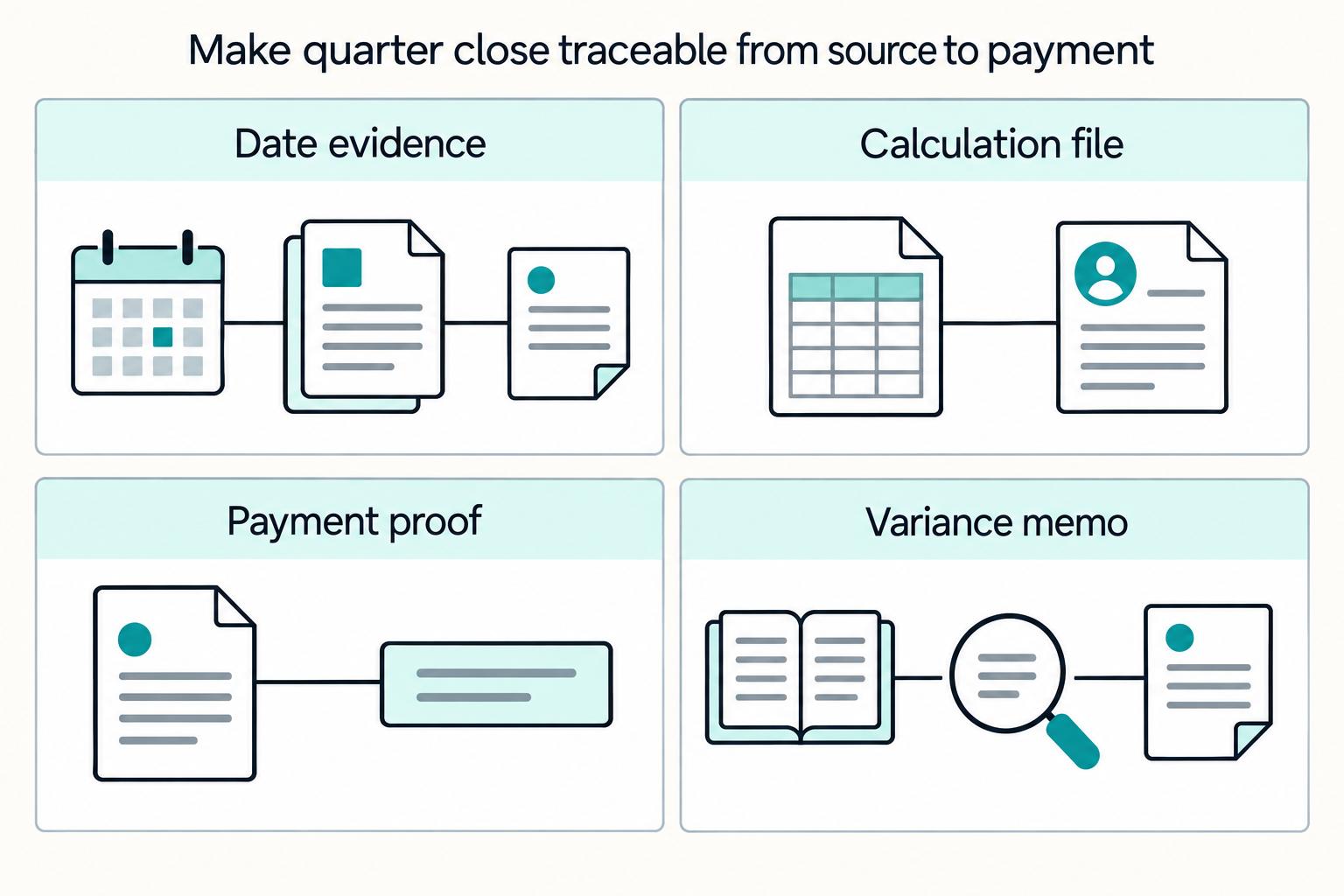
Quarterly Tax Payment Calendar for Contractors: All Four Deadlines and How to Calculate Each
The main failure is usually not missed reminders. It is treating different obligations as one shared date list. Federal estimated tax, payroll tax deposit and filing work, and state quarterly reports do not belong in one lane. When they sit together, teams can assign the wrong owner, keep the wrong evidence, or lose track of why a date or filing choice changed.
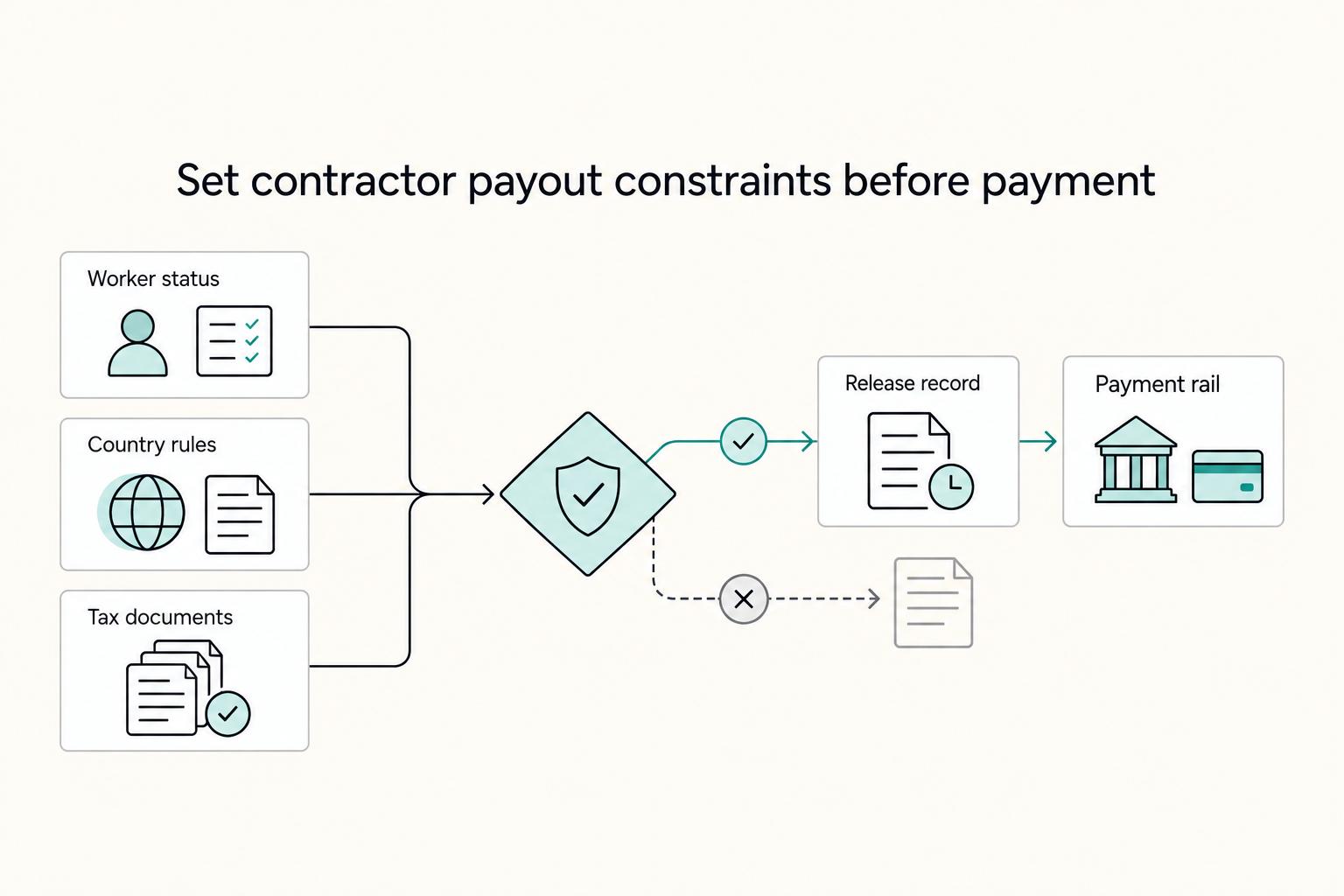
How to Pay International Contractors With Fewer Delays and Disputes
Paying international contractors reliably starts with compliance setup before the first invoice. Missed registration or filing steps turn routine payouts into delays and penalties.
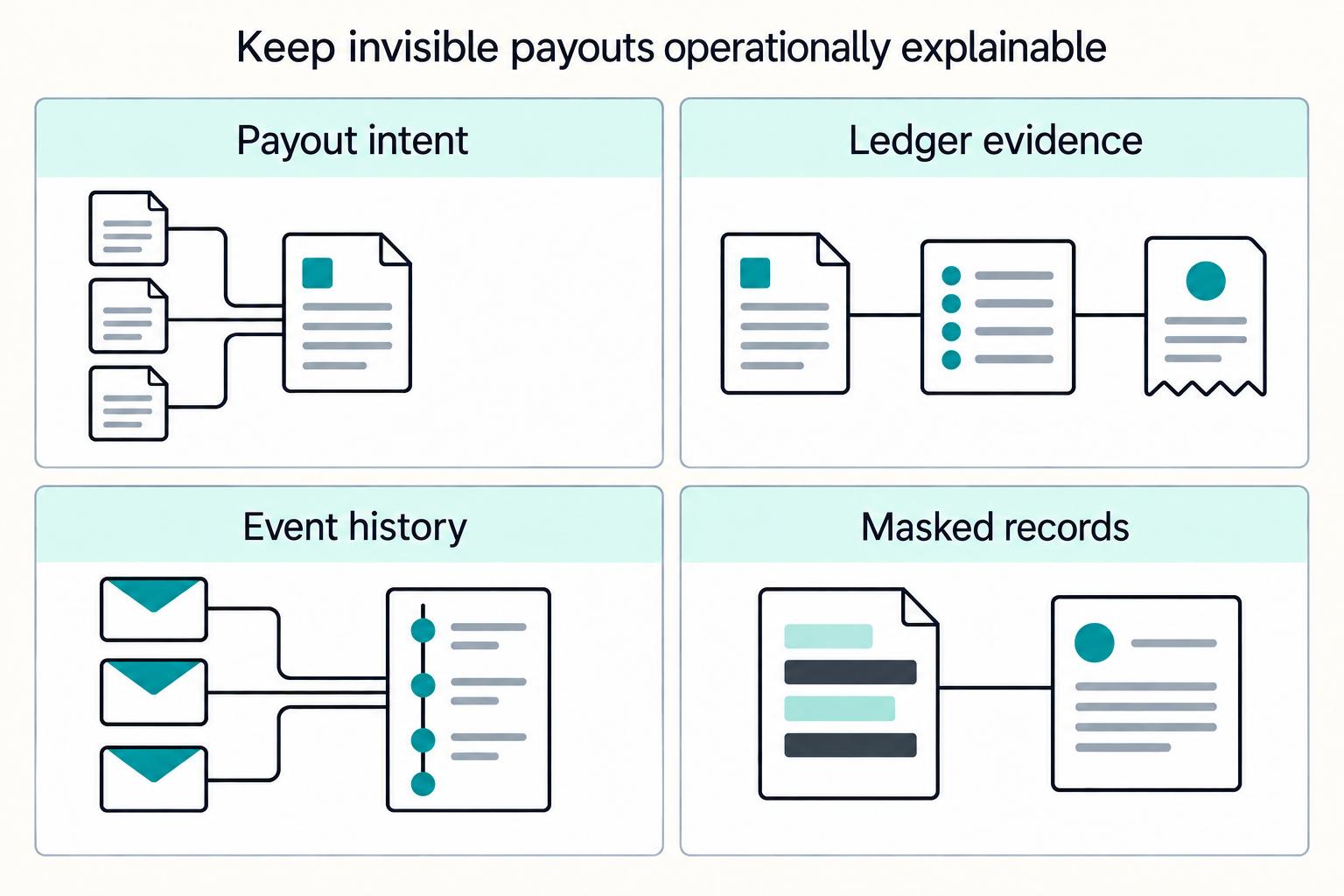
Invisible Payouts: How to Remove Payment Friction for Contractors Without Sacrificing Compliance
Invisible payouts should make life easier for contractors without hiding the controls your team needs. Contractors should get a predictable, low-friction flow, while internal teams can still enforce and document payout decisions when needed. If you run contractor payouts at scale, you need both outcomes at once. We recommend treating every easy payout as a controlled release path your team can replay later.