
Quick Answer
Rank your manual queues first, then automate only the ones with stable rules and a clear owner. The article’s method is to build an evidence pack, score work on five drivers (frequency, handoffs, error impact, approval latency, and reconciliation burden), and place each task in automate, redesign, or defer. Start with recurring items like invoice follow-ups, duplicate CRM entry, and payout status chasing, then release only after checkpoint and reconciliation sign-off.
Where Manual Tasks Cost Platforms the Most#
Start with the manual work that repeats across people and applications. That is where business process automation usually earns its keep. It is also where teams get into trouble if they automate messy ownership or bad data instead of fixing it first.
For operations teams, the real cost is rarely one approval or one reconciliation check on its own. It is the chain. An intake request can move to review, then execution, then status follow-up, then cleanup when records do not match. These processes often span multiple functions and applications, and many departments already operate across 40 to 60 applications. That is why a small manual step becomes costly and slow when it sits inside approvals, reconciliation, and exception handling.
Step 1. Treat BPA as a multistep operations tool, not a one-click feature. Business process automation handles repeatable tasks and multistep transactions. The point is not to automate a single button press. You want to reduce repeated handling across finance, ops, and product without losing visibility when something fails.
Step 2. Make a lane decision before you buy or build anything. The useful question is not whether automation can eliminate manual work in theory. It is whether a given task should be automated now, redesigned first, or deferred. If a step is repeatable and the rule is stable, automation is often worth testing. If the same case gets handled differently by different owners, or key fields live in disconnected applications, redesign comes first because automation will reproduce the inconsistency faster.
Step 3. Verify control and data readiness early. A practical checkpoint is simple: for each task, can you name the owner, the source application, the expected status, and the record finance will rely on later? If you cannot, you do not have an automation problem yet. You have a process definition problem. That distinction saves time because BPA spans hundreds of software products with very different scope, and poorly run projects can go off track or over budget.
The rest of this guide stays operational on purpose. You will rank the manual tasks costing you the most, decide where BPA actually fits, and avoid automating around weak data or unclear ownership. The goal is not more tooling. It is fewer handoffs and less manual cleanup at the end of the chain.
What business process automation means for platform operators#
BPA for platform operators is multistep process execution, not a single workflow trigger. It uses tools and software to automate recurring manual work, but the real operating task is to design, run, and monitor the full chain across systems and people. A one-off rule that sends an email or updates one field can help, but it is not end-to-end process automation. Use this checkpoint: can you name the start state, end state, and each handoff in between?
Scope BPA to embedded payments work that repeats across product, finance, and ops: approvals, payout reviews, reconciliation steps, exception handling, and status follow-up. Integration across applications and systems is usually what removes repetitive rekeying and manual checks. If a task is frequent and rule-stable, it is a strong automation candidate. If it depends on inconsistent judgment, redesign it before you automate it.
Set the production boundary before you choose BPA tools or AI agents: if you cannot trace a case from request to current status to ledger-facing outcome, treat it as not production-ready yet. A practical baseline is one reference that lets you verify who requested the action, where it sits now, and what finance reconciles later. Tools are the means; the outcome is less manual handling, fewer escalations, and fewer errors.
For a broader primer, see A Freelancer's Guide to Business Process Automation (BPA). If you want a practical next step, try the free invoice generator.
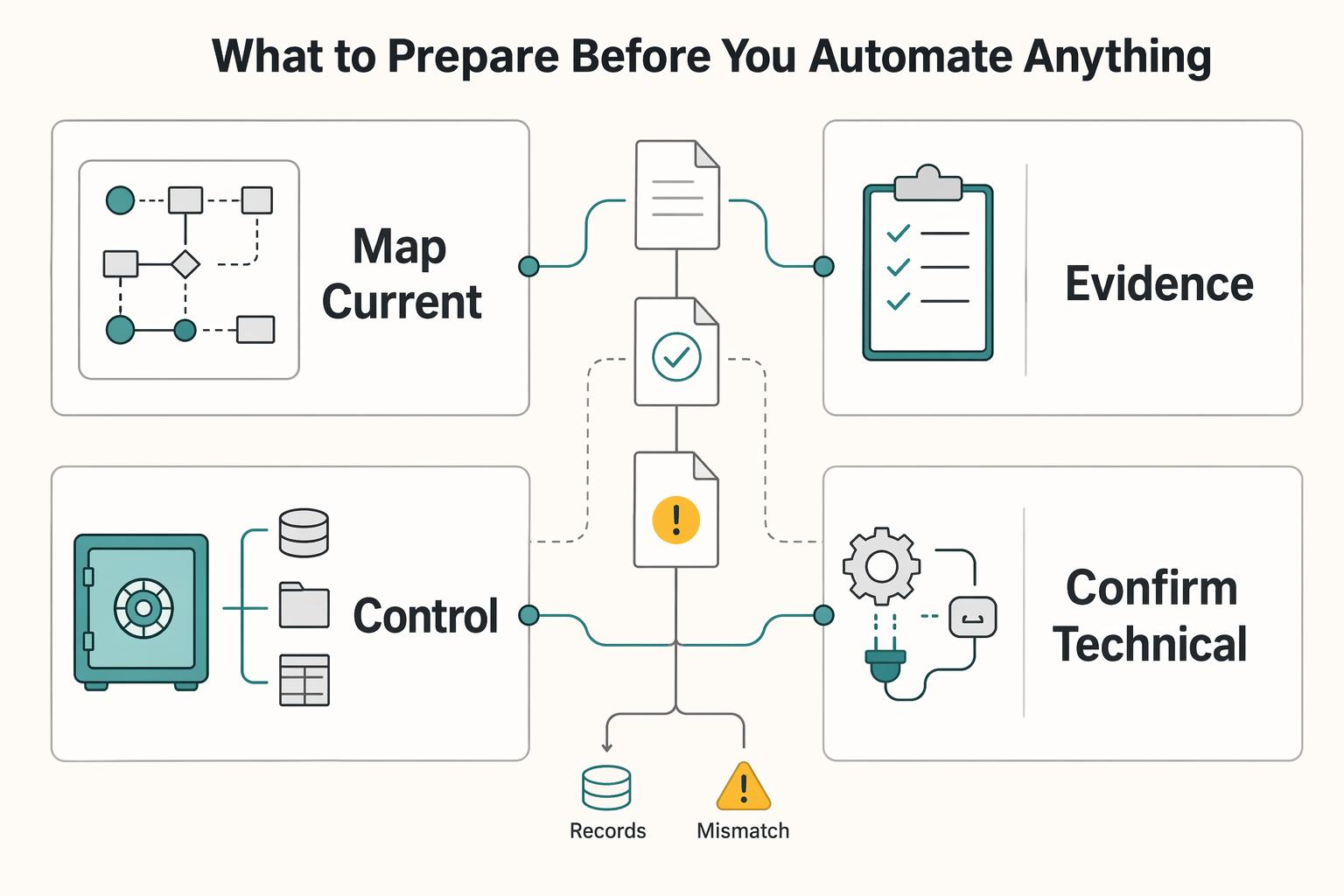
What to prepare before you automate anything#
Do the prep first: map how work runs today, assign ownership for every handoff, and define the records finance and operators will rely on later. If you skip this, automation can create new confusion and exception work instead of reducing it.
| Step | What to prepare | Readiness check |
|---|---|---|
| Map the current state | Start and end states, each handoff, the owner, the inputs and outputs, and the tools used | A new operator should be able to follow one real case from intake to final status without guesswork |
| Build an evidence pack | Process map, ownership matrix, escalation paths, top failure modes, queue volumes, rework reasons, approval wait states in email, and monthly exception categories | If product, ops, and finance cannot align on why work gets redone, fix that first |
| Confirm controls early | Where approvals are required, what audit trail evidence must be retained, and which reconciliation outputs are needed downstream | For each step, name the approver or exception owner and the output finance will validate later |
| Confirm technical readiness | Events that start and update the process, plus explicit assumptions for idempotency behavior and asynchronous updates | Answer what happens if the same event is received twice and whether cross-system orchestration can handle late provider updates |
Step 1. Map the current state as it actually runs. Build a current-state map for each candidate flow in CRM, KPI tracking, and payout operations. Include the start and end states, each handoff, the owner, the inputs and outputs, and the tools used. If a step still happens through an email approval chain or manual spreadsheet update, document it exactly as-is. Checkpoint: a new operator should be able to follow one real case from intake to final status without guesswork.
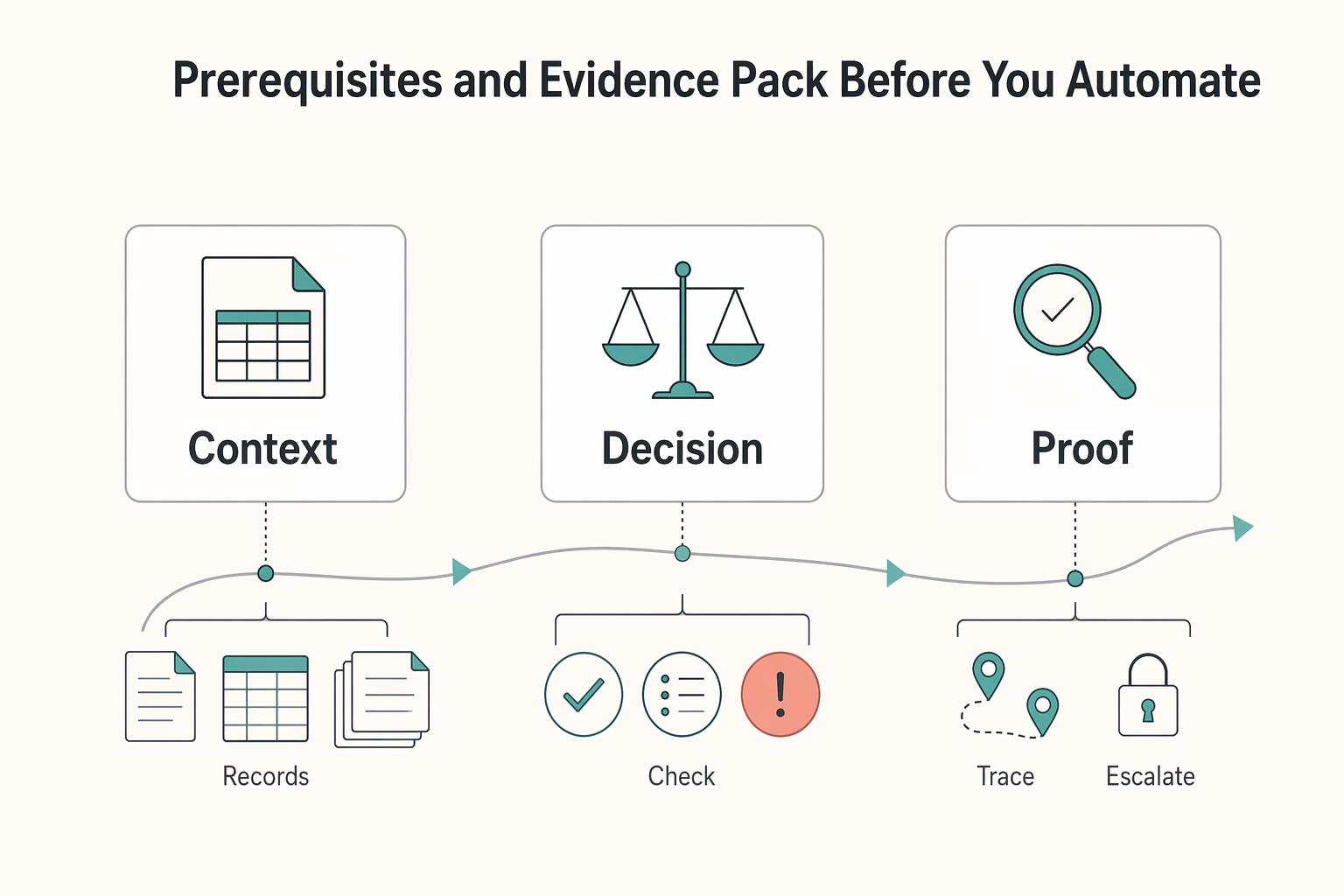
Step 2. Build an evidence pack around failure, not just the happy path. At minimum, prepare a process map, ownership matrix, escalation paths, and top failure modes. Gather baseline artifacts before tool selection: queue volumes, rework reasons, approval wait states in email, and monthly exception categories. If product, ops, and finance cannot align on why work gets redone, fix that first.
Step 3. Confirm controls with finance and marketplace operators early. Define where approvals are required, what audit trail evidence must be retained, and which reconciliation outputs are needed downstream. For each step, name the approver or exception owner and the output finance will validate later. If those fields are unclear, the process is not ready to automate.
Step 4. Confirm technical readiness before choosing tools. Identify the events that start and update the process, then answer two questions: what happens if the same event is received twice, and can your cross-system orchestration handle late provider updates? You do not need full implementation yet, but you do need explicit assumptions for idempotency behavior and asynchronous updates. If those assumptions are not clear in writing, complete that work before build.
For a practical way to map these workflows before you automate them, see The Best Tools for Business Process Mapping.
Find and rank the five manual tasks costing you the most#
Do not automate the loudest complaint first. Rank the tasks creating the highest manual-work tax, rework, and finance cleanup, then start with the one that is both frequent and rule-driven.
| Activity | Reported benchmark | Why it matters |
|---|---|---|
| Manual invoice handling | €12 to €30 per invoice | AP-heavy teams can underestimate follow-up and rework cost as volume grows |
| Cross-system data entry | 1% to 4% reported error rate per entry; $50 to $150 estimated correction cost per error | Cross-system data entry carries risk as records move between applications |
| Spreadsheet reporting | 4 to 6 hours per report per employee | Reporting work is commonly measured in hours when KPI tracking is hand-built |
| Email handling | 28% of the workday, or 11+ hours/week | High-volume inbox work can be a major drain even when the work looks small per case |
Step 1. Build a candidate list from real queue data#
Start with a practical candidate list that usually includes invoice follow-ups, duplicate CRM entry, spreadsheet KPI tracking, manual AP processing, and manual status chasing in payouts. Use one recent operating period (usually a month) and pull from real queues, inboxes, spreadsheets, and exception logs, not memory.
Use anchors to keep this objective. Manual invoice handling is often reported at €12 to €30 per invoice, so AP-heavy teams can underestimate follow-up and rework cost as volume grows. Cross-system data entry also carries risk: reported error rates are 1% to 4% per entry, with estimated correction cost of $50 to $150 per error.
Include spreadsheet reporting when KPI tracking is hand-built. Reporting work is commonly measured in hours, and one cited benchmark is 4 to 6 hours per report per employee.
Verification point: each candidate needs a named owner, a clear start and end state, and at least one concrete failure example from the last month.
Step 2. Score each task on the five cost drivers#
Score each task from 1 to 5 on frequency, handoff count, error impact, approval latency, and downstream reconciliation burden. Sum the scores, then use operator judgment to break ties.
- Frequency: how often the task appears.
- Handoff count: how many teams, tools, or inboxes touch it.
- Error impact: what happens when it goes wrong.
- Approval latency: how long work waits for a human decision.
- Reconciliation burden: how much cleanup finance inherits later.
Avoid over-scoring painful but rare exceptions. High-volume inbox work can look small per case, but email handling is often a major drain, commonly cited at 28% of the workday, or 11+ hours/week.
| Task | Task owner | Systems touched | Current controls | Exception rate | Automate now vs redesign first |
|---|---|---|---|---|---|
| Invoice follow-ups | AP or Finance Ops | AP inbox, ERP or AP tool, email | Approval emails, aging review, manual reminders | Measure late, returned, or re-opened invoices as a share of invoices touched | Automate now if routing and reminder rules are stable; redesign first if invoices arrive incomplete or approver policy is unclear |
| Duplicate CRM entry | Sales Ops or Marketplace Ops | CRM, support/admin tools, payout or ops tool | Field validation, spot checks, manual reconciliation | Measure corrected records or duplicate updates as a share of records handled | Automate now if field mapping is stable; redesign first if system ownership is disputed |
| Spreadsheet KPI tracking | Ops or Finance | Spreadsheets, CRM exports, BI exports, payout exports | Locked tabs, reviewer sign-off, manual version control | Measure rows corrected after review as a share of submitted rows | Redesign first if metric definitions still change; automate now only when definitions and sources are fixed |
| Manual AP processing | AP or Finance | AP inbox, ERP, approvals, payment ops records | Invoice checklist, approval chain, reconciliation review | Measure held, returned, or reworked invoices as a share of processed invoices | Automate now if coding and approval rules are repeatable; redesign first if policy exceptions dominate |
| Manual status chasing in payouts | Payment Ops or Support | Provider portal, CRM, inbox, internal dashboard | Daily checks, escalation mailbox, manual updates | Measure reopened payout cases or status mismatches as a share of payout cases | Automate now if status events are reliable; redesign first if source events arrive late or duplicate |
Step 3. Apply the automate-now vs redesign-first rule#
Use a simple decision rule: if a task is high-frequency, cross-system, and governed by repeatable rules, prioritize straight-through processing or guided automation. Duplicate CRM sync, stable AP routing, and payout status propagation often fit this lane.
If rules are unstable, redesign first. Spreadsheet KPI tracking is the common trap: if finance, ops, and product still disagree on metric definitions, automation only scales disagreement. The same applies when AP approvals still depend on unclear email authority.
Before you build, your top-ranked task should show both measurable volume and a clear control design. If volume exists but rules are unstable, redesign first. If rules are stable but volume is low, defer and pick the next task.
For a closer look at one of the highest-cost workflows, read AP Automation vs. Manual AP Processing: A Cost-Benefit Analysis for Marketplace Operators.
Decide redesign versus automation versus deferral#
Pick the lane before the tool: automate when rules are stable, redesign when policy is unclear, and defer when source data is not reliable enough to trust, especially for AI-agent workflows.
Step 1. Place each task in one lane#
Use your evidence pack and make a direct call:
- Automate when work is high-volume, rule-based, and the exception path is already understood.
- Redesign when policy, ownership, or approval logic is the real blocker.
- Defer when upstream records are missing, late, duplicated, or conflicting.
This split matters because automation helps most on repeatable work. If decisions still happen in email, Slack, or side spreadsheets, redesign first.
Step 2. Resolve policy and mapping gaps before automation#
Two common traps look automation-ready but usually need redesign first.
If manual journal entries keep recurring because upstream mapping is inconsistent, fix chart and mapping governance first. If the same transaction type lands in different accounts or dimensions depending on who handled it, automation will only scale the inconsistency. For deeper journal-entry cleanup, see Accounting Automation for Platforms: How to Eliminate Manual Journal Entries and Close Faster.
If email approval chains exist because authority rules are not formalized, define approval policy first, then implement automation tools. A practical check: two reviewers should route the same request the same way without opening an email thread.
Step 3. Compare tradeoffs, then commit#
In practice, the first wins usually come from removing off-system work, unnecessary handoffs, and manual approvals, but only after you have identified the real constraint.
| Lane | Speed to deploy | Control strength | Engineering lift | Operational fragility |
|---|---|---|---|---|
| Automate | Fast once rules are stable | Strong when exception handling is defined | Moderate | Low to medium when source events are reliable |
| Redesign | Slower up front | Highest because policy and ownership are clarified first | Low to moderate | Lower later, higher if skipped now |
| Defer | Fastest immediate choice | Weak short-term because manual handling remains | Low now, higher later | Highest if forced with bad data |
If you are split between lanes, default to redesign over premature automation. If the choice is automate vs defer, inspect source data quality first.
Implement cross-system automation with control checkpoints#
Cross-system automation only holds up when each handoff is explicit and controlled. Run implementation in a fixed order: intake trigger, validation, approval decision, execution, status propagation, and reconciliation posting. If you automate isolated steps and leave the gaps between systems, manual handoffs return and the same work gets repeated across teams.
A BPA platform should act as the connective layer between applications, passing records from one system to the next so workflow steps can execute automatically.
Step 1. Define checkpoints before building integrations#
Set controls for every stage before rollout: expected event, expected state transition, timeout behavior, and a named owner for unresolved exceptions. If a stuck step has no owner, it is not production-ready.
| Stage | Control checkpoint |
|---|---|
| Intake trigger | One clear start event and record identity |
| Validation | Required fields and clear pass/fail/review states |
| Approval decision | Documented routing outcomes for approve/reject/escalate |
| Execution | Defined downstream action and recorded result |
| Status propagation | Required system updates and notification path |
| Reconciliation posting | Clear posting outcome or exception path for review |
Step 2. Prioritize deterministic payment handoffs#
For payment operations, start where manual triage is most common: invoicing, payment matching, and payout status updates. Use unambiguous state handoffs between systems so operators are not forced into inbox, chat, or spreadsheet reconciliation.
A practical test is to trace one transaction from intake to reconciliation in system records only. If that trace still depends on off-system follow-up, manual handoffs are still in the flow.
Step 3. Make retries and replays safe by design#
Retries are necessary in cross-system orchestration, so design handlers to replay safely and avoid duplicate downstream actions. Use stable record identity from intake through reconciliation, and require explicit exception handling when a step is unresolved.
Also validate tooling limits early: older workload automation or scheduling stacks may not coordinate cleanly across platforms, which can reintroduce duplicate manual work and inconsistent outcomes. Related reading: Subscription Billing Platforms for Plans, Add-Ons, Coupons, and Dunning.
Verify reliability and reconciliation before wider rollout#
Treat reliability as a release gate, not a post-launch cleanup task. Scale accounting automation only after the flow is reliable end to end, exceptions are contained, and reconciliation outputs are complete.
| Step | What to verify | Do not expand if |
|---|---|---|
| Completion and containment | Trace each item from intake to final accounting outcome and sign off on state transitions | Failed or ambiguous records can escape the named exception queue |
| Baseline pilot review | Compare turnaround time, approval wait states, and exception categories to the same baseline captured before launch | Users still need logs, email, or chat to answer transaction status |
| Reconciliation review | Review execution logs, posting exports, exception records, and any manual journal entries raised in the same period | For an execution record, you cannot confirm one posting result, one approved no-posting outcome, or one open discrepancy with an owner |
| Rollback triggers | Set pause conditions for unresolved exceptions past the review window, false approvals above internal tolerance, missing ledger outputs, or turnaround times worse than baseline | Any pause trigger is hit |
Step 1. Gate rollout on completion and containment. Use a controlled pilot sample and trace each item from intake to final accounting outcome. Sign off on state transitions, not API responses: validated to approved, approved to executed, and executed to posted or exception. If failed or ambiguous records can escape the named exception queue, containment is not in place.
Step 2. Pilot with marketplace operators and finance users against a baseline. Keep the cohort small enough for daily review, but broad enough to include teams handling operations and downstream posting. Compare turnaround time, approval wait states, and exception categories to the same baseline you captured before launch. If users still need logs, email, or chat to answer transaction status, do not expand yet.
Step 3. Reconcile execution logs to ledger-facing outputs. Automated reconciliation software is designed to match transactions and identify discrepancies, so test that directly in the pilot. For each execution record, confirm one posting result, one approved no-posting outcome, or one open discrepancy with an owner. Review execution logs, posting exports, exception records, and any manual journal entries raised in the same period.
Step 4. Define rollback triggers before expansion. Set pause conditions in advance, including unresolved exceptions past your review window, false approvals above internal tolerance, missing ledger outputs, or turnaround times worse than baseline. If any trigger is hit, pause rollout and patch controls before widening the cohort.
This discipline matters because manual reconciliation is often slow and error-prone, and one cited survey reports 49% of finance teams still rely entirely on manual processes. Expand only after the pilot shows manual handling is actually shrinking in day-to-day operations.
For a step-by-step walkthrough, see Business Process Mapping for a Small Agency That Runs Day to Day.
Common mistakes and how to recover fast#
Failed rollouts often come from automating ambiguity, not from a lack of tooling. To remove expensive manual work, fix process clarity first, then relaunch automation.
Step 1. Redesign the process before rebuilding automation. If the same request gets different outcomes depending on who handles it, pause automation changes. Map and standardize the workflow first, then define clear ownership and approval responsibility so similar cases follow the same path.
Step 2. Add controls before optimizing for no-code speed. Fast setup helps, but speed without checkpoints can shift cleanup into manual follow-up. In your BPA flows, add explicit checks for approvals, execution, and exception routing, and make sure failed items land in a named exception queue.
Step 3. Define approval policy before replacing email approval chains. Replacing email without clear policy just moves confusion. Document approval thresholds, escalation timing, and fallback authority, then automate routing and delay escalation so approvals do not stall in inbox threads.
Step 4. Validate vendor claims in your own embedded-payments workflows. Generic demos are not proof for your operating model. Run scenario tests across your approval, handoff, and reconciliation paths, then compare execution records with ledger-facing outcomes and exception records.
For more on platform liability and operational ownership, see Merchant of Record for Platforms and the Ownership Decisions That Matter.
Conclusion and copy-paste checklist#
Use the sequence below as your closeout test before you expand any automation in platform payments. The main rule is simple: if a task does not produce consistent, reviewable outcomes in a pilot, do not scale it yet. Fix the process design, then retest.
-
Define scope. Pick one task family with a clear boundary, such as payout status chasing, invoice follow-ups, or payment matching. Your verification point is that the team can trace the case from request to current status to final recorded outcome without relying on inbox history or memory.
-
Prepare the evidence pack. Gather the current-state process map, ownership matrix, escalation paths, baseline queue volumes, and the top failure modes. If you cannot name who owns the exception path or what output finance needs for review, you are not ready for BPA yet.
-
Rank the top five tasks. Force a priority order based on frequency, handoff count, error impact, approval latency, and rework burden. A small set of manual task categories often drives most recoverable time, so do not spread effort across ten medium-value fixes when five obvious tasks are carrying the manual-work tax.
-
Choose redesign versus automate. Automate when the rules are stable and the done state is clear. Redesign first when policy is unclear, source data is unreliable, or two operators still resolve the same case differently, because manual work is not just slow, it is fragile and prone to mistakes.
-
Implement checkpoints. For each step, define the expected input, expected state change, timeout behavior, and named owner for exceptions. This is the part many teams rush, then regret later when retries, late updates, or ambiguous approvals create hidden cleanup work.
-
Verify reliability. Run a controlled pilot and check both the success path and the exception path. The practical test is whether finance, ops, and engineering can all see the same status, the same triggering input, and the same final outcome without log hunting or spreadsheet patching.
-
Scale only after consistency holds. Confirm that execution records and final outcomes stay aligned, and that exception handling is documented before rollout. If a task creates control gaps or repeated cleanup work, pause rollout, repair the underlying process, and test again before adding volume.
Copy and paste this into your working doc: "Top five tasks ranked, owners assigned, control requirements documented, automation lane chosen, pilot passed, consistency verified, exception handling documented."
Your next move should be operational, not theoretical: get finance, ops, and engineering in one room and agree on a single prioritized automation backlog tied to measurable manual-task reduction. That is how BPA reduces expensive manual work without creating a new class of expensive exceptions.
Frequently Asked Questions
What is a business process automation platform in a platform payments context?
It is software that automates recurring tasks teams would otherwise handle manually. In a platform payments context, that usually means moving information and status updates across people and systems more consistently. The core goal is to improve efficiency, reduce errors, and free people for more strategic work.
Which manual tasks should marketplace operators automate first?
There is no evidence-backed universal "first tasks" ranking. A practical starting point is repetitive work with stable, predefined rules and consistent handoffs. If a workflow is highly conditional or varies case by case, clarify the decision logic first or use a more flexible AI-driven approach.
Should we redesign a process before adding AI agents?
Usually yes when the process is unclear or inconsistent. AI-driven automation adds flexibility, but automation still depends on clear process logic and exception handling. A useful checkpoint is whether the team can describe the core decision flow before automation is turned on.
How do AI agents differ from traditional business process automation tools?
Traditional automation relies on predefined rules and works best when processes are stable and explicit. AI-driven process automation is more flexible and context-aware across multiple business systems, which helps when workflows are conditional or span several tools.
What does reliable automation mean for finance and engineering teams?
For both teams, it means recurring work is handled consistently instead of manually, with fewer avoidable errors and better efficiency. Traditional rule-based automation fits stable processes, while AI-driven automation helps when work is conditional or multi-system. In both cases, the goal is to free people for higher-value work.
How does Straight-Through Processing (STP) reduce manual payment matching work?
At a general level, automation based on predefined rules can reduce manual steps when workflows are stable. For STP-specific detail, see What Is Straight-Through Processing (STP)? How Automating Payment Matching Eliminates Manual Work.
Try a related tool
Researched and edited by the Gruv editorial team. Gruv builds cross-border billing, payouts, and finance-operations software for global businesses.
Sources
Includes 8 external sources outside the trusted-domain allowlist.
- atlassian.com/work-management/project-management/business-...external
- celigo.com/blog/manual-process-automationexternal
- celigo.com/articles/business-process-automation-guideexternal
- codelessplatforms.com/benefits-of-business-process-automationexternal
- d2b.space/blog/cost-of-manual-workexternal
- ey.com/content/dam/ey-unified-site/ey-com/en-in/ins...external
- factr.me/blog/workflow-before-automationexternal
- feeds.controlinksystems.com/blog/problems-business-process-automation-solveexternal
Educational content only. Not legal, tax, or financial advice.
Related Posts
Accounting Automation for Platforms That Removes Manual Journals and Speeds Close
If you are asking whether reducing manual journal entries helps you close faster, the short answer is that it can, especially when automation removes the handoffs around journals, not just the typing. Manual journal work is rarely just someone typing into the General Ledger. It is often a chain of accruals, spreadsheet handoffs, approval waits, reconciliation checks, and final ERP posting that turns month-end close into one of the most time-sensitive and resource-intensive jobs in finance.
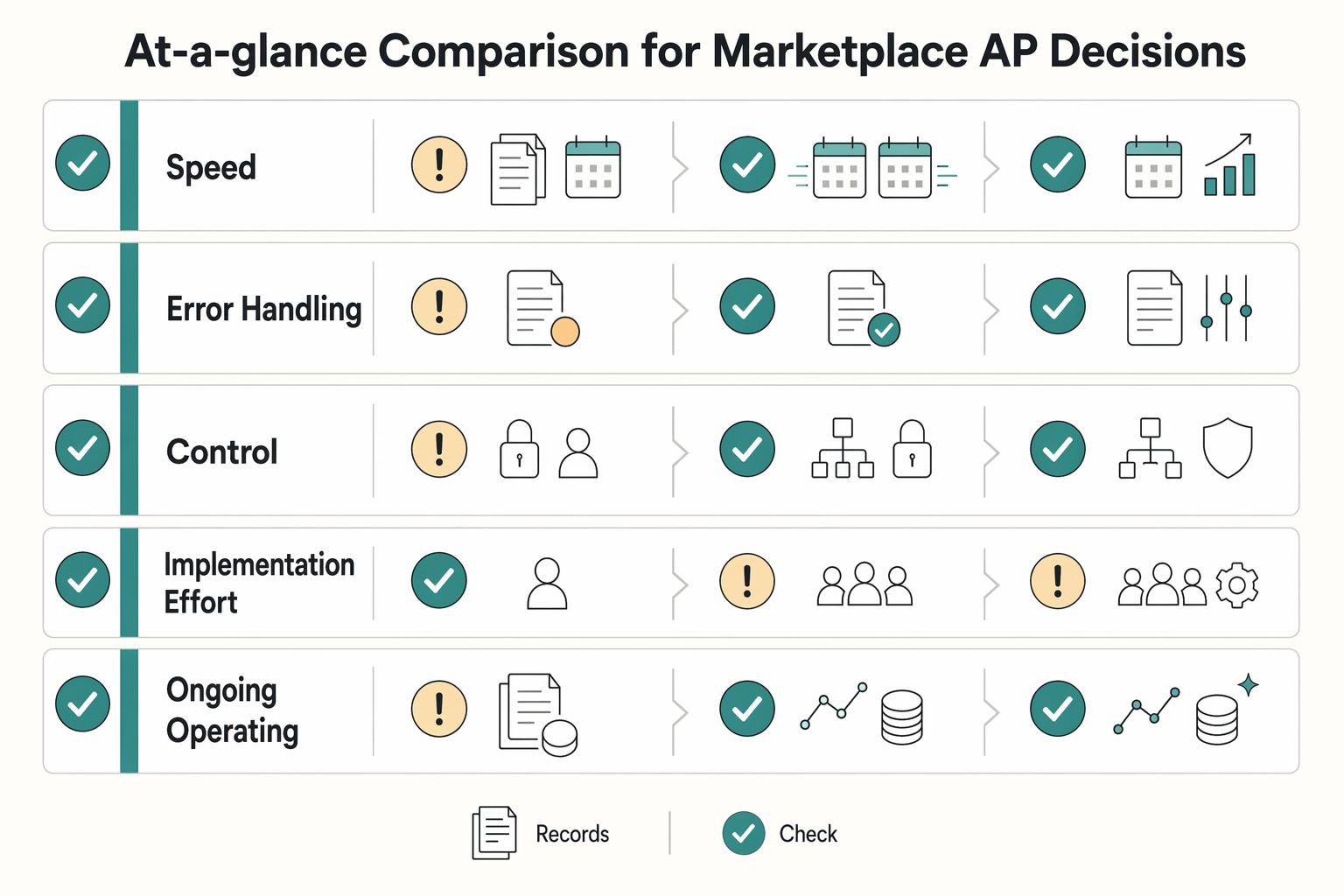
AP Automation vs Manual AP Processing for Marketplace Operators
For marketplace operators, this is not a generic AP explainer. The real choice is whether you should stay with manual AP, move to rules-based automation, adopt AI-powered automation, or run a staged hybrid while volume, controls, and integrations catch up.
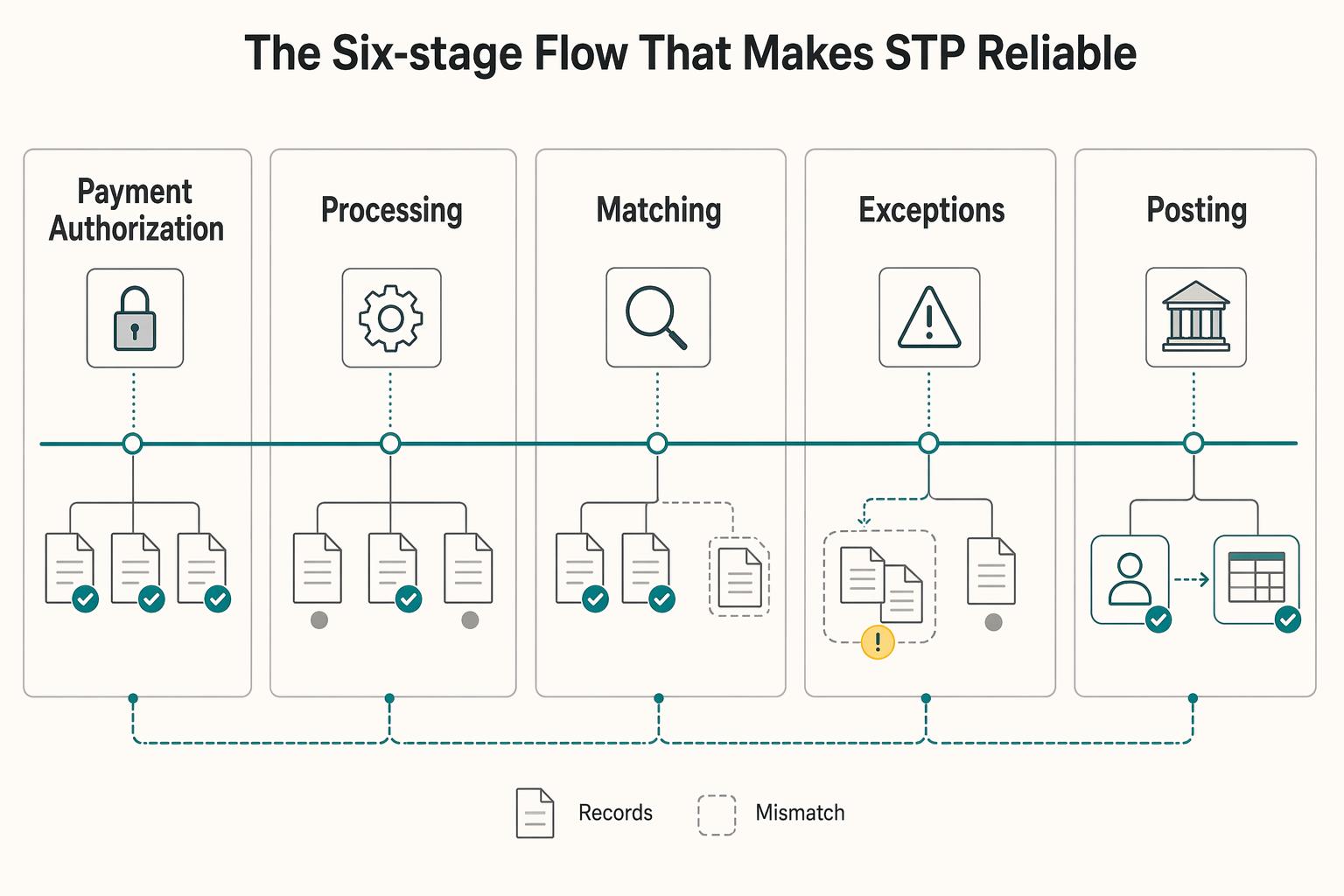
Straight-Through Processing for Platform Payments That Survives Reconciliation
Straight-through processing is strongest when you design it as an end-to-end operating model, not just a matching feature. The practical boundary is simple: STP covers the full transaction path, and automated payment matching is one critical part of that path.