
You can brand payment links, but only with the controls each provider publicly confirms. Stripe supports a logo or icon plus background and button color, Checkout.com offers provider-assisted logo, brand color, page footer, and payment terms link changes, and Dojo supports logo and favicon uploads. From the current public snippets, custom domains are confirmed for Stripe only.
Treat payment-link branding as an execution decision first. Pick what your provider supports now, assign owners, and flag gaps before design sign-off. With Stripe Payment Links, Checkout.com Payment Links, and similar hosted pages, the fastest way to avoid launch surprises is to separate confirmed controls from assumptions.
Capture three items up front in one working note: provider, required brand elements, and unresolved questions. That keeps teams from approving a look the hosted page cannot actually ship.
Focus on the trust cues that shape the handoff: logo or icon where supported, brand color, and button color. Those elements can make the handoff into a hosted payment page feel legitimate rather than abrupt.
Stripe documents branding controls in Branding settings across customer-facing surfaces, including payment links. It also describes Payment Links customization as limited, with custom logo, background color, button color, plus preset font and border-radius options.
Checkout.com uses a different operating model. Its Payment Links branding goes through an account manager or support, with logo, brand color, page footer, and payment terms link customization. It also states that the primary color can apply to the page background and primary button. That difference in ownership and timing matters as much as the design itself.
Be literal here. Keep what is documented, and mark everything else as verify with provider.
If a required control is unclear, stop refining the page and resolve provider fit first.
Success is not a prettier page. Define it in operating terms:
Stripe's branding guidance notes that presenting support or legal information can increase buyer confidence and reduce cart abandonment. Treat trust signals as more than color and logo, especially when footer or terms surfaces are available.
Before production assets are approved, verify that each required element has a named provider control, a clear owner, and any open dependency documented.
Related: Influencer Payment Automation: How Brands and Agencies Pay Creators Without Manual Work.
Once success is defined, map only the controls you can actually ship. Brand only what the provider publicly confirms, and treat everything else as verify with provider until you have proof.
| Element | Stripe | Checkout.com | Dojo Help Centre | Potential buyer impact (context-dependent) |
|---|---|---|---|---|
| Logo | Confirmed | Confirmed, provider-assisted | Confirmed | Can improve trust and business recognition |
| Icon | Confirmed | Verify with provider | Verify with provider | Can support brand continuity on visible UI surfaces |
| Favicon | Verify with provider | Verify with provider | Confirmed | Can add a recognizable browser or tab cue when links open outside your app |
| Background color | Confirmed | Confirmed via primary color | Verify with provider | Can support visual continuity at handoff |
| Button color | Confirmed | Confirmed via primary color | Verify with provider | Can make the primary payment action more recognizable |
| Page footer | Verify with provider | Confirmed, provider-assisted | Verify with provider | Can help present legal or support context |
| Payment terms link | Verify with provider | Confirmed, provider-assisted | Verify with provider | Can make policy details easier to find before payment |
Stripe docs confirm logo or icon plus Checkout background and button color controls. For Checkout.com, the docs confirm logo, brand color, page footer, and payment terms link, with customization handled through an account manager or support. Dojo confirms logo and favicon uploads for payment links.
Do not turn "not documented" into "available."
For this section's elements, Stripe page footer and payment terms link stay in verify status, and Checkout.com or Dojo items outside documented controls stay in verify status until the provider confirms them.
Even confirmed controls still depend on workable asset specs and a realistic handoff flow.
256KB, min 50 x 50, max 200 x 80.160px x 80px, favicon 80px x 80px, up to 1MB.Use provider-specific assets early to reduce implementation surprises.
If any required control is missing or still unverified, pause the work and resolve provider fit first.
Your handoff should end with a clear yes / no / verify list per provider and one proof item for each required element.
You might also find this useful: How to Use Stripe Payment Links for Easy Invoicing.
Before mock production starts, choose the route you will actually use. The right path is the lowest-complexity option that still meets your trust, legal, and domain requirements.
You have three practical paths:
| Path | Use when | Confirmed details |
|---|---|---|
| Native branding settings | Controls are available in-product | Stripe documents account-level branding for hosted surfaces and confirms Payment Links can use Checkout appearance controls such as logo or icon, plus background and button colors |
| Provider-assisted customization | Required elements are provider-managed | Checkout.com documents support for logo, brand color, page footer, and payment terms link, routed through an account manager or support |
| Deeper integration for custom domain | Stakeholders require your own domain | Stripe documents custom domains for Checkout, Payment Links, and the customer portal; setup uses a subdomain rather than a path format; currently USD 10 per month |
In practice, start with native branding settings when they meet the requirement, move to provider-assisted customization when the key elements are provider-managed, and treat custom domain as an implementation track rather than a design toggle.
If you only need basic branding, such as logo or icon/favicon and brand color, check native controls first.
If launch depends on payment terms link or page footer, validate provider support before you commit launch dates.
If stakeholders require your own domain, treat it as an integration decision and validate provider support explicitly. Based on current sources, do not assume custom-domain support for Checkout.com or Dojo.
Do not start creative production until three fields are explicit: path, owner, and escalation channel.
Your proof artifact should match the path:
USD 10 per month model.If the path is not confirmed, it is a no-go for design spend. That avoids producing assets for controls the provider does not expose or for legal and footer content that cannot be implemented.
A valid go decision is specific: "Stripe native settings are sufficient," "Checkout.com support will apply footer and terms-link customization," or "Stripe custom domain approved with subdomain and engineering owner."
For a step-by-step walkthrough, see How to Build a Payment Sandbox for Testing Before Going Live.
Once the path is set, lock the assets before anyone touches live settings. This helps prevent avoidable stalls over file type, size, or version confusion.
Create one source pack with logo, and where relevant icon and favicon. Keep an internal SVG master for design continuity, then prepare upload-ready PNG or JPG files for providers that require raster formats.
Use a clear internal naming and version pattern, for example logo-primary-v3, so teams always know which file is current. The checkpoint is simple: each asset has one owner, one approved version, and a note for where it can appear. This matters even more because Stripe branding settings are account-wide.
Start with confirmed provider specs, then fill any remaining "to confirm" fields before upload.
| Provider | Confirmed branded asset | Confirmed file rules | Verify before upload |
|---|---|---|---|
| Dojo Help Centre | logo, favicon | Logo 160px x 80px; favicon 80px x 80px; SVG, PNG, or JPG; max 1MB | Desktop or mobile preview before saving |
| Stripe | logo or icon | JPG or PNG; less than 512kb; at least 128px x 128px | Which surface uses logo versus icon treatment |
| Checkout.com | logo | JPG, JPEG, or PNG; max 256KB; min 50x50; max 200x80 | Submission route via account manager or support |
Do not assume one file will pass everywhere.
Write pass or fail rules before configuration starts. At minimum, approve one background color, one button color, and a contrast baseline of at least 4.5:1 for text and images of text.
Include one auditable verification step: check desktop and mobile rendering, including provider preview tools where available, and confirm branding renders clearly. If legal or support trust elements matter for your flow, include them in the same acceptance checklist.
Related reading: How to Build a Contractor Payment System for a Nursing or Allied Health Staffing Agency.
If your launch depends on domain, legal-surface, or redirect requirements, treat them as launch blockers until they are confirmed. These are infrastructure and risk decisions, not design details.
Record three named owners before any URL change: DNS owner, certificate responsibility (provider vs. team), and rollback owner for payment-page hostnames.
For Stripe-hosted pages, the setup is documented: custom domains are supported for Checkout, Payment Links, and the customer portal; custom domains are a paid feature (Stripe support FAQ lists USD 10 per month); and setup uses a subdomain of your existing domain. Your team creates DNS records, then after DNS verification Stripe says it provisions TLS certificates and sets CDN routing.
The release checkpoint is operational, not visual: approved subdomain, confirmed DNS access, and a documented fallback hostname.
Review legal and trust surfaces as launch controls, especially payment terms link behavior and page footer content.
Checkout.com states that it can customize logo, brand color, page footer, and payment terms link, and positions this as an account-manager or support path. Stripe branding docs also indicate Checkout can show links to terms of service and privacy policy.
Use one compliance packet with approved URLs, exact footer copy, target markets, and change owner. Then verify on desktop and mobile that each legal link resolves correctly and the footer matches the approved copy.
Keep open items visible in the launch record:
Plan eligibility for these features is not fully confirmed in the provided excerpts.Region support is not fully confirmed. Stripe notes some features may be unavailable in certain regions.Operational limits, for example support turnaround or account-level restrictions, are not fully confirmed in the retrieved excerpts.Redirect flow belongs in risk review, not page styling. For Checkout.com, confirm return_url behavior and verify webhook handling for approved-payment continuation.
If any required control is still unverified, get written provider confirmation covering supported surfaces, prerequisites, regional constraints, implementation owner, and rollback path, then store that with the launch record.
This pairs well with our guide on White-Label Checkout: How to Give Your Platform a Branded Payment Experience.
Providers do not prescribe one required sequence. As a practical default, set identity assets first, colors second, then footer or terms, then publish checks.
Start with logo and icon fields so payer-facing identity is correct before you adjust colors. In Stripe, this is done in Branding Settings by uploading logo or icon, and the docs note these settings can apply across the account. For Checkout.com Payment Links, treat logo updates as provider-assisted unless your account team confirms otherwise, and submit assets within the documented limits: JPG/JPEG/PNG, up to 256KB, 50x50 min, and 200x80 max.
Set brand color and button color after the logo or icon displays cleanly. Stripe documents background color and button color controls for Checkout, which Payment Links uses. Test in sandbox before production where available, then verify readability and rendering on more than one test link. For Connect destination-charge flows, remember the page can use your platform's brand settings.
Update page footer and payment terms link after visual branding is stable and approvals are final. Checkout.com documents both surfaces, including footer branding text and terms-and-conditions link support. Treat these as legal-surface changes, not just design edits, and confirm approved copy and URLs before launch.
If you keep a change log, record platform and setting names, plus approver and publish time, as an internal control. After publishing, check a sample of active links on desktop and mobile, not just a newly created link. Stripe says brand settings can apply broadly, but you still need to confirm actual output and footer or terms behavior across live links.
We covered this in detail in How to Set Up an IRS Payment Plan and Keep It Active.
Branding work can still affect payment operations. If you cannot show that payment-state and reconciliation mapping are unchanged, do not publish.
Define the exact event that moves state from "paid" to "ready to reconcile or fulfill," then test against it. For Stripe Payment Links, use checkout.session.completed as the operational checkpoint and verify the resulting Checkout Session still carries the references your team uses, such as Customer, PaymentIntent or Subscription, and client_reference_id when used. For Checkout.com Payment Links, verify the payment-approved webhook still reaches the same internal service and triggers the same internal state transition.
The pass or fail test is simple: one completed payment should produce one correct internal state change. If branding renders correctly but internal mapping breaks, stop and fix the mapping first.
Keep branding deployment paths retry-safe so visual changes cannot replay financial actions. Stripe supports idempotent requests and warns that webhook endpoints can receive duplicate events, so log processed event IDs and ignore repeats. For Checkout.com payment or payment-action requests, use Cko-Idempotency-Key with a default expiry of 24 hours, and design inbound webhook handling for retries, up to eight attempts at 5m, 10m, 15m, 30m, 1h, 4h, 12h, 12h.
| Flow | Documented control | Operational note |
|---|---|---|
| Stripe API requests | Supports idempotent requests | Keep branding deployment paths retry-safe so visual changes cannot replay financial actions |
| Stripe webhooks | Webhook endpoints can receive duplicate events | Log processed event IDs and ignore repeats |
| Checkout.com payment or payment-action requests | Use Cko-Idempotency-Key | Default expiry of 24 hours |
| Checkout.com inbound webhooks | Retries up to eight attempts | 5m, 10m, 15m, 30m, 1h, 4h, 12h, 12h |
If your rollout job mixes provider config updates with downstream order or settlement logic, split those paths before launch.
Record every change, including updates that look visual-only. At minimum, capture:
branding settings changedStripe, Checkout.comThis aligns with change-control expectations to retain records, approve or disapprove changes explicitly, and monitor related activity.
During and after publish, watch payer-facing issues and webhook or event behavior together. On Stripe, use Developers Dashboard and Workbench to inspect request logs, events, and webhook deliveries around release time. On Checkout.com, watch payment-approved webhook flow and retry patterns against the same timestamp.
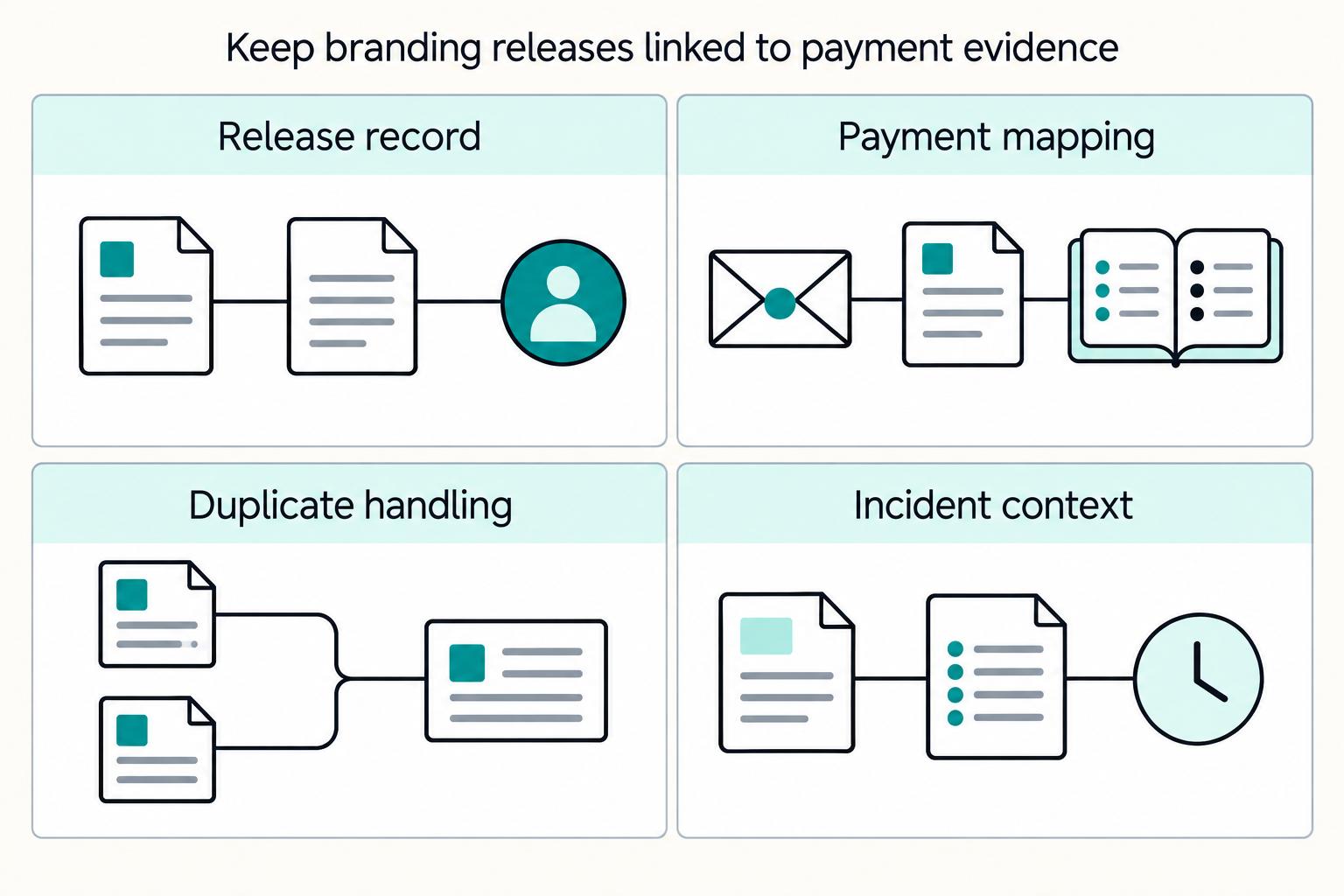
Tag each branding release with a small release ID in your change log and support handoff so ops can quickly separate presentation defects from payment-processing incidents.
If you want a deeper dive, read Airline Delay Compensation Payments: How Aviation Platforms Disburse Refunds at Scale.
If you want an implementation reference for idempotent retries, status tracking, and audit-ready reconciliation while branding rolls out, review the Gruv docs.
Do not send payment links at scale until they pass real payer journeys, not just a happy-path screenshot. The job here is to prove consistency across first visit, return, and retry.
A practical minimum coverage is first-time payer, returning payer, and failed-attempt retry for each provider.
| Journey | Stripe | Checkout.com |
|---|---|---|
| First-time payer | Use test cards; run one successful payment | Use documented test cards to simulate different flows |
| Returning payer | If you use Link with Payment Links, include a returning-customer pass and confirm branding and key buyer context still appear as expected | If Remember Me is enabled, run a returning-customer check and verify saved card details appear on a later checkout |
| Failed-attempt retry | Run one decline or error flow, then retry to success | Run decline then retry to success, and confirm the same visible elements stay consistent across pages, such as logo, button color, and other enabled brand elements |
For Stripe, use test cards to validate outcomes without moving real money. Run one successful payment and one decline or error flow, then retry to success. If you use Link with Payment Links, include a returning-customer pass and confirm branding and key buyer context still appear as expected.
For Checkout.com, use documented test cards to simulate different flows. If Remember Me is enabled, run a returning-customer check and verify saved card details appear on a later checkout. On the failed path, run a decline then retry to success, and confirm the same visible elements stay consistent across pages, such as logo, button color, and other enabled brand elements.
Pass criteria is not "looks right once." It is "looks right across first visit, return, and retry." Save screenshots plus the payment link ID or session reference for each pass.
Verify legal and trust content with the same rigor as payment outcomes.
Stripe supports Terms of service and Privacy policy links through Legal policies in Checkout settings, and notes this can improve buyer confidence. Checkout.com documents customization for page footer and payment terms link, and also supports a terms-and-conditions link with an acceptance prompt. Click every legal link, confirm the destination is correct, and catch failures such as staging URLs, 404s, redirect loops, or wrong-policy destinations.
Then confirm branding does not hide or weaken key payment details like amount, currency, item summary, or payment fields.
Run each journey on desktop, mobile browser, and, when relevant to your traffic, at least one in-app webview path your customers actually use.
Dojo's payment-link guidance includes desktop and mobile preview checks, which is a practical baseline. On each device or channel, verify logo or icon rendering, primary button legibility against background color, and whether footer or legal content remains visible and easy to tap. If webview rendering is materially worse, pause sends from that channel until you decide whether to accept the risk.
Set an internal release gate before campaign or invoice links go wide: product approves visual clarity, ops approves footer or policy-link accuracy and status visibility, and engineering approves the evidence pack and open-issue status.
For Checkout.com, include the documented Payment Link session status check in ops sign-off so support can verify disputed tests. Keep the approval pack compact: screenshots for all three journeys, tested URLs, device list, session or payment references, approver names, and timestamps. If any team flags a blocker, do not send at scale.
Need the full breakdown? Read How Payment Platforms Really Price FX Markup and Exchange Rate Spread.
After QA passes, the main risk is drift from small edits. Treat these issues like production incidents and recover from the last known good state.
If a logo upload is rejected or looks wrong, roll back to your last approved file first, then check that file against the provider's limits.
The limits differ by provider. Stripe branding accepts JPG or PNG only, under 512kb, and at least 128px by 128px. Dojo accepts SVG, PNG, or JPG for logos at 160px x 80px up to 1MB, and resizes larger or smaller images. Checkout.com supports JPG, JPEG, or PNG with max 256KB, minimum 50 x 50, and maximum 200 x 80. Confirm the restored logo renders correctly before continuing rollout changes.
If the payment terms link is broken or the page footer is incorrect, correct those fields, then complete your internal legal check before resuming scale sends.
This is a trust and risk issue, not a design issue. Checkout.com explicitly includes both payment terms links and page-footer customization, so capture the fixed URL, a live-page screenshot, and approval ownership in your QA record.
If branding looks inconsistent across links, compare live behavior to your known baseline configuration and files before making new edits.
For Stripe, review account-level Branding settings first because those settings apply across customer-facing surfaces, including Payment Links. For Checkout.com, validate current links against the values and assets you previously submitted to your account manager or support, then verify a small sample before reopening broad sends.
If provider behavior conflicts with the docs you used, open a support case and document the mismatch.
Stripe Checkout customization points to Support, and Checkout.com routes customization requests through your account manager or support. Send a compact evidence pack: affected link URLs or IDs, device screenshots, exact asset files, timestamps, and the expected behavior from the relevant doc.
Branding edits need ownership and controls. Stripe brand settings are account-wide, so one update can affect multiple customer-facing surfaces.
Set a simple RACI before rollout so ownership is explicit: who does the work, who approves, who is consulted, and who is informed.
| Change area | Responsible | Accountable | Consulted | Informed |
|---|---|---|---|---|
Assets like logo | Design | Product or brand owner | Engineering | Ops |
Acceptance criteria like brand color and footer/terms presentation | Product | Commercial owner | Design, Ops | Engineering |
Deployment of branding settings or provider requests | Engineering | Engineering lead | Product | Ops |
| Post-launch checks and incident watch | Ops | Ops lead | Engineering, Product | Support or finance |
If your team cannot quickly name who approves a logo swap and who monitors payer impact after launch, tighten the RACI before you ship.
Use two approvers for visible changes: one commercial owner and one risk or control owner. This supports separation of duties and reduces the chance of shipping brand changes without checking legal links, footer content, or payer impact.
Record approvals in the ticket or PR with the exact asset version, affected provider, and planned publish time. If Checkout.com support or your account manager is involved, attach that thread.
Avoid ad hoc edits to branding settings. Set a standing cadence your team will actually follow, and add a review before major campaigns or rebrands.
For Stripe, verify outcomes across the surfaces you use, not just a single payment link, because account branding can apply in many places.
When behavior is unclear, store the final decision with the exact Stripe Docs page or provider ticket used to resolve it. Keep approval evidence, timestamps, live URLs or link IDs, and the expected behavior that was approved.
That gives you a repeatable baseline for future changes and reduces rework when the same questions come back.
Do not send branded payment pages to every payer at once. Start small, confirm the payment flow stays stable, then expand to higher-volume traffic.
Use a canary-style release first: apply branding to a subset of links before full rollout. In practice, that can mean lower-volume invoice links, one business line, or a limited geography instead of your busiest flow.
The goal is reliability, not design preference. Verify that testing stays green, support volume stays normal, and fulfillment still runs cleanly after approved payment events. Stripe recommends testing in a safe environment before going live, and the same release discipline applies in production. If you use Checkout.com, confirm webhook handling is intact so fulfillment continues after payment approval.
Judge impact with pre and post metrics tied to trust and execution quality. Track:
For Stripe Payment Links, use Dashboard and payment link metrics for payment outcomes. If you need tighter joins between payments and support cases, use the related Checkout Session where possible, and tag support tickets to the exact link or release batch. Avoid bundling too many changes at once or attribution becomes unclear.
If trust signals improve but escalations rise, keep the core branding and review legal or informational surfaces before broader rollout. Where these controls are available, start with the payment terms link and page footer, then retest.
Treat this as an operational decision, not proven causation. Verify the live terms destination and footer content exactly as a payer sees them on mobile and desktop.
Before full exposure, confirm provider limits and documented exceptions.
| Provider | Constraint to confirm before scale | Why it matters |
|---|---|---|
| Stripe | Payment Links have limited UI customization, and custom domains are available at USD 10 per month | Prevents overpromising design control or domain scope late in rollout |
| Checkout.com | Payment links are for one-time payments and expire after 24 hours by default | Short-lived links can create avoidable payer confusion in longer sales cycles |
| Dojo | Payment links expire after thirty days and each link can only be used once | Different lifecycle rules require provider-specific reminder and recovery handling |
For sign-off, keep a short pack with confirmed limits, documented exceptions, and known unknowns. If an unknown affects launch-critical behavior, pause and get written confirmation before scaling.
Use this as a controlled payment-page change: confirm provider controls first, then assets, then configuration, then QA, then phased release.
Map required controls by provider and mark unknowns explicitly before you commit launch dates. Stripe documents Branding settings for logo or icon and visual theming, including background and button color, and documents custom domains for Payment Links as a paid feature. Checkout.com documents provider-assisted customization, logo, brand color, page footer, and payment terms link, through an account manager or support. Dojo documents logo and favicon uploads with computer or mobile preview, but custom-domain support is not confirmed in the retrieved public docs.
Approve one final asset pack with one owner, and keep format variants together because requirements differ by provider. Stripe branding assets are JPG or PNG, under 512kb, and at least 128px by 128px. Checkout.com logo limits are 256KB max, 50 x 50 pixels minimum, and 200 x 80 pixels maximum. Dojo supports SVG, PNG, and JPG for logo and favicon, with a 1MB file limit.
Apply changes in a low-risk order and log each change by provider and timestamp. Set logo, favicon, or icon first, then color settings where supported, then footer or terms-link settings where available. For Checkout.com, record the support or account-manager request path and change timing so rollback expectations stay clear.
Run QA on real payer paths, not only a happy-path load. Stripe recommends sandbox testing before go-live, and Dojo's checklist explicitly includes both successful and unsuccessful payment tests. Include at least one failed-payment path per provider without assuming behavior is the same across providers. Also verify trust surfaces: payment terms destination, footer text if used, and rendering on mobile and desktop.
Release in phases, monitor trust and support signals for one full cycle, then scale. Use an internal readiness check for assets, links, and rollback before broader rollout. If a provider limit blocks a must-have requirement, such as custom domain, escalate early and adjust scope before launch commitments.
If custom-domain requirements could delay launch, confirm scope and coverage early with Gruv's team.
It varies by provider. Stripe documents logo or icon plus background and button color. Checkout.com documents logo, brand color, page footer, and payment terms link through provider-assisted workflows. Dojo documents logo and favicon uploads with desktop and mobile preview.
Yes for Dojo, which supports both logo and favicon. It accepts SVG, PNG, and JPG. Stripe documents logo or icon assets as JPG or PNG, under 512kb and at least 128px by 128px, but does not name a separate favicon control.
Color helps recognition, but trust depends on more than color. The article notes that support or legal information can increase buyer confidence and reduce abandonment. If payers are unsure about legitimacy or terms, page footer and payment terms link can matter as much as visual styling.
Stripe does support custom domains for Checkout, Payment Links, and the customer portal, using a subdomain and a paid model currently listed at USD 10 per month. The retrieved public snippets do not confirm custom-domain support for Checkout.com or Dojo. Treat those as unknown until the provider confirms them in writing.
Use native settings when the controls you need are already available in product, such as Stripe branding settings or Dojo logo and favicon uploads. Use provider-assisted customization when the provider manages the changes or when footer and terms behavior must be set through support or an account manager. The right path is the lowest complexity option that still meets your trust, legal, and domain requirements.
Run provider-supported testing first, then test first-time, returning, and failed-attempt retry journeys. Verify asset rendering, contrast, footer or terms destinations, and desktop and mobile behavior, plus one in-app webview path when relevant. Check more than one active link after publishing and save screenshots with the link or session reference.
Keep a rollback pack with the last approved assets and prior settings. Restore the known-good asset first, or fix the legal destination or footer text before resuming wider sends. On Stripe, you can deactivate a Payment Link to stop new use, fix issues, and reactivate later if needed. If live behavior still conflicts with the docs, escalate through provider support.
A former product manager at a major fintech company, Samuel has deep expertise in the global payments landscape. He analyzes financial tools and strategies to help freelancers maximize their earnings and minimize fees.
Includes 4 external sources outside the trusted-domain allowlist.
Educational content only. Not legal, tax, or financial advice.

**Start with the business decision, not the feature.** For a contractor platform, the real question is whether embedded insurance removes onboarding friction, proof-of-insurance chasing, and claims confusion, or simply adds more support, finance, and exception handling. Insurance is truly embedded only when quote, bind, document delivery, and servicing happen inside workflows your team already owns.
Treat Italy as a lane choice, not a generic freelancer signup market. If you cannot separate **Regime Forfettario** eligibility, VAT treatment, and payout controls, delay launch.

**Freelance contract templates are useful only when you treat them as a control, not a file you download and forget.** A template gives you reusable language. The real protection comes from how you use it: who approves it, what has to be defined before work starts, which clauses can change, and what record you keep when the Hiring Party and Freelance Worker sign.


