
Quick Answer
Choose anonymous employee feedback tools by proving anonymity in your own environment first. For platform operators, the strongest path is to test what admins can see in dashboards and exports, publish a clear employee notice, and separate broad pulse surveys from protected escalation reporting. ProProfs Survey Maker is presented with concrete setup guidance such as stripping identifiers and blocking retakes, while other options often remain provisional until your pilot validates visibility, metadata exposure, and handling discipline.
Make anonymity credible before asking for feedback#
Remote teams often do not lack forms. What they usually lack is a feedback channel employees believe is safe to use and leaders are disciplined enough to act on. That is the real standard for anonymous employee feedback tools. The question is not whether a landing page says "anonymous." It is whether the setup, communication, and follow-through make candid input feel low risk.
That distinction matters because anonymity does not fix a trust problem on its own. As the source material behind this guide makes clear, anonymous feedback is not a magic bullet. It becomes useful when you design it carefully, explain it plainly, and close the loop so contributors feel heard. Skip those basics and you are more likely to get guarded answers or silence.
This guide takes an operator's view, not a vendor's view. You are not here to collect more survey links. You are here to choose a tool you can verify, run, and audit without making promises your admins cannot keep. A tool can still be wrong for your team. Settings can expose metadata, reporting can let managers over-slice small groups, or nobody may own the response timeline after results come in.
Use these three checkpoints as you read the rest of the list:
- Verify the anonymity setup
Check what the platform actually collects, what admins can export, and whether identifiers or response metadata remain visible in reports. Read the vendor's privacy notice, not just the feature page. A practical red flag is any rollout where employees hear "fully anonymous" before you have tested the reporting output yourself.
- Match the tool to the job
Broad pulse surveys, manager feedback, and sensitive escalation reports can be different use cases. A lightweight survey tool may be fine for routine sentiment checks, while protected reporting needs a higher trust bar and tighter handling. If retaliation fear is part of the problem, that should drive selection before convenience does.
- Measure the feedback-to-action loop
Clear question design and consistent follow-through are what turn feedback into change. Set an owner, a response window, and a simple way to publish what was heard and what will happen next. If there is no close-the-loop step, contributors may not feel heard.
One practical note before you compare anything: "anonymous" does not mean "no data exists." For example, SurveyMonkey states that some cookies are required for functionality, stability, and security. That does not make the tool unusable, but it is exactly why your review should start with settings, notices, and reporting behavior rather than brand claims.
Who this list is for and how tools are scored#
This list is for teams that need an anonymous feedback channel they can verify and run consistently, not just launch quickly. The bar is simple: you should be able to explain what is collected, who can access it, and how feedback is handled after submission.
- Best fit
Finance, operations, and product owners running distributed teams. This is most useful when you need repeatable anonymous employee surveys, clear ownership, and fast follow-through so people keep using the channel. It is especially relevant when you need to surface patterns such as harassment, discrimination, bullying, or other safety concerns.
- Not the best fit
Teams running one-off pulse checks with no action plan, no clear owner, and no plain-language privacy note. If that is your setup, strict scoring will feel heavy by design.
- How tools are scored
Each tool is evaluated across five lenses: anonymity controls, security posture, integration depth, admin model, and close-the-loop reporting. In practice, we look for settings that strip identifiers, limit retakes, and make admin visibility clear. Whether a platform is positioned for custom surveys like SurveyMonkey or form design like Jotform, verifiable controls matter more than convenience.
- Evidence standard
Marketing claims are treated as provisional until validated through operator checks. Minimum proof is a readable privacy notice, testable settings, and reporting output you can inspect directly. A red flag is any rollout where anonymity promises are stronger than the documented setup.
We covered this in detail in The Best Asynchronous Communication Tools for Remote Teams.
What anonymous really means before you compare tools#
Treat "anonymous" as something you verify, not a label on a pricing page. Before you compare tools, decide what evidence you require in settings, reporting output, and the employee-facing notice.
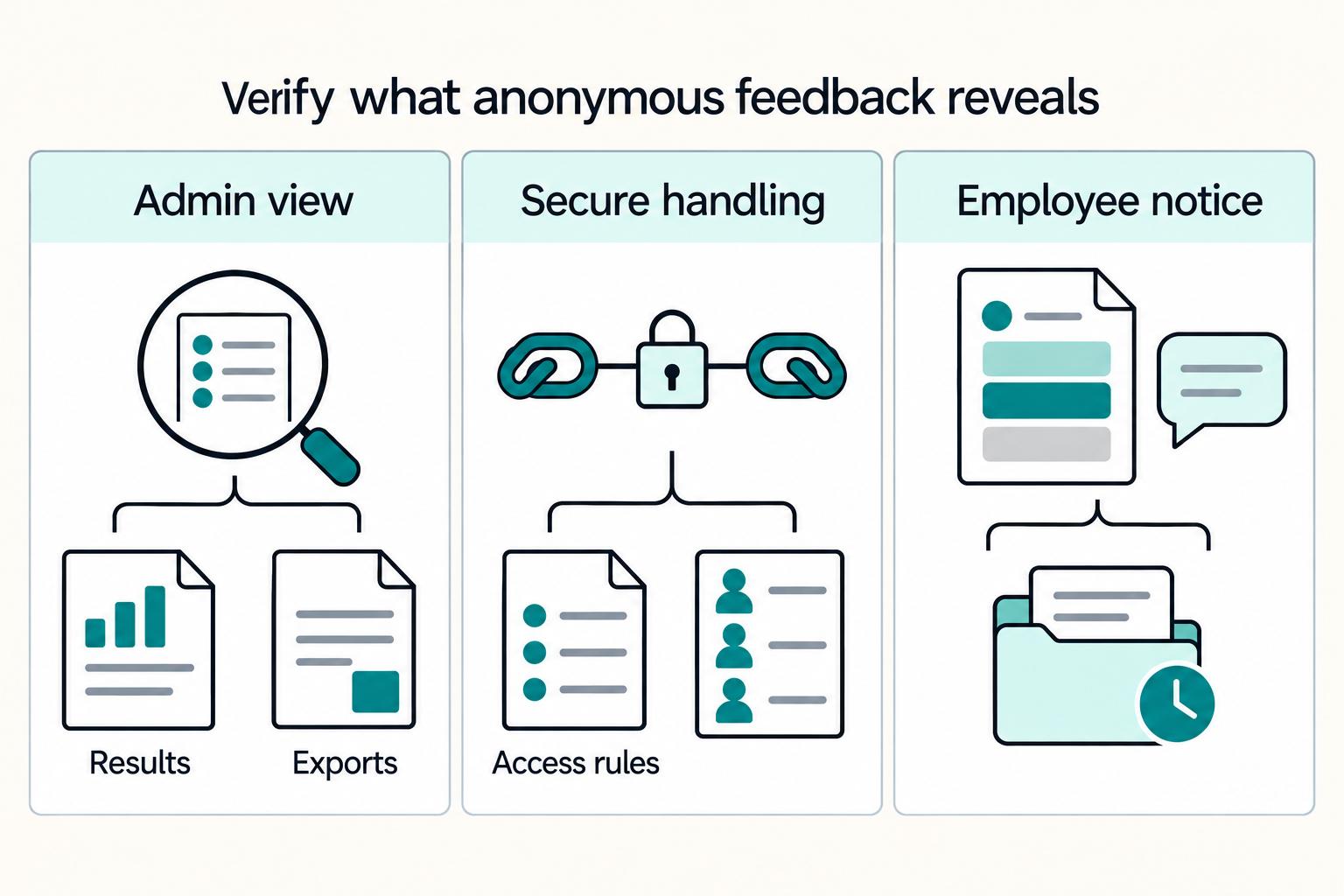
| Check | What to do | Grounded detail |
|---|---|---|
| Silence risk | Remove reasons employees think they can be identified | 84% of employees had concerns they did not share with HR, and a stated reason was the lack of an anonymous option |
| Admin visibility | Run a small internal test and inspect results and exports | If you cannot clearly explain what is visible and to whom, treat that as a rollout blocker |
| Secure handling | Confirm the survey link uses HTTPS and document internal access rules | Public security guidance says sensitive information should be shared only on secure websites |
| Employee notice | State what is collected, what is not, who can access results, and how records are handled | If that cannot be explained clearly, you are not ready to compare vendors |
- Start with the silence risk
Anonymous channels matter because people may stay quiet without them. One cited finding is that 84% of employees had concerns they did not share with HR, and a stated reason was the lack of an anonymous option. Your practical goal is to remove reasons employees think they can be identified.
- Test what the tool actually shows
Run a small internal test and inspect what admins can view in results and exports. If you cannot clearly explain what is visible and to whom, treat that as a rollout blocker.
- Check secure handling before launch
Use the same baseline logic public security guidance uses for sensitive information: share it only on secure websites. Confirm the survey link uses HTTPS and document your internal access rules.
- Write the privacy notice employees will read
Keep it plain and specific: what is collected, what is not, who can access results, and how records are handled. If that cannot be explained clearly, you are not ready to compare vendors.
If you want a deeper dive, read The Best Tools for Anonymous Employee Feedback.
Quick comparison table for remote-team use cases#
Use this table to shortlist by use case first, then verify anonymity in your own test environment. Only a subset of tool positioning is explicitly supported in the excerpts, and most anonymity, security, and integration details stay unknown until you validate settings and exports directly.
| Tool | Best for | Anonymity controls | Security/compliance signals | Integrations | Tradeoff | Recommended team stage | Confidence | Operator note |
|---|---|---|---|---|---|---|---|---|
| SurveyMonkey | Custom surveys | Not verified in provided excerpts; test for names, emails, timestamps, and small-group slices in admin views and exports | Unknown from provided excerpts | Unknown from provided excerpts | Flexible survey design does not, by itself, prove anonymity | Early to mid stage teams running remote pulse checks | Verified | Use for pulse checks when you can document the exact privacy settings used |
| Jotform | Form design | Not verified in provided excerpts; inspect response metadata and export fields before rollout | Unknown from provided excerpts | Unknown from provided excerpts | Better form UX can increase free-text detail that may identify respondents | Early stage teams needing fast setup and structured intake | Verified | Fits pulse checks or structured intake if prompts stay tight and admin visibility is reviewed |
| ProProfs Survey Maker | Diverse survey templates | Supported guidance: configure to strip identifiers, block retakes, and explain what is collected | Unknown from provided excerpts | Unknown from provided excerpts | Strong guidance on anonymity practice, but broader depth should be confirmed with the vendor directly | Early to mid stage teams standardizing recurring feedback cycles | Verified | Strong fit for repeat pulse checks with a clear employee privacy notice and repeatable admin test |
| Qualaroo | Unknown from provided excerpts | Unknown from provided excerpts | Unknown from provided excerpts | Unknown from provided excerpts | Too little verified detail here to rank trust, security, or controls | Only after use-case-specific validation | Unknown from provided excerpts | If evaluating for in-app micro-surveys, require a live demo of targeting, admin visibility, and exports |
| FaceUp | Unknown from provided excerpts | Unknown from provided excerpts | Unknown from provided excerpts | Unknown from provided excerpts | Do not assume specialist escalation fit without direct documentation and testing | Only when a separate sensitive-reporting lane is being reviewed | Unknown from provided excerpts | For whistleblowing channel needs, treat as a candidate to verify directly, not a default pulse-tool substitute |
| WorkTango | Employee engagement | Not verified in provided excerpts; test anonymity at dashboard and report level, not only survey setup | Unknown from provided excerpts | Unknown from provided excerpts | Engagement scope may be broader than a simple anonymous pulse workflow | Mid stage or larger remote teams running ongoing engagement cycles | Verified | Use for pulse checks and trend review only after confirming raw-comment vs summary access |
| Tailgram | Unknown from provided excerpts | Unknown from provided excerpts | Unknown from provided excerpts | Unknown from provided excerpts | Not enough evidence to score credibly | Exploration stage only | Unknown from provided excerpts | Shortlist only after a direct walkthrough of reporting, anonymity settings, and export behavior |
Current evidence supports a simple operating rule: start with rows that have verified positioning, then run your own anonymity proof test before rollout. ProProfs Survey Maker has the clearest supported anonymity setup guidance available: strip identifiers, block retakes, and explain what is collected.
Keep channel fit separate. Product friction needs in-context micro-surveys, while sensitive issues need a whistleblowing channel. A single broad pulse tool should not be your default for high-retaliation-risk reporting.
For every row marked unknown, keep it provisional until you test with at least two responses from different accounts or devices, inspect admin views and exports, and save settings/screenshots with one sample report in your approval record. For a related workflow view, see A Guide to Performance Reviews for Remote Employees.
Best tools by use case with pros, cons, and concrete fit#
Match the tool to the job first, then verify anonymity settings in a live test. On the current evidence, ProProfs Survey Maker has the clearest supported guidance on anonymity configuration; the other options should be treated as use-case candidates until you validate admin visibility and exports.
- ProProfs Survey Maker for structured HR and ops check-ins
Fit: Best-supported option here for recurring pulse workflows with manager follow-up. Pros: The excerpt gives concrete anonymity practice: strip identifiers, block retakes, and explain exactly what is collected. Cons: Broader enterprise depth is not established. Concrete fit: Monthly remote sentiment cycles where you can pilot with a small, representative cohort and confirm what admins can see in dashboards and exports.
- Qualaroo for product-context feedback in workflow moments
Fit: Candidate when your main problem is product friction, not sensitive escalation. Pros: The grounded use-case rule supports in-context micro-surveys for product friction. Cons: Tool-specific anonymity and admin-control details are not verified here. Concrete fit: In-workflow friction prompts, after a live check of targeting, response visibility, and export fields.
- FaceUp for a separate sensitive-reporting lane
Fit: Candidate for the whistleblowing-channel lane when retaliation risk is the main concern. Pros: The grounded rule is clear: sensitive issues need a whistleblowing channel. Cons: FaceUp-specific feature evidence is not established in this section's excerpts. Concrete fit: A protected escalation route alongside, not instead of, your regular pulse process.
- WorkTango for recurring engagement-program evaluation
Fit: Candidate for teams assessing a broader engagement-program approach. Pros: Grounded category guidance supports dedicated engagement platforms for deeper pulse-program tooling than general HR systems. Cons: WorkTango-specific limits, controls, and integrations are not verified here. Concrete fit: Larger recurring programs where trend tracking matters, with decision gates tied to who can see raw comments vs summaries and how action ownership is assigned.
- Jotform and SurveyMonkey for broad survey rollout candidates
Fit: Candidate tools when you need broad survey coverage quickly. Pros: Useful for getting structured feedback collection running fast. Cons: Anonymity controls for these tools are not verified here and must be validated before relying on them for high-sensitivity input. Concrete fit: Lower-risk pulse and intake workflows, only after testing collection settings, admin views, exports, and notification outputs for identifying metadata.
For a step-by-step workflow view, see Best Visual Collaboration Tools for Remote Teams That Need Clean Handoffs.
Decision rules for finance, ops, and product owners#
Choose by risk first, then by workflow fit. Use these four rules to make a faster, safer call.
- If retaliation fear is the main risk, start with a whistleblowing channel.
Fear of consequences can suppress honest input, so a standard pulse survey should not be your first lane for sensitive reports. FaceUp is explicitly listed here as a whistleblowing option. Before launch, verify report visibility, anonymous or confidential reporting setup, and what appears in exports and alert emails.
- Match the tool to the feedback moment.
Use in-app micro-surveys when the goal is product-friction signal close to the work; use a broad pulse cycle when the goal is rebuilding a trust baseline. In this shortlist, that maps to a Qualaroo-style in-app lane versus simpler pulse options such as Jotform or SurveyMonkey. Run a live desktop and mobile submission test, then inspect timestamps, free text, hidden fields, and other metadata that could identify someone in a small team.
- Treat privacy and compliance as a launch gate.
If scrutiny is high, require documented GDPR handling and a signed-off privacy notice before you send invites. GDPR is an explicit comparison criterion in whistleblowing tool evaluations; confirm CCPA coverage directly with your vendor. Your launch pack should clearly state who can view reports, what data is retained, and what admins can see in exports.
- Break close decisions by routing and follow-through strength.
Pick the tool that moves feedback into action with the least manual handoff. Here, workflow-triggered follow-up is supported, and case tracking plus visible follow-up link to trust and participation. In demos, run one end-to-end test: submit feedback, route ownership, assign action, and close the case without exposing identity clues.
You might also find this useful: A Guide to Exit Interviews for Remote Employees.
Implementation checklist for the first 30 days#
In month one, prove trust and handling discipline before you scale rollout.
| Phase | Main action | Key details |
|---|---|---|
| Week 1 | Define lanes and owners | Set up 2-3 lanes, map each lane to a tool, keep sensitive reports out of a general survey inbox, and document who can view submissions and exports |
| Week 2 | Configure anonymity and publish the privacy notice | Pilot with a small cohort, verify submission views, exports, alerts, and dashboards, and confirm the submission page uses HTTPS |
| Week 3 | Launch one cycle and set handling rules | Run short feedback survey templates tied to one decision and set internal response and triage SLAs so every submission gets an owner and next step |
| Week 4 | Close the loop without exposing identity clues | Share themes, actions, owners, and due dates, and avoid slices that could reveal identity in small teams |
| Verification checkpoint | Compare promises to outputs | Run a test submission and compare live outputs to the privacy notice and any GDPR/CCPA commitments your team has already made, then recheck roles, exports, alerts, and filters for identity clues |
- Week 1: define lanes and owners.
Set up 2-3 lanes (pulse, manager-specific, protected escalation), then map each lane to a tool (for example, ProProfs Survey Maker or FaceUp). Keep sensitive reports out of a general survey inbox. Assign one primary owner and one backup, and document who can view submissions and exports.
- Week 2: configure anonymity and publish the privacy notice.
Pilot with a small cohort and verify what people can actually see in submission views, exports, alerts, and dashboards. In the privacy notice, state what is collected, what is masked, who can access reports, and how follow-up works. Confirm the submission page uses HTTPS before broader launch.
- Week 3: launch one cycle and set handling rules.
Run the first cycle with short feedback survey templates tied to one decision. If form design and routing are the priority, Jotform is at least positioned for that use. Set internal response and triage SLAs so every submission gets an owner and next step.
- Week 4: close the loop without exposing identity clues.
Share themes, actions, owners, and due dates after the cycle. Avoid slices that could reveal identity in small teams. This follow-through matters because sentiment can shift over time, and annual-only surveys capture only a snapshot.
- Verification checkpoint: compare promises to outputs.
After the first full cycle, run a test submission and compare live outputs to your privacy notice and any GDPR/CCPA commitments your team has already made. Recheck roles, exports, alerts, and filters for identity clues.
This pairs well with our guide on The Best Tools for Creative Collaboration with Remote Teams.
Red flags that make anonymous programs fail#
Anonymous programs usually fail on trust and follow-through, not on feature count. If people are unsure how anonymity works or what happens after they submit feedback, candor drops.
- Using forum chatter as selection proof
Mentions on Reddit or r/AskAcademia can surface options, but they are not operational proof. A common concern in anonymous survey contexts is: "I think the survey is actually anonymous, but I could be wrong." Treat public anecdotes as a prompt to validate your own setup before rollout.
- Asking for sensitive disclosures before privacy is clear
If you ask about retaliation or manager behavior before people can read and understand the privacy notice, many will self-censor. Publish a plain-language notice first, and collect sensitive input only through official, secure websites.
- Segmenting results until identity feels guessable
In small remote teams, narrow cuts and distinctive comments can make people feel identifiable, even when a survey is labeled anonymous. If a reasonable teammate could infer who submitted a response, do not publish that slice.
- Buying for feature breadth while skipping action ownership
Tool breadth does not fix weak operating discipline. Even collaboration-focused workflows fail when nobody clearly owns triage and follow-through, and the program becomes trust debt instead of a listening channel.
Related reading: The Best Tools for Managing a Remote Development Team's Workflow.
Conclusion#
If you want this to hold up in a remote team, treat tool choice as an operating decision, not a shopping decision. Match the channel to the job, validate anonymity settings in a live test, and keep a visible feedback-to-action cadence so employees see that speaking up leads somewhere.
- Separate broad listening from sensitive reporting.
For many teams, one practical option is a two-lane setup: one recurring pulse lane for sentiment and process friction, and one more protected lane for issues that need tighter confidentiality. That recommendation is about risk control, not vendor labels. Anonymous feedback is often framed as improving honesty and participation, but the same source material also flags the tradeoffs clearly: less context, harder follow-up, and more room for misuse if you do not set boundaries.
- Require proof of anonymity before you scale.
Before rolling out any tool on your shortlist, run a small pilot and inspect the exact collection page, the dashboard, the raw export, and every alert email. Your checkpoint is concrete: verify what identifiers or metadata appear, and make sure the privacy notice states what is collected, what is masked, and who can access reports. A failure mode to watch for is passing the form test but missing identity clues in admin notifications, exports, or free text.
- Judge success by action quality, not response volume alone.
A strong first cycle gives you useful themes, named owners, and due dates without any detective work about who wrote what. That means asking fewer, better questions and acting fairly on the responses, not publishing thin slices by manager, role, or region that expose people by accident. Some blog sources cite figures such as 74% greater willingness to share feedback when it is truly anonymous and response rates up to 90%, but those are directional signals, not targets you should plan around.
- Do not skip the trust infrastructure.
The document pack matters more than most teams expect: the employee-facing privacy notice, the pilot test record, the access list for raw responses, and the first close-the-loop update all do real trust work. If you still have unresolved privacy questions, treat that as a stop sign rather than something to clean up after launch. Once a team believes "anonymous" was oversold, recovery can be slow.
The next move is simple and worth doing in order: build your comparison table, pilot with a small cohort, inspect the outputs, and only then roll out broadly. That sequence takes a little longer up front, but it is usually the faster path to a feedback program people will actually use.
Frequently Asked Questions
What are anonymous employee feedback tools, and how are they different from standard survey tools?
Anonymous employee feedback is framed as important, but this guide does not set a technical definition of what makes a tool anonymous versus standard. Treat the difference as unverified until you review the tool's settings, exports, and access controls directly.
How can I verify a tool is truly anonymous and not just branded that way?
A practical check is to run 1 live test submission and inspect what appears in the dashboard, raw export, and alert emails. Read the privacy notice on the exact collection page and confirm the page uses an HTTPS connection. If the notice does not clearly explain what is collected and who can access reports, treat anonymity as unproven.
Which features matter most for remote teams running across time zones?
This guide does not verify a specific remote-team feature checklist. For rollout decisions, prioritize controls you can test directly: asynchronous completion, reminder timing, and reporting limits that avoid very small subgroup views.
Are free tools like Jotform enough for sensitive employee feedback?
This guide does not confirm whether Jotform is sufficient for sensitive employee feedback. There is no verified Jotform evidence on anonymity controls here, so treat it as unverified until you inspect fields, exports, and admin notifications yourself. For high-risk topics, use a stricter reporting process than a standard pulse form.
When should we use a whistleblowing channel instead of regular pulse surveys?
This guide does not provide verified whistleblowing-channel workflows. A conservative approach is to route potential misconduct, retaliation, or fraud reports through a separate restricted process rather than a regular pulse survey.
How do we act on anonymous feedback without exposing identities?
This guide does not prescribe one execution model, so use safeguards you can enforce: report themes in aggregate, limit access, and avoid slicing results into very small groups. Review free-text carefully before sharing because specific details can undermine anonymity.
What should we require for GDPR and CCPA alignment before rollout?
This guide does not provide a full GDPR or CCPA checklist, so require written answers rather than relying on sales language. At minimum, ask for a readable privacy notice, a clear account of what identifiers, cookies, and metadata are collected, an HTTPS submission path, and a statement of who can access raw responses and exports. SurveyMonkey's own material shows why this matters: it says its sites use first-party and third-party cookies, and that hashed email may be shared with marketing vendors in certain situations.
Try a related tool
Researched and edited by the Gruv editorial team. Gruv builds cross-border billing, payouts, and finance-operations software for global businesses.
Sources
Includes 3 external sources outside the trusted-domain allowlist.
- cisa.gov/news-events/cybersecurity-advisories/aa24-109atrusted
- edps.europa.eu/data-protection/our-work/publications/techdi...trusted
- nvlpubs.nist.gov/nistpubs/SpecialPublications/NIST.SP.800-171...trusted
- pmc.ncbi.nlm.nih.gov/articles/PMC10142274trusted
- pmc.ncbi.nlm.nih.gov/articles/PMC11997698trusted
- anonymousemployeefeedback.com/anonymous-feedback-build-trust-with-metrics-...external
- cambridge.org/core/elements/academic-integrity-in-the-age-...external
- elker.com/articles/whistleblowing-softwareexternal
Educational content only. Not legal, tax, or financial advice.
Related Posts
The Best Tools for Anonymous Employee Feedback
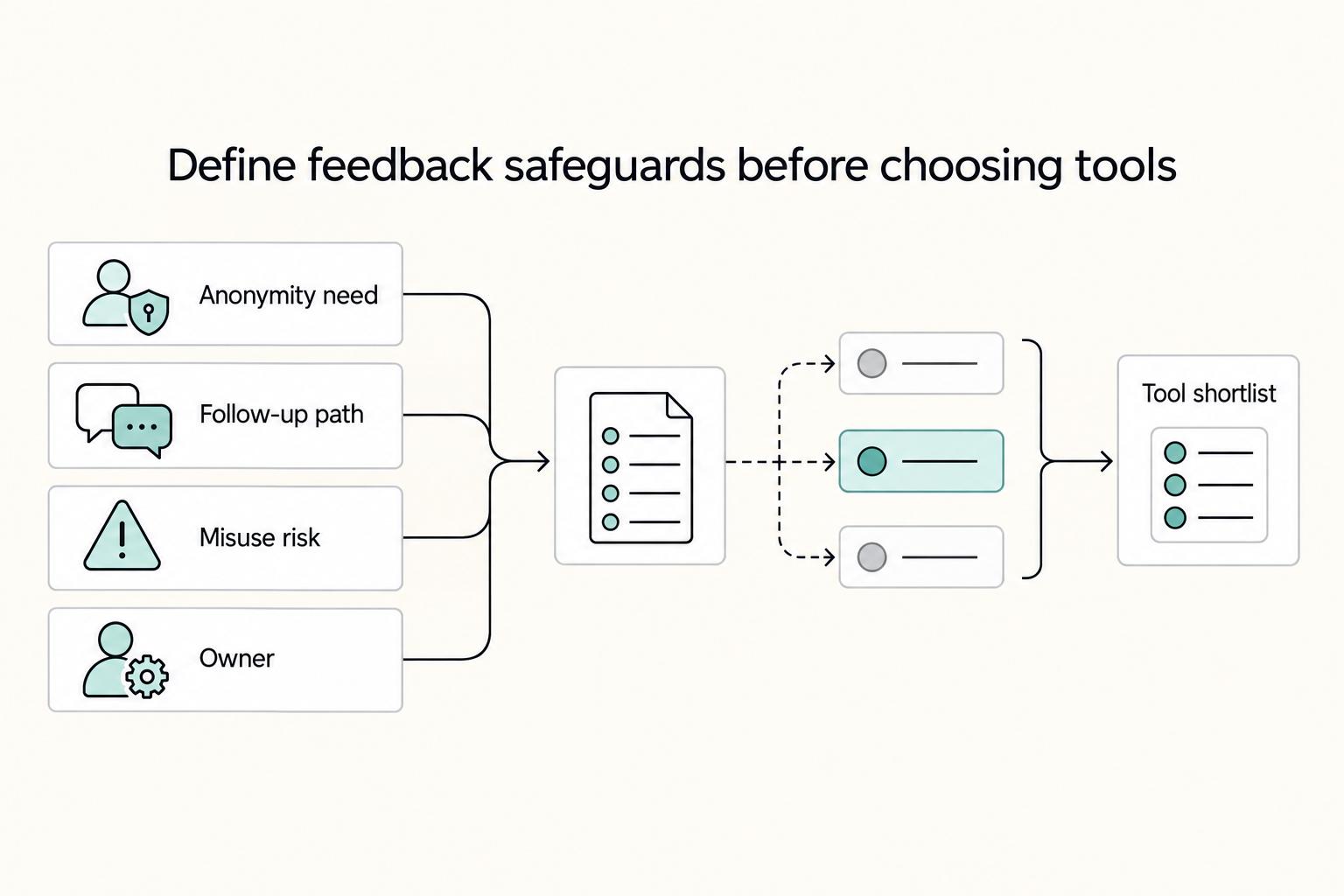
If you need honest feedback without creating a new trust problem, start smaller than you think and be stricter than you expect. Anonymous feedback only helps when the tool fits the job and the setup can survive a fair employee question like, "Can anyone trace this back to me?"
Remote Performance Reviews for Independent Contractors
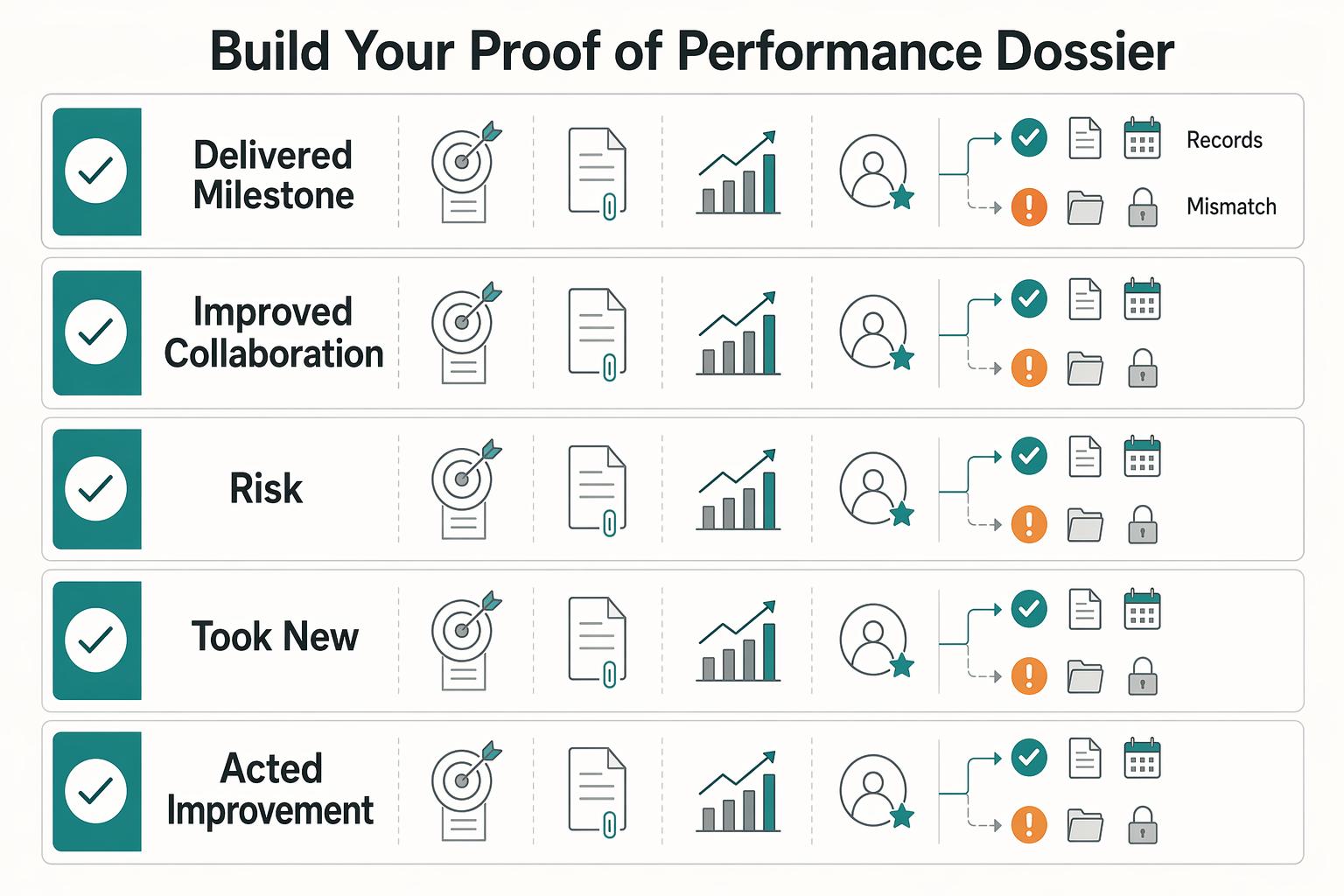
Go into the call with three things nailed down: the decision you need, the evidence you will show, and the ask you will make. Treat it like a client business review about outcomes, scope, and next-phase terms, not an employee appraisal about approval.
How to Handle Remote Exit Interviews Without Burning Bridges
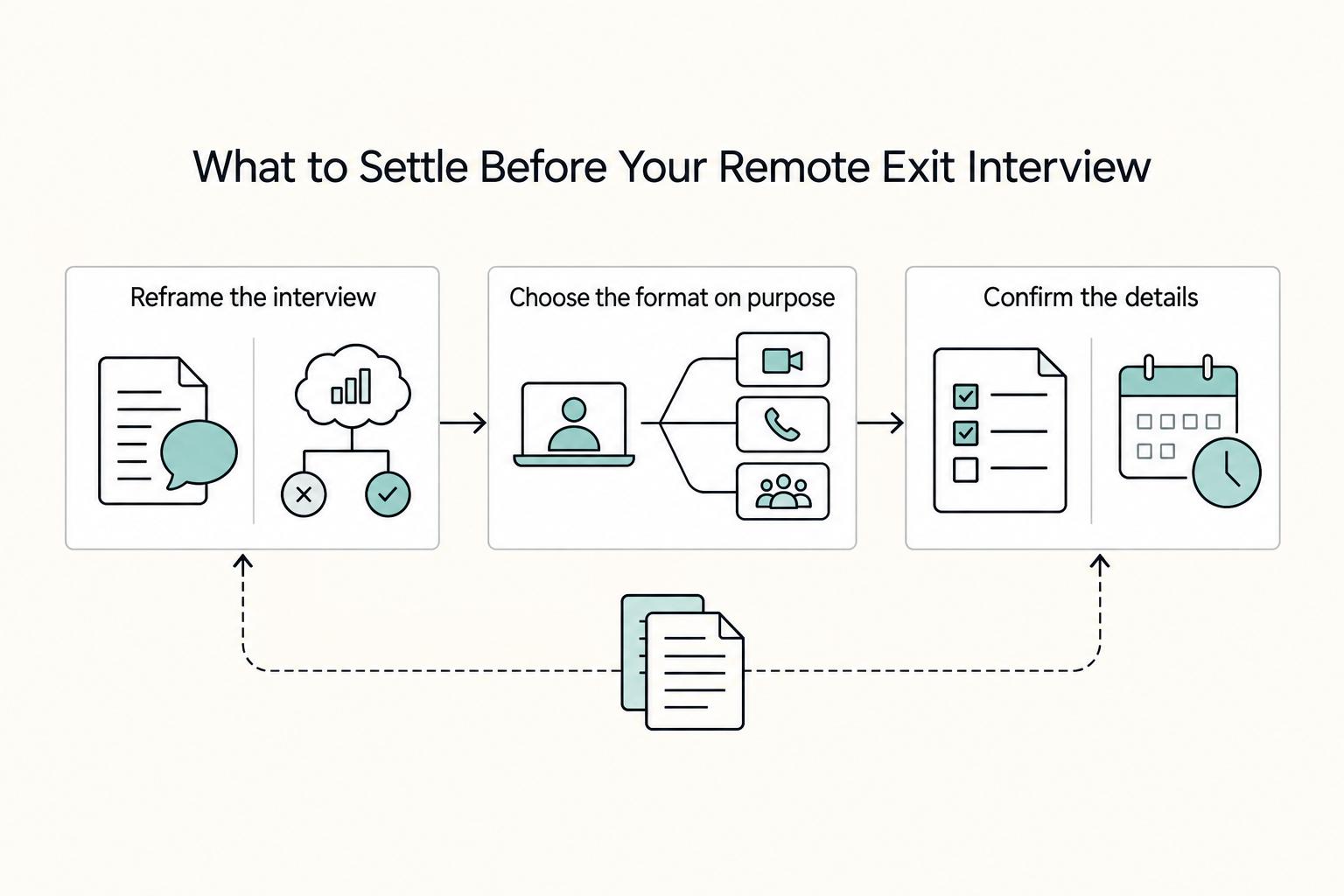
Treat the exit interview as one checkpoint inside offboarding, not a standalone venting session. Once your departure is known, the real work is leaving a clean transition, a consistent message, and feedback that still holds up once someone writes it down.