
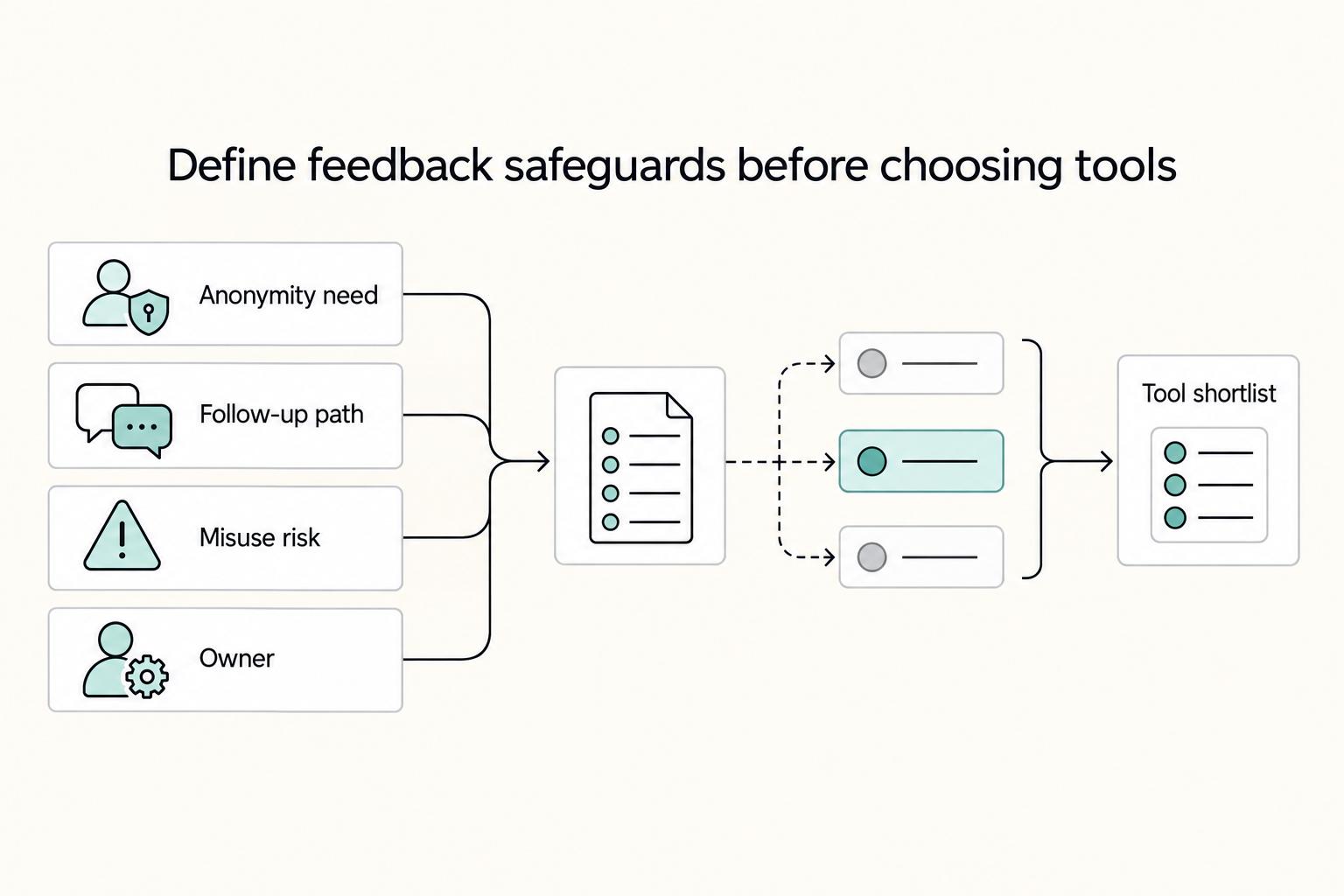
Quick Answer
Start by choosing one job, then verify anonymity in a live test before rollout. For best anonymous employee feedback tools, use lighter options like SurveyMonkey or ProProfs Survey Maker when you need fast survey execution, and move to recurring programs such as WorkTango or Culture Amp when trend tracking becomes essential. Keep Mentimeter and Poll Everywhere for live session input, not sensitive reporting. Finalize only after checking admin visibility, export fields, and who owns follow-up.
Start Here if You Need Honest Feedback Without Creating New Risk#
If you need honest feedback without creating a new trust problem, start smaller than you think and be stricter than you expect. Anonymous feedback only helps when the tool fits the job and the setup can survive a fair employee question like, "Can anyone trace this back to me?"
- Treat anonymity as a setup decision
The market is broad enough to be misleading. One 2025 roundup framed the space as 6 anonymous employee feedback tools, a 2026 roundup listed 10, and a separate buyer guide listed 40 employee survey tools for 2026. That tells you the category is crowded, not which option fits your situation. In practice, the useful definition is narrower: these tools can remove direct identifiers like names and emails when configured correctly. Your first check is simple. Submit a test response, confirm the form does not require a name or email, then inspect exactly what an admin can see in the response view and export. If that answer is fuzzy, trust will be fuzzy too.
- Pick the job before you pick the brand
Most teams do not need the platform with the longest feature list. They need the right tool type for one job: a quick pulse, recurring employee engagement, manager feedback, or a protected reporting lane. Public roundups make the tradeoff plain. Some tools are described as lightweight and fast, while others are powerful but clunky. If you need signal quickly, a simpler product may beat a heavier rollout. If you already know you need deeper trend reporting and a longer program, a stronger platform may be worth the extra setup.
- Shortlist by trust risk, not survey polish
A common buying mistake is comparing templates, dashboards, and question builders before you check whether employees will trust the channel. The real differentiator is whether people believe it is safe enough to tell you something inconvenient. Keep your shortlist tight and compare only the controls that affect trust: direct identifier capture, who can view raw responses, what gets exported, and whether deletion is straightforward if you need to clean up bad data or retire a process. A slick form that leaves basic visibility questions unanswered is a bad buy.
- Do not launch without one owner and one response path
A survey link with no follow-through creates new risk because it teaches people that "anonymous" means "ignored." Before your first launch, assign 1 owner, decide who reviews results, and write down what happens when a comment needs action versus escalation. Save that as a short decision note, not tribal knowledge. A common failure mode is simple: if the first cycle produces feedback and nobody visibly responds, the second cycle often gets less candor, less participation, and worse operating signal. The goal is not more surveys. It is better signal, fewer trust failures, and cleaner operations as you grow. That framing matters because the rest of the decision gets easier once you know exactly what you are trying to protect. For more on review structure, see A Guide to Performance Reviews for Remote Employees.
Define Anonymous Feedback Requirements Before You Compare Tools#
Start with requirements, not brand names. Anonymous feedback can improve honesty and participation, but Lattice's March 18, 2025 guidance also flags the risk of unconstructive input, so your standard should be stricter than "we launched a survey."
| Requirement | What to define | How to check |
|---|---|---|
| Job split | Pulse engagement, manager-level feedback, a protected reporting lane, or a split across those jobs | If you need both day-to-day sentiment and protected reporting, set a two-lane requirement up front |
| Anonymity controls | No forced name/email capture; role-based visibility; clear admin permissions | Run a live test submission, then review both the admin view and export |
| Compliance and data handling | GDPR handling, retention controls, and export/delete procedures | Ask vendors to show the exact setting, document, or admin path |
| Practical output | Trend reporting, team-level segmentation, and a manager follow-up workflow | Define useful output before launch, not just collected comments |
- Separate the job before you shortlist
Define whether you need pulse engagement, manager-level feedback, a protected reporting lane, or a split across those jobs. FaceUp is explicitly positioned as a whistleblowing-and-engagement platform, which is a different use case from routine pulse collection. If you need both day-to-day sentiment and protected reporting, set that as a two-lane requirement up front.
- Set anonymity controls as non-negotiables
Before you compare pricing, require three things: no forced name/email capture, role-based visibility, and clear admin permissions. Run a live test submission, then review both the admin view and export. Keep promises precise: SurveyMonkey notes some scenarios where hashed email data may be shared with marketing vendors (with opt-out), so verify exact settings and terms before making absolute confidentiality claims.
- Document compliance and data-handling checks early
If you operate across regions, require clear answers on GDPR handling, retention controls, and export/delete procedures during evaluation, not after launch. Ask vendors to show the exact setting, document, or admin path. If they cannot, treat that as a decision risk.
- Define "practical output" before launch
Decide in advance what useful output means for your team: trend reporting, team-level segmentation, and a manager follow-up workflow, not just collected comments. This prevents a common failure mode where you gather anonymous input but cannot turn it into visible action.
Once these requirements are written down, tool comparison gets faster and less subjective.
Compare the Top Tools Side by Side Before You Shortlist#
Shortlist from one comparison sheet, not brand recall. Use it to separate likely fit from evidence gaps before procurement.
| Tool | Best for | Anonymity controls | Reporting depth | Integration/export strength | Pricing clarity | Live meeting polling | Always-on form intake | Recurring cycles | Trust risk | Evidence note |
|---|---|---|---|---|---|---|---|---|---|---|
| SurveyMonkey | Survey candidate | Verify identifier fields, admin visibility, and role access in demo | Pulse-style collection is plausible; tool-level segmentation depth is unverified here | Ask for export flow and integration proof | Evidence gap | No | Yes | Maybe | Trust risk if "anonymous" is assumed instead of tested | Confirm product-level details directly with the vendor |
| WorkTango | Recurring engagement candidate | Verify aggregation and role visibility in product | Ask for segmentation by team, location, tenure, and role | Ask to show HRIS/ATS/Slack/Teams integrations plus export path | Evidence gap | No | Limited | Yes | Trust drops if small-group visibility rules are unclear | Demo proof required |
| Culture Amp | Recurring engagement candidate | Verify anonymity settings and admin access live | Ask for segmented dashboards and trend views | Confirm integrations and exports in-product | Evidence gap | No | Limited | Yes | Trust risk if employee-facing visibility rules are unclear | Demo proof required |
| Leapsome | Recurring engagement candidate | Verify anonymous-response handling live | Ask for recurring trends and team-level views | Confirm export and integration behavior live | Evidence gap | No | Limited | Yes | Trust risk if anonymity setup is not validated before launch | Demo proof required |
| Mentimeter | Live session polling | Do not assume sensitive-anonymity coverage without proof | Immediate readout; deeper listening analytics are unverified here | Export/integration detail is an evidence gap | Evidence gap | Yes | No | No | Risk is using meeting polling as an HR reporting lane | Category-fit row only |
| Poll Everywhere | Live session polling | Same verification requirement as other polling tools | Immediate readout; deeper listening analytics are unverified here | Export/integration detail is an evidence gap | Evidence gap | Yes | No | No | Risk is overextending a polling workflow | Category-fit row only |
| Jotform | Always-on intake candidate | Verify response fields and metadata exposure in demo | Good for intake; long-horizon engagement analytics are unverified here | Ask for export structure and retention workflow | Evidence gap | No | Yes | Maybe | Risk is collecting comments without an action/reporting loop | Category-fit row only |
| Typeform | Always-on intake candidate | Verify fields and metadata exposure in demo | Good for intake; deep segmentation is unverified here | Ask for export structure and retention workflow | Evidence gap | No | Yes | Maybe | Same intake-without-follow-through risk | Category-fit row only |
| Officevibe | Recurring-cycle candidate | Verify anonymous aggregation and manager visibility rules | Ask for trend and follow-through views | Confirm export and communication integrations live | Evidence gap | No | Limited | Yes | Trust risk depends on visibility of small-group results | Treat as candidate until demo confirms |
| Lattice | Recurring-cycle candidate | Verify anonymous-response handling and visibility rules | Ask for trend views and manager follow-through | Confirm export and integrations live | Evidence gap | No | Limited | Yes | Risk is overpromising anonymity without verified controls | Treat as candidate until demo confirms |
| ProProfs Survey Maker | Survey candidate | Verify metadata, permissions, and admin visibility live | Confirm reporting depth with the vendor | Confirm export and integration options with the vendor | Evidence gap | No | Yes | Maybe | No verified trust-risk finding; test directly | Trust-risk conclusion not established by current sources |
| Zonka Feedback | Survey candidate | Verify metadata, permissions, and admin visibility live | Confirm reporting depth with the vendor | Confirm export and integration options with the vendor | Evidence gap | No | Yes | Maybe | No verified trust-risk finding; test directly | Trust-risk conclusion not established by current sources |
| Candor | Unknown from approved excerpts | Unknown | Unknown | Unknown | Unknown | Unknown | Unknown | Unknown | Unknown | Confirm public details directly with the vendor |
A public comparison set can cover many options (for example, 49 tools), so you do not need exhaustive research. Focus on reporting depth and integration/export strength, especially whether feedback can be segmented by team, location, tenure, or role and connected to HRIS, ATS, Slack, or Microsoft Teams.
Before final selection, run one live test per finalist: submit one anonymous response, open the exact admin view, and export the raw file while stakeholders watch. Then choose based on verified workflow fit, not vendor positioning. You might also find this useful: A Guide to Exit Interviews for Remote Employees.
Pick the Right Tool for Your Actual Use Case#
Choose by job, not brand. Only a subset of tools has explicit public use-case labels, so treat those labels as a starting point and keep everything else provisional until a live demo confirms fit.
| Tool | Public shortlist label | Use it when | Verify before you buy |
|---|---|---|---|
| WorkTango | Best for employee engagement | Your main goal is employee engagement | Anonymous-response handling, role visibility, and export output |
| SurveyMonkey | Best for custom surveys | You need flexible survey setup for targeted feedback | Identifier fields, admin visibility, and export columns |
| ProProfs Survey Maker | Best for diverse survey templates | You want to launch from prebuilt templates | Default fields, permissions, and what appears in exports |
| SmartSurvey | Best for secure data handling | Secure handling is a primary requirement | Retention, deletion path, and practical admin controls |
| Mentimeter | Best for interactive presentations | You need live input during sessions | Response visibility, data storage behavior, and export limits |
| Poll Everywhere | Best for live audience polling | You need fast participation in meetings | Response visibility and export behavior |
If you need ongoing engagement-focused listening, WorkTango is the only tool here with that explicit label. If you need quick custom or template-led survey execution, SurveyMonkey and ProProfs are clearer starting points. If secure data handling is your top filter, SmartSurvey has that specific label.
For live workshop or all-hands input, Mentimeter and Poll Everywhere fit the stated use case. Do not treat live polling as your only channel for sensitive concerns. Anonymous feedback can uncover systemic issues that might otherwise go unreported, including harassment, discrimination, bullying, and other safety concerns, so your operating model still needs clear ownership and follow-up.
For the other tools in your broader shortlist, keep a strict "show me live" standard. Exact category fit for Culture Amp, Leapsome, 15Five, Lattice, Officevibe, Candor, or FaceUp is not established, so require the same proof pack before deciding.
The next step is deciding which mistake is costlier for your team: a slow rollout, or a tool configuration that weakens trust.
Apply Decision Rules by Team Stage and Risk Tolerance#
Choose based on the mistake you most need to avoid: moving too slowly to hear your team, or collecting comments you cannot turn into action.
| Situation | Tools | Required proof |
|---|---|---|
| Early growth and speed first | SurveyMonkey or ProProfs Survey Maker; move to Officevibe or Lattice if follow-through stays weak | Test one submission and its export before rollout |
| Planning needs trend and segmentation | Culture Amp or WorkTango ahead of Jotform or Typeform | Require a trend view, a segmented view, and a clear export path in demos |
| High sensitivity means separate lanes | Pair a general feedback tool with FaceUp | Define ownership and escalation before launch |
| Live meetings need capture plus tracking | Mentimeter or Poll Everywhere, then Leapsome or 15Five | Capture in the meeting, track outside the meeting, and close the loop on what changed |
- Early growth and speed first
Start with SurveyMonkey or ProProfs Survey Maker when your immediate goal is to launch an anonymous survey and get an initial read on how people are feeling. Keep scope tight, then test one submission and its export so you understand what data is exposed before rollout. If follow-through stays weak, move to Officevibe or Lattice for a more structured ongoing loop.
- Planning needs trend and segmentation
If leadership needs patterns for planning, put Culture Amp or WorkTango ahead of Jotform or Typeform stacks in your shortlist. It only helps with retention and innovation if the signal is organized for repeat review and decisions over time. In demos, require a trend view, a segmented view, and a clear export path.
- High sensitivity means separate lanes
If high-sensitivity reporting is in scope, pair a general feedback tool with FaceUp instead of forcing one platform to handle both engagement and sensitive intake. This is a risk and culture choice: define ownership and escalation before launch so serious issues do not get handled like routine pulse feedback.
- Live meetings need capture plus tracking
Use Mentimeter or Poll Everywhere for live-session input, then route themes into Leapsome or 15Five for follow-up tracking. A public comparison page for Poll Everywhere and Mentimeter supports using them as live-input options. Capture in the meeting, track outside the meeting, and close the loop on what changed.
Once your lane is clear, spend the first month proving the process runs cleanly end to end.
Launch in 30 Days With Clear Ownership and Checkpoints#
Use the first 30 days to prove your process is trustworthy, not just that the survey runs. If ownership is unclear, anonymity is fuzzy, or response paths are undocumented, pause and fix that before full launch.
| Week | Focus | Checkpoint |
|---|---|---|
| Week 1 | Owner, policy, and baseline | Name one accountable owner and one backup; submit one test response, export it, and check every field for identifiers or metadata |
| Week 2 | Pilot and visibility boundaries | Run a pilot pulse with one team; review dashboards and exports with HR and a manager; adjust settings if groups are too small or filters are too narrow |
| Week 3 | Response rules and escalation paths | Publish who acknowledges themes, who owns follow-through, and how escalations move; managers execute actions within 2-4 weeks after each pulse |
| Week 4 | Full launch and monthly review | Publish a "you said / we did" update; start a monthly review pack; use 30/60/90-day checkpoints |
- Week 1: lock the owner, policy, and baseline
Name one accountable owner and one backup. Write a short policy in plain English that explains what "anonymous" means, who can access results, and when responses are reviewed. Before rollout, submit one test response, export it, and check every field for identifiers or metadata you would not want exposed.
- Week 2: pilot with one team and test visibility boundaries
Run a pilot pulse with one team first. Review dashboards and exports with HR and a manager to confirm role-based visibility and permission boundaries. If comments could be traced back to individuals because groups are too small or filters are too narrow, adjust settings before launch.
- Week 3: publish response rules and escalation paths
Anonymous channels need a response system, not just a collection form. Publish who acknowledges themes, who owns follow-through, and how escalations move. Set the expectation that managers execute actions within 2-4 weeks after each pulse, and define a separate owner and path for sensitive reports.
- Week 4: launch fully, close the loop, and start monthly review
At full launch, publish a short "you said / we did" update so people can see follow-through. Start a monthly review pack with participation trends, key themes, segmented findings, owners, and due dates. Keep this cadence because annual-only listening can miss warning signs between cycles, and once teams move beyond about 10 or 15 people, intuition alone is usually not enough. Use 30/60/90-day checkpoints to track whether manager behavior is improving.
Avoid the Mistakes That Make Anonymous Programs Fail#
Anonymous programs usually fail in setup and operations, not in tool branding. Trust holds only when people can see that identities are not traceable and that feedback leads to visible action.
- Assuming a form tool is anonymous by default
Jotform or Typeform can be fast to launch, but anonymity depends on configuration, not the label. Test one response and one export, then check for direct identifiers, account-linked access, and metadata exposure (including IP or device data). If identifiers are stored or masking is unclear, do not present the form as anonymous.
- Collecting feedback without a visible response path
Culture Amp or 15Five only build trust when people see follow-through. Assign a clear owner and backup, review results on a known cadence, and publish what actions are being taken. If comments accumulate with no response, people treat the program as performative.
- Using live poll tools for sensitive reports
Mentimeter and Poll Everywhere are useful for live input, but they are not a formal sensitive-reporting lane. Route sensitive issues to an official secure website or another secure channel built for that purpose. Live participation and secure handling are not the same thing.
- Promising confidentiality you cannot explain operationally
Do not promise more than you can explain in plain language. Document who can access results, when data is visible, whether minimum-response display thresholds are enforced, and how exports are controlled. If employees cannot understand those rules, they will assume identities can still be traced.
The simplest way to prevent repeat failures is to keep written proof of what you checked and who owns each control.
Build a Practical Evidence Pack for Vendor Selection and Renewal#
If you want a defensible decision at selection and renewal, keep a compact evidence pack that records your requirements, control ownership, and proof of ongoing execution.
- Create a one-page decision log for each finalist.
For WorkTango, Leapsome, and SurveyMonkey, use the same fields on each page: use case, required controls, shortlist rationale, known limitations, and mitigation plan. This keeps your vendor selection criteria explicit instead of relying on demo impressions.
Before you sign, record one verification step you actually ran, such as a sample submission test, export review, or permissions check. The goal is simple: capture known weak points early so they are managed, not rediscovered after launch.
- Keep a control checklist that names the implementer for each control.
This is especially important when FaceUp or a similar reporting tool sits beside a broader engagement platform. In cloud setups, controls can involve multiple parties, so each line should state who implements it: your internal System Owner, the vendor as Service Provider, or both.
Keep it short and operational: admin roles, export paths, retention choices, and escalation routing for sensitive issues. If ownership is unclear, control gaps usually surface at the worst time, like incident handling or renewal review.
- Save quarterly proof that the program is being executed, not just purchased.
For Officevibe or Lattice, keep a quarterly file with three artifacts: participation trend, response turnaround, and one documented improvement tied to a finding. This gives you an audit-ready report in plain language.
Use the same format, folder, and owner each quarter so trends are easy to verify. If participation holds but turnaround slows, treat that as an early warning that trust may decline.
- Use renewal checkpoints to test future fit before contract lock-in.
Treat renewal as requalification: confirm the tool still supports your next-stage requirements, especially around support, scalability, and AI. Write the requirement down, then verify fit against real operating needs rather than feature lists.
If the tool no longer meets those needs, plan migration before renewal instead of extending by default.
Make the Decision and Start With a Defensible First Cycle#
For a defensible first cycle, choose the tool that fits one workflow, set clear operating rules before launch, and use the first 30 days to prove you can close the loop.
- Pick one use case, then match the tool to that workflow.
Start by deciding whether this cycle is a pulse survey, a recurring engagement touchpoint, or session-style input. Prioritize practical fit, integrations, and budget. The right tool is the one your team will actually use. With large comparison sets (for example, lists of 49 employee survey tools), overbuying is easy, so optimize for adoption first and expand later.
- Define anonymity and ownership before sending the first link.
Write three plain-language rules: what "anonymous" means in your setup, who can view responses, and when employees should expect an update. Then verify settings end to end: enable anonymous response options where relevant, confirm role-based access, and test the admin view and export. This is where trust usually breaks if internal visibility is broader than employees expect.
- Use the first 30 days to prove repeatable execution, not tool breadth.
Keep the cycle intentionally narrow: run one pulse, review results in one place, publish one "you said / we did" update, and document one concrete improvement or decision. Avoid combining too many disconnected sources too early, since fragmented systems can produce conflicting numbers. Expand scope only after your team trusts that feedback leads to action, not just collection.
Frequently Asked Questions
What qualifies as an anonymous employee feedback tool versus a standard survey form?
An anonymous feedback tool is one that can collect candid input without direct identifiers like names or emails, when configured correctly. A standard form tool, including one often positioned for form design like Jotform, can collect feedback, but that alone does not make it anonymous if setup or access still exposes identity. The difference is not the form builder label. It is whether your setup actually removes identifiers and limits who can see what.
Which anonymity controls matter most before launch?
Start with core checks around identifier fields, visibility settings, and who can view or export responses. Before launch, run a sample submission and inspect what responders and admins can actually see. A common failure mode is simple: the survey looks anonymous to employees, but response access still reveals more than expected.
Should a small team choose SurveyMonkey, ProProfs Survey Maker, or a platform like Culture Amp?
If you need quick custom surveys with less setup, SurveyMonkey is often positioned for custom surveys, and ProProfs Survey Maker has a listed entry price of $19.99/mo in one comparison. If you need a broader engagement program, a platform like Culture Amp may fit better but is usually a bigger commitment. A practical rule is to start with the lighter-weight option for fast signal, then move up only when follow-through and trend tracking become the bottleneck.
How often should we run anonymous feedback without causing survey fatigue?
Run it at a pace you can support with visible follow-through before the next cycle. Anonymous collection is often used to uncover systemic issues that might otherwise go unreported, so response quality and action matter more than sending frequent pulses. If the last round is still unresolved, delay the next one.
Can one tool handle both employee engagement and whistleblowing-style reporting?
Usually, you should treat those as two different jobs. General engagement tools are built for recurring sentiment and culture insights, while FaceUp is positioned as a whistleblowing and reporting tool with a listed price of $99/mo in one comparison and a distinct reporting focus. If sensitive reporting is in scope, pair tools rather than forcing one platform to cover both needs poorly.
What breaks trust fastest even when responses are technically anonymous?
Trust breaks fastest when anonymity promises and actual setup do not match. If access settings still expose more identity data than people expect, confidence drops quickly. Anonymity is only half the job; the process has to be clear, consistent, and handled as promised.
Try a related tool
Researched and edited by the Gruv editorial team. Gruv builds cross-border billing, payouts, and finance-operations software for global businesses.
Sources
Includes 3 external sources outside the trusted-domain allowlist.
- drum.lib.umd.edu/bitstreams/7138a9e2-6c80-4132-b8a6-b66c98982...trusted
- eeoc.gov/best-practices-private-sector-employerstrusted
- files.eric.ed.gov/fulltext/ED675178.pdftrusted
- ftc.gov/system/files/ftc_gov/pdf/jimenez-hernandezde...trusted
- le.utah.gov/xcode/Title77/C77_1800010118000101.pdftrusted
- anonymousemployeefeedback.com/retention-through-feedback-boost-innovation-...external
- changeengine.com/glossary/what-is-employee-engagement-platformexternal
- crosstrax.co/hr-investigation-software-toolsexternal
Educational content only. Not legal, tax, or financial advice.
Related Posts

Value-Based Pricing for Freelancers Under Real Payment Risk
Value-based pricing works when you and the client can name the business result before kickoff and agree on how progress will be judged. If that link is weak, use a tighter model first. This is not about defending one pricing philosophy over another. It is about avoiding surprises by keeping pricing, scope, delivery, and payment aligned from day one.
Remote Performance Reviews for Independent Contractors
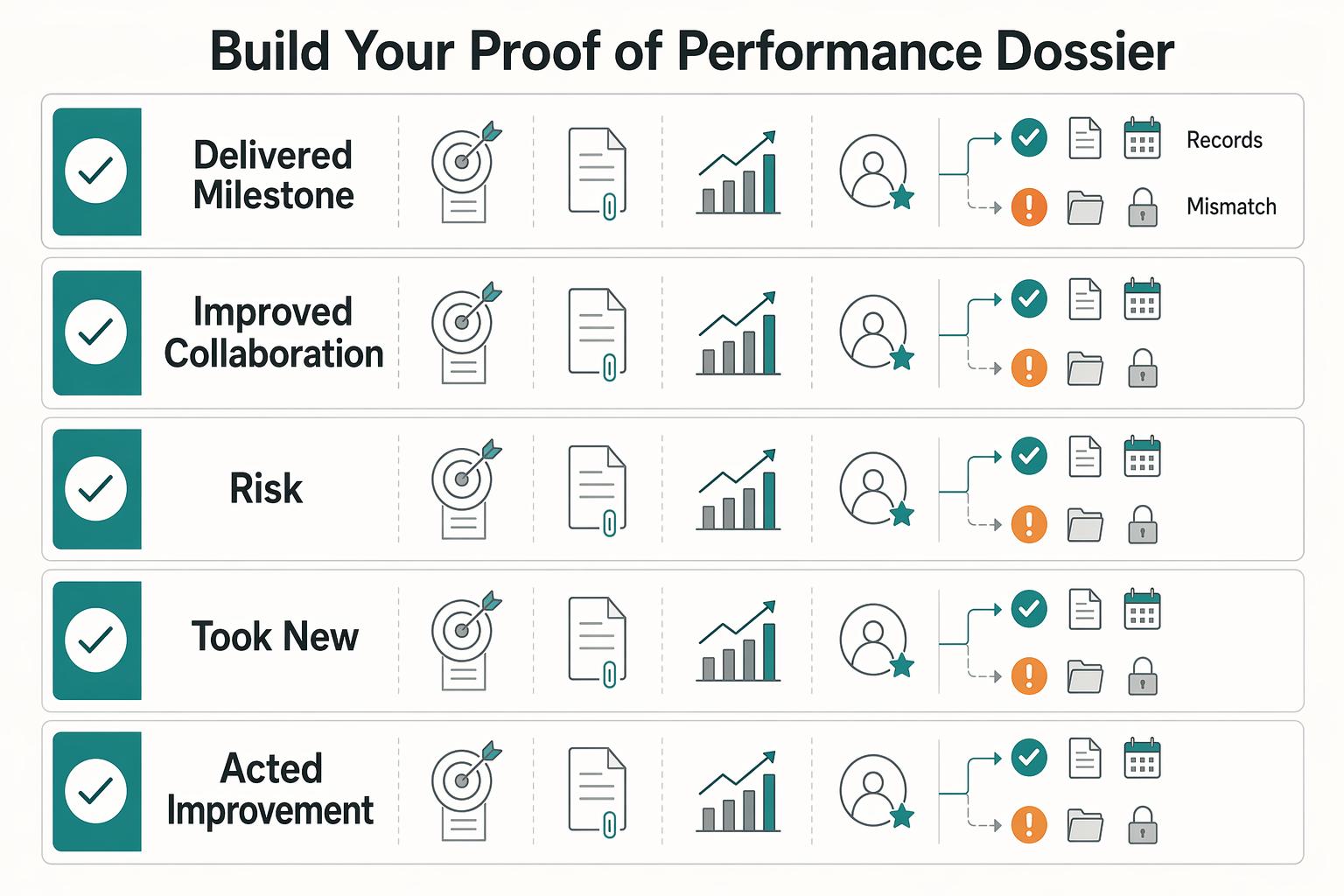
Go into the call with three things nailed down: the decision you need, the evidence you will show, and the ask you will make. Treat it like a client business review about outcomes, scope, and next-phase terms, not an employee appraisal about approval.
How to Handle Remote Exit Interviews Without Burning Bridges
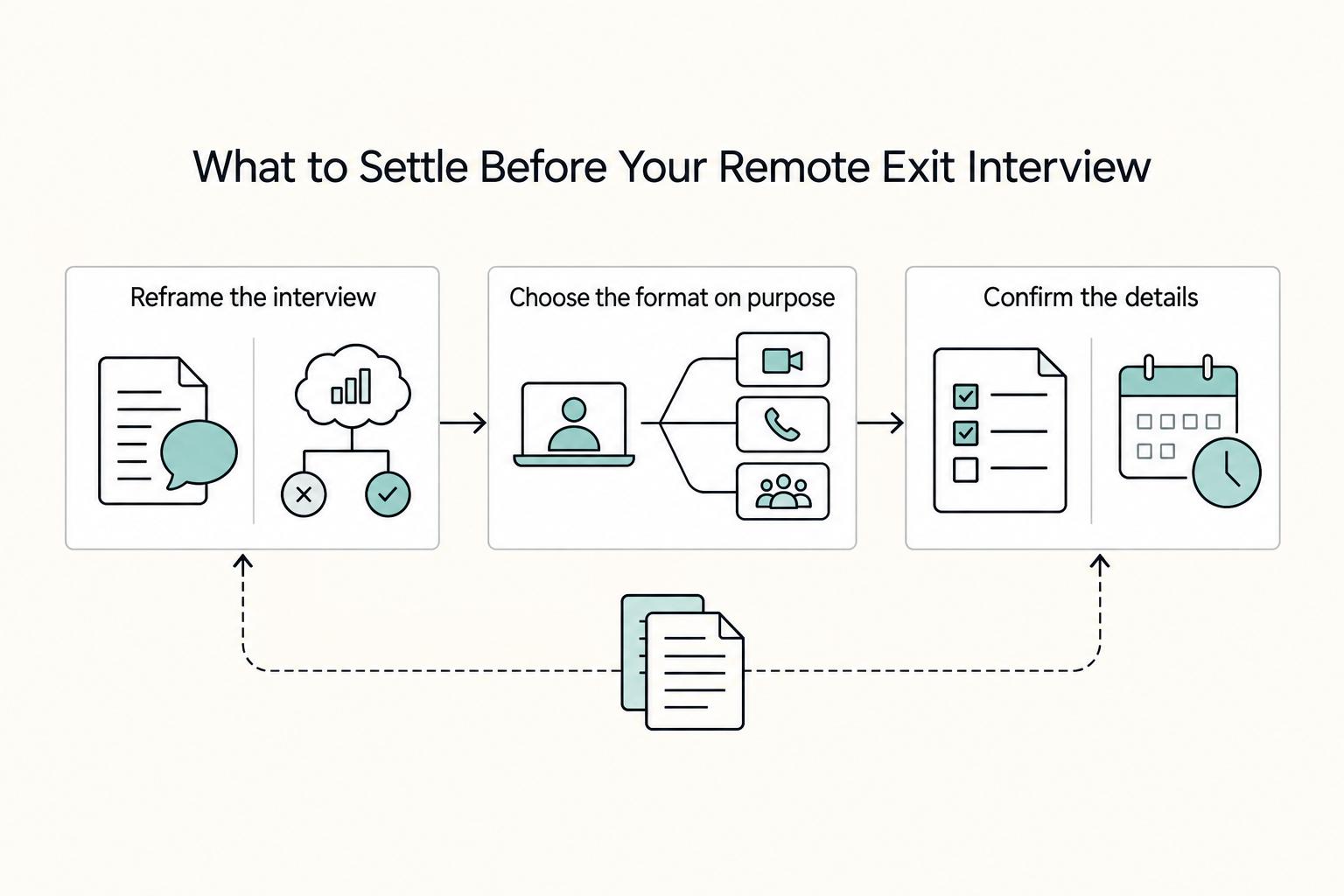
Treat the exit interview as one checkpoint inside offboarding, not a standalone venting session. Once your departure is known, the real work is leaving a clean transition, a consistent message, and feedback that still holds up once someone writes it down.