
Quick Answer
The best creative collaboration tools for remote teams are the ones that match your primary deliverable and keep approvals in one accountable system. Start with a lean stack such as Figma or Canva for creation, Milanote or Mural for ideation, and ClickUp or Wrike for execution, then add Frame.io only for video-heavy review. Use clear ownership, status mapping, and approval traceability to prevent feedback chaos.
Build a remote collaboration stack that stays fast, clear, and audit-ready#
As the CEO of your business-of-one, you're not here for vibes; you're here for a repeatable system you can run.
Pick creative collaboration tools by workflow fit first, then lock governance and ownership so asynchronous feedback stays clear across time zones.
If you run client work as an independent operator, the pain is rarely a missing feature. You lose time when comments live in Figma, approvals sit in email, and task status hides somewhere else.
Your team can ship great work and still look sloppy when ownership is unclear and there is no single approval path.
Here is a practical starting point: a simple 10-minute internal decision filter plus a shortlist you can actually run. Use it to narrow options like Figma, Milanote, Frame.io, ClickUp, and Wrike based on operational fit, not trend pressure.
Use a 10-minute decision system#
Run this quick filter before you compare plans:
- Workflow fit. Match tools to the work you do most often, not the work you might do later. If your week centers on design files, prioritize design-native review. If your week centers on video approvals, prioritize timeline comments.
- Ownership clarity. Assign one owner for feedback intake, one owner for final approval, and one system of record for status.
- Integration friction. Keep tools that connect cleanly to your current stack so updates do not split across apps.
- Governance controls. Check security and governance controls, including role permissions and history visibility, before adoption.
- Operational risk. Favor setups your team can maintain without a dedicated admin.
If a client leaves asynchronous feedback in two places and your contractor checks only one, revision scope will drift. The fix is not another app. The fix is a tighter operating rule.
Set trust guardrails before you shortlist#
Use this lens as you read and shortlist:
| Decision area | What to trust now | What to verify at decision time |
|---|---|---|
| Pricing | Published collaboration software ranges often sit around $5 to $30 per user per month | Exact vendor pricing and plan details, because pricing can change and advanced tiers often move to custom quotes |
| ROI claims | Your own cycle-time and rework pain points | Any universal benchmark ROI claim across all remote teams |
| Performance claims | Your workflow constraints and approval needs | Any claim that one stack works best for every team |
If you want a deeper dive on pricing choices, read Value-Based Pricing: A Freelancer's Guide.
Who this list is for and how we score tools without guesswork#
Use this list if you run a solo or small-team client operation and need creative collaboration tools that keep ownership, approvals, and handoffs clear.
You already set trust guardrails. Now use them to score your shortlist, including platforms like ClickUp and Wrike, with a method you can actually run.
This framework is built for operators who care about professional delivery, clean asynchronous feedback, and fewer client surprises. It is not built for heavyweight procurement. If you operate at large-enterprise scale, treat this as a starting filter, not a full procurement model.
Define fit before you score#
| Operator | Use this list when | Key differentiator |
|---|---|---|
| Best-fit | You manage a remote design team or a small creative workflow with direct client exposure | You need speed plus proof of decisions |
| Good-fit | You coordinate contractors across time zones and need less back-and-forth | You win when asynchronous feedback stays in one accountable path |
| Poor-fit | You require deep legal, security, and multi-department procurement before any rollout | You need governance depth beyond this shortlist |
List-style reviews that compare tools across workflow tradeoffs, not single-feature hype, are usually more useful. Some reviewers also state editorial independence, which can help you spot vendor-led positioning. Either way, your constraints still win.
Use a five-lens scorecard with non-negotiables#
Score each tool from 1 to 5 on each lens, then weight based on your real workload.
| Lens | What to test in 10 minutes | Key differentiator |
|---|---|---|
| Workflow fit | Match the tool to your dominant deliverable type | Reduces process drag fast |
| Async feedback quality | Check context depth for comments and decisions | Cuts revision confusion |
| Governance controls | Verify permission tiers and approval visibility | Protects accountability |
| Integration friction | Test handoff into your current system | Prevents status silos |
| Operational risk | Judge setup and maintenance load | Keeps the stack sustainable |
Before you shortlist, set these non-negotiables:
- Role permissions: ClickUp supports workspace and user role permissions, and Wrike documents four access roles (Full, Editor, Limited, Read Only).
- Version history: ClickUp lets you view and restore task description history.
- Approval traceability: Wrike records approval decisions and lets you inspect finished approval history.
- Exportability: ClickUp exports task data to CSV, and Wrike supports Excel exports for handoff records.
When a client asks why a change shipped, you should be able to answer in minutes because approvals, history, and exports line up in one trail.
What is the smallest tool stack you can run without chaos?#
Use a lean three-layer stack, add media review only when needed, and enforce clear artifact boundaries so your workflow stays fast and traceable.
Now that you have a scorecard and non-negotiables, use them to cut scope, not add apps. For a solo operator or small remote design team, the goal is simple: keep ownership clear and asynchronous feedback in one place with as few tools as possible.
Start with a lean default stack#
Use this as a practical starting point, then adapt for your workload:
| Layer | Default options | What each tool is built for | Key differentiator |
|---|---|---|---|
| Creation | Figma or Canva | Figma focuses on collaborative design creation. Canva supports brand control and admin approval before publishing. | You get design output plus approval control when non-design stakeholders touch assets. |
| Ideation | Milanote or Mural | Milanote organizes ideas in visual boards. Mural centers brainstorming and ideation. | You can separate messy discovery from production files. |
| Execution | ClickUp or Wrike | ClickUp combines projects, docs, and chat in one platform. Wrike centralizes projects and resources for distributed work. | You keep delivery status in one system of record. |
| Media review (only if needed) | Frame.io | Frame.io anchors comments and annotations to exact timeline points in video review. | You remove ambiguity in video feedback loops. |
This stack is not universal. It is a baseline for a solo operator or small remote design team that wants fewer handoff errors.
Set hard boundaries before you add anything#
Write artifact rules down:
| Artifact | Tools | Boundary |
|---|---|---|
| Design files | Figma or Canva | Live in Figma or Canva |
| Concept work | Milanote or Mural | Lives in Milanote or Mural |
| Tasks and delivery tracking | ClickUp or Wrike | Lives in ClickUp or Wrike |
| Video review | Frame.io | Use only when the project is media-heavy |
| Diagramming exceptions | Creately or Cacoo | Use for diagramming exceptions |
| Workshop whiteboarding | Stormboard | Use when facilitation is frequent |
If tool sprawl starts, use a one-in, one-out policy. If you add a new tool, retire or replace another quickly. If a client asks for the final decision trail and your team points to multiple apps, that is your signal to simplify.
How do you choose between Figma, Milanote, and Frame.io in 10 minutes?#
Choose Figma for interface fidelity, Milanote for concept mapping, and Frame.io for video-first review, then lock approvals into one system of record.
You already set a lean stack and clear artifact boundaries. Now you need a fast triage that picks the right primary workspace without adding friction.
For most teams, this comes down to artifact type first, then asynchronous feedback depth, then handoff clarity into ClickUp or Wrike.
Run a fast triage by artifact and feedback mode#
Use this quick pass, then commit for the current project cycle.
| Tool | Best when | Async feedback pattern | Key differentiator |
|---|---|---|---|
| Figma | Your core work is UI, product flows, or high-fidelity interface design | Comments stay tied to exact canvas locations, which keeps design feedback in context | You design, prototype, and collect feedback in one place |
| Milanote | You need early discovery, concept clustering, and loose visual planning | Feedback works well for board-based idea grouping during messy ideation | You organize ideas and project inputs into visual boards quickly |
| Frame.io | Your review loop centers on video cuts, motion assets, or client edit rounds | Timecode-accurate comments and annotations remove ambiguity in media review | You move work from capture to approval with timeline-anchored decisions |
Use this decision rule for each project cycle:
- Pick one primary tool based on the artifact your client pays for most.
- Treat the other two as support tools, not parallel approval systems.
- Re-evaluate only when your primary artifact type changes.
Keep handoffs clean and approvals singular#
If your team runs delivery in ClickUp, prioritize the option that minimizes duplicate status updates and fits your existing workflow connections. If your team runs in Wrike, keep final approval logging there so you maintain a clear record trail for client work.
When clients collaborate in Canva Business or Freehand, you can still avoid split accountability. Collect comments where collaboration happens, but publish one final approval state in your chosen record system.
If feedback lands in Frame.io and Figma while a client marks a separate approval in Canva, your job is to consolidate it. Keep one source of truth for final approval, and the handoffs stay calm.
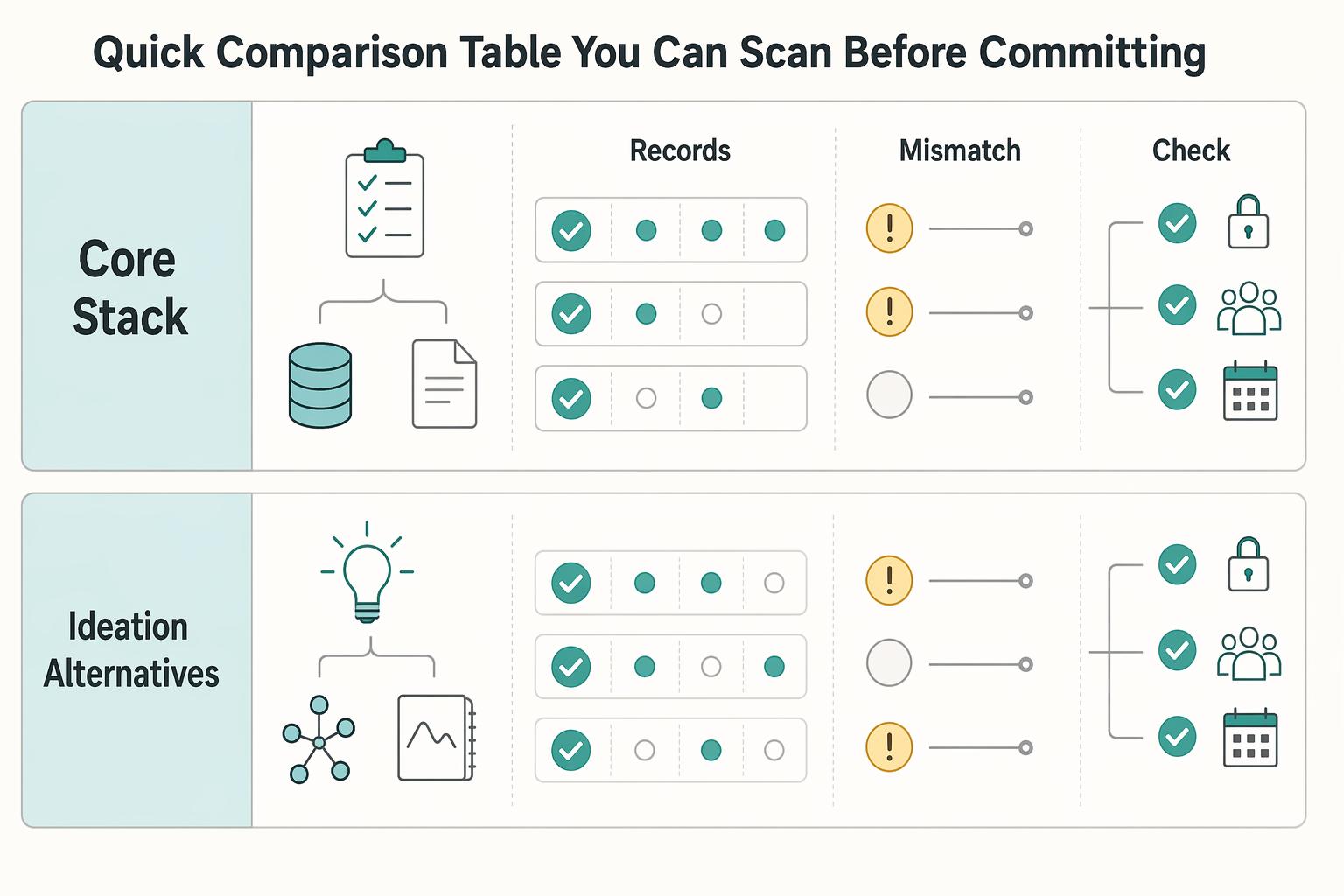
Quick comparison table you can scan before committing#
Use this table to choose tools that match your artifact type, keep approvals clear, and limit migration risk.
You already triaged by primary work type. Now sanity-check that choice against approval controls, role permissions, and migration friction so your team runs one coherent workflow.
| Category | Tool | Best for | Async feedback strength | Approval controls | Integrations | Main tradeoff | Operator note | Confidence |
|---|---|---|---|---|---|---|---|---|
| Core stack | Figma | Verify in-app | Confirm with the relevant authority | Confirm with the relevant authority | Validate handoffs in pilot | Unknown until workspace audit | If Wrike is your record system, map statuses and XLS import/export paths before migration | Low (not documented here) |
| Core stack | Milanote | Verify in-app | Confirm with the relevant authority | Confirm with the relevant authority | Validate handoffs in pilot | Unknown until workspace audit | Keep ideation tools upstream from your record system to avoid split accountability | Low (not documented here) |
| Core stack | Frame.io | Verify in-app | Confirm with the relevant authority | Confirm with the relevant authority | Validate handoffs in pilot | Unknown until workspace audit | Keep final approval in one system of record | Low (not documented here) |
| Core stack | ClickUp | Workflow-state tracking with custom task statuses | Team-dependent; process quality drives async outcomes | Custom task statuses can match approval stages | Validate handoffs in pilot | Setup choices can create process noise | Wrike adopters should map status and XLS import/export paths before migration | High |
| Core stack | Canva Business | Approval-controlled design workflows | Team-dependent; process quality drives async outcomes | Admins can restrict brand controls and require design approval before publishing | Validate handoffs in pilot | Vendor controls still need internal process discipline | Use for controlled publishing, then log final approval in your record system | High |
| Ideation alternatives | Mural | Creative team ideation | Useful for ideation-style collaboration | Governance depth varies by workspace setup | Validate handoffs in pilot | Adds another collaboration surface to govern | If comparing with Bluescape, map team roles and permissions before rollout | Medium |
| Ideation alternatives | Stormboard | Remote team brainstorming | Useful for brainstorming-style collaboration | Approval structure is often handled outside brainstorming tools | Validate handoffs in pilot | Not a full execution system by default | Keep it scoped to workshop outputs only | Medium |
| Ideation alternatives | Creately | Scalable diagramming | Useful for diagram review loops | Governance depth can vary by plan and setup | Validate handoffs in pilot | Adds another artifact location | Treat "10M+ users and 1000s of teams" as directional only | Medium (vendor-led signals) |
| Ideation alternatives | Cacoo | Real-time diagramming | Useful for fast collaborative edits | Approval is typically handled in your record system | Validate handoffs in pilot | Another handoff point to manage | Treat "390,000 users" as directional and verify fit in pilot | Medium (vendor-led signals) |
Use confidence labels as a risk control. Mark claims grounded mainly in vendor pages as Medium until your pilot confirms fit. Mark year-bound roundup claims such as 2024 comparisons as Low for a 2026 buying decision.
Best creative collaboration tools for remote teams right now#
Pick one primary platform for your main deliverable, then use supporting tools only where they add clear value to approvals and handoffs.
You just filtered options with the comparison table. This shortlist maps tools to your day-to-day work, keeps asynchronous feedback usable, and reduces client confusion.
- Figma
Best for: Design and prototype collaboration. Pros: You can add design comments from browser, desktop, and mobile, and keep version history for iterative revisions. Cons: Without naming rules and approval ownership, design files can spread across too many branches. Use case: A remote design team shipping weekly client revisions. Key differentiator: Feedback stays anchored to in-file context, so reviewers can point to the right element fast.
- Milanote
Best for: Creative planning, concept boards, and early-stage alignment. Pros: It organizes ideas into visual boards and supports in-context comments, which helps discovery work stay structured enough to review. Cons: It handles ideation better than strict execution tracking, so pair it with ClickUp when delivery complexity rises. Use case: Freelancers aligning moodboards and campaign concepts before production. Key differentiator: It captures messy thinking in one visual space before you lock production decisions.
- Frame.io
Best for: Asynchronous video review. Pros: Frame-accurate feedback keeps comments tied to exact moments, which cuts ambiguity in media review. Cons: It delivers the most value when video sits at the center of your workflow. Use case: Distributed editor-client review loops with fewer vague revision notes. Key differentiator: Timeline-anchored comments can speed review decisions for motion and video assets.
- ClickUp
Best for: Task orchestration and workflow visibility across deliverables. Pros: Custom task statuses let you model review and approval stages and keep progress transparent. Cons: You need clear status design up front, or teams create overlapping states that blur ownership. Use case: An operator managing multiple clients, deadlines, and handoffs. Key differentiator: It turns creative workflow steps into explicit, trackable delivery states.
- Canva Business
Best for: Fast collaborative asset production with non-design stakeholders. Pros: Teams can collaborate from review to approval, and you can require design approval before publishing. Cons: For advanced interface-system work, teams may still pair it with tools like Figma for deeper control. Use case: A mixed team producing social, sales, and campaign assets quickly. Key differentiator: It gives teams of two or more a simple path to governed publishing.
If client calls are also part of the workflow, see The Best Video Conferencing Tools for Client Meetings.
How do you keep client feedback auditable and low-drama?#
Run one approval lane with named owners, explicit status gates, and a recorded history for every decision.
Now that you have a shortlist, the next win is governance, not more features. You want asynchronous feedback to move in one direction from review to closure, so clients see a calm process and your remote design team sees clear ownership.
Use this four-control operating checklist#
| Control | What to set | Tool detail |
|---|---|---|
| Approval lane with clear owners | Define reviewer, approver, and closer for each deliverable | In Frame.io, require comments at exact timecode and use single-frame comments for precise fixes |
| Status mapping across tools | Use Draft, In Review, Changes Requested, Approved, and Closed | Wrike supports automated transitions between approval steps using workflow statuses |
| Archive protocol for decision history | Store the final asset, accepted changes, and change rationale | Figma version history gives a timeline of edits and records checkpoints, and only people with edit access can restore versions |
| Permission boundaries for client safety | Give collaborators only the access they need | Canva uses role-based permissions, and Bluescape lets you assign a permission level per collaborator and use view-only links |
- Approval lane with clear owners
Define three roles per deliverable: reviewer, approver, and closer. In Frame.io, require comments at exact timecode and use single-frame comments for precise fixes. Then close the loop in your task workflow with one owner who moves the task to the final state.
- Status mapping across tools
Create one shared status model and do not improvise inside projects: Draft, In Review, Changes Requested, Approved, Closed. Map review outcomes from design tools to final execution states in Wrike. Wrike supports automated transitions between approval steps using workflow statuses, which reduces manual handoff errors.
- Archive protocol for decision history
For each approval, store the final asset, accepted changes, and change rationale. In Figma, version history gives a timeline of edits and records checkpoints, and only people with edit access can restore versions. If a client reopens an old direction, you can show what changed and why without turning the thread into a debate.
- Permission boundaries for client safety
Use Canva role-based permissions so collaborators only access what they need. In Bluescape, assign a permission level per collaborator and use view-only links for sensitive review rounds. If you invite outside reviewers on a Bluescape Go setup, plan around any invite limits for unregistered users.
One rule keeps this low-drama: if it is not in the approval trail, it is not approved. Verbal signoff creates ambiguity later. Documented authorization gives you a defensible record when scope or revisions get contested.
Build your collaboration operating system and upgrade in stages#
Start with a minimal stack, run strict governance, and add tools only after your pilot shows the process works in practice.
You just handled the tactical decisions. Now turn them into a system you can repeat across projects. The goal stays the same: keep your workflow tight today, then add tools only when real workflow pressure shows up.
Roll out in four operator stages#
-
Stage 1: Lock the core stack. Pick one creation layer (such as Figma), one ideation layer, and one execution layer (ClickUp or Wrike) for your team. Define one status model and enforce it across all work. Key differentiator: ClickUp statuses keep work organized and progress transparent, so your remote design team sees one shared truth.
-
Stage 2: Run a controlled pilot. Implement your scorecard, then run a pilot with a limited user group before broad rollout. Treat the pilot as a test, not a launch. Gather feedback, refine ownership, and adjust rules before expansion. Key differentiator: A phased rollout lowers risk because you validate process decisions before they spread.
-
Stage 3: Make approvals auditable by default. Require asynchronous feedback to stay in context: location-based comments in Figma and timecode-anchored comments in Frame.io. Keep approval decisions centralized in Wrike, and archive final rationale with the asset record. Figma records checkpoints in version history, and Starter teams can have limits on how far back they can view history. Key differentiator: You can trace decisions, restore prior states, and resolve disputes quickly.
-
Stage 4: Connect delivery to business durability. Extend the same governance model into your CRM pipeline so sales, scope, and production do not drift apart. Configure pipeline stages to match your delivery model, and require key fields before stage movement. Key differentiator: You reduce process drift because your operational rules cover both fulfillment and pipeline control.
If you onboard a new contractor tomorrow, this staged system tells them where to comment, who approves, and when work moves forward. Keep only the tools that support clearer approvals and consistent output quality, and remove everything else. For pipeline structure, use The Best CRMs with Sales Pipeline Features for Freelancers.
Frequently Asked Questions
What are the best creative collaboration tools for remote teams if I only pick three?
There is no universal best three-tool stack for every remote creative workflow. Pick by function: one creation tool, one visual ideation board, and one execution tracker. A common setup is Figma for production and Milanote for ideation, then your preferred delivery tracker; add Frame.io when video review is central to client work.
How do I choose between Figma, Milanote, and Frame.io for my workflow?
Choose Figma when your remote design team needs contextual comments directly on the design surface and version history access. Choose Milanote when your creative workflow starts with visual-board ideation and you need flexible collaboration with edit, comment, or view access. Choose Frame.io when asynchronous feedback must land on exact timecode or a single frame.
Which features matter most for asynchronous feedback quality?
Look for feedback that stays attached to exact context, plus a clear owner who closes the loop. In practice, timecode-anchored comments in Frame.io and on-canvas comments in Figma make notes more specific and easier to act on. Pair that with one status flow so decisions get closed, not re-litigated.
How many collaboration tools should a solo creative professional use at first?
Start with a small set of active tools and force each one to own a specific job. If you feel like a team of one with 14 tabs open, you already have tool sprawl. Cut overlap immediately. Keep a one-in, one-out rule so your stack stays stable as client work grows.
How do I stop client and contractor feedback from becoming chaotic?
Run one intake path for feedback, then enforce it. Use explicit states like Draft, In Review, Changes Requested, Approved, and Closed, and require every comment to map to the current state. If a client drops notes in email, log them in your system of record before anyone starts revisions.
How should I evaluate tool risk beyond feature checklists?
Score governance before convenience: permissions, retention depth, approval traceability, and exportability. Plan tiers can change how audit-ready you are, since Figma Starter can only view 30 days of version history while higher tiers can access more. Also review OAuth scopes before you enable integrations so security and compliance decisions stay explicit.
What should I verify directly with vendors before committing long-term?
Get plan-specific confirmation on comment permissions, approval records, version-history limits, and admin controls. Verify integration permission scopes and export options so you can preserve records if you switch tools later. Then run a short pilot with real deliverables and keep only the creative collaboration tools that reduce confusion without adding process drag.
Try a related tool
Researched and edited by the Gruv editorial team. Gruv builds cross-border billing, payouts, and finance-operations software for global businesses.
Sources
Includes 4 external sources outside the trusted-domain allowlist.
- epa.gov/statelocalenergy/csc-tip-sheets-conducting-a...trusted
- canva.com/solutions/team-collaboration-toolsexternal
- extensis.com/blog/best-collaboration-tools-for-creative-t...external
- thedigitalprojectmanager.com/tools/collaboration-tools-for-remote-teamsexternal
- vibe.us/blog/top-collaboration-tools-for-remote-teamsexternal
Educational content only. Not legal, tax, or financial advice.
Related Posts

Value-Based Pricing for Freelancers Under Real Payment Risk
Value-based pricing works when you and the client can name the business result before kickoff and agree on how progress will be judged. If that link is weak, use a tighter model first. This is not about defending one pricing philosophy over another. It is about avoiding surprises by keeping pricing, scope, delivery, and payment aligned from day one.

Best Video Conferencing Tools for Freelancers in Client Meetings
Pick one primary meeting platform now, then write down when you will make exceptions. For most freelancers, consistency beats feature chasing because clients notice execution more than brand. They remember whether the link worked, whether you could manage the room, and whether decisions were easy to recover afterward.

The Best CRMs with Sales Pipeline Features for Freelancers
If your follow-up lives across email, a notes app, calendar reminders, and memory, the issue is not effort. It is control. You do not need the **best crm with sales pipeline** on paper. You need a tool you will update in the moment and review regularly, because that is what keeps deals moving.