
Quick Answer
Build a connected stack, not a random app bundle: choose one tracker (Jira, Linear, or GitHub Projects), enforce binary acceptance criteria, and require linked approval evidence before invoicing. The most reliable tools for managing remote developers are the ones that keep scope, code, sign-off, and payment records in one traceable path. Add async handoff rules and keep a human acceptance gate when business-impact releases are involved.
--- Most remote team problems are not tool problems. They are handoff problems. Work gets scoped in one place, built in another, approved somewhere else, and billed from memory. That is when deadlines slip, scope expands, and client confidence drops.
The fix is to build one connected operating stack. This article uses a simple three-layer model: delivery, finance and contracts, and client management. When those layers point to the same record of work, you get fewer disputes, cleaner approvals, and a much easier time proving what happened and why it matters.
Layer 1: The Technical Delivery Stack - Evidence From Request to Approval#
If you want fewer arguments about progress, make this layer produce evidence by default. The most useful tools in this layer let you trace a feature from request to approval without rebuilding the story from memory.
Compare with a live pilot#
Do not choose Jira, Linear, or GitHub Projects by reputation alone. Remote delivery works best when tasks move through a structured pipeline, documentation is async-first, and people are not relying on constant clarification. The real test is simple: can the tool support that process without side spreadsheets or chat archaeology?
| Tool | Pilot setup | Adoption check after 2 weeks | Reporting check | Traceability check |
|---|---|---|---|---|
| Jira | Run the same messy pilot backlog with the same approval checkpoints. | Check after 2 weeks whether engineers keep status current without chasing. | See if you can answer "what is blocked, what shipped, what is waiting on approval?" from the tracker and linked docs. | Check whether build/test/review checkpoints are easy to trace from task records. |
| Linear | Run the same messy pilot backlog with the same approval checkpoints. | Check after 2 weeks whether engineers keep status current without chasing. | See if you can answer "what is blocked, what shipped, what is waiting on approval?" from the tracker and linked docs. | Check whether build/test/review checkpoints are easy to trace from task records. |
| GitHub Projects | Run the same messy pilot backlog with the same approval checkpoints. | Check after 2 weeks whether engineers keep status current without chasing. | See if you can answer "what is blocked, what shipped, what is waiting on approval?" from the tracker and linked docs. | Check whether build/test/review checkpoints are easy to trace from task records. |
Operate it the same way every time#
| Practice | Standard | Record |
|---|---|---|
| One tracker, one task trail | Use one tracker as the single source of truth; keep each ticket small enough to fit one focused developer work window | Capture binary acceptance criteria, implementation and review notes, and build or test results in the same task trail |
| Acceptance criteria that protect scope | Write acceptance criteria as pass or fail conditions | Use planning artifacts as scope checkpoints, and open a change ticket if the plan changes |
| Async communication with rules, not good intentions | Set explicit rules for where decisions are logged, how handoffs are posted, and when updates are required | Handoff notes include current status, blocker, next action, owner, and link to the ticket |
| CI checks prove code quality, not client acceptance | Automate building, testing, and merging code changes; keep the human gate that comes with Continuous Delivery when a release has visible business impact | Treat a green pipeline as a quality signal, not final acceptance |
- One tracker, one task trail
Your tracker should be the single source of truth. Keep each ticket small enough to fit one focused developer work window. A practical sequence looks like this: create the ticket with binary acceptance criteria, capture implementation and review notes, and attach build or test results in the same task trail. What matters is not the brand name. It is whether you can open one ticket and understand status and next decisions quickly. If your team is still explaining work in DMs, scattered docs, and memory, the process is already brittle.
- Acceptance criteria that protect scope
"Done" is too vague for remote delivery. Write acceptance criteria as pass or fail conditions. Binary criteria reduce interpretation disputes and give reviewers something concrete to approve. Use planning artifacts as scope checkpoints, then record the agreed outcome in the tracker. If the plan changes later, open a change ticket so the update is explicit and traceable.
- Async communication with rules, not good intentions
Remote teams drift quickly when notes go missing. Set explicit async rules for where decisions are logged, how handoffs are posted, and when updates are required. Summarize decisions back into the tracker so the record stays complete. The goal is auditability across time zones. Handoff notes should be short and predictable: current status, blocker, next action, owner, and link to the ticket. If a decision lives only in a call recording or someone's inbox, you should expect rework.
- CI checks prove code quality, not client acceptance
CI can automate building, testing, and merging code changes in a shared repo, which gives you a clear checkpoint before anything moves forward. For client work, keep the human gate that comes with Continuous Delivery when a release has visible business impact. Continuous Deployment removes that human gate. A green pipeline is a quality signal, not final acceptance. The critical choice is where you place the final gate. If you skip human review or acceptance checks, you can ship technically correct work that still misses the agreed acceptance criteria.
Related: The Best Bug Tracking Software for Development Teams.
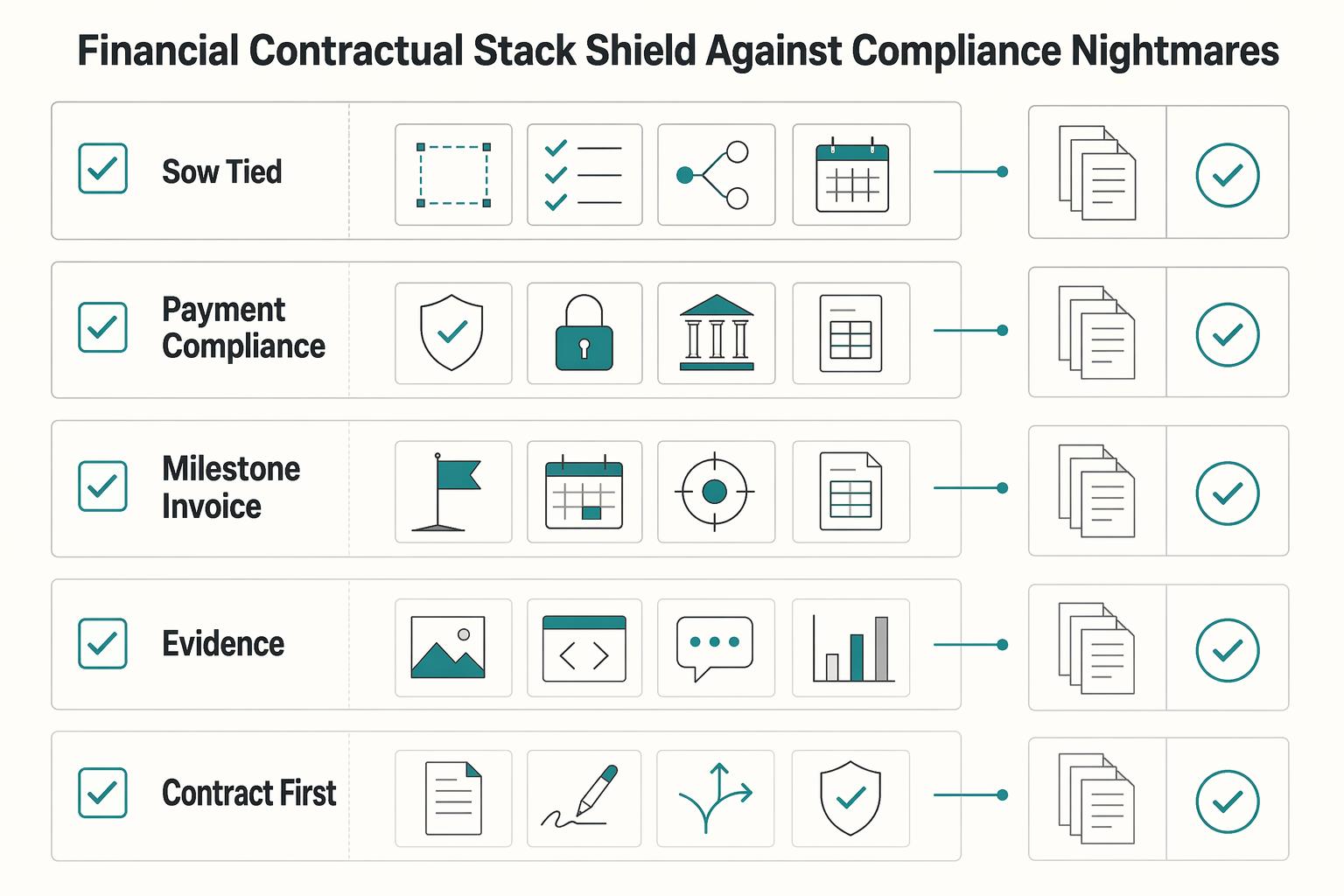
Layer 2: The Financial & Contractual Stack - Your Shield Against Compliance Nightmares#
In this layer, the job is simple: turn delivery evidence into clean contract, billing, and accounting records without rebuilding the story later.
| Control | When | Linked records |
|---|---|---|
| SOW tied to milestones | Before work starts and when a milestone is billed | Scope boundary, acceptance criteria, change-order path, invoice trigger point, and delivery evidence |
| Payment compliance intake before first transfer | During onboarding, not during payout | Payee identity, jurisdiction, form version received, verification date, Form W-9 for U.S. contractors, and Form W-8BEN for foreign individuals |
| Milestone-to-invoice workflow with dispute fallback | When a milestone is approved or a charge is disputed | Acceptance evidence, matching SOW section, delivery record, and a separate dispute record if needed |
| Recordkeeping that holds up at procurement and month-end | At month-end and during larger-client procurement | Approved milestones to invoices, invoices to cash received, contractor payouts to accounting entries, current contract and tax documents, and a SOC2 report check for larger clients |
| Stack option | Workflow fit | Compliance support | Approval traceability | Operational overhead |
|---|---|---|---|---|
| Contract-first platform | Best when custom SOWs, change requests, and milestone approvals drive the engagement. | Strong for contract version control and signed records; verify tax and payout support separately. | Usually strongest when approvals start in the contract layer and map to milestones. | Medium, because payment and accounting handoff still needs setup. |
| Payment-first platform | Best when contractor onboarding and payouts are the hardest operational bottleneck. | Useful for collecting payer/payee details, but jurisdiction rules still need verification. | Can be weaker when scope approval lives elsewhere and invoices trigger outside the platform. | Low to medium for frequent payouts; higher if contracts stay outside the tool. |
| Accounting-led setup | Best when you already run disciplined bookkeeping and close processes. | Strongest for reconciliation and ledger control; weaker if contracts and approvals are disconnected. | Works well only if invoices link back to signed scope and approval records. | Medium to high unless tracker, invoicing, and accounting tools sync cleanly. |
- SOW tied to milestones
Build each milestone in your SOW around four fields: scope boundary, acceptance criteria, change-order path, and invoice trigger point. Link each one to delivery evidence so billing follows approved work, not memory. A practical test: can you move from one invoice to one approved milestone without debate? If not, tighten the SOW before work starts.
- Payment compliance intake before first transfer
Collect payee records during onboarding, not during payout. Keep Form W-9 for U.S. contractors, Form W-8BEN for foreign individuals, and flag jurisdictions where local withholding, VAT, GST, or reporting rules still need confirmation. Keep a clear verification trail: payee identity, jurisdiction, form version received, and verification date.
- Milestone-to-invoice workflow with dispute fallback
Use event-based billing: milestone approved, acceptance evidence attached, invoice issued, and invoice linked to the matching SOW section and delivery record. If a charge is disputed, open a separate dispute record, restate the exact milestone and approval evidence, and pause new unapproved work until the defect-versus-change decision is resolved.
- Recordkeeping that holds up at procurement and month-end
Integration matters more than tool count. A lightweight month-end checklist is enough if you run it consistently: approved milestones to invoices, invoices to cash received, contractor payouts to accounting entries, and current contract and tax documents archived together. For larger clients, also check whether vendors can provide a SOC2 report. One source states that over 70% of B2B SaaS deals require a SOC2 report before contract signature, and missing it can stall procurement. SOC2 is described as emerging in 2011 and built around five Trust Services Criteria, with Security required in every report.
For a step-by-step walkthrough, see The Best API Testing Tools for Developers.
Layer 3: The Client Management Stack - Your Engine for Unquestionable Professionalism#
This layer should make decisions, status, and approvals easy to find in one place, with communication channels your client can actually use.
| Channel | Best for | Article note |
|---|---|---|
| Written updates | Routine progress | Use written updates for routine progress |
| Async video | Demos or complex explanations | People can review and respond on their own schedule, and tone and complex ideas can be clearer than text |
| Live calls | Disputes, scope changes, or multi-stakeholder decisions | Reserve live calls for disputes, scope changes, or multi-stakeholder decisions |
| Setup | Permission control (what you must verify) | Client usability (what you must verify) | Decision logging (what you must verify) | Maintenance effort |
|---|---|---|---|---|
| Notion | Test with a client login and confirm only project-safe pages are visible | Confirm a client can find current status and approvals quickly | Keep one dated decision log page instead of scattered comments | Light only with a named weekly owner |
| Confluence | Test external access and confirm internal-only content stays separate | Confirm key project pages and attachments are easy to handle | Keep a dedicated decision register; do not rely on page history alone | Moderate; requires tighter content hygiene |
| Client portal-style setup | Test sign-in and access boundaries before rollout | Confirm clients can follow updates and approval paths without extra guidance | Confirm decisions are stored or clearly linked in one visible trail | Higher setup effort, then steadier reuse |
- Client hub
Keep one hub with the signed SOW, current milestone status, decision log, deliverable links, approval records, and named contacts. After each milestone, update the accepted outcome, unresolved issue, approved change, and next target date. Assign one owner, either you or the account lead, so updates do not stall.
- Standardized reporting
Use the same weekly format every time: outcomes completed, blockers, approvals needed, and next actions. Pull status changes from Jira, Linear, or your tracker where possible, then add only the client-facing interpretation. A good check is whether the client can see what moved, what is stuck, and what needs their decision in about two minutes.
- Communication protocol
Match channel to decision type: written updates for routine progress, async video for demos or complex explanations, and live calls for disputes, scope changes, or multi-stakeholder decisions. Async video helps because people can review and respond on their own schedule, and it can make tone and complex ideas clearer than text alone. Use a short recorded walkthrough when text is likely to create confusion.
If you want a deeper dive, read The Best Project Management Tools for Freelance Developers.
One Connected Workflow Across Tracker, Repo, Approvals, and Billing#
Your biggest upgrade is not another tool. It is one connected workflow across your tracker, repo, approvals, and billing so you can see risk early and explain decisions clearly.
| Isolated activity | Integrated shift you can implement | Business outcome it improves |
|---|---|---|
| Tickets, files, and client notes are split across apps | Use one primary project record for task, owner, due date, linked file, and current client status | Better visibility across time zones |
| Code activity stays separate from planned work | Require an issue ID in every branch or PR so shipped changes map to scoped tasks | Clearer delivery evidence |
| Approvals sit in email and invoices are built later from memory | Save the approval reference on the task or milestone, then reuse that reference in invoicing | Cleaner invoice support and client updates |
Ownership#
Assign one owner to each handoff: scope, delivery, and client communication. Before work starts, make sure each scoped task has an owner and due date. Before billing, make sure each invoice line can be traced to an approval reference. This reduces the common remote failure mode where expectations drift and feedback is misread.
Handoff rules#
Write one path and enforce it every time: SOW -> scoped task -> code evidence -> client approval -> invoice. Treat this as your operating workflow, not a legal claim. The benefit is practical: when a client asks what changed and why, you can answer from linked records instead of chat history.
Review cadence#
Review weekly at two levels: an aggregate view for leadership, then milestone or sprint detail for execution. That gives you both the high-level signal and the blocker-level detail. If owners, dates, or approval status conflict between tools, fix the data first.
- Pick one primary record for tasks, deadlines, files, and client status.
- Add issue ID and approval-reference rules before kickoff.
- Verify your first invoice can point back to approved work.
- Track unresolved compliance checkpoints in the primary record until they are verified.
Related: How to Manage an Offshore Development Team in a Different Time Zone, How to Create a Standard Operating Procedure (SOP) for Your Freelance Tasks, Figma Design Handoff for Freelancers and Small Design Teams, and How Freelancers Use Loom to Get Clearer Client Decisions.
Frequently Asked Questions
What is the best tool stack for managing a remote dev team?
There is no fixed list of tools for managing remote developers that works in every case. The right stack should keep collaboration, delivery tracking, payments, and compliance connected so you can follow work from approved scope to shipped output and client-facing updates. Before you commit, test one full path from approved task to linked code change, milestone status, payment support, and client update. If that chain breaks, the stack is incomplete.
How do you pay international remote developers legally?
Treat payment and compliance as the same decision, not two separate errands. Before first payment, collect a signed contractor agreement and the tax documentation required for the relevant jurisdiction, then verify requirements against current official guidance. Make document collection a hard checkpoint before payout, and confirm the payee name, contract party, and tax records match your internal records.
How do you manage remote developers’ productivity effectively?
Use results-oriented metrics as your main control. Break work into clear milestones, set a communication cadence your team can keep, and review progress against accepted outcomes rather than presence in chat. If you rely on reported hours, verify them consistently, but anchor performance on delivered results. A good checkpoint is whether you can see what changed, what is blocked, and what needs a decision without asking for a meeting.
What tools are best for preventing scope creep with remote developers?
No tool fixes scope creep if your contract and approval path are loose. Your real defense is a specific SOW, explicit approvals before build work starts, and every new request logged as a new item instead of buried in chat. Check each request against signed scope, route out-of-scope work into a formal change decision, and reflect that decision in your client-facing records so nobody argues from memory later. If pricing is part of the problem, this helps: Value-Based Pricing: A Freelancer's Guide.
Do I need Jira for a small remote team?
No. You need a tracker that can hold agreed work, connect it to actual delivery, and give enough reporting to support client updates and billing records. As stakeholder count, dependencies, and reporting needs increase, a more structured system is usually easier to justify. For smaller teams, a lighter system can work if you enforce issue IDs, milestone mapping, and clean handoffs into client and billing updates.
How do you handle different time zones with a remote development team?
Assume less overlap, not more, and design for async first. Set a clear communication cadence, keep one written source of truth for decisions, and reserve live calls for disputes, approvals, or multi-stakeholder tradeoffs. Your checkpoint is simple: can someone find the latest decision, blocker, owner, and next date without asking in chat? Avoid making everyone attend every meeting, treating instant replies as professionalism, or leaving key decisions trapped in a call recording with no written summary.
Try a related tool
Researched and edited by the Gruv editorial team. Gruv builds cross-border billing, payouts, and finance-operations software for global businesses.
Sources
Includes 8 external sources outside the trusted-domain allowlist.
- agilealliance.org/glossary/kanbanexternal
- allstacks.com/blog/remote-software-developmentexternal
- atlassian.com/agile/project-management/workflowexternal
- cloud.google.com/architecture/devops/devops-tech-cicdexternal
- docs.github.com/en/get-started/using-github/github-flowexternal
- martinfowler.com/articles/continuousIntegration.htmlexternal
- microverse.org/blog/ultimate-faq-for-building-and-managing-...external
- ministryofprogramming.com/blog/agile-product-development-remote-distri...external
Educational content only. Not legal, tax, or financial advice.
Related Posts

Value-Based Pricing for Freelancers Under Real Payment Risk
Value-based pricing works when you and the client can name the business result before kickoff and agree on how progress will be judged. If that link is weak, use a tighter model first. This is not about defending one pricing philosophy over another. It is about avoiding surprises by keeping pricing, scope, delivery, and payment aligned from day one.
The Best Project Management Tools for Freelance Developers
Freelance delivery gets more predictable when planning and client updates follow one clear setup instead of improvised tickets and scattered chat threads. In practice, project management for developers means planning, scheduling, and organizing software work so scope, time, quality, and stakeholder expectations stay aligned.
How to Manage an Offshore Development Team Across Time Zones
**Step 1. Make the four decisions that actually shape the result.** To manage offshore development work well, decide early on your engagement model, how ownership and decision-making will work, how work will move across time zones, and how performance will be judged. Offshore hiring can give you access to global talent, faster delivery, and more scalable operations, but it is not just a cost play. If you optimize only for rate, you usually end up with less control and weaker alignment.