
Quick Answer
Choose the best asynchronous communication tools by building a single operating workflow, not by stacking features. Use Slack or threaded chat for discussion, Loom for walkthrough context, and your project workspace as the final decision ledger. Keep one client dashboard for scope and status, require written version-specific approvals, and archive handoff records at close. That structure reduces confusion, limits scope drift, and makes payment conversations cleaner.
Give Each Async Tool One Job and Keep One Record#
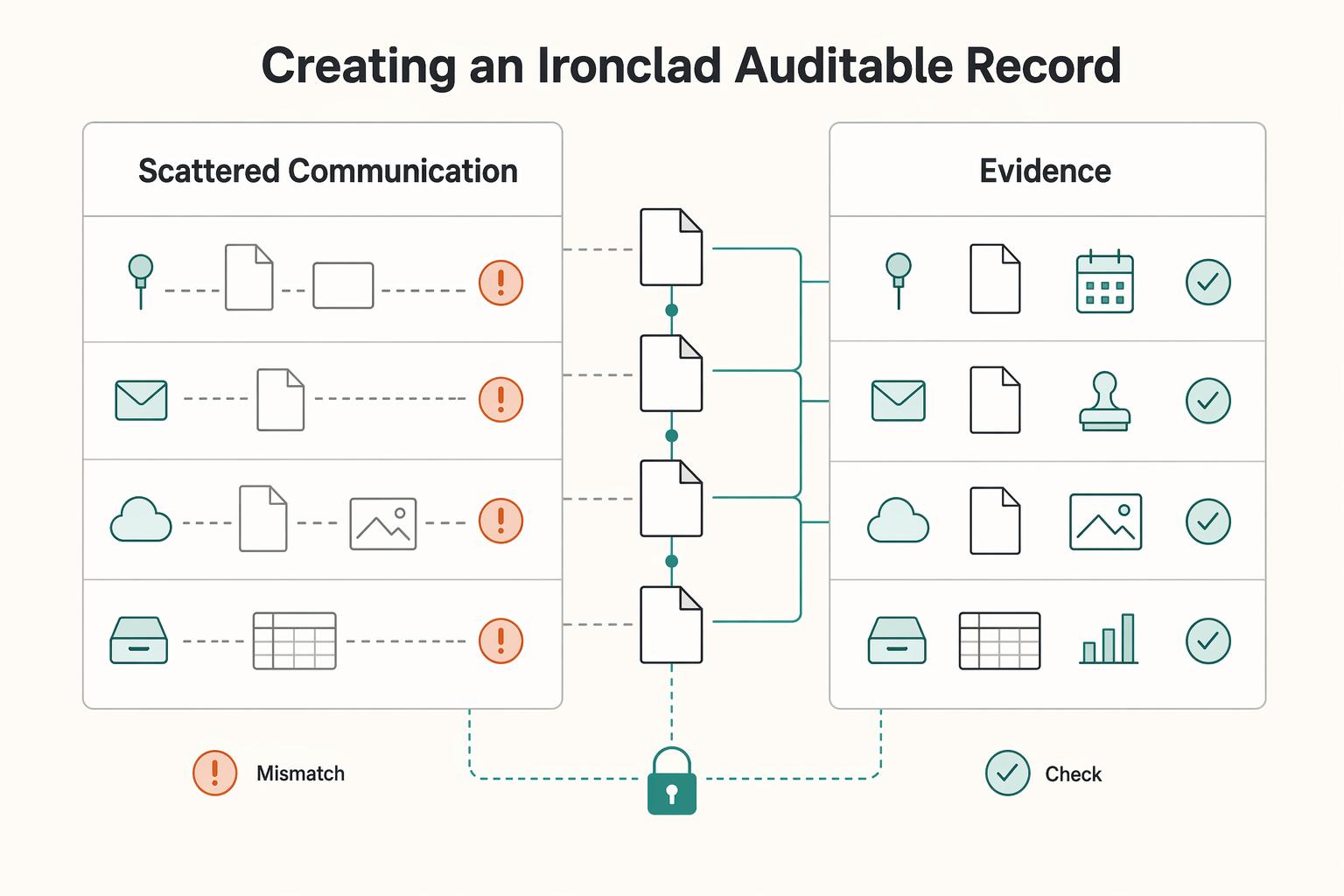
Async often breaks down when the official record never gets established. The real risk is not choosing the wrong app. It is letting client decisions, feedback, files, and approvals scatter across chat, email, video, and docs until nobody can say which version counts.
| Tool role | Good fit | Strong use | Risk alone |
|---|---|---|---|
| Chat | Slack, team chat, email | Quick questions, lightweight updates, linking people back to the real record | Decisions disappear in DMs, threads get missed, scope changes become hard to trace |
| Project ledger | Task board, project comments, shared workspace | Status, assigned work, change tracking, due dates, visible ownership | Too dry for nuance unless you pair it with context from docs or video |
| Async video | Loom, recorded walkthroughs | Explaining feedback, showing screens, reducing meeting load | Hard to scan later unless the decision is also written down somewhere searchable |
| File review | Shared docs, threaded comments, annotated feedback | Version-specific comments, approval notes, exact edits on the deliverable | Context can get trapped inside the file if you do not mirror final decisions to a central record |
Asynchronous communication means people do not reply in real time, and it works best when each channel has a clear job and response expectations are explicit. If something is urgent, complex, or sensitive, live conversation is often the better mode. For everything else, the standard is simpler: the record has to survive after the message is sent.
- Single source of truth
Practical definition: one place where the current scope, timeline, deliverables, and next decisions live. It gives you a default answer to "which version counts?" In practice, that is usually a client workspace or project page linking the latest brief, open tasks, and current file. Use one checkpoint here: if a change request is not logged in that location, treat it as pending rather than accepted. That keeps people from acting on the last message they saw instead of the last decision that was actually confirmed.
- Documented audit trail
Practical definition: a chronological record of meaningful requests, feedback, and approvals. What makes it useful is cleaner change tracking when memory and inboxes disagree. In practice, you might take a client's recorded walkthrough, summarize the decision in writing, and attach it to the related task or document thread. A common failure pattern is constant inbox switching: one reported example describes people checking chat and email about every 5 minutes, which can fragment context and leave lots of messages but weak records.
- Professional authority
Practical definition: your communication method shows clients how to work with you instead of letting every client invent a new process. The payoff is clearer approvals and less confusion about what happens next. In practice, you tell clients where to send feedback, what needs written confirmation, and when real-time conversation is reserved for urgent or sensitive issues. That boundary also protects your focus, since always-on pressure is associated with burnout and fragmented attention.
If you are comparing async tools, start by assigning each one a single job in this model. From there, the work becomes operational: set the record in onboarding, keep it clean during delivery, and close the project with proof that holds up later.
Related: A Guide to Using Loom for Asynchronous Client Communication.
Phase 1: Onboarding - Defining One Official Written Record#
Set boundaries before delivery starts: define one official written record, then route every meaningful decision back to it.
- Build the client dashboard first
Create one shared project page that answers four questions fast:
- Where is the current scope source?
- Where is the decision log?
- What is the approval path?
- What is the escalation channel for urgent issues?
Keep it simple and easy to retrieve. If a client asks where something belongs, this page should answer immediately. It also helps to keep these items in a consistent order on every project, so clients learn the system once instead of relearning your setup every time.
- Assign each channel one job
Use channels based on their strengths. A 2025 async tools guide describes Slack for scheduled messages, threaded conversations, and video clips; Twist for threaded discussions that reduce noise; and Loom for demos, walkthroughs, and updates.
| Channel type | Channel fit | Audit strength | Misuse risk |
|---|---|---|---|
| Chat such as Slack | Quick questions, nudges, links back to the record | Lower on its own unless it points to a written decision | Scope or approvals get lost in DMs or fast threads |
| Threaded discussion tool (for example, Twist-style threading) | Focused discussion by topic | Stronger when discussion stays grouped | Thread becomes the only place a decision exists |
| Async video such as Loom | Walkthroughs, context, screen/file explanation | Good context but harder to scan later | Video is treated as final approval without written restatement |
| Shared doc or project comments | Asset-specific feedback and next actions | Strong when tied to the exact file/task | Final decision stays trapped in one file with no central summary |
Default rule: a decision is final only after it is restated in the written record your dashboard points to. You can still use chat for speed. Just do not let it become the place where scope quietly changes. Fast channels can start the conversation, but they should not be the place where the project meaningfully shifts without trace.
- Use a welcome video as an onboarding control
Record a short Loom that shows the dashboard, channel rules, response expectations, and what counts as urgent. Then ask the client to confirm in writing where feedback, approvals, and change requests must be submitted. Store that confirmation in the project record. That written reply matters because it turns your process from a verbal explanation into a shared operating rule.
- Catch failure modes early and correct them
A common Phase 1 breakdown is approval in DMs or scope changes on a call that never get moved into the record. Correct it the same day: post a short written summary in the official record, link the related task or file, and ask for confirmation there. Keep the original DM or call note as context, not as the final record. The speed matters here. The longer an off-record decision sits, the more likely someone treats it as settled even though the project ledger still says something else.
If you want a deeper dive, read Value-Based Pricing: A Freelancer's Guide.
Phase 2: The Deep Work Sanctuary - Creating an Unimpeachable Audit Trail#
Your Phase 2 rule is simple: if a request can affect scope, timeline, or approval, it must be logged in one primary record with a visible status.
| Channel | Best use | Approval evidence | Red flag |
|---|---|---|---|
| Task comments | Version-specific feedback on the deliverable | Clear written approval tied to the named file/version, with task status updated | "Looks good" with no version reference |
| Threaded chat | Focused discussion on one decision | Decision summary copied into the task, with thread link for context | Approval buried in a fast thread or DM |
| Async video | Complex visual context or walkthroughs | Video link plus written decision note in the task | Video treated as the only final record |
| Formal stakeholder responses | Email names deliverable/version and is linked or pasted into the task | Long mixed-topic chain with no final decision note |
- Capture each material request as one ledger entry.
As soon as a request could change deliverables, timing, or cost, create or update a single task in your project manager. Treat that task as the official record, not a reminder. Keep the same fields every time: request summary, source link, related file/version, scope impact, owner, due date, and decision status.
Auditable workflows depend on retained records plus clear checkpoints. Use the same logic here: log where the request came from and set a status such as proposed, approved, rejected, or pending. If impact is unclear, record that clearly instead of implying approval. If you skip the status field, the task turns into a scrapbook instead of a ledger. If the request evolves over several messages, keep updating the same task so the full path stays visible in one place rather than splitting into duplicates.
- Make your project manager the central review artifact.
Conversations can happen in different channels, but decisions should resolve back to one place. Think in terms of a central plan artifact: related documentation stays linked so someone else can review the full decision path without reconstruction.
Before you close any decision, confirm the task includes the asset link, discussion link, current version, scope note, and latest status. That is the practical check that keeps context from splitting across inboxes, comment threads, and files. It also gives you a repeatable review sequence: open the task, verify the linked asset, confirm the version, read the latest decision note, then update status. Small habits like that are what keep async from becoming guesswork.
- Use async video as context support, then reduce it to a written decision note.
Video is useful when text alone creates confusion, especially for visual or sequence-heavy feedback. After the video, log a short written note in the task: what changed, which file/version it affects, scope impact, and current decision status.
If approval is conditional, keep status conditional. This prevents "we already agreed" disputes later. A good written note does not need to repeat the whole video. It just needs to capture the part someone will need to find later when they are checking what was approved and what still depends on a follow-up.
- Mirror these rules in your agreement, then verify alignment at kickoff.
Put communication and approval routing in the same agreement language as scope and change handling. If the exact clause language still needs review, mark it as pending rather than presenting draft wording as final.
At kickoff, confirm your contract language, dashboard instructions, and task templates match. Also avoid relying on automated labels or tags as proof on their own; machine-assigned classifications are not legal conclusions. Alignment matters: the agreement tells the client the rule, the dashboard shows where to follow it, and the task system gives you the evidence that it was followed in practice.
You might also find this useful: How to Create a Culture of Asynchronous Communication.
Phase 3: The Airtight Handoff - Securing Final Approval and Payment#
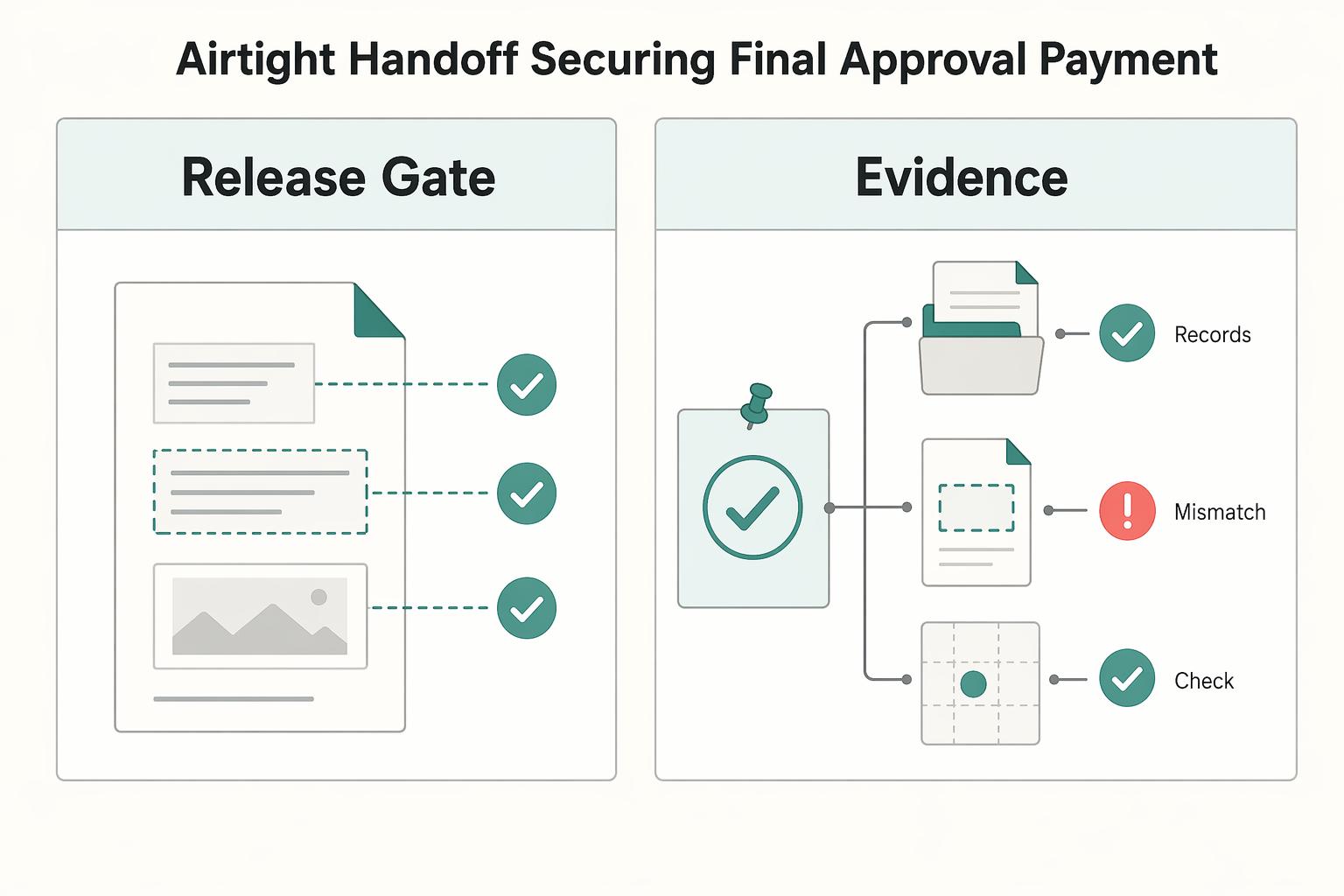
Treat handoff as a control step, not a wrap-up. In your workflow, acceptance is complete only when you have one written approval that names the exact deliverable/version, is captured in your designated channel, and is linked to the original scope item before you trigger invoicing.
| Deliverable | Approval channel | Evidence strength | Failure point |
|---|---|---|---|
| Design files | Approval note on the final file/frame, then linked in the task | Strong when file/version and acceptance status are explicit | "Looks good" in chat with no version reference |
| Documents | Final approval in the doc or a linked email naming the final document | Strong when title, link, and final version are captured together | Multiple similar drafts with no clear final |
| Recorded assets | Written sign-off on the review page or task comment naming the export | Strong when asset name/link and approval note match | Verbal approval with no written follow-up |
-
Anchor each approval to scope. Keep three linked records in the task: original scope line, final asset, and written approval. If one is missing, keep the item pending. Before you invoice, check that all three still point to the same item. This protects against async alignment drift when people are not online at the same time. If the asset is final but the approval refers to an earlier version, stop and reconcile that mismatch before you close anything.
-
Lock the closeout archive before closure. Store five items in one locked location: final assets, decision log, approved change requests, sign-off record, and invoice trigger status. Use checklist or sub-task checkpoints so nothing is left implicit. The goal is not bureaucracy. It is making sure the project can still be understood later without reopening every chat thread and file comment.
-
Use walkthrough video as support after acceptance. A short Loom is useful for context and file orientation, but it is not your approval record. Payment and closure should rely on documented approval plus a complete archive, not verbal confirmation alone. That way the video helps the client use the work, while your written record protects the commercial close.
For a step-by-step walkthrough, see The best tools for 'Visual Collaboration' with remote teams.
Want help choosing the right setup? Talk to Gruv.
Conclusion: Your Async System Is Your Competitive Advantage#
The pattern across onboarding, delivery, and handoff is consistent: one record, clear channel roles, and approvals that can be found later without reconstruction. That is what reduces misunderstandings, keeps scope visible, speeds up handoffs, and lowers rework when questions come up.
Here is what to lock in now for your next client project:
- One source of truth
Put the scope summary, current task list, deadlines, and latest deliverable link in one client-facing location. Use a practical verification check: can the client find all four without asking where things live? The main failure mode is split records across email, chat, and files. When that happens, people stop checking the system and start trusting memory, which is usually when confusion compounds.
- One documented feedback channel
Decide where edits, decisions, and explanations belong before work starts. Direct comments are useful for exact edits, threaded conversations keep decisions tied to a topic or task, and recorded video works when context matters but should still be linked back to the task. The red flag is any approval or change request that arrives as an unlinked side message.
- One approval protocol
Require every signoff to name the version, the approver, and the next step. For handoffs, use the 5 W's: who needs to act, what changed, when it is due, where the asset lives, and why the decision was made. The common breakdown is a vague "looks good" buried in chat.
- One archive process
At close, store the final deliverable, approval record, task history, and key decision trail together. Searchability matters here, because this is what lets you answer scope or decision questions without rebuilding the project from memory.
That is the real test for async tools: do they fit your work, preserve context through threads, and make handoffs reviewable? On your very next project, choose the tools you already trust, then put these four rules in place before kickoff.
We covered this in detail in The Best Tools for Creative Collaboration with Remote Teams.
Frequently Asked Questions
How do you make async work with international clients?
Set one written response window, one primary decision channel, and one task-linked record for every decision. A practical baseline is a 24-hour acknowledgement window and a 48-hour decision window for non-urgent items.
What is the most secure way to capture client feedback?
Use the channel that gives searchable evidence tied to the exact asset. Keep three links together in every approval record: request, deliverable version, and final approval.
How do you onboard clients without turning every project into custom admin work?
Use a repeatable onboarding packet with scope, communication rules, task location, and approval path. A short 10-minute walkthrough plus a 5-item readiness check usually prevents avoidable startup confusion.
Can async really control scope creep?
Yes, if every request becomes a logged item with a written include, defer, or paid-change decision. No logged item means no assumption that the work is included.
Does this make a solo operator look stronger than an agency?
It can, because reliability is judged through clarity and traceability. When approvals, decisions, and handoffs are searchable, clients often perceive stronger operating control regardless of team size.
What records give you the strongest position if a dispute starts later?
Keep a layered record with the agreement, scope summary, task history, feedback trail, approval record, and final archive. Store each final decision with three links: request, deliverable, and approval.
Try a related tool
Researched and edited by the Gruv editorial team. Gruv builds cross-border billing, payouts, and finance-operations software for global businesses.
Sources
Includes 4 external sources outside the trusted-domain allowlist.
- cs.unc.edu/~montek/teaching/fall-07/lectures/petrify-tu...trusted
- meru.cs.missouri.edu/motif_faq.htmltrusted
- oaktrust.library.tamu.edu/server/api/core/bitstreams/9721f6ae-9ef8-4f1...trusted
- pmc.ncbi.nlm.nih.gov/articles/PMC9638421trusted
- arxiv.org/pdf/2403.15191external
- bitrix24.com/articles/proven-async-workflow-practices-tha...external
- ctcnet.us/wp-content/uploads/2018/04/Network-Resilienc...external
- dayviewer.com/team-collaboration/async-communication-guideexternal
Educational content only. Not legal, tax, or financial advice.
Related Posts

Value-Based Pricing for Freelancers Under Real Payment Risk
Value-based pricing works when you and the client can name the business result before kickoff and agree on how progress will be judged. If that link is weak, use a tighter model first. This is not about defending one pricing philosophy over another. It is about avoiding surprises by keeping pricing, scope, delivery, and payment aligned from day one.

How Freelancers Use Loom to Get Clearer Client Decisions
If you use Loom as a one-off recording app, you can keep re-explaining the same decisions. Treat it as a simple four-step client communication setup instead: capture, route, confirm, and track.
How Solo Professionals Create an Async-First Client Communication System
For a solo professional, async is not just a style preference. It is an operating mode that protects focus by reducing constant interruption and pushing more work into clear written communication.