
Quick Answer
Subscription lifecycle states describe setup, trials, live service, recovery and exits. Map each provider status to billing, effective customer access, permitted edits and reconciliation evidence. Trial is not the same as a draft record, paused does not always stop billing, and a cleanup status is not necessarily the churn date.
How the Subscription Lifecycle Works#
A subscription lifecycle describes how a subscription moves through setup, trial, service, payment recovery and exit. Each state should tell finance, billing ops and product what changes in charges, access, edits and reconciliation. Business labels such as paused or churned need a mapping to the actual provider behavior.
Microsoft Partner Center documents six states for new commerce license-based subscriptions, while Oracle includes setup and amendment states. Stripe also separates trials, activation and payment recovery. A trial ending is not proof of a successful charge: missing payment details, authentication or a failed payment can change the outcome.
For Partner Center new commerce license-based subscriptions, Microsoft identifies Active as the normal state and says partner billing continues during suspension. Legacy subscription suspension has different billing behavior. Mapping both to paused with no billing would create a finance error, so preserve the product and channel in your rule.
Oracle makes the same point from another angle. Its documentation says the actions you can take during each status are determined by status rules. So your state model should answer three questions every time:
- What billing behavior changes
- What customer or admin access changes
- What edits or approvals are allowed
If a state cannot answer those clearly, it is not ready for scale. Redesign it before more teams depend on it. A practical checkpoint helps here: for each platform-native state you use, verify one live or test subscription against three records: the source platform status, the invoice or billing output, and the ledger or reconciliation result.
That can catch a failure mode where the product team reads a label one way while finance sees different posting behavior downstream. A suspended state is an obvious example, but other end states can create similar confusion if you treat every exit as one generic "churned" bucket.
The working standard for the rest of this article is straightforward: every state must map to a governed transition, a billing effect, an access effect, and a proof point your team can verify later. Do that, and terms like Draft, Active, Suspended, and Deleted become useful controls instead of future cleanup work.
Who this list is for and how to choose your state model#
Use this approach when a subscription state changes billing, service access, or approvals. If your labels are only for sales or marketing segmentation, you likely do not need operator-grade state design.
| State test | Required definition |
|---|---|
| Billing impact | What billing behavior changes |
| Service-access impact | What customer or admin access changes |
| Edit permissions | What edits or approvals are allowed |
| Reconciliation checkpoint | A proof point your team can verify later |
- Best for finance, payments ops, and product owners
Use this approach if you need lifecycle labels tied to billing and access behavior. Keep the product and sales channel alongside the status. Microsoft Partner Center new commerce licenses and Microsoft commercial marketplace SaaS offers are different lifecycles; a rule from one must not be assumed to govern the other.
- Not for lightweight campaign or funnel tracking
If your main question is whether a contact should receive an email, this model may be more than you need. Use it when a state affects charges, service or approvals. If a state implies review or restriction, define who can release it and what record supports that decision.
- Choose states with four tests, or redesign them
Each state should define four things: billing impact, service-access impact, edit permissions, and reconciliation checkpoint. Oracle is explicit that status rules determine allowed actions and that some fields are not editable in certain statuses. Validate with one live or test subscription: confirm platform status, invoice output, and ledger result align. If a label cannot answer "who can act, what can change, what posts to the ledger," treat it as undefined before you scale.
For recurring billing operations, see Building Subscription Revenue on a Marketplace Without Billing Gaps.
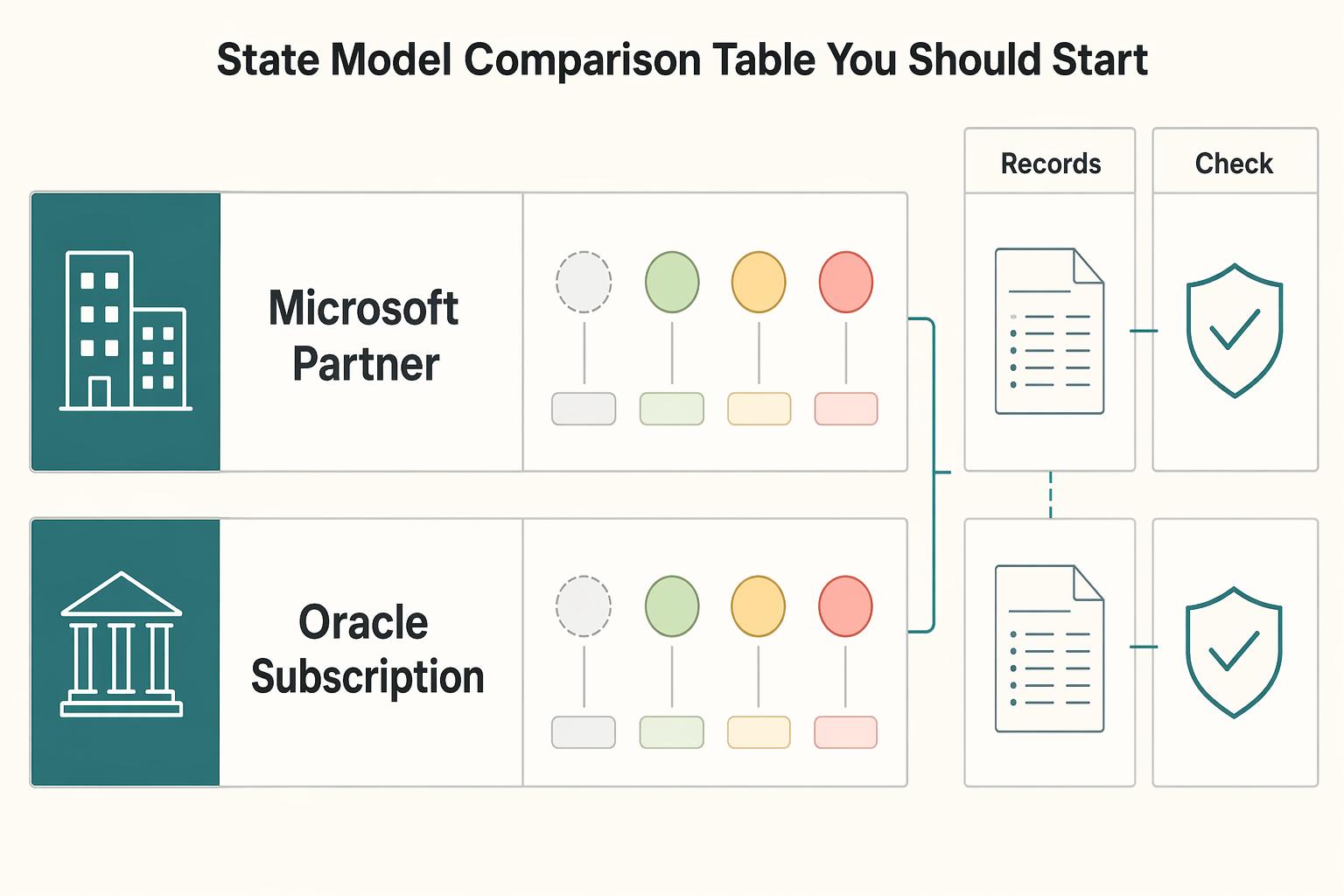
The state model comparison table you should start from#
Start with a translation table, not a one-to-one dictionary. Microsoft Partner Center and Oracle Subscription Management use lifecycle states differently, so mapping labels without validation can break billing, access, or admin controls.
Use this as a baseline. The business terms are shorthand, not universal mappings.
| Platform | Native state | Common business shorthand | Billing continues | Customer access | Admin editability / required approval |
|---|---|---|---|---|---|
| Microsoft Partner Center | Active | live | Partner billing continues | Services generally available | Use normal platform administration controls |
| Microsoft Partner Center new commerce licenses | Suspended | paused, recoverable hold | Yes. Microsoft states partners continue to be billed when suspended | Service generally restricted; admin data access retained; product/licensing exceptions apply | Use as a temporary restriction, not a billing stop |
| Microsoft Partner Center | Disabled | shutdown | Partner billing stops | Service restricted; admin data retained per policy | Do not assume it behaves like Suspended or Oracle Expired |
| Microsoft Partner Center | Deleted | record-lifecycle exit | Partner billing stops | Treat as an end state unless your Microsoft documentation says otherwise | Microsoft documents at least one lifecycle state cannot be reverted to Active; confirm reversibility before using end states operationally |
| Oracle Subscription Management | Draft | pre-live setup | Set billing start from your activation/go-live process | Keep access off unless service is provisioned outside Oracle | Initial status |
| Oracle Subscription Management | Pending Approval | ready for signoff | Do not treat as live billing before approval/activation in your process | Keep access off until approval is complete | Explicit approval state when submitted for internal approval |
| Oracle Subscription Management | Subscription/line Under Amendment | change workflow; inspect both object levels | Depends on amendment timing and billing design | Depends on effective-date behavior | Oracle status rules control allowed actions; some fields are not editable in certain statuses |
| Oracle Subscription Management | Expired | churned, end-of-term shorthand | Confirm with your contract and billing rules | Confirm with your provisioning logic | Oracle statuses are predefined; do not assume parity with Microsoft end states |
The main trap is paused. In Partner Center new commerce license subscriptions, Suspended restricts service while partner billing continues, with documented product and licensing exceptions to access restrictions. It is not a no-charge pause. If your policy promises a billing stop, confirm that the provider permits it and define the financial adjustment separately; a hold reason alone cannot stop charges.
Stripe has a native paused status when a trial ends without a default payment method and the configured missing-payment-method behavior is pause; that status stops new invoices until resumption. Pausing payment collection is a separate mechanism that can leave the subscription status unchanged. Map both explicitly if your product offers a pause button, and decide access through your entitlement policy.
Oracle Draft, Pending Approval and Under Amendment control setup and changes. Native statuses are predefined, but Oracle also permits user statuses and transitions. Confirm what those user statuses enforce: a custom label does not automatically replace the billing or access behavior of the native status.
Before finalizing a mapping, test native status, invoice behavior, customer access and editable fields. Keep trial entitlement separate from setup: an Oracle Draft record does not by itself establish that a customer is receiving a free trial. Store the evidence with system, product, channel and timestamp.
Do not collapse end states into one bucket. Microsoft lists six lifecycle states (Active, Canceled, Suspended, Expired, Disabled, Deleted), and new commerce cancellation has a seven-day window from purchase or renewal, except where law requires otherwise. That makes churned a reporting label, not a native control state.
For more on billing design, see Retainer Subscription Billing for Talent Platforms That Protects ARR Margin.
Best for controlled onboarding and go-live gating#
Oracle provides native pre-activation workflow states. Use Draft for setup and Pending Approval when internal approval is required. Confirm the approval configuration and service-provisioning integration before treating Active as the release point; the status alone does not prove every downstream control ran.
That matters because Oracle gives you native gates. Oracle Help Center states that a new subscription starts in Draft, submitting it for internal approval changes the status to Pending Approval, and approving it changes the status to Active. It also says the actions available in each status are determined by status rules. That is what you want when your team needs a real control point instead of a loose checklist in email or CRM notes.
Why Oracle fits this use case#
Choose this model when key commercial or tax fields may still be incomplete at creation time. A common example is when finance ops wants Tax Control, VAT, and contract terms reviewed before anyone treats the subscription as live. Oracle also notes that VAT and other taxes are set up in Oracle ERP applications such as Oracle Financials, so this is usually not just a sales-screen cleanup task. It crosses product, billing, and finance ownership.
A useful handoff model:
| Status | Primary owner | What should be true before moving forward |
|---|---|---|
Draft | Product or sales ops | Core subscription terms entered, pricing checked, customer data complete |
Pending Approval | Billing or finance ops | Tax treatment reviewed, required internal approval submitted, exceptions resolved |
Active | Operations release point | Approval complete and go-live release intentionally authorized |
What actually sets it apart#
The strongest differentiator is not the label. It is the way Oracle ties activation to approval and status rules. You can even have subscriptions initiated from order management created in Draft instead of Active, which gives you a formal review window before anything is treated as live. For teams that want a platform-enforced lifecycle control, that is more explicit than relying on an internal "ready to launch" tag.
Before rollout, verify two things on a real test record. First, confirm status behavior matches your approval configuration, including whether records move through Pending Approval before approval. Second, check field behavior after activation, especially Tax Control, because Oracle documents that this field becomes read-only when the subscription is in Active status.
The failure mode to watch is accidental bypass. Oracle provides a setting to make internal approval default to Not Required, so if your process depends on Pending Approval, verify that subscription negotiation settings have not disabled the gate. If that setting is loose, subscriptions can reach Active without an internal approval step. For a broader tooling view, see The Best Tools for Managing Subscription Billing.
Best for mid-cycle change control without billing chaos#
Oracle provides an explicit amendment workflow for mid-cycle changes. Amending an active line puts that line Under Amendment; its documentation also describes actions for subscriptions under amendment, including Activate and Preview. Track both subscription and line status rather than assuming one changed line places every line on hold.
| Platform | Mid-cycle change behavior | Operational note |
|---|---|---|
| Oracle Subscription Management | Amending an active line puts that line Under Amendment; inspect the subscription-level workflow separately | Creates a visible change window instead of quiet edits inside active billing |
| Stripe | Eligible changes can create prorations depending on settings; usage billing is not prorated | Preview then verify the actual invoice; tie only resulting money movements to settlement |
| Zuora | Amendments create a new subscription version and previous versions remain visible | Useful benchmark for traceability standards |
Use Under Amendment to separate requested changes from accepted billing behavior. Oracle also ties available actions to status rules and notes that some fields are not editable in certain statuses, which supports tighter change handling and a clearer audit trail.
A practical control flow:
- Amend the live line and record both line and subscription status.
- Run
Previewwhile the status stays unchanged. - Review billing impact, then use
Activateto return toActive.
For a billable amendment, preview the expected invoice adjustment and compare it with the invoice actually created. Stripe prorations depend on the changed attributes and configured behavior; metered usage is not prorated. A preview is not collected cash. Trace any resulting payment or credit through settlement only when it occurs, since one bank payout can combine many unrelated billing events.
For traceability standards, Zuora is a useful benchmark: amendments create a new subscription version and previous versions remain visible. The main risk is reactivating before anyone reviews the previewed billing effect.
For a step-by-step walkthrough, see Subscription Billing Platforms for Plans, Add-Ons, Coupons, and Dunning.
Best for recoverable risk when payments or compliance break#
Use a recoverable hold only when the provider permits it and the billing consequence matches your policy. Partner Center new commerce Suspended can return to Active before term end, making it useful for dunning, but partner charges continue.
Suspended is reversible before term end, but not cost-free. Microsoft documents service restrictions and retained administrator data access while partner billing continues. Per-user license pooling and Outlook mailbox behavior create exceptions, so verify effective entitlements rather than assuming suspension removes every form of access.
| State | Use it when | What matters operationally |
|---|---|---|
Suspended | A real recovery path exists, for example nonpayment remediation | Service restrictions and admin data access depend on documented entitlements; reactivation is available before term end |
Canceled | The stop is intentional and final | In new commerce, Microsoft documents a seven day cancellation window after purchase or renewal, except where law requires otherwise |
Expired | An applicable active term ends without renewal | Applicable nonrenewal paths enter a 30-day Expired state; extended-service-term eligible subscriptions can renew, enter EST or cancel to Disabled |
Disabled | A suspension remains unresolved at term end | Microsoft says a still-suspended subscription moves to Disabled at term end |
If recovery is intended, use a supported recoverable state and define the charge and access consequences. If the relationship is ending, follow the permitted cancellation or term-end path. A late-term intent to stop is not necessarily an immediate cancellation: Partner Center new commerce cancellation is limited to its permitted window.
Before standardizing the rule, test a representative record: compare effective end-user and administrator access with documented entitlements and exceptions, and verify that continued new commerce partner charges match finance expectations.
For example, a reseller may suspend a new commerce license subscription while a customer resolves nonpayment. Record when service was restricted, who can authorize reactivation and the partner charges that continue during the hold. On recovery, verify both native state and effective access. On non-recovery, apply the documented term-end path and keep the outstanding balance visible.
For failed-payment recovery workflows, see A Guide to Dunning Management for Failed Payments.
Best for clean exits and accurate churn reporting#
Do not collapse all exits into one churned bucket. In Microsoft Partner Center, Canceled, Expired, Disabled, and Deleted are distinct states, and each should map to its own reporting and operational treatment.
| State | Use it for | Operational meaning |
|---|---|---|
Canceled | Intentional stop within cancellation rules | In Partner Center new commerce, subscriptions can be canceled within seven days of purchase or renewal, except where law requires otherwise. This is often the clearest customer decision event for churn policy. |
Expired | Applicable term-end nonrenewal | An applicable active term can enter Expired for30 days; EST-eligible subscriptions have renewal, EST or cancellation branches. |
Disabled | Platform-level shutdown | For some cancellation paths, Microsoft documents that subscriptions skip Expired and move directly to Disabled on the cancellation date. |
Deleted | Nonreactivatable native exit state | Can follow retention-state progression or permitted early cancellation directly. Use the effective relationship-ending event for churn date, rather than deriving it from Deleted alone. |
Decision rule: keep exit states separate and assign each one a specific purpose, such as customer decision analytics, term-end analysis, access-control handling, and record-lifecycle tracking.
Before finalizing reporting logic, run one live-like Microsoft Partner Center test and record timestamps for customer cancellation action, status transitions, and service-access changes. This confirms whether churn date, revenue treatment date, and access cutoff date are actually the same event in your data.
Keep sales-channel context intact. Direct Microsoft purchases and Partner Center purchases can have different expiry and retention behavior. Preserve the channel in your mapping and consult its applicable lifecycle documentation before using one end-state rule across both.
For churn measurement and response planning, see How to Calculate and Manage Churn for a Subscription Business.
The transition evidence pack finance teams should require every time#
Treat any state change you cannot trace from actor to cash impact as unauditable. Use one standard evidence pack for every transition, whether it starts in Microsoft Partner Center, Oracle Subscription Management, or your internal ledger.
| Evidence item | What to capture | When it applies |
|---|---|---|
| Core transition record | Actor, timestamp, prior state, new state, trigger reason, and source system | Every state change |
| Reconciliation artifacts | Invoice impact, settlement impact, and payout impact | Transitions that can affect billing |
| Tax determination evidence | Applicable tax location, identifier or exemption evidence, decision and effective date | When the change affects invoice tax treatment |
| Integration controls | Authenticated webhook records, stale-event checks, atomic duplicate-effect prevention and escalation owner | Late, duplicate, or conflicting updates |
- Core transition record
Capture one record per state change: actor, timestamp, prior state, new state, trigger reason, and source system. Oracle Subscription Management audit history supports this with date, user, event type, description, and old/new values for audited attributes. Microsoft Partner Center subscription resources are lifecycle-oriented, so persist the status payload at event time instead of relying on a later fetch. Validate replayability by matching the platform audit event to your ledger event for the same subscription ID and confirming the timestamp and state pair.
- Reconciliation artifacts tied to money movement
Attach the actual invoice, payment and settlement consequences of a transition. Some changes produce no immediate invoice; document that expected result instead of inventing a cash event. Where a payment does occur, reconcile it through the provider records and bank movement. A pooled payout can contain multiple subscriptions, refunds and adjustments, so match the relevant component rather than expecting the whole batch to equal one change.
- Tax proof objects only when the transition makes them relevant
When a change affects tax treatment, retain the applicable determination and supporting customer information, such as tax location, a validated tax identifier or exemption evidence. Record its effective date and invoice impact.
- Integration controls for late, duplicate, or conflicting updates
Verify webhook authenticity, retain delivery and replay records, and prevent duplicate state effects or journal entries with business-operation uniqueness committed atomically with each change. Stripe automatically retries undelivered live-mode events for up to three days, but delivery order is not guaranteed. Created-time sorting alone cannot establish the current state: use the provider object or a reliable version rule before applying stale events.
Conclusion#
The practical takeaway is simple: treat each lifecycle state as a control point, not a label. If a status change can affect service access, invoices, or reporting, it needs a written transition rule, a verification step, and a named person or team to clear exceptions. Keep three controls in place:
- Transition rule
Define what can move, who can move it, and what becomes editable or locked. Oracle Subscription Management is explicit that actions allowed in each status are determined by status rules, and that some fields cannot be edited in certain statuses. That is the model to emulate: if you cannot say what changes are permitted in states like Draft, Active, Under Amendment, or the term-end state, you do not really have operational control yet.
- Source-of-truth check
Do not trust an internal mirror record just because it updated first. Google Play treats the purchases.subscriptionsv2.get endpoint as the source of truth for subscription management and sends SubscriptionNotification messages when state changes happen, but your backend still has to call the API and update its own record. Stripe makes the same point from the event side: listen for lifecycle events with webhook endpoints and handle them correctly. The checkpoint that matters is simple: compare the platform status, your internal status, and the state-change event for the same subscription ID before you clear the exception.
- Billing and access evidence
Every meaningful transition should answer two questions: does billing continue, and what effective access remains? Partner Center new commerce suspension restricts service while partner billing continues, with documented product and licensing exceptions. Keep that mapping distinct from legacy subscriptions and other provider pause mechanisms so finance and support can explain the same account.
The main red flag is false simplicity. Teams often collapse cancellation, term-end, temporary-hold, and cleanup states into one internal churn label, then try to reconcile cash, service usage, and retention after the fact. That is where disputes start, especially when a webhook arrives late, an event is replayed, or a platform status changed but the internal record still reflects the old state.
If you want one recommendation to carry forward, use this one: for each state in your model, document the trigger and allowed next states. Then document the billing effect, access effect, edit permissions, source-of-truth check, and required evidence. That is what turns lifecycle management from status decoration into something finance and operations can trust.
Frequently Asked Questions
What are subscription lifecycle states in platform management?
They are the platform's official labels for where a subscription sits operationally and what actions are allowed next. In Microsoft Partner Center, Microsoft documents six lifecycle states for new commerce subscriptions: Active, Canceled, Suspended, Expired, Disabled, and Deleted. In Oracle Subscription Management, the model also includes pre-live and change-control states such as Draft, Pending Approval, and Under Amendment.
What states are most common across enterprise platforms?
The recurring pattern is usually pre-activation, live service, temporary hold, end of term, and cleanup, even when labels differ. For example, Oracle uses Draft and Pending Approval before go-live, Stripe uses trialing, Microsoft uses Active as the default state, and both Oracle and Microsoft separate the term-end state from other exits. The key differentiator is that names are not one-to-one, so map by billing impact and edit permissions, not by label alone.
How do the hold, cancellation, term-end, and cleanup states differ in operations?
For Partner Center new commerce licenses, Suspended permits recovery before term end while partner billing continues; access restrictions have product and licensing exceptions. Cancellation is limited to the permitted purchase or renewal window, while term-end paths depend on renewal and extended-service-term eligibility. Keep the native end state and effective date separate from your churn definition and data-retention policy.
How should we map `trial`, `active`, `paused`, and `churned` to platform-native states?
Treat business labels as reporting categories with written rules. Stripe trialing represents a trial; Oracle Draft and Pending Approval represent setup and approval, not necessarily a trial. Active must retain provider-specific payment and entitlement checks. Paused may mean a service hold, a collection pause or a native paused status, each with different effects. Define churn from the end of the customer relationship and its effective date, while retaining the native exit reason.
What should finance audit at each state transition?
Compare the source transition with actual billing and access effects. For Partner Center new commerce suspension, check continued partner charges and effective entitlements, including documented access exceptions. At Stripe trial end, verify the resulting subscription, invoice and payment states rather than assuming a charge succeeded. For Oracle, confirm status-rule restrictions and the configured approval path.
When should a team use `Under Amendment` instead of editing an `Active` subscription directly?
In Oracle Subscription Management, use Under Amendment when you are changing a subscription line and need the change to be explicit and traceable. That matters even more because Oracle states that permitted actions depend on status rules, and some fields are not editable in certain statuses; one named example is Tax Control, which becomes read-only when the subscription is Active. If the change affects billing or tax treatment, do not patch the live record informally.
Try a related tool
Researched and edited by the Gruv editorial team. Gruv builds cross-border billing, payouts, and finance-operations software for global businesses.
Sources
Includes 6 external sources outside the trusted-domain allowlist.
- docs.stripe.com/billing/subscriptions/overviewtrusted
- docs.stripe.com/reports/payout-reconciliationtrusted
- developer.android.com/google/play/billing/lifecycle/subscriptionsexternal
- docs.oracle.com/en/cloud/saas/subscription-management/fasmq/...external
- docs.oracle.com/en/cloud/saas/sales/fasqa/how-do-i-set-up-ta...external
- docs.zuora.com/en/zuora-billing/manage-accounts-subscriptio...external
- learn.microsoft.com/en-us/partner-center/customers/subscription-...external
- learn.microsoft.com/en-us/microsoft-365/commerce/subscriptions/w...external
Educational content only. Not legal, tax, or financial advice.
Related Posts
What Is Vendor Management? A Platform Operator's Guide to Supplier Lifecycle Control
Vendor management in a platform business is not back-office admin. It is a core control point in the business. It determines which third parties can influence core operations, service quality, and customer experience, and under what conditions they can do it.

Seven Subscription Billing Tools: Features and Pricing
The best subscription billing tool depends on what you sell, how you charge and who acts as seller to the customer. Start with those choices, then compare recovery, finance exports, implementation effort and price. A recurring invoice engine, a payment processor and a merchant of record perform different jobs; their headline fees cover different costs.

A Guide to Dunning Management for Failed Payments
If you run recurring invoices, failed payments are not back-office noise. They create cashflow gaps, force extra follow-up work, and increase **Involuntary Churn** when good clients lose access after payment friction.