
Quick Answer
A 1099 calculator usually gives only a directional estimate of self-employment tax, not your full federal tax liability. Before relying on it, confirm the tool's scope, tax year, and whether inputs reflect net business income rather than gross payments alone. Estimates become less reliable when records are incomplete, worker classification is unresolved, or mixed W-2 and 1099 income is not handled correctly.
How to Estimate Your Self-Employment Tax#
A self-employment tax calculator 1099 is useful for speed, but the output is only directional until you put controls around it. If your team uses calculator estimates for reserves, payout timing, or contractor tax support, you need checks finance, compliance, and risk can stand behind later. We recommend deciding early which outputs your team may use directly and which ones require review.
Start with scope. The IRS separates self-employment tax from broader income tax liability. Self-employment tax covers Social Security and Medicare for people who work for themselves, and Schedule SE (Form 1040) is used to figure that tax on net earnings. Tool scope varies: some estimates focus on self-employment tax, while others are framed as broader estimated-tax calculations. Do not treat calculator output as a full federal return result unless the scope and inputs are clear.
This guide is for operators managing independent contractor, freelancer, and gig worker payouts at scale. In that setting, a common risk is whether the number was built from complete records, under the right worker classification, and for the right tax year.
Use calculators for speed. Then apply a control layer:
- what to collect before entering numbers
- what to verify before anyone relies on the output
- when to escalate a result for specialist review
- how to document decisions so they remain auditable later
Two checks matter immediately. First, confirm what the tool is estimating, because IRS self-employment workflows include both filing and estimated payments, and self-employment tax is not the same as total tax liability. Second, confirm the tax-year basis. If the tool does not clearly state the year or assumptions, treat the result as directional.
Expect operational failure modes before math errors: missing or unclear payment records, incomplete inputs, and unresolved worker status. Worker classification is a core tax control point because it affects how federal income tax, Social Security and Medicare taxes are handled, and how returns are filed.
This guide is educational, not individualized tax or legal advice. IRS guidance is general by design, and some situations need additional business-specific analysis, so high-risk or unclear cases should be escalated before estimates are used for approvals.
We covered this in detail in How to Fill Out Schedule SE (Self-Employment Tax).
What this calculator is estimating and what it is not#
A 1099 self-employment calculator often estimates self-employment tax only: Social Security and Medicare on net self-employment earnings, not your full federal tax liability. IRS guidance separates those concepts, and Schedule SE (Form 1040) is used to compute self-employment tax.
That boundary matters because self-employed individuals generally may owe both self-employment tax and income tax. If a tool is modeling the Schedule SE path, it is not giving you a complete Form 1040 outcome. One practical signal is the input pattern: if the tool mainly asks for net business income and returns a number that roughly follows the 15.3% self-employment tax structure, it is likely estimating only that component.
You can usually group tools into three types:
- SE tax only: estimates the Social Security and Medicare amount tied to Schedule SE.
- Broader federal estimate: combines income tax and self-employment tax into one annual estimate.
- Estimated payment tool: frames output around Form 1040-ES estimated tax payments, often used for quarterly planning.
Do not treat these outputs as interchangeable. A quarterly estimate is a payment-planning figure, not automatically a final annual liability, and a broader estimate can still be incomplete if key tax-year settings or assumptions are missing. Vendors also say these calculators are informational and not guaranteed accurate.
So use the calculator for speed, then validate before relying on it for reserves, payout timing, or contractor guidance. Confirm the tax year, and confirm whether the result is for Schedule SE only or for estimated-tax payment planning. If either point is unclear, treat the output as directional and pause approval until your inputs and assumptions are verified. We recommend storing that scope call in the same file as your estimate.
Related reading: Leaving Canada as a Self-Employed Professional: A Departure Tax Playbook.
Gather the minimum evidence pack before entering numbers#
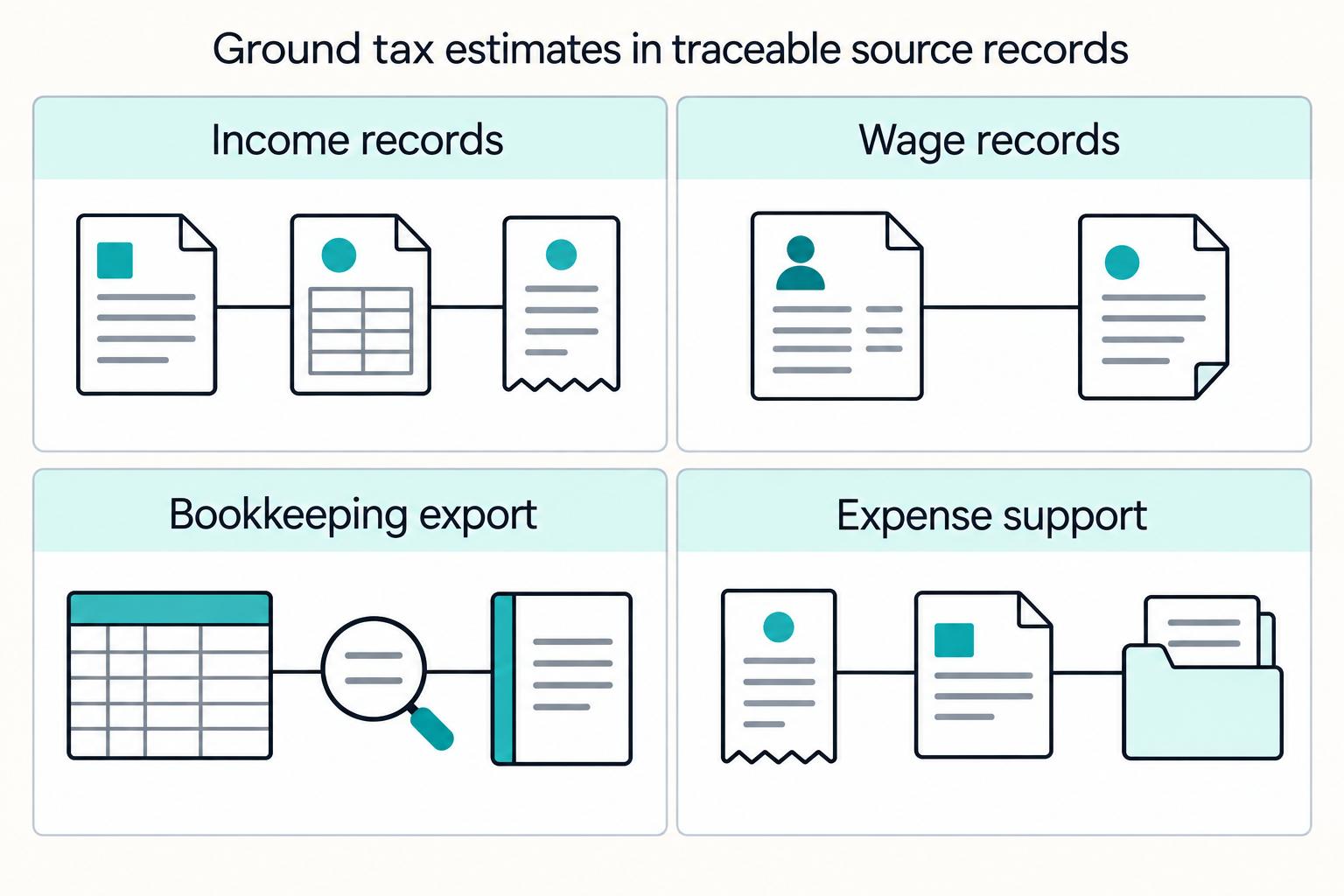
Treat the output as directional until you can substantiate the net business income behind it. At minimum, your file should let someone trace gross receipts and expenses back to records. If you cannot trace that support quickly, stop there before you rely on the estimate.
For most teams, that packet includes the Form 1099 records on hand, including Form 1099-NEC where issued, any Form W-2, a bookkeeping export, and the supporting documents behind the entries. IRS guidance allows any recordkeeping system, but it must clearly show income and expenses.
| Evidence item | Why it belongs in the packet | What to verify |
|---|---|---|
| Form 1099-NEC and other Form 1099 records on hand | Form 1099-NEC reports nonemployee compensation and provides a reported-income reference point | Amounts tie to income in the books, and differences can be explained from records |
| Form W-2 (if applicable) | Form W-2 reports wages, tips, and withholding for employee compensation | W-2 wages are separated from self-employment income inputs |
| Bookkeeping export aligned to tax reporting | Schedule C is used to report income or loss from a business operated as a sole proprietor | Gross receipts and expense categories trace to source records |
| Supporting documents | IRS examples include invoices, receipts, paid bills, deposit slips, and canceled checks | For expenses, records identify payee, amount, proof of payment, and date incurred |
Keep gross inflows separate from allowable business expenses. IRS recordkeeping guidance is explicit that books should show gross income, deductions, and credits, so a single net payout figure is usually not enough unless you can break it back out.
Match the packet to the entity type. Sole proprietor activity generally maps to Schedule C, while partnership activity should stay in its own lane because partnerships generally file Form 1065 rather than Schedule C.
Before relying on the estimate, compare your books to the underlying support, using the business checking account as a primary source where relevant. If records conflict or amounts are unclear, treat the estimate as less certain. If net earnings are near the $400 Schedule SE filing threshold referenced in IRS FAQ guidance, small changes can affect whether self-employment tax applies.
For a step-by-step walkthrough, see The Self-Employment Tax Trap: How Totalization Agreements Can Save US Expats Thousands.
Compare calculator outputs before you operationalize them#
Do not approve reserves from a single calculator result. Compare tools first, and rely on outputs only when scope, tax year, and inputs match your evidence pack. If you are deciding whether to sign off, you should compare like-for-like inputs before you trust the number.
A common failure mode is scope drift. IRS usage of "self-employment tax" refers to Social Security and Medicare taxes, not total income tax. Two tools can both be reasonable and still produce different numbers if one estimates only self-employment tax and the other estimates broader federal taxes or quarterly payments.
| Tool or tool type | Declared scope to confirm | Inputs to verify | Not safe to operationalize when |
|---|---|---|---|
| Self-employment tax calculator | Self-employment tax only (Schedule SE-style) | Net self-employment earnings (or income and expenses used to derive it), tax year, W-2 wages if relevant | Team treats it as full federal liability or quarterly payment amount |
| Broader federal tax estimator | Federal income tax plus self-employment tax, if explicitly stated | Form 1099 income, Form W-2 wages, expenses, deductions, credits, tax year | Scope or exclusions are unclear |
| IRS Tax Withholding Estimator | W-2/pension withholding estimate | Wage and withholding inputs | Used as a substitute for a 1099/Schedule SE estimate |
After scope, compare the assumptions behind the interface and the way each tool handles the same facts:
- Form 1099 treatment: gross nonemployee compensation versus net business income.
- Form W-2 treatment: Schedule SE includes W-2 Social Security wage context, so omission can change results.
- Expense handling: outputs are not comparable if one tool uses gross 1099 income and another uses net profit.
- Quarterly estimated taxes: estimated-tax projections require full-year assumptions, including income, deductions, and credits, not just one gross-income field.
Use acceptance criteria before trusting outputs:
- Tax year is explicit.
- Scope is explicit.
- Inputs align with your records and Schedule C or Schedule SE treatment.
- Logic aligns with IRS guidance that self-employed filers generally file annually and pay estimated taxes quarterly.
Tax-year labeling is a control, not a formality. IRS Schedule SE rules are year-specific, and they can be corrected after publication, for example, a correction posted on 20-FEB-2026 for 2025 instructions. Key limits can also change by year, such as $168,600 for 2024 versus $176,100 for 2025.
If two tools still differ after scope, tax-year, and input alignment, move to manual review using Schedule SE logic from verified net earnings before approving reserves. Document whether the gap comes from scope, W-2 interaction, expense basis, or tax-year settings. That comparison discipline sets up the next step: deciding which results your team can use, which need review, and which must be escalated.
Set a Use Verify Escalate standard your team can enforce#
Do not let a calculator result move straight to approval. A calculator output for 1099 income should be labeled Use, Verify, or Escalate under written rules your team can apply the same way every time. If you cannot explain why your file is in one bucket instead of another, stop before you approve anything. If you use this rule, your reviewer should see your label, your records, and your escalation note in one place.
| State | When it applies | Required evidence or action | Do not approve when |
|---|---|---|---|
| Use | Records are complete, reconciliations tie out, and worker status is resolved | Income and deduction support (for example invoices, receipts, deposit slips, paid bills, and canceled checks), reconciliation notes, tax year documented | Classification between independent contractor and employee is still unresolved |
| Verify | Estimate looks usable, but assumptions still need confirmation | Reviewer checks estimated-tax assumptions, payment behavior by period, tax year, and net-earnings basis | Prior payments or assumptions conflict with the estimate |
| Escalate | Facts could change SE treatment, outputs conflict, or records are incomplete | Route to finance, compliance, or a tax or legal specialist with issue log and supporting documents | Partnership or Schedule K-1 treatment is unclear, key records are missing, or reviewed tools still disagree |
Use means complete evidence, not just a clean number#
Use should be a narrow gate. Before approval, the file should include support for income and deductions, for example invoices, receipts, deposit records, paid bills, canceled checks, and related documentation, plus reconciliations from gross inflows to net self-employment earnings.
Classification is a hard stop. If independent contractor versus employee status is still open, keep the file out of Use until that relationship question is resolved.
Verify checks assumptions and payment sufficiency#
Verify is where you test the assumptions most likely to break a decision. Confirm the estimate matches Schedule SE-style net-earnings treatment. Then check estimated-tax behavior against operational anchors:
- 90% of current-year expected tax
- 100% of prior-year tax for many taxpayers
- 110% of prior-year tax when prior-year AGI was above $150,000 ($75,000 if married filing separately)
Also validate timing by period. Estimated tax runs across four payment periods, so a year-end catch-up may still leave earlier-period underpayment risk.
Escalate early on partnership and K-1 complexity#
Escalate based on fact patterns, not preference. Trigger escalation when records are missing, reviewed tools remain inconsistent, or partnership items could change self-employment tax treatment.
Partnership items and guaranteed payments can affect SE tax, and unclear Schedule K-1 treatment should not be finalized in a calculator-only process. If limited-partner treatment is uncertain, escalate to specialist review. Interpretation is fact-specific and can vary in light of recent litigation in some jurisdictions.
Assign owners and internal timing before quarter close#
Written labels work only when someone owns each step. Make ownership explicit in the file and in the workflow:
- Finance: completeness, reconciliations, reserve impact
- Compliance: classification flags, record sufficiency, scope controls
- Legal or tax specialist: unresolved status issues and K-1 or partnership edge cases
Set internal review and escalation timing in writing. Final approval should include the evidence pack, output snapshot, tax year, reviewer notes, and a short statement of why the file is in Use, Verify, or Escalate.
If worker classification is the main question, use the W2 vs 1099 calculator before approving estimates.
Run quarterly estimate operations instead of annual firefighting#
Quarterly discipline is the practical fix for year-end surprises. For many self-employed people with 1099 income, federal taxes are generally paid as income is earned, and late or insufficient estimated payments can trigger penalties even if a refund is due at filing.
Use a fixed quarterly order of operations#
Run the same sequence every cycle: close the books, refresh net income assumptions, meaning business income minus business expenses, update estimated taxes, then review reserve sufficiency for the next payout cycle.
Keep the estimate broader than self-employment tax alone. Form 1040-ES planning is based on expected adjusted gross income, taxable income, taxes, deductions, and credits, so reserve decisions should follow a full assumptions refresh.
Anchor the calendar to the IRS four-payment cadence: April 15, June 15, September 15, and January 15, with weekend or legal-holiday shifts to the next business day.
Tie every run to current evidence#
Each run should point to current records: latest income inflows, updated expense support, and estimated tax payments already made. A reviewer should be able to see those items without rebuilding the file.
Make verification explicit. Confirm inflows reconcile to the payment ledger, expense changes are documented, and prior estimated payments are recorded in the file used for the run. A clean calculator output can still be wrong when inputs are stale or incomplete.
Using prior-year or prior-period assumptions as a starting point is practical, but only if changed inputs are refreshed each cycle.
Set a second-review trigger before payout decisions#
Do not wait for quarter close to notice estimate drift. Define a variance limit in your own policy and require second review when a new run exceeds it versus the prior approved run. Avoid hard-coding generic percentages that were not validated on your files.
That second review should answer three points: what changed, whether support is complete, and whether the change affects only estimated payments or the broader federal tax picture.
Make estimate drift explainable#
Document estimate movement every cycle so quarter-end review is traceable. Log prior and current run dates, changed inputs, reviewer, and reason for movement.
Short, specific notes are enough, such as: "added missing income inflow," "updated expenses from reconciled books," or "recorded estimated payment." This turns calculator output into an auditable operating record for finance and compliance.
Handle worker and entity edge cases before they become audit pain#
Quarterly discipline only works when each file is on the right tax path first. Before approving any estimate, confirm the entity and worker-status bucket. Depending on entity type and worker classification, income in a file may flow through Schedule C (Form 1040), Schedule K-1 (Form 1065), or Form W-2, and those inputs are not interchangeable.
| Profile | Primary input path | Verify first | Common failure mode |
|---|---|---|---|
| Sole proprietor | Schedule C (Form 1040) business profit or loss | Net business income is supported by books, expenses, and 1099 records | Team enters gross Form 1099-NEC amounts without reducing documented business expenses |
| Partner performing services for a partnership | Schedule K-1 (Form 1065), especially box 14, code A for Schedule SE | K-1 is final or clearly marked draft, and self-employment earnings come from the right field | Team treats partnership income like Schedule C income and forces it into a sole-proprietor flow |
| Limited partner | K-1 plus partner status details | Separate distributive share from guaranteed payments | Team applies one self-employment tax treatment to all partnership income, even though limited partners generally do not pay it on distributive share but do on guaranteed payments |
| Worker with both wages and contract income | Form W-2 plus Form 1099-NEC and business records | Wage income, withholdings, and self-employment income are split cleanly | One-tool estimate ignores W-2 withholding or double counts income already handled through payroll |
Do not collapse Schedule C and K-1 cases into one intake#
Use Schedule C (Form 1040) for sole-proprietor business income or loss, and follow the partnership path for partnership cases. For Schedule SE, partnership self-employment earnings are tied to Schedule K-1 box 14, code A, and partners performing services for the partnership are treated as self-employed, not employees.
This is where clean-looking estimates often go wrong. If the file includes a K-1, do not run it as a standard 1099-only sole-proprietor case unless the facts support that treatment. For limited partners, confirm whether the amount is distributive share or guaranteed payment before approving self-employment tax treatment.
Mixed W-2 and 1099 files need a separate review step#
When a worker has both wage and contract income, add a separate mixed-income review before sign-off. Form W-2 reports wages and payroll withholding, while Form 1099-NEC reports nonemployee compensation, and both can appear in the same file.
Confirm the file includes available W-2 records, 1099 records, prior estimated payments if applicable, and a clear split between wage income and self-employment income. If your tool estimates only self-employment tax, keep scope explicit. That generally refers to Social Security and Medicare taxes, not total income tax.
Resolve classification before you call the estimate final#
If the facts suggest employee status may apply, pause final approval. Worker classification depends on evidence of control and independence, so this is not a calculator-only decision.
When status is unclear, label the estimate as provisional and route it to specialist review. A practical review pack includes the contract, payment history, control of work, and payroll or onboarding records. If needed, request an IRS determination with Form SS-8. If a worker says they were treated as a contractor but should have been an employee, Form 8919 may apply.
Add a cross-border check for US-linked reporting obligations#
Before sign-off, confirm whether the file includes foreign accounts or other foreign financial assets tied to a U.S. taxpayer. If it does, a self-employment tax estimate is not complete on its own. FBAR and FATCA/Form 8938 can apply as separate reporting obligations.
Form 8938 and FBAR are not substitutes. A taxpayer may need Form 8938, FinCEN Form 114 (FBAR), or both, depending on the facts and each program's rules.
Treat FBAR and Form 8938 as separate checks#
Keep these as separate reviews. FBAR is filed as FinCEN Form 114 with FinCEN, not the IRS. Form 8938 is filed with the IRS by attaching it to the annual tax return.
Their thresholds are different, so do not run a single combined test. Check each program on its own terms:
- FBAR: filing is triggered when qualifying foreign accounts exceed $10,000 aggregate at any time during the calendar year.
- Form 8938: reportability is generally above $50,000, with higher thresholds in some cases.
- IRS comparison examples show residency matters, including more than $50,000 for some specified individuals living in the U.S. and more than $200,000 for some specified individuals living outside the U.S. on the last day of the tax year.
Verify program-by-program before calling the estimate complete#
For any cross-border signal, confirm the following before you call the file complete:
- whether the person is a U.S. person with qualifying foreign accounts for FBAR purposes
- whether aggregate account value crossed $10,000 at any point in the year
- which residency and filing-status facts control Form 8938 threshold testing
- whether filing is required for Form 8938, FinCEN Form 114, both, or neither
Keep a short review record with account inventory, value support, threshold test inputs, and the final filing decision.
Require documented escalation on cross-border files#
If foreign-account or foreign-asset reporting may apply, route the file through a documented escalation step instead of relying on calculator output alone. Record who reviewed the FBAR and FATCA/Form 8938 checks, what thresholds were tested, and what filing obligations were confirmed.
Also track the separate FBAR calendar: it is due April 15 following the year reported, with an automatic extension to October 15. For related operational issues, see How to Handle Taxes for a Side Hustle.
Spot red flags that make a calculator result unsafe#
Some files should never move past a rough estimate. If records are incomplete, the tool scope is overstated, assumptions are stale, or documentation is weak, treat the result as non-decision-grade and do not use it for decisions.
Missing records break the estimate before the math starts#
If the file is missing Form 1099 entries, includes unsupported expense inputs, or cannot tie income and expenses to Schedule C (Form 1040) categories, the estimate is unreliable. Also, not receiving a form does not remove income-reporting obligations, so "no 1099 received" is not a valid basis for a lower estimate.
Confirm gross income and expenses can be reproduced from source records and mapped to a draft Schedule C view. If they cannot, pause the estimate until the missing records are resolved.
Scope confusion creates false confidence#
Do not treat a self-employment-tax estimate as a full federal return result. IRS usage of "self-employment tax" is narrower, covering Social Security and Medicare, so a tool that models only Schedule SE (Form 1040) does not establish total federal tax due.
If the tool cannot clearly state whether it estimates self-employment tax only or a broader return outcome, treat that ambiguity as a red flag.
Stale assumptions raise quarterly risk#
For estimated tax payments, assumptions can become unsafe after major income or expense changes. Because taxes are pay-as-you-go, underpaying during the year can still create a penalty even if the year-end outcome looks better.
Recheck the estimate whenever the income pattern changes materially, including mixed W-2 and 1099 activity. Do not wait until quarter close if the file changed in a way that would have changed the last approved run.
Governance gaps make errors hard to catch#
Weak documentation controls make calculator outputs harder to defend. Escalate when the result cannot be explained from inputs, records are visibly incomplete, worker status is unclear (W-2 vs 1099), or net earnings are near the $400 Schedule SE filing trigger.
Keep an audit trail while minimizing sensitive tax data exposure#
Keep a lean, reproducible evidence pack for each decision, and avoid storing extra taxpayer data. For each estimate used in withholding decisions, retain the tax year, run date, tool used, assumptions, reviewer notes, and an output snapshot.
Link that pack to source records instead of duplicating full files across folders. References can point to the relevant Form W-2, payment records for self-employment or gig income, and the most recent federal tax return used for the run.
Apply a minimum-data standard in stored notes and screenshots. In the context of the IRS Tax Withholding Estimator, the Internal Revenue Service (IRS) says it does not request personal information such as name, Social Security number, address, or bank account numbers. It also says responses are not saved or shared with the IRS, and that if the browser closes, responses are cleared. Use that same principle internally: keep only what is needed to verify the decision.
Your checkpoint is reproducibility by tax year. A reviewer should be able to use the saved snapshot plus referenced records to confirm the estimate inputs and the IRS materials used at decision time. If that requires hunting through duplicate files or unclear versions, tighten access, reduce duplicate copies, and document assumptions clearly so evidence stays usable without unnecessary exposure.
Use this 30-minute implementation checklist#
Use the calculator output only after you confirm scope, validate inputs to the right IRS filing path, and document reviewer sign-off.
1) Confirm scope before you use the number#
For IRS purposes, self-employment tax means Social Security and Medicare tax, not total income tax. If the tool is estimating Schedule SE on net self-employment earnings, treat that output as partial. If it is walking through Form 1040-ES, treat it as estimated-tax support for income not subject to withholding, not automatically a full-return result.
2) Validate inputs against the filing path#
Tie each input to source records and the taxpayer's reporting path:
- Schedule C (Form 1040) for sole-proprietor income or loss
- Schedule K-1 (Form 1065) allocations for partnership cases
- Form 1099 records, including Form 1099-NEC when nonemployee-compensation reporting applies
- expense support used to move from gross receipts to net earnings
If records conflict or support is incomplete, hold the estimate until the file ties out.
3) Apply Use Verify Escalate controls#
Use only when documentation is complete and reconciliations are clean. Verify tax year, assumptions, tool scope, and intended IRS mechanism. Log reviewer sign-off and any Schedule SE exceptions. Escalate immediately for unresolved entity treatment, conflicting 1099 totals, unusual K-1 allocations, or a scope mismatch between the tool and the decision.
4) Decide action and document why#
Close with one outcome: approve, hold, or escalate, and record why that outcome fits the file.
- Approve: in-scope estimate, supported inputs, reviewer sign-off.
- Hold: missing or conflicting records.
- Escalate: technical uncertainty that makes the output unreliable.
For quarterly handling, use IRS estimated-tax rules as your backstop: estimated tax is generally handled in four payment periods, and estimated-tax payment requirements are generally evaluated when a person expects to owe at least $1,000. For adequacy checks, compare to IRS benchmarks: 90% of current-year tax, 100% of prior-year tax, or 110% of prior-year tax if prior-year AGI was above $150,000.
Conclusion#
A 1099 calculator is useful for speed, but it is dependable only when you control the inputs and verify scope before acting on the result. Treat calculator output as a planning estimate, not a final federal tax answer, especially when the tool is estimating self-employment tax under Schedule SE (Form 1040) rather than the broader estimated-tax picture used for Form 1040-ES decisions.
Use a simple operating standard: collect support, verify what the tool is actually estimating, and escalate unclear cases before the number affects payouts, reserves, or payment timing. The IRS treats estimated tax as pay-as-you-go, and self-employed taxpayers are generally required to pay estimated taxes quarterly.
Your evidence pack should let another reviewer reproduce the estimate without guesswork. Keep records that clearly show income and expenses, document assumptions, and verify the key inputs the IRS calls out for estimated tax: expected AGI, taxable income, taxes, deductions, and credits. If you cannot tie inputs back to records, treat the estimate as directional, not decision-grade.
Scope checks are the control that prevents bad decisions. At least one 1099 calculator explicitly says its output is an estimate and does not include state taxes, credits, or alternative minimum tax. If tax year, scope, or filing-path fit is unclear, stop and verify before relying on the number for reserves or quarterly payments.
The practical next step is to run one controlled estimate cycle now: apply the checklist, require reviewer sign-off on scope and tie-out, and compare the result with prior payments and current reserve logic. Then tighten escalation thresholds before the next payment period. The calculator provides speed. Your records, scope checks, and escalation rules make the output reliable. When your checklist is stable, align it with compliance-gated payout operations and audit-ready records by talking with Gruv.
Frequently Asked Questions
How much tax does a self-employment tax calculator estimate on 1099 income, and what does it leave out?
A 1099 calculator may estimate self-employment tax only rather than total federal tax liability, so confirm the tool's scope first. On Schedule SE (Form 1040), that tax is generally figured on 92.35% of net self-employment earnings, using 12.4% for Social Security and 2.9% for Medicare. It usually applies when net earnings are $400 or more. Depending on the tool, broader income-tax effects or state tax outcomes may be left out.
Who should use a 1099 calculator and when does the estimate become unreliable?
Use a calculator for a directional estimate when income and expense records are clean and the filing path is clear. Treat the result as less reliable when worker status is unresolved or the tool does not clearly state whether it is estimating Schedule SE only, Form 1040-ES estimated tax, or a broader result.
What documents should I gather before entering numbers into a calculator?
Gather Form 1099 records, including Form 1099-NEC where relevant, any Form W-2, and business records that clearly show income and expenses. For sole proprietors, you should be able to reproduce the net figure that feeds Schedule C (Form 1040) from your books and supporting records. If you are using a 1099 reporting threshold, check the current IRS page date before treating that threshold as current-year guidance.
Does a calculator output represent quarterly estimated taxes or annual tax liability?
It depends on the calculator, so confirm scope before using the number. Some tools frame output as quarterly self-employment tax estimates, while others present broader annual liability with a quarterly payment target. Under Form 1040-ES, estimated tax can cover income tax and self-employment tax, with common due dates of April 15, June 15, September 15, and January 15 of the following year.
Can a platform rely on consumer tax calculators for compliance controls?
No. At least one widely used calculator says it is informational only and does not guarantee accuracy, so the output is not a standalone control. Use calculator output as one input, then verify tax year, source documents, and filing scope before making compliance decisions.
What should trigger escalation from calculator output to specialist tax review?
Escalate when inputs cannot be tied to source records, expense support is incomplete, or 1099 totals conflict. Escalate when worker classification is unresolved or when tool scope does not match the decision at hand. If the number is being used for estimated-tax payments and prior payments are unclear, escalate quickly because underpayment can create IRS penalty exposure.
Researched and edited by the Gruv editorial team. Gruv builds cross-border billing, payouts, and finance-operations software for global businesses.
Sources
Educational content only. Not legal, tax, or financial advice.
Related Posts

The Freelance Payment Penalty: A Modeled Audit of Platform Fees, FX Spreads, and Payout Delays
The money rarely disappears through a single, easy-to-spot fee. The real loss is stacked. A marketplace takes its commission, a processor adds a charge for international cards, a bank or payment company converts the currency at a spread, a platform holds the funds before release, and a wire sheds a little to intermediaries on the way in. Each layer looks defensible on its own, but the worker feels the combined result as a smaller deposit and a later payday.

How to Respond to a Subpoena for Business Records
Move fast, but do not produce records on instinct. If you need to **respond to a subpoena for business records**, your immediate job is to control deadlines, preserve records, and make any later production defensible.

A US Expat's Guide to Investing in UCITS ETFs to Avoid PFIC Issues
The real problem is a two-system conflict. U.S. tax treatment can punish the wrong fund choice, while local product-access constraints can block the funds you want to buy in the first place. For **us expat ucits etfs**, the practical question is not "Which product is best?" It is "What can I access, report, and keep doing every year without guessing?" Use this four-part filter before any trade: