
Quick Answer
Start by locking one KPI map with ARPU, attach rate, and RPA definitions, then choose tier boundaries your teams can actually enforce. Use Entry, Growth, and Premium only after each tier has a clear included outcome, main limit, and upgrade trigger. Put required capabilities in-plan, keep uneven demand as add-ons, and map both to SKU records, coupon behavior, and dunning paths. Run eligibility, billing-unit, and proration checks before rollout, then expand from internal use to canary to broader release.
What plan tiers and add-ons should accomplish#
Treat plans and add-ons as one packaging decision. If you split them apart, execution can get messy across billing, sales, and renewals. The goal is not just to raise prices or create more ways to buy. It is to improve revenue in a way your product, finance, ops, and revenue teams can actually support.
Tiered pricing gives you different levels of value at different price points, which helps when your customer base has meaningfully different needs. In tiered-rate setups, progression to a higher tier happens only after the prior tier is filled. That is different from volume pricing, where all units are priced within one range based on total volume. Used well, tiering can help segment customers and encourage upgrades; used badly, it can confuse buyers and create revenue leakage.
A practical rule runs through this whole guide: set pricing strategy first, then choose the pricing model. Keep tiers simple and transparent so customers can understand what they are buying. That sounds simple, but the real work is proving each packaging choice and making sure it is enforceable for your teams.
The sequence matters. First set the monetization target, then build the evidence pack, draw plan boundaries, decide what stays optional, validate billing and catalog behavior, and only then roll out.
Before you start#
Packaging is a cross-functional decision from day one. This is where otherwise sensible pricing work often breaks. If product defines the offer one way, sales positions it another way, and finance bills it a third way, friction shows up fast.
- Set the revenue target first
Decide whether you are mainly trying to grow blended account value, reduce leakage, or both. Without that hierarchy, model choices drift.
- Separate core value from optional value
Draw plan boundaries that match real customer segments and willingness to pay, and decide explicitly what stays optional.
- Pressure test execution before launch
Confirm your catalog, billing logic, and internal teams can support tier progression, upgrades, and renewals without manual cleanup.
Use this early check: can your team explain each tier in plain English, including what is included, what is not, and what should trigger an upgrade? If not, simplify before you add more pricing sophistication. Simple tiers are not a branding choice. They are a practical way to reduce confusion and avoid leakage from pricing mistakes.
By the end, you should have more than pricing theory. You should have concrete decision rules, launch checkpoints, and a copy-paste checklist your product, revenue, finance, and ops teams can use together.
For a step-by-step walkthrough, see What Is Negative Churn? How Platform Operators Achieve Revenue Expansion Without New Customers.
Set the monetization target and KPI map first#
Set the KPI map before you redesign tiers or add-ons, so packaging decisions stay tied to one monetization outcome instead of team-by-team preferences.
| Control | What to lock before pricing changes | Why it matters |
|---|---|---|
| Primary target | Your single north-star monetization goal, plus one secondary goal | Prevents pricing debates from drifting by function |
| Value metric | The unit you charge for, tied to how customers get value | Keeps plan logic connected to real value delivery |
| Routing logic | One explicit waterfall rule for who sees which offer first | Reduces overlap, mixed messaging, and avoidable execution errors |
Pick the primary target first#
Pick one primary target, name the secondary target, and write both in one place with clear owners. Before any packaging change moves forward, confirm product, finance, and revenue ops are using the same definitions.
Read the three metrics together#
If you use ARPU, attach rate, and add-on quality metrics internally, read them as one system, not in isolation. Keep each definition stable and documented so weekly reviews do not shift based on who is presenting.
Also avoid acronym confusion in operating docs: in many revenue-operations contexts, RPA means robotic process automation, not a monetization KPI.
Set guardrails before launch#
Set routing and review guardrails before launch. Use one waterfall decision point for offer assignment, because overlap across campaigns creates mixed messaging and is hard to manage with manual list work.
As a practical check, review your recent KPI trend view and routing behavior side by side for the same segments before changing plan boundaries.
Prepare the inputs that prevent expensive pricing mistakes#
Before you debate price points, lock an evidence pack for how customers should pay and why. Pricing is a go-to-market decision, so your inputs need to cover segment demand, packaging fit, and billing execution together.
| Required artifact | What it must show | Stop rule |
|---|---|---|
| Segment revenue baseline | One shared view of MRR, ARR, and add-on attach rate by segment and offer | Stop if product, finance, and revenue ops cannot explain the same table the same way |
| Segment brief | For each segment: problem, desired outcome, and willingness-to-pay trigger | Stop if segments are only firmographic labels with no buying context |
| Catalog map | The SKU and price record for each planned tier or add-on, plus the billing-frequency and currency variants you plan to support | Stop if duplicates, legacy bundle conflicts, or missing variants remain |
| Discount and collections map | Active coupon behavior and dunning behavior for each planned offer | Stop if you cannot show the real customer path when discounts apply or payments fail |
Baseline first, then decision use#
Keep definition work separate from decision work. First align the math and scope in plain language across product, finance, and revenue ops: what counts as recurring revenue, which add-ons are included in attach rate, and which one-off charges are excluded. Then use the baseline to make packaging decisions.
Run one definition-alignment checkpoint before moving forward. If teams describe the same segment table differently, pause and fix that drift first.
Segment fit needs more than company size#
Firmographics help with targeting, but they are not enough on their own to finalize plan boundaries. Use a compact JTBD screen per segment:
| Segment input | What to capture |
|---|---|
| Problem | What job is the customer trying to get done now? |
| Desired outcome | What result tells them the purchase worked? |
| Willingness-to-pay trigger | What event, risk, volume, or capability changes what they will pay? |
If you cannot state those three lines clearly, treat the segment as not launch-ready for final packaging decisions yet.
Make the billing handoff explicit#
Before finalizing tiers, map each plan/add-on decision into billing objects: SKU, price record, and the billing-frequency/currency variants you will actually sell. This is the handoff that keeps packaging logic usable in live billing.
Start from the current catalog, clean conflicts, and verify every proposed offer has a clear home. Use Item Catalog Management for Billing Platforms: How to Structure SKUs Plans and Add-Ons as the catalog reference.
Then validate surrounding mechanics for each offer: coupon behavior, dunning behavior, and the invoice experience the customer will see. This matters even more for usage or hybrid models, where clear invoices, usage dashboards, and alerts help reduce surprise charges. For billing mechanics, use Subscription Billing for Platforms: How to Manage Plans Add-Ons Coupons and Dunning.
Draw plan boundaries customers can understand and teams can enforce#
Set plan boundaries as enforceable rules, not packaging copy. For each tier, define the outcome included, the primary limit (for example seats or usage), what is excluded, and the exact upgrade trigger.
Build a boundary table before anyone debates price points#
Use one boundary table across product, finance, and support so entitlement and billing behavior stay aligned when a customer changes plans. Keep each tier anchored to one dominant reason to exist and one dominant limit.
| Tier | Core outcome included | Main limit | Excluded capabilities | Explicit upgrade trigger |
|---|---|---|---|---|
| Entry | First successful use case with low setup friction | One primary seat or usage limit | Advanced controls or scale features | Upgrade when the first real growth constraint appears |
| Growth | Team adoption with fewer operational blockers | Higher usage or broader access | Premium governance, security, or specialized capability | Upgrade when coordination, reporting, or scale becomes the blocker |
| Premium | Control, scale, and reduced risk for larger or more complex accounts | Highest supported level or custom terms | Niche services outside standard packaging | Upgrade when risk, compliance, or advanced control matters more than price |
If different teams describe the same tier differently, the boundary is still too vague to enforce.
Create contrast on purpose, then validate with real usage data#
Your plans should be clearly different, especially if your model mixes subscriptions with usage, limits, or add-ons. Make each choice legible: Entry helps customers start, Growth removes common blockers, and Premium addresses scale, control, or risk.
Before launch, pressure-test boundaries with operations:
- Start with your own usage data before setting limits.
- Confirm upgrade triggers match real product behavior.
- Verify metering windows and billing checkpoints are explicit and consistent (including time-window handling).
If finance, product, and support cannot explain who each tier is for, what it includes, and what triggers an upgrade in plain language, refine the boundaries before touching price points.
For the catalog side of this work, see Item Catalog Management for Billing Platforms: How to Structure SKUs Plans and Add-Ons.
Decide what belongs in a plan versus an add-on#
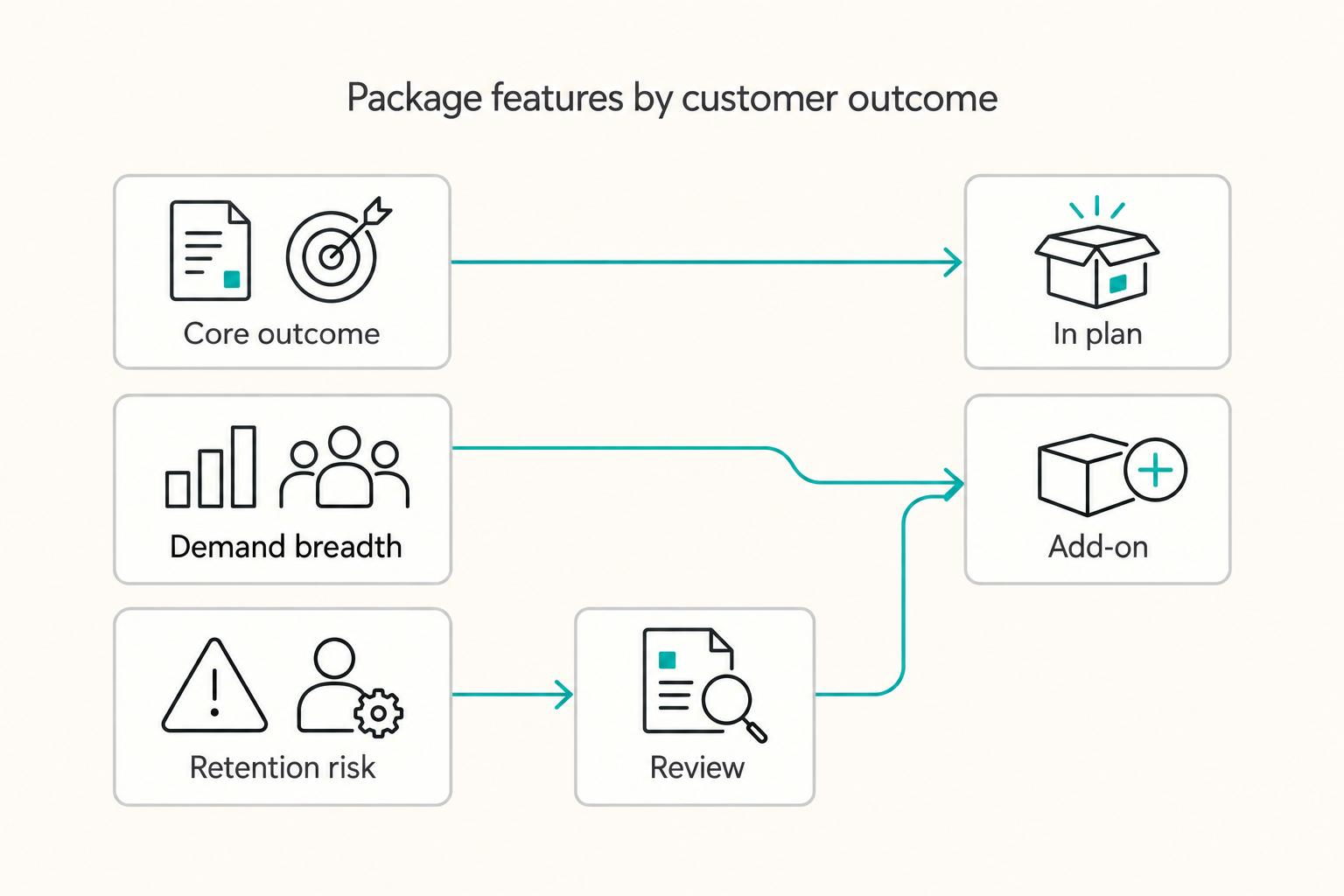
Use one rule first: include capabilities in-plan when they are required to deliver the tier's promised outcome, and use add-ons for capabilities that are optional, unevenly needed, or tied to a separate buying decision. Teams usually create avoidable onboarding, renewal, and support friction when they treat every monetizable capability as an add-on.
To reduce subjective debate, score each capability on three dimensions:
- Outcome criticality: Is this required for the customer to get the plan's core result?
- Demand breadth: Is this needed by most accounts in the segment or only a subset?
- Retention risk if gated: If this is extra-cost, does it increase avoidable friction at onboarding or renewal?
This keeps packaging tied to customer value and your value metric, instead of defaulting to competitor bundles and losing room to run your own pricing strategy.
| Capability pattern | Packaging action | Operational implication |
|---|---|---|
| Needed by most accounts to realize the tier outcome | Include in the plan | Simpler sales motion, cleaner onboarding, fewer exception requests |
| Useful mainly for a narrower persona or specialist workflow | Offer as an add-on | Lower attach can be acceptable; expansion path stays clear |
| Extra capacity (users/usage) beyond the plan boundary | Keep as add-on or overage-style component | Billing and entitlements must update cleanly as usage changes |
Use evidence before deciding: onboarding friction, renewal objections, support tickets, and sales-call patterns. If a capability repeatedly appears as "required before this works," treat that as a strong signal to move it in-plan.
Price the add-on after you decide its role#
Set the role before the price:
| Add-on role | Use when |
|---|---|
| Expansion lever | For a subset of customers |
| Usage control | When the boundary is volume-based |
| Premium access | For advanced or specialist capability |
Then evaluate attach rate in context. Low attach is not automatically bad when the capability is truly optional and segment-specific; it is a warning sign when the capability is functionally required. For catalog structure details, see Item Catalog Management for Billing Platforms: How to Structure SKUs Plans and Add-Ons.
Hand off the decision so billing and support can execute it#
A packaging decision is not launch-ready until operations can run it consistently. For each plan and add-on, define:
- SKU record
- Billing behavior
- Entitlement mapping
- Lifecycle handling for upgrade, removal, renewal, and support exceptions
Run one readiness check: can product, billing, and support all explain what happens when a customer adds it, removes it mid-term, renews, or requests an exception? If not, finalize the handoff before launch. For execution patterns on plans, add-ons, coupons, and dunning, see Subscription Billing for Platforms: How to Manage Plans Add-Ons Coupons and Dunning.
Choose a pricing metric mix that fits product behavior#
After you decide what is in-plan versus optional, choose one lead metric that matches how customers get value, and let that metric carry most of the model. When pricing structure matches behavior, purchase friction and churn risk usually go down. When you copy a competitor's metric because it feels familiar, you lose room to test and can miss cleaner revenue opportunities.
| Product value signal | Lead metric | Billing behavior | Customer expectation |
|---|---|---|---|
| Value expands as more people actively use the product | Per user or per seat | Billed quantity changes when seats are added or removed | "We pay more when more teammates use it." |
| Value changes with access to distinct capabilities | Per feature or tier access | Charges change when module or capability access changes | "We pay for what this plan lets us do." |
| Value rises with measurable activity in the billing period | Usage-based | Charges follow recorded consumption for the period | "We pay for what we used." |
Before you lock the lead metric, run one evidence check across expansion patterns, telemetry quality, sales feedback, and support friction. If expansion mostly comes from added seats, seats are usually the cleaner lead metric. If usage events cannot be traced reliably to invoice lines, do not lead with usage yet. If sales and support repeatedly have to explain charges, your metric likely does not fit product behavior.
Add a second metric only when it fixes a proven value-to-monetization mismatch. For example, a base subscription plus usage can make sense when customer value clearly increases with measurable activity. Do not stack metrics just to push more revenue from the same behavior.
Keep a short definition contract so billing, finance, and support interpret charges the same way:
- exact billing terms and counted units
- source of truth for usage events or seat counts
- renewal wording that explains what can change and why
Before launch, sanity-check one sample invoice with finance, support, and product. If interpretations differ, clean up mechanics in Subscription Billing for Platforms: How to Manage Plans Add-Ons Coupons and Dunning, then align SKU mapping in Item Catalog Management for Billing Platforms: How to Structure SKUs Plans and Add-Ons.
Validate billing and catalog operations before public launch#
Before public launch, verify that your catalog rules can be sold and enforced exactly as packaged, not just described on a pricing page.
| Check | What to test | What to confirm |
|---|---|---|
| Edition eligibility | Every plan/add-on combination against edition scope labels (for example, entries marked "Available with") | No add-on is offered to accounts that are not eligible for it |
| Billing unit consistency | Add-ons that can bill on different units (for example, member vs login) | The selected unit, entitlement logic, and invoice labels stay consistent |
| Approval controls | Discount or exception paths that should require review | Threshold-based approvals are enforced before close |
| Release readiness | Any pilot or partially documented capability in your quote-to-order flow | You are not relying on non-GA behavior or missing configuration detail for launch-critical paths |
-
Run a catalog eligibility pass first. If an add-on is edition-scoped, treat eligibility validation as a launch gate, not a cleanup task.
-
Test unit-level billing paths. Where add-ons support alternate units, confirm your team can explain and reproduce the same outcome across quoting, ordering, and billing.
-
Enforce approval criteria before deals close. If you use multi-step approvals, validate that threshold-triggered approvals actually fire on the transactions you care about.
-
Document known limits before go-live. If a feature is pilot-stage or release documentation is incomplete, record the constraint and keep it out of your critical launch path until it is stable.
Keep a compact evidence pack for sign-off, including your billing-rule references (for example, Prorations) and the test outcomes for each checkpoint.
Related: Subscription Billing for Platforms: How to Manage Plans Add-Ons Coupons and Dunning.
Launch in phases and verify the right signals weekly#
After billing and catalog checks pass, launch in phases, not all at once, so you can hold, widen, or roll back based on evidence instead of anecdotes.
| Phase | Owner | Exit criteria |
|---|---|---|
| Internal use | Product + Support | Entitlements match plan logic, checkout language is clear, and exception volume is manageable |
| Small canary cohort | Revenue/Growth | Weekly uptake, support friction, and sales feedback are stable enough to expand |
| Broader release | Finance/Billing Ops | Invoices, add-on attachment behavior, and downstream reporting still match the intended offer |
Before interpreting weekly movement, run a signal-quality check first: validate tracking, cohort tagging, and denominator consistency. Strong-looking signals can still be bad inputs. One sales-signals example surfaced high intent, but 34% of emails bounced because contact data was four months stale; another option in the same bake-off showed a 3% bounce rate and better early meeting outcomes. If audience or event data is stale, pricing conclusions will be stale too.
If adoption is soft, fix positioning before you change pricing. Check the packaging message on the pricing page, where the add-on appears in checkout and upgrade paths, and whether sales is describing the offer the same way the product UI does. When attach rate is weak but explained offers convert, placement or narrative is usually the first fix.
Keep a short weekly decision log with four fields: signal change, likely cause, action taken, and follow-up date. This reduces reactive pricing edits and keeps handoffs clean across teams. Tie each review back to execution using Subscription Billing for Platforms: How to Manage Plans Add-Ons Coupons and Dunning and Item Catalog Management for Billing Platforms: How to Structure SKUs Plans and Add-Ons.
Related reading: How to Build a Payment Platform Go-to-Market Strategy: Channels Partners and Positioning.
Conclusion and copy-paste launch checklist#
The winning move is not adding more plans. It is making every tier and add-on earn its place in your unit economics, then locking those choices into SKU, billing, and launch controls to reduce the risk of invoice noise, margin leaks, or churn.
Lock the commercial logic#
Before launch, freeze the KPI map and write it down in plain language. Define ARPU, attach rate, and RPA in terms your team can apply consistently. Give each metric an owner, and make sure product, revenue, finance, and ops all sign the same definition set.
Then separate pricing model from pricing strategy. Your model is how you charge (for example, per user, per feature, monthly/annual, and tiering), while strategy is the logic behind those choices. Tiered pricing can help serve different segments, but added tiers can also create customer confusion. If you cannot explain the tradeoff in one page, you are not ready to ship it.
Encode the decisions in catalog and billing#
Use the SKU layer as your operational source of truth, not just the pricing deck. Document tier boundaries, included entitlements, excluded capabilities, upgrade triggers, and every add-on rule at SKU level. If a feature cannot be mapped cleanly to a SKU, flag it before launch so it does not become a manual exception later.
Run dry-runs through subscription billing with actual scenarios, not just saved settings. Test upgrade, downgrade, add-on purchase, add-on removal, cancellation, pause, and prorated credits or charges. Test coupons and promotion-code redemption on each live plan and add-on combination. Test dunning with the retry schedule you will actually use, and verify webhook events because payment and subscription changes can happen outside your normal in-app flow.
Stage the launch and pre-approve rollback#
Do not release to every segment at once. Start with internal use, move to a limited cohort, then scale from 0% toward 100% only when weekly signals hold. Track attach rate, RPA, ARPU, and broader revenue trend quality as rollout expands.
Set rollback criteria before go-live, and treat expected gains as forward-looking rather than guaranteed outcomes. One red flag to investigate is ARPU rising while attach rate drops and support or sales notes start mentioning confusion. That pattern can indicate a packaging issue and should trigger review before wider rollout.
- KPI map is locked with ARPU, RPA, and Attach rate definitions and clear owners.
- Tier boundaries and add-on rules are documented at SKU level, including entitlements and upgrade triggers.
- Pricing model (how you charge) and pricing strategy (why you chose it) are documented with clear tradeoffs.
- Subscription billing, Coupons, and Dunning dry-runs are complete with no unresolved blockers.
- Launch cohort, weekly checkpoints, webhook monitoring, and rollback criteria are approved by product, revenue, finance, and ops.
If you are still deciding how to charge, see Choosing Between Subscription and Transaction Fees for Your Revenue Model.
Frequently Asked Questions
What is the practical difference between ARPU, attach rate, and RPA, and who should own them?
The practical risk is usually definition drift, not the label itself. Write the exact formula, numerator, denominator, time window, and exclusions for each metric before launch, then keep finance, product, and RevOps aligned on the same definitions for instrumentation and reporting. This guide does not prescribe a single-team owner, so use clear shared ownership instead of split formulas.
How many plan tiers should a platform keep?
Many SaaS companies commonly use three tiers, but that is a pattern, not a rule. Simple, transparent pricing usually lowers adoption friction and supports retention, so avoid adding complexity without a clear customer-value reason. Choose tier count based on how customers perceive value, then test changes with pilot groups before broad rollout.
When should a capability be part of a plan instead of an add-on?
There is no universal formula for what must live in base plans versus add-ons. A safer approach is to align packaging to customer value metrics, keep pricing transparent, and test the structure with pilot groups before scaling. Then make sure the choice maps cleanly to SKUs and entitlements in your item catalog, with minimal manual billing exceptions.
When does hybrid pricing make sense?
Use hybrid pricing when a fixed subscription plus usage-based charges matches how customers consume value. It can balance predictability and flexibility, but it also increases billing and revenue-recognition complexity. If metering or invoice logic is not ready, pilot the usage component with a small cohort before wider release.
Why can tiered packaging raise revenue in one platform and increase churn in another?
Tiered packaging tends to work better when tier differences and upgrade triggers match how customers perceive value. It tends to underperform when the structure feels hard to understand or misaligned with that value. Do not treat early uptake alone as proof the strategy is optimized; test and adjust based on real customer response.
What should we verify in billing before announcing new plans?
Do not stop at “the configuration saved.” Before launch, confirm pricing is clear to customers and that finance, RevOps, and product are aligned on GL synchronization, billing automation, and deferred revenue tracking. For hybrid offers, verify the subscription and usage components are ready to bill and recognize without avoidable manual work. For implementation detail, use the checklist in Subscription Billing for Platforms: How to Manage Plans Add-Ons Coupons and Dunning before you widen release.
Try a related tool
Researched and edited by the Gruv editorial team. Gruv builds cross-border billing, payouts, and finance-operations software for global businesses.
Sources
Includes 7 external sources outside the trusted-domain allowlist.
- department.va.gov/privacy/wp-content/uploads/sites/5/2025/08/F...trusted
- aakashg.com/pricing-models-for-saasexternal
- altersquare.medium.com/usage-based-pricing-models-that-dont-canniba...external
- chargebee.com/resources/glossaries/tiered-pricing-model-st...external
- chargebee.com/resources/guides/saas-pricing-models-guideexternal
- creators.tixr.com/post/high-demand-onsales-6-ways-to-maximize-...external
- docs.getdbt.com/docs/cloud/billingexternal
- experienceleague.adobe.com/en/docs/blueprints-learn/architecture/archit...external
Educational content only. Not legal, tax, or financial advice.
Related Posts
Gift Subscriptions and Prepaid Plans for Platform Billing Without Cleanup Chaos
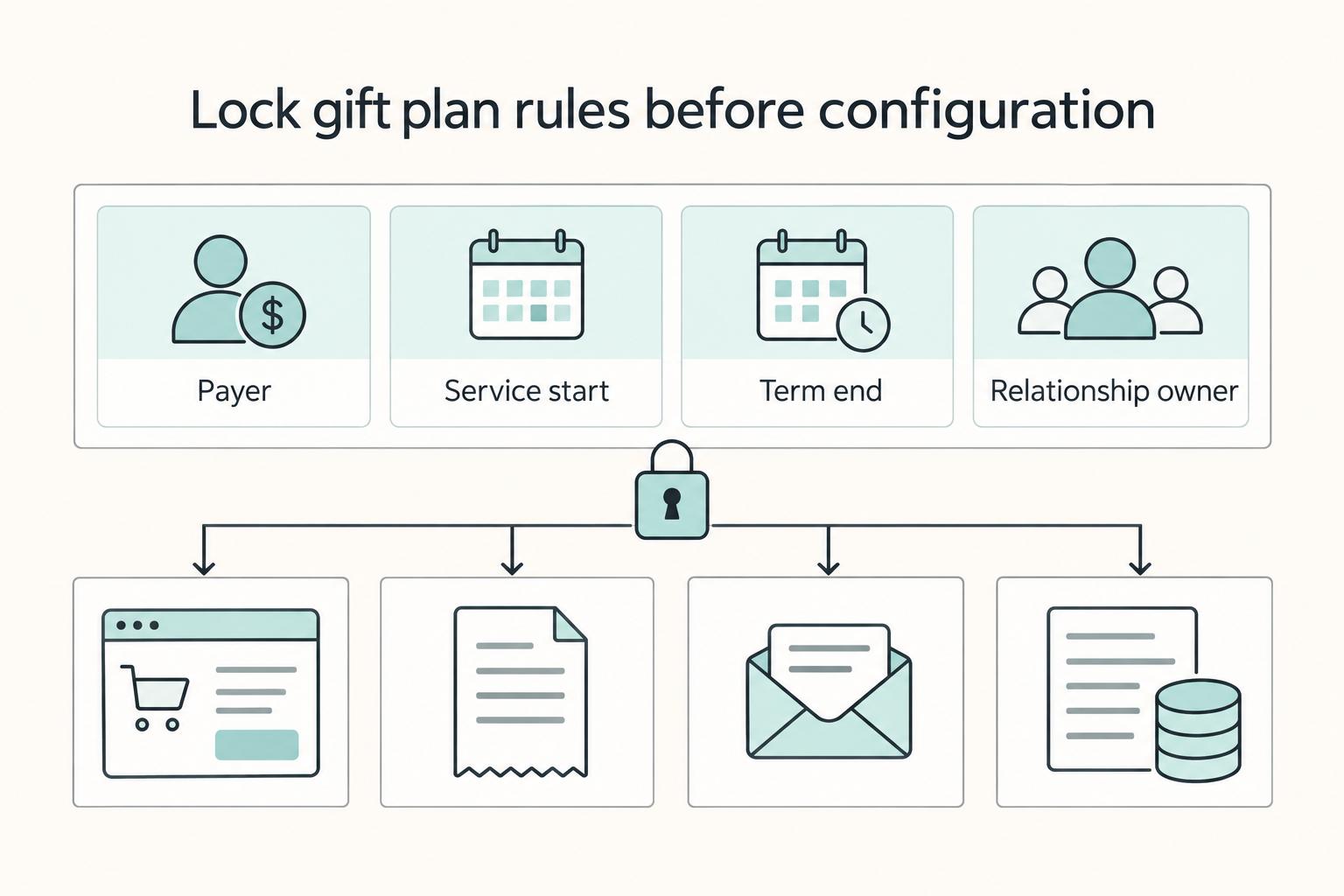
Gift offers look simple on the storefront, but the billing choice underneath them affects cash flow, customer clarity, and how much cleanup lands on Support and Finance. Prepaid subscriptions can work well because the customer pays the full subscription cost upfront, often with a discount. The catch is that gifting breaks the normal pattern of scheduled recurring transactions on a fixed billing cycle, so small design mistakes can show up later as preventable tickets, refunds, and reconciliation noise.
Subscription Billing Platforms for Plans, Add-Ons, Coupons, and Dunning
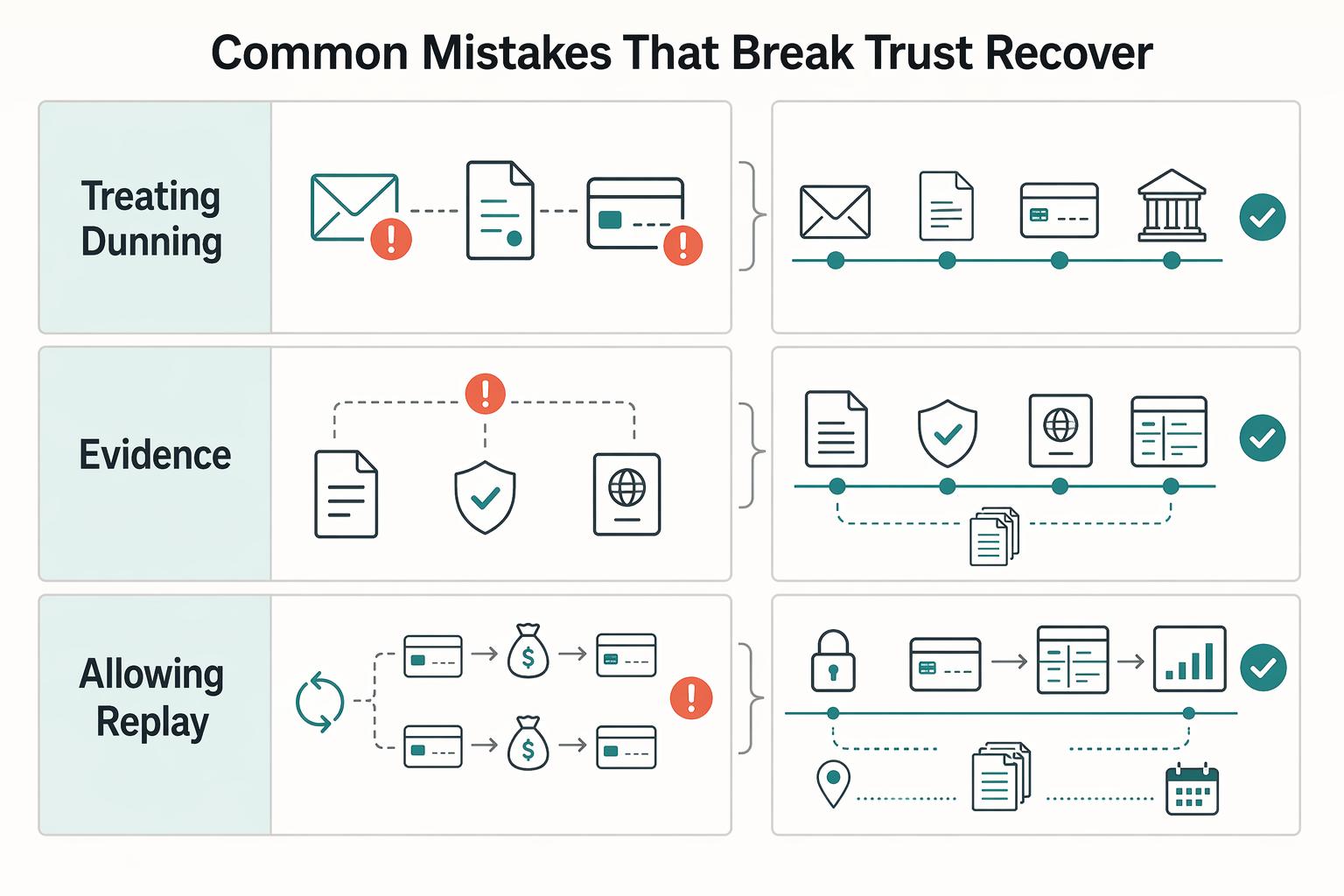
**Treat subscription billing as an operating discipline, not just a pricing setup.** A subscription is the billing object used to charge a customer for a selected plan. Every choice around Plans, Add-ons, and Coupons has downstream effects once renewal time arrives.
Item Catalog Management for Billing Platforms with SKUs, Plans, and Add-Ons
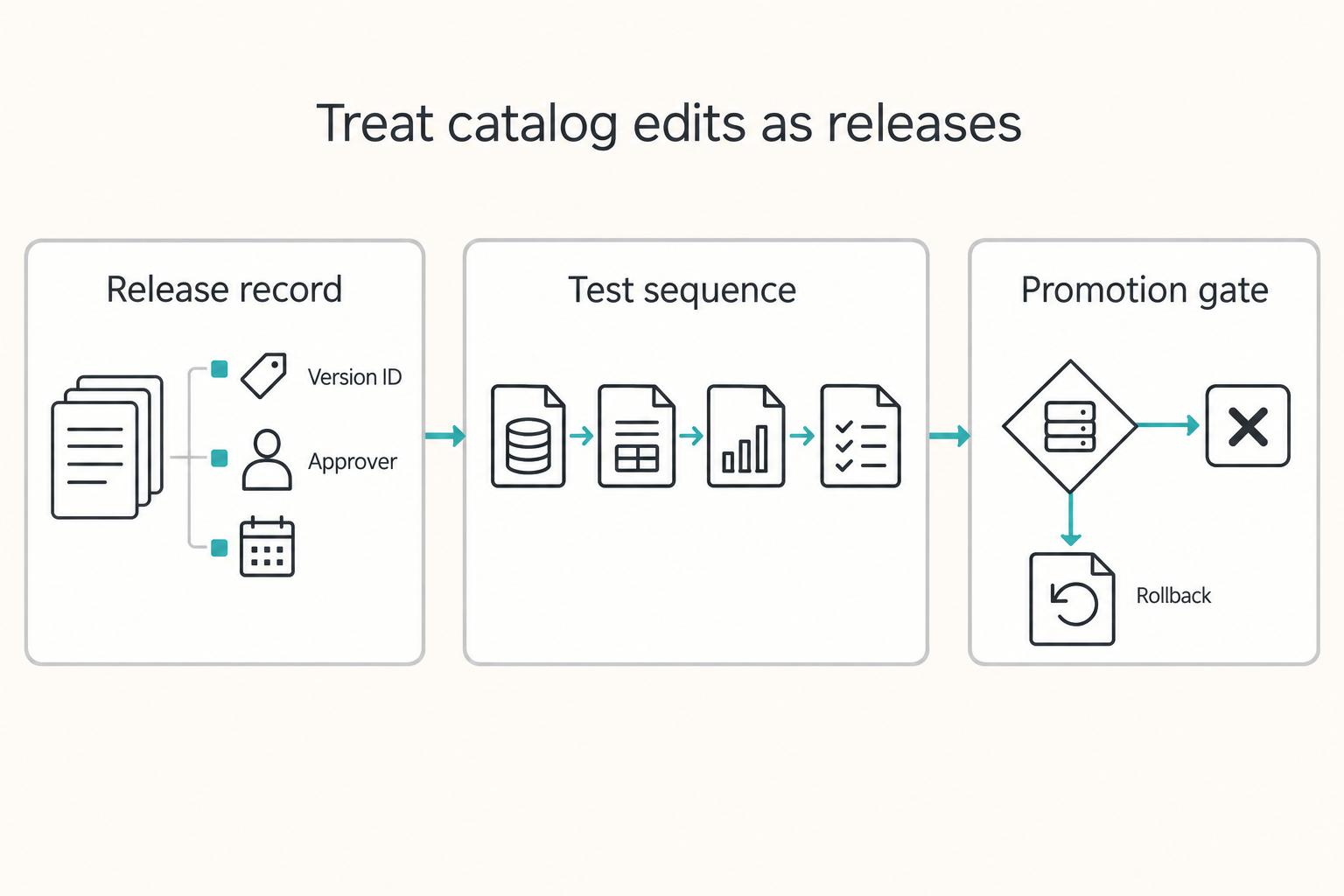
Treat your catalog as a billing model, not a naming exercise. The label you choose for a `SKU`, `Plan`, or `Add-On` affects more than merchandising. It can influence charge creation, how offerings are managed, what repeats on renewal, and what your team has to explain when exceptions show up later.