
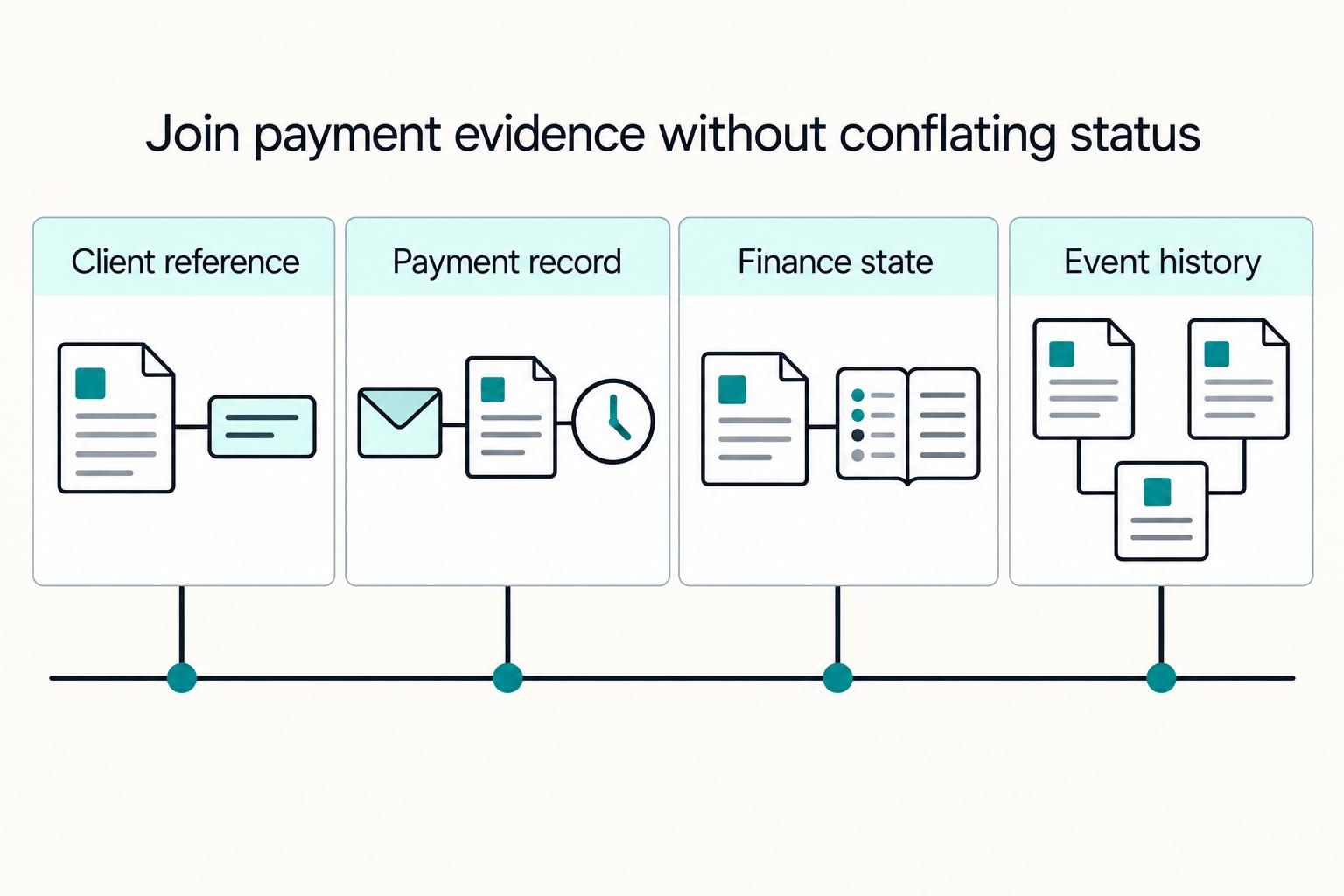
Quick Answer
Use verified Stripe payment status to establish paid outcomes, then join each payment to a server-owned client or invoice and campaign context captured before redirect. Checkout completion alone is not proof of delayed payment success. Keep attribution reports separate from payment, refund, and settlement records.
What payment link analytics should show you#
Treat payment link analytics tracking as an evidence chain, not just a dashboard. If you need to answer which client paid, how they got there, and when payment was confirmed, anchor on payment confirmation data. Then layer GA4 and ad-platform reporting on top for attribution and optimization.
Stripe Payment Links accept UTM parameters and client_reference_id. Use an owned landing page to capture attribution before redirecting to Stripe, then join the payment to that stored context through an opaque reference. A checkout.session.completed event records checkout completion; delayed methods need later payment confirmation before you record a paid purchase.
GA4 campaign reporting and ad-platform reports describe attribution and optimization. Configure collection on your owned pages and map verified paid-purchase events to the chosen destinations. Those reports do not replace payment evidence.
That split matters in practice. Use the payments platform for confirmed payment truth. Use GA4 and the ad platforms for attribution and optimization. If you collapse those into one conversion number, you lose the distinction between confirmed payments and optimization metrics.
A practical minimum test for one live Payment Link is:
- Permitted campaign context is captured in your owned store before redirect
- An opaque reference resolves to the expected server-owned client or invoice
- Verified payment status, amount, and currency match the record
- Immediate and delayed success/failure events produce the expected states without duplicate purchases
If one piece is missing, the evidence trail is incomplete. The dashboard alone is not enough; the join between acquisition context and payment confirmation has to be reliable.
This guide builds a Stripe payment record joined to campaign context captured on an owned entry point. Add destination integrations when you need campaign optimization, then reconcile their attributed outcomes against verified payments.
Define the exact decisions your tracking must support#
Start with decisions, not events. Your tracking should tell marketing where to shift spend, ops when to stop follow-up, and finance what belongs in the close period.
Choose the decisions first#
Write down the outputs you need from your tracking setup:
- Spend allocation: should the next dollar go to Google Ads or Meta?
- Client follow-up timing: when should sales or ops treat a client as paid and stop chasing?
- Finance cutoff: which payments count inside the period you are closing?
This keeps teams aligned. Google Ads conversions are advertiser-defined actions, and GA4 channel reporting depends on configured key events. Without clear decisions up front, one team optimizes on platform conversions while another waits for confirmed payment.
Set one payment truth and keep ad logs in their lane#
Use verified Stripe payment status as the operational anchor. A PaymentIntent at succeeded confirms a successful payment flow; processing is pending and requires_capture is authorization awaiting capture. For delayed Checkout methods, handle checkout.session.async_payment_succeeded and checkout.session.async_payment_failed as well as checkout completion.
Ad-platform and GA4 data inform attribution. Payment status comes from the payment system. Delayed methods can take days to confirm, so preserve pending status instead of equating checkout completion with payment success.
Verification point. Save the confirming event ID, its creation time, your receipt time, and the verified payment status. Label your reporting timestamp as payment-confirmation event time or time first observed, as applicable; neither a generic event creation time nor the bank-deposit date is automatically the time the customer paid.
Lock the minimum evidence set for every link#
Before launching client-level attribution, define the following records. Missing campaign context creates an unattributed payment, not a failed payment:
| Field | How to retain it | Limit or note |
|---|---|---|
| Internal client/invoice mapping | Store server-side and resolve an opaque URL reference | URL reference is editable; validate expected invoice, amount, and currency |
| Payment identifiers | Retain Link, Session, and payment IDs when available | Use a distinct payment key for each payment |
| Campaign context | Capture permitted UTMs on an owned entry point before redirect | Missing context remains unattributed |
| Confirmation evidence and time | Store verified state, event ID, event time, and receipt time | Document which time the report uses |
Stripe accepts alphanumeric characters, dashes, and underscores for these URL values, with a 200-character client-reference limit and 150-character UTM limit. Invalid values can be silently discarded. URL references are editable and must not contain secrets or personal information. Resolve them against server-owned records and validate the expected invoice, amount, and currency before assigning a paid client or invoice.
Prepare prerequisites before you touch any payment link#
Handle the setup before you publish or retag links, or you can create conflicting payment and attribution records. Start with ownership, naming, destinations, and retention.
Inventory every Stripe Payment Link and assign ownership#
Build a complete list of Stripe Payment Links, both active and inactive, then mark which ones are still live. Stripe supports listing links and filtering by active status, so use that as your base inventory.
For each link, record:
- Payment Link ID
- Active/inactive status
- Where the
query stringis generated - Who is allowed to change it
If ownership is unclear, pause new link creation until it is explicit.
Create one UTM dictionary and lock query-string rules#
Use one controlled UTM dictionary so every team generates the same campaign-link format. Google recommends always using utm_source, utm_medium, and utm_campaign, and Stripe Payment Links support utm_source, utm_medium, utm_campaign, utm_content, and utm_term.
Keep the rules simple.
- Required:
utm_source,utm_medium,utm_campaign - Optional:
utm_content,utm_term - Format: alphanumeric characters, dashes, or underscores
- Length: each UTM value must stay within the documented
150-character limit
If you need your own payer or client mapping, use client_reference_id separately from UTM naming. It serves a different job.
Confirm destination systems before sending events#
Name the destinations and owners before any sync starts.
| Destination | Confirm up front | Why it matters |
|---|---|---|
| GA4 | Receiving property, event mapping, and optional Ads link | Define what is collected and which purchase source is canonical |
| Google Ads | Conversion action, tag or offline-upload path, and deduplication ID | Deduplication is action-specific |
| Meta | Current browser/server event matching and permitted data fields | Verify the selected integration contract before sending |
| Internal finance view | Payment status, stored campaign mapping, and evidence | Independent finance record with history |
If you cannot name the destination, event type, and owner for each row, do not enable syncs yet.
Define privacy and retention constraints before payer-level sync#
Define permitted fields and consent requirements for each destination before payer-level data leaves payment records. Keep personal information and secrets out of URL parameters and transaction IDs. Validate the destination-specific data preparation rules; hashing alone does not establish permission to transmit data.
For standard GA4 properties, user-level and event-level retention can be set to 2 or 14 months. Google-signals data has a maximum of 26 months and follows a shorter configured retention period. These settings do not affect standard aggregated reports. Define retention separately for your own payment evidence.
You might also find this useful: How to Use Stripe Payment Links for Easy Invoicing.
Step 1 standardize UTM parameters and query string rules#
Lock one campaign-link format now so attribution stays comparable month to month across every Stripe Payment Links launch.
Fix one template#
As a house rule, require utm_source, utm_medium, and utm_campaign on every link. Keep standard query-string syntax: base URL + ? + parameters separated by & (for example, payment_link?utm_source=google&utm_medium=cpc&utm_campaign=midmarket_annual_search).
Stripe supports UTM parameters on payment links, so treat this as standard operating format, not a workaround. Use additional UTM fields only when you need extra reporting detail.
Google tools are not perfectly strict about this in the same way, but if you want clean cross-tool reporting, keep one house rule and require utm_campaign.
Validate before launch#
Validate every link before launch. The payments platform can silently discard invalid UTM values, so checkout can still work while attribution breaks.
Reject or flag links with:
- missing
utm_source,utm_medium, orutm_campaign - any UTM value over the documented
150-character limit - characters outside alphanumeric, dashes, or underscores
- inconsistent naming for the same channel, for example
paid-social,paidsocial,meta_paid
Name for business entities, not team slang#
Use names that will still make sense later. Encode stable entities like client segment, offer, and channel in utm_campaign, and keep utm_source and utm_medium focused on traffic origin and method.
smb_trial_meta or enterprise_demo_email stays readable. spring-promo-final-v3 usually does not. This is what keeps reporting durable.
Verify one live link per channel#
Test one tagged link per active channel. Capture permitted UTM context on your owned entry point before leaving it and store the mapping to an opaque reference. If you use a Stripe post-payment redirect, configure redirect confirmation behavior and test UTM forwarding. The customer may never reach that page, so do not depend on it for the only copy of attribution or payment confirmation.
For each test, capture:
- exact launched URL
- redirect URL after successful payment
- final payment confirmation record used for reconciliation
Investigate missing UTM context separately from missing payment evidence. Test your entry-point capture, Stripe URL validation, redirect forwarding where used, and any GA4 collection you configured. Accept and reconcile valid payments even when campaign attribution is unavailable.
Step 2 map payment events to client identity and invoice state#
Use Stripe-confirmed payment status as the only paid truth, then map every earlier event to the same client or invoice record. Your joined record should answer who paid, when payment was confirmed, and whether reconciliation is complete.
Define one state timeline#
Do not collapse everything into one "conversion." Each signal has a different level of certainty.
| State | What it means | Source of record | Promotion rule |
|---|---|---|---|
| Link viewed (if tracked) | A prospect reached the payment-link entry point | Your landing-page or campaign log | Attribution context only, never paid status |
| Checkout started | A Checkout Session exists | Session creation when a customer opens a Payment Link | Store its ID when available through verified events or API responses |
| Payment submitted | The payer attempted payment | Client-side or intermediate app event | Operational signal, not final proof |
| Payment confirmed | Verified successful payment, including delayed-method outcome | Signed webhook plus authoritative payment status | Record confirmation evidence and the chosen time basis |
| Reconciled | Payment matched to server-owned record and current finance state | Internal ledger and subsequent financial events | Maintain status history for refunds, disputes, and settlement |
A Checkout Session is a durable Stripe object, but opening a Payment Link does not give your application an immediate session-created webhook. Store its ID when it first becomes available through a verified event or API response. Landing-page views remain separate marketing signals.
Attach a stable client key before payment#
Use an opaque client_reference_id that resolves to a server-owned client or invoice record. It is returned with the Checkout Session, but an editable URL value is not authenticated payer identity or authorization. Keep the documented length and character limits and reject a mismatched invoice, amount, or currency in your reconciliation workflow.
Maintain a server-side mapping from the opaque reference to client, invoice, and captured campaign context. Store Session and PaymentIntent identifiers when available. One-time payments can use guest customers, so a Stripe Customer object is not guaranteed. A stable client identifier also cannot deduplicate separate payments made by that client.
Stored client/invoice and campaign mapping -> opaque reference -> verified Checkout Session -> payment record -> confirmed status and timestamp basis.
If invoices are in scope, map the applicable invoice states: draft, open, paid, uncollectible, and void. Maintain a current finance state with history; later refunds, disputes, and settlement changes must update the record rather than preserve an eternally final state.
Make webhook and conversion handling idempotent#
Assume retries and duplicate deliveries. Stripe notes webhook endpoints can receive the same event more than once, so deduplicate at processing time.
Use complementary controls.
- Verify webhook signatures and record processed event IDs
- Use a durable payment key and concurrency-safe state update to prevent duplicate business effects across different events
- Reuse the original idempotency key for a retried POST; maintain your own operation history beyond provider retention
Stripe POST idempotency keys can be up to 255 characters and can be pruned after at least 24 hours. Keep your own durable payment and event records. Stripe retries failed webhook delivery for up to three days in live mode; sandbox retry behavior differs. Replaying a webhook must not create a new payment or duplicate a purchase conversion.
If you send purchases to Google Analytics 4, keep one fixed transaction_id per payment. GA4 deduplicates purchase events with matching transaction_id for web streams, not app streams.
Verify the join with a spot check#
Use a small sample, such as 20 payments, as an internal control. Confirm each sampled payment resolves to the expected client or invoice, verified payment state, current finance state with history, and documented confirmation-time basis.
For each record, check:
- launched URL
client_reference_id- Checkout Session ID
- payment confirmation from Stripe webhook/payment status
- linked invoice or internal transaction row
- GA4
transaction_id, if applicable
If references resolve incorrectly, successful payment evidence is missing, or state history conflicts, fix the mapping before scaling attribution.
Step 3 reconcile Stripe payment outcomes with finance reporting#
Keep two tracks running in parallel. Use Stripe-confirmed payment outcomes as operational paid truth, then reconcile those outcomes into finance reporting as a separate step. A counted conversion, a confirmed payment, and a bank-settled payout are related, but not the same event.
Post Stripe-confirmed outcomes to the ledger#
Inspect the authoritative payment record and PaymentIntent status. succeeded confirms successful payment; requires_capture indicates uncaptured or partially captured funds and must retain that distinction. A later refund or dispute can change the financial outcome while the PaymentIntent remains succeeded.
Record a paid outcome only after verifying payment-backed confirmation and matching the server-owned invoice or transaction, amount, and currency. Authorization alone is not full payment. Retain the confirming evidence and timestamp basis, and update refund, dispute, and settlement states separately.
Keep conversion reporting separate from settlement reporting#
Do not use ad-conversion totals as a proxy for reconciled cash. Google Ads conversion counts depend on the configured conversion window, with common references like 30-day or shorter windows such as 7 days. That means valid paid outcomes can fall outside platform reporting windows.
| Layer | Question it answers | Primary source |
|---|---|---|
| Conversion | Was a conversion counted after ad interaction? | Google Ads / Analytics |
| Payment confirmation | Did payment get confirmed? | Stripe Dashboard, PaymentIntent status |
| Settlement and bank match | Which payout/balance movement includes the transaction? | Stripe Payout reconciliation report or Balance report |
The Payout reconciliation report supports automatic payouts, including a platform using manual payouts when its connected accounts use automatic payouts. Use the Balance report for other manual-payout reconciliation. Instant payouts cannot be matched to their included transactions through payout reconciliation. Reconcile fees, refunds, disputes, and the actual bank deposit separately from the original payment.
Route non-card payments into the same timeline#
For a supported bank-transfer method, use its documented references and verified received-funds status to match an outstanding payment. Record the match and current ledger state against the server-owned client or invoice. A reference supplied by the payer is a reconciliation clue, not independent proof of receipt.
Run an exception report as an operating control#
Run an exception report on a recurring cadence to catch:
- paid records with no matching ledger row
- records missing internal identity keys (for example,
client_reference_id) - timestamp gaps that break event ordering
Daily reconciliation is an operating choice. Record each report’s timezone, date basis, currency conversion, and cutoff. Estimated payout-arrival dates, actual bank posting dates, and payment-confirmation dates answer different questions.
Choose native Stripe tracking or a stacked attribution setup#
Start with Stripe payment records and owned attribution capture. Add destination integrations when you need their optimization features, with replay-safe delivery and a documented reconciliation process.
Native Payment Link analytics show views, sales, and gross revenue rather than a complete named-client campaign ledger. Metrics can take up to 18 hours to update and are unavailable in sandbox and for Payment Links with recurring prices. Gross revenue displayed in the default currency is not net cash received.
| Option | Use it when | What must be true | Main risk |
|---|---|---|---|
| Stripe records plus owned attribution capture | You need campaign context joined to paid outcomes | Capture context before redirect; validate the server-owned mapping | Editable references, absent capture, or pending-payment misclassification |
| Stacked in-house attribution | You need bid or campaign optimization in Google Ads or downstream analytics | Conversion events are sent only after confirmed payment, with one transaction key for deduplication | Double counting across client-side and server-side events |
| Vendor overlay | You need integration help and accept another dependency | The vendor can explain method, failure behavior, and rollback in concrete terms | Black-box attribution that may be hard to reconcile to paid truth |
Start with payment records and owned campaign capture#
Use the simplest setup that answers the question. Native payment records can support payment confirmation. Campaign-to-client reporting also needs your own durable capture and join, using a consistent UTM dictionary where attribution is in scope.
Persist campaign context before redirect and map it to the opaque client or invoice reference. Then join the verified Session and successful payment to that record. Payment Links accepting UTMs does not guarantee those values are available in every webhook or automatically attached to a finance report.
Run a quick control check on 10 recent paid sessions:
- URL includes your approved UTM set
client_reference_idmaps to one internal client or invoice record- confirmed payment timestamp traces back to that same record
Also enforce tag hygiene. The platform notes UTM values should stay within a 150-character limit.
Add stacked conversion tracking only when optimization needs justify it#
Add destination tracking when paid-purchase events must feed campaign optimization. Keep page views and checkout starts under separate event labels.
Google Ads deduplicates repeated transaction IDs within the same conversion action; it does not deduplicate separate actions automatically. Use the transaction-ID field for the website tag and the applicable order-ID field for offline uploads. GA4 purchase deduplication applies to web streams, not app streams. Select one canonical paid-purchase action if both an Ads tag and a GA4 import would otherwise count the same business outcome.
Document conversion-action counting mode, configured window, attribution model, timezone, and report date basis. Even healthy ad reports can differ from payment totals because they measure attributed outcomes rather than all collected payments.
Use a weekly reconciliation check between confirmed paid outcomes and ad-platform conversions. Look for duplicate transaction IDs, out-of-window payments, and timezone boundary drift.
Vet vendors on evidence and failure behavior, not setup speed#
Treat any attribution vendor as an operational dependency. Require evidence of supported inputs, confirmation handling, deduplication, failures, access requirements, and rollback. Native Stripe payment reporting and a campaign-to-client attribution integration have different scopes.
Ask for concrete method details:
- Which event is conversion truth
- How retries from a
Stripe webhookavoid duplicate sends - What happens when UTM tags are missing or malformed
- Which identifiers are stored for finance reconciliation
Do not choose on self-reported marketing metrics alone. Choose based on whether the vendor can provide auditable lineage for a single conversion: payment-link URL, campaign tags, internal identifier, confirmation event, and downstream conversion record.
If finance cannot audit that chain from payment confirmation back to campaign tag, do not scale stacked attribution yet.
Document payment confirmation, durable attribution capture, per-destination deduplication, and replay handling together before expanding tooling.
Step 4 connect ad platforms without breaking attribution integrity#
Send a paid-purchase conversion only after verifying successful payment. Page views and checkout-start events can be collected earlier under their own labels and rules. Never promote an authorization, pending payment, or loaded success page into a paid-purchase metric.
Emit paid-purchase events after payment confirmation#
Use a server-side trigger tied to payment status, not page activity. A practical gate is PaymentIntent status succeeded (payment flow complete), which ties reporting to Stripe's confirmed payment state.
Include a unique internal payment key and the documented confirmation timestamp basis in each paid-purchase payload. Keep event time and processing time distinct so delayed delivery does not silently change the reporting date.
Map one transaction to each platform's dedup field#
Use one internal key per paid transaction, then map that transaction into each platform's required deduplication field.
| Platform | Deduplication field | Caveat |
|---|---|---|
| Google Ads | Tag transaction ID; applicable order ID for offline uploads | Matching ID deduplicates within the same conversion action |
| GA4 | Nonempty transaction_id unique to the payment | Purchase deduplication works for web streams, not app streams |
| Meta | Fields required by the current selected browser/server integration | Verify event matching and duplicate handling against current documentation |
Keep the lineage auditable: internal key, payment record, destination payload, and platform dedup field value.
Document attribution settings and time bases before comparison#
Compare each destination’s actual settings before interpreting variance. A GA4 attribution lookback window, an Ads conversion-action window, and another platform’s click or view attribution settings are different controls. Record those differences instead of assuming one universal conversion window.
| Platform | Setting to record | Interpretation |
|---|---|---|
| Google Ads | Selected conversion action, window, counting mode, timezone, and report date basis | Different actions can count the same payment separately |
| GA4 | Applicable event lookback window, attribution model, and property timezone | Lookback is an attribution control, not a universal payment deadline |
| Meta | Actual click/view settings and selected integration contract | Verify the settings available for your account and event type |
Use a reconciliation view with an explicit date basis and timezone. Preserve the native reports’ settings and explain differences rather than forcing an apparent match by changing historical meanings.
Verify weekly against Stripe Dashboard#
Run a weekly reconciliation for the same documented period: each platform total versus Stripe Dashboard paid totals. Investigate variance above your agreed tolerance.
Start with three checks:
- Duplicate transaction identifiers
- Payments outside the platform attribution window
- Day-boundary drift from time-zone differences
Some variance is expected from attribution logic, but unexplained variance is still an issue to resolve before you make optimization changes.
Handle failure modes before they become reporting debt#
Set failure-policy rules before data enters reporting. When attribution evidence is incomplete, duplicated, or off-path, classify it and keep it out of optimization views until resolved.
Classify UTM failures instead of treating them as one bucket#
Use distinct failure reasons, not one generic "missing UTM" label. Separate cases where tags were never added, stripped from the query string, or overwritten in reporting, because each one needs a different fix.
| Failure type | Checkpoint | Relevant detail |
|---|---|---|
| Tags were never added | Original sent URL | This needs a different fix from stripped or overwritten tags |
| Tags stripped or rejected | Original URL and checkout entry point | Check character/length validation separately from post-payment redirect forwarding |
| Tags were overwritten in reporting | Final attribution values in reporting | In GA4, unclear source data can land in (direct) / (none) |
Stripe requires redirect confirmation behavior for forwarding UTM codes to your post-payment URL. That forwarding setting does not create your durable attribution store. Invalid UTM values are discarded, so test the original URL, the checkout entry point, and the optional redirect independently.
In GA4, unclear source data can land in (direct) / (none). Redirects, URL shorteners, and manual-plus-auto-tagging conflicts can all affect attribution, so record the specific break mode, not just the dashboard symptom.
Use one live-link checkpoint per channel and capture: original sent URL, URL that reaches checkout, and final attribution values in reporting. If values differ across those points, log where the break happened.
Make retries replay-safe before you send conversions#
Stripe retries failed delivery in live mode for up to three days, and duplicate events are possible. Sandbox delivery differs. Deduplicate business effects and destination delivery using durable records rather than treating every received event as new revenue.
Keep a durable payment key and destination delivery record. GA4 deduplicates purchases with a nonempty transaction ID for web streams, not app streams. Google Ads deduplicates matching IDs within the same conversion action. An identical ID cannot prevent double counting across distinct Ads actions or unrelated platforms.
Reuse the original idempotency key for a retried Stripe POST. Keys can be up to 255 characters and may be pruned after at least 24 hours. Your own durable operation and payment history must prevent a later retry from being mistaken for a new business operation.
Define fallback tagging for payments that bypass Payment Links#
Define fallback handling now for off-path payments. Invoices and Payment Links are different Stripe flow types, so do not infer campaign source from notes or assumptions when the normal link path is bypassed.
Use one clear fallback rule. Mark these payments as unattributed for channel reporting, or map them to an explicit internal source label, for example manual invoice, until stronger evidence exists. For standard Payment Links, use client_reference_id to simplify reconciliation with internal records.
Before including edge-path payments in acquisition analysis, capture a basic evidence pack rather than inferring source. Example fields include the internal transaction key, payer or client identifier, confirmation timestamp, payment path used, and why the normal link flow was bypassed.
Keep a visible exception queue and give one ops owner the SLA#
Make unresolved attribution visible and owned. Keep an exception queue for payments that cannot be matched cleanly to identity, payment state, or attribution evidence.
At minimum, track:
- internal transaction key
- payment path, for example Payment Link or invoice
- exception reason
- first-seen timestamp
- current owner
- next required action
Assign one ops role to triage and closure. Review queue age and reason mix alongside weekly Stripe Dashboard reconciliation, and pause channel-spend decisions when unresolved items accumulate faster than they clear.
Build governance so tracking survives team and tool changes#
Governance matters because people, links, and destinations change. The goal is simple: if a Stripe field, UTM value, or GA4 link changes, you can still trace a reported payment to its source and approval path.
Assign named owners and keep access tight#
Use a clear owner split so edits always have accountability. One workable model is marketing for UTM parameters and naming approval, engineering for event integrity and destination mappings, and finance for reconciliation sign-off and exception closure. That is an operating choice, not a vendor requirement.
For each layer, record a primary owner, backup owner, editable assets, and required launch evidence. Grant permissions needed for the particular task and test that reviewers can access relevant change history and exports. Keep sensitive payment evidence out of broad marketing access.
Version-control your tracking dictionary and destination map#
Keep your approved UTM codes dictionary and field mappings for Google Analytics 4, Google Ads, and Meta in version control. For Stripe Payment Links, define allowed query keys and formatting rules, including the documented limits: UTM values should use alphanumeric characters, dashes, or underscores, and stay within 150 characters.
Apply the same discipline to reconciliation keys. If you use client_reference_id, document format and usage; Stripe supports it for reconciliation and allows up to 200 characters. If you send conversions to Google Ads, store and test the transaction ID mapping so each transaction ID stays unique and duplicate counting risk stays controlled.
Document tagging boundaries too. GA4 warns that mixing manual campaign values with existing GCLID values incorrectly can cause misattribution.
Review controls on a fixed cadence#
Run a recurring controls review so drift is found early. Use a fixed cadence your team can sustain (for example, monthly), even if platforms do not mandate it.
Check:
Stripeintegration dependencies and schema usage in your code after releases- GA4 and destination change history or exported audit evidence for mapping, stream, and account-link changes
- Attribution drift and exception backlog, especially missing tags, duplicate IDs, or unmatched payments
Require a named owner and next action for every open exception.
Publish one audit packet per period#
Publish one audit packet per period so another operator can trace lineage from campaign tag to confirmed payment timestamp without rebuilding logs from scratch.
Include at least:
UTMdictionary version and destination-mapping version used in that period- Server-owned client/invoice mapping, captured permitted attribution context, opaque reference, Session and payment IDs, verified success evidence including delayed-method events, and documented event-time/receipt-time basis
- The
Google Adstransaction ID associated with each payment where applicable - An exceptions register with unresolved items, cause, owner, and decision date
Store the audit packet in your own controlled records. Standard GA4 event and user retention is 2 or 14 months; Google-signals data follows the configured shorter period up to its 26-month maximum. Aggregated reporting retention is different from retention of transaction-level evidence.
For a step-by-step walkthrough, see How to Build a Payment Sandbox for Testing Before Going Live.
Copy and paste launch checklist#
Treat launch as an evidence test, not just a tagging test. If you cannot trace one live payment from a tagged Stripe Payment Links URL to a confirmed payment in Stripe Dashboard payments overview, pause rollout.
1. Approve every live URL. Audit production links, not just the template. Each live URL should include your approved query string, with at least utm_source, utm_medium, and utm_campaign, and use Stripe client_reference_id when you need record-level reconciliation to internal systems.
Before sign-off, verify the actual values on each live URL. Stripe supports UTM codes on Payment Links and states a 150-character limit, so replace any stale or malformed links before traffic starts.
2. Validate one real payment per channel. Run one end-to-end payment test for each launch channel. A pass is a confirmed payment in the Stripe Dashboard payments overview plus a matching internal ID and confirmed timestamp in your internal reporting, if your implementation links Stripe payment records to internal IDs.
Do not treat a loaded confirmation page as proof. Stripe guidance is to monitor and verify payment status, and Checkout fulfillment requires webhooks to ensure every payment is handled.
3. Reconcile first-week totals and log variance causes. Reconcile daily and weekly totals across Stripe, Google Analytics 4, Google Ads, Meta, and internal reporting, then document why numbers differ. Do not expect exact matches in week one.
Google Ads states discrepancies can occur versus other platforms and internal reporting, including date-assignment differences. Start checks with GA4 property timezone, Google Ads conversion window settings, and Meta attribution window settings.
4. Assign ownership and escalation paths. Assign owners for UTM capture, payment confirmation, webhook health, destination mapping, and reconciliation sign-off. Test the permissions needed for your selected Analytics-to-Ads integration and its audit records before launch.
Define escalation rules in the checklist itself: who fixes missing tags, who investigates attribution failures, and who approves unresolved reconciliation exceptions.
Frequently Asked Questions
How do I track payment link performance without overcomplicating the setup?
Start with Stripe payment records and the native Payment Link dashboard for basic performance. Native metrics can take up to 18 hours to update and do not cover sandbox or recurring-price links. For campaign-to-client reporting, capture permitted UTM context before redirect and join it to verified payment records in your own store.
Can I reliably see which client paid and when from `Stripe Payment Links` alone?
Stripe shows payment status, but checkout completion alone can precede delayed payment success, and one-time payments can use guest customers. Join verified payment evidence to a server-owned client or invoice through an opaque reference. Validate the reference against the expected invoice, amount, and currency; an editable URL parameter does not authenticate the payer.
When should I add `Google Ads` or `Meta` conversion integrations instead of staying native?
Add a destination when campaign optimization needs attributed paid-purchase events inside that system. First establish durable attribution capture, verified payment status, per-payment keys, and replay-safe delivery. Missing campaign context should remain unattributed without suppressing a valid finance record.
What is the minimum `UTM parameters` set I need for useful attribution?
For this campaign template, use utm_source, utm_medium, and utm_campaign consistently. Payment Links accept UTM values of up to 150 characters using alphanumeric characters, dashes, or underscores; invalid values can be discarded. Missing tags reduce attribution quality but do not invalidate a payment.
How do I prevent duplicate conversions across `Google Analytics 4`, `Google Ads`, and `Meta`?
Use a nonempty unique payment identifier and a durable delivery record per destination. GA4 purchase deduplication is for web streams, not app streams. Google Ads deduplicates matching transaction IDs within one conversion action; tag and offline-upload fields differ. For Meta browser/server delivery, verify the current event-matching contract and test duplicates before launch. No shared ID deduplicates all platforms or separate Ads actions automatically.
What should I do when platform totals and `Stripe Dashboard` totals do not match?
Start from verified Stripe payment records and reconcile outward with payment identifiers and a documented timestamp basis. Check currency, refunds, fees, pending payments, timezone, attribution windows, report date basis, missing context, and duplicates. Ads attribution totals and net bank deposits measure different things from successful payments.
Researched and edited by the Gruv editorial team. Gruv builds cross-border billing, payouts, and finance-operations software for global businesses.
Sources
Includes 2 external sources outside the trusted-domain allowlist.
Educational content only. Not legal, tax, or financial advice.
Related Posts

The Freelance Payment Penalty: A Modeled Audit of Platform Fees, FX Spreads, and Payout Delays
The money rarely disappears through a single, easy-to-spot fee. The real loss is stacked. A marketplace takes its commission, a processor adds a charge for international cards, a bank or payment company converts the currency at a spread, a platform holds the funds before release, and a wire sheds a little to intermediaries on the way in. Each layer looks defensible on its own, but the worker feels the combined result as a smaller deposit and a later payday.

How to Respond to a Subpoena for Business Records
Move fast, but do not produce records on instinct. If you need to **respond to a subpoena for business records**, your immediate job is to control deadlines, preserve records, and make any later production defensible.

A US Expat's Guide to Investing in UCITS ETFs to Avoid PFIC Issues
The real problem is a two-system conflict. U.S. tax treatment can punish the wrong fund choice, while local product-access constraints can block the funds you want to buy in the first place. For **us expat ucits etfs**, the practical question is not "Which product is best?" It is "What can I access, report, and keep doing every year without guessing?" Use this four-part filter before any trade: