
Quick Answer
Use industry-specific invoice templates freelancers teams can actually post and match later. Start with one controlled core for invoice ID, date, currency, totals, and client reference, then add billing blocks for hourly, milestone, retainer, or usage cases. Run two gates: pre-send validation and payment-posting verification. If a template cannot keep numbering integrity or support clean payment reconciliation, it is not ready for scale.
What Makes an Invoice Template Easy to Reconcile#
A good freelance invoice template is one finance or ops can reconcile without guesswork. A polished PDF and a fast download do not matter much if the invoice number, date, currency, or service detail changes between draft, send, and payment. Once those fields drift, reconciliation turns into manual cleanup.
| Tool | Invoice support mentioned | Specific detail cited |
|---|---|---|
| Canva | Freelance invoice templates | Can customize for free online |
| QuickBooks | Invoice template library | 35+ invoice templates; separates out industry-specific freelance invoices |
| Docusign | Freelancer invoice | Described as having the standard fields; the article also says Docusign is direct that every invoice needs a unique invoice number |
| Wise | Invoice generator | Asks for the date and invoice number; supports multi-currency payment contexts such as USD, EUR, and GBP |
That still leaves a practical gap teams need to check. Canva offers freelance invoice templates you can customize for free online. QuickBooks advertises 35+ invoice templates and separates out industry-specific freelance invoices. Docusign describes its freelancer invoice as having the standard fields, and Wise's invoice generator asks for the date and invoice number while also supporting multi-currency payment contexts such as USD, EUR, and GBP.
Those are useful features, but they do not by themselves tell you whether a template will still hold up when you need to post, match, settle, and explain a payment later. We recommend a simple core test: does the template preserve numbering integrity and keep a traceable record from creation through payment? If not, the template is incomplete, even if the client-facing document looks polished.
Start with one non-negotiable rule: every invoice needs a unique invoice number. Docusign is direct on this point. That single field lets you catalog the invoice for later reference and match internal records to the transactions that appear on bank or other financial institution statements during reconciliation. If your current template cannot reliably generate and retain a unique invoice number, it may not scale cleanly past low volume.
Before rollout, use one simple verification checkpoint. Confirm that the template captures, and any downstream export preserves, the same invoice number, invoice date, currency, total, and client reference. If you design in Canva, issue through QuickBooks, sign or route documents in Docusign, or collect through Wise, decide which tool is the source of truth for those fields before the first invoice goes out.
A common failure mode is sending a clean-looking invoice from one tool, then recreating it in another with a changed number or missing currency. That makes later matching harder than it should be.
The sections below stay on those operating details. They give you decision checkpoints, common failure patterns, and practical checks you can apply across tools without pretending those tools work the same way or support the same downstream controls.
Define industry-specific templates in operational terms#
An industry-specific invoice template is operational, not cosmetic: its required fields should match how work is delivered, approved, corrected, and posted.
That is the practical meaning of "industry-specific" beyond a basic form. If billing is hourly, project-based, or retainer-based, the invoice should capture the work detail, rates, service period, and total due that support that model. If billing is milestone-based, include the milestone or checkpoint that triggered the invoice so payment tracking stays predictable and posting is traceable.
Apply the same logic to lines that often become disputes. Put reimbursable expenses on distinct line items rather than burying them in free text. For licensing usage or other variable billing, include those fields only when they map to commercial terms and can be checked against usage or approval records.
Before rollout, run this design test:
- Keep fields that support posting, approval, or dispute handling.
- Make fields mandatory when missing data can delay deliverable acceptance.
- Validate the flow by sending a sample invoice through approval and posting, then confirming ops can explain each billed line without side emails.
For correction controls, avoid quietly revising finalized invoices where your process or jurisdiction expects a separate adjustment document tied to the original invoice. For a step-by-step walkthrough, see A Guide to Invoice Factoring for Freelancers.
Build the 15-template architecture by service pattern#
Build each template row around two things first: the billing primitive and the approval evidence. If a row does not clearly define the approval trigger, acceptance proof, and credit note exception owner, it is not production-ready.
QuickBooks frames freelance billing structures as hourly, flat fee, retainer, and milestone. Docusign groups common charging models as hourly, project, and monthly retainer. That gives you a practical service-pattern structure for settlement review. Where a payer requires a reference like a PO number, make it required in the row, not optional, because some AP processes will not pay without it and some invoicing systems reject invoices with missing reference data.
| Pattern | Template example | Primitive | Required fields | Approval trigger | Acceptance proof before settlement | Minimum viable evidence pack | Common failure mode |
|---|---|---|---|---|---|---|---|
| Project | Logo design fixed fee | Flat fee | project name, service date, amount, PO if required | client approves final file | emailed approval or signed invoice | contract/SOW ref + invoice ID + approval artifact + credit note exception owner | vague line item like "design services" |
| Project | Website build milestone 1 | Milestone billing | milestone name, milestone amount, service period, PO if required | milestone marked complete | signed milestone acceptance | contract ref + invoice ID + signed acceptance + credit note exception owner | billing before milestone signoff |
| Project | Copywriting per article batch | Flat fee | article count, batch period, unit price | content accepted | editor approval email | contract ref + invoice ID + acceptance email + credit note exception owner | batch count differs from delivered count |
| Project | Illustration package | Flat fee | deliverable set, revision limit, total fee | final artwork accepted | signed invoice or approval email | contract ref + invoice ID + signed artifact + credit note exception owner | revisions billed outside agreed scope without note |
| Project | Video edit project | Milestone billing | edit phase, version delivered, phase fee | client approves cut | acceptance on cut version | contract ref + invoice ID + version approval + credit note exception owner | no version reference on billed phase |
| Retainer | Monthly design retainer | Retainer | service month, retainer amount, included scope | month closes or scheduled bill date | signed invoice or monthly signoff | contract ref + invoice ID + monthly approval + credit note exception owner | no service period shown |
| Retainer | Fractional marketing support | Time-based | service month, hours, rate, cap | timesheet approved | approved timesheet | contract ref + invoice ID + timesheet + credit note exception owner | over-cap hours billed without approval |
| Retainer | Ongoing bookkeeping support | Retainer | service month, package fee, add-ons | month-end service completion | client acknowledgment or signed invoice | contract ref + invoice ID + acknowledgment + credit note exception owner | add-ons buried in free text |
| Retainer | Community management | Time-based | period, hours by week, hourly rate | weekly or monthly approval | approved activity summary | contract ref + invoice ID + summary approval + credit note exception owner | unsupported hour totals |
| Usage/license | Stock photo license | Usage-based | license term, asset IDs, usage quantity, rate | usage statement approved | approved usage report | license ref + invoice ID + usage approval + credit note exception owner | asset IDs missing |
| Usage/license | API or data access freelance build | Usage-based | billing period, units consumed, unit rate | usage report finalized | usage export accepted | contract ref + invoice ID + usage artifact + credit note exception owner | units cannot be tied to source report |
| Usage/license | Per-download digital asset royalty | Usage-based | reporting period, download count, rate | royalty report accepted | signed royalty statement | contract ref + invoice ID + royalty proof + credit note exception owner | disputed counts after invoice send |
| Mixed services | Build plus monthly support | Milestone billing + retainer | separate build lines and support month | build accepted and month closed | milestone signoff plus monthly acknowledgment | contract ref + invoice ID + both artifacts + credit note exception owner | one blended total hides two approval states |
| Mixed services | Strategy project plus expenses | Flat fee + reimbursables | project fee, expense lines, receipts | project accepted and expenses reviewed | project approval plus receipt check | contract ref + invoice ID + approval artifact + credit note exception owner | reimbursables merged into service fee |
| Mixed services | Advisory retainer plus overage hours | Retainer + time-based | monthly base, overage hours, rate, cap | month closes and overages approved | signed invoice plus approved timesheet | contract ref + invoice ID + both artifacts + credit note exception owner | overage logic not shown on invoice |
We recommend you use this evidence pack as an operational review minimum, not a universal legal rule. The acceptance artifact can be a signed invoice retained in Docusign, an approved timesheet, or a milestone signoff, but you should choose it per row before rollout.
A one-off design invoice can still start in Canva. Canva lists 310 freelance invoice templates, which helps with client-facing clarity. A generic freelance invoice generator can also work as a starting point. At higher volume, the main gap is field governance: consistent required fields and hard-required references, such as PO number, where the payer demands them.
We covered this in detail in Working Capital Management for Freelancers Who Invoice Clients.
Lock the minimum field set for reconciliation-grade invoices#
Lock these fields before any live send: if finance cannot export them and match them during close without guessing, the template is not ready for ledger posting.
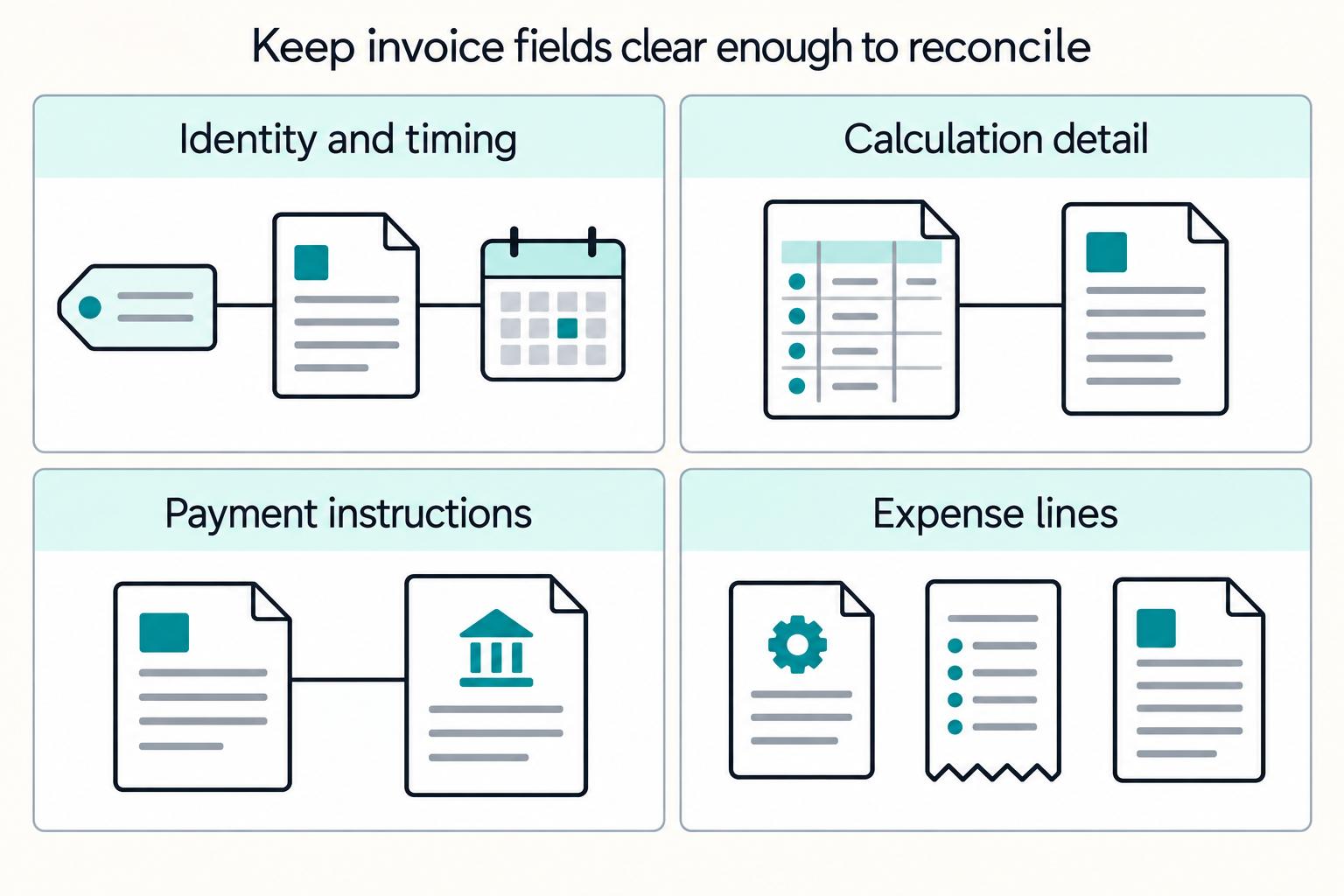
For industry-specific freelance invoice templates, the minimum set is about traceability, calculation, and settlement clarity. At a minimum, keep the issue date and unique sequential invoice number, explicit service timing where relevant, clear line-item math including taxes and adjustments, and remittance instructions.
| Field group | Must include | Why it matters in ops | Reject if missing or unclear |
|---|---|---|---|
| Identity and timing | invoice number, issue date, service period or tax point | Separates invoices cleanly and ties charges to the correct period | Duplicate invoice number; service period written as vague text, for example, "recent work" |
| Money and calculation | currency, line-item logic, subtotal, taxes, fees, adjustments, discounts, total amount due | Supports reconciliation and dispute review without manual recalculation | Totals do not foot; currency missing; tax treatment unclear |
| Settlement details | remittance instructions and accepted payment methods | Lets the payer execute settlement without side-channel clarification | Payment instructions missing or inconsistent with payee record |
| Exception lines | reimbursable expenses as explicit charges | Keeps coding clean and separates service revenue from pass-through costs | Expenses buried inside a generic service line |
Use hard-stop reject rules in your posting gate:
- If the invoice number is duplicated for the same supplier, stop and route to exception handling.
- If service timing is ambiguous, hold for correction before posting.
Handle exceptions without breaking the audit trail#
Do not handle post-send commercial changes by silently overwriting the original invoice. In UK VAT adjustment contexts, retrospective price reductions require a credit note with refund handling, so your workflow should explicitly route that case. For reimbursables, keep separate lines with clear descriptions and amounts. For partial settlement, record a part payment, or equivalent split, during reconciliation instead of editing the invoice total.
Verification checkpoint#
Before rollout, we recommend one finance export test per template family. Your finance team should be able to extract invoice number, issue date, service period, currency, tax fields, totals, and remittance details, then match them during close without manual interpretation. If matching depends on reading free text, you should treat the template as unfinished. Related: Payment Reconciliation for Freelancers: How to Match Invoices to Bank Deposits.
Choose the template format by control surface#
Pick the format that reduces downstream payment-tracking exceptions, not the one that looks best on first draft. If line items change late, use Excel with protected cells as your working layer. If delivery consistency matters most, publish from a controlled source as PDF so formatting stays consistent.
| Format | Edit control | Validation support | Auditability and risk |
|---|---|---|---|
| Excel | Strong when cells and worksheet areas are locked | Strongest option for formula control and limiting edits to approved fields | Good for controlled drafting, but local variants can still create drift |
| Microsoft Word | Flexible, with fewer built-in guardrails | Limited calculation and field-discipline checks | Easier manual edits increase risk of line or total inconsistency |
| Low after export | No native calculation control after sharing | Strong for consistent presentation; reliability depends on source quality | |
| Hosted invoice generator | Depends on product configuration | Can support standardized entry, but required fields must be verified | Useful for online creation, but not a substitute for your full ops record |
We recommend Excel as the practical default for controlled drafting when line-level adjustments are common, then PDF for final client delivery. Use Word only when your invoice is simple enough that you can still catch field and total errors in manual review.
QuickBooks and Intuit are useful starting points, with online generation plus downloadable Word, Excel, and PDF templates, including a 35+ template library in 2026. Treat them as a base, not a finished operating template. Add operations-only fields before rollout, then run a checkpoint to confirm edit controls, totals after edits, and preservation of invoice number, service period, tax treatment, and remittance details.
Set the order of operations from draft to payout#
Set explicit handoffs with named owners and visible states from draft to final payout so delays are diagnosable and "processed" never hides where work is stuck.
Use this as a control sequence: draft template selection -> field validation -> client send -> payment confirmation -> ledger posting -> settlement -> payout execution. This is an operating design, not a claim that every invoicing tool exposes every stage.
| Stage | Suggested system of record | Handoff state to expose | What to verify |
|---|---|---|---|
| Draft template selection | Controlled template source or invoicing tool | draft | Correct template, invoice number, service period, currency, tax treatment |
| Field validation | Same drafting source | validated / ready to send | Required fields complete, totals foot, editable cells still restricted |
| Client send | Invoicing platform | sent / open | Sent artifact matches approved draft |
| Payment confirmation | Payment rail or invoicing platform | paid only after confirmed payment | Do not treat open as cash received |
| Ledger posting | Accounting system | posted | One posting per approved invoice outcome |
| Settlement | Internal finance or payment operations record | settled | Amount, fees, and net allocation matched |
| Payout execution | Payout platform or treasury record | paid out / completed | Recipient, amount, and reference tied back to source invoice |
Stripe's status model is useful for this control design: draft, open, paid, uncollectible, and void. Two rules follow directly: finish validation before finalization because invoices are editable only in draft, and do not treat open as paid because unpaid or failed-payment invoices can remain open.
Apply the same discipline to retries. Stripe documents idempotency for safe retries without repeating the same operation, so key retries to the intended action and prevent replayed events from creating a second ledger posting.
End with a traceability checkpoint: each completed invoice should map from original request to approved draft, sent version, payment evidence, posting record, and final audit artifact. If QuickBooks Online is in your stack, its audit log helps maintain that trail by recording activity, including who changed what.
Related reading: A Deep Dive into the UAE's Corporate Tax for Freelancers and LLCs.
Prevent the top failure modes before they hit month-end#
Stop repeat invoice exceptions before send, because month-end cleanup is where small data errors become reconciliation and posting rework. The highest-frequency failures are usually wrong currency on a multi-currency invoice, missing acceptance evidence, duplicate invoice IDs, and totals that drift after discounts or manual edits.
An invoice exception is a mismatch between invoice data and the related contract, order, or receipt data. Run checks in draft, then run payment-posting checks before anything is treated as settled.
Stop the four failures where they start#
Wrong currency should be send-blocking. Reconciliation systems explicitly treat invoice currency mismatch as an exception, so verify currency against the underlying agreement and again on the final send artifact.
| Failure mode | Control | What to check |
|---|---|---|
| Wrong currency | Make it send-blocking | Verify currency against the underlying agreement and again on the final send artifact |
| Missing acceptance proof | Block progress | Invoice, commercial approval, and receipt or acceptance evidence should align before payment handling |
| Duplicate invoice IDs | Normalize before duplicate checks | Normalize supplier identity and invoice-number casing; exact-string matching alone is not enough |
| Mismatched totals after discounts | Hold for review | Use a defined matching tolerance for amount variance instead of editing in-flight |
Missing acceptance proof should also block progress. Use a three-way matching mindset: invoice, commercial approval, and receipt or acceptance evidence should align before payment handling.
Duplicate invoice IDs need more than exact-string matching. Some systems prevent exact duplicate invoice numbers for the same supplier, but duplicates can still slip through when supplier records differ or invoice-number casing changes. Normalize supplier identity and invoice-number casing before duplicate checks.
Mismatched totals after discounts should trigger a hold. Use a defined matching tolerance for amount variance, and route anything over tolerance to review instead of editing in-flight.
| Checkpoint | Named owner | What to verify | SLA window |
|---|---|---|---|
| Pre-send | Billing ops | Currency, invoice ID, discount math, acceptance evidence attached or referenced | Team-defined window for send-blocking exceptions |
| Payment-posting | Finance or reconciliation owner | Paid amount matches approved invoice outcome, no duplicate posting, holds resolved | Team-defined window for close-critical exceptions |
Use credit notes for term changes, not quiet edits#
Apply this as a control policy: if the issue changes commercial terms, route it to credit-note review; if it is non-financial metadata, correct it under a controlled revision policy with history. This keeps quantity, price, and discount changes explicit while allowing safe metadata cleanup.
For open invoices, credit notes reduce the amount due instead of silently rewriting line history, and total credit notes for one invoice cannot exceed that invoice total. For metadata-only corrections, keep a clear change trail so the revised record still maps to the same approved invoice path.
You might also find this useful: Invoice Financing for Freelancers: Get Paid Today Instead of Net-30.
Handle cross-border and compliance constraints without overpromising#
A cross-border template improves consistency, but it does not make an invoice compliant by itself. Treat template design, jurisdiction rules, and payout-program readiness as separate checks, and confirm all three before enabling a template in a new market.
The same layout can work operationally across routes while still failing local requirements. In the EU, there are basic VAT invoicing rules plus national-rule areas, and invoicing rules follow the member state where the supply is deemed to occur. Use one structure where possible, but do not assume tax fields, language handling, or issuance expectations are identical everywhere.
Keep template controls separate from program controls#
Use a clear split so formatting does not get mistaken for compliance readiness:
| Control layer | What it should handle | What it cannot prove |
|---|---|---|
| Template level | Required fields such as service period, currency, tax lines, invoice number, contract reference, acceptance proof reference | Local invoicing compliance or payout eligibility |
| Jurisdiction level | Market-specific tax treatment, invoice language expectations, and whether national rules apply | Whether your payment provider will release funds |
| Payment program level | Country onboarding, capability gating, supported payout regions, and document collection | Whether invoice content is complete for tax or audit review |
A control that travels well across markets is a unique sequential invoice identifier. Article 226 of the EU VAT Directive requires a sequential number that uniquely identifies the invoice; keeping that discipline also helps reconciliation and dispute handling in other markets.
Check before go-live in a new jurisdiction#
Before turning on a template for a new country, run this confirmation pass:
| Go-live check | Confirm | Article note |
|---|---|---|
| Local invoice rules | Tax treatment and language expectations for the target market | Validate local invoice-rule assumptions before turning on a template for a new country |
| Payment-program requirements | Country requirements, capabilities, payout regions, and business verification | Stripe says requirements vary by account location, business type, and capabilities; Wise says business verification requirements vary by country of registration |
| Retained evidence | Original invoice, any amendment that clearly references it, and the approval or acceptance record | Validate the retained evidence set before enabling the template in a new market |
- Validate local invoice-rule assumptions for the target market, especially tax treatment and language expectations.
- Validate payment-program requirements for that country. Stripe notes requirements vary by account location, business type, and capabilities, and cross-border payouts are not self-serve outside listed regions. Wise also notes business verification requirements vary by country of registration.
- Validate your retained evidence set: the original invoice, any amendment that clearly references it, and the approval or acceptance record.
Two common failures are avoidable: assuming successful invoice delivery means payout readiness, and assuming one country's language tolerance applies globally. HMRC allows VAT invoices in any language, but it can require translation within 30 days of notice.
Design templates to support traceable records and audit trail needs where your tools allow it. If an invoice is corrected, keep the original reference and link the amendment clearly to the initial invoice rather than replacing history with a silent edit.
Conclusion#
The practical test is simple: treat every invoice template as an operating document, not a design asset. If a template cannot hold the fields and evidence you need for payment reconciliation, ledger posting, and a clean audit trail, it is not finished yet, no matter how polished the PDF looks.
A good place to start is a governed field matrix. We recommend one shared baseline across your templates, then mapping each one to its billing model. QuickBooks' framing of 8 elements every freelance invoice should include is a useful minimum, especially the invoice date and unique invoice number for tracking and tax reference, but ops usually need more than the public client-facing baseline. Service period, currency, line-item logic, approval reference, and correction handling rules should be explicit before rollout.
From there, put two checkpoints around every invoice. The pre-send checkpoint should confirm the invoice number is unique, dates are clear, totals foot correctly, and the billing block matches the service type. If you are using Excel as the editing surface, Microsoft's data validation controls are worth using because they can restrict what users enter and trigger an error alert when input is invalid.
The posting checkpoint should verify that the invoice can be matched without guesswork to the payment record, currency, and acceptance evidence. If your finance reviewer has to interpret free text to decide what happened, the template is still too loose.
The correction rule matters just as much as the original draft. When a sent invoice needs a commercial change, do not silently replace it. Stripe's credit note guidance is useful here: a credit note decreases the amount of an open or paid invoice, and it does not void and replace the original invoice. That distinction is what keeps history intact. In practice, your evidence pack should let someone trace the original invoice, the reason for adjustment, the credit note reference if issued, and the final posted outcome without opening five inbox threads.
That is the real value of industry-specific freelance invoice templates teams can trust. It is not visual consistency. It is controlled variance: one core structure, a billing-specific block, and visible exception handling. If you also work across currencies, keep the currency and rate source visible because transaction and reporting views may diverge. Xero, for example, surfaces currency movements in transactions and reports, refreshes exchange rates hourly, and finalizes the official daily rate at 11 pm.
Put those controls together with named owners, and your templates can help reduce avoidable exceptions, support cleaner closes, and make growth less chaotic for finance, ops, and product.
Frequently Asked Questions
What makes a freelance invoice template truly industry-specific rather than just a different design?
It reflects how the work is billed and approved, not just how the document looks. A real category split follows service context such as hourly, project, or monthly retainer billing, with fields that match that billing logic. If two templates share the same approval, pricing, and correction rules, they are often design variants.
Which fields are mandatory if we want fast payment reconciliation and fewer exceptions?
For ops, treat these as core fields even if local legal requirements differ: a sequential invoice identifier that uniquely identifies the invoice, the issue date, the supply date where required, clear line items, and totals. Your pre-send check should confirm the invoice number has not already been used in that series and that dates are not ambiguous or copied forward by habit. Duplicate numbers and unclear line descriptions can quickly create manual exceptions.
How should we adapt one template across multiple freelancer categories without breaking reporting?
A practical approach is to keep one shared core and swap only the billing block. The shared core can hold the numbering series, date fields, tax treatment fields where relevant, totals, and reporting keys. The variable block can handle whether the invoice is hourly, project-based, or retainer-based. If each category uses different labels for the same concept, reporting drift can show up quickly.
What are the most common invoice data errors that delay settlement?
Common errors include duplicated invoice numbers, missing issue or supply dates, line items that do not add cleanly to the total, and currency mismatches. Another failure is correcting a sent invoice by overwriting the file, which can break the audit trail and confuse downstream matching. If a reviewer cannot quickly tell what was billed, when, and in which currency, delays are likely.
When should ops issue a credit note instead of editing the original invoice?
Use a credit note when you need to reduce or cancel part of an already issued invoice. It should be created as a separate document that references the original invoice, not a silent replacement. Reserve simple edits for controlled fixes to non-financial metadata only, and only if your record policy allows it.
Which format is better for control at scale: Excel, Word, PDF, or an invoice generator?
There is no universal winner. Excel is strong when you need governed entry because data validation can restrict what users can enter. Word usually needs extra process controls for consistent field handling, and PDF is often best as a locked output rather than the master editing surface. An invoice generator is better only if it enforces required fields and preserves the original record when corrections happen.
How do multi-currency invoices change validation and payout execution steps?
They add one more matching layer: amount, currency, and rate handling. Xero’s multicurrency setup supports invoicing and receiving payments in more than 160 currencies, with FX rates updating hourly and the official daily rate finalized at 11 pm. The practical takeaway is to store the rate source and timestamp used. Manual FX entry without that record can create reconciliation issues even when totals look close.
Try a related tool
Researched and edited by the Gruv editorial team. Gruv builds cross-border billing, payouts, and finance-operations software for global businesses.
Sources
- acquisition.gov/far/subpart-46.5trusted
- assets.publishing.service.gov.uk/media/5c90c3e140f0b633f5bfd851/VAT_Accountin...trusted
- docs.stripe.com/invoicing/dashboard/credit-notestrusted
- finance.upenn.edu/payments-disbursing-funds/invoices-paymentstrusted
- legislation.gov.uk/eudr/2006/112/title/XI/chapter/3trusted
- stripe.com/resources/more/what-is-a-credit-note-how-it-...trusted
- taxation-customs.ec.europa.eu/taxation/vat/vat-businesses/invoicing_entrusted
- wise.com/us/invoice-generatortrusted
Educational content only. Not legal, tax, or financial advice.
Related Posts
The Best Notion Templates for Freelancers
The **best Notion templates for freelancers** are not the prettiest ones. They are the ones you can verify, update, and trust when a client needs an answer now.
Payment Reconciliation for Freelancers: How to Match Invoices to Bank Deposits
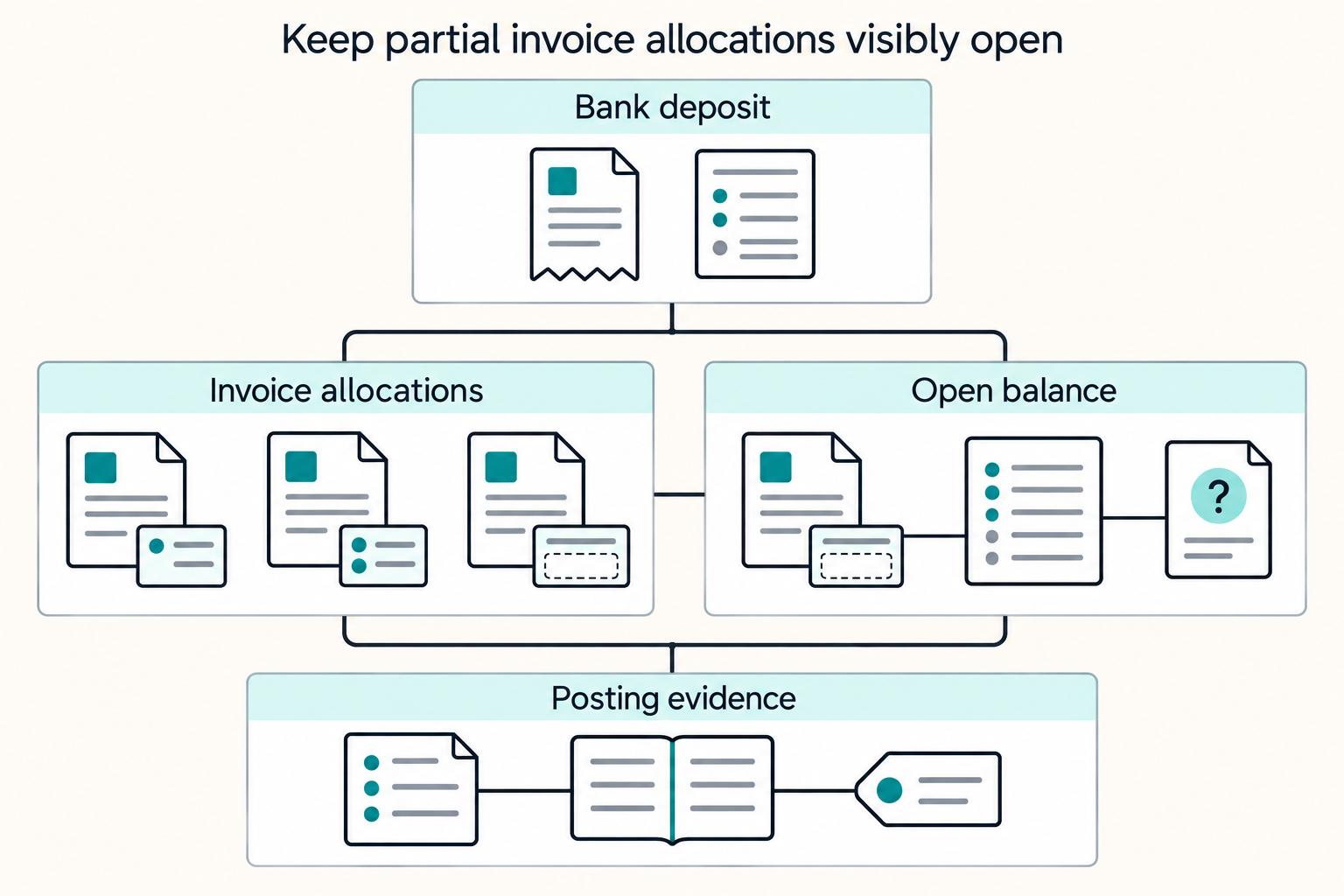
Payment reconciliation on freelancer platforms breaks down when a bank deposit cannot be tied, with confidence, to the right internal transaction. Your operating goal is simple: route each deposit into the right path, auto-match, manual review, or exception handling, and keep a record that can be traced from bank transfer through GL posting.
Invoice Financing for Freelancers Who Need Cash Before Net-30
Net 30 sounds simple until you are the one waiting on the cash. In plain terms, **Net 30** gives the buyer 30 days from the invoice issue date to pay in full. That can be manageable when reserves are strong, but it becomes an operating problem when core expenses come due before client payment does.