
Quick Answer
Shortlist Freelance OS for an all-in-one workflow or Zen Workspaces Freelance CRM & Invoice Tracker for a free billing module. Check the creator’s current terms and test sample client, project and invoice records before adopting either. Verify client access from a separate account, and keep confirmed invoice and payment records in your billing system; Notion tracking needs manual updates or a tested integration.
Stop collecting templates and start running a freelance operating system#
The best Notion templates for freelancers are not the prettiest ones. They are the ones you can verify, update, and trust when a client needs an answer now.
| Gate | Pass if | Fail if |
|---|---|---|
| Coverage check | Leads, active work, invoices, and project closeout all exist as pages or linked databases you can inspect | One area is missing, buried in a demo video, or only implied by marketing text |
| One-screen clarity check | One view makes owner, next action, and billing state obvious without clicking into each client | You need multiple pages just to see who is waiting on what |
| Shareability check | A client test account can access intended information and cannot open other clients or internal records | A clean-looking page still exposes data through broader permissions, linked records or subpages |
| Maintenance check | Changing status once updates the right views or relationships without manual cleanup | You have to edit the same information in three places to keep the workspace consistent |
You are not just choosing a template. You are choosing whether your workspace can hold sales, delivery, billing, and handoff work without forcing a rebuild in the middle of a project. That matters more than gallery screenshots or promo copy, especially because it is easy to keep scrolling through template pages.
For an all-in-one candidate, Freelance OS from Notion Everything describes CRM, projects and tasks, time tracking, invoices, finances and a portfolio. For a smaller billing module, Zen Workspaces Freelance CRM & Invoice Tracker lists linked client and invoice records plus formula-based overdue flags, with a $0 download option. Those are creator descriptions, not results from our own trial. Use a preview or test copy to check the relationships, handoff and client permissions before committing; a discount or screenshot alone cannot establish fit.
- Coverage check
In 2 minutes, find where leads, active work, invoices, and project closeout live. Pass if all four exist as pages or linked databases you can inspect. Fail if one area is missing, buried in a demo video, or only implied by marketing text.
- One-screen clarity check
Open the main dashboard and look for three fields: owner, next action, and billing state. Pass if one view makes those obvious without clicking into each client. Fail if you need multiple pages just to see who is waiting on what.
- Shareability check
Test the page from a separate client account with only the access you intend to grant. Check linked records and subpages as well as the visible layout. Notion permissions follow the broadest access granted, and subpages inherit access. Hidden properties or filtered views do not establish a security boundary. Database page-level access rules require Business or Enterprise; an invited guest needs a Notion account.
- Maintenance check
Update one record from start to finish. Pass if changing status once updates the right views or relationships without manual cleanup. Fail if you have to edit the same information in three places to keep the workspace consistent.
| Operating area | Quick pass check | Fail signal |
|---|---|---|
| CRM and proposal | One lead record shows stage, next action, and last contact | No clear follow-up owner or stage naming changes across pages |
| Delivery | One project record links tasks, deadlines, and current status | Tasks live separately with no clean link back to the client or project |
| Billing | One invoice view shows billed, unpaid, or paid status beside project context | Billing is a standalone list with no connection to delivery state |
| Handoff | One closeout page or checklist captures files, approvals, and next steps | Project ends with scattered notes and no reusable completion record |
Before buying, inspect a dashboard preview, database properties and the creator’s sharing guidance. Use a test copy or demo when available, and label anything you cannot inspect as an open question. Then run a pressure test: can one dashboard answer all three of these quickly?
- Ownership: who owns the next move on each active client
- Next action: the exact follow-up or delivery step due now
- Billing visibility: what has been sent, what is overdue, and what is blocked by delivery
If a template cannot pass that test, reject it early. If you want help turning those checks into a working workspace, use A Guide to Notion for Freelance Business Management.
Who this shortlist is for and how to evaluate a template#
This shortlist is for you if you are already running active client work and need reliable answers on delivery, handoffs, and billing without digging across pages.
| Signal | This list fits if |
|---|---|
| Active clients | Work is moving every week and you need one view to confirm who is active, what is due next, and what is waiting on the client |
| Handoff ownership | Projects need a clear closeout step for files, approvals, or next actions, and you cannot rely on scattered notes or chat threads |
| Invoicing responsibility | You track sent, unpaid, and paid invoices yourself, or need invoice status visible next to project progress |
Use this quick self-check first:
- Active clients - This list fits if work is moving every week and you need one view to confirm who is active, what is due next, and what is waiting on the client.
- Handoff ownership - This list fits if projects need a clear closeout step for files, approvals, or next actions, and you cannot rely on scattered notes or chat threads.
- Invoicing responsibility - This list fits if you track sent, unpaid, and paid invoices yourself, or need invoice status visible next to project progress.
For your comparison, give workflow fit more weight than visual polish:
- Prioritize: workflow fit, maintenance effort and clear views
- Also check: required plan, creator support and update policy
Marketplace labels like Notion + Creators, Free + Paid, Duplications, and Most Recent are useful for discovery, but they do not prove operational quality.
| Checkpoint | What to validate | Proof you should request or save | Red flag |
|---|---|---|---|
| Workflow fit | One connected path from CRM to proposal flow to project tracker to invoice tracker to handoff | Linked-database screenshot, property list, and one record shown end-to-end | Same client name, status, or amount entered in multiple places |
| Maintenance burden | Update owner, next action, and billing state once; confirm related views stay consistent | Demo of one record update, setup guide, and any migration notes | Only polished dashboard views, no real record editing |
| Clarity | Main dashboard shows active work, blocked work, and billing state quickly | Dashboard screenshot plus one client-facing page preview | You would expose internal clutter if shared with a client |
| Upgrade path and transparency | What is included now, what is paid, and whether the template still appears maintained | Clear price label and freshness markers such as Last updated; any update policy details if available | Key claims rely on paywalled or self-reported posts, including member-only stories |
Pressure-test a preview, demo or test copy before committing: one sample client requests a proposal revision, another asks about invoice receipt, and you need today’s delivery owner. Pass if the setup answers those questions without reconciling duplicate fields. Use available sample data and label missing features or access questions; a paid template may require purchase before duplication, so check its demo, support and refund terms first.
Next, narrow your stack to only the modules you actually run day to day. Want a faster tool-first route? Browse Gruv tools.
What template stack do freelancers actually need first#
Start lean: use a five-module stack that can move one client from first contact to paid invoice without duplicate entry.
| Module | What it does | Core fields or views |
|---|---|---|
| crm template | Track who you are talking to and what happens next | client name, stage, last contact, next action, owner |
| Proposal module | Track deal decisions, not just documents | scope summary, amount, status, send date |
| Project module | Run delivery from one current source, not scattered notes | due dates, deliverables, current blocker, status |
| invoice tracker | Keep billing state visible next to delivery | invoice amount, sent date, due date, paid status |
| freelance dashboard | Review execution cadence and risk in one place | daily, weekly, and monthly check-ins across active work, blockers, and unpaid invoices |
Use this dependency flow as your baseline: CRM -> proposal -> project -> invoice tracker -> dashboard.
- CRM: Track who you are talking to and what happens next. Minimum fields: client name, stage, last contact, next action, owner. Handoff output: one qualified record ready for proposal.
- Proposal module: Track deal decisions, not just documents. Minimum fields: scope summary, amount, status, send date. Handoff output: accepted proposal record that triggers project setup.
- Project module: Run delivery from one current source, not scattered notes. Minimum fields: due dates, deliverables, current blocker, status. Handoff output: billing-ready progress state.
- invoice tracker: Keep billing state visible next to delivery. Minimum fields: invoice amount, sent date, due date, paid status. Handoff output: clear paid/unpaid state by client.
- dashboard: Review execution cadence and risk in one place. Minimum views: daily, weekly, and monthly check-ins across active work, blockers, and unpaid invoices.
| Module | Must-have view | Failure signal | Keep-or-split decision trigger |
|---|---|---|---|
| CRM | Active leads with next action | Last contact or owner is missing | Split from delivery when prospecting noise hides active client work |
| Proposal | Sent, waiting, accepted | Accepted work must be retyped into project pages | Keep close to CRM until revisions and approvals need separate tracking |
| Project | Active work by due date and blocker | Notes, specs, links, and tasks spread across five different places | Split into its own database once delivery detail crowds sales views |
| Invoice | Sent, unpaid, paid by client | Amount or status is maintained in two places | Keep attached to projects until billing has a different owner or cadence |
| Dashboard | This week, blocked, unpaid | You need multiple pages to answer basic weekly questions | Keep as a rollup page, not a new source of truth |
An all-in-one can work as a command center, but only while operations stay clean. Keep one stack if you still have one source of truth, clear ownership, consistent status labels, and controlled field changes. Split modules when any of those breaks.
Run one full week on this baseline before adding tools. After your weekly flow is stable, use The Best Proposal Software for Freelancers and Agencies as an optional depth path, and The Best Calendar Apps for Freelancers Who Juggle Multiple Projects if scheduling is your next bottleneck.
Should you use free templates or pay for one now#
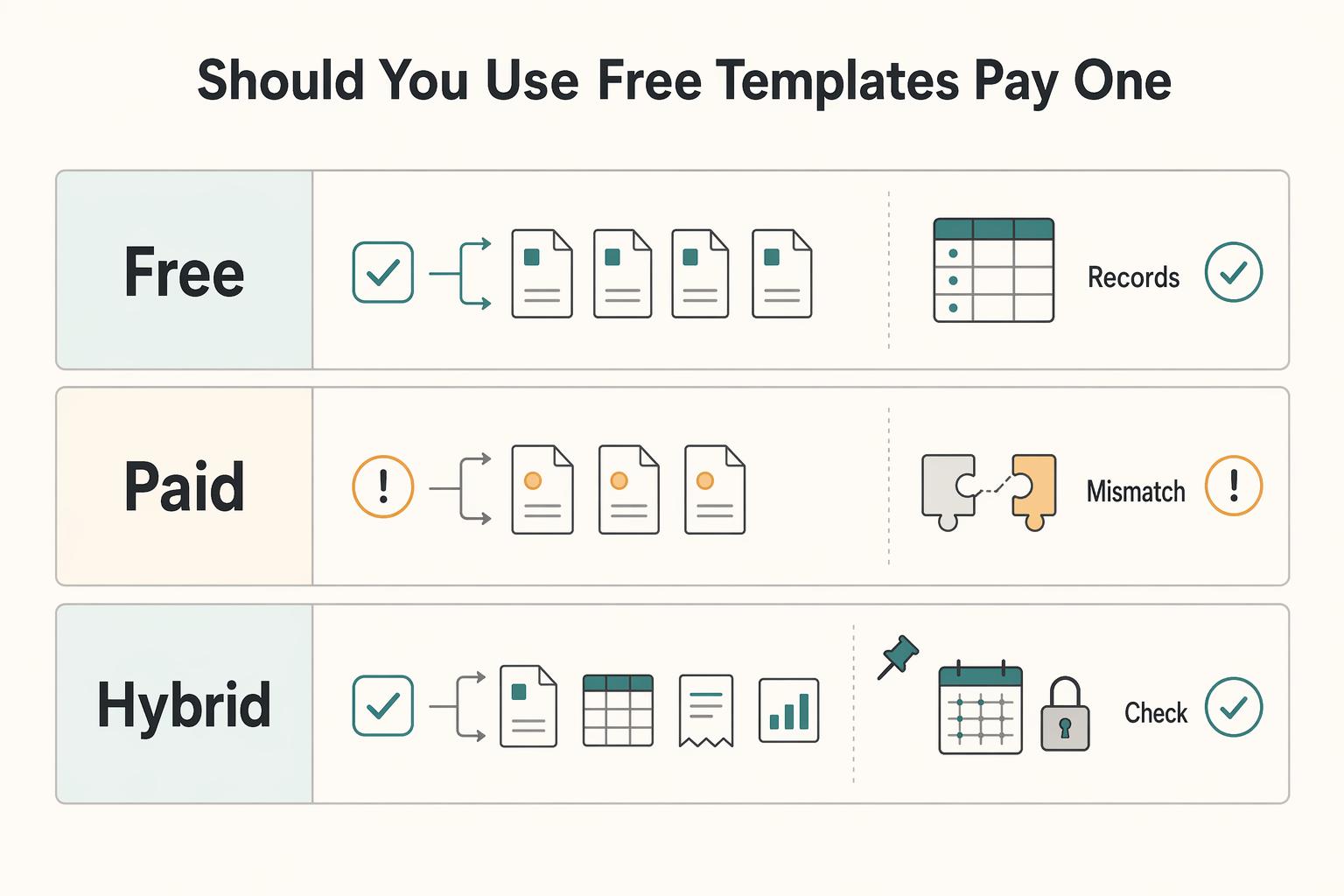
Choose for workflow reliability first, then price. If your CRM, project tracker, invoice tracker and weekly dashboard stay aligned without recurring cleanup, keep the free setup. If statuses drift or billing gets inconsistent, identify the cause and test whether a paid template addresses it; payment alone does not guarantee better structure.
Use this filter before aesthetics: does the template fit how you already work without adding complexity? Check these checkpoints first:
- Statuses and deadlines are easy to track.
- Projects can move from ideation to execution without confusing sprawl.
- Billing data rolls into a clear financial summary.
| Option | Named candidate or cost check | Stay here when | Switch trigger |
|---|---|---|---|
| Free | Zen Workspaces Freelance CRM & Invoice Tracker lists a $0 download; add delivery tracking if needed | Your weekly dashboard answers core questions fast, and one client can move from lead to paid invoice in one flow | Stay free when friction is occasional and easy to fix |
| Paid | Freelance OS is an all-in-one candidate; verify its current checkout price and support terms | Recurring friction keeps showing up in handoffs, due dates, or unpaid-invoice follow-up | Upgrade when you repeatedly patch the same fields, views, or workflow gaps |
| Hybrid | Free core plus one selected module; count template purchases and any required Notion plan or integration | Your core ops are stable, but one module needs stronger structure | Combine when one weak link keeps breaking while the rest works |
If you buy, run a short due-diligence pass before committing:
- Use a demo or test copy with sample client data when available; check purchase and refund terms before paying for a template you cannot trial.
- Confirm ownership clarity: each active record has one current status and one next action.
- Verify buyer signals directly with the creator: what support is included, how updates are handled, and what setup documentation exists.
- Estimate migration burden in your own workspace, then define a rollback path if the template underperforms.
Treat this as a workflow test. Complex layouts, rigid automation or hard-to-edit fields can cost more maintenance time than the purchase price suggests. If client, delivery and billing statuses drift, first check the relationships and source fields. Choose a paid candidate when its demo or available test copy addresses that specific gap, then validate before migrating; if the existing setup stays stable, keep it and defer spending.
The best Notion templates for freelancers by growth stage#
Choose your stage by operating pressure, not ambition. You are in the right stage if ownership, next action, and billing status stay clear during a normal week.
The options below describe workflow shapes, not verified price bands. Check the named creator’s current price, included modules and required workspace plan before purchasing.
| Stage fit | What you can observe now | Must-have stack components | Cost check | Move-up trigger |
|---|---|---|---|---|
| All-in-one starter | Work comes in waves, with limited overlap. You can still see open tasks and unpaid work from one page. | One workspace with client records, task and milestone tracking, simple invoice/payment tracking, and a weekly dashboard. | Compare the creator’s current price and included delivery/billing modules | Move up when one workspace starts hiding ownership or billing status. |
| Portfolio-led seller | New work depends on proof of work. Delivery is still straightforward, but public-facing pages matter more. | A portfolio/resume template for visibility, plus a lightweight CRM and invoice tracker behind it. | Budget separately for a portfolio and any missing CRM or billing module | Move up when follow-ups, meeting notes, or deadlines start living inside portfolio pages instead of ops. |
| Multi-client operator | Deadlines overlap, conversations run in parallel, and handoffs between selling, delivery, and billing increase. | Separate CRM, project tracker, invoice tracker, and dashboard rollups. Add time tracking if you bill by hours. | Compare bundle cost with the modules you actually need | Move up when nested pages, rigid schedules, or repeated status cleanup consume time each week. |
| Hybrid bridge | Client-facing polish still matters, but operations need cleaner boundaries than all-in-one layouts provide. | One portfolio-facing template paired with a modular operations stack. Keep presentation separate from delivery and billing records. | Include the cost of both components and any required Notion plan | Stay here until you can merge without reintroducing duplicate data or unclear billing state. |
Use one rule for role clarity: portfolio pages build trust, while your ops stack runs execution. Keep CRM, communication logs, deadlines, expenses, invoices, and payments in the operations layer. An invoice tracker records billing state; it does not by itself collect payments or reconcile bank and processor activity. Keep issued invoices and confirmed receipts in your billing system, then update Notion manually or through a tested integration.
Use this decision flow before you commit:
- Stay all-in-one if one workspace still shows one current owner, one next action, and one billing state for every active client.
- Split into modular databases when your project tracker and invoice view stop matching, or when complex hierarchies make records hard to find.
- Run a hybrid setup when portfolio polish helps sales but your back end needs a dedicated ops layer to avoid duplicate entry and billing confusion.
Use a demo or test copy when available to move one sample client from lead to a recorded payment. If purchase is required first, inspect the preview and terms, then validate the duplicate before migrating live work. Confirm you can edit or remove sections cleanly. If the template imposes rigid time structures, heavy automation, or sections you cannot tweak, expect rework. After you choose a stage and verify visibility for ownership, next action, and billing status, use A Guide to Notion for Freelance Business Management for optional setup depth. For related workflow context, see The Best Note-Taking and Knowledge Management Apps for Freelancers.
Which stack wins on speed control and long-term maintainability#
Choose the stack you can run during a busy week without rebuild work next month. The winner is the one that keeps proposals, delivery, and billing visible with minimal manual cleanup as client load increases.
When several options look similar, decision fatigue goes up, so use fixed criteria instead of more browsing. Use shortlist pages to discover options, then validate with a simple pilot: if two deadlines, one proposal, and one unpaid invoice land at once, can you still see owner, next action, and billing state at a glance?
| Stack | Setup effort | Workflow coverage | Ownership clarity | Billing visibility | Maintenance under higher client load | Best fit | Weak fit |
|---|---|---|---|---|---|---|---|
| All-in-one workspace | Often fewer components; measure in your test copy | Lead, project, task, and simple invoice tracking in one workspace | Clear at low volume because records stay in one place | Clear if invoice status is required in the main view | Increases quickly as nested pages and record count grow | You want fast setup and have a small active client roster | You already lose track of ownership or unpaid work location |
| Hybrid stack | Depends on the integration between modules | Strong sales + delivery coverage when portfolio pages stay separate from ops records | Clearer boundaries between client-facing pages and operational records | Strong if invoices live only in ops, not portfolio pages | Moderate if each record has one source of truth | Presentation matters for sales, but delivery and billing need structure | You duplicate notes, proposals, or invoices across front-end and ops pages |
| Modular operations stack | More configuration if starting from separate databases | Strongest for overlapping clients, separate pipelines, and detailed status tracking | Highest when each database has a single job and explicit owner/next action | Strongest with dedicated invoice/payment views and rollups | Lower long-term if structure is clean from the start | You manage multiple active clients and need dedicated CRM, project, and invoice tracking | You have limited active work and will not maintain separate databases yet |
All-in-one wins on setup speed, but only while your operating surface stays small. Once sales notes, delivery status, and billing history start mixing in the same pages, scanability drops when you need it most.
Hybrid is usually the clean middle ground when you sell through polished pages but operate through structured records. Keep portfolio/proposal pages for trust, and keep delivery, deadlines, notes, and payment tracking in operations databases.
Modular takes longer to set up, but it is usually more stable under sustained load. Use relations to connect Client -> Project -> Invoice, then use rollups to surface unpaid amount or open invoice count in your review views. Notion rollups aggregate properties from related records; configure the relation, source property and calculation. When duplicating a database, inspect whether a two-way relation became one-way and reconnect it as needed. A rollup does not automatically verify payment receipt.
Practical pilot checks#
Run one sample client through the stack before deciding, then pilot actual client work after checking permissions and billing updates:
- Create one lead, one active project, and one unpaid invoice.
- Confirm owner, next action, and billing state are visible in your main view without page hunting.
- Test one relation from Client to Project and one from Project to Invoice.
- Add one rollup that auto-surfaces unpaid amount or invoice count.
- Remove one unnecessary section and confirm the system still works.
Use AI setup help carefully. It can speed up some steps, but uneven outputs and "almost correct" logic can add debugging overhead later.
Decision rule#
Pick the stack that passes every line below with the least admin overhead:
- You can see owner, next action, and billing state at a glance during busy weeks.
- Proposal records do not get mixed into delivery notes or invoice history.
- Billing lives in one source of truth.
- You can add a client, project, and invoice without redesign.
- Weekly reviews rely on views, relations, and rollups, not memory.
If two stacks are close, choose the simpler one that still passes every check.
Keep the trial focused on the client, project and invoice questions your workspace needs to answer.
How to implement your stack in 30 days without rework#
Use a four-pass rollout to reduce rework: standardize core fields first, link handoffs second, tighten views third, then clean up anything that does not help you decide faster during live client work.
Many templates are delivered through direct link duplication. After purchase or free access, check the database relations in your copy before customizing. Keep only views that answer your client, delivery and billing questions; extra views add maintenance when the underlying handoffs are unclear.
| Pass | Action | Expected output | Failure signal | Rollback step |
|---|---|---|---|---|
| Days 1 to 7 | Duplicate your chosen template into a clean test workspace. Keep only three core databases active: CRM template, project tracker, and invoice tracker. Standardize one property each for Status, Owner, and Next action across all three. | You can scan lead, project, and invoice records using the same operating language. | You see duplicate properties for the same signal (for example, both "Stage" and "Status"). | Hide new views, revert conflicting property edits, then merge duplicate properties before any expansion. |
| Days 8 to 14 | Link handoffs with relations: client -> project, project -> invoice. Decide one source of truth per signal (project status in project tracker, payment state in invoice tracker). | Linked records pull context without duplicate entry. | You update the same signal in multiple places, or relations point to the wrong record. | Remove copied fields, keep one source field, and rebuild the broken relation on a single test record first. |
| Days 15 to 21 | Build only weekly-critical views: active leads, active projects, unpaid invoices, and exceptions. Run relation checks by tracing 3 to 5 live records end to end. | Main views show owner, next action, and billing state without page hunting. | Filtered views hide overdue work or expected records. | Return to base table/board views and rebuild filters one at a time. |
| Days 22 to 30 | Clean up instead of adding. Archive unused views, run duplicate-property cleanup again, and do a weekly exception review for stalled, unpaid, or unowned records. | Your stack is simpler and easier to trust under load. | You keep adding views because current ones do not answer basic operational questions quickly. | Keep views that improve decision speed, merge overlapping ones, remove the rest. |
Use one handoff rule throughout: Status, Owner, and Next action each need a single source of truth. If CRM and delivery trackers show conflicting states, you do not have more visibility. You have conflicting signals.
Pressure-test with one messy week: a scope-change request, one urgent deadline, and one unpaid invoice. Keep any view or property that helps you answer ownership, next step, and billing risk quickly. Merge what duplicates the same signal. Remove what looks good but slows decisions.
Choose a system you can trust under real client pressure#
When your day stacks up with scope changes, status requests, and invoice follow-ups, the right setup is the one that helps you make the next decision fast. You should be able to see owner, current stage, and next action without hunting.
If a template hides ownership or stage, fix the view or choose one that makes them clear. Add time entries linked to projects when you need to explain hourly invoices or compare estimates with actual work. Logging adds effort, so use it for a specific billing or planning decision rather than assuming it always improves productivity.
| Final decision move | What to check | Reject if | Better control looks like |
|---|---|---|---|
| Keep the core stack | Open one active client across your CRM, project tracker, invoice tracker, and dashboard. Confirm owner, current stage, and next action are clear and consistent. | Status or ownership appears in multiple places, or you need several clicks to understand one account. | You can answer client, delivery, and payment questions at a glance. |
| Add time tracking for a specific decision need | Link time entries to projects or tasks so the data can explain invoices and future quotes. | Time logs are separate from project records, so overruns and billing gaps stay unclear. | You can quickly see where time went and use it in invoicing and planning. |
| Expand to a shared hub only when visibility breaks | Check whether one central view shows who is working on what without constant check-ins. | The hub duplicates records or creates extra manual updates. | Active work is visible in one place with fewer missed handoffs. |
Final reliability check: across active work, can you see owner, current stage, and next action at a glance? Keep templates that improve decision quality under load, remove templates that add clicks without better answers, and expand only when your current setup fails that test.
Frequently Asked Questions
What makes a Notion template best for freelancers?
The useful question is simple: can you trust the template during a busy week? Use one when it gives you linked tasks, linked projects, visible deadlines, and less setup work. Reject one that looks polished but still leaves you rebuilding basics from scratch. Fit matters more than popularity.
Should freelancers choose free or paid Notion templates?
Start free when your process is still simple and you are still learning what information you actually use. Notion Marketplace clearly includes Free + paid options, so stay free when one weekly review still gives you clean answers on priorities and deadlines. Consider a paid candidate when repeated fixes slow you down, but verify that its structure resolves those gaps; payment alone does not improve the workflow. Do not pay just because a template is featured in a roundup, since many lists follow trends more than day-to-day usability.
Which template types are essential for a freelance business?
Keep your first stack small: a client pipeline template, a project tracker, and an invoice tracker. Use that trio when you need lead, delivery, and payment visibility in one place. Avoid starting from a blank page if a template already gives you usable structure. If your proposal step is still the weak handoff before work starts, tighten that separately with The Best Proposal Software for Freelancers and Agencies.
How do you evaluate a template before adopting it?
Use a preview or test copy to run one sample project end to end before adopting the setup. Inspect tasks, project links and deadlines, and label what requires configuration. Avoid committing based on appearance alone when key relationships are unclear. Reject signs include duplicate information and views that hide deadlines; a missing relation may be a small setup task rather than a reason to discard the template.
Can one template run the whole business or should you use a stack?
One template is fine when your client load is light and one workspace still answers basic questions fast. Use a single build when it still keeps your day-to-day work clear. Switch to a stack when handoffs start breaking or you find yourself copying the same details into client, project, and invoice records. If you are updating the same information in two places, first consolidate the source field and relations; add modules only when a specific workflow needs them.
What is the minimum setup checklist after duplicating a template?
Do a five-minute validation before you rename fields or redesign views. Confirm you duplicated into the right workspace. Then open sample project and task records, click core relations end to end, and make sure deadlines and linked records are visible in the views you actually use. The Marketplace Duplications signal can tell you a template is widely copied, but it does not prove your copy is clean, especially when relational databases are involved. Check relation targets and permissions in the duplicate; a clean view does not prove client isolation. Payment status still needs a confirmed receipt or a tested integration.
How often should you re-evaluate templates from Notion Marketplace?
Review when the stack stops answering simple questions, not on a forced schedule. Re-check when work stalls, deadlines become hard to track, or links between records stop being reliable. Avoid switching just because a newer roundup says something else is better. A fresh marketplace browse can help, and the Duplications label is a useful scan point, but your real test is whether the current setup still holds up under real client pressure.
Try a related tool
Researched and edited by the Gruv editorial team. Gruv builds cross-border billing, payouts, and finance-operations software for global businesses.
Sources
Includes 3 external sources outside the trusted-domain allowlist.
Educational content only. Not legal, tax, or financial advice.
Related Posts
The Best Note-Taking and Knowledge Management Apps for Freelancers
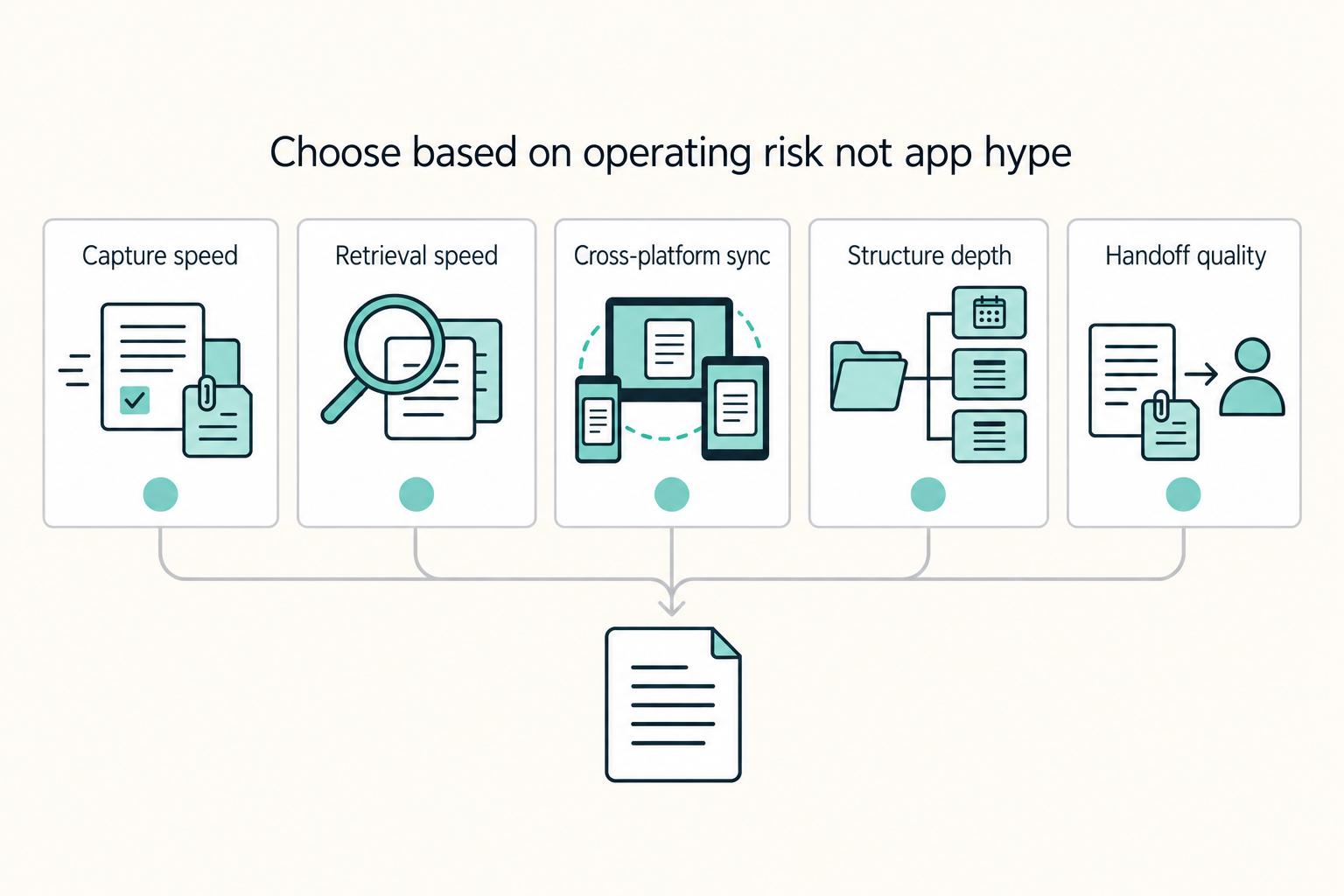
Make this decision in one sitting, then move on. One primary note app, used as the default place for client decisions, follow-ups, and reference notes, does more to cut missed details, messy handoffs, and tool churn than another week of comparing screenshots ever will.

A Guide to Notion for Freelance Business Management
If your workspace feels busy but fragile, you do not need more pages. You need one connected system. Treat your freelance business like a business-of-one and use Notion as the control layer that connects client decisions, delivery, and billing in one place.
The Best Proposal Software for Freelancers and Agencies
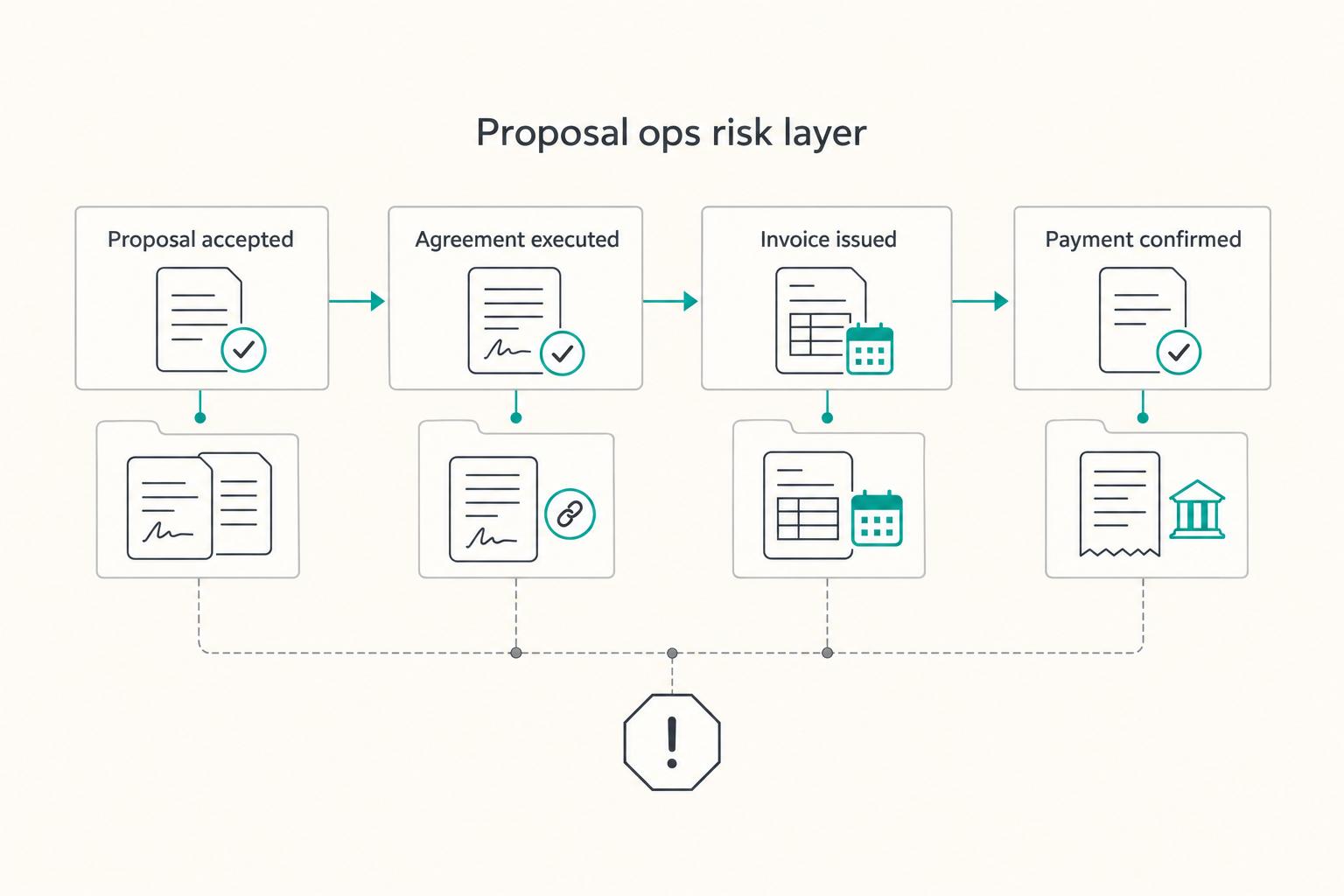
**Pick proposal software based on your ability to produce a clear, retrievable "what was sent and what got accepted" record, not on how pretty the template looks.** As a business-of-one, your proposal process is not admin. It is a control system for scope, timing, and cash.