
Quick Answer
Start by designing for traceability, then optimize speed. To generate expense reports client invoicing teams can trust, lock mandatory fields, enforce approval gates, and keep each billable line linked to receipt, approver, and invoice state. Add idempotency keys on create and update calls, process asynchronous webhook updates, and post to the ledger only after terminal payment status. This sequence reduces duplicate charges, weak audit trails, and manual dispute cleanup.
What to Include in an Expense Report for Client Invoicing#
If you want expense reporting that client invoicing can actually stand on, design for traceability first. The goal is not only a fast PDF export. It is a clean chain from expense submission to client invoice issuance to payment status updates, so finance can explain every billed expense without rebuilding the story from scratch.
An expense report records business expenses incurred while running the business. In most teams, that means a receipt-backed submission that is either reimbursed internally or passed through as a billable client cost. That sounds straightforward until a client challenges a line item or an auditor asks for support. At that point, the record matters more than the export format, because expense substantiation depends on keeping adequate records or other supporting evidence.
That is the scope of this guide. It is for fintech and platform teams choosing between lightweight template tools, invoice apps, and API-led infrastructure such as Gruv. Any of those paths can produce a document. What matters in practice is whether the same expense stays linked to its receipt, approver, project or client context, invoice line, and payment outcome all the way into the records your team reconciles against.
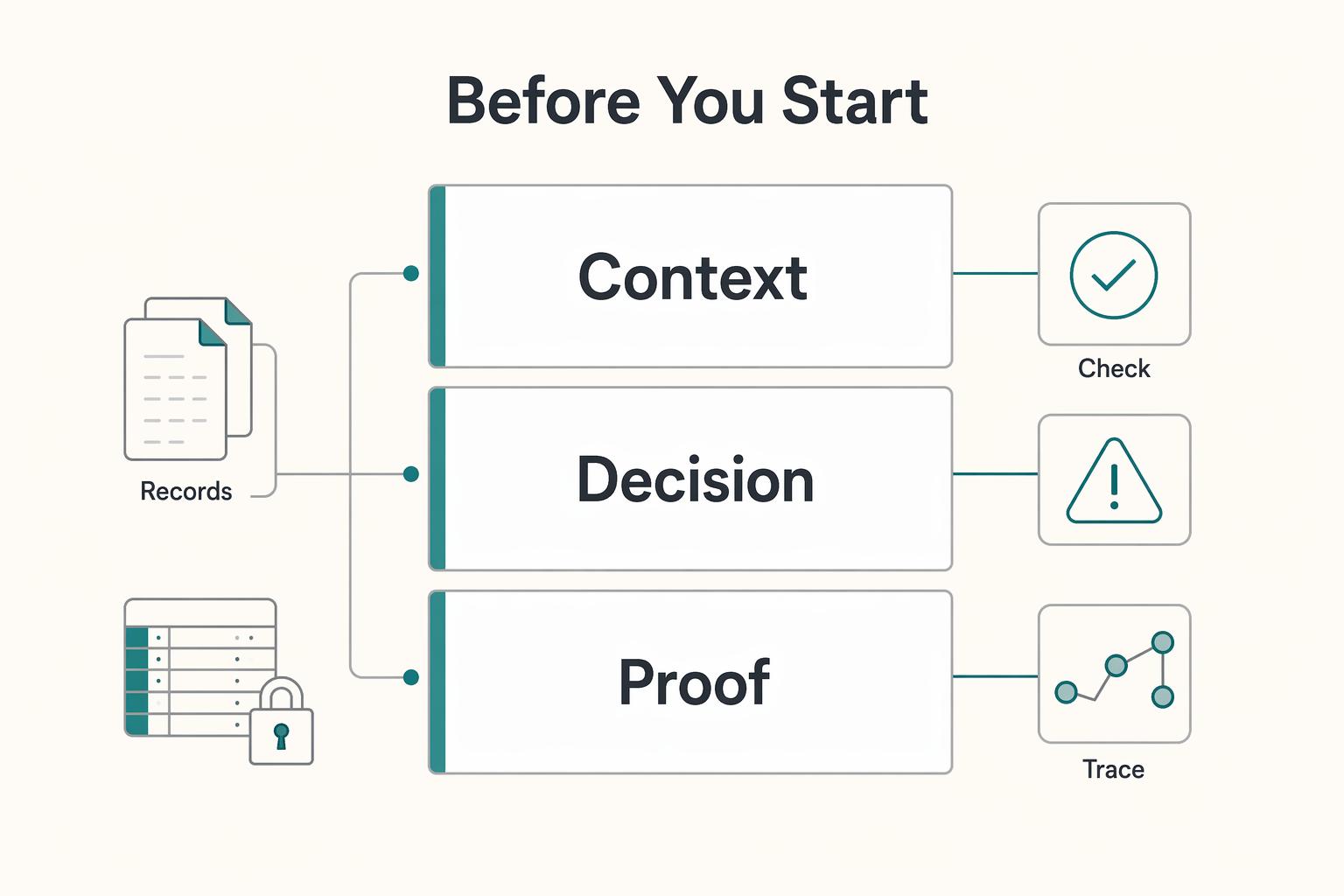
Before you start#
Use this quick checkpoint before you commit to any tool or build path:
- Verify that one billable expense can be traced back to its original expense report and receipt, not just to a line on a client invoice.
- Verify that approval evidence can be retrieved later without digging through email, chat, or a shared drive.
- Verify that payment status changes can be tied back to the same invoice and expense records, rather than living in a separate silo.
If one of those checks fails, disputes become manual work. A common failure mode is not that you cannot create an invoice. It is that the invoice lacks strong supporting records behind it, which forces ops or finance to rebuild context later from screenshots, CSV exports, and memory.
There is also a practical upside to getting the linkage right early. Integrated expense handling can speed up client billing because tracked expenses, submission and approval, and invoicing stay connected. That does not mean every team needs an API-first stack on day one. It does mean you should choose with the end state in mind. A paid invoice should be backed by evidence your finance team can reuse, not only by a PDF someone can send.
This guide covers picking the right operating model, defining invoice-ready fields, and setting controls so records stay useful after submission, during billing, and when reconciliation starts.
For a step-by-step walkthrough, see A Canadian Corporation's Guide to Invoicing a US Client.
Choose the operating model that fits your risk and volume#
Pick the lightest model that still gives you reusable evidence from expense submission through invoicing and payment status. If you run low volume in one entity, template-first or invoice-app flows can work. If you already see multi-entity complexity, cross-border billing, or frequent disputes, move to API-led controls earlier.
Compare the three paths#
The difference is not the document output. It is how reliably one Expense Report stays connected to the Client Invoice and later payment state.
| Path | What it does well | Hidden costs to watch | Link strength from Expense Report to Client Invoice | Verification checkpoint |
|---|---|---|---|---|
| Template-first tool (for example, Taskip) | Fast creation, automatic calculations, professional formatting, instant PDF export | Manual reconciliation, duplicate Billable Expense entry risk across tools, support load when clients ask for backup beyond a PDF | Weak unless you enforce your own IDs and filing process | Take one paid invoice and trace it to the original receipt, approver, and report version without rebuilding context from inboxes or shared drives |
| Invoice app flow (for example, Zoho Invoice, QuickBooks) | Native billing flow, billable-expense handling, clearer path from expense to invoice | Duplicate risk if entries are imported and re-entered, state mismatch with internal records, export/reconciliation work across systems | Medium with consistent customer/project/billable field discipline | In Zoho, confirm a billable expense converts to an invoice. In QuickBooks, confirm billable expenses are reimbursed through the invoice and source records remain visible |
API-led architecture (API + Webhook + ledger) | Better control over linkage, safer retries, asynchronous payment-state handling | More implementation and operations work, and poor event/data design can still create cleanup work | Strong when you use stable IDs, idempotency keys, and event-driven updates | Retry the same write with the same idempotency key and confirm no duplicate write effect; then confirm webhook payment events update the same record trail used for reconciliation |
Taskip works when speed is the priority: it supports unlimited report creation with automatic calculations and instant PDF export. The tradeoff usually shows up downstream, when finance needs more than the PDF to resolve a dispute.
Zoho Invoice and QuickBooks sit in the middle. Zoho supports converting a billable expense directly into an invoice, and QuickBooks supports billable expenses that customers reimburse through invoices. That reduces copy-paste work, but you still need tight field discipline to prevent duplicate or mismatched records. For QuickBooks-specific operations, see How to Handle Billable Expenses in QuickBooks.
Use a simple decision rule#
Start with a template or invoice app if all three are true:
- one legal entity
- low to moderate expense volume
- few disputes on pass-through costs
Move to API-led controls sooner if any of these are already true:
- one expense appears in more than one billing path
- payment confirmation is asynchronous and separate from invoice creation
- month-end close depends on stitching PDFs, CSVs, and inbox threads
- disputes regularly depend on missing approval or receipt context
There is no universal switch point. The practical trigger is when reconciliation and support work become routine, not occasional.
Run the evidence checkpoint before you commit#
Test one full case from submission to paid invoice before you standardize on any model. You need proof that finance and audit can reuse the record trail.
Check three items:
- Can you retrieve the original expense report and receipt from the same trail as the billed invoice line?
- Can you show approval evidence without searching chat or email?
- Can you tie payment status back to that same invoice-and-expense trail (app state or webhook event)?
If any check fails, fix the model or controls before you scale. For related workflow detail, see How Clients Get Paid Back Through Better Expense Reimbursement Workflows.
Prepare prerequisites before the first submission#
Before the first expense report is submitted, lock four things: ownership and approvals, taxonomy, source systems, and sensitive-data handling. This is what keeps each expense tied to a clear approval trail, invoice context, and an audit-ready record.
Assign owners and approval rights#
Define three roles up front: submitter, approver, and the person who can reopen a submitted or approved record. Expense workflows can explicitly route who must complete tasks and approvals, and submission-time compliance rules can surface exceptions to the employee, approver, and processor. If your program includes AML or payout policy checks, map them as explicit gates before money-moving steps. Verification point: submit one test report with a policy violation and confirm the exception is visible to the three roles you expect.
Lock the taxonomy before intake starts#
Set categories, tax treatment, client/project mapping, and billable vs non-billable logic before intake, then enforce it consistently. If VAT treatment affects approval or recovery, give it a dedicated field and workflow lane instead of leaving it to free text. Your field dictionary should define category meaning, when an item is billable, and which client/project identifier is required for invoiceable charges. Verification point: have two operators classify the same three sample expenses and confirm they produce the same results.
Confirm source systems and event paths#
Choose your accounting system of record first (for example, QuickBooks), then separate reporting tools from state-changing systems. QuickBooks integrations can use webhook callbacks for change events, so use webhooks for status updates that affect billing or reconciliation. Keep Looker Studio and connector layers, including third-party connectors and Supermetrics, in the reporting lane rather than letting them act as approval or payment-state authority. Verification point: trigger one change in QuickBooks and confirm the webhook lands on the expected record.
| Component | Role in the workflow | Guide note |
|---|---|---|
| QuickBooks | Example accounting system of record | Choose the system of record first |
| Webhook callbacks | Change-event path | Use for status updates that affect billing or reconciliation |
| Looker Studio | Reporting lane | Keep it out of approval or payment-state authority |
| Third-party connectors | Reporting lane | Keep them out of approval or payment-state authority |
| Supermetrics | Reporting lane | Keep it out of approval or payment-state authority |
Set data handling rules for tax documents and logs#
Set handling rules for Form W-9 and Form W-8 BEN before collection: who can view them, what is masked in-app, and what is excluded from logs. OWASP flags that logs can contain sensitive information, so log only what operations needs (record IDs, outcomes, error context), not full tax-document contents. For TINs, truncation rules are limited, and forms filed with the IRS (including Copy A) cannot be truncated; design for minimal exposure rather than one masking pattern everywhere. Red flag: if support logs can reconstruct a full W-9, your logging scope is too broad.
If you run an agency, see Expense Management for Freelance Agencies to Track and Reimburse Client Costs.
Define invoice-ready fields and validation rules#
Treat invoice-ready data as a contract, not a loose form. If a report can change a client invoice or what posts to the ledger, require the field, link it to a valid parent record, and validate it at more than one gate.
Set the minimum required fields#
Set the minimum required fields for every report and line item up front, then enforce them in the product. A practical baseline is date, merchant, business purpose, category, amount and currency, tax treatment, and a billable expense flag.
| Field | Guide note |
|---|---|
| Date | Part of the practical baseline for every report and line item |
| Merchant | Part of the practical baseline for every report and line item |
| Business purpose | Should explain why the cost belongs to that client or project |
| Category | Part of the practical baseline for every report and line item |
| Amount and currency | Part of the practical baseline for every report and line item |
| Tax treatment | Should route the right approval or recovery path |
| Billable expense flag | Should stay explicit because invoice reporting can split billable-only and non-billable-only entries |
Do not stop at labels. Keep the meanings operational. "Purpose" should explain why the cost belongs to that client or project. "Tax treatment" should route the right approval or recovery path. "Billable expense" should stay explicit, because invoice reporting can split billable-only and non-billable-only entries.
Verification point: test each major expense type and confirm required fields are hard-stop at entry or submit time, not guidance users can bypass.
Add linkage fields that preserve referential integrity#
Use linkage fields to prevent orphan records. In practice, expense records should reference valid parent records through keys rather than free text.
For invoice-bound records, require the linkage your process depends on, such as client ID, project ID, contract reference, approver ID, and target client invoice state. If any of those references is missing or mismatched, invoice grouping usually breaks later.
Verification point: attempt one submission with a fake project ID and one with a project tied to the wrong client; both should fail before invoicing.
Enforce hard validation rules at two gates#
Use two hard gates: block submission when required or policy fields are invalid, and block invoicing when approval evidence is missing. Approval starts at submission, so invoice creation should read from approved or locked entries only.
For any field that can change invoice amount, run server-side validation before posting to the ledger. Amount, currency, tax treatment, and billable status are the core cases. If you allow currency overrides or date windows, validate them centrally (for example, a capped conversion variance or a bounded project-date window) instead of relying only on client-side checks.
Implement the capture-to-invoice sequence with idempotent controls#
Make the sequence explicit, and make every mutating write retry-safe. That is the practical control set that prevents duplicate invoice lines, ambiguous payment status, and premature ledger posting.
Map the state sequence#
Build the flow as named transitions rather than implied behavior inside a UI or background job. A practical operating sequence is: capture expense -> policy validation -> approval -> invoice line creation -> payment confirmation -> ledger journal posting. This is a design choice, not a universal provider mandate.
For each transition, persist three things: current state, required parent IDs, and owner of the next action. Keep the expense report linked to its approver and target invoice, and keep the invoice linked to the expense lines that created it.
Verification point: run one expense from capture to posting and confirm each hop creates one expected record with consistent IDs. You should be able to answer "what state is this in?" and "what created the next object?" from system records alone.
Put idempotency on every mutating write#
Use idempotency keys on mutating API calls that can create financial records, especially expense submission and invoice-line creation. An idempotency key is a client-generated unique key the server uses to recognize retries of the same request.
This keeps retries safe when callers time out or workers replay uncertain responses. Stripe documents this directly: retries with the same key return the same result, including 500 errors; keys can be up to 255 characters; and stored keys can be removed after at least 24 hours. PayPal uses PayPal-Request-Id for the same purpose and warns that omitting it can duplicate a request.
Use one key per logical operation, not per network attempt. If a call times out, retry with the same key; generating a new key on retry turns a replay into a second create.
Verification point: force a timeout, resend the same request with the same key, and confirm one accepted expense report and one set of invoice lines.
Let webhook events drive async outcomes#
Drive asynchronous outcomes from webhooks, not from the immediate API response alone. In async flows, final status may not be known at request time. Webhooks are HTTP POST event messages; your handler should return 2xx, store the message, and then process it.
Define terminal and non-terminal states for both expense reports and client invoices in your own system. Keep one hard rule: only terminal payment outcomes can trigger journal posting.
Use an operator checkpoint after every transition so missing events are visible:
| Transition | Expected record | Owner | Fallback if event never arrives |
|---|---|---|---|
| Capture -> validation | Policy-check result linked to the Expense Report | submitter or policy service | Move to exception queue and block approval |
| Validation -> approval | Approval request with approver ID | approver or finance ops | Reassign or expire the request |
| Approval -> invoice line creation | Invoice lines linked to the right Client Invoice | billing service | Retry with the same idempotency key |
| Awaiting payment -> paid | Payment record or provider payment session (for example, a PaymentIntent) | payments ops | Keep invoice non-terminal and investigate delayed webhook |
| Paid -> ledger posting | Journal entry reference linked to invoice and source expense lines | accounting service | Hold close for that record and post manually only with evidence |
Final check: suppress one webhook in test and confirm the record does not advance silently. If payment confirmation does not arrive, it should remain non-terminal with a named owner and fallback action.
Related: How to Automate Client Reporting with Google Data Studio and Supermetrics.
Build reconciliation and audit evidence packs from day one#
Treat evidence as a first-class output from day one. For this workflow, the practical unit is one evidence pack per paid client invoice, with enough linked records for finance to explain the full trail from expense to posting.
Define the pack around the paid invoice#
Define the pack around the paid invoice, then attach all supporting records in one place. At minimum, include linked expense report records, approval evidence, policy-check results, payment confirmation, and the final ledger entry or journal reference. Keep the change trail too, because strong audit evidence shows who changed a record and what changed.
| Pack item | Include |
|---|---|
| Invoice record | Invoice ID and customer reference |
| Source expenses | All source expense lines marked billable |
| Approval evidence | Approval record with approver ID and timestamp |
| Policy checks | Policy validation result |
| Payment artifact | Invoice PDF, receipt PDF, or provider payment reference |
| Ledger link | Ledger posting reference |
| Audit trail | Audit-log extract for edits, reopens, voids, and status changes |
Verification point: pick one paid invoice and confirm every billed line traces back to one source expense and one approval action.
Keep exceptions in the same pack#
Keep reversals, partial reimbursements, and disputed billable expense lines in the same evidence pack, not in side trackers. These exceptions are often what delay period close.
Your exception log should show:
- original billed amount
- reversed or refunded amount
- reason code
- operator notes
- current status
For partial refunds, one original payment can have multiple refunds as long as the total refunded amount does not exceed the original charge. For disputes, store the webhook dispute notification with the affected invoice and expense lines so finance can see exactly when payment became contested.
Decide retention and export formats early#
Decide retention and export format early, because some evidence windows are time-limited.
| Evidence surface | Practical limit or window |
|---|---|
| Stripe Hosted Invoice Page URL | Expires 30 days after due date, never longer than 120 days |
| QuickBooks audit log events | Available for two years |
| IRS recordkeeping context | Assessment period is generally 3 years from filing |
Keep both human-readable and machine-readable artifacts. PDF helps for audit and dispute review, while CSV or Excel exports support downstream reconciliation and analysis. If you use Gruv modules such as Virtual Accounts or Merchant of Record, include provider references your integration exposes (for example, pspReference) and payout status snapshots with expected arrival dates when available.
Related reading: Receipt Scanning OCR for Expense Entry Decisions.
Apply compliance and tax gates without breaking the user flow#
Gate payouts, not drafting. Let users finish expense reports and prepare invoices, but block payout-critical release until identity requirements are complete.
Gate payouts with KYC and identity checks#
Put KYC and identity checks immediately before the first funds-movement action. Completed KYC is a prerequisite for payout enablement, and outstanding verification requirements can restrict capabilities or disable payouts if deadlines are missed. For non-individual customers, collect required control-person details, not only the legal-entity name.
Verification point: before release, confirm the account has no outstanding requirements. Avoid treating invoice creation as proof of payout eligibility.
Keep tax collection separate from invoicing#
Keep tax collection outside the invoicing UI, but link it to the same underlying record set. Use Form W-9 to collect a correct TIN for information returns, and Form W-8BEN to establish foreign status and support treaty-claim handling where applicable. If your program tracks Form 1099-NEC workflows, keep the January 31 filing deadline visible in operations.
If you also track Form 2555 (FEIE) or FBAR-related records, attach them to the payee or invoice trail by document ID and status while keeping access controlled. Do not place tax files in broad-permission billing screens.
Show capability flags where coverage varies#
Expose capability flags anywhere market or program coverage can change outcomes. Even with support for 135+ currencies, providers do not support every country and presentment-currency combination. Block unsupported routes early in setup rather than after a user reaches payout.
That one rule prevents avoidable support debt in cross-market expense invoicing.
Fix common failure modes before they become finance debt#
After compliance gates, the next risk is reconciliation drift: records that look valid now but fail later. Use strict defaults from the start: accept one write per request key, require re-approval after material edits, and treat delayed webhooks as normal operations.
Make writes replay-safe#
Use an idempotency key on every create or update write in your invoicing flow. Keep one accepted record per key, return the original result on retries, and log replays in the ledger trail so finance can confirm that nothing new was posted.
Verification point: operators should be able to search by idempotency key and see one canonical record plus replay attempts. A common failure mode is UI-only deduplication while retries from refreshes, mobile clients, or background jobs still create duplicates at the API layer.
Reopen approval after material edits#
When monetary data changes materially, send the record back through approval before invoice issuance. Approval workflows can enforce re-approval outside configured tolerance, and some expense flows do not allow revision after submission unless the report is rejected.
If a submitted report changes in a way that can affect billing, do not let the old approval stand. The record should show who approved the current version, not just an earlier one.
Reconcile delayed or repeated webhook events#
Treat repeated and delayed webhook delivery as expected behavior, then reconcile against current invoice state with clear ownership for unmatched cases. Log processed event IDs so duplicate deliveries are ignored, and check API event history before treating a payment update as missing.
Do not mark an invoice unpaid only because an event has not arrived yet. In live mode, webhook retries can continue for up to three days, so your ops flow should account for that window.
Conclusion#
Use this as your launch gate, not a nice-to-have checklist. If any item is still fuzzy, keep the pilot narrow and fix that gap before you roll the flow out more widely.
- Confirm the operating model and write down the scale-up trigger.
Pick the model you are actually prepared to operate: template tool, invoice app, or API-led build. Then define the exit criteria in plain terms, such as repeated duplicate cleanup, multi-entity support needs, or disputes that require finance to rebuild the history by hand. Your checkpoint is simple: can one reviewer trace a paid client invoice back to the original expense, approval, and ledger posting without asking engineering for help?
- Lock the invoice-ready fields, validation rules, and approval owner.
Do not leave "required" to UI convention. At minimum, make date, merchant, purpose, category, amount and currency, tax treatment, billable flag, client or project link, and approver ownership hard requirements, and server-validate any field that can change the invoice amount before posting to the ledger. Your checkpoint is to submit an expense with a missing client link or missing approval evidence and confirm it is blocked. The common failure mode is approving first and allowing amount or tax edits later without forcing reapproval.
- Implement idempotent API writes and explicit webhook state handling.
For create or update calls that can produce invoice lines, use an idempotency key. Stripe's guidance is concrete here: use an idempotency key when creating or updating an object, keys can be up to 255 characters long, and they can be removed automatically after they are at least 24 hours old. Your verification test is simple: replay the same request and confirm one accepted result exists, not two billable lines. For asynchronous updates, register a webhook endpoint and record the event payload alongside the resulting expense or invoice state so retries and delayed updates are visible instead of guessed at.
- Ship an evidence pack tied to the ledger record for every paid invoice.
At minimum, the pack should include the linked expense records, approval evidence, policy checks, invoice state history, and the final ledger reference. If finance cannot close a dispute or period from that pack alone, you have not finished the implementation. A red flag is approval proof living in chat, tax forms living in email, and invoice status living somewhere else.
- Validate compliance and tax gates only where they apply, then block unsupported paths early.
KYC requirements can gate payout capability, and the required information can vary by location, business type, and requested capabilities. In some bank-regulated contexts, AML programs can include written customer identification requirements. If you collect W-9 and W-8BEN, keep collection linked but access-controlled: Form W-9 provides a correct TIN to payers filing IRS information returns, while Form W-8BEN is submitted when requested to certify foreign status. The checkpoint here is practical: test one market and account type that should pass, and one that should be blocked before payout-critical steps.
Next, run a pilot on one client segment. Track dispute rate and close-cycle time, then expand only if the same controls still hold under retries, edits, and verification exceptions.
Frequently Asked Questions
What is the fastest way to generate expense reports for client invoicing without creating reconciliation problems later?
A fast low-risk path is to start with a tool that already supports billable expenses tied to a customer. QuickBooks lets you record billable expenses so a customer can reimburse them on an invoice, and Zoho Invoice supports marking eligible expenses as billable for customer chargeback. Speed comes from preserving that customer link through invoicing, not just exporting a report quickly.
Which fields are mandatory for an expense record to be invoice-ready and audit-ready?
There is no single universal field list you can copy across every team and jurisdiction. Treat “mandatory” as the minimum needed to prove who the cost belongs to and why it can be billed back. In practice, that includes expense details, category, billable status, and the customer or project link used in reporting views. If your finance team cannot filter expenses by category, customer, or project, the record is not truly invoice-ready.
How do billable expenses become invoice lines without duplicates?
A key control is an idempotency key on create or update calls that can generate invoice lines. Stripe’s API guidance is direct: when creating or updating an object, use an idempotency key so retries do not perform the same operation twice. A practical check is to verify repeated requests with the same key map to one operation outcome, not duplicate invoice lines.
When should we move from template tools to API-led automation?
Move when manual handling starts creating material operational drag and duplicate-risk cleanup work. The grounded case for automation is practical: it is associated with fewer manual errors, stronger compliance and control visibility, and better spending visibility than manual workflows. Use that as your decision frame rather than a fixed volume threshold.
What controls prevent non-compliant or unauthorized expense invoicing?
Do not treat a checked billable box as sufficient on its own. Require the expense to be tied to the correct customer or project, and review reporting views that break data out by category, customer, and project before invoicing. For API-led flows, use idempotency keys on create/update paths so retries do not create duplicate invoice lines.
What should we verify before choosing between Taskip, Zoho Invoice, QuickBooks, or a custom API stack?
Check whether the product can prove traceability, not just create an expense record. For Zoho Invoice, verify that expense reports can be viewed by expense details, category, customers, projects, and mileage, because those views help when reconciliation gets messy. For QuickBooks, confirm billable expenses can be linked to the customer invoice path you plan to use. For Taskip, ask for the same proof rather than assuming it exists. For a custom API stack, require idempotent create/update behavior and clear retry handling before trusting it in production.
Try a related tool
Where Gruv fits
See reconciliation and mismatch review
Compare ledger entries, provider payment records, and statement rows to see what matches and what finance needs to review.
See invoice-linked collection
Issue a payment request against an invoice, open hosted checkout, and keep provider status and finance references connected.
Researched and edited by the Gruv editorial team. Gruv builds cross-border billing, payouts, and finance-operations software for global businesses.
Sources
Includes 2 external sources outside the trusted-domain allowlist.
- bsaaml.ffiec.gov/docs/manual/06_AssessingComplianceWithBSAReg...trusted
- docs.stripe.com/api/idempotent_requeststrusted
- docs.stripe.com/webhookstrusted
- ecfr.gov/current/title-31/subtitle-B/chapter-X/part-1...trusted
- irs.gov/forms-pubs/about-form-w-9trusted
- irs.gov/taxtopics/tc305trusted
- cheatsheetseries.owasp.org/cheatsheets/Logging_Cheat_Sheet.htmlexternal
- docs.cloud.google.com/looker/docs/studio/available-connectorsexternal
Educational content only. Not legal, tax, or financial advice.
Related Posts
How to Handle Billable Expenses in QuickBooks
**Treat QuickBooks billable expenses as a reimbursement system, not just a bookkeeping feature, so you recover client project costs through invoices instead of absorbing them.**

How to Invoice a US Client from Mexico as a Temporary Resident
If you want to invoice a US client from Mexico without payment friction, focus on three outcomes: the client's AP team accepts the invoice, your SAT record stays compliant, and your net receipt is predictable.
How to Automate Client Reporting with Google Data Studio and Supermetrics
If clients rarely engage with your reports, your value story feels fuzzy, and month-end reporting keeps eating into paid work, the fix is usually not more charts. It is tighter operating discipline. The Client Reporting Flywheel is a practical model for turning reporting into three linked outcomes: proof of value, clearer scope control, and better growth planning.