
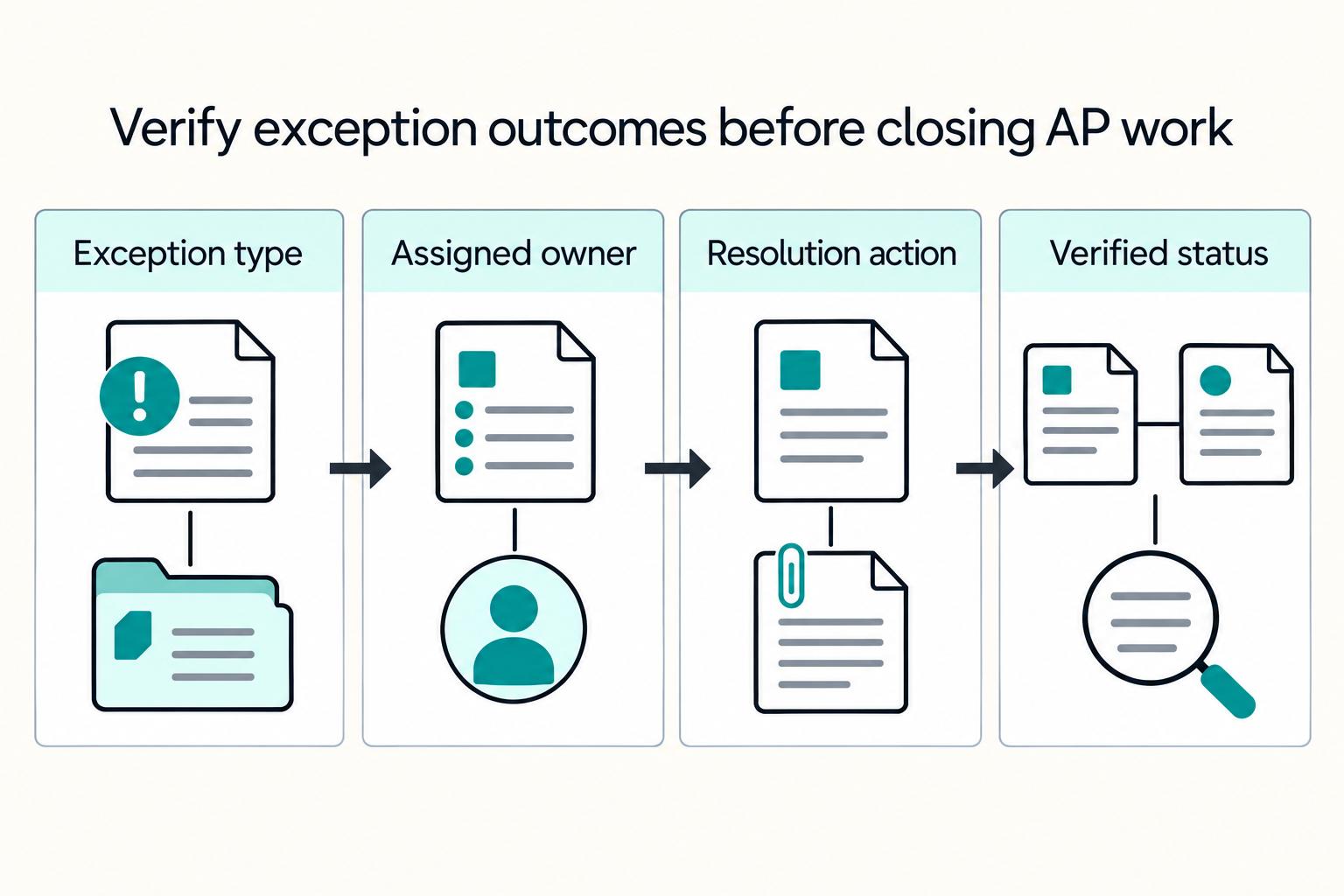
Quick Answer
Distributed finance teams can close faster with cloud-based AP when they automate repeatable work first, keep high-risk steps under authorized review, and verify controls before rollout. The biggest gains come from clearer approval routing, visible exception ownership, exportable audit logs, and reliable AP-to-ERP payment-status matching that reduces rework during close.
How Cloud-Based AP Helps Remote Teams Close Faster#
Cloud-based AP is an operating decision, not just a UI upgrade. If you run finance across locations, you feel the change in ownership across invoice intake, approvals, payment release, and downstream matching. We see that shift affect close execution, cash timing, and control quality fast. AP is a full-cycle process, and moving it into provider-hosted software means you need to decide how those steps will work under real pressure.
We wrote this as a decision-making guide, not automation hype. Our focus is what to automate first, what to keep under human review, and what to verify before rollout. If ownership and handoffs are already weak, new software can make those gaps move faster and harder to audit.
Before rollout, keep three controls non-negotiable:
- Approval routing must reflect real authority, not just a default workflow.
- Segregation of duties still applies. An approval tool alone does not satisfy it, and no individual should perform two consecutive tasks in an accounting procedure.
- Audit logs must stand up as evidence, with clear records of who acted, what changed, and when.
Treat audit-log quality as a go-live gate. Verify the system can produce usable records for approver changes, control overrides, payment reversals, and timestamps with actor and object detail. A common failure mode is seeing a status in the UI but finding key fields missing from exported logs during close or review.
You also need to validate provider and market assumptions explicitly. Payout methods, timing, and country coverage vary. One documented cross-border example shows arrival timing is typically 1-7 days depending on country. Some payout programs also depend on whether a business has the necessary licenses to be in the flow of funds. If your model includes contractor, creator, or cross-border payouts, confirm eligibility and coverage before you write policy around a feature.
Before go-live, build a small evidence pack and do not expand scope without it:
- Approval matrix: who can request, approve, and release payments
- Segregation-of-duties map: explicit conflict points
- Audit-log samples: overrides, re-approvals, reversals
- Test transaction proof: invoice receipt through payment and posting alignment
Baseline AP cycle time using a fixed definition, and use the same definition after rollout. A common benchmark definition measures cycle time from invoice receipt until you transmit payment. Without a locked definition, it is hard to tell whether close performance improved or whether work just shifted into exceptions.
The sections that follow use a control-first rollout approach. Automate repeatable work, keep high-risk edges visible, and verify provider and market assumptions before scaling.
What cloud-based AP changes for distributed teams#
Cloud-based AP uses provider-hosted software to automate supplier invoice processing and payments, but for distributed teams the bigger shift is how the work runs day to day. It can move AP out of fragmented manual handoffs into a shared process for intake, routing, payment status, and review.
Remote access helps, but it does not solve the operating model by itself. For teams spread across locations and time zones, clear ownership for invoice triage, approval follow-up, and payment release still matters.
Workflow automation can route invoices to designated approvers based on business rules, which makes the path from receipt to payment easier to trace. The tradeoff is integration risk. If approvals and payments sit outside the ERP, audit continuity can break, and manual uploads can delay reporting and reconciliation.
In our view, the goal is not just higher throughput. You want tighter reconciliation, synchronized balances, and, in digitized workflows, the potential to close faster with fewer errors. Before you expand rollout, verify one end-to-end path from invoice capture to ERP posting. Then confirm the approval and payment history is exportable, not just visible in the UI.
Where distributed AP teams lose close time#
Close time is usually lost in bottlenecks and exception handling, not from invoice counts alone. Once you confirm one clean path from invoice capture to ERP posting, map where work leaves that path and turns into rework, chasing, or close cleanup.
A practical starting point is three recurring delay points. They are not universal, but they are good places to test first.
| Delay point | What it looks like in practice | What to verify |
|---|---|---|
| Invoice processing backlog | Invoices sit unreviewed, arrive with missing support, or bounce back for correction | Queue aging by received date, count awaiting coding or verification, and whether exceptions are classified consistently |
| Approval routing bottlenecks | Invoices are submitted but stall with the applicable approver, or return for edits and restart the cycle | Approval aging, approval-exception volume, and whether approval history is easy to review during close |
| Breaks between ERP integration and payout status | ERP shows posted or ready, but payment status is unclear or not reflected cleanly in reconciliation review | Match between ERP posting status, payment outcome, and whether exceptions are routed to a worklist or email |
Track the work that creates rework#
Separate normal work from failure work. Normal work follows the AP path through processing, verification, approval, and payment. Failure work includes exceptions such as missing receipts, mismatched quantities or prices, duplicate invoices, tax variances, and other reconciliation exceptions.
Track at least these three items separately from total invoice volume:
- exception queue volume
- rework loops, such as invoices returned for correction or reapproval
- unresolved vendor payments at your defined pre-close checkpoint
This matters because cycle time to monthly close is measured in calendar days between running the trial balance and completing consolidated financial statements. If unresolved payments remain open during close reconciliation, AP risk can become close-cycle risk.
If exception queues keep growing relative to intake, treat that as a signal to review policy, ownership, escalation paths, and exception configuration before you add more routing layers. Misconfigured exception types can create unnecessary exceptions and bury the work that actually matters.
Tie AP checkpoints to the close calendar#
Tie AP checkpoints to close milestones, not just payment due dates. If you want the team to intervene early, you should make task status, deadlines, and role ownership visible in your month-end close checklist.
Set explicit checkpoints for invoice-exception review, approval-exception clearance, and unresolved-payment review before downstream close tasks. Then assign one owner and one escalation path for each checkpoint so handoffs stay visible and manageable across distributed teams.
Decide what to automate now and what to phase later#
Automate high-volume, rule-based AP steps first, and keep higher-risk, lower-frequency steps in authorized human review until controls and posting checks are reliable. For distributed teams, speed only helps if it preserves control clarity across approval, payment, and status matching.
Rank AP steps by risk and repeatability#
Before you choose a phase, score each step across three criteria: control impact (including segregation of duties), close impact, and integration effort. Use the table as a starting point, then validate it against your own controls and integrations.
| AP step | Repeatability | Control impact | Close impact | Integration effort | Phase decision |
|---|---|---|---|---|---|
| Invoice intake | High | Low to medium | High | Medium | Automate now |
| Duplicate detection | High | Medium | High | Medium | Automate now with authorized review for flagged items |
| Approval routing | Medium to high | High | High | Medium | Automate routing; keep authorized review |
| Payment release | Medium | Very high | High | High | Phase later with strict ownership controls |
| Posting and payment-status matching | Medium | High | High | High | Phase later after posting/status checks are stable |
| Exception handling | Low to medium | High | High | Medium | Keep human-led; automate triage only |
Use the same rule throughout: invoices that meet defined criteria can auto-approve, and invoices outside those rules should route to an authorized user.
Keep a hold lane for market-specific workflows#
Keep a separate hold lane for flows that depend on market or program coverage. Payout capability is not uniform by country or program. PayPal Payouts documents four payout feature levels, so a workflow that is safe in one market may need different gates in another.
Put a workflow on hold when policy gates or payout coverage have not been re-verified. Exit hold only after you have current coverage confirmation, required policy approvals, and a successful end-to-end test for that market or program path.
Define exit criteria before rollout#
Set phase exit criteria before implementation so you can ship incrementally instead of debating edge cases mid-rollout:
| Phase | Exit criteria |
|---|---|
| Phase 1 | Invoice intake and duplicate detection show stable rule behavior; flagged items route to authorized review; ERP posting visibility is consistent |
| Phase 2 | Approval routing preserves segregation of duties; items outside defined rules continue to route to authorized review |
| Phase 3 | Payment release ownership is separated; payment outcomes are reliably reflected in AP and ERP status |
| Hold lane | Coverage and policy gates are re-verified for the specific market or program, with one successful end-to-end run |
Decision rule: automate only when the step reduces close friction without weakening who approved, what posted, and how payment status ties out.
Build approval controls remote teams can actually follow#
Approval controls need to stay simple under close pressure. Route by transaction attributes and role ownership, and keep request, approval, and payment release separated unless a compensating control is documented.
Route by transaction and role#
Build routing from the bill, not from who is online. Use transaction fields such as amount, entity, vendor, and accounting categories to assign approvers, then use role permissions to separate who can approve, who can pay, and who can manage bills.
Keep segregation of duties explicit in AP. One person should not control the full cycle. The bill requester or submitter should not also be the final approver and payment releaser. If your team cannot split every step, document an alternative control and make it part of close review.
Before rollout, test a small invoice set that should follow different paths by entity, vendor, and accounting category. Confirm the routes are correct, and confirm payment releasers cannot approve their own items through role gaps.
Make the audit log defendable#
Your audit trail needs to let finance reconstruct who did what and when. Define required log coverage for overrides, re-approvals, and payment reversals where your process and system support them. Include core fields such as timestamps, user or process IDs, event descriptions, success or fail results, and source and destination details where supported.
Do not assume your AP tool logs all of this by default. Pull sample logs before go-live and verify that a reviewer can trace approval-path changes, exception approvals, reversals, and event timing in sequence.
Keep a lightweight evidence pack with:
- approval routing matrix by transaction type and owner role
- segregation-of-duties map for submit, approve, release, and review
- delegate approver register with documented approval limits (where supported)
- sample audit-log exports for override, re-approval, and reversal events
Use delegation that respects time zones#
Use authorized delegates with a defined out-of-office window so approvals keep moving without breaking policy. Where supported, use delegation that auto-expires and make sure delegation changes are logged for later review.
Check the time basis for delegation windows before go-live. For example, some systems evaluate delegation dates against the company account time zone, not the approver's local time, which can open or close access at the wrong moment. We recommend that you verify delegated approvals stay within the original approver's limits where that control exists. If not, define explicit policy limits for delegates.
Related reading: How to Build a Global Accounts Payable Strategy for a Multi-Country Platform.
Treat exception handling as a first-class process#
Use a dedicated exception process instead of mixing exceptions into general invoice work. Run one open-exceptions queue with clear categories and named owners.
Build one queue that specialists actually work from#
Use a working list of unresolved exceptions, such as an open invoice exceptions view, not a passive filtered inbox. AP specialists should be able to analyze each item and act on it, because unresolved exceptions can block invoice processing and line-level exceptions must be reconciled before payment can proceed.
Classify items by the action needed to resolve them. Consistent categories support delegation and resolution, even if your system uses different labels.
| Example category (label varies by system) | What it usually means | Primary owner |
|---|---|---|
| Duplicate invoice | Same invoice may have been submitted or captured twice | AP specialist |
| Missing order or receipt context | Invoice cannot be matched to source transaction data | Buyer, requester, or AP specialist |
| Vendor payment exception | Payment is uncleared or cleared for a different amount | Payments or treasury owner |
| Posting exception | Invoice or payment lines still contain exceptions that block transfer or posting | AP plus accounting |
Use a handling order and verify the end state#
Use a consistent sequence: detect, classify, assign, resolve, then verify the outcome before closing. It is not a universal vendor rule, but it helps prevent items that look fixed and then fail later.
Assign each exception to a named user or group through an exception task. Before you close an item, confirm:
- blocking exceptions are cleared so processing can continue
- posting or payment status is correct in the systems your close process relies on
This matters because invoices or payments with remaining exceptions may still fail transfer or posting.
Keep open exceptions reviewable and owned#
Review major exception categories regularly and verify that owner assignment, resolution action, and final processing status are aligned. This keeps open work visible in the same queue your specialists use to resolve exceptions.
Related: Finance Automation and Accounts Payable Growth: How Platforms Scale AP Without Scaling Headcount.
Connect AP decisions to cash and payout timing#
AP approval timing should be set by cash-out timing, not by invoice status alone. Set invoice processing and approval windows based on when funds can actually be released. A late approval can miss a payout window, shift liquidity into the wrong day, and create close drift.
Set approval windows from payment dates backward#
Start from the payment date you can actually execute, then work backward to approval cutoffs. In Oracle Payables, Pay Through Date and Payment Date determine installment selection and discount handling. In Dynamics 365 Finance, a payment proposal can select invoices by due-date or cash-discount date ranges, and a minimum payment date can move earlier-due invoices onto one payout date.
| Context | Timing reference | Operational point |
|---|---|---|
| Oracle Payables | Pay Through Date and Payment Date | Determine installment selection and discount handling |
| Dynamics 365 Finance | payment proposal, due-date or cash-discount date ranges, and a minimum payment date | Can move earlier-due invoices onto one payout date |
| Fixed payment days | Cutoff that leaves time for review, proposal generation, and release checks | Keep approval routing out of release hours; confirm invoices approved in-window are actually included in payment selection |
If you run fixed payment days, keep approval routing out of release hours. Set a cutoff that leaves time for review, proposal generation, and release checks. However, before each run, confirm the payment proposal pulls in invoices approved in-window, so treasury is not planning around payments AP has not scheduled.
Reconcile three states before every close checkpoint#
Before each monthly close checkpoint, tie together approved liabilities, scheduled vendor payments, and actual payment outcomes. AP-to-GL reconciliation is expected both before and after GL posting, so this is not only a month-end bank reconciliation step.
Check that each obligation is consistent across records:
- approved in AP
- included in the payment batch or proposal
- reflected in payment outcomes and bank or statement activity
When these states diverge, close risk rises quickly. Matching rules can improve statement-to-transaction match rates, but unmatched or partial matches still need human review before signoff.
Coordinate AP release timing with payout operations#
For cross-border flows, payout timing and AP timing must be coordinated as one process. RTGS operating hours can vary by jurisdiction, and cross-jurisdiction hour alignment could support faster outcomes, better liquidity management, and lower settlement risk. In practice, approval is not enough if the corridor's effective processing window has already passed.
For domestic ACH, treat network timing as a baseline, not a guarantee. Nacha's expanded Same Day ACH window allows submission until 4:45 p.m. ET (1:45 p.m. PT), effective March 19, 2021. Operator schedules are still operator-determined, so confirm bank and provider cutoffs directly.
Use a shared finance-ops view, even if it is assembled from multiple tools, that shows pending approvals, scheduled disbursements by payment date, and unresolved exceptions in one place. Without that, local AP decisions can keep creating downstream cash surprises. For a tighter metric set, pair this with your AP KPI tracking.
If you want a deeper dive, read Accrued Expenses vs. Accounts Payable: How Platform Finance Teams Classify Contractor Liabilities.
Choose the right stack for your operating model#
Choose the stack by your current bottleneck, not by feature volume. If your constraint is AP workflow discipline, prioritize explicit controls and exception handling. If your constraint is payments orchestration, prioritize integration surface and payout traceability.
Read the table as an evidence view. Public technical depth is uneven across vendors.
| Product | Approval routing / controls signal | Audit log / exception signal | ERP integration scope | API, webhooks, distributed engineering fit | Migration constraints to test |
|---|---|---|---|---|---|
| Ramp | Public detail is strongest on bill events and accounting sync, not a neutral benchmark of routing depth. | Ramp documents bill lifecycle webhooks, including bills.approved; no equally explicit public exception-queue construct was found here. | Ramp documents API sync patterns with external accounting systems. | Strong fit for engineering-owned, event-driven workflows. | Ramp supports separate bill and bill-payment exports (Universal CSV and QuickBooks Desktop) with re-sync controls; test close-continuity history in those exports. |
| Ramp Bill Pay | Ramp defines the bill as the structured AP record powering approvals, coding, and payment. | The same bill object carries approval and payment state; no explicit public exception queue was found here. | Uses Ramp's documented accounting sync patterns. | Good fit for event-driven builds using the same bill object and webhook model. | Validate whether approval history and payment-state history transfer cleanly in cutover exports. |
| Serrala | Serrala states Alevate AP automates capture, processing, approval, and exception handling across multi-ERP contexts. | Exception handling is explicitly part of the published AP flow. | Strong multi-ERP signal; also offers an SAP-certified embedded path for SAP S/4HANA and SAP ECC. | Published detail is stronger on AP operations than public webhook depth; request API or event docs early. | Multi-ERP flexibility can help staged migration; test history extraction, open liabilities, and reversal handling before cutover. |
| AvidXchange | Public detail is more explicit on integrations and exceptions than comparative routing depth. | AvidXchange documents an Exceptions Queue with an audit trail for invoice inbox emails that failed to load. | States over 180 accounting software integrations. | Strong packaged accounting connectivity signal; equivalent real-time API or webhook depth was not equally documented here. | Run parallel checks across invoice status, ERP posting, and payment outcomes before retiring the old process. |
| Tipalti | Strong controls signal: Tipalti states 20+ role-based permissions enforcing segregation of duties. | Tipalti positions AP as one system from onboarding and invoice management through reconciliation. | Public material emphasizes end-to-end AP and payments more than a comparable ERP integration count. | Publishes APIs and real-time webhooks; also states coverage across 200+ countries, 120 currencies, and 50+ payment methods. | All-in-one scope can increase migration stickiness when supplier, tax, invoice, and payment history move together. Verify validation-rule claims directly because published pages show both 26,000+ and 27.000+. |
| Medius | Public detail is strongest on integration model, not comparative routing depth. | Confirm exception-queue details with the vendor. | Documents managed ERP connectors plus REST API and file-based options. | Strong fit for modular, engineering-owned stacks. | Phased migration is easier only if historical states and matching lineage export cleanly; request sample extraction. |
Read by bottleneck#
If your bottleneck is AP discipline, start with controls and exception handling. Tipalti has a clear published segregation-of-duties signal, Serrala is explicit on approval plus exception handling across multi-ERP contexts, and AvidXchange provides a named Exceptions Queue with audit trail language.
If your bottleneck is orchestration, follow integration and event visibility. Ramp and Ramp Bill Pay have clear retrieved documentation for bill object lifecycle, accounting sync, and webhook events. Tipalti also fits this lane when AP must stay tightly coupled to broader payment operations.
What platform builders should validate early#
For teams with engineering ownership, event visibility is a core operating requirement. Webhooks determine whether downstream systems can react in real time instead of polling for status changes.
Ramp and Tipalti are faster to evaluate for this pattern because both publish webhook support. Medius is also straightforward to evaluate for modular builds because it documents connectors plus REST and file-based options. With Serrala and AvidXchange, request technical docs early rather than assume equivalent event depth.
Verify migration before commitment#
Migration risk usually shows up at close, not in the demo. Before cutover, ask each vendor for the same proof set:
- one export containing open bills, paid bills, bill payments, and supplier records
- one traced transaction from invoice intake through approval, payment, and ERP sync
- one rollback scenario showing visibility after failed sync or reversed payment
If continuity is weak on those checks, treat migration risk as high even when front-end workflows look strong.
Execute a 30 60 90 day rollout by function#
Use the first 90 days to prove controls, posting/payment alignment, and rollback readiness before expanding payment coverage. A 30 60 90 plan is not a formal requirement, but it is a practical stage-gate structure for go or no-go decisions based on evidence rather than confidence.
| Phase | Finance | Ops | Engineering | Evidence needed before advancing |
|---|---|---|---|---|
| Days 1 to 30 | Document AP policy, approval routing, and segregation of duties, including who can request, approve, and release payments. | Assign exception ownership by type and define escalation owners. | Scope ERP integration, sync points, and event mapping for bill, approval, and payment states. | Signed policies or procedures, role matrix by function, draft rollback path, test-transaction plan |
| Days 31 to 60 | Run pilot lanes for invoice processing and approvals; review audit-log coverage for close. | Operate the exception queue daily and track aging separately from normal AP cycle time. | Run parallel checks with the legacy process, compare outputs daily, and close differences before the next business day. | Pilot results, daily check log, audit-log samples, open-issue log with owners |
| Days 61 to 90 | Expand vendor-payment coverage only where pilot controls held; prepare cutover sign-off package. | Enforce escalation rules and retire manual handoffs that failed pilot acceptance checks. | Finalize cutover and rollback steps; support stakeholder go or no-go review. | Stakeholder sign-off, rollback decision, traced transaction from invoice through ERP posting and payment outcome |
Days 1 to 30 set policy before configuration#
Start with documentation, not configuration. Write control activities and functional responsibility into policy and procedures so routing rules, delegation, overrides, and re-approval logic are explicit.
Keep segregation of duties concrete: separate request, approval, and payment release. In parallel, define exception ownership by type so close-risk issues do not disappear into shared queues.
Engineering should map required states and evidence across AP, ERP, and payment outcomes, then confirm what audit logging actually captures. Do not assume logs include every automated batch action by default.
Days 31 to 60 run a pilot and reconcile every day#
Pilot a limited lane first to validate readiness before broader deployment. During the parallel run, compare legacy and new-system outputs daily and resolve breaks before moving to the next day.
Treat auditability as a pass or fail gate. Finance should be able to trace who changed what and when in configured approval, coding, and payment records.
Days 61 to 90 expand carefully and prepare cutover#
Scale only after pilot evidence supports broader deployment. Keep unresolved manual handoffs visible and either redesign or retire them before full cutover.
Document rollback before each release event: triggers, decision owner, preserved data, and control checks after revert. Use a formal readiness review before go-live, often no later than four weeks prior, and require explicit stakeholder sign-off at cutover.
Run a consistent operating cadence across all phases: one owner per lane, one evidence pack per gate, and no expansion until posting checks, audit-log quality, and rollback readiness pass together.
Use a go-live evidence checklist before full cutover#
Do not approve full cutover until the evidence pack is complete and signed off against exit criteria. If a key control, test result, or verification step is missing, treat it as a no-go.
| Area | What to confirm |
|---|---|
| Evidence pack | Current policy documents, approval routing matrix, segregation-of-duties map, audit-log samples, and bank-reconciliation tie-out evidence |
| ERP path testing | System integration, user acceptance, and performance testing are completed and signed off; end-to-end test transactions are run; migration scripts or data-load processes are tested and signed off if included |
| Exception governance and cutover plan | Service-level commitments, escalation ownership by exception type, resolution process, and reporting cadence for open items are confirmed; dependencies, roles, timing, instructions, and verification steps are defined |
Confirm the evidence pack is decision-ready#
Your pack should let someone outside the project validate readiness without verbal context. Include current policy documents, the approval routing matrix, the segregation-of-duties map, audit-log samples, and bank-reconciliation tie-out evidence.
For approvals, show policy triggers and named approver lists, not only configuration screenshots. For segregation of duties, verify incompatible access combinations, including whether any one user can both create an invoice and a payment. If yes, fix access before go-live.
Test the ERP path from invoice to close#
Before cutover, complete and sign off system integration, user acceptance, and performance testing. Then run end-to-end test transactions across the full invoice-to-close flow.
If cutover includes migration scripts or data-load processes, test and sign those off too. Keep evidence that transactions match across AP, ERP, and bank-side activity. If you are following Dynamics 365 Finance & Operations go-live guidance, assemble readiness review inputs no later than four weeks before go-live.
Lock exception ownership before expanding to distributed teams#
Do not expand to all teams until exception operations are clearly governed. Confirm service-level commitments, escalation ownership by exception type, the resolution process, and reporting cadence for open items.
Your cutover plan should also define dependencies, roles, timing, instructions, and verification steps. If those details are still unresolved, hold expansion and keep rollout in a controlled lane.
For a related operating-model perspective, see Usage-Based Billing for B2B SaaS Platforms That Teams Can Operate.
Before you expand lanes, map each checklist item to implementation details in Gruv docs so policy gates, status events, and reconciliation exports are defined up front.
Avoid the mistakes that erase AP gains#
A signed go-live pack is only the start. We see three errors erode AP gains: unclear ownership, speed-first approvals that weaken control evidence, and vendor claims that were never tested in your own close and cash-management process.
Fix ownership before adding more automation#
If ownership is unclear, automation can scale the problem. Set structure, assign responsibility, and delegate authority before you expand tooling, and keep segregation of duties so one person does not perform consecutive accounting tasks.
For remote finance teams, make ownership explicit for invoice intake, approval routing, payment release, exception handling, and period-end review. Test whether any one user can both create an invoice and release payment. If yes, pause expansion until access is corrected.
Do not trade control evidence for faster approvals#
Approval speed is not a win if control evidence gets weaker. AP control activities need approvals, verifications, reconciliations, and segregation of duties, so cycle time cannot be your only target.
Require an audit trail that shows who performed each action during the period. Then confirm approved liabilities, scheduled payments, and payment outcomes still align before close.
Test vendor claims in your own operating reality#
Treat vendor claims as inputs, not proof. Even with a SOC 1 report, management still owns control effectiveness for outsourced processes.
Run due diligence on documented processes and controls, plus public-source evidence, and then test in your own workflow. Use exception samples, parallel checks, failed-payment scenarios, and a close-cycle test. Keep evidence such as audit-log exports, comparison results, and finance sign-off.
Conclusion#
A faster close is more likely with a control-first rollout than with feature breadth alone. Automate high-volume, rule-based work first, keep high-risk edge cases in guided review, and expand only after posting checks and auditability hold up in your own close.
For distributed teams, cloud AP helps because everyone can work in the same system from anywhere, but remote access alone does not remove close friction. Results improve when approval routing is disciplined, exception ownership is explicit, and ERP integration is verified.
Make segregation of duties your baseline control. One person should not initiate, authorize, record, and reconcile the same transaction. Where full separation is not practical, put compensating controls in place early.
Treat evidence as non-negotiable. Your audit log should provide a chronological record of access and operations. You should be able to trace a transaction from approval through key changes and final outcome without relying on inboxes or chat.
During transition, run old and new processes in parallel and compare outputs daily until differences are resolved. Next step: run a focused pilot with a clear evidence checklist, then expand only where outcomes are proven.
If you are finalizing AP and payout operations across markets, talk with Gruv to confirm coverage and control requirements before full rollout.
Frequently Asked Questions
What is cloud-based AP for remote finance teams in practical terms?
It is a SaaS system for invoice processing, approval routing, and vendor payments instead of splitting work across inboxes, spreadsheets, and local files. Distributed teams work from shared queues and a common audit trail. The main benefit is clearer visibility and cleaner handoffs across locations.
How does cloud-based AP actually reduce monthly close time?
It helps when it removes waiting and rework in invoice intake, approvals, and payment-status matching. Automatic logs for edits, approvals, and transactions can reduce time spent reconstructing activity. If approvals speed up but exceptions grow at close, the work was shifted rather than removed.
Which controls are non-negotiable before go-live?
There is no universal checklist, but core controls should be in place before rollout. That usually means segregation of duties, policy-backed approval rules, and an audit trail that captures the event types your team defines. For PO-backed spend, three-way matching is a strong validation control because it checks the invoice against the purchase order and receipt before payment.
What should finance, ops, and engineering each own in a distributed AP rollout?
Define roles clearly and set one accountable owner per control area. Finance often leads policy, approval authority, and close checkpoints. Ops manages queues and exception triage, while engineering or IT owns integrations and data reliability between AP and ERP systems. Include adjacent stakeholders like procurement early so the process works end to end.
Can remote AP scale without adding headcount?
Sometimes. It is more likely when repetitive manual work is removed and the team shifts to higher-value review. That only holds if exception rates stay controlled and touchless processing rises without pushing cleanup into final review.
How do teams prevent duplicate or incorrect vendor payments across time zones?
Use one AP process with clear separation between request, approval, and payment release. Apply three-way matching where the spend type supports it, and reconcile scheduled payments against approved liabilities and payment outcomes on a fixed cadence. Off-system approvals in chat or email may feel faster, but they weaken control evidence and make duplicate review harder.
Which KPIs show AP automation is improving close performance rather than hiding risk?
Track speed with quality and cost, not speed alone. Pair invoice-to-payment cycle time and touchless processing rate with exception rate, first-time error-free disbursements, and total cost per invoice processed. If touchless processing rises while exceptions or payment errors also rise, risk is moving downstream.
Where Gruv fits
Plan and approve payout batches
See how payee status, approval rules, route review, and exception handling sit in one payout workflow.
See reconciliation and mismatch review
Compare ledger entries, provider payment records, and statement rows to see what matches and what finance needs to review.
Researched and edited by the Gruv editorial team. Gruv builds cross-border billing, payouts, and finance-operations software for global businesses.
Sources
- acquisition.gov/afars/2-10.-separation-dutiestrusted
- csrc.nist.gov/pubs/sp/800/92/r1/ipdtrusted
- csrc.nist.gov/glossary/term/Software_as_a_Servicetrusted
- gao.gov/greenbooktrusted
- gao.gov/products/gao-25-107721trusted
- guides.gaoinnovations.gov/greenbook/2025/principle-10-design-control-a...trusted
- guides.gaoinnovations.gov/greenbook/2025/principle-12-implement-contro...trusted
- hhs.gov/sites/default/files/ocio/eplc/EPLC%20Archive...trusted
Educational content only. Not legal, tax, or financial advice.
Related Posts

The Freelance Payment Penalty: A Modeled Audit of Platform Fees, FX Spreads, and Payout Delays
The money rarely disappears through a single, easy-to-spot fee. The real loss is stacked. A marketplace takes its commission, a processor adds a charge for international cards, a bank or payment company converts the currency at a spread, a platform holds the funds before release, and a wire sheds a little to intermediaries on the way in. Each layer looks defensible on its own, but the worker feels the combined result as a smaller deposit and a later payday.

How to Respond to a Subpoena for Business Records
Move fast, but do not produce records on instinct. If you need to **respond to a subpoena for business records**, your immediate job is to control deadlines, preserve records, and make any later production defensible.

A US Expat's Guide to Investing in UCITS ETFs to Avoid PFIC Issues
The real problem is a two-system conflict. U.S. tax treatment can punish the wrong fund choice, while local product-access constraints can block the funds you want to buy in the first place. For **us expat ucits etfs**, the practical question is not "Which product is best?" It is "What can I access, report, and keep doing every year without guessing?" Use this four-part filter before any trade: