

Quick Answer
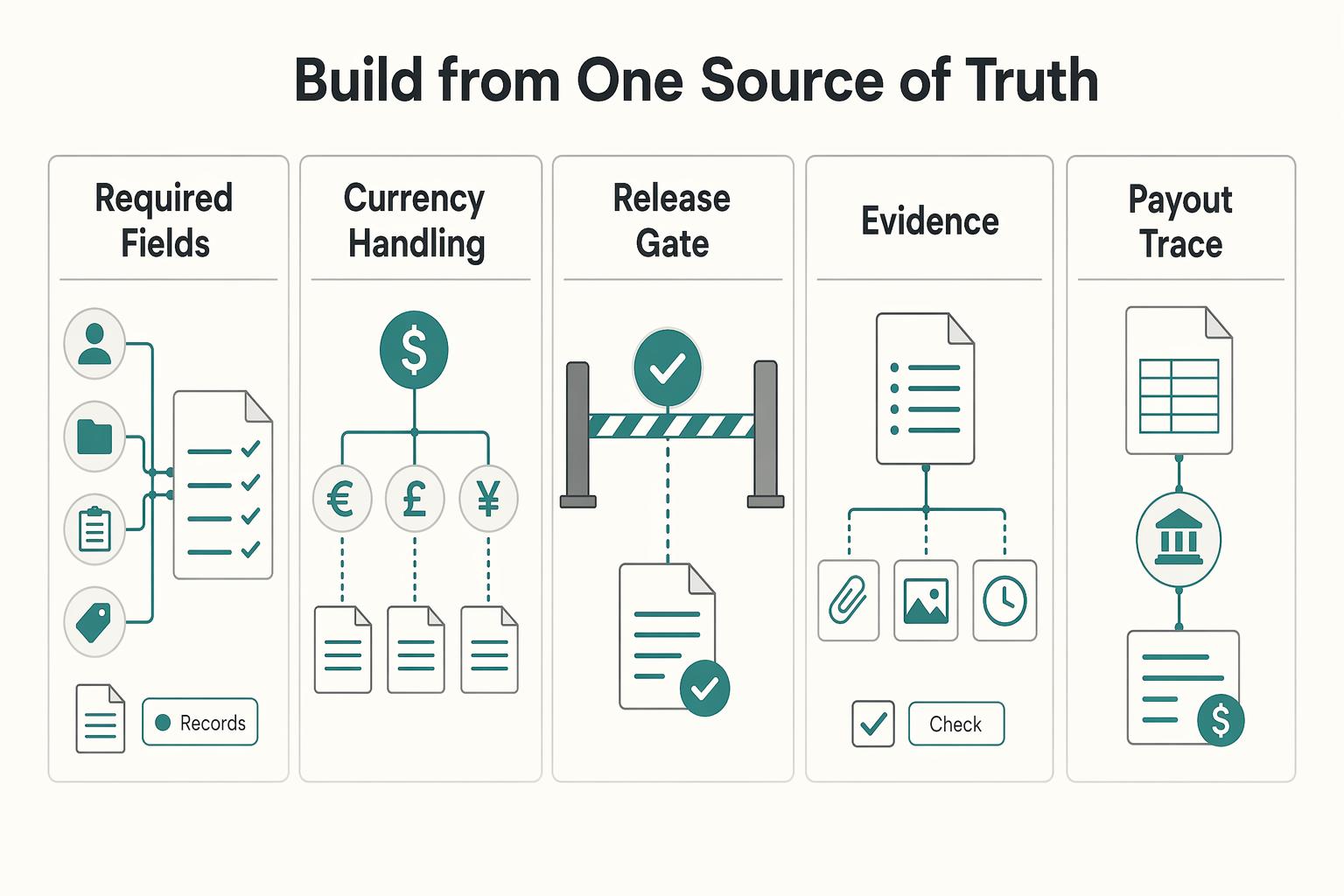
Build one controlled chain for billable hours tracking maximize hourly rate outcomes: classify entries, apply governed rate-card versions, approve with evidence, and draft invoices only from approved time. Then verify client entity, duplicate lines, and VAT or W-8/W-9 document presence before issue. Post each state with linked references so reconciliation can connect time records, invoice lines, and settlement events without guesswork.
How Billable Hours Tracking Protects Revenue#
Treat tracking as a revenue control#
Treat billable hours tracking as a revenue-control job, not a timer-adoption job. Tracking alone does not create revenue. Revenue impact depends on approved time, governed rates, and invoicing controls staying aligned in one traceable chain so the hours you capture can actually be billed.
That distinction matters because billable hours are time spent on client-facing work that generates revenue and can be charged at an agreed rate. Non-billable time is different. It usually covers internal meetings, admin work, and training unless a client agreement says otherwise. If your team mixes those categories, reporting may still look busy while finance is left with unbilled gaps that reduce profitability.
Separate revenue-ready time from total working time#
Separate revenue-ready time from total hours worked from the start. Record billable time separately from total hours worked. If an entry cannot be tied to client-facing work and an agreed rate, it should not move forward as if it were ready to invoice.
This guide is for finance, operations, and product owners who need tighter control from time capture through invoicing. The goal is not to get people to click "start timer" more often. It is to make sure approved time can survive review and invoicing without losing billable value along the way.
The main failure mode is small daily misses that look harmless until they compound. A simple example is 15 untracked minutes per day, which can add up to 60+ hours of unbilled time per year. That is the kind of leakage you want to catch early, before anyone is rebuilding time from memory at month end.
Define the chain from time entry to invoicing#
Define a traceable chain from time entry to invoicing. Once you treat tracked time as revenue evidence, the question changes. It is no longer "Did we log the hours?" but "Can we verify each approved hour and rate without guesswork?" That is the standard this article uses.
Throughout the process, the same checkpoints keep showing up. Was time classified correctly as billable or non-billable? Was it recorded separately from total working time? Were missing entries flagged before invoicing? If those checkpoints are missing, better timer habits will not stop the leakage.
Tool examples appear here as operational references only, not endorsements. If you already use one of them, keep your focus on the controls around the tool, not the logo on the login screen. That starts with the setup work you should finish before touching tracking rules.
For a step-by-step walkthrough, see How to Handle Billable Expenses in QuickBooks.
What to prepare before you touch tracking rules#
Prepare governance, classification, and capture standards before you change any tracking rule, or you risk cleaner-looking data with more billing disputes later.
| Step | Focus | Grounded detail |
|---|---|---|
| 1 | Name decision owners | Set decision rights for what counts as billable hours, who can change rate cards, and who gives final invoice approval across Finance Ops, Product Ops, and engineering |
| 2 | Lock classification and increment rules | Define billable vs non-billable boundaries and document consistent billing increments, for example 6- or 15-minute blocks |
| 3 | Assemble a single prep pack | Bring together current rate sheets, contract terms, QuickBooks mapping notes, and recent close-period reconciliation exceptions |
| 4 | Map every intake surface | List where time enters through integrations and where it is still typed manually, including Jira, Asana, Trello, and GitHub |
| 5 | Define rollout acceptance criteria | Define leakage signals, approval turnaround expectation, and the evidence required before an entry is treated as ledger-ready |
Step 1: Name decision owners. Set clear decision rights for what counts as billable hours, who can change rate cards, and who gives final invoice approval across Finance Ops, Product Ops, and engineering. The goal is simple: when a disputed entry appears, one owner can resolve it without a meeting chain.
Step 2: Lock classification and increment rules. Define billable vs non-billable boundaries up front, then document how time should be recorded in consistent billing increments, for example 6- or 15-minute blocks. This keeps entries more consistent and reduces avoidable errors or disputes.
Step 3: Assemble a single prep pack. Bring together current rate sheets, contract terms, QuickBooks mapping notes, and recent close-period reconciliation exceptions in one review set. If approved time cannot be tied to a valid rate and invoice path, fix that gap before rollout.
Step 4: Map every intake surface. List where time enters through integrations and where it is still typed manually, including Jira, Asana, Trello, and GitHub. For any sample entry, you should be able to trace task context, duration, and billable status without rebuilding the story from memory.
Step 5: Define rollout acceptance criteria. Before launch, define the leakage signals you will watch, your approval turnaround expectation, and the evidence required before an entry is treated as ledger-ready. If a chargeable entry cannot be supported by task context, contract basis, and rate source, the setup is not ready.
If you run an agency, How to Manage Project Profitability for Your Agency shows how time tracking, pricing, and utilization affect margin.
Set billable classification and rate card governance first#
Set governance before timer optimization: define what is billable, which rate applies, and who can change either decision.
- Write classification rules in plain language.
Define billable hours as working time on client-related tasks that can legitimately be charged to that client. Define non-billable time by exclusion, then document edge cases, for example internal review, rework, client-requested changes, and waiting on client input, so reviewers classify entries the same way.
- Version your rate card instead of keeping one default rate.
Track rates by effective date, client, role, and work type so approved time maps to the right price at review time. Keep the supporting record for each rate change with that version. If your pricing model has mixed rates, confirm your tool can represent that model, because tool fit varies by team and workflow.
- Lock edit rights and exception handling before the first live cycle.
Set who can edit classifications, who can edit rates, and when edits are allowed. For conflicts between standard operating rules and deal terms, route the entry through documented exception review and log the outcome for reconciliation traceability.
Watch for one early failure mode: backdated rate changes on already approved time. Catching that at governance setup is easier than untangling it during invoice reconciliation.
Related: How to Invoice for 'Billable Hours' vs. 'Project Fees' in QuickBooks.
Design the system boundary from time entry to ledger posting#
Boundary design works when each system owns one part of the record and downstream systems keep traceable links back to upstream records. Do not let your task tool, time tool, billing tool, and ledger all act as co-owners of the same fact.
Assign one source of truth to each fact#
Integrated accounting software is useful because it bundles separate accounting processes and links modules, but that only helps when ownership stays explicit. Keep work context in the task system, keep time and approval details in the time system, keep invoice records in QuickBooks, and treat the ledger as financial truth after posting.
Keep overlaps controlled. If teams can edit the same business fact in multiple places, reconciliation gets harder and audit trails weaken. A practical rule is: context upstream, money downstream, with persistent IDs linking task, time entry, invoice line, and ledger entry.
Run an end-to-end trace on a real approved entry. If you cannot connect those records directly from system data, your boundary is still too loose.
Define handoffs before automation#
Set handoff statuses in the system that owns them, then map those statuses across systems in a way your team can review later. Treat cross-system delivery events as transport signals, not as accounting truth by themselves.
This keeps workflow speed without weakening controls. The checkpoint is simple: when you replay a previously processed event in test, you should see a clear handled result and no duplicate financial effect.
Choose the integration pattern by control quality, not just speed#
Use the option your team can monitor and explain at period close.
| Integration option | Failure visibility | Retry safety | Audit evidence quality | Best fit |
|---|---|---|---|---|
| Native connector | Medium | Medium | Low to medium | Faster setup when fields and approvals are straightforward |
| Batch export/import | High | High | High | Teams that want explicit review points and stronger period control |
| API sync | Medium to high | Medium to high | Medium to high | Teams needing custom mapping or higher-volume processing |
Integrated systems can process most accounting transaction types across linked modules, for example Accounts Receivable, Accounts Payable, Inventory, and Payroll, but boundary discipline still determines whether your month-end story is clear. Add a close checkpoint for late changes so exceptions are visible, documented, and reviewable.
Run daily capture and approval operations to prevent leakage#
Daily capture and approval is a direct revenue control: require same-day logging as the default, and route reconstructed time to an exception queue.
Enforce real-time capture and make late entry visible#
Require people to track time during the work itself, not by rebuilding the day from memory. When time is recorded poorly, client work can go unaccounted for and create unbilled gaps, and one source cites 15-25% under-reporting when teams rely on memory.
Use a simple daily check: each day of client-facing work either has a submitted entry tied to a current task, or it has an exception owner and reason. Do not treat "I'll fill it in later" as normal operations. Late entries should be flagged before approval so managers can verify whether the work is billable, duplicated, or unsupported.
Triage the queue in a fixed order#
Review exceptions in the same order every day so leakage does not hide in mixed issues:
| Queue item | Review focus |
|---|---|
| Missing entries | Compare expected client work to submitted time for the prior day, starting with assigned contributors who submitted nothing |
| Duplicate timers | Check overlaps, repeated durations, or multiple entries tied to the same Jira issue or GitHub pull request |
| Stale task links | Send back entries tied to Trello or Asana items that no longer reflect active client work |
| Disputed billable hours | Handle classification disputes separately from missing-time cleanup; billable hours should stay tracked separately from total hours worked |
Work the list in that order. If you mix missing-time cleanup, duplicate review, stale task checks, and billable-status disputes in one pass, the highest-value exceptions tend to get buried.
Gate approval with evidence and protect the pending-billable state#
For high-risk entries, require at least one evidence link before approval, such as a Jira ticket, GitHub PR, or written client instruction. Approval should confirm both duration and defendability at invoice review and reconciliation.
Keep not billable yet separate from non-billable hours. Non-billable hours are typically overhead absorbed by the business. Not billable yet means the work may still become chargeable after scope, evidence, or instruction is confirmed. Merging those states creates preventable write-offs.
Related reading: How to Negotiate a Higher Rate with a New Client.
Convert approved time into invoices and settlement-ready records#
Convert approved time through one controlled sequence: approved time -> invoice draft -> document checks -> invoice issue -> collection (Stripe, PayPal, or bank transfer). Keeping that order prevents approval data from turning into settlement exceptions later.
Draft the invoice from approved time only#
Build the draft from approved entries only, not raw timers or project summaries. Each line should keep its trace: task or matter reference, approved duration, applied rate, and the billed client entity. The pass/fail check is simple: every invoice line maps to one approved time record and one active rate-card rule.
Before you send it, run a short validation pass:
| Check | What to compare | Stop and fix if |
|---|---|---|
| Rate-card match | Invoice line rate against the approved role, client, and work-type rate | The rate differs without an approved override reason |
| Client entity match | Contracted billing entity against the invoice customer record | The work belongs to a parent, subsidiary, or regional entity different from the invoice |
| Duplicate charge scan | New invoice lines against prior draft and issued invoice lines for the same period or task | The same approved hours appear twice or overlap a prior invoice |
| Tax document presence | VAT and W-8/W-9 documents required by your policy, where applicable | The draft is ready to send but the document pack is incomplete |
Check collection method economics and issue the invoice#
Choose the collection rail with fee impact and reference quality in mind. Stripe standard pricing states no setup, monthly, or hidden fees. It lists 2.9% + 30¢ per successful domestic card transaction, plus 0.5% for manually entered cards, 1.5% for international cards, and 1% for currency conversion. Where available, Stripe also lists ACH Direct Debit at 0.8% with a $5.00 cap.
For PayPal, do not assume one fee applies across all cases. PayPal defines domestic as sender and receiver in the same market, and international as sender and receiver in different markets; fee pages vary by product, account type, and region. Verify the current merchant fee page and Policy Updates Page when you set or review pricing; the US merchant fees page shows February 9, 2026 and the US consumer fees page shows February 19, 2026.
Post every state to the ledger and hold unclear settlements in exception status#
Post each state change to the ledger with a reference chain: approved-time batch ID, invoice draft ID, issued invoice number, processor reference, and settlement reference. That chain is what makes reconciliation defensible.
Decision rule: if payment arrives without a clean invoice reference, keep settlement mapping in exception status until resolved. Do not auto-close it against the oldest open invoice or largest balance.
For scale, batch payouts only after revenue records, credits, and adjustments are final. A clean payout-ready checkpoint is: no open rate overrides, no unresolved duplicate-charge exceptions, and no pending document blocks.
Monitor utilization and effective rate without gaming the numbers#
More billable time is not the goal by itself. The goal is billable time that holds its rate and converts cleanly into revenue.
Track utilization beside realized hourly revenue#
Use two measures together: utilization rate and realized hourly revenue. Utilization rate is the share of total hours that are billable, and Harvest's calculator context frames 55-60% as an industry average and 70-80% as a realistic target for many service businesses. Treat those as directional ranges, not quotas.
Then compare utilization with what you actually realize per approved billable hour in your own records. If utilization rises while realized revenue per hour stays flat or drops, you likely have rate leakage, discount pressure, or billing conversion issues.
Also keep time categories clean. If you want to find unbilled time, you have to track it first, so separate billable, not-yet-billable, and non-billable time instead of mixing them.
Segment by rate card cohort before you judge performance#
Review performance by client, role, and work type rather than one blended average. A single top-line utilization number can hide weak realization in specific cohorts.
Use the same cohort cuts across your approval, invoicing, and settlement views so you can spot where value drops. If a cohort looks strong in logged time but weak in realized revenue, check overrides, edits, credits, and write-down patterns before pushing for more volume.
Run a weekly exception review that protects forecast quality#
Run a short weekly review focused on exceptions that distort revenue quality:
| Exception | What it signals |
|---|---|
| Uninvoiced approved hours | Approved work is accumulating but not converting |
| Disputed entry aging | Disputed time is open long enough to weaken collection confidence |
| Settlement lag | Paid invoices are delayed or unclear in settlement mapping |
Decision rule: if utilization improves while exception load worsens, treat that as a control failure, not a win.
If you are revisiting your pricing, How to Calculate a Freelance Rate You Can Actually Get Paid On can help you set rates that match the hours you track.
Common failure modes and recovery actions#
Treat duplicate retry posts, QuickBooks reconciliation rules, KYC/KYB/AML gates, W-8/W-9 checks, payout release rules, and market enablement logic as internal policy choices, not sourced requirements.
Check the source boundary before writing controls#
The cited materials are legislative excerpts, not operating manuals: Public Law 111-8 (Omnibus Appropriations Act, 2009; Mar. 11, 2009), Public Law 113-76 (Consolidated Appropriations Act, 2014; Jan. 17, 2014), and enrolled H.R. 244 (fiscal year ending September 30, 2017).
For each control statement, verify that the source explicitly supports it. If it does not, and you include rules like idempotency checks before financial writes or daily reconciliation with QuickBooks, label them as internal operating rules unless you add separate evidence.
Turn likely failure modes into an internal exception register#
You still need controls, but base them on your own incidents and audit evidence. For each exception, record:
- exception name and business impact
- trigger or detection point
- affected records or reference IDs
- owner and approval path
- attached evidence, for example ticket links, invoice references, or close-period notes
The key checkpoint is traceability: you should be able to show where the failure was detected, who approved the fix, and what records changed.
Mark unsupported controls as internal policy#
If you adopt controls for retries, reconciliation, compliance checks, tax forms, or market-specific routing, state clearly that they are internal rules. A short label such as "Source basis: internal control decision" or "Source basis: incident-driven process update" keeps legal authority, product design, and finance operations from being conflated.
A smaller, correctly sourced control set is stronger than a more complete-looking section with unsupported claims.
Final checklist for an audit-ready hourly revenue operation#
Use this as a release gate: do not move invoices, financial postings, or payouts forward until the required evidence is complete and traceable.
- Confirm ownership and the minimum evidence pack.
Assign clear owners for billable classification, rate-card maintenance, invoice exceptions, and close-period reconciliation. Keep a minimum pack ready: current rate sheet, client terms, integration map, and unresolved exceptions from the last close.
- Publish classification rules and enforce rate governance.
Define billable hours as client-chargeable work, and separate them from internal, disputed, or not-yet-billable time. Publish the active rate-card version, restrict overrides, require a reason note, and preserve prior values to avoid silent edits after approval.
- Set a deterministic event path as internal policy.
Document your own control standard for webhook retry and idempotency design. At minimum, make retries visible and ensure each state change keeps a stable reference across time entry, invoice record, and posting record.
- Gate invoice issuance and posting on approved, traceable inputs.
Issue invoices only from approved entries that match the active rate card. If a posting cannot be traced back to approved time and its invoice reference, hold it in exception status.
- Run reconciliation before payout release.
Reconcile approved time to invoice lines, then invoice lines to cash or settlement records, before finalizing payout batches. Keep an exception queue with owner, age, and next action.
- Review utilization with effective rate, then fix leakage at the rule level.
Higher utilization does not help if realized hourly revenue falls. Inaccurate tracking and after-the-fact reconstruction are underbilling risks, and missed small tasks can accumulate into material loss.
Frequently Asked Questions
What is the practical difference between `billable hours` and `non-billable hours` in finance operations?
Billable hours are time worked for a client that you can invoice. Non-billable hours are work that keeps the business running but cannot be charged to a specific client. In practice, that split can inform revenue forecasting, invoice preparation, and utilization reporting, so verify that every approved entry carries the right billable status before it reaches billing.
How does `utilization rate` affect captured revenue if our `rate card` changes by role and client?
A higher billable share is a useful signal, but not the only one. If your internal rates vary by role, client, or work type, review utilization next to the revenue actually billed in those groups so busy low-rate work is not mistaken for strong performance. One source flags a billable ratio below 50 percent as a warning sign, but that is a signal to investigate, not a universal rule.
When do we need multi-rate tracking instead of a single default rate?
You need it when the same team logs time that is billed differently by client or project. This guide supports categorizing entries by project and client, and that is the checkpoint that matters: if approved time cannot be separated that way, a single default rate can hide revenue differences and make invoice review messier.
When should rate edits be locked, and when should overrides be allowed?
This guide does not prove a specific lock rule, so treat this as an internal control decision. A practical approach is to lock rates once time is approved or once invoice drafting starts, then allow overrides only with a reason note and preserved prior value. The red flag is silent edits after approval, because they weaken traceability during review.
How do we move from approved time to invoice without leakage?
Start with timely capture, because manual after-the-fact entry leads to errors and missed work. Before drafting an invoice, verify that approved entries include the client, project, billable status, and duration you expect; common failure modes are missed entries, guesswork, inconsistent logging, and forgotten quick tasks. One source claims teams relying on recall can lose 10 to 20 percent of billable hours weekly, which is exactly why approval should happen before memory gets fuzzy.
What should we verify before posting invoice and payment events to the `ledger`?
Your minimum check should be traceability back to approved time. If an invoice or payment event cannot be tied to a client-coded, billable entry set, hold it in exception status rather than forcing it through. That supporting record can be simple: time-entry reference, invoice reference, and who approved the exception.
What evidence is still missing when comparing tools like `Harvest`, `Clockify`, and `TMetric`?
This guide does not provide head-to-head evidence on those tools, so you should not present a hard ranking from it. What is still missing is comparable proof on edit history, approval support, rate handling, export quality, and audit visibility. If you are choosing a tool now, use a short test script. Pair it with A Guide to Time Tracking Software for Billable Hours rather than assuming the comparison is already settled.
Try a related tool
Researched and edited by the Gruv editorial team. Gruv builds cross-border billing, payouts, and finance-operations software for global businesses.
Sources
Includes 1 external source outside the trusted-domain allowlist.
- apps.legislature.ky.gov/law/kar/registers/52Ky_R_2025-26/01_July.pdftrusted
- cityofsacramento.gov/content/dam/portal/auditor/Audit-Reports/Cit...trusted
- congress.gov/113/plaws/publ76/PLAW-113publ76.htmtrusted
- dhs.gov/sites/default/files/2023-04/HSAM%20through%2...trusted
- govinfo.gov/content/pkg/PLAW-111publ8/html/PLAW-111publ8...trusted
- govinfo.gov/content/pkg/BILLS-115hr244enr/html/BILLS-115...trusted
- stripe.com/pricingtrusted
- activecollab.com/blog/growth/how-to-track-billable-hoursexternal
Educational content only. Not legal, tax, or financial advice.
Related Posts
Choosing Time Tracking Software for Billable Hours in 2026
If a client challenges an invoice, or you need to support a tax position later, vague timers will not help. The goal is simpler: keep records that make disputes easier to resolve, invoices easier to justify, and your file easier to explain when someone asks, "What exactly happened here?"
Manage Agency Project Profitability With Cashflow Checkpoints
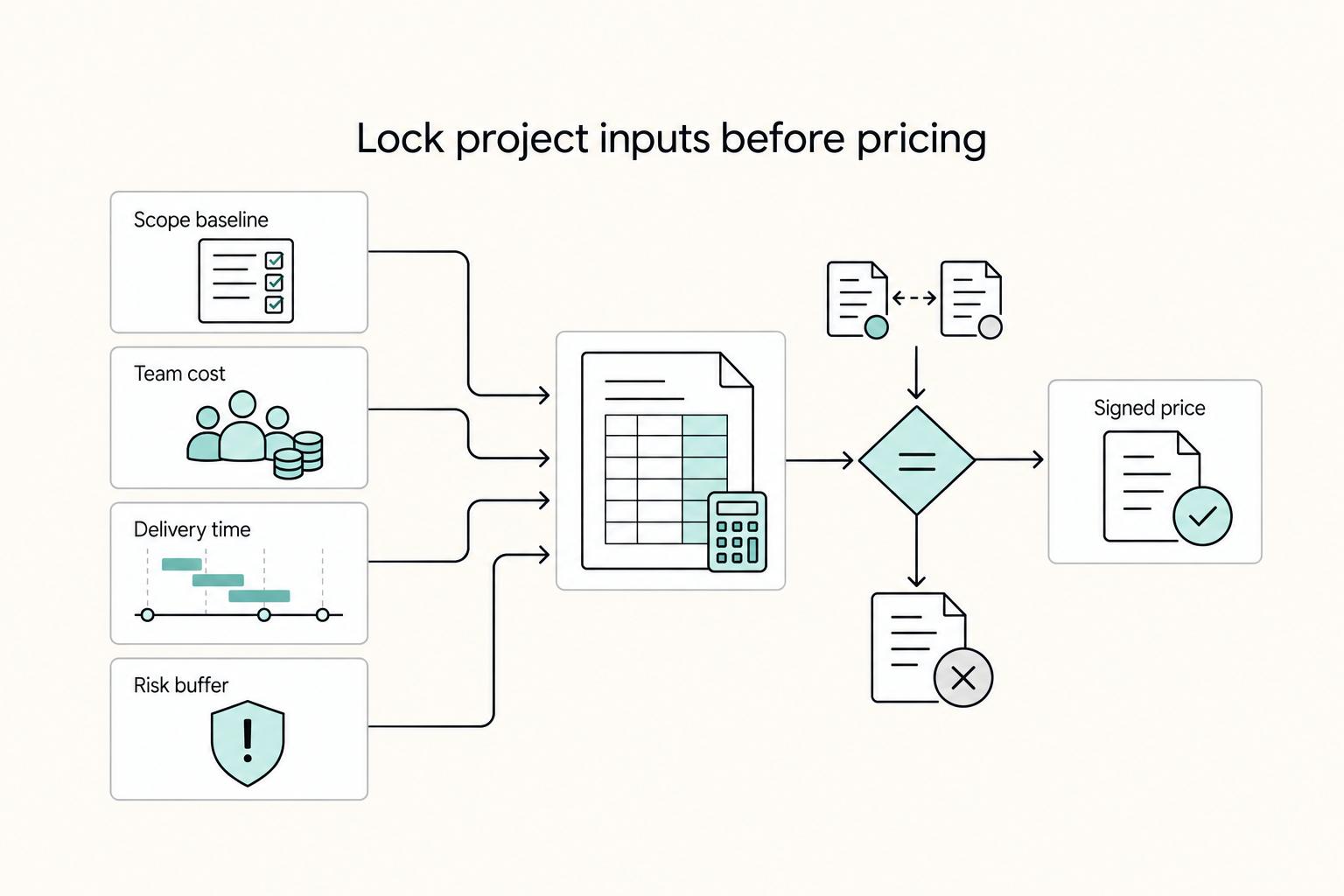
Invoiced revenue can look healthy while cash is still unavailable. That gap is where a project that looks profitable can start to pressure routine operating costs such as payroll, rent, utilities, and equipment.
How to Invoice for Billable Hours vs Project Fees in QuickBooks
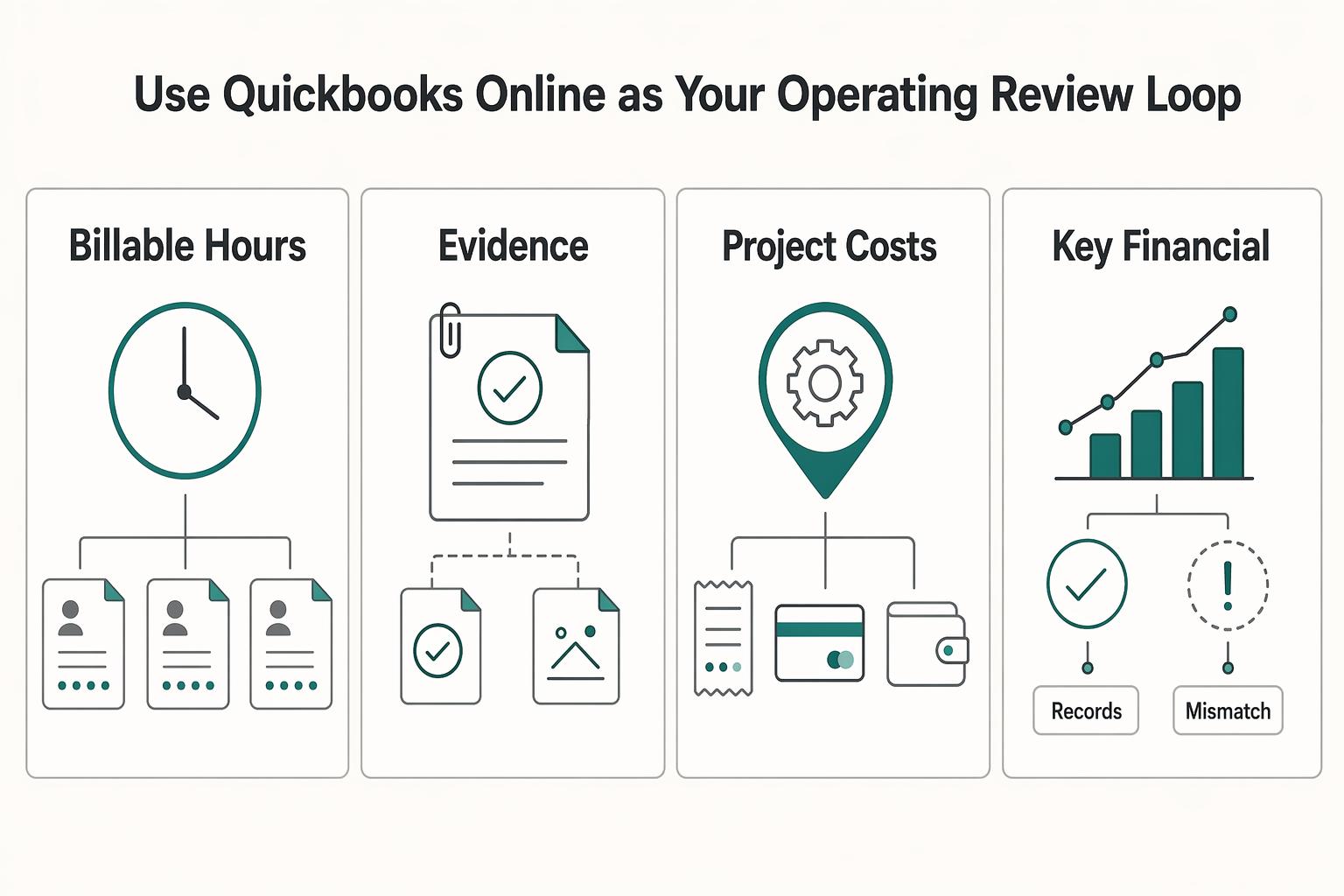
If scope is still fuzzy, do not force a project fee. Here, hourly billing is your risk-control model. It makes the work visible, catches scope drift early, and reduces the chance that effort slips into unpaid goodwill.