
Quick Answer
Start by defining billing ownership before account relationships: a parent-child model only works when each child has a clear payer, role scope, and traceable handoff from invoice to ledger to reconciliation. Use parent-paid for centralized collections, child-paid for local budget control, and mixed ownership only with written rules by subsidiary type. Then enforce checkpoints on invoice state, idempotent posting, payout evidence, and role inheritance during reorgs so month-end close does not turn into manual cleanup.
How Parent-Child Billing Works in Practice#
Start with financial responsibility, not the org chart. In a parent-child billing setup, the real design question is simple: which accounts are structurally related, and which account is financially responsible when invoices, ledger entries, reconciliation, settlement, and payout records start moving.
Before you start#
Have four things in hand before you model anything. You need a legal entity map, the proposed billing owner for each parent and child account, the role list for who can view and approve charges, and the evidence you expect to retain after posting and payment activity. You can build a hierarchy without that prep, but you will struggle later to prove who owed what and why.
Step 1. Define the hierarchy and the billing owner separately#
Define the hierarchy and the billing owner as separate decisions. An account hierarchy is the structured relationship between parent and sub-accounts inside one organization. A billing hierarchy is different. It is the configuration where one account is financially responsible for another account's bills.
That distinction matters because many implementations need two setups, not one. You need the structural parent-child designation and the role or visibility setup around it. Your first checkpoint is to verify that every child account has both a parent assignment, if applicable, and an explicit billing owner. One failure mode to watch for is assuming that if a child rolls up to a parent for reporting, the parent should also pay. Sometimes that is true. Sometimes it is not, and that can create invoice disputes.
Step 2. Tie transaction records to the ownership model early#
Tie your transaction records to the ownership model early. Payment reconciliation compares your internal records, such as invoices and fees, with external records like settlement files, payout files, and bank statements. Payment settlement is the stage where a transaction is finalized and funds are transferred.
For operators, that means deciding what evidence must exist at each handoff. At minimum, keep the invoice record, the payer assignment, the ledger posting reference, and the settlement or payout file identifier that lets finance trace the movement of funds. Use one practical check here: after posting, can your team match customer-facing amounts to ledger balances and then to external settlement and payout records without manual guesswork?
Step 3. Confirm hierarchy support covers structure and user visibility#
Use this guide to force explicit choices, not to chase a perfect hierarchy model. Hierarchy design is useful because it helps coordinate billing, accounting, and reporting across complex multi-entity customers, but it only works if permissions and financial accountability line up.
If you are using a subscription management platform, confirm whether hierarchy support covers both account structure and user visibility, not just one of them. If you are building on a custom stack, decide now how you will preserve the evidence pack finance needs when records are posted, reconciled, and reviewed later. That operating discipline is what keeps parent-child billing from turning into a month-end cleanup project.
Choose the billing ownership model before you model the org chart#
Decide who pays before you decide who reports to whom. A hierarchy can look clean in the admin UI and still fail operationally if billing ownership is unclear.
Use this as a starting point, not a universal rule: start parent-paid when collections and invoicing are centralized; start child-paid when business units manage their own spend and payment responsibility. Use mixed ownership only when subsidiary types have stable, documented differences.
| Model | When it usually fits | Main upside | Main risk | Verification point |
|---|---|---|---|---|
| Parent account as billing owner | Centralized billing where one account is financially responsible for another; regional headquarters overseeing branches or franchise locations | Cleaner collections path and a single parent invoice trail | Child-level charge context can get lost if rollup detail is weak | Confirm whether invoices are parent-summary or include child breakdown, then test traceability from child activity to parent invoice to ledger posting reference |
| Child account billing | Separate business units or entities that manage their own budgets and payments | Clear local accountability and cleaner local invoice ownership | Collections and payment methods fragment across many accounts | Confirm each child has explicit payer assignment, invoice recipient, and payment method before charges post |
| Mixed ownership by subsidiary type | Different subsidiary classes need different billing treatment | Better fit to real operating structure | Exception handling grows quickly when rules are vague | Confirm a written ownership rule per subsidiary type and an effective date for each rule |
Step 1. Use parent-paid when money is controlled centrally#
Use parent-paid when money is controlled centrally. Hierarchy implementations can assign invoicing and payment ownership, and parent-paid is a standard model where one account pays another account's bills. If headquarters funds usage across branches, make the parent the billing owner.
Then choose invoice shape up front: parent invoice with child-level breakdown, or summarized parent line items. The first helps allocation and dispute work; the second reduces invoice volume but shifts detail requests later.
Checkpoint: run a sample branch charge and verify finance can trace child activity to the parent invoice and into the ledger posting record used for reconciliation.
Step 2. Keep billing local when accountability is local#
Keep billing local when accountability is local. If a child owns budget approval, payment responsibility, and invoice handling, child-paid is usually safer. This is a common fit for organizations operating as separate business units, even when reporting rolls up centrally.
A common failure mode is assuming parent visibility means parent payment ownership. It does not. Record payer assignment explicitly for each child account.
Step 3. Use mixed ownership only when the rule is clear#
Use mixed ownership only when you can state the rule clearly for each subsidiary type. It works when entity classes truly differ; it fails when used as a workaround for unresolved ownership decisions.
Before go-live, define four non-negotiables for each billing path:
- who approves charges
- who receives invoices and payment notices
- who handles dispute intake and resolution
- who signs off reconciliation
Do not leave these implied by hierarchy structure alone. Store them with the account setup artifacts, alongside billing owner, invoice recipient, and rollup rule. Add a product gate so a new child account cannot become billable until those ownership fields are complete; this reduces wrong-party invoicing risk.
You might also find this useful: Subscription Billing Platforms for Plans, Add-Ons, Coupons, and Dunning.
Define account boundaries that survive growth and reorgs#
Define boundaries around durable business identity and reporting needs, not the current org chart. Your Company account, child account, and payer setup should still be clear after names, managers, or regional structures change.
Step 1. Start with legal-entity identity, then map hierarchy#
Start with legal-entity identity, then map hierarchy. A legal entity is the unit that can enter contracts and prepare financial statements, so use that to decide whether something should be its own Company account or sit under a shared parent account.
Give each entity a stable internal ID that is independent of display name changes. That ID should still map to the same legal-entity record, invoice recipient, and payer setup over time. This is critical when billing rolls up, because payment responsibility can be determined by bill-unit payment configuration, not just the account record. Treat hierarchy placement and payer ownership as separate checks.
Verification point: for any child, confirm quickly from your setup sheet what legal entity it represents, who pays, and how it rolls up for reporting.
Step 2. Set hierarchy depth and exception rules before growth#
Set hierarchy depth and exception rules before growth forces ad hoc structures. Some systems support nested child relationships, and child entities can remain independently configured, but some billing platforms also enforce that a child can belong to only one parent account.
Write a short operating rule: standard depth, who approves exceptions, and what must be documented for a new subsidiary. Design this for auditability and reporting changes across departments, cost centers, and countries, not just for today's org chart.
Red flag: if finance cannot explain why a node exists without a custom diagram, the boundary is likely too complex.
Step 3. Create a boundary prep pack before creating records#
Create a boundary prep pack before creating records. Keep it explicit and reviewable:
- legal entity map
- cost-center mapping
- tax owner
- payout owner
- expected reporting rollup level
- parent-assignment rule and approved exceptions
Confirm platform constraints early. In B2B Edition-style setups, hierarchy support can vary by store, and preview features may have restricted functionality. Verify your environment supports the hierarchy shape you want, confirm child configuration behavior, and confirm payout responsibility where funds accumulate in connected account balances.
Final checkpoint: run one parent, one child, and one reorg scenario before go-live. If reporting rollup changes would blur payer, tax, or payout ownership, tighten boundaries before launch.
Set permissions that match money responsibility#
Set permissions by financial accountability, not by org-chart position. In parent-child setups, hierarchy can enable subsidiary visibility, but approval and billing actions should be granted explicitly by role.
Step 1. Define roles by billing action before assigning access#
Define roles by billing action before assigning hierarchy access. In a hierarchy-enabled Buyer Portal, parent-layer users can access subsidiary portals only when roles are configured for that access, so do not treat parent-child structure as automatic permission.
| Role | Must be able to see | Can do | Must not do by default |
|---|---|---|---|
| Buyer Portal operator | Own account orders, invoices, payment history | Pay, download invoice, raise billing issue for scoped entity | Approve charges for subsidiaries they cannot view |
| Company account admin | Users, subsidiary access scope, account settings for assigned entities | Assign scoped access, manage local operators | Grant finance authority to themselves without review |
| Finance reviewer | Invoice history, payment status, relevant child rollups | Review, reconcile, approve within assigned billing scope | Operate outside assigned billing profile or invoice section |
Checkpoint: test one child record per role and confirm the user can see the invoice and payment history required for each allowed action.
Step 2. Grant fine-grained billing permissions at the needed scope#
Use fine-grained billing permissions (for example, custom roles) instead of broad top-level finance access. When someone only needs a billing profile or invoice-section scope, grant at that scope to avoid over-privileging through inherited higher-level roles.
Watch for two common misses:
- Billing-console access is enabled, but required IAM or equivalent action permissions are not attached.
- Managed billing packages are assigned, but required standard-object permissions are not granted manually.
Step 3. Handle inheritance explicitly when a child account moves#
Handle inheritance explicitly whenever a child account moves to a new parent account. In some models, higher-level billing permissions inherit downward and cannot be removed at lower levels, so reorgs need a controlled permission-change workflow.
Use this move checklist:
- Remove old parent-scoped access where the platform allows removal.
- Assign new parent visibility and action rights explicitly.
- Retest child
invoicehistory, payment history, and approval paths with local and parent users. - Archive the role-change evidence for the move.
If you want a related workflow lens, read Credit Insurance for B2B Sales to Manage Unpaid Invoices.
Implement the transaction sequence from invoice to settlement#
Track invoice, payment, accounting and settlement as separate dimensions. Validate the payer and finalize the invoice; record accrual and payment entries when accounting policy requires them; reconcile actual processor/bank settlement evidence. Gate only the downstream payout actions your platform controls on eligibility, available funds and approved beneficiary checks. An internal gate cannot pause a network settlement already underway.
| Stage | What must be true before moving forward | Evidence to keep |
|---|---|---|
| Invoice | invoice status is correct for collection and payer assignment is correct | invoice ID, status transition record, payer assignment snapshot |
| Payment | payment outcome is clearly classified (success, failed, incomplete) | payment event ID or processor reference |
| Accounting | Required accrual, payment and adjustment entries follow policy without duplicate effects | business-action key, journal references and posting timestamps |
| Reconciliation | invoice, payment, and posting align, or the item is routed to exception handling | reconciliation result, export file, exception ticket if needed |
| Settlement and controlled payout | Actual settlement is evidenced; controlled payout checks validate funds, eligibility and approved beneficiary | settlement/bank references and payout-release decision |
Step 1. Create the invoice after billable inputs are complete#
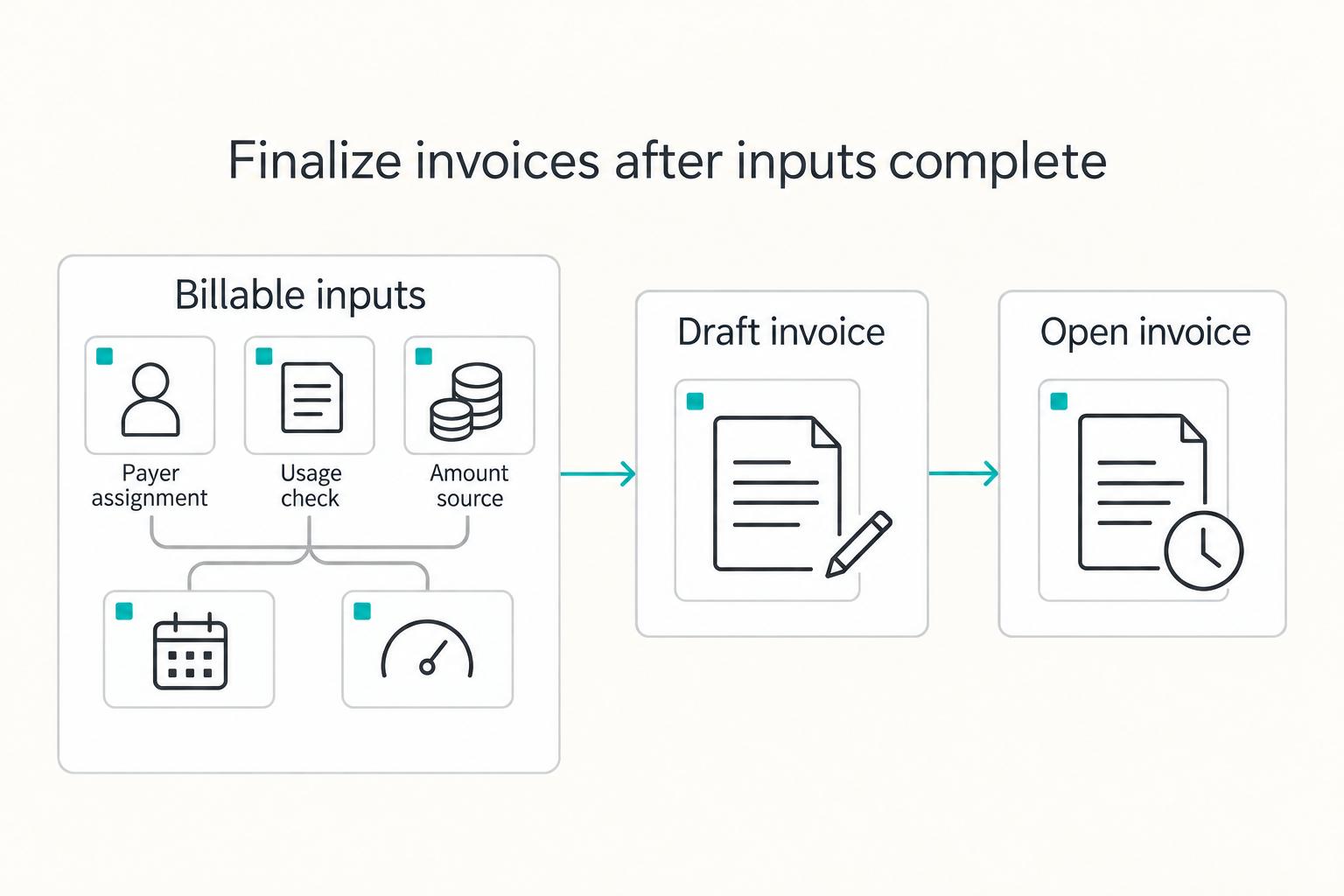
Create the invoice only after billable inputs are complete, then verify status before collection. In a common lifecycle, invoices start as draft (editable) and become open when finalized, so a draft invoice should not be treated as collectible.
Subscription and metered paths diverge at this stage. In a subscription billing engine, verify the account, term, and billing owner before finalization. In usage-based billing, verify usage ingestion first because metered billing is billed in arrears from measured consumption; if ingestion is incomplete, the invoice amount is not ready for finalization. For architecture context, see How to Build a Subscription Billing Engine for Your B2B Platform: Architecture and Trade-Offs.
Test at least one invoice per payer pattern: draft to open, approved payer assignment and plan/usage amount source. Stripe’s automatic-collection workflow waits after successful invoice.created webhook responses; its documented 72-hour fallback concerns attempted finalization/sending, with configurable grace periods. It is not a settlement deadline. Inspect actual invoice and payment status before relying on an automation timer.
Step 2. Apply accounting policy with duplicate-safe posting#
Record receivables, revenue, fees, payment receipts and later adjustments under the applicable accounting policy. An unpaid open invoice can legitimately have accrual entries. A paid invoice still needs matching payment evidence and the appropriate journals; payment status alone does not establish cash settlement or revenue recognition.
Deduplicate each intended accounting action with a durable business key and preserve its journal references. A balanced journal can contain multiple lines, and one payment can require distinct fee, cash and receivable entries. Stripe’s supported idempotent requests return the first saved result, including 500 responses, but keys can be pruned after at least 24 hours. Keep internal uniqueness and original-outcome checks beyond provider retention.
Classify non-success outcomes explicitly. In Stripe, an open invoice can become paid, void or uncollectible, and an uncollectible invoice may later be paid or voided. Preserve valid accruals and required adjustments while blocking unsupported paid/settled labels or downstream release. Do not erase accounting obligations because collection failed.
Step 3. Release payouts after reconciliation and payer-assignment checks pass#
Reconcile invoice amounts, payments, journal entries and actual settlement evidence as those records become available. For a downstream payout your platform controls, confirm funds availability, recipient eligibility and approved beneficiary ownership before release. The invoice payer and payout recipient have different roles and need not be the same entity.
Apply these failure gates before release:
- stale state (reconciliation using outdated invoice or payment data)
- duplicate execution of an intended accounting action, rather than legitimate multi-line or linked adjustment entries
- payer or beneficiary mismatch against the separately approved invoice and payout instructions
Keep payer assignment and beneficiary assignment separately approved and effective-dated. A parent paying a child’s invoice does not automatically authorize moving funds to that parent. Compare each role with the relevant invoice, contract and payout instruction rather than treating payer identity as payee identity.
For automatic payouts, keep payout-level proof that settled transactions were included in the payout batch. A payout reconciliation report is built for this, and Stripe also documents listing payout-linked balance transactions via the payout parameter. Preserve the artifacts your stack exposes (event IDs, journal references, reconciliation exports, payout files) so each invoice can be traced through settlement.
Related: Usage-Based Billing Explained: How Consumption Pricing Works for B2B SaaS Platforms.
Build reporting and reconciliation packs your finance team can trust#
Your close pack is finance-ready only if one invoice can be traced from subsidiary statement to parent account rollup to payout evidence. Start by defining outputs by audience, then lock reconciliation checks and exception ownership to those outputs.
Step 1. Define three reporting views from the same source records#
Define three reporting views that trace back to the same source records: child-level reporting, parent-level reporting with child detail, and parent summary reporting. Avoid separate team exports that create conflicting versions of truth.
| Audience | Required output | Verification point |
|---|---|---|
subsidiary operator | Entity-level statement for that child account | Statement totals tie to that entity's finalized invoices and ledger postings |
parent account finance lead | Rollup with child breakdown | Parent total equals the sum of included child totals for the period |
| Central finance | Period-close pack | invoice, ledger, reconciliation, settlement, and payout evidence reference the same population |
For month-end defensibility, retain the exact report export used for close, the period definition, and the entity-mapping snapshot for that close period.
Step 2. Set reconciliation checkpoints in money-flow order#
Set reconciliation checkpoints in money-flow order: invoice total vs ledger postings, parent rollup vs child totals, then settlement status vs payout status. Include bank-to-general-ledger cash reconciliation in the process.
Set reconciliation frequency and close deadlines for your operation. Stripe automatic-payout reconciliation can use payout-linked balance transactions; manual payouts need their own transaction association. Retain a transaction-level settlement file, such as an Adyen settlement details report, and the bank evidence needed to verify actual cash movement.
Step 3. Run an exception queue with named owners and deadlines#
Run an exception queue with named owners, explicit status transitions, and close deadlines. Route exceptions to a user worklist or email, and on rejection, return ownership to the preparer with reviewer comments.
Keep unresolved items visible in the close pack with owner, due date, and current evidence. Supporting workpapers should be detailed enough for an independent reviewer to follow the reconciliation, corrective actions, and signoff path without relying on oral context.
Handle hierarchy changes without breaking the books#
Protect your close process during reorgs by applying hierarchy changes forward from an effective date, not backward into closed periods. Keep historical records intact: do not rewrite old invoice ownership or retrofit closed invoices to match a new org chart.
| Rule | Detail | Checkpoint |
|---|---|---|
| Define the change first | Record the old parent, new parent, effective date, affected entities, and approver before updating any Company account or child account links | Verify with a before-and-after mapping file; keep the pre-change export if using CSV reassignment |
| Preserve history | Treat finalized invoices as historical records and keep prior invoices and ledger lineage tied to the original business event | Use future-dated finalization for upcoming invoices instead of editing closed invoices when cutover timing is needed |
| Allocate mid-cycle changes | Apply effective-dated charge allocation and contractual proration where supported | Preserve pre-change and post-change line ownership; consolidate only under approved payer rules |
Step 1. Define the change before updating any account links#
Define the change before updating any Company account or child account links. For a merger, spinout, or payer reassignment, record the old parent, new parent, effective date, affected entities, and approver. If you run a hierarchy model that supports bulk parent reassignment by CSV export-update-import, keep the pre-change export as part of your evidence.
Verify with a before-and-after mapping file showing exactly which companies moved. Review hierarchy-aware roles in the same change window, since parent-child designation and subsidiary visibility controls are linked.
Step 2. Treat finalized invoices as historical records#
Preserve finalized invoice history. Stripe makes specified customer and amount fields immutable after finalization; use supported correction documents instead of silently rewriting those fields. Keep prior invoices and related journal lineage tied to the original event, and apply approved hierarchy changes from their effective date.
If you need controlled cutover timing, use future-dated finalization for upcoming invoices instead of editing closed invoices.
Step 3. Split the period for mid-cycle ownership changes#
For a mid-cycle ownership change, document the effective date and how the contract allocates pre-change and post-change charges. Prorate only where the agreement and billing model support it. Preserve line-level ownership even if an approved consolidated invoice covers more than one segment; do not silently transfer old liabilities.
Reconcile each charge segment through its effective-dated ownership and approved payer mapping. A consolidated invoice may cover multiple segments where the contract permits it, with explicit line-level ownership; do not silently rewrite earlier liability assignments.
Common failure modes and how to recover fast#
Fast recovery comes from treating hierarchy breaks as control failures, then fixing source records before normal billing flow resumes.
| Failure mode | Immediate action | Correction |
|---|---|---|
| Wrong-party invoicing | Pause new charges on the affected billing-owner path | Review actual invoice/payment state; use eligible unpaid voiding, credit notes and separately evidenced refunds/credits as appropriate. Voiding does not undo a payment. |
| Approval gaps | Tighten role scopes where parent visibility was granted too broadly | Capture current role assignments before changes and retest the approval path so parent reviewers and local users only see what policy allows |
| Reconciliation drift | Compare subledger balances to the matching general-ledger balances | Match transactions to accounting entries, replay journal derivations, identify the out-of-balance transactions, and regenerate close reports after postings are corrected |
| Vendor feature assumptions | Treat vendor feature pages as starting points, not final proof | Validate ownership logic, role behavior, export fields, and parent-child reporting in your own tenant before rollout |
Step 1. Contain wrong-party invoicing by pausing new charges#
Pause new charges on a misassigned billing path and review affected invoices and payments. Choose the supported correction for the actual state: an eligible unpaid invoice may be voided, while open or paid invoices can require credit notes and a separately recorded refund or credit. Voiding a document does not undo a successful payment. Resume controlled actions only after the corrected evidence matches approved ownership.
Step 2. Close approval gaps by tightening broad role scopes#
Close approval gaps by tightening role scopes where parent visibility was granted too broadly. In BigCommerce B2B Edition, these controls sit in the Buyer Portal, and custom user roles with specific permissions are supported. Capture current role assignments before changes, then retest the approval path so parent reviewers and local users only see what policy allows.
Step 3. Fix reconciliation drift from the ledger outward#
Fix reconciliation drift from the ledger outward, not from reports backward. Compare subledger balances to the matching general-ledger balances, then match transactions to accounting entries where they do not tie. Replay journal derivations from source records, identify the transactions behind the out-of-balance position, and regenerate close reports only after postings are corrected.
Step 4. Validate ownership logic and role behavior in your tenant#
Treat vendor feature pages as starting points. Verify the hierarchy depth, payer assignment, parent/child roles, export fields and availability in your actual tenant before rollout. Save the configuration and test results with a date; historical launch announcements do not establish current readiness.
Conclusion#
A useful hierarchy produces a clear invoice owner, appropriate accounting entries and traceable settlement evidence. Add explicit checks before the downstream release actions your platform controls, rather than assuming the hierarchy itself guarantees correct money movement.
Reconciliation compares internal records with processor reports and bank evidence; settlement records actual funds movement. Review payer and beneficiary ownership before initiating controlled transactions, then investigate later discrepancies without pretending an internal hold can reverse completed settlement.
Copy and paste launch checklist#
| Check | What to confirm | Key check |
|---|---|---|
| Billing ownership | Write down the billing owner for each parent account, child account, and exception case | For any sample invoice, one team should be able to answer who receives it, who approves it, and who is financially responsible for payment |
| Role permissions | Test one parent user and one child admin and confirm exactly what each can see and change under the configured roles | Parent visibility should follow money responsibility, not exceed it |
| Transaction sequence | Trace separate invoice, payment, accounting and actual settlement states | Retain journal and settlement evidence, plus decisions for controlled downstream payout release |
| Reconciliation outputs | Confirm entity-level detail, parent rollup, and consolidated close support | Child totals should roll up cleanly to the parent view and ledger entries should compare back to source statements during reconciliation |
| Failure owners | Assign named owners for misbilling, access issues, and rollup drift | Pause affected new charges or controlled payouts, correct ownership/access and reconcile; investigate already executed funds movement separately |
- Confirm billing ownership for every entity type.
Write down who is the billing owner for each parent account, child account, and exception case. Your verification point is simple: for any sample invoice, one team should be able to answer who receives it, who approves it, and who is financially responsible for payment. If you cannot answer that in one line per entity, your hierarchy is not ready.
- Confirm role permissions and approval boundaries.
Parent visibility should follow money responsibility, not exceed it. If you allow parent users to view subsidiary data, test one parent user and one child admin and confirm exactly what each can see and change under the configured roles. The red flag is familiar: payer status quietly turning into broad edit access, which creates approval gaps and disputed changes later.
- Trace invoice, payment, accounting, settlement and controlled release separately.
Keep invoice status, payment status, journal references and actual settlement evidence separately traceable. For downstream payouts under your control, retain the eligibility, funds-availability and approved-beneficiary checks used for release. Trace one real transaction through each applicable state.
- Confirm reconciliation outputs for child, parent, and consolidated views.
Finance typically needs three lenses: entity-level detail, parent rollup, and consolidated close support. The key checkpoint is that child totals roll up cleanly to the parent view and that ledger entries can be compared back to source statements during reconciliation. If the rollup only works in a dashboard but not in an export the team can review, that is not sufficient evidence.
- Confirm failure owners before close.
Assign named owners for misbilling, access issues and rollup drift. Pause affected new charges or downstream releases under your control, correct ownership or access rules and regenerate reconciliation outputs. Investigate already executed payments and settlement separately; use supported corrections instead of treating a pause as reversal.
That is the real finish line: not a polished org tree, but a repeatable, auditable chain from invoice through settlement that your finance team can defend at close.
Frequently Asked Questions
What is `Account Hierarchy` in B2B billing, in one practical definition?
Account hierarchy models structural parent-child relationships and visibility. Billing ownership separately identifies the party responsible for each invoice. The two can align or differ: a parent can oversee subsidiaries while local entities remain payers. Record both mappings explicitly.
When should an enterprise use parent-paid vs child-paid `parent-child billing`?
Use parent-paid when finance owns centralized payment responsibility and subsidiaries need consolidated collections. Keep child-paid when local entities own charges, budgets or disputes. Mixed ownership can work with explicit rules. Validate whether the selected provider supports each arrangement rather than assuming all hierarchy products assign payers identically.
Can a `child account` stay operationally independent if the `parent account` is the billing owner?
Yes, but only if you separate billing ownership from operating permissions. A child can remain locally managed for day-to-day activity while the parent pays. Keep local admins scoped to their own records, and give the parent only the cross-entity visibility policy requires. A failure mode to avoid is assuming payer status should automatically grant broad edit rights, because that is where approval and access errors start.
What permissions should parent-level users have across `Company account` and subsidiary data?
Start with view access to the subsidiary data needed for review, approval, invoice checking, and payment follow-up. Then add edit rights only where the parent actually owns the financial outcome. In BigCommerce B2B Edition, this is handled through explicit role setup, including roles that let parent-company users view subsidiary data. Your checkpoint is simple: test one parent user and one child admin, then confirm access changes are explicit rather than inherited by accident.
Which enterprise patterns are most common for hierarchy design across headquarters, regions, and franchises?
A common pattern is a parent division or headquarters overseeing branches or regional entities. Another practical pattern is to preserve parent-child structures that already exist in your ingested customer data instead of inventing a new tree inside billing. If franchises or regional units operate with different payers, use mixed ownership carefully and document where rollups stop. Unclear depth is a red flag because finance closes tend to break at the exception edge.
What should we confirm before rollout when feature availability and implementation limits are unclear?
Verify current tenant availability, hierarchy limits, parent/child payer designation, role behavior and one full invoice-to-accounting trace before rollout. Save configuration screenshots and sample exports. A historical preview or launch date cannot prove that your tenant has a production-ready capability.
Try a related tool
Researched and edited by the Gruv editorial team. Gruv builds cross-border billing, payouts, and finance-operations software for global businesses.
Sources
Includes 1 external source outside the trusted-domain allowlist.
- department.va.gov/financial-policy-documents/financial-documen...trusted
- docs.stripe.com/plan-integration/get-started/reporting-recon...trusted
- docs.stripe.com/invoicing/overviewtrusted
- ojp.gov/sites/g/files/xyckuh241/files/media/document...trusted
- stripe.com/resources/more/payment-settlement-explained-...trusted
- stripe.com/resources/more/payment-reconciliation-101trusted
- utep.edu/vpba/business-process-guidelines/budget-and-...trusted
- bigcommerce.com/blog/now-available-b2b-edition-account-hiera...external
Educational content only. Not legal, tax, or financial advice.
Related Posts
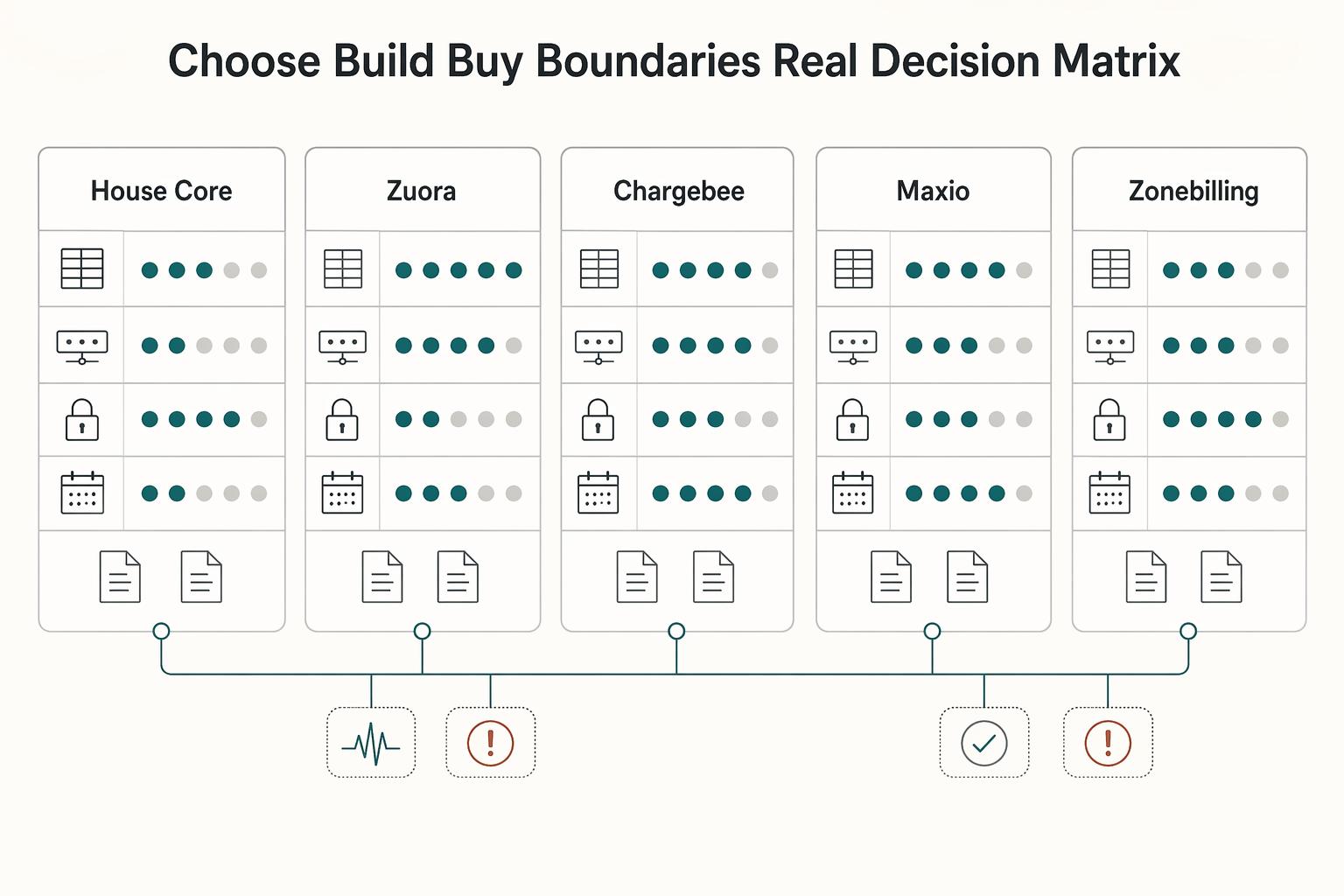
How to Build a Subscription Billing Engine for Your B2B Platform
If you are designing a B2B subscription billing engine, get the close and reconciliation model right before you chase product flexibility. A durable sequence is to define recurring billing scope (plans, billing periods, usage, and trials), then map settlement and payout reconciliation to transaction-level settlement outputs, and finally tie that discipline into month-end close controls. The real test is simple: finance should be able to trace invoices, payments, and payouts from source events through settlement records into reconciled close outputs without ad hoc spreadsheet rescue.
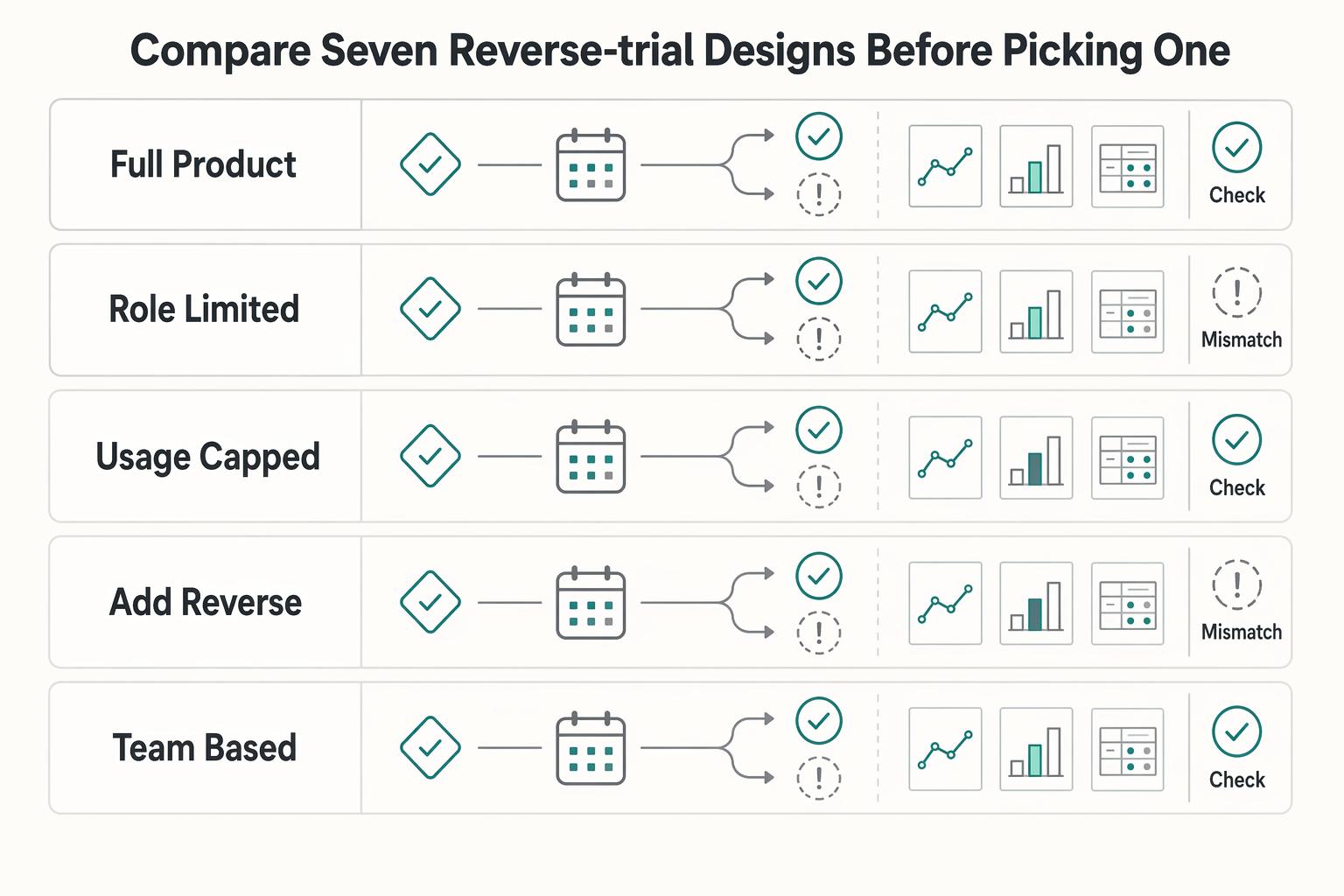
Reverse Trials for B2B Platforms That Convert More Paid Accounts
Treat a reverse trial as a monetization decision, not a short-term growth play. If your B2B platform cannot support a clean downgrade, clear plan boundaries, and reliable billing and entitlement changes, more full-access signups may not help much.

Usage-Based Billing for B2B SaaS Platforms That Teams Can Operate
Usage-based billing works best when customer value rises with measurable consumption rather than with a fixed license. It can improve pricing fit, but only if pricing logic, billing data, and finance controls are designed together from the start.