
Quick Answer
Define ownership, purchase approval and issuer enforcement before configuring cards. Map available merchant, amount and timing fields to rules the issuer can enforce. Complete human review before card use, return timely authorization decisions and test fallback behavior. Reconcile final captures, reversals and refunds against the original authorization and policy record.
What a Spend Control Policy Should Cover#
Treat virtual-card spend control as a product and infrastructure decision from day one. If you reduce it to a few card settings, you may issue cards quickly. You can also end up with weak ownership, inconsistent approvals, and records that are harder for finance to reconcile later.
Some providers offer virtual cards that can be created instantly, which is exactly why policy needs to be in place before spend happens. Useful controls go well beyond credit limits. Provider examples include exact spending limits and usage rules per card, merchant-type restrictions, assignment by user or team, auto-expiry, and routing purchases into an approval process. Used well, those controls turn a card into a governed payment instrument with a clear owner and purpose, not just another way to pay.
Before you start#
Set a simple bar for what it means for policy to exist in your product. You should be able to verify five things for every card without asking engineering to inspect logs: who owns it, what it is for, how much it can spend, where it can be used, and what happens when a transaction falls outside the rule. If any of those answers live only in tribal knowledge or a spreadsheet, you do not have reliable enforcement yet.
| Step | Focus | What it covers |
|---|---|---|
| 1 | Set scope | Decide which spend should use virtual cards, which should stay elsewhere, and who owns policy changes. |
| 2 | Prepare inputs | Gather the fields and evidence you need to make policy real, including card owner, vendor, merchant category restrictions, limits, expiry, approvals, and ledger mapping. |
| 3 | Choose controls | Match card types and rules to the spend pattern, such as merchant-restricted cards for predictable supplier spend or short-expiry/single-use cards for one-off purchases. |
| 4 | Design approvals and exceptions | Keep low-risk spend moving, but make urgent bypasses and repeated declines visible and accountable. |
| 5 | Wire enforcement to records | Make sure approvals, declines, captures, reversals, and card status changes can be traced into your finance records. |
| 6 | Roll out and recover | Launch narrowly, verify decline quality and reconciliation completeness, and define what happens when controls fail in production. |
A practical red flag is issuing cards before you define how approvals and declines appear downstream. Some providers state that virtual-card purchases can flow into an approval process, and that cards can be locked or canceled quickly if suspicious activity appears. Those capabilities are useful, but they only help if your platform decides when to approve, when to auto-decline, who can override, and how those decisions stay traceable for reconciliation and later review.
To keep policy enforceable before authorization and understandable after the fact, this guide follows a build order:
- Set scope
Decide which spend should use virtual cards, which should stay elsewhere, and who owns policy changes.
- Prepare inputs
Gather the fields and evidence you need to make policy real, including card owner, vendor, merchant category restrictions, limits, expiry, approvals, and ledger mapping.
- Choose controls
Match card types and rules to the spend pattern, such as merchant-restricted cards for predictable supplier spend or short-expiry/single-use cards for one-off purchases.
- Design approvals and exceptions
Keep low-risk spend moving, but make urgent bypasses and repeated declines visible and accountable.
- Wire enforcement to records
Make sure approvals, declines, captures, reversals, and card status changes can be traced into your finance records.
- Roll out and recover
Launch narrowly, verify decline quality and reconciliation completeness, and define what happens when controls fail in production.
If you are building virtual-card spend control into your platform, the main decision is not only whether your issuer supports card-level controls. It is whether your platform can apply those controls consistently, surface the outcome to ops and finance, and recover cleanly when real-world transactions do not behave the way the policy author expected.
Related: What Is Spend Management? A Platform Operator's Guide to Controlling Contractor Costs.
Set policy scope and decision ownership early#
Set scope before you tune limits. Decide which spend should run on virtual cards and which should stay on corporate cards or P-cards, or your controls will drift. Authorization-based controls can restrict when, where, how, and how much an account is used, but only after you define the right perimeter.
- Define the perimeter by spend type and team.
Document which purchases must use virtual cards, which stay on other card rails, and where procurement rules differ by team. Because P-cards are often used outside the traditional request-and-approval flow, be explicit about whether that behavior stays in place or is replaced for each category. Keep this in a simple decision sheet: spend type, payment method, approval path, and exception owner.
- Assign named owners for each policy surface.
Do not leave ownership at a broad department level. Assign clear owners for card defaults and user-facing policy, approval workflow rules, and authorization enforcement/monitoring. When a restriction or auto-decline rule changes, you should be able to answer immediately who approved it and who can roll it back.
- Use one change authority and separate launch-critical controls from later additions.
Keep one authority for policy updates so restrictions and decline logic do not diverge across teams. Maintain a short control register that marks each rule as required at launch or deferred, plus the compensating check if deferred (for example, real-time monitoring or manual review). The failure to avoid is inconsistent controls with no clear rationale or traceable change history.
Prepare the inputs before you build controls#
Build the input pack first, then build controls. You should not configure declines, limits, or vendor locks until you can show which problems you are solving and which fields are available at authorization time.
| Step | Main task | Key check |
|---|---|---|
| 1. Assemble a minimum evidence pack | Create one shared working sheet across finance, AP, and operations with AP and reconciliation pain points, top vendor categories, known fraud or misuse incidents, and recurring payment patterns. | Walk through one clean transaction, one that caused AP cleanup, and one that should have been blocked earlier. |
| 2. Map current data to policy fields | Map where each policy field comes from before anyone writes authorization logic: cardholder, vendor, merchant category restrictions, limits, expiration, GL codes, and approval paths. | If a field is missing at authorization, do not make it a hard decline rule yet. |
| 3. List integration constraints up front | Document where controls depend on webhook delivery, how delayed callbacks affect state changes, and what your real-time monitoring can confirm during authorization. | For each planned control, mark it as either enforced at authorization or detected after the fact. |
| 4. Define acceptance checks before implementation starts | Agree in advance on how you will judge decline accuracy, approval turnaround time, and AP reconciliation completeness. | Use one shared scenario pack with expected outcomes: approve, decline, route for review, renewal, reversal, and exception. |
Step 1. Assemble a minimum evidence pack. Create one shared working sheet across finance, Accounts payable (AP), and operations. Include AP and reconciliation pain points, top vendor categories, known fraud or misuse incidents, and recurring payment patterns (for example, scheduled renewals or recurring contractor expenses). A practical check: walk through three recent cases end to end: one clean transaction, one that caused AP cleanup, and one that should have been blocked earlier.
Step 2. Map current data to policy fields. Map where each policy field comes from before anyone writes authorization logic: cardholder, vendor, merchant category restrictions, limits, expiration, General ledger (GL) codes, and approval paths. Also mark whether each field exists before authorization or only later. Real-time spend controls can evaluate transactions against predefined conditions, but only when those conditions are available at decision time. If a field is missing at authorization, do not make it a hard decline rule yet.
Step 3. List integration constraints up front. Document where controls depend on webhook delivery, how delayed callbacks affect state changes, and what your real-time monitoring can confirm during authorization. Note any market- or program-level coverage differences in your own setup so teams do not assume every control is available everywhere. For each planned control, mark it as either enforced at authorization or detected after the fact.
Step 4. Define acceptance checks before implementation starts. Agree on decline accuracy, approval turnaround and AP reconciliation completeness. Test approve, decline, review, renewal, reversal and exception scenarios. Map card-data flows to the applicable PCI DSS requirements and your issuer program; an obsolete quick reference is not a current compliance baseline.
Choose the control stack and enforcement order#
Pick the narrowest card setup that fits the spend. Complete required human purchase approvals before card use, then enforce automated rules within the issuer’s live authorization deadline.
Match each spend pattern to the right card type#
Virtual cards can be constrained by transaction, vendor, or time period, so start by mapping spend patterns to the card type that removes risk by default.
| Card type | Best-fit scenario | Common failure mode | Admin cost |
|---|---|---|---|
| Vendor-locked virtual cards | Predictable spend tied to one vendor | Legitimate spend fails when real payment behavior no longer matches the lock | Front-loaded setup effort; lower once stable |
| Single-use cards | One-off or higher-risk purchases | Legitimate follow-on charges cannot run on the original card | Higher ongoing effort due to frequent issuance |
| Recurring cards | Scheduled repeat charges in a known cycle | Charges continue when ownership or timing is not actively managed | Ongoing maintenance of timing and ownership |
| Team cards with fixed budgets | Shared spend where speed matters, within a set budget | Spend stays within budget but drifts from intended usage | Lower day-to-day friction, but requires monitoring |
Use a practical default: if spend is predictable and vendor-specific, start with vendor-locked cards; if spend is one-off or higher risk, start with single-use cards. Treat this as a default rule, not a universal law.
Sequence enforcement from hard checks to softer checks#
Keep human purchase approval separate from the live issuer decision. Use this sequence:
- Classify the purchase and complete required human approval before card use
- Configure supported merchant-category, amount and card constraints for the approved purchase
- Apply automated approve or decline rules within the issuer’s authorization response deadline
- Reconcile posted transactions and route post-transaction exceptions for review
If required approval is absent when the card is used, decline under your policy and allow a new attempt after approval. Do not keep a network authorization open while waiting for a human reviewer.
Draw the line between auto-declines and manual approval#
Use automated declines for clear policy violations during authorization. Resolve judgment-dependent exceptions before purchase; post-transaction review can identify differences but cannot undo an authorization already approved.
Keep reporting split between "declined at authorization" and "flagged after authorization," and ensure card changes are captured in an audit trail so finance can explain why a transaction was allowed or blocked.
If you want a deeper dive, read Virtual Cards for Contractors: How Platforms Can Issue Spend Cards as a Feature.
Design approvals and exception handling that teams can actually run#
Keep low-risk spend out of approvals when card rules can make a clean authorization decision. Use approvals for ambiguity and true risk, not as a routine step on every transaction.
Keep review tied to real risk#
Route higher-risk or ambiguous purchases for approval before the card is used. Stable constrained spend can remain fast, while purchases needing an exception wait for a recorded approval and any required card-policy update.
Use simple review triggers, then assign an owner through your org chart:
- Unusual vendor or unclear merchant identity
- One-off or atypical purchase behavior
- Prior misuse or repeated edge-case attempts
If you cannot tie an approval condition to a clear risk signal, you are likely recreating approval limbo instead of improving control.
Create a clear exception lane#
Use one explicit exception path for urgent payments instead of ad hoc overrides. Require a reason tied to the request, set a defined expiry, and log what normal rule was bypassed.
The exact expiry window and required fields are policy choices, but they should be explicit and auditable. If the same vendor or purchase pattern repeatedly needs urgent exceptions, treat that as a policy design issue first, then adjust the underlying card setup or restrictions.
Escalate repeated declines by pattern#
Escalate repeated declines by pattern, not just by count. When the same user or vendor keeps hitting the same decline reason, decide quickly whether the rule is misconfigured or behavior is testing policy boundaries.
Track exception and decline outcomes in your monitoring flow, then feed them back into policy updates. That loop matters because manual AP processes can create delays and low transparency, and many organizations still report visibility gaps in indirect spend.
Connect card policy to ledger truth and month-end close#
Your policy is only reliable at close if finance can trace each card outcome to a ledger record. Treat the ledger as the source of truth, and use the card dashboard as an operational view of that record.
Anchor card events to a ledger-facing model#
Map each approval, decline, authorization, and reversal to a ledger-facing event. Virtual cards can apply spend policies automatically and provide granular spend data, but that value is lost if events are not consistently traceable across request, provider, and ledger records.
Keep one consistent chain from request to posting so AP can explain outcomes without manual log reconstruction. A practical check: sample one settled approval, one decline, one reversal, and one period-end pending transaction, then confirm finance can trace each one end to end without CSV stitching or screenshot handoffs.
Assign GL codes early and review only unclear cases#
Pre-assign GL codes where classification is predictable, and reserve manual review for ambiguous spend. This reduces after-the-fact recoding while keeping judgment where it is actually needed.
Use controlled inputs for routine spend and carry the selected GL code into reconciliation unless review changes it. Keep the original classification and correction history so finance can explain recoding without rebuilding the transaction.
Define how pending, captured, and reversed transactions appear#
Document how pending authorizations, final captures, and reversals appear in reconciliation so finance can match events without false mismatches. Internal consistency matters: which event posts, which remains open for matching, and how related events stay linked.
| Event type | What your reports should show | Why finance cares |
|---|---|---|
| Pending authorization | Status, request reference, provider reference, expected GL code, not-final indicator | Avoids treating open holds as completed spend |
| Final capture | Captured amount, settlement timing, linked authorization, posted GL code | Identifies what should reconcile and post |
| Reversal | Link to original authorization or capture, reversal timing, status change | Explains why a prior hold or posted item changed |
Build one continuous audit trail: request, approval or exception, authorization result, provider reference, reconciliation record, and ledger posting.
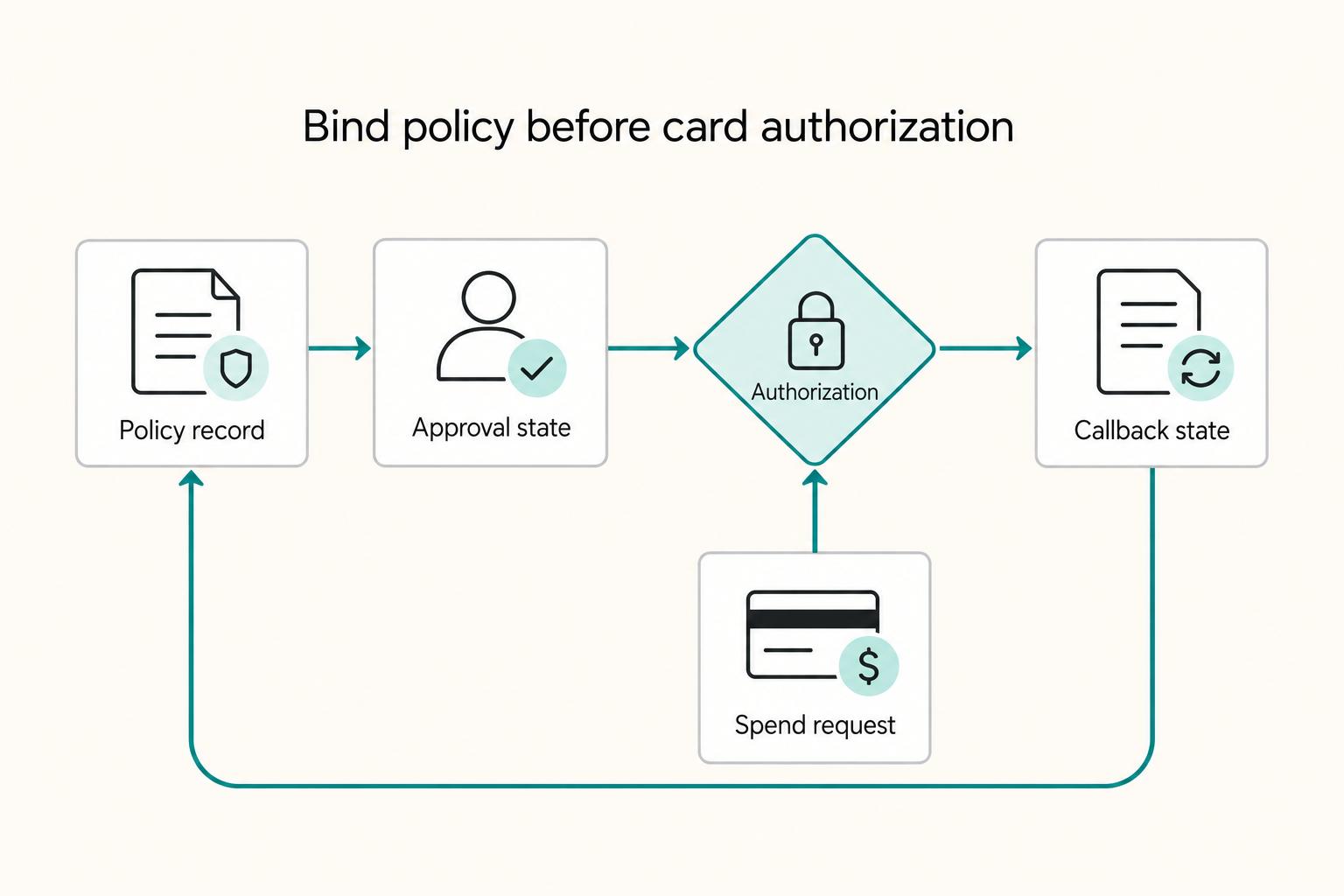
Implement the platform sequence from policy write to card authorization#
Build this as one ordered flow from policy write to final card state. If policy, approvals, authorization, and callbacks are handled as separate features, you get decisions teams cannot explain or trust.
Create and bind policy before live card spend#
Write the policy first, then bind it to the virtual card before authorization is allowed. Keep policy and approval rules in one platform view so spend decisions, bill workflows, and expense handling stay aligned instead of splitting across tools.
Keep ownership explicit: admins issue cards, while finance owns policies and limits. Your baseline check is simple: from a card record, teams can see the active policy, who changed it, and the change history in an audit trail.
Evaluate policy at authorization, then branch outcomes#
Separate purchase approval from the issuer’s authorization decision. Obtain human approval before the purchase when your policy requires it. At authorization, apply the active rules within the issuer’s response window and return an approve or decline decision; do not hold a network request open for a human review queue.
For example, Stripe Issuing requires an approve or decline response within two seconds, then applies configured timeout or Autopilot behavior. Test that fallback explicitly. Deduplicate repeated requests and log the policy version and outcome without issuing duplicate approvals.
Use callbacks to progress state, not rewrite history#
Treat provider callbacks as state transitions on the same transaction record. Internal policy decisions stay intact while status moves through pending, final, reversed, or failed delivery states.
Authenticate and deduplicate callbacks, link them to the original authorization and reconcile delayed or missing events with provider records. Distinguish authorization, capture, reversal and refund rather than treating callback arrival as the sole proof of the financial outcome.
Give each team a usable status surface#
Expose decision status without requiring engineering log dives. Product should see which policy fired and what input drove it. Ops should see pending approvals, callback failures, and card-state issues. Finance should see decision reason, provider reference, final state, and the link back to the ledger record.
Launch in phases and verify before broad rollout#
Use a phased rollout to prove your controls work in production before you scale them. Start narrow so you can see cause and effect, keep exceptions manageable, and confirm finance can still reconcile cleanly.
Start with one cohort and one narrow control bundle#
Begin with one team, one spend type, and a small control set. A practical starting point is standalone spend limits or a team card paired with a budget, so you can quickly test whether the policy is clear to users and traceable for finance.
Set launch checkpoints before you expand#
Track policy hit rate, false-decline rate, approval queue time, and AP close effort against your current baseline from corporate cards and your prior procurement flow. Expand only when those signals are stable and finance can map approved, declined, pending, and final activity back to the same reconciliation records without engineering support on every exception.
Keep a rollback path for policy changes#
Maintain a simple way to revert a problematic policy change so valid spend is not blocked longer than necessary. Without that, one bad rule change can leave real vendor payments stuck in approval limbo while ops tries to unwind it manually.
Compare the new path to the old one and tune slowly#
Tune one control layer at a time based on what your checkpoints show. If a rule adds noise, relax that rule before adding new controls; if approval handling is steady and reconciliation improves, tighten the next layer.
You might also find this useful: Indirect Procurement for Platforms: How to Manage Non-Core Spend Without Losing Control.
Conclusion#
The approach that holds up is the operational one: build a policy your platform can enforce at the point of spend, show in real time, and trace into reconciliation later. If you stop at card limits and merchant restrictions, finance will still lose visibility once spend starts moving faster than review. As one spend-control warning puts it, by the time finance sees the charge, it can already be done.
| Checklist item | Verification | Warning sign |
|---|---|---|
| Define scope, owners, and mandatory controls. | Every control should have an owner and a reason for existing. | Product, finance, and engineering each maintain different rule versions. |
| Prepare the policy data model with GL codes and approval paths. | A finance user can trace a transaction from request to export without manual log scraping. | Approvals live in one place, card events in another, and reconciliation breaks at month end. |
| Build the control decision matrix and enforcement order. | Ops can explain a decline reason without filing an engineering ticket. | Too many valid transactions land in review queues because the hard rules are vague. |
| Implement shared monitoring and reporting. | Teams can review current spend status from shared reporting without manual spreadsheet merges. | Each function relies on different reports and disputes the latest state. |
| Validate decline quality, exception flow, and reconciliation before scaling. | Decline reasons are specific, urgent exceptions are traceable, and AP reconciliation can account for approvals, declines, and posted transactions. | Pilot monitoring and reconciliation records do not agree. |
Use this copy/paste checklist before you widen rollout:
- Define scope, owners, and mandatory controls.
Decide which spend types belong on virtual cards, which stay on corporate cards, and who can change the policy. At minimum, name one owner for policy changes and lock the launch set of hard controls such as limits, merchant category restrictions, transaction day or type restrictions, and review workflows for higher-risk spend. Verification: every control should have an owner and a reason for existing. Red flag: product, finance, and engineering each maintain different rule versions.
- Prepare the policy data model with GL codes and approval paths.
Your policy has to carry the fields finance needs later, not just what the issuer needs now. Include cardholder, vendor, spend category, limits, expiration, approval path, and pre-assigned GL codes where possible so AP is not recoding transactions after the fact. If your provider supports direct accounting integration and spend history exports, treat that as part of the launch design, not a cleanup task. Verification: a finance user can trace a transaction from request to export without manual log scraping. Failure mode: approvals live in one place, card events in another, and reconciliation breaks at month end.
- Build the control decision matrix and enforcement order.
Write down when to use merchant-restricted, single-use, recurring or team cards. Complete required human approval before card use, apply timely automated authorization rules and test timeout fallback, then review posted exceptions. Verification: ops can explain a decline from the policy record. Red flag: a live authorization waits on a human queue or uses an untested fallback.
- Implement shared monitoring and reporting.
Use custom reporting and dashboards so product, ops, and finance can see the same spend picture quickly. Make exception paths explicit so unresolved items do not disappear between teams. Verification: teams can review current spend status from shared reporting without manual spreadsheet merges. Red flag: each function relies on different reports and disputes the latest state.
- Validate decline quality, exception flow, and reconciliation before scaling.
Before scaling, verify specific decline reasons, traceable exceptions and reconciliation of approvals, authorizations and posted transactions. Test simultaneous spending and captures above the initial authorization, because a configured limit may not behave as a strict final-spend cap.
That is the real finish line: controlled spend that remains visible, explainable, and reconcilable after launch.
Frequently Asked Questions
What is a spend control policy for virtual cards, and how is it different from card settings?
A spend control policy is the rule set that governs spend before, during, and after a transaction, not just a few toggles on an individual card. Card settings are the narrower knobs, such as card limits or merchant restrictions. The policy is the operating logic around those settings: who needs approval, what gets blocked, what gets monitored in real time, and how finance reviews the result later.
Which controls are mandatory at launch, and which can wait until later phases?
There is no universal launch set, so start with the smallest bundle that blocks clearly invalid spend without trapping valid purchases. For many teams, that means card limits, merchant restrictions where the spend is predictable, approval rules for higher-risk purchases, and real-time alerts or monitoring so finance can see what happened quickly. Leave more layered exception paths or broader cross-workflow coverage for later if they would slow down the first rollout.
How do virtual cards enforce policy before money is spent?
Issuer controls can decline an authorization that violates the configured rules. Complete human approval before card use when required. Authorization limits do not guarantee the final posted amount: issuer capabilities, delayed spend aggregation and later tips or fees can create differences that finance must reconcile.
What is the practical difference between built-in spending controls and a broader spend platform?
Built-in spending controls usually mean card-level features like limits, automated approvals, real-time alerts, and policy enforcement. A broader platform centralizes cards, bill-pay workflows, and expense management in one place, which matters when your policy needs to stay consistent across more than card spend. If card controls and payables workflows are split across tools, cash visibility and forecasting can get weaker even when individual card rules work.
How should approval workflows and auto-declines work together without slowing teams down?
Use automatic declines for clear rule violations and pre-purchase approval for exceptions needing human judgment. If a purchase arrives without required approval, decline under your policy and let the buyer retry after approval. Test the issuer’s timeout fallback so a delayed policy service cannot silently bypass the intended control.
When should we use vendor-locked virtual cards instead of single-use cards?
Use a merchant-restricted card for recurring supplier spend when the issuer’s merchant identifiers reliably match that supplier. Use single-use or short-expiry cards for one-off purchases after checking how the issuer handles split shipments, incremental captures and refunds. A merchant-category restriction alone does not lock the card to one vendor.
Try a related tool
Researched and edited by the Gruv editorial team. Gruv builds cross-border billing, payouts, and finance-operations software for global businesses.
Sources
Includes 4 external sources outside the trusted-domain allowlist.
- docs.stripe.com/issuing/controls/real-time-authorizationstrusted
- docs.stripe.com/issuing/controls/spending-controlstrusted
- financialservices.fullerton.edu/cp/services-forms-policies/pcard-policytrusted
- uvafinance.virginia.edu/sites/uvafinance/files/2021-08/GL%20Training...trusted
- developer.visa.com/capabilities/visa-b2b-payment-controlsexternal
- mobilexpense.com/business-credit-cardsexternal
- onlinecheckwriter.com/card-issuing-platform-the-complete-guide-to-...external
- pcisecuritystandards.org/standards/pci-dssexternal
Educational content only. Not legal, tax, or financial advice.
Related Posts
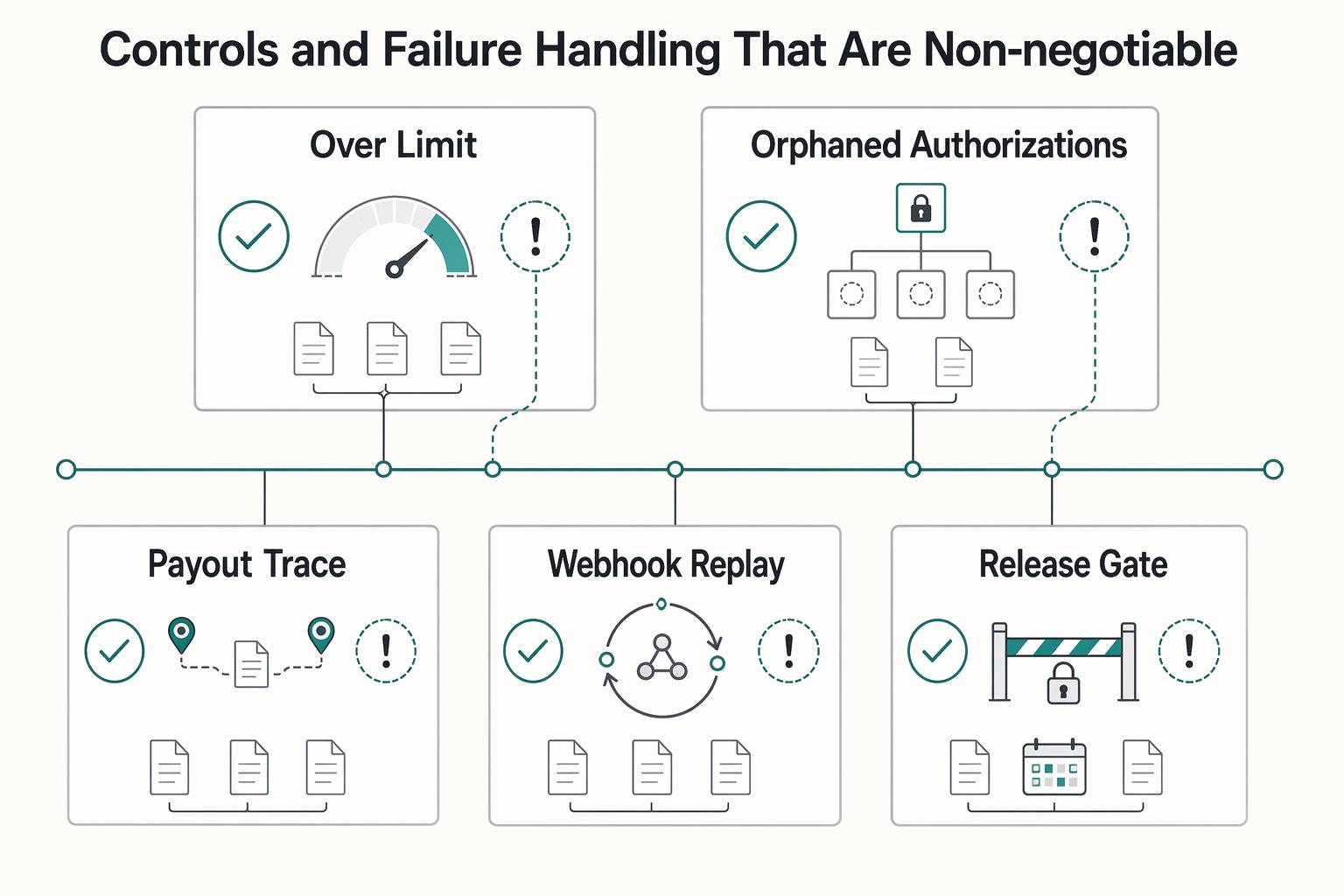
Virtual Cards for Contractors and the Real Cost of Getting Issuance Wrong
Virtual cards deserve a serious look if you need tighter control over contractor spend without turning payments into a bottleneck. For most teams, a practical place to start is a virtual card tied to an approved invoice or request. They can reduce misuse risk compared with standard corporate cards and speed some supplier payments, but they do not fix weak approval logic, poor accounting links, or fuzzy ownership between AP and product ops.
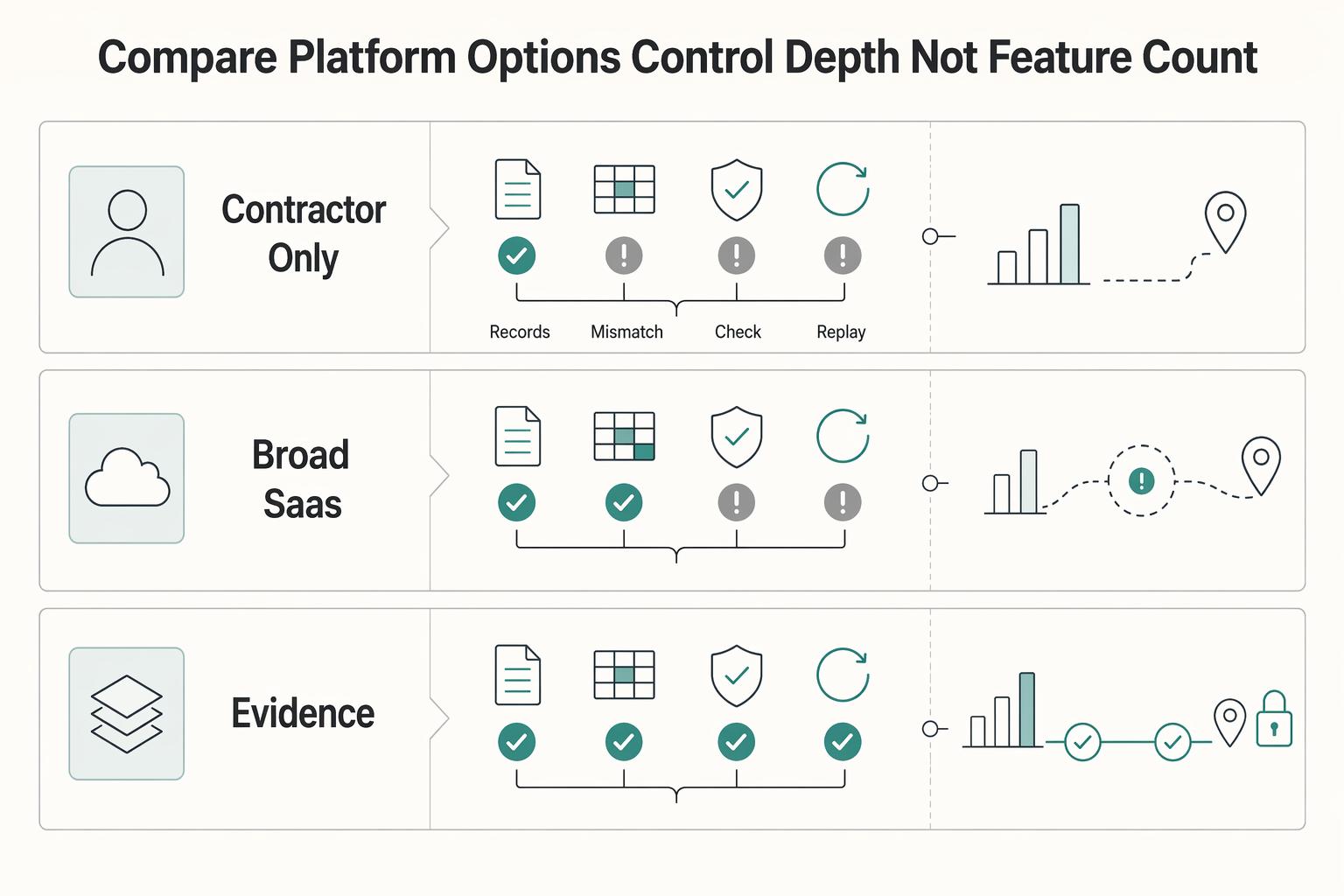
Contractor Spend Management: Total Cost and Payout Controls
For platform operators, contractor spend is not a simple software seat decision. The real cost shows up in money movement, verification gates, failed or delayed payouts, and the finance time required to reconcile what actually happened against what should have happened. That mismatch often starts with the accounting boundary between [accrued expenses and accounts payable for contractor liabilities](/blog/accrued-expenses-vs-accounts-payable-contractor-liabilities-platform).
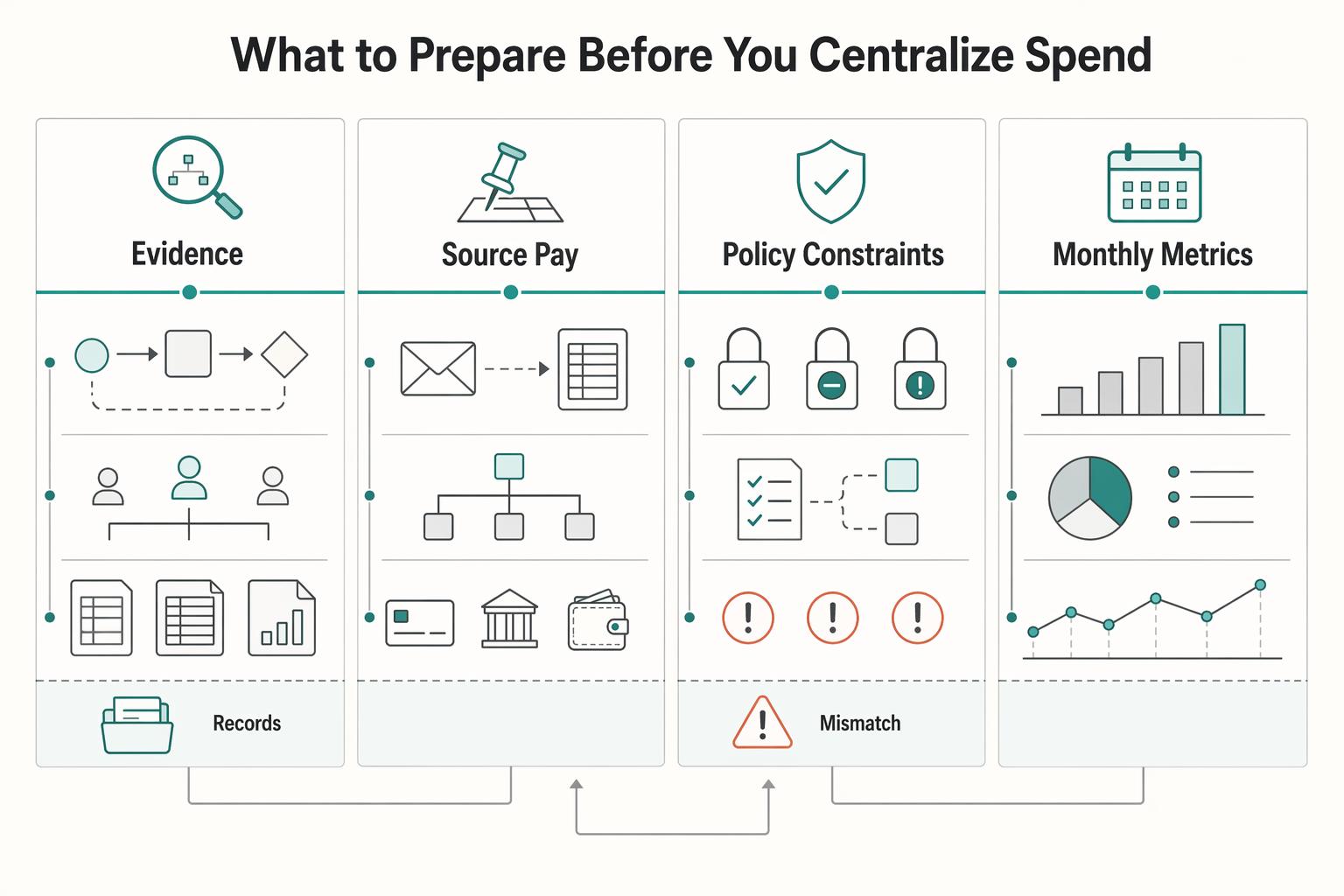
How Platforms Control Non-Core Spend Through Indirect Procurement
Step 1. Catch this earlier than most teams do. Indirect procurement can sound like back-office spend, but in a platform business it shapes how quickly teams buy tools, onboard vendors, and keep records clean as spend spreads across the company. Speed matters because buying delays slow delivery, and weak controls create cost and compliance problems.