
Quick Answer
Start with one intake space, then sort items into Projects, Areas, Resources, and Archives so obligations stop getting buried. For build a second brain freelance, keep a strict rule: active items need a clear next action, owner, and due date. Link delivery records to approval evidence and invoice state, then run a weekly pass/fail review to catch blocked work, stale notes, and missing follow-ups early.
Why Freelancers Need a Second Brain#
If you want to build a second brain for freelance work, do it before scattered notes and missed follow-through start to feel normal. A second brain is a personal knowledge-management system for storing and retrieving what matters when work gets noisy.
As client load grows, the same pattern shows up: too many open loops, harder starts, and more time spent searching for information you were sure you had saved. Tiago Forte describes this approach as the result of more than 10 years of research and experimentation, but your version still has to fit the way you actually work.
Treat any setup-time target as a planning constraint, not a universal promise. Some people need longer to personalize naming and structure. The real target is a usable baseline this week, then steady weekly upkeep that keeps obligations visible.
Start with retrieval, not app features. If you can find live obligations and next actions quickly, your setup is doing its job. If you cannot, adding more tags or another tool can create more drag instead of clarity.
The practical test is simple: when a client asks for status, can you find the current deliverable, the related approval note, and the invoice state in one pass? If that answer is no, you do not have a capture problem. You have a retrieval and decision-routing problem.
It is easy to overestimate what helps at the start. Fancy structure feels productive, but clear lanes and consistent review habits usually help more. Keep this version boring on purpose. You can customize after retrieval and weekly review are stable.
Before You Start#
- Gather current inputs into one intake space: notes, task lists, flagged emails, and client requests.
- Pull a small set of active, high-risk items first so important work is easy to surface.
- Limit week-one scope to active delivery, near-term conversations, admin obligations, and reusable knowledge.
- Set one verification check for the end of setup: can you quickly find a live obligation or payment status?
After this prep, you should have action items separated from reference material and rely less on memory for critical details. Keep one tradeoff in view: capture speed versus decision clarity. Fast capture feels productive, but unsorted capture can turn into backlog stress.
Use one rule from day one. If an item has an owner and due date, treat it as active. If it will not change a decision this week, move it to reference or inactive storage.
A useful mindset for the rest of this guide is simple: reduce friction before you increase detail. Faster retrieval and cleaner decisions are worth more than polished notes. For a practical workflow baseline, pair this with Time Management for Freelancers.
What to prepare before you start#
Prepare one reliable capture home before you organize anything else. This stage is about lowering search friction so active work is easy to find under pressure.
- Consolidate your current inputs. Pull open loops from wherever you currently track notes, tasks, and messages into one intake location. Do not clean wording yet. Focus on visibility.
- Bring forward high-risk items first. Start with threads that affect delivery and client communication.
- Set a strict week-one scope. Limit this first pass to active client work, near-term sales conversations, and reusable knowledge.
- Run an immediate retrieval check. Ask one real question from live work and confirm you can find the answer from your intake location without hunting across multiple places.
Freelancers often absorb tasks that would otherwise be split across a team, so this prep step determines whether your setup helps or adds friction. Tool choice matters less than consistency: one trusted intake place you actually use.
Use one pass to mark each intake item as one of three states: action now, reference later, or inactive. That quick split makes Step 1 easier because you are sorting cleaner input, not a pile of mixed urgency.
Keep your preparation lean. If you spend too long designing labels before moving real items, momentum can drop and decisions can get delayed. The point of prep is to make the next move obvious, not to finish everything up front.
A quick readiness check before you continue: open one active client thread and confirm you can see current status, next action, and who owns that action. If one of those is missing, fix it now so the structure you build next starts from useful data. Related: How to Handle Sales Objections as a Freelancer.
Step 1 map your business with PARA#
Map your current items with PARA before you add anything new. The aim is simple: organize by actionability using four categories: Projects, Areas, Resources, and Archives.
Create four top-level buckets in your primary workspace, then route items quickly on a first pass. Keep names literal and avoid over-customizing this step.
| Bucket | Put this here | Quick test |
|---|---|---|
Projects | Items you are actively moving now | Does this need a clear next action soon? |
Areas | Items you want to keep visible but not treat as immediate project action | Is this active context rather than the next concrete move? |
Resources | Supporting material you may reuse | Is this mainly reference material? |
Archives | Material that is inactive for now | Is this inactive today but worth keeping? |
If an item is unclear, choose the closest fit based on current action status and keep moving. You can refine labels during weekly review as you learn what is easiest to find and use.
This step fails when you treat categories as identity labels instead of decision tools. You are not trying to perfectly classify every note forever. You are trying to make today's next actions easier to see.
Use this tie-break rule when an item could fit two places: choose the location that makes the next decision easier, then re-sort later if action status changes.
At the end of this step, run a short sanity check. Open each bucket and confirm the contents still match how practical those items are right now. Do not chase perfection on day one. A rough, usable structure beats a polished structure that still hides active work.
Step 2 create capture lanes that reduce noise#
Capture should be fast, and sorting should be predictable. That combination helps keep active work visible and stops note buildup from taking over.
- Create quick intake points in your primary tool. Keep friction low for ideas, requests, and obligations.
- Limit where new items can land. Fewer entry points make review easier to sustain.
- Run a short daily triage pass. Route each item into
Projects,Resources, or inactive storage. - Separate ideas from commitments. Draft notes can stay lightweight. Delivery-critical items should have a tracked owner and due date.
If you use ClickUp Brain, connect it to your existing project and communication tools. It is described as working best in that setup for prioritization and progress tracking.
A common failure mode is over-capture with under-processing. Protect the daily triage habit even when you are busy. Verification checkpoint: keep uncategorized notes minimal and clear them quickly from your intake lane.
Treat capture as temporary holding, not final storage. The longer an item sits unprocessed, the less reliable its urgency signal becomes. What looked critical on Monday can be stale by Friday if it never gets routed.
Use one micro-routine to reduce friction during triage. Decide in this order, then move on:
- Is this an action with an owner and due date?
- If not, is it reference material you are likely to reuse soon?
- If not, should it go to inactive storage or be deleted?
This sequence can reduce endless "maybe" piles and protect attention because your active lane stays reserved for work that must move.
A practical warning sign is emotional, not technical: when opening your notes feels heavy, your intake lane is probably acting as storage. Fix that by shortening triage, not by redesigning everything.
Step 3 set decision rules for tasks and documents#
Set strict decision rules so active commitments stay executable and reference material does not crowd them out. The goal is to make action easier without drowning in old notes.
- Promote only clear commitments to
Projects. Move an item into active work only when the next action is clear. If it is not clear yet, hold it inResourcesuntil clarified. - Document repeated tasks quickly. When a task keeps repeating, create a short
standard operating procedure (SOP)inResourcesand link it from active work. - Attach proof to each milestone. Keep related notes, key decisions, and work records together so questions can be resolved from one place.
- Move low-impact notes out of active view. If a note will not affect a current decision, move it to inactive storage instead of polishing it.
The main risk in this step is task inflation: everything feels urgent until priorities collapse. These rules keep a hard line between action, reference, and history.
Use this filter to keep commitments clean: if the next action is unclear, it should not stay active. That line prevents avoidable confusion by forcing clarification when work is created.
Repeated work is another leak. If you keep rewriting the same outreach email, onboarding checklist, or project closeout steps, convert that pattern into an SOP and link it where execution happens. This can reduce rework and make execution more consistent during busy weeks.
When document links are missing, routine updates can stall. Keep milestone notes tied to relevant records so you spend less time searching for information you were sure you had saved.
Verification checkpoint for this step: pick one active project and trace one milestone from commitment to record. If any link is missing, fix it immediately and use that fix as your template for the rest.
Step 4 build client delivery records you can trust#
Client trust can improve when each active project has one delivery record you can review quickly. Keep that record inside the relevant Projects item and update it as decisions happen.
| Record part | What to include | What it helps answer |
|---|---|---|
| Scope baseline | what is included, linked to the relevant clause or section in the freelance contract | what is included |
| Milestones | milestone name, target date, dependencies, and owner | what the next milestone is |
| Acceptance criteria | what done means and the expected form of client approval | what counts as approval for that milestone |
| Status evidence | submission date and where approval proof is stored | where the latest proof of submission is |
Use this structure in each project record:
Scope baseline: what is included, linked to the relevant clause or section in thefreelance contract.Milestones: milestone name, target date, dependencies, and owner.Acceptance criteria: what done means and the expected form ofclient approval.Status evidence: submission date and where approval proof is stored.
Keep one delivery timeline tied to contract terms to help reduce scope disputes. When a new request appears, compare it against the scope baseline and acceptance criteria, then log the decision before moving forward.
Store handoff artifacts in one repeatable package:
Brief: final requirements snapshot.Assets: source files and production inputs.Decision log: dated scope and delivery decisions.Final files: delivered versions.Approval evidence: written client acceptance.
Failure mode to prevent: deliverables are complete but not approved. Recovery rule: do not mark closeout complete until approval evidence is logged.
The reason this matters is operational, not cosmetic. A complete record can reduce back-and-forth when scope questions surface late. It can also protect your memory when several projects are moving at once.
Use a short update sequence each time work progresses. It is quick and can help prevent "I thought we agreed" problems:
- Record what changed.
- Confirm whether the change affects scope or timeline.
- Link supporting evidence.
- Note the next owner and next action.
If a client asks for a change that feels small, run one check before accepting it: does it alter acceptance criteria, timeline, or payment terms? If yes, log the change and confirm it in writing. If no, keep moving and still note the decision.
A delivery record should also make handoff less fragile. Someone else should be able to open the project, follow the brief, see what changed, and understand current status without asking you for hidden context.
End-of-week checkpoint: sample two active projects and ask these questions. If answers are slow to find, tighten the project record before adding more detail anywhere else.
- What is the next milestone?
- What counts as approval for that milestone?
- Where is the latest proof of submission?
Step 5 add your compliance and money spine#
Keep cash flow and filing work in a dedicated admin Area so payment and submission tasks do not disappear behind delivery notes.
| Record type | Shared fields | Key rule |
|---|---|---|
| invoice | owner, status, due date, and next reminder date | pair each outgoing invoice with payment history |
| tax document | owner, status, due date, and next reminder date | separate draft tax work from filing-ready records |
| contract renewals | owner, status, due date, and next reminder date | no renewal item without an owner |
| submission deadlines | owner, status, due date, and next reminder date | assign ownership and reminder dates at creation |
Place this admin area beside client Projects. Keep only live commitments in it, keep references in Resources, and move completed cycles to inactive storage. If a record can affect payment timing, renewals, or submissions, it should have an owner and a next action.
- Set up four folders with consistent fields. Use
invoice,tax document, contract renewals, and submission deadlines. Include owner, status, due date, and next reminder date. - Pair each outgoing
invoicewith payment history. Track sent date, amount, agreed terms, payment status, last follow-up, next follow-up, and dispute notes. - Separate draft tax work from filing-ready records. Keep planning notes apart from final
tax documentfiles and label each period clearly. - Set immediate reminders for time-sensitive records. If a document could delay payment or create avoidable issues, assign ownership and reminder dates at creation.
Failure mode to prevent: delivery is approved, but billing follow-through is incomplete. Recovery rule: do not close a project until the related invoice entry has current status and next follow-up date.
Verification checkpoint: no open invoice without a follow-up date, no final tax record mixed with drafts, and no renewal item without an owner.
Admin records fail when they become passive storage. Keep them active by reviewing status fields weekly and updating follow-up dates the same day a payment or filing update happens.
A practical sequence for each new invoice keeps this clean and prevents emotional follow-up messages because your record already shows what happened and when:
- Create invoice entry with sent date and terms.
- Add first follow-up date immediately.
- Link invoice to the project milestone it belongs to.
- Update status at each follow-up until closed.
Use the same discipline for tax files. Draft calculations can be messy while you work through details, but final files need clean naming and clear period labels so retrieval is quick during filing season. For retention and file hygiene, align your process with the IRS recordkeeping guidance.
Renewals need clear ownership as well. If no owner is assigned, deadlines can drift. If ownership is clear, reminders are practical and accountability is obvious.
Monthly checkpoint for this section: sample one paid invoice, one unpaid invoice, one final tax record, and one upcoming renewal. If any item lacks status, owner, or next reminder, fix the template before adding more records. If cashflow visibility is still weak, review the SBA finance management guide and tighten your follow-up cadence before adding new tools.
If you also want your client-facing materials to stay organized, read How to Build a Media Kit for Your Freelance Business so your media kit stays aligned with your records and workflows.
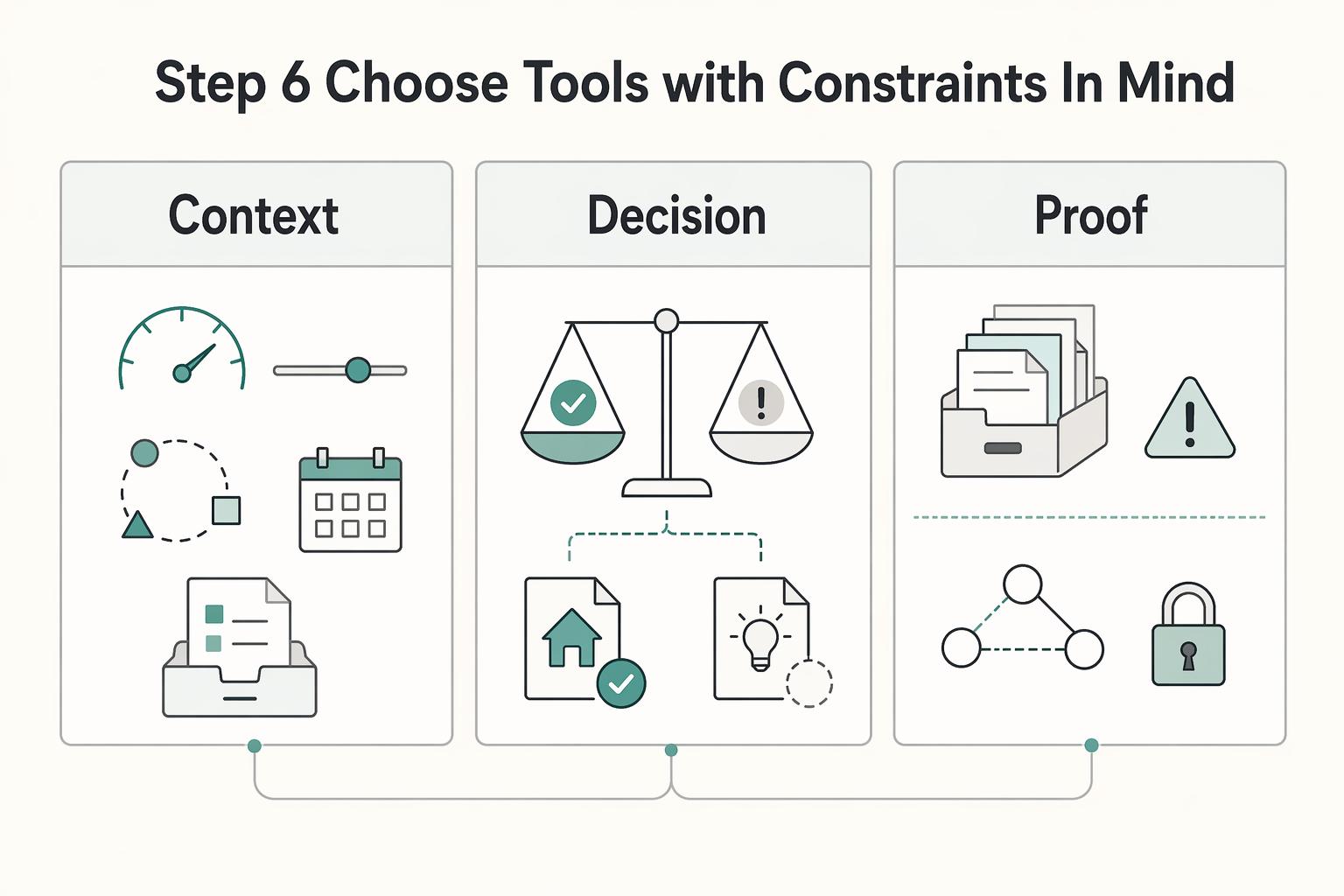
Step 6 choose tools with constraints in mind#
Choose tools by retrieval speed, daily friction, and maintenance load, not feature count. Start with one execution home, then add a second thinking tool only if it clearly improves ideation without duplicating commitments.
- Set constraints before comparing apps. Define how quickly you should find active work, how much weekly upkeep you can tolerate, and where new inputs should land.
- Test retrieval using the same live items. Run the same client and admin checks in each candidate tool and compare capture friction, retrieval friction, and update effort.
- Keep execution in one place. Use one primary tool for deadlines and commitments. Use a second tool only for thinking notes when needed.
- Reduce transition friction early. Keep naming conventions consistent and keep copies of core records so later changes are manageable.
The tradeoff is real. A patchwork of tools may scatter data and increase context switching. At the other extreme, overly complex setups can slow solo work. If you are paying for several subscriptions and still missing follow-ups, consolidate one part of your stack this month. Building a Second Brain centers on maintaining a trusted system outside yourself.
To compare tools fairly, use one short test script with live material.
- Find one active deliverable and its next action.
- Find one unpaid invoice and its next follow-up date.
- Find one reference note you need often.
- Update one status field and confirm the change is easy to review later.
The best tool is the one that passes this test with the least drag. Ignore features you do not use weekly. Tool-hopping after a rough week can become a trap. When pressure rises, novelty looks like relief. In practice, switching tools mid-stream can duplicate commitments and increase error risk. If retrieval is slipping, simplify categories and clean intake first. Change tools only when repeated checks show the current setup cannot support your constraints.
Keep exports practical, not theoretical. Regularly save core project, invoice, and document records in a clear folder structure so stack changes are less disruptive.
Step 7 run a weekly review that catches risk early#
Run a weekly review with pass or fail gates. The goal is not note cleanup for its own sake. The goal is to keep a reliable system so active work can move without guesswork and with less waste.
- Review active work for movement. Confirm each active item has a next step, flag blocked work, and mark anything waiting on someone else.
- Review open follow-ups for risk. Check outstanding commitments and set owners and follow-up dates where missing.
- Trim reference inputs and close finished items. Move stale notes out of active view and archive completed work so current items stay easy to scan.
- Apply the weekly gate. Pass only if each open thread has a clear next step or a clear owner and follow-up date.
Watch overload signals during the same pass. If unread counts are around 999+ or tab sprawl sits around 17 open tabs, treat that as a warning to narrow active focus and clear nonessential inputs.
Keep this review short and repeatable. Long review sessions can be harder to sustain. A compact pass with clear gates can build momentum because you see clear outcomes each week.
A practical sequence helps:
- Start with active delivery.
- Move to open follow-ups.
- Clean reference clutter.
- Confirm pass or fail and assign fixes.
If a week fails the gate, do not hide it. Log why it failed and set one recovery action for each failure point. Example: if an open thread has no follow-up date, assign the date now, then check next week whether it was completed.
Weekly review is also where you protect future clarity. If a category keeps filling with stale notes, adjust intake behavior rather than adding more labels. The review should improve how you capture and route work, not only clean up yesterday's mess.
Step 8 avoid the failure patterns that break second brains#
One common breakdown is simple: capture keeps growing while decisions and execution lag. Treat cleanup as a daily habit, not an occasional rescue.
| Mistake | Recovery |
|---|---|
| capturing everything into one messy note | run a short daily triage and route each item the same day so ideas do not get lost |
| storing obligations as notes | convert obligation notes into tracked tasks with a clear next action and deadline |
| duplicating execution across too many places | keep one source of truth for active tasks, then close one copy and keep status current in your primary execution tool |
Those three fixes matter because they close the gap between capture and execution: triage the same day, turn obligation notes into tracked tasks, and keep one source of truth for active work.
A second brain is not about endless collection. It is about turning captured inputs into creative deliverables like landing pages, social posts, and scripts.
These failure patterns can appear together. Over-capture creates backlog, backlog hides commitments, and hidden commitments trigger tool-hopping. Breaking the cycle starts with routing and review discipline, not with new features.
Use one daily checkpoint to stay ahead. Before ending work, confirm that every new obligation from that day has a home. If it is active, confirm it has an owner and a due date. If anything is missing, route it immediately.
When clutter rises, reduce scope for one week. Focus only on active deliverables and near-term commitments. Push lower-value cleanup to the next review once critical lanes are stable again.
60 minute setup checklist you can copy and run today#
Use this hour to lock in a usable core, not a perfect setup. One published practitioner example describes a personalized build taking about three hours, so this is a focused first pass you can run this week.
- Create your top-level structure (PARA-style).
Set up simple buckets for active work, ongoing responsibilities, reference material, and archived items. Keep naming simple so routing stays fast.
- Add three active client projects with key context.
Create three project pages, one for each active engagement. In each page, include the current deliverable, next action, and any essential notes you need to move work forward.
- Create one admin area for recurring operations.
Add an Admin page for recurring tasks and reminders. Keep drafts and final records separate.
- Schedule a weekly review and define pass or fail checks.
Block one recurring weekly review in the calendar tool you already use. Check that each active project has a next action and a clear follow-up point.
- Clear low-value notes before day one starts.
Remove duplicates, move stale references out of active view, and delete notes that do not support a decision or action. This gives you a clean baseline, so personalize only after the core habits are running.
Use the remaining minutes in this hour for verification, not decoration. Run these checks before you stop. If one check fails, fix that now and skip cosmetic tweaks because reliable retrieval is worth more than visual polish:
- Can you open each of the three projects and see scope, next action, and current status quickly?
- Does each active project have a clear follow-up point?
- Are draft notes separate from final records?
- Is your intake lane empty enough to process tomorrow without stress?
For week one, keep one daily rule: process intake once and route every new item to action, reference, or inactive storage. That single habit preserves the value of this setup better than any advanced template.
At the end of week one, run a short reflection during your weekly review. Note one step that felt heavy and one step that felt easy. Keep the easy behavior. Simplify the heavy one so you can repeat it without friction.
Build it once then run it weekly#
A second brain helps only when it prevents two failures: dropped commitments and time lost searching for information you already captured. Keep the setup simple, run the same checks on a regular cadence, and judge it by retrieval speed and follow-through.
- Lock a minimum structure, then stop expanding it.
Keep clear lanes for active work, reference, inactive material, and admin records such as contacts, invoices, and tax-related documents. Add categories only when retrieval repeatedly fails.
- Cut context switching before it drains attention.
A patchwork of tools can scatter records. Oversized software can add bloat for solo work. If you are paying for 5 separate SaaS subscriptions and still missing follow-ups, consolidate one area this month.
- Keep delivery and money records in one project trail.
For each active project, keep current scope, linked client or vendor contacts, open invoices, and related records together. Include invoice line items, tax calculation details, and PDF exports where relevant.
- Run a repeatable review cadence with pass or fail checks.
Use one recurring slot (weekly if practical) and the same checklist each review:
- Every active project has one clear next action.
- Every unpaid invoice has a status and next follow-up date.
- Each tax-related task has needed records attached.
- Stale notes move out of active view so current work stays easy to scan.
Add a monthly ownership check: export core invoices and documents so records stay portable if tools change. Repetition helps turn captured information into completed work and cleaner operations.
- Run a
10-minutedaily intake triage to clear uncategorized items. - Run a
45-minuteweekly review to close open loops and assign next actions. - Run a
60-minutemonthly export and archive pass so key records remain portable.
If you remember one rule after finishing this article, make it this: retrieval quality can be a useful proxy for execution quality. When active commitments and payment records are easy to find, delivery gets smoother and follow-through gets easier to sustain.
Run the checklist, keep your review gates strict, and simplify whenever clarity drops. That discipline is what makes a second brain useful over time, not just interesting to set up once.
Frequently Asked Questions
What is a second brain for freelancers in one sentence?
A freelancer second brain is a digital setup for organizing and retrieving work information outside your head. It keeps ideas, research, and project details easy to find so you can act quickly.
What is the minimum setup to build a second brain in a weekend?
Start with one tool and a simple PARA layout: Projects, Areas, Resources, and Archive. Add one intake place for new notes, then sort on a consistent cadence. That is enough to start using it immediately without overbuilding.
How is a freelancer second brain different from a general note-taking app?
A general note app can collect information, but a second brain is designed to offload and retrieve information for action. The practical difference is clear separation between active commitments and reusable reference, which helps reduce repeated research.
What should go in Projects, Areas, Resources, and Archive for freelance work?
Use Projects, Areas, Resources, and Archive as your core buckets, and set clear rules for what belongs in each one. Clear boundaries keep retrieval faster and decisions cleaner.
How do I avoid turning my second brain into clutter after month one?
Clutter grows when capture continues but sorting stops. Keep a simple review cadence so each new note is routed to action, reference, or inactive storage. When you solve something once, store the reusable version so you do not redo the same research.
How often should freelancers review and clean their setup?
Use a cadence you can maintain. Consistent sorting and cleanup matter more than a fixed schedule, as long as stale items do not pile up.
Can I build this without buying Building a Second Brain?
Yes. You can apply the core ideas with basic tools and a clear PARA structure. Building a Second Brain may speed up learning, but it is not required to start.
Try a related tool
Researched and edited by the Gruv editorial team. Gruv builds cross-border billing, payouts, and finance-operations software for global businesses.
Sources
Includes 2 external sources outside the trusted-domain allowlist.
- ftc.gov/business-guidance/small-businessestrusted
- govinfo.gov/content/pkg/CHRG-115shrg26915/html/CHRG-115s...trusted
- irs.gov/businesses/small-businesses-self-employed/re...trusted
- irs.gov/businesses/small-businesses-self-employed/es...trusted
- pce.sandiego.edu/ai-tools-for-work-productivitytrusted
- sba.gov/business-guide/manage-your-business/manage-y...trusted
- files.addictbooks.com/wp-content/uploads/2024/07/Building-a-Second...external
- fortelabs.com/blog/how-to-build-a-second-brain-in-notionexternal
Educational content only. Not legal, tax, or financial advice.
Related Posts

How to Manage Your Personal Brand as a Freelancer
Your brand is not a mood board. Think of it as the experience people have of your work: the promise you make, the proof you can show, and the way you present yourself across client touchpoints. Get that clear first, and your fit is easier to read from profile to proposal.
How to Handle Sales Objections as a Freelancer
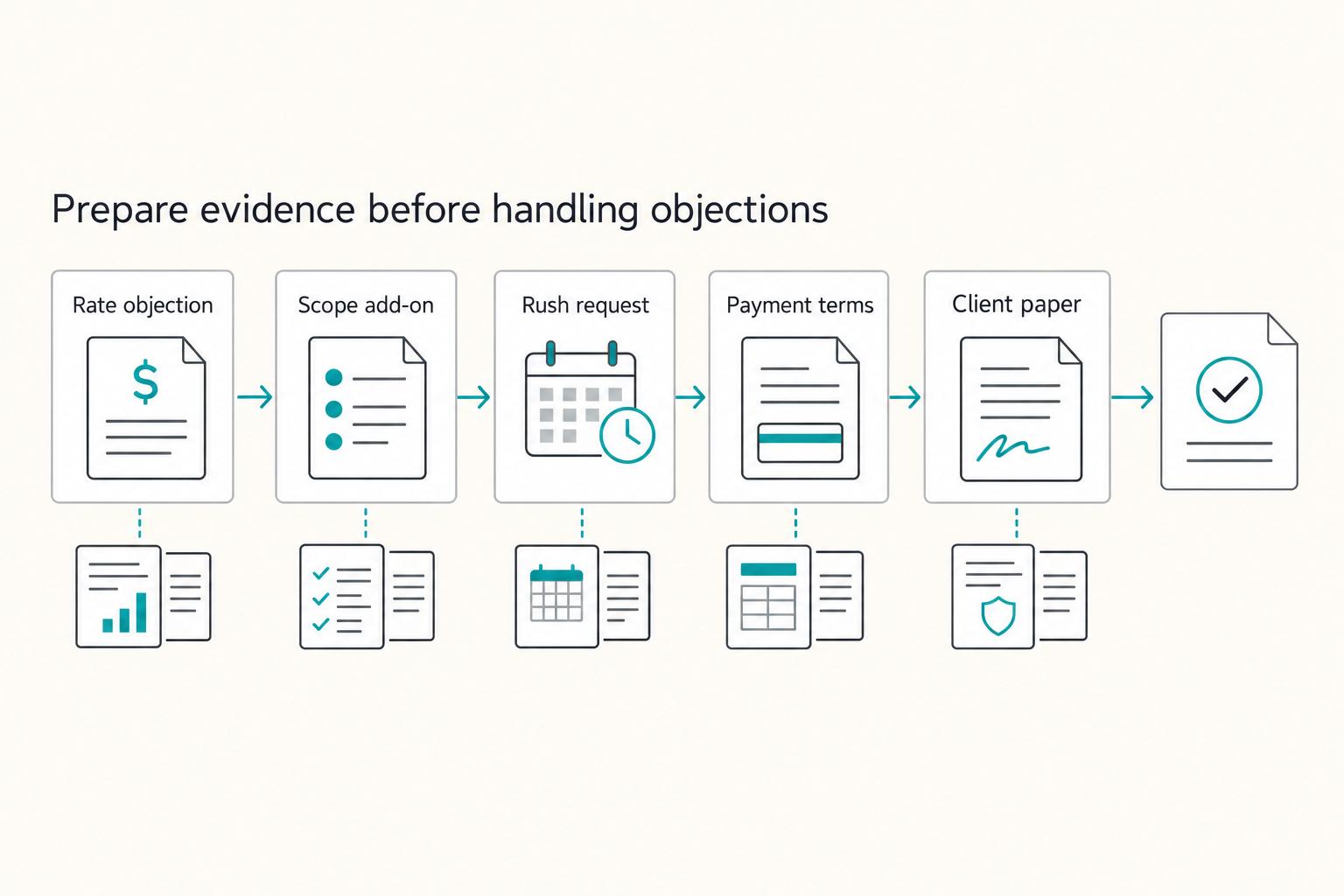
When you hear an objection in cold outreach, treat it as a risk signal, not an immediate "no." A simple loop can help: clarify the risk, choose one next step, write down what was agreed, and confirm timing.

The Freelance Payment Penalty: A Modeled Audit of Platform Fees, FX Spreads, and Payout Delays
The money rarely disappears through a single, easy-to-spot fee. The real loss is stacked. A marketplace takes its commission, a processor adds a charge for international cards, a bank or payment company converts the currency at a spread, a platform holds the funds before release, and a wire sheds a little to intermediaries on the way in. Each layer looks defensible on its own, but the worker feels the combined result as a smaller deposit and a later payday.