
Quick Answer
Choose the NetSuite record for each economic outcome before configuring the connector. Separate contractor AP from inbound Stripe deposit reconciliation, preserve liabilities during payout holds, and reserve a durable operation ID before writes. Recover unknown outcomes by reference, verify approval and posting status, then reconcile against bank movement before close.
What Cleaner NetSuite Journal Syncs Actually Require#
If you need a decision-ready way to handle payout-to-NetSuite journal syncs, start with one goal: bring payout activity into NetSuite in a way that keeps journal entries accurate, auditable, and easier to close at month end. The right design does more than move data faster. It reduces avoidable general ledger cleanup, gives finance a clear approval path, and makes posted results easier to trust.
This guide is for teams pulled in every direction: finance trying to keep the books clean, payments ops dealing with payout exceptions, and engineering wiring events into an ERP without creating duplicate accounting. You usually see it in platforms paying contractors, creators, sellers, or other marketplace participants at meaningful volume. At that point, a CSV export and a few manual adjustments might keep things moving for a while, but they often stop holding up once payout volume, exception volume, and close pressure all rise together.
The main tradeoff is speed versus control. You can ship a basic sync quickly, but if nobody decides who owns posting policy, retry behavior, approval rules, and exception handling, issues show up during reconciliation. NetSuite already has native posting behavior. When you record posting transactions, it automatically generates journal entries, and journal entry transactions are not posted until approved. That matters because teams can create duplicate or conflicting entries when custom posting logic is layered on top of existing ERP behavior without clear control design.
The other risk is replay. Payout integrations often rely on webhooks or similar event feeds, and duplicate delivery is normal, not an edge case. If your design does not log processed event IDs and reject events that already ran, retries can turn into duplicate postings. That stops being just an engineering problem the moment finance has to explain why the same payout hit the general ledger twice.
Success here is practical. You should come away with a way to judge whether your sync will produce fewer manual GL adjustments, fewer duplicate postings, and more confidence at close. A good outcome is not "fully automated" on paper. It is a build where finance can verify what should post, ops can isolate exceptions quickly, and engineering can prove that replays, approvals, and late events will not quietly corrupt the books.
Define the operating target before you evaluate connectors, APIs, or custom logic.
For a step-by-step walkthrough, see How to Hedge FX Risk on a Global Payout Platform.
Set the operating target before you pick tools#
Before you choose connectors or custom code, set your v1 posting boundary. The goal is clarity: which events should post to the ledger, which should only reconcile, and who decides.
Step 1 Define the smallest v1 scope that still closes cleanly#
Document a tight v1 scope: legal entities, contractor payment types, AP or participant liabilities, clearing accounts and bank reconciliation. Keep inbound seller receipts distinct from outbound contractor payments. The Stripe deposit connector examples below describe receipts into your Stripe bank account; they are not a ready-made contractor AP payment workflow.
For each in-scope event, require one explicit classification: posting transaction, reconciliation record, or no ERP action.
Step 2 Assign ownership by failure type, not by tool#
Make ownership explicit by function:
| Team | Owns |
|---|---|
| Finance | Posting policy for journal entries and chart-of-accounts mapping |
| Engineering | Idempotency, retries, and replay guards |
| Ops | Exception handling, including unmatched payouts, missing mappings, and reprocess requests |
Add one verification rule: every error class has one named owner and one approval path.
Step 3 Write one page that anchors NetSuite posting behavior#
Write a one-page responsibility map that references Oracle NetSuite Help behavior and your internal ERP posting policy. Lock this rule early: if posting transactions already create the required ledger impact, do not add custom postings for that same state.
Keep line limits in scope planning if summarized journals are part of the design:
| Submission path | Line limit |
|---|---|
| UI | 1,000 lines |
| Synchronous SOAP | 1,000 lines |
| SuiteScript | 10,000 lines |
| CSV import | 10,000 lines |
| Asynchronous SOAP | 10,000 lines |
With that boundary in place, pick the integration path based on the control you actually need.
If your team is still cleaning up entries by hand, this guide on Accounting Automation for Platforms: How to Eliminate Manual Journal Entries and Close Faster goes deeper on reducing manual journal work during close.
Choose your integration path based on control and change velocity#
Pick the path by control needs first and speed second. If finance needs tight posting controls in NetSuite, move beyond a basic connector early.
Step 1 Compare options on the controls that matter#
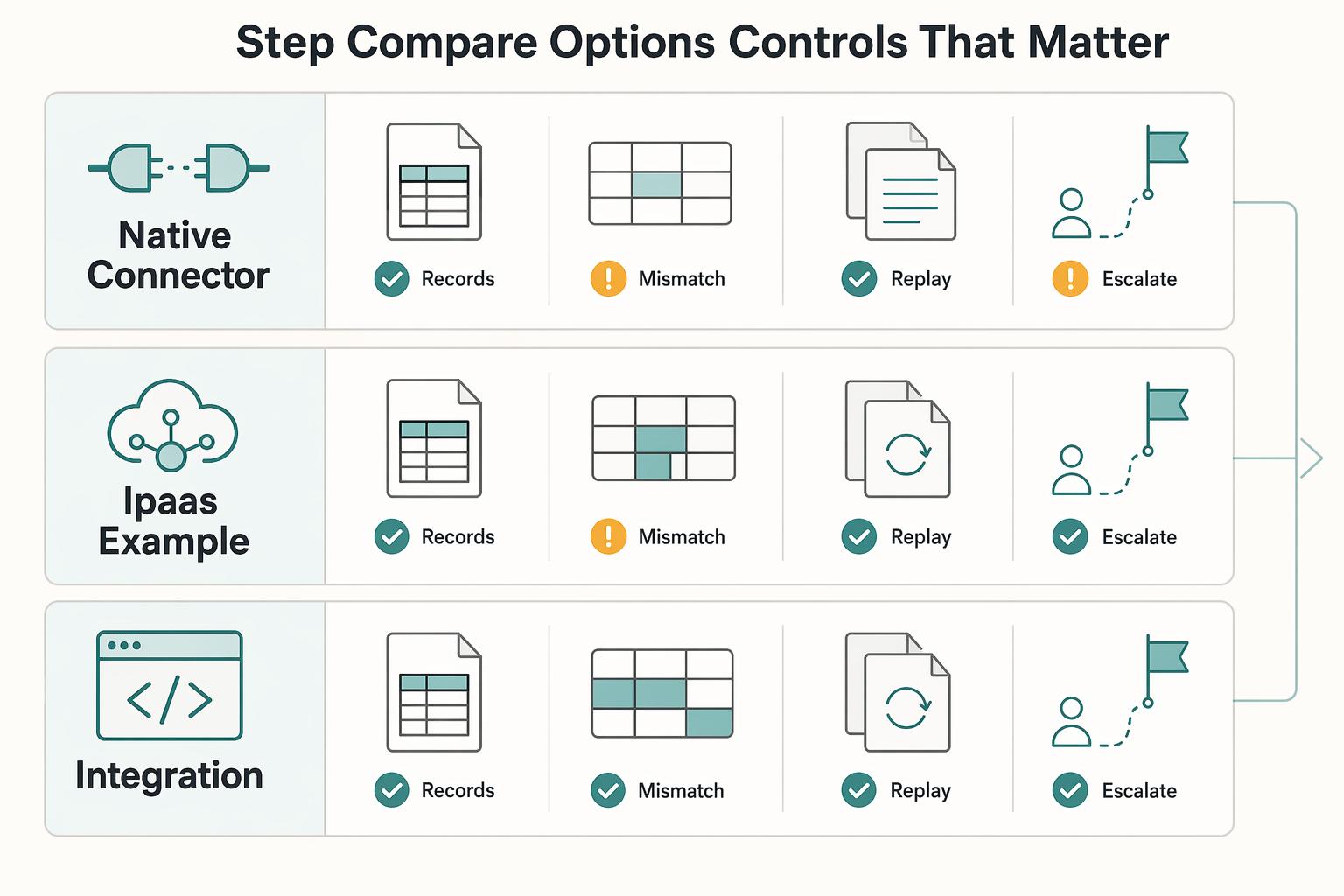
Oracle documents core NetSuite integration methods (CSV Import, SuiteTalk REST, RESTlets, and SuiteTalk SOAP). In practice, that gives you three lanes for payout syncing: connector-first, iPaaS, or custom API.
| Path | Mapping flexibility | Retry control | Audit visibility | Maintenance burden in ERP |
|---|---|---|---|---|
| Native connector / connector-first | Best when scope is narrow and mappings stay standard | Limited to what the product exposes | Can stay high-level if the product is outcome-focused | Lower at first; exception handling can shift into manual ERP work |
| iPaaS (for example, Celigo) | More room for transforms and conditional routing | Celigo supports retry after user errors are fixed | Celigo shows flow status and run timing, including a 30-day dashboard view | Medium; less custom code, but mappings and operations still need owners |
| Custom API (REST, SOAP, RESTlets) | Most control over posting logic and NetSuite field behavior | Most control if engineering implements idempotency and replay well | Strong when you persist source event IDs, decisions, and responses | Highest; your team owns ongoing changes and support |
Use this decision rule: if v1 is narrow and posting nuance is limited, start connector-first. If posting policy is complex or control requirements are strict, choose iPaaS or custom earlier.
A practical test question for every option: can the team show one failed payout event, the correction made, and the exact retry path to the NetSuite record without duplicate posting risk?
Step 2 Match vendor messaging to the depth you actually need#
Celigo positions itself as an iPaaS for NetSuite and beyond, with 80+ prebuilt integrations, plus operational patterns like run-status visibility and retry tooling. That does not make iPaaS automatically right; it does set a clearer expectation for configurable operations than a simple "connected" claim.
If you need this integration to support a controlled close, ask for an evidence pack before you commit: mapped-record examples, failure screenshots, retry steps, and exact NetSuite fields written.
Step 3 Decide with future ERP expansion in mind#
If NetSuite is your only near-term ERP, optimize for today's control gap. If SAP or Microsoft Dynamics is plausible later, decide now where the business rules should live so they are easier to adapt.
Celigo's catalog includes Microsoft Dynamics-related templates, which is a portability signal, not proof of zero-rework expansion. You should still expect mapping and posting-policy redesign when ERP structures differ.
Before build starts, lock the prerequisites and evidence packet. Related: QuickBooks Online + Payout Platform Integration: How to Automate Contractor Payment Reconciliation.
Prepare prerequisites and evidence before build starts#
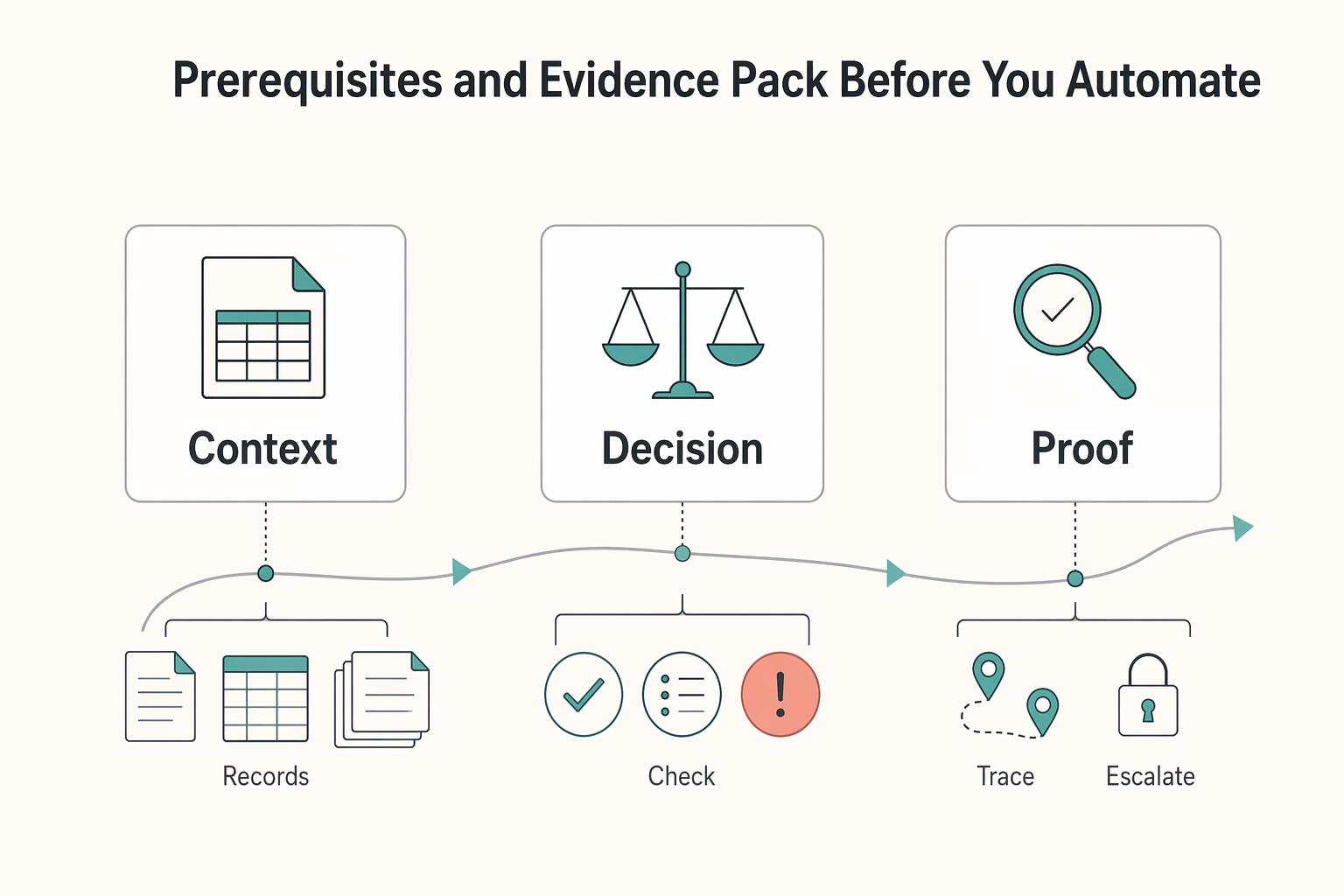
Do not start connector setup or API coding until finance has approved a single implementation packet for posting logic, controls, and test evidence. That packet is what prevents production mapping surprises and period-close posting failures.
Step 1 Assemble the finance packet in NetSuite terms#
Define the exact general-ledger targets the integration can write before build starts. NetSuite treats chart-of-accounts setup as an early prerequisite and supports CSV import, so lock account structure first.
For each in-scope posting scenario, document:
- Debit and credit accounts for each transaction type, including clearing, fees and FX treatment
- Required subsidiary, currency, accounting book and classifications, plus vendor/bill application where applicable
- Stable record identifiers and allowed values
- Approver and effective version for mapping changes
Include close-calendar rules in the same packet. A closed NetSuite period blocks posting to covered dates, so record which date drives posting, what happens when events arrive after close, and who approves out-of-period handling.
Step 2 Document compliance gates before posting timing#
Separate payout authorization from accounting recognition. An earned contractor payable can remain on the books while verification or tax documents hold its disbursement. Map the provider and internal release gates to payment execution; do not suppress a liability or a completed bank movement merely because the account is now held.
Write a status map that clearly marks:
- Payable recognized under the accounting policy
- Disbursement authorized or held, with a reason
- Provider payment outcome and independently reconciled bank movement
Keep evidence for the payable, authorization and cash states separately. Finance determines the accounting treatment, while Payments Ops confirms whether release is allowed. A compliance hold changes the release state, not necessarily the amount owed.
Step 3 Define tax artifacts for eligibility and reporting#
Separate tax workflow into collection, validation, and reporting. W-9 is used to provide the correct TIN for information return workflows, W-8BEN is submitted when requested by the payer or withholding agent, and US nonemployee compensation reporting should map to Form 1099-NEC.
| Tax item | Use or limitation |
|---|---|
| W-9 | Used to provide the correct TIN for information return workflows |
| W-8BEN | For a non-US individual where appropriate; a foreign entity can require another W-8 form |
| Form 1099-NEC | Use where the payer, payee and payment facts create a US nonemployee-compensation reporting obligation |
| 1099-MISC in NetSuite | Oracle describes vendor payment tracking and saved-search handoff, but does not provide the form itself |
| VIES | Search engine over national VAT databases in the EU context |
| UK (GB) validation | Not handled in VIES the same way it was before 01/01/2021 |
NetSuite tracks vendor tax information and supports saved-search handoffs; Oracle says it does not provide the 1099-MISC form itself. Determine the applicable reporting form and tax year, then define the export and filing-provider workflow rather than assuming that a vendor record completes filing.
For VAT checks, record where validation is required and how it is performed. In the EU context, VIES is a search engine over national VAT databases, and UK (GB) validation is not handled there the same way it was before 01/01/2021.
Step 4 Lock sandbox test data and acceptance evidence#
Freeze a small but complete test set in a NetSuite sandbox before build starts so mapping and customization tests do not affect production.
Your acceptance set should cover:
- Clean posting and approval
- Payable remains recognized while compliance holds disbursement
- Missing tax document blocks only the applicable release/reporting path
- Closed-period attempt follows the approved posting-period policy
- Crash after accepted write recovers the original record
- Partial settlement and return preserve bill application and remaining balance
Pass criteria should be evidence-based: source event, post/skip decision, NetSuite result, and supporting rationale must all be visible in one review trail.
Once this groundwork is locked, the next focus is journal behavior. For a broader architecture view, see ERP Integration for Payment Platforms: How to Connect NetSuite SAP and Dynamics to Your Payout System.
Design journal logic that prevents double posting#
Step 1 Map each payout event to one posting path, and explicitly exclude everything else#
Prevent duplicates by assigning each payout lifecycle event to exactly one posting path. For each event, decide whether your integration creates a custom journal, NetSuite posting transactions create the accounting entry, or no posting occurs. Do not let more than one path apply to the same economic event.
This matters because NetSuite automatically generates journal entries for posting transactions, and it also creates system-generated journals (for example, revenue recognition and reclassification journals). If your sync also creates a custom journal for that same state, you create duplicate postings yourself.
Step 2 Pick one source of truth for creation, and use the other side only as a gate or status check#
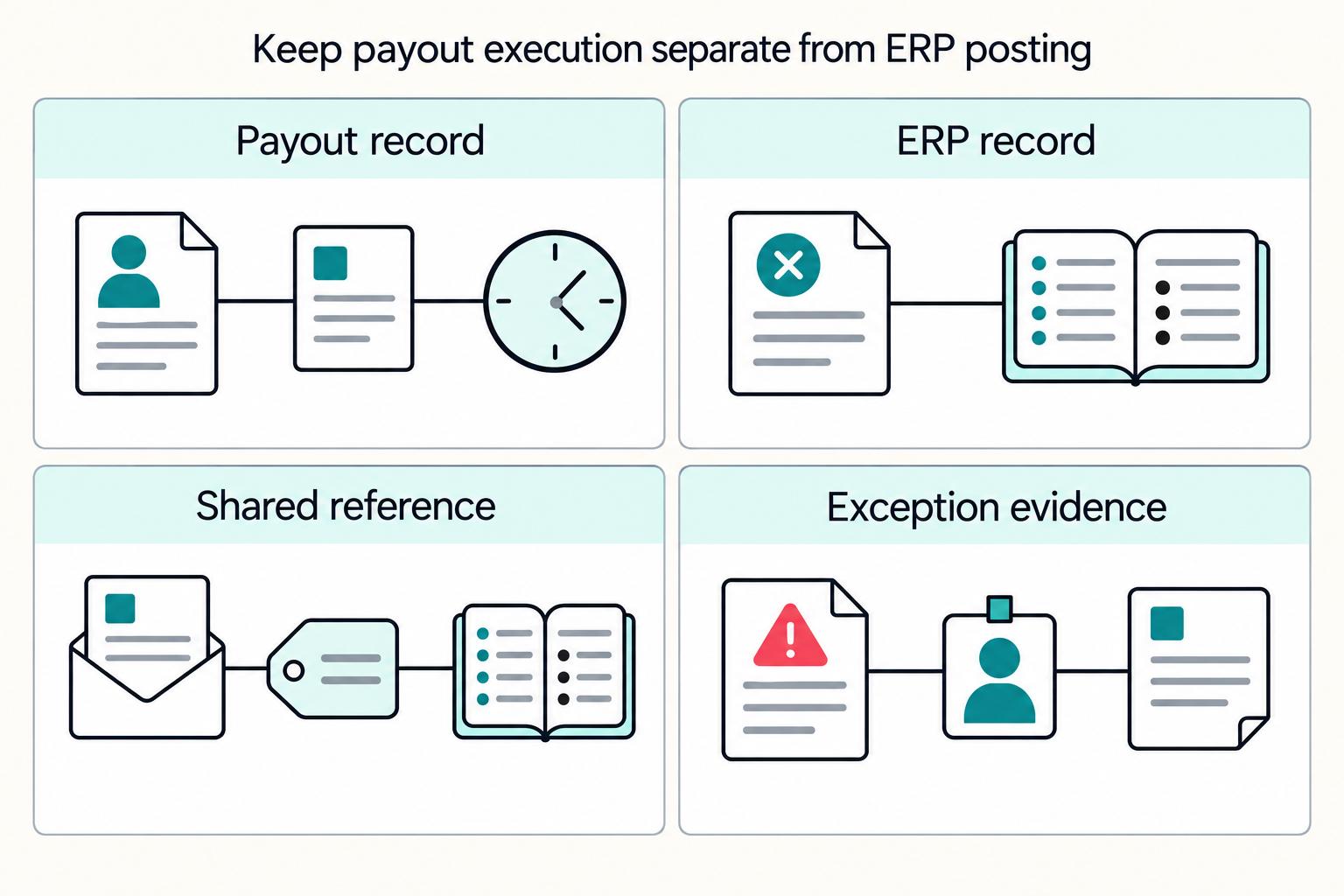
Give one integration authority to create each economic outcome. A contractor bill-payment path should create or recover the appropriate vendor payment and apply it to the intended bill. An inbound seller-receipt path may create a bank deposit. NetSuite’s native GL impact for those transactions should not be duplicated by a custom journal.
Keep approval semantics explicit in the logic. In NetSuite, journal entries are not posted before approval, and with journal approval enabled, approval is required before posting to the general ledger. If you replay backlog events, account for approval throughput too: with Approval Routing enabled, approvals are limited to 25 journal entries per action.
For an illustrative contractor invoice of $1,000, the approved bill establishes the expense and payable even if verification holds the payout. If $600 is subsequently settled, apply the vendor payment for $600 and keep $400 outstanding. Map a separate $10 provider fee to its expense/clearing treatment rather than changing the contractor bill to $990. If the $600 is returned, link the return and approved correction to the original payment, reopen the obligation as appropriate, and authorize any replacement separately.
Step 3 Assign debit and credit ownership for edge cases before you code them#
Define edge-case handling before implementation so retries do not create accounting drift. NetSuite posting affects at least two accounts, and each journal entry requires at least one debit and one credit, so ownership and fallback rules must be explicit.
- Partial payouts: account for the settled component and remaining obligation separately; do not wait for the whole batch to finish before recognizing an actual movement.
- Reversals: link an approved correction to the original record and inspect any bill/payment application before choosing the record type.
- Unmatched records: hold an unsafe automated posting for review; Finance must still account for actual movement, using a controlled clearing or suspense treatment where appropriate.
Step 4 Make traceability non-negotiable#
Store the economic-operation ID, provider references and resulting NetSuite internal ID together. Use an external ID on supported record types; REST upsert uses PUT with an external ID in the URL. Upsert can update an existing record, so validate the existing amount, subsidiary, mapping version and approval state before treating it as a retry. Do not overwrite an approved posting merely to make a replay succeed.
An operator should be able to find the resulting record and see whether it is pending approval, posted, rejected or awaiting recovery. Replay a duplicate and a crash-after-write case and confirm no second GL impact. For inbound Stripe deposit automation, the connector separately checks whether the underlying transactions are already deposited.
Build the sync pipeline with idempotency and replay safety#
Treat every payout event as replayable from day one. Assume delivery can be duplicated, delayed, or out of order. That is the baseline for avoiding duplicate NetSuite journal entries when retries happen.
Step 1 Define a strict event contract and one idempotency key per accounting outcome#
Include the delivery event ID, economic-operation ID, payout/transfer and component IDs, effective timestamp, amount, currency, subsidiary, vendor reference, mapping version and intended record type. Use the target API’s supported retry mechanism; a Stripe API idempotency header does not make a NetSuite create call idempotent. Keep request/response references and the recovered ERP internal ID in the operation record.
Keep a durable key for the economic outcome, such as payout ID plus settled component, target subsidiary and posting path. Provider event IDs identify deliveries; two different event objects can still describe the same outcome. Retain both delivery history and the unique accounting-operation record, including partial settlements and distinct reversals, so a legitimate later change is not incorrectly skipped.
Step 2 Sequence processing in the same order every time#
Use a durable sequence: ingest and authenticate the event; reserve its accounting-operation ID in a unique record; validate source state and mappings; record the intended write; create or recover the NetSuite record; then persist its internal ID and approval/posting status. A worker crash after NetSuite accepts the write must recover by external ID or recorded reference before attempting another create. A local processed flag alone cannot close that gap.
When payload quality is uncertain, use fetch-before-process. Stripe notes webhook payloads can be stale, partial, or out of order, and this pattern helps protect against duplicate or out-of-order handling. If an update arrives before a create, hold or re-fetch authoritative state before deciding.
Step 3 Design for async limits and eventual consistency#
Your payout platform and ERP will not stay perfectly in sync in real time. Latency, delayed validation states, and asynchronous writes create temporary mismatches.
Queue writes and cap worker concurrency within the NetSuite account’s web-service and RESTlet limits. Honor rate-limit responses and backoff, then look up unknown write outcomes before resending. Keep fetch retries separate from create retries so a burst of authoritative-state reads does not overwhelm other integrations.
Step 4 Expose statuses and reprocess actions finance can use#
Expose statuses tied to accounting outcomes, not just technical pass or fail. Keep error classes plain and operational, such as duplicate receipt, stale state, missing mapping, retryable integration error, and write rejection.
Your operator check should be fast: did it hit the general ledger, why not, and is reprocess safe? If you support manual retry, bind it to the original event reference and idempotent behavior. Stripe's NetSuite payout connector follows this model: validation failures do not sync, retries happen automatically, and manual retry is available.
Run reconciliation and close with clear checkpoints#
Close requires reconciled source obligations, payment records, GL balances and bank movement. A provider’s paid status or an ERP record alone is insufficient; timing differences, bank returns and blocked debit payouts need their own reconciliation states.
Step 1 Build the close checklist around accounting impact, not just payout success#
Use NetSuite’s Period Close Checklist, then add checks for the actual record path. For contractor AP, verify the vendor payment, its bill application, remaining AP and clearing/bank movement. For inbound seller receipts, verify the bank deposit and related payments, fees and refunds. Confirm native GL impact without adding a duplicate custom journal.
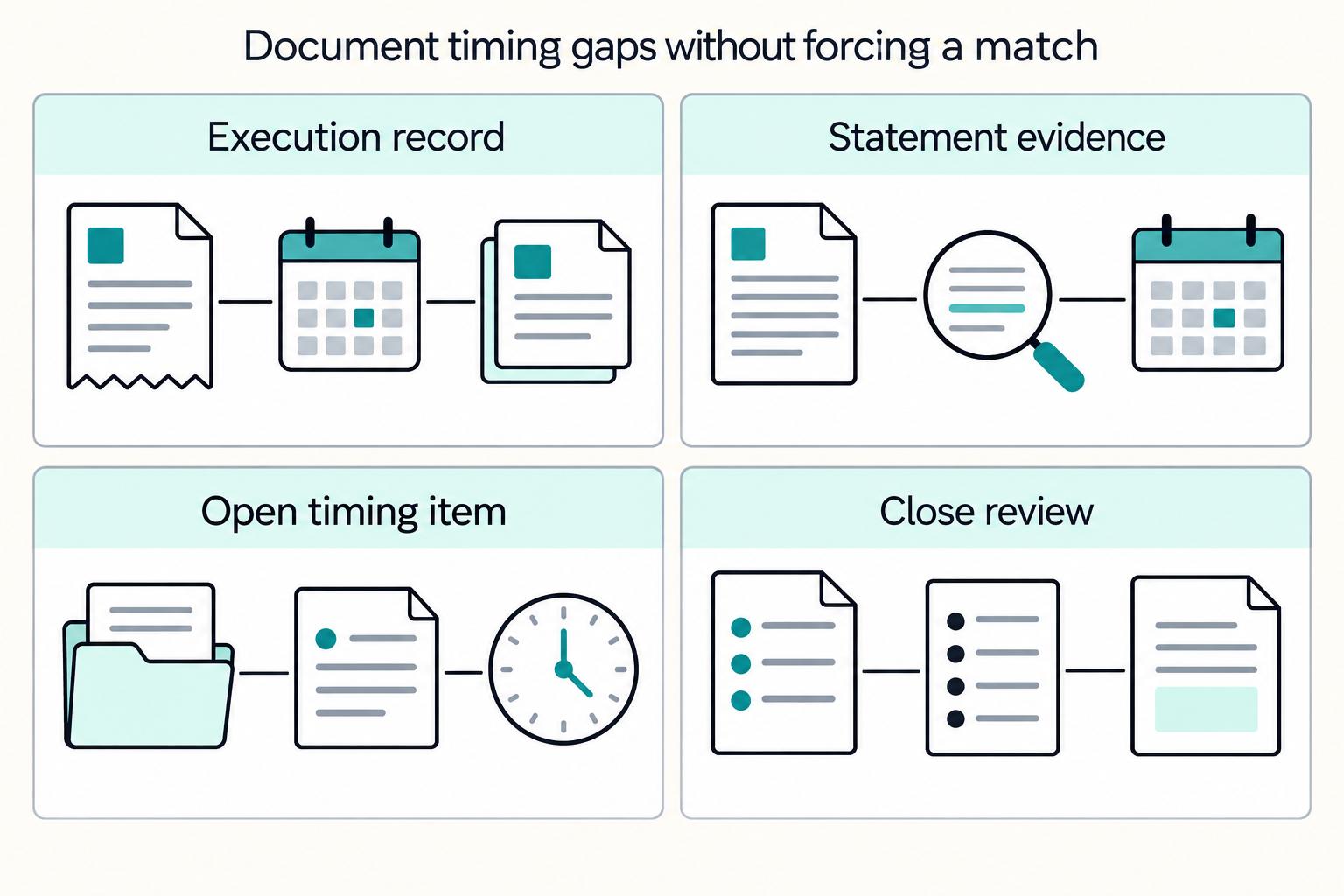
For each outcome, reconcile the source obligation or receipt, provider reference, NetSuite record and posting period to bank evidence. On the AP path, check the amount applied to each bill and its outstanding balance. On the inbound path, check the net deposit, fees and included source transactions. Record timing differences, returns and FX rather than forcing all dates and amounts to be identical.
Step 2 Split exceptions by failure class and keep them out of posting#
Do not collapse all failures into one generic queue. Use queues that point to a next action:
- Missing mapping for entity, class, account, or payee reference
- Stale status where the event arrived before source state was final
- Unmatched amount where payout totals do not align with expected deposit or journal
- Blocked account state where payout completion is paused upstream
A failed mapping or source-state validation should stop the unsafe automated write and enter the exception queue. It must not make actual bank activity disappear from the books: Finance can approve a controlled clearing/suspense treatment while the mapping is resolved. Link any manual adjustment to the original operation so later recovery cannot post the same impact again.
Step 3 Set cutoff rules before month end#
Define one period-close cutoff policy for late events and run it consistently. If a transaction date lands in a locked or closed period, NetSuite uses the accounting preference Default Posting Period When Transaction Date in Closed Period to determine posting period.
Set an approved adjustment path for out-of-period corrections. If a payout event arrives after close, decide whether it posts to the default open period with documented rationale, or waits for finance approval for an adjusting entry. Keep the evidence pack with the exception: source event ID, payout ID, event timestamp, original transaction date, NetSuite internal ID if present, and approver for any correction.
Step 4 Compare the same checkpoints every day and again at month end#
| Checkpoint | Verify in NetSuite | Verify in payout platform logs |
|---|---|---|
| Expected accounting outcome | AP: vendor payment and bill application, or an authorized journal/clearing path. Inbound: deposit and included receipt records. | Provider outcome and economic-operation ID are available; unknowns remain queued. |
| Amount, balance and bank movement | AP: applied amount and remaining payable. Inbound: net deposit and fees. Reconcile bank and clearing entries. | Gross/net amounts, currency, settlement/return references and fee/FX components agree or have explained differences. |
| Missing transactions | Search by operation/external ID before creating a replacement record. | Check event history and authoritative provider state, including partials and returns. |
| Failed or held processing | Distinguish pending approval, unsafe automated mapping and accounting of real movement. | Keep release holds, retry history and unknown sends separate. |
For daily ops, work this table from newest payouts first. For month-end close, review the cutoff window more aggressively, because late events and closed-period posting are where clean journal syncs usually fail.
Handle common failure modes and recovery paths#
When a sync fails, stop reposting first, then classify the issue before anyone edits the general ledger in NetSuite.
Step 1 Freeze suspected duplicates and reconcile by ID before touching journal entries#
Duplicate webhook deliveries are expected, so if you suspect a duplicate, pause replay for that payout or event and verify identity first. Reconcile the provider event ID, your idempotency key, and the NetSuite internal ID for the deposit, reconciliation record, or journal: one event ID plus one idempotency key should map to one accounting outcome.
Inspect the recorded ERP outcome when an operation key appears again, rather than creating another record. Retain your own operation history for the audit and recovery period. For Stripe API calls, keys can be pruned after at least 24 hours; this retention rule does not define how NetSuite external IDs or your accounting-operation records should be retained.
Step 2 Fix missing mappings before retrying#
If a required entity, account, class, or similar field is unmapped, fix the mapping before any retry. NetSuite connector flows can reject records when required fields are not mapped, so manual ledger patching to "clear the queue" should wait until mapping and validation are corrected.
Before replay, confirm the exact failed field in the failed record. Record payout ID, source object ID, failed field name, retry timestamp, and the operator who cleared the exception.
Step 3 Choose reversal or compensation based on what already posted#
Use the recovery path for the record that actually posted. If the original was a vendor payment applied to a bill, inspect its application and use the approved void, reversal or reapplication workflow; a generic reversing journal does not by itself repair the AP relationship. For a standalone journal, Finance can authorize a linked reversal or compensating entry. Preserve both original and correction records and reconcile any actual bank return separately.
Do not edit applied journal entries in place unless finance explicitly approves it, because that can break the journal-to-payment relationship. Keep segregation of duties clear: engineering owns retry controls, finance approves ledger corrections, and ops confirms final reconciliation.
Related reading: Catching Payout Errors Early in High-Volume Platform Operations.
Close with your next-step checklist#
Faster close comes from explicit posting rules and controlled execution, not from simply turning on a connector.
Use this copy/paste launch checklist:
- Define source-of-truth rules for NetSuite vs. platform events, including posting-period and approver-access rules.
- Approve your journal mapping and system-generated journal handling before go-live.
- Implement idempotency keys and replay tests so retries return the same result instead of creating duplicate effects.
- Run exception drills for reversals, partials, and late events, including when the period needs to be reopened for additional postings.
- Complete your close simulation in the NetSuite Period Close Checklist, then verify traceability in the Transaction Audit Trail and get sign-off from finance, ops, and engineering.
Frequently Asked Questions
What is a payout-platform-to-NetSuite journal sync in practical terms?
It means payout events from your platform end up as posting activity in NetSuite in a way finance can trace back to the source. In NetSuite terms, any transaction that changes a ledger balance posts a journal entry, so the practical goal is not just to send data over, but to create the right accounting outcome with a clear link from payout ID or event ID to the ERP record.
Can NetSuite auto-create all payout journal entries, or do we still need custom logic?
Not in every implementation, and that is the trap. NetSuite automatically generates journal entries for posting transactions, but payout-specific creation still depends on how your connector or integration validates and creates records. In Stripe's payout flow, for example, the connector creates a deposit only if the payout passes validation, so if your posting policy, mappings, or exception handling are nonstandard, you may still need custom logic around the auto-posting behavior.
What data must map first to keep the general ledger reconciliation-ready?
Map the transaction type, debit/credit accounts, subsidiary, currency, accounting book where applicable, posting dates and required classifications. For contractor AP, include vendor and bill application IDs. The Stripe deposit connector’s Undeposited Funds checks apply to inbound cash reconciliation, not as a universal contractor-payment requirement.
How do we prevent duplicate postings when webhooks retry or arrive out of order?
Track a unique accounting-operation ID for each economic outcome, along with provider event IDs and the resulting NetSuite record. Reserve the operation before writing, then recover unknown outcomes by external ID or recorded reference after a timeout. A repeated webhook should return the existing outcome; a distinct partial settlement or reversal needs its own linked accounting operation.
Who should own journal policy decisions across finance, ops, and engineering?
There is no vendor-mandated split you can copy, so make one explicit before build starts. A workable line is finance owns posting policy and approval for reversals, engineering owns idempotency and event ordering controls, and ops owns exception triage and evidence collection. If those boundaries are fuzzy, manual fixes will creep into the ledger and you will lose audit clarity fast.
What is the minimum control set required before go-live for high-volume payouts?
Before go-live, prove unique operation identity, mapping validation, approval controls, crash recovery and bank reconciliation for the selected record type. On contractor AP, verify the vendor payment applies to the intended bill and leaves the correct remaining balance. On inbound receipts, validate the included transactions and net deposit. Test duplicate delivery, unknown-write recovery and a bank/ERP amount mismatch without creating a second GL impact.
Where Gruv fits
Plan and approve payout batches
See how payee status, approval rules, route review, and exception handling sit in one payout workflow.
See reconciliation and mismatch review
Compare ledger entries, provider payment records, and statement rows to see what matches and what finance needs to review.
Researched and edited by the Gruv editorial team. Gruv builds cross-border billing, payouts, and finance-operations software for global businesses.
Sources
Includes 1 external source outside the trusted-domain allowlist.
- docs.stripe.com/api/idempotent_requeststrusted
- docs.stripe.com/use-stripe-apps/netsuite/stripe-payouts-nets...trusted
- ec.europa.eu/taxation_customs/viestrusted
- europa.eu/youreurope/business/taxation/vat/check-vat-n...trusted
- finance.cornell.edu/controller/internalcontrols/unitlevelactivit...trusted
- irs.gov/forms-pubs/about-form-w-9trusted
- irs.gov/forms-pubs/about-form-1099-nectrusted
- celigo.com/integrations/netsuiteexternal
Educational content only. Not legal, tax, or financial advice.
Related Posts
ERP Integration for Payment Platforms: How to Connect NetSuite, SAP, and Microsoft Dynamics 365 to Your Payout System
Connecting NetSuite, SAP, or Microsoft Dynamics 365 to a payout system is more likely to hold up over time if you do three things from day one: prevent duplicate payouts, keep transaction-to-payout records traceable, and avoid brittle point-to-point integration debt.
QuickBooks Online + Payout Platform Integration: How to Automate Contractor Payment Reconciliation
For platform operators, this is an operations design problem. You need a reliable path from each payout event to a bank-matched close in QuickBooks Online, with controls finance can trust and automation engineering can replay safely.
Accounting Automation for Platforms That Removes Manual Journals and Speeds Close
If you are asking whether reducing manual journal entries helps you close faster, the short answer is that it can, especially when automation removes the handoffs around journals, not just the typing. Manual journal work is rarely just someone typing into the General Ledger. It is often a chain of accruals, spreadsheet handoffs, approval waits, reconciliation checks, and final ERP posting that turns month-end close into one of the most time-sensitive and resource-intensive jobs in finance.