
Quick Answer
Start by locking ownership and sequence: for netsuite subscription billing integration revenue recognition, define one commercial source of truth, enable SuiteBilling plus ARM prerequisites, and validate line-type rule mapping before scaling traffic. Then prove close readiness with a small test cohort by tracing source events to Revenue Element and Revenue Arrangement records, followed by Revenue Recognition Journal Entries and deferred revenue reclassification checks. This prevents a healthy transport sync from hiding accounting defects.
Why This Integration Matters for Revenue Recognition and Cash Flow#
For netsuite subscription billing integration revenue recognition work, the connector demo is not the hard part. The hard part is deciding where the accounting truth lives, how billing events map to Revenue Element and Revenue Arrangement records in Oracle NetSuite, and what finance will verify before month-end close.
A clean way to do this is to set system ownership early, enable the right NetSuite features, map line types to the documented rules, and test month-end close before go-live.
Before you start#
NetSuite SuiteBilling can handle recurring subscription billing inside the ERP, but reliable recognition depends on more than getting invoices across. NetSuite documents that SuiteBilling works with both Advanced Revenue Management (Essentials) and Advanced Revenue Management (Revenue Allocation) when all three features are enabled together. After setup, each subscription line generates a Revenue Element, and the subscription includes those elements in an arrangement for recognition processing.
If you are integrating from an external billing platform, keep the accounting target simple at first: subscription or invoice events in, predictable revenue objects out. Stripe's connector, for example, syncs subscription invoice data into NetSuite so recognition can be calculated there. Useful, yes, but you still need clear handling for retries, mismatches, and finance sign-off.
Lock ownership before you sync anything#
A practical split is for engineering to own event delivery, retries, and duplicate suppression, while finance owns rule approval, expected recognition behavior, and close validation. When those lines blur, teams can end up debating source data during close instead of resolving exceptions.
A practical checkpoint is to write down the exact records each side will inspect in test runs: the source billing event, the resulting Revenue Element, the resulting arrangement, and the month-end outputs. If your team cannot name those records up front, stop and settle scope before building more plumbing.
Enable and verify the NetSuite prerequisites in the right order#
The first hard failure to rule out is ARM Configuration Mode. NetSuite states that subscription lines do not generate revenue elements when ARM Configuration Mode is enabled. A sync can look healthy at the transport layer while finance still sees nothing usable for recognition.
Keep the first verification pass boring and concrete: create a small test subscription, confirm a Revenue Element is created for each subscription line, then confirm the arrangement groups those elements as expected. If that does not happen, do not move on to mapping or reconciliation.
Treat close outputs as part of the integration#
NetSuite's documented month-end process includes creating Revenue Recognition Journal Entries and then reclassifying deferred revenue. That is where implementation mistakes can show up, especially when source events sync successfully but rule mapping or date handling is wrong.
The rest of this guide follows that sequence in operator terms. It covers what to enable first, how to map subscription line behavior, what to test before go-live, and what finance and engineering should check together to keep close stable. For a step-by-step walkthrough, see Building Subscription Revenue on a Marketplace Without Billing Gaps.
Define prerequisites and implementation scope#
Starting build before prerequisites and accounting scope are locked is the fastest way to create rework. Confirm the feature stack, line-level rule intent, and approval owners before your first sync test.
Confirm the product and account prerequisites#
This integration path requires NetSuite SuiteBilling with both Advanced Revenue Management (Essentials) and Advanced Revenue Management (Revenue Allocation) enabled together. Also confirm ARM Configuration Mode is off before testing subscription revenue arrangements, because subscription lines will not create revenue elements while it is enabled.
If your connector has edition constraints, verify them now. Recurly, for example, documents support for Oracle NetSuite OneWorld or Oracle NetSuite Standard accounts.
Lock the accounting scope at the item and line-type level#
Lock rule decisions on the item record before coding the sync. NetSuite assigns revenue recognition rules at the item level, and its documented defaults map recurring fixed and one-time lines to Default Fixed Recurring Fee, and usage lines to Default Usage.
Use this step to confirm where you will apply Default Fixed Recurring Fee, Default Adjustable Recurring Fee, or Default Usage, and get finance sign-off on any ASC 606 interpretation. NetSuite's default SuiteBilling rules can be renamed, but their settings cannot be changed.
Assemble the minimum evidence pack and approval owners#
Define the validation evidence before implementation starts. Include sample subscriptions, expected Revenue Element outputs, expected Revenue Recognition Journal Entries, and expected deferred revenue reclass outcomes.
Set ownership explicitly: engineering owns sync contracts and retries; finance owns rule approval and close validation. If either side cannot approve the evidence pack, the scope is not ready. For background on the balance sheet impact, see What is 'Deferred Revenue' and How to Account for It.
Choose system boundaries before you build any sync#
Pick one commercial source of truth before you connect anything. Boundary mistakes can be harder to unwind than mapping mistakes, especially once finance has started recognition.
Choose the architecture pattern that matches where commercial truth lives#
Do not compare tools only by feature lists. Compare them by where subscriptions are authored, how much contract flexibility you need, and how tightly revenue behavior is tied to billing lines inside Oracle NetSuite.
| Pattern | Where commercial state primarily lives | What the guidance supports | Best fit | Main boundary risk |
|---|---|---|---|---|
Native NetSuite SuiteBilling only | NetSuite | Oracle says SuiteBilling integrates with Revenue Recognition for SuiteBilling. Zone & Co describes SuiteBilling as a structured, account-driven approach, requiring billing accounts as intermediary records between customers and billing arrangements, with rigid 1:1 mappings between billing lines and revenue elements. | You want billing and accounting ownership in one place and can work within NetSuite's account-driven structure. | Teams can underestimate the rigidity of 1:1 billing-line-to-revenue-element behavior and discover late that commercial changes are harder to express cleanly. |
One-way integration such as Recurly to Oracle NetSuite | Billing platform | Recurly documents its integration as "a one-way synchronization from Recurly to Oracle NetSuite" with hourly automatic data transfers. | You want the billing platform to remain the primary commercial editor while NetSuite receives downstream records. | If teams treat NetSuite as editable commercial truth too, you create two masters and reconciliation becomes manual. |
Hybrid with additional billing tooling such as ZoneBilling / Zone & Co | Depends on the implementation, but typically the billing layer is more contract-centric | Zone & Co describes ZoneBilling as a flexible, contract-centric approach, contrasted with SuiteBilling's account-driven model. | Your deals and amendments are contract-shaped and do not fit a rigid account-driven model well. | Hybrid setups invite ambiguous ownership unless you name exactly which events create accounting consequences in NetSuite. |
A practical rule is this: if your product team changes plans, quantities, or contract terms often, define boundaries that prevent retroactive edits to already-posted history. One way to do that is sending immutable commercial events into NetSuite instead of editable snapshots that can rewrite prior business intent.
Write the mutation rule in one sentence#
Get both engineering and finance to sign the rule before you build. Use this decision logic:
- If billing is the source of truth, NetSuite should receive immutable commercial events, not editable snapshots that can rewrite prior recognized history.
- If NetSuite is the source of truth, upstream tools should not mutate records that finance has already used for recognition and close.
This sounds obvious until the first cancellation reversal, plan migration, or backdated correction. The failure mode is not a sync that fails outright. The real failure mode is a successful sync that quietly changes the commercial story after recognition has started.
Your verification checkpoint should be simple. For one create, one amendment, and one cancellation scenario, your team should be able to point to the authoritative record, the allowed downstream edit behavior, and the exact point where finance considers the event posted. If nobody can answer that without a meeting, the boundary is still not set.
Test the boundary against replay, duplicates, and mismatch ownership#
You do not need connector-specific guarantees to decide this. You need explicit operating rules for what happens when data is resent, delayed, or disputed.
| Control | Question to settle | Evidence to keep |
|---|---|---|
| Replay behavior | If the same subscription event is resent, what makes it recognizable as the same commercial event rather than a new one? | Source event ID and destination record reference |
| Duplicate suppression | Which field or event key will engineering use to prevent a second accounting impact from the same business action? | Source event ID and destination record reference |
| Mismatch ownership | Who decides whether the source event was wrong, the mapping was wrong, or recognition timing was wrong? | Owner for exception handling |
Check these three items in writing:
- Replay behavior: If the same subscription event is resent, what makes it recognizable as the same commercial event rather than a new one?
- Duplicate suppression: Which field or event key will engineering use to prevent a second accounting impact from the same business action?
- Mismatch ownership: When a billing event exists but finance cannot tie it to the expected recognized result in NetSuite, who decides whether the source event was wrong, the mapping was wrong, or recognition timing was wrong?
Keep the document pack for this step light but real: one event lineage example per scenario, with source event ID, destination record reference, and owner for exception handling. That gives finance something concrete to validate later instead of arguing from screenshots during close.
If you are deciding between native and one-way, the tradeoff usually comes down to control versus flexibility. Native SuiteBilling keeps billing and recognition closer together. A one-way pattern like Recurly can make source ownership clearer, but only if you refuse to let NetSuite become a second editor of the same commercial history. For a broader platform comparison, see Subscription Billing Platforms for Plans, Add-Ons, Coupons, and Dunning.
Enable NetSuite features in the only order that avoids hidden blockers#
Set feature dependencies and irreversible accounting preferences before you judge sync quality. Most early failures here are setup blockers, not integration defects.
Enable the core feature set together#
Enable NetSuite SuiteBilling, Advanced Revenue Management (Essentials), and Advanced Revenue Management (Revenue Allocation) as one dependency set. NetSuite documents that this integrated behavior depends on all three features being enabled, and that after setup each subscription line generates a Revenue Element.
Before debugging missing revenue outcomes, confirm all three are enabled in the target account.
Check ARM Configuration Mode before testing#
Check ARM Configuration Mode before serious testing. When it is enabled, subscription lines do not create revenue elements for arrangements, which can make a healthy integration look broken.
NetSuite also notes a release nuance: for some ARM (Essentials) users before 2024.2, ARM Configuration Mode is automatically disabled and cannot be enabled. Verify the setting in the exact environment under test.
Decide on subscription revision elements before migration#
Decide on Create Revenue Elements for Subscription Revisions before migration. NetSuite states this setting triggers modification elements and revenue arrangements for subscription revisions, and once set, it cannot be changed.
Treat this as a one-way design decision and test revision scenarios with that decision already in place.
Run a focused pre-go-live verification pass#
Run a focused pre-go-live pass with representative subscription scenarios. Confirm:
- a subscription line creates the expected
Revenue Element - the related arrangement behavior matches your setup expectations
- start and end date sourcing on those records matches the recognition approach finance approved
If these checks do not hold, resolve this layer first before moving into broader close-process validation.
Map subscription line types to recognition rules and date sources#
Set this mapping early and treat it as a design constraint: NetSuite default SuiteBilling revenue recognition rules can be renamed, but their settings cannot be changed.
Build a line-type mapping table both teams sign off on#
Use NetSuite's documented default mappings (not just renamed labels in your account), then capture the revision-preference state for each environment.
| Subscription line type | Default rule to use | Important condition or note |
|---|---|---|
| Recurring Fixed | Default Fixed Recurring Fee | Standard mapping for recurring fixed charges |
| One Time | Default Fixed Recurring Fee | Standard mapping for one-time charges |
| Recurring Adjustable | Default Adjustable Recurring Fee | When Create Revenue Elements for Subscription Revisions is cleared |
| Recurring Adjustable | Default Fixed Recurring Fee | When Create Revenue Elements for Subscription Revisions is checked |
| Usage | Default Usage | Standard mapping for usage lines |
| Commit Plus Overage | Default Adjustable Recurring Fee | When commitment revenue should be spread evenly but based on each usage event |
| Commit Plus Overage | Default Usage | When revenue should recognize only when a usage event is created or used at period end |
For each sample SKU or rate plan, record line type, selected default rule, and whether the revisions preference is checked or cleared.
Document the date-source logic beside the rule name#
Recognition timing depends on rule date sources, not only the rule name.
| Default rule | Start date source | End date source |
|---|---|---|
Default Adjustable Recurring Fee | Subscription Event Start Date | Subscription Event End Date |
Default Fixed Recurring Fee | Revenue Element Start Date | Revenue Element End Date |
Default Usage | Event Date | Event Date |
If timing looks wrong, inspect the underlying source dates on subscription events, usage events, or the resulting Revenue Element before changing mapping logic.
Apply one decision rule consistently#
Use this rule of thumb consistently:
- If revenue should follow usage timing, prefer
Default Usage. - If revenue should smooth across period boundaries, evaluate
Default Fixed Recurring FeeorDefault Adjustable Recurring Feewith finance based on which dates should drive recognition.
Use Commit Plus Overage as a contrast test:
- With
Default Usage, recognition follows usage events. - With
Default Adjustable Recurring Fee, commitment recognition is spread usingSubscription Event Start DateandSubscription Event End Date.
If you need behavior outside these defaults, design contract terms, line typing, and tests around documented rule behavior rather than assuming custom rule settings.
If your integration has to handle bundled offers or discounts, see Subscription Revenue Recognition for Bundles and Discounts: ASC 606 Allocation Rules.
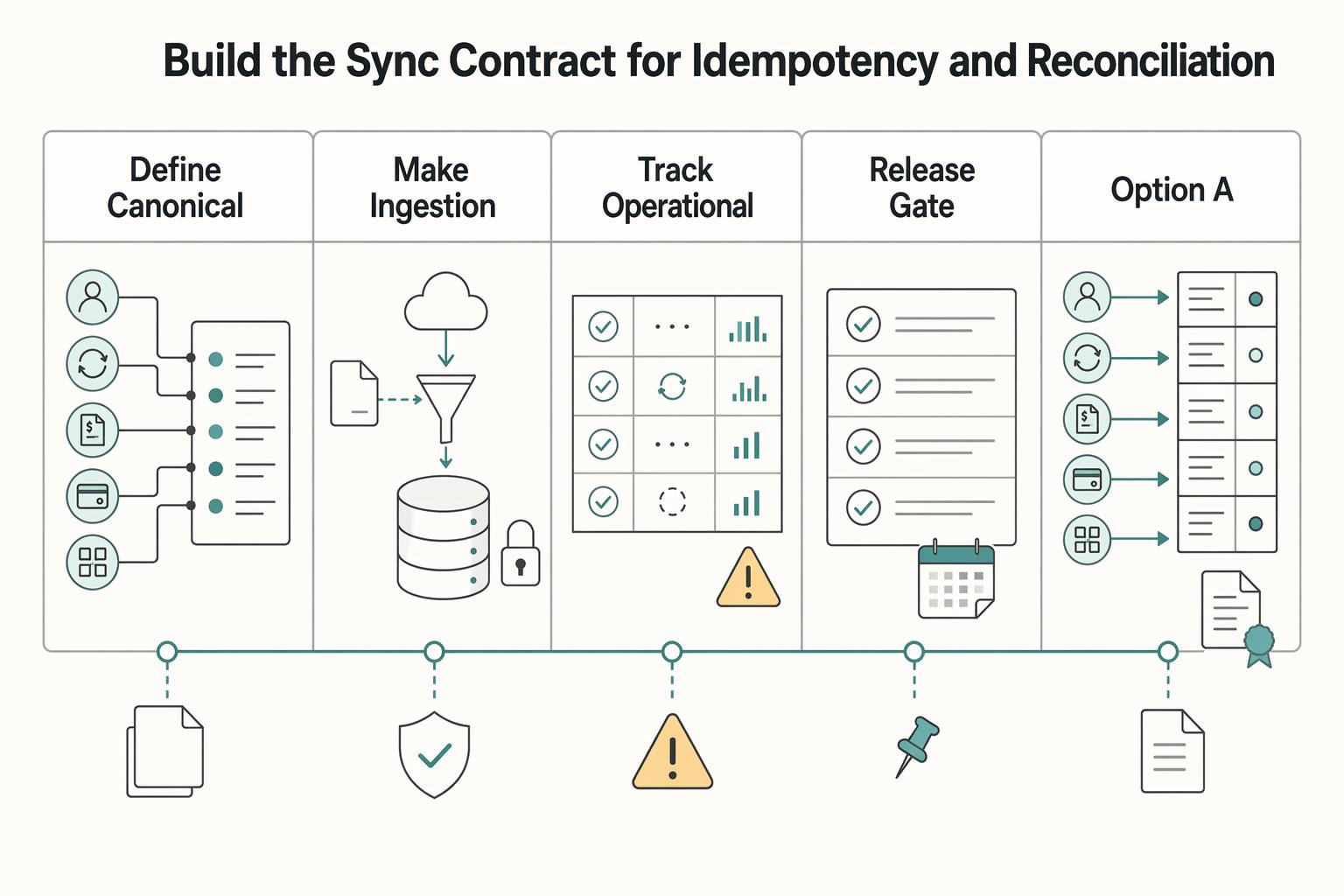
Build the sync contract for idempotency and reconciliation#
Your sync contract should make retries safe and reconciliation straightforward from source events to NetSuite outcomes.
- Define canonical entities and keys first.
Document source and target keys for each core object before production traffic: customer/account, subscription, invoice or charge event, credit event (if used), and the NetSuite records created from them. In Oracle NetSuite, use externalId where supported, keep values stable across retries, and enforce uniqueness across supported record scopes.
Lock mapping ownership at the same time. Recurly's NetSuite integration is one-way (Recurly to NetSuite), and mapping for Recurly custom fields should be agreed up front. As a checkpoint, validate that one sample customer and one sample subscription can be traced across source ID, NetSuite externalId, revenue arrangement ID, and linked Revenue Element records.
- Make ingestion idempotent by design.
Treat redelivery as normal, not exceptional. Recurly retries failed webhooks, and after 10 failed attempts it stops sending that failed notification.
In NetSuite, use externalId with upsert/upsertList so duplicate deliveries resolve to the same target record instead of creating duplicates. If a source identifier is only unique in a narrow context, namespace it by entity context so deduplication remains reliable.
- Track operational and accounting states separately.
"Event accepted" is not the same as "revenue accounted for." Track at least: event accepted, mapping applied, arrangement created, and close approved.
This matters because a Revenue Arrangement is non-posting, and in automatic mode initial creation can occur 3 hours after the source document. Also, mapped field values are copied when the arrangement is created, so later mapping changes do not retroactively update existing arrangements.
- Run reconciliation checks before finance sign-off.
Reconcile in two passes: first compare source event counts to created NetSuite records by period and event type, then compare period-level amounts and investigate unexplained variance before close approval.
Keep an evidence pack with source count, accepted count, deduped count, failed count, created arrangement count, and source IDs missing arrangements. Because this is a one-way sync, do not assume NetSuite corrections flow back upstream. Related: A Guide to Dunning Management for Failed Payments.
Run month-end close with explicit checks and ownership#
Month-end close should be run as a controlled sequence with named owners, and sign-off should stop when evidence does not reconcile.
- Run close tasks in NetSuite's documented order.
Generate Revenue Recognition Journal Entries first, then run Reclassification of Deferred Revenue. NetSuite is explicit on that sequence, and it also warns that if revenue-recognition journals are not approved in advance, deferred reclassification adjustments can be incorrect.
Use the Period Close Checklist as your execution anchor, since tasks are listed in completion order. Before reclassification, confirm period journals exist and are approved. After reclassification, save the Deferred Revenue Waterfall report as the final month-end revenue-processing output and attach it to the close pack.
- Assign each control to one owner.
Finance should own recognition validation, including journal outputs and deferred-revenue movement. Engineering should own sync completeness, including source-event completeness, replay outcomes, dedupe behavior, and connector failures or delays.
Make each checklist row explicit: task plus owner. Keep the same evidence pack attached to the close record so both teams review the same source IDs, arrangement IDs, and period variances.
- Gate sign-off on unresolved mismatches.
If source billing events and recognized outputs do not tie, pause sign-off. That includes count mismatches, missing arrangements, unexplained amount variances, or journal-approval gaps.
Route fixes by failure type: engineering resolves operational sync issues first; finance validates accounting corrections before rerun. This gate matters because reclassification entries are required each month to keep subsequent periods accurate.
- Maintain a known-unknowns log for leadership.
Track boundary risks separately from defects: connector pricing/TCO still under review, support limits, and unresolved mapping gaps from vendor documentation.
Be specific about scope constraints. For Recurly, log that Oracle NetSuite synchronization is one-way and custom-field mapping must be agreed for NetSuite. For Stripe's NetSuite revenue-recognition app, log that support is for Advanced Revenue Management (ARM) only, and that free migration guidance is limited while fuller migration help is partner-scoped. Related reading: Revenue Recognition for SaaS Companies Under ASC 606.
Fix common failure modes before they become recurring debt#
Treat recurring exceptions as configuration defects, not close-time noise. If the same issue appears twice, pause production sync and verify the setting, rule mapping, or revision behavior before you continue.
| Symptom | First check | Grounded detail |
|---|---|---|
Subscription lines sync but no Revenue Element records appear | Check whether Advanced Revenue Management (ARM) is still in ARM Configuration Mode | In that mode, subscription lines do not create revenue elements |
Timing looks wrong for usage-based lines like Commit Plus Overage | Validate line-type rule mapping and date source first | Default Usage uses Event Date for both start and end date sources |
Create Revenue Elements for Subscription Revisions changed during implementation | Re-test revision scenarios before resuming production traffic | When enabled, revisions create modification elements and revenue arrangements |
| Variance spikes from billing to close outputs | Follow one failed case end-to-end | Trace source billing event, Revenue Arrangement, then journal and reclassification results |
- Check feature state before debugging data.
If subscription lines sync but no Revenue Element records appear, check whether Advanced Revenue Management (ARM) is still in ARM Configuration Mode. In that mode, subscription lines do not create revenue elements, and Oracle requires disabling it before creating subscription revenue arrangements. Verify SuiteBilling and ARM feature state, then run a test subscription and confirm the expected arrangement path is working.
- Validate line-type rule mapping and date source first.
Timing problems are usually mapping issues, not posting issues. For usage-based lines like Commit Plus Overage, Oracle's preferred mapping uses Default Usage, which uses Event Date for both start and end date sources. If finance expects recurring spread behavior, fix the mapping design rather than trying to reconfigure the default rule, because default SuiteBilling rules can be renamed but not changed.
- Re-test revision scenarios before reopening live sync.
Create Revenue Elements for Subscription Revisions changes accounting outputs: when enabled, revisions create modification elements and revenue arrangements. Oracle also directs you to merge modification elements with subscription revenue arrangements for accurate accounting. If this setting changed during implementation, re-run revision cases and compare outputs before resuming production traffic.
- Trace variance spikes from source event to close outputs.
Follow one failed case end-to-end: source billing event, Revenue Arrangement, then journal and reclassification results. Revenue-plan creation can be triggered by arrangement creation, billing, or fulfillment, so identify where divergence starts and patch mapping logic before the next close cycle. This matters because reclassification entries must be created each month, so bad inputs can roll forward.
Conclusion and copy-paste launch checklist#
The make-or-break point in this project is sequence and ownership. Teams usually get into trouble because they enable features in the wrong order, map the wrong item rules, or never agree who owns reconciliation when billing events and accounting outputs diverge.
Use this as your launch checklist, and do not treat any connector as proof that close will work.
- Confirm feature dependencies before any end-to-end test.
Verify Accounting Periods is enabled before Revenue Recognition, because Oracle NetSuite requires that dependency. Then confirm Advanced Revenue Management (Essentials) is active, and check that ARM Configuration Mode is disabled before creating subscription revenue arrangements. If you are using Stripe's connector path, confirm ARM compatibility because that app supports ARM only. Verification: create one test subscription and confirm the expected revenue arrangement outputs are created.
- Lock rule mapping at the item level, not in meeting notes.
NetSuite's setup model expects separate item records for different subscription line types, so treat each active line type as an explicit item setup. This is where teams prevent line-type behavior from being recognized under the wrong setup because someone reused an item record. Verification: for each active line type, open the item record and confirm it maps to the intended recognition setup.
- Validate the date source that actually lands in NetSuite.
This matters more than people expect. For example, Stripe's connector passes the subscription period start and end dates to NetSuite invoice lines, so confirm those dates match the recognition behavior finance expects instead of assuming the source period and the accounting period line up automatically. Red flag: if revenue timing looks off, inspect the date fields first, not just the sync logs.
- Test revision behavior before production migration.
If your billing model includes plan changes, upgrades, downgrades, or other subscription revisions, re-test those scenarios before go-live. A green test on initial subscription creation does not prove revisions will post the way finance expects. Verification: run at least one revision case and trace it from source event to resulting arrangement output.
- Define the one-way integration boundary and reconciliation ownership.
In a one-way pattern such as Recurly to NetSuite, billing and commercial data is synchronized downstream into NetSuite. Make the operational boundary explicit so reconciliation work is predictable when systems diverge. Verification: document which system is authoritative for billing events and who resolves mismatches in accounting outputs.
- Run a joint close review on actual accounting outputs.
Before broad rollout, have engineering and finance review the same sample set and align on Revenue Element, arrangement records, journal impacts, and deferred revenue reclassification outputs. Then scale in stages based on reproducible reconciliation evidence your team can repeat.
Frequently Asked Questions
What must be enabled in NetSuite for SuiteBilling revenue recognition to work correctly?
At minimum, SuiteBilling and Advanced Revenue Management need to be enabled. You also cannot leave ARM in ARM Configuration Mode if you expect subscription lines to generate revenue elements. Oracle is explicit that subscription lines do not make revenue elements in that mode, and you must disable it before creating revenue arrangements for subscriptions.
Why are subscription revenue elements not generating even though subscriptions are syncing?
Start by checking ARM Configuration Mode. Sync can still succeed while revenue elements fail to generate, because Oracle states that subscription lines do not create revenue elements when that mode is enabled. If the mode is already off, confirm the item record is pointing to the intended revenue recognition rule.
How do default revenue recognition rules differ for recurring, usage, and commit-plus-overage lines?
NetSuite provides default SuiteBilling rules, and you select them on the item record. Recurring - Fixed maps to Default Fixed Recurring Fee, and usage lines map to Default Usage. Recurring-adjustable behavior changes based on the Create Revenue Elements for Subscription Revisions preference: when checked, use Default Fixed Recurring Fee; when clear, use Default Adjustable Recurring Fee. For commit-plus-overage, verify the item is assigned to the intended rule before assuming recurring-fee behavior.
Can I change NetSuite default SuiteBilling rule settings or only rename them?
You can rename the default SuiteBilling revenue recognition rules, but you cannot change their settings. If finance needs materially different behavior, treat that as a design decision rather than a late-stage admin tweak.
What operationally changes when my integration is one-way from billing into NetSuite?
If your billing setup syncs into NetSuite as the downstream financial record, reconciliation becomes a larger operational focus. A separate billing platform synced into NetSuite can work, but it adds integration complexity and reconciliation overhead.
Which checks should engineering and finance run before month-end close sign-off?
A practical minimum is to verify representative line types against the intended item-level revenue recognition rules, re-test recurring-adjustable behavior whenever Create Revenue Elements for Subscription Revisions changes, and reconcile billing activity against created revenue elements and arrangements.
Try a related tool
Researched and edited by the Gruv editorial team. Gruv builds cross-border billing, payouts, and finance-operations software for global businesses.
Sources
Includes 7 external sources outside the trusted-domain allowlist.
- docs.stripe.com/use-stripe-apps/netsuite/revenue-recognitiontrusted
- brokenrubik.com/blog/netsuite-revenue-recognition-guideexternal
- celigo.com/integrations/recurly-netsuiteexternal
- docs.cloud.oracle.com/en/cloud/saas/netsuite/ns-online-help/sectio...external
- docs.oracle.com/en/cloud/saas/netsuite/ns-online-help/chapte...external
- docs.oracle.com/en/cloud/saas/netsuite/ns-online-help/sectio...external
- docs.recurly.com/recurly-subscriptions/docs/recurly-for-oracl...external
- docs.recurly.com/recurly-subscriptions/docs/webhooksexternal
Educational content only. Not legal, tax, or financial advice.
Related Posts
Deferred Revenue Accounting for Client Prepayments
A client prepayment is not earned revenue on day one. Under ASC 606 and [IFRS 15](https://www.ifrs.org/issued-standards/list-of-standards/ifrs-15-revenue-from-contracts-with-customers), cash you receive before transferring the promised service is presented as a **contract liability**, often labeled deferred revenue, until the work is actually delivered.
A Guide to Dunning Management for Failed Payments
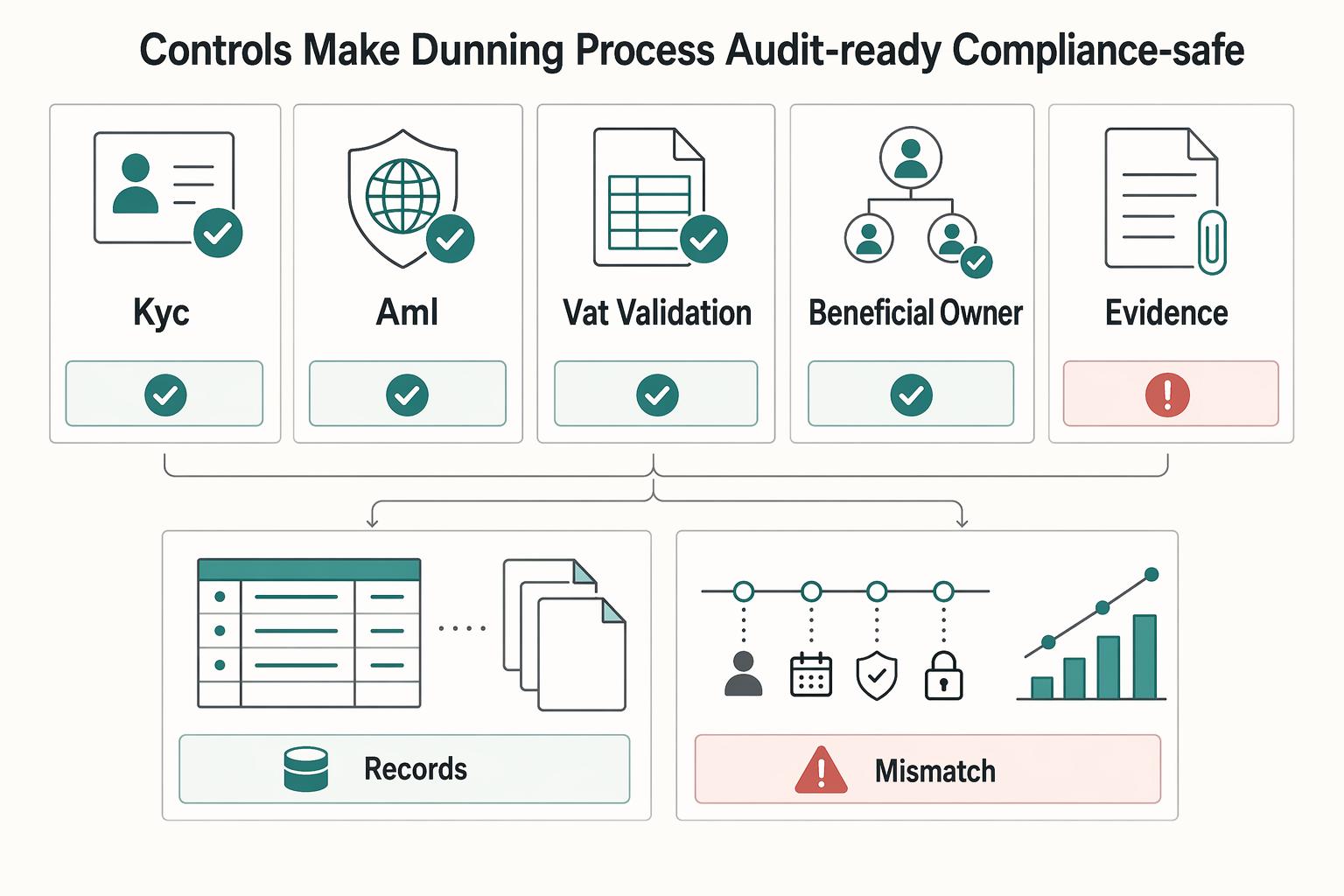
If you run recurring invoices, failed payments are not back-office noise. They create cashflow gaps, force extra follow-up work, and increase **Involuntary Churn** when good clients lose access after payment friction.
Subscription Revenue Recognition for Bundle Discounts Under ASC 606
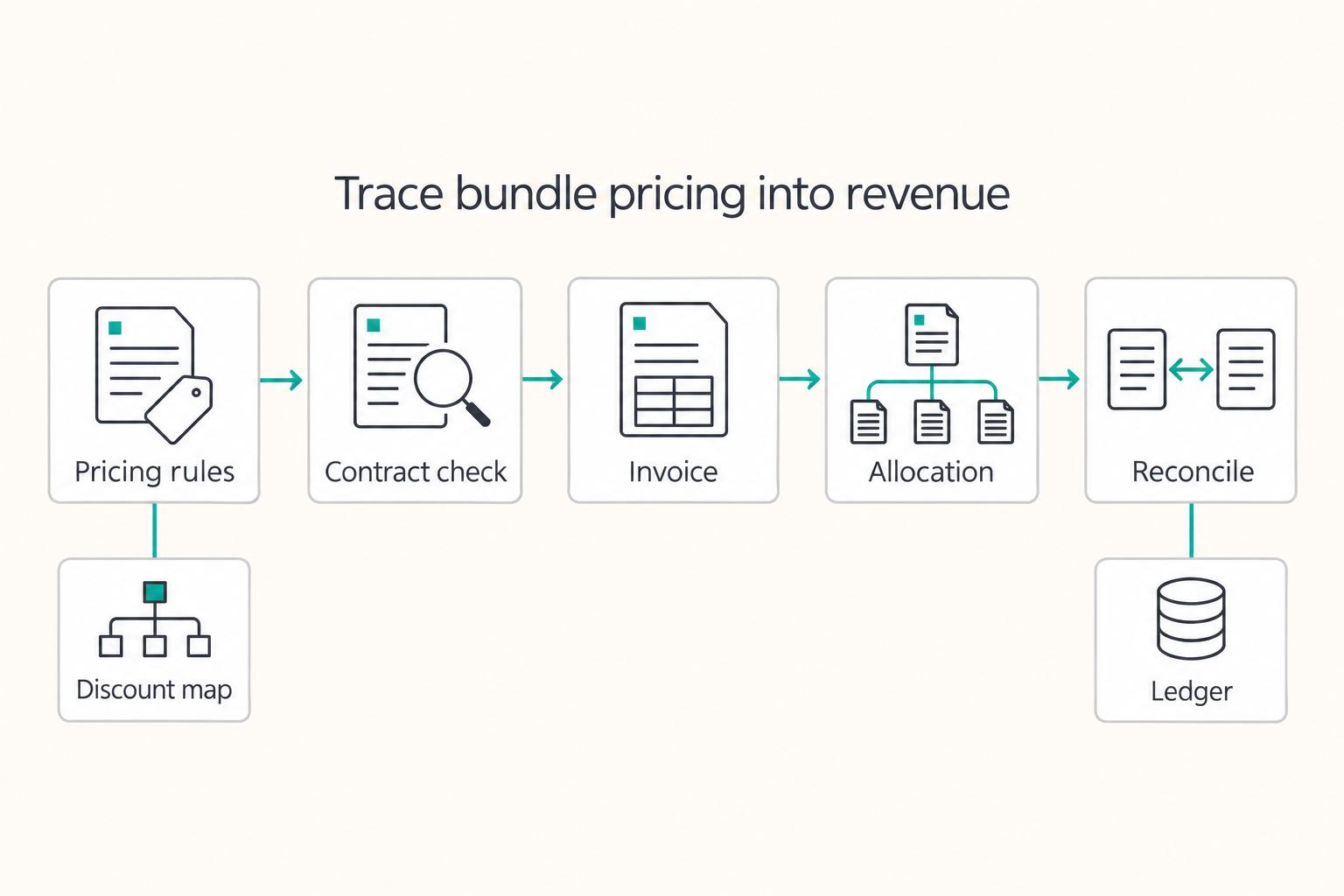
For subscription platforms, bundle discount allocation is a revenue recognition decision, not a pricing cleanup exercise. Under ASC 606, the default approach is often to allocate discounts across performance obligations using relative standalone selling prices. The harder part is deciding when that default still fits and when a contract needs a higher level of internal review.