
Quick Answer
Build mobile expense tracking snap receipts around a controlled sequence: capture, OCR parse, category decision, review, Ledger posting, and Reconciliation export. Treat auto-categorization as draft evidence until merchant, date, amount, and account checks pass. Assign clear owners for submission, review, approval, and reconciliation, and hold duplicates, missing dates, and amount mismatches in an exception queue before close.
What good mobile expense tracking looks like in practice#
Use mobile receipt capture as your intake layer, not your posting authority. The photo is the easy part. The real work starts after capture, when that receipt has to survive review, post cleanly to your ledger, and still make sense during Reconciliation. That is the problem this guide is solving.
This is not an argument that one app is the one right tool. It is a guide to building a process where app convenience does not become month-end cleanup. Many mobile tools can automate submission, approvals, and reconciliation steps, and some can detect amounts and suggest categories from captured receipts. That speed helps, but a category suggestion is still a suggestion until your controls confirm where it should land.
The real risk is rarely the photo itself. It is what can happen next. A duplicate upload slips through, a merchant name is parsed badly, a date is missing, or an auto-category pushes spend into the wrong account and nobody notices until close. If you are designing mobile receipt capture for a finance or ops team, the standard is simple: captured data is evidence in motion, not final truth.
A workable setup usually has a few non-negotiables from day one. You need a clean path from capture to review to posting. You need digital records that can be retrieved later, not images buried in a phone camera roll. You also need enough structure around the receipt itself that reviewers can check what matters quickly, at minimum merchant, date, amount, and chosen category. If your team cannot verify those fields before posting, the process is not ready to scale.
Two practical checkpoints tell you a lot. First, can your team search and filter receipts by merchant, date, category, or amount when exceptions appear? If not, small errors become expensive to investigate. Second, can the same receipt be submitted twice through different channels without being caught? If yes, reconciliation work compounds quickly.
This guide stays on those operating choices. You will get decision rules for when to trust OCR and category suggestions, and when to force review. You will also see how to route exceptions, what finance, ops, and product owners each need to own, and where training and policy updates matter because receipt processes need regular policy refreshes and employee training.
If your goal is cleaner books, faster close, and less audit debt, keep one principle in view: mobile capture is only the front door. The quality of the control path after intake determines whether the automation helps or hurts.
For a step-by-step walkthrough, see How to Automate Pass-Through Expense Tracking from Clients in QuickBooks.
Build the receipt model your finance team can audit#
Start by separating two steps your team may blur together: Optical Character Recognition (OCR) converts receipt images into searchable text, while auto-categorization maps extracted fields to your Chart of Accounts. Keep them distinct in your process, because a clean parse does not confirm the category is correct.
Many tools can scan, crop, and extract receipt details, and some also automate submission, approvals, and reconciliation. Use that speed, but keep one control stance: OCR output is input evidence, not final truth until review checks pass.
Name the record you are creating#
Make each receipt record review-ready, not photo-only. At minimum, keep the image, extracted merchant/date/amount, selected account in the Chart of Accounts, and the linked transaction in your Ledger. Digital storage should preserve that receipt-to-transaction link so the record is still auditable later.
A quick quality test: can a reviewer open one item and immediately confirm what the receipt said, how it was categorized, and where it posted? If those answers are split across systems, review time and audit friction increase.
Choose one canonical path#
You do not need to claim an industry-mandated sequence, but you do need one path your team follows consistently. A practical model is capture -> OCR parse -> category decision -> review/approve -> post to Ledger -> include in Reconciliation export.
The value is exception control. When a merchant parse is wrong or a date is missing, the item should stop at a defined step instead of surfacing late in close.
Put names on every handoff#
No step should be ownerless at month-end. A workable ownership map is:
| Role | What they do | Stage |
|---|---|---|
| Submitter | Captures receipts and adds missing context when OCR misses fields. | Capture |
| Reviewer | Checks extracted fields against the image and confirms category choice. | Review |
| Approver | Validates policy/spend legitimacy before posting when approval is required. | Approval |
| Reconciler | Matches posted items during Reconciliation and resolves exceptions. | Reconciliation |
One practical risk signal is bulk approval without line-level checks. Keep merchant, date, amount, and account as the minimum review gate before posting. For a deeper workflow companion, see How to Automate Your Freelance Tax Preparation.
Design intake channels and ownership before rollout#
Define intake ownership before rollout, and run it like an internal checklist. Set required actions and named owners before submission-like events happen, not during cleanup.
A practical model is the same discipline used in a formal Application Checklist: list required actions and documents up front, complete prerequisites before submission, and keep the checklist as an operator control. In the referenced example, some steps are completed at least four weeks before submission, and the checklist is for applicant use only rather than part of the submitted package.
For this rollout, keep the checklist focused on execution:
- Define who owns each intake path.
- Define what must be complete before an item is accepted.
- Define who resolves exceptions when required information is missing.
- Confirm the team has reviewed full process requirements before go-live.
Use the checklist to drive readiness, then keep it separate from posted records. If ownership or required steps are unclear at launch, fix that first before tuning downstream processing. For related workflow detail, see How to Use Harvest for Time Tracking and Invoicing in a Small Agency.
Set auto-categorization rules before trusting OCR#
Treat OCR as a capture tool, not posting authority for your Chart of Accounts. Vendor documentation supports that mobile photo and email flows can extract and even categorize expense data, but you still need explicit rules for when a category is accepted versus sent to review.
| Control | Requirement |
|---|---|
| Rule order | Define your categorization rules in a fixed order your team can explain. |
| Extraction vs category certainty | Separate extraction quality from category certainty in your workflow. |
| Ambiguous items | Hold ambiguous items for reviewer decision instead of forcing a category. |
| Unfamiliar merchants | Keep a visible path for unfamiliar merchants so they are reviewed before becoming reusable rules. |
| Email-based overrides | Reviewers need to see both extracted and edited values when users override OCR-extracted amount and currency. |
Use a simple control pattern before auto-posting:
- Define your categorization rules in a fixed order your team can explain.
- Separate extraction quality from category certainty in your workflow.
- Hold ambiguous items for reviewer decision instead of forcing a category.
- Keep a visible path for unfamiliar merchants so they are reviewed before becoming reusable rules.
Keep the reviewer evidence complete on held items: original image or PDF, extracted text, proposed category, and any user override. This matters in email-based intake because users can override OCR-extracted amount and currency, so reviewers need to see both extracted and edited values.
The practical goal is speed with traceability. Auto-categorize only where the pattern is consistently reliable in your process, and route the rest to review so weak OCR output or uncertain mapping does not silently post to the wrong account. Related: The Best Expense Tracking Apps for Freelancers.
Add compliance and tax controls where spend crosses borders#
When approved expenses can lead to outbound Payouts, treat approval and payout readiness as one control point, not two separate decisions. If your payout lane already runs KYC/AML checks, carry that same status into expense release logic where your program supports it.
Tie approval to payout readiness#
Use a split status so reviewers can see what is approved versus what is payable:
| Control area | What to confirm before release | Evidence to keep | Red flag |
|---|---|---|---|
| Payout readiness | Recipient is payout-ready, or clearly marked approved-but-blocked | Status snapshot or audit log reference | Expense approved, payout fails later |
| Country/program path | Review used the documented policy path for that market/program | Country tag, program tag, policy version | Reviewer applied a global rule where exceptions exist |
| Contractor tax artifact | Required tax artifact is already on file | W-8/W-9 collection status and timestamp | Missing artifact found after approval |
| Cross-border evidence ownership | One owner is accountable for ongoing tax evidence tracking | Named owner and checklist records | Final forms expected, but source evidence is missing |
Keep country and program caveats explicit. KYB rollout and tax handling can differ by market, so exception paths should be written down instead of handled informally.
Separate expense proof from tax proof#
A receipt proves spend. It does not prove tax-form status. Your policy should explicitly state when W-8 data is collected, when W-9 data is collected, and where Form 1099 reporting applies in your program.
| Item | What to track | Specific detail |
|---|---|---|
| W-8 data | Policy should explicitly state when it is collected. | A receipt proves spend. It does not prove tax-form status. |
| W-9 data | Policy should explicitly state when it is collected. | A receipt proves spend. It does not prove tax-form status. |
| Form 1099 reporting | Policy should explicitly state where it applies in your program. | A receipt proves spend. It does not prove tax-form status. |
| FEIE evidence | Assign ownership early. | Eligibility depends on foreign earned income and a foreign tax home; under the physical presence test, the evidence standard is 330 full days in a foreign country or countries during 12 consecutive months, and those days do not have to be consecutive. |
| FBAR evidence | Assign ownership early. | Keep account inventory and supporting records current under a clear owner. |
If you support tax-planning workflows, assign ownership for FEIE and FBAR evidence early. For FEIE, IRS guidance says eligibility depends on meeting requirements, including foreign earned income and a foreign tax home, and you still file a U.S. return reporting that income. Under the physical presence test, the evidence standard is 330 full days in a foreign country or countries during 12 consecutive months, and those days do not have to be consecutive. That is an evidence-tracking workflow, not just a filing-season task.
Apply the same operating model to FBAR: keep account inventory and supporting records current under a clear owner, rather than treating reporting as a last-minute form chase.
Connect receipt capture to ledger posting and payout reconciliation#
Receipt capture should be the start of your workflow, not the endpoint. Use receipt-scanning app comparisons to pick tooling, then document how approved receipts move into posting and reconciliation in your own process.
Those comparisons are useful because they surface practical differences like OCR accuracy, corporate card transaction matching, and multi-currency expense tracking. They can help with selection, but they do not define your accounting controls or close policy.
Make the posting trail explicit#
After approval, define the exact references your team records so an item can be traced from receipt to posting and then to any related money movement. Keep that mapping consistent, and make review checks repeatable so operators can verify records quickly instead of rebuilding context during close.
Keep a real mismatch queue#
Track mismatches in a dedicated queue so unresolved items stay visible. A compact structure like this keeps triage focused:
| Mismatch type | First check | Evidence to keep | Red flag |
|---|---|---|---|
| Receipt vs posted/settled amount | Capture error, partial settlement, or fee/tip differences | Receipt record, posting record, settlement reference | Same item appears valid in multiple systems but does not tie out |
| Currency variance | Original currency and converted amount handling | Original currency fields, converted value, reviewer note | Amounts look inflated or short after conversion |
| Timing gap | Approval date vs posting/settlement date | Timestamps, batch/run ID, reviewer note | Item lands in a different period without clear explanation |
Decide the exception path before month-end so unresolved items are either corrected or explicitly approved through your documented process. Related reading: The Best Tools for Tracking Your Net Worth.
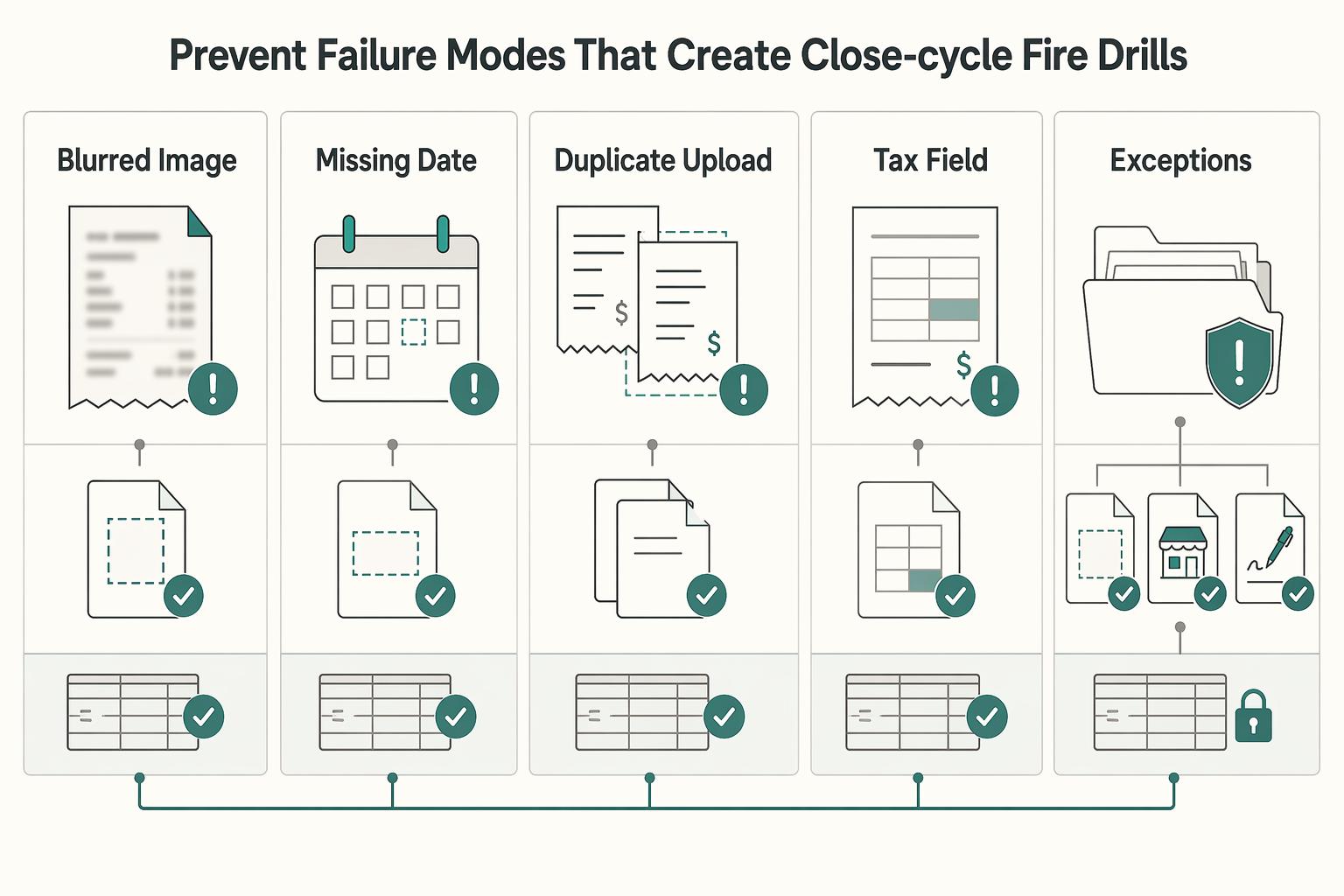
Prevent the failure modes that create close-cycle fire drills#
Prevent close-cycle fire drills by predefining how you handle the exceptions that most often derail close in mobile receipt workflows. After your posting trail is live, treat these as explicit exception codes with severity and a first-response owner before month-end begins.
| Failure | First response | Verification checkpoint |
|---|---|---|
| Blurred image | Return for recapture before review; if recapture is not possible, move to controlled exception handling with alternate evidence. | Confirm merchant, amount, and date are legible; rescans should target OCR-ready quality, ideally at least 150 DPI. |
| Missing date | Request a corrected receipt or supporting record that proves timing. Do not rely on category approval alone. | Verify the record supports time, place, and business purpose; where VAT rules apply, check both tax point and date of issue. |
| Duplicate upload | Hold the later item and compare it to prior submissions. | Match across multiple fields, not only amount: date, currency, expense type, and merchant, with a practical lookback such as the last six months. |
| Tax field ambiguity | Route to a reviewer with tax ownership instead of guessing a code. | In VAT lanes, confirm required date fields are present; VAT Regulations 1995 (Regulation 14) requires tax point and date of issue. |
| Amount mismatch | Block posting or payment release and route to reviewer approval. | Compare receipt amount, OCR output, posted amount in Ledger, and settlement amount used in Reconciliation. |
As an internal control, require evidence for overrides (for example, a corrected image, merchant follow-up, or a signed missing-receipt declaration) and keep it attached to the record. Your audit trail should include Date/Time, Updated By, Action, and Description so reviewers can see exactly why the exception was cleared.
Run a weekly exception review to prevent recurrence, not just clear backlog. If the same failures repeat, fix the root cause: tighten merchant rules, improve capture quality, or require missing VAT fields at intake.
Launch in 30 days with measurable checkpoints#
Use this as a 30-day internal launch target, not a guaranteed timeline. Move to production only after ownership and controls are approved.
| Week | Focus | Measurable checkpoint |
|---|---|---|
| Week 1 | Finalize Chart of Accounts mapping, assign owners for submission, review, approval, and reconciliation, and set intake policy by channel. | Every included receipt path captures the minimum fields your team requires for posting and tax review; channels that cannot are excluded from phase one. |
| Week 2 | Configure OCR/category rules, duplicate detection, and approval queues, then dry-run with historical receipts. | Reviewers can explain why each test receipt was routed and categorized the way it was. |
| Week 3 | Run a controlled pilot and track exception backlog, uncategorized queue, and close-cycle turnaround. | Pilot exceptions include complete evidence and approver notes for audit-trail review. |
| Week 4 | Enable production lanes, publish SOPs, and start a weekly KPI review with finance and payments ops. | Controls, ownership map, and review cadence are approved before requesting access or booking a demo. |
Conclusion#
The setup that holds up is not complicated: automate receipt capture and extraction, but keep the decision points visible. You want OCR doing repetitive work, not making silent accounting choices no one can explain later.
That is where the real operational win sits. Mobile photo capture, email forwarding, and desktop/tablet submission let people build expense records as spending happens instead of treating reporting as an end-of-period scramble. That removes some of the drag from paper receipts, delayed reimbursements, and disconnected data, but only if every item still lands in a review path your finance team can audit.
Keep one practical rule in place: extracted fields are draft evidence until they pass your checks. Before anything posts to your system of record, verify that the image and extracted data agree on the basics that drive posting quality: vendor, amount, currency, and detected expense type. If key fields are unclear, send it to an exception owner instead of letting a weak guess flow into reporting.
The most important control is traceability, not fancy automation. Each receipt should stay tied to the source image, the categorization decision, any reviewer edits, and the final recorded entry. If your team cannot explain why a receipt was coded a certain way, or who cleared an override, the process is not ready to scale even if submission feels smooth. That is where teams lose time later: small intake issues turn into close-period cleanup.
If you are rolling this out, start with one controlled lane and make it boring before you expand it. Good candidates are one team, one spend type, or one intake path where ownership is already clear. Use that lane to confirm a few basics:
- required fields are consistently captured across mobile, desktop/tablet, and email intake
- exceptions have a named owner and do not pile up between reviews
- approved items can be traced cleanly from receipt image into your reporting inputs
Once that lane is stable, expand by market or program only where your policy and support model are already defined. The goal is not to automate everything at once. It is to move data into reporting without manual re-entry while keeping enough control that finance, ops, and reviewers can still trust what the automation produced. If you design for auditability first, speed becomes a benefit instead of a source of cleanup.
Frequently Asked Questions
How does mobile snap-receipt tracking work end to end?
A mobile expense app can let people capture, categorize, and submit expenses in real time. In practice, users take a receipt photo, an AI-powered scanner extracts details, and the receipt is stored in digital form for claim submission and recordkeeping. Treat extracted details as a draft and review them before final submission. If extraction is wrong, correct the fields.
When should we auto-categorize versus force manual review?
Expense trackers can automate categorization, but manual review still matters when extracted details or category choice are unclear. Use auto-categorization for straightforward receipts and send uncertain items for review and correction.
How do we prevent duplicate or miscategorized receipts?
Use a consistent capture flow so receipts are digitized and recorded in one place, then review flagged or unclear items. Automated capture and categorization help, but periodic checks are still needed to catch miscategorized entries and fix them early.
Which KPIs show the process is ready to scale?
Watch trend lines for how often receipts need correction, how many items remain uncategorized, and how quickly records are finalized. If manual fixes keep rising with volume, your process likely needs tighter rules or review steps.
How should VAT and cross-border tax fields be handled?
Do not assume specific VAT or cross-border field rules apply, and do not assume specific W-8, W-9, or Form 1099 collection workflows apply. A safe baseline is to keep complete digital receipts and accurate records throughout the year, then apply the tax-field requirements defined by your own finance or tax advisors.
What changes when receipts feed payout operations?
This answer covers receipt capture, categorization, and recordkeeping, not payout-control specifics. If approved expenses feed payouts, keep the receipt and review history traceable in your existing finance workflow and follow your established compliance policy for any additional checks.
Try a related tool
Researched and edited by the Gruv editorial team. Gruv builds cross-border billing, payouts, and finance-operations software for global businesses.
Sources
- ers.usda.gov/sites/default/files/_laserfiche/publications...trusted
- files.simpler.grants.gov/opportunities/34de76fa-313b-4c92-8b91-f2c895...trusted
- fincen.gov/report-foreign-bank-and-financial-accountstrusted
- irs.gov/individuals/international-taxpayers/figuring...trusted
- irs.gov/individuals/international-taxpayers/foreign-...trusted
- oregon.gov/odot/Programs/ResearchDocuments/SPR875_Reven...trusted
- rd.usda.gov/media/file/download/sites-default-files-guid...trusted
- snap.berkeley.edu/project/10053261trusted
Educational content only. Not legal, tax, or financial advice.
Related Posts
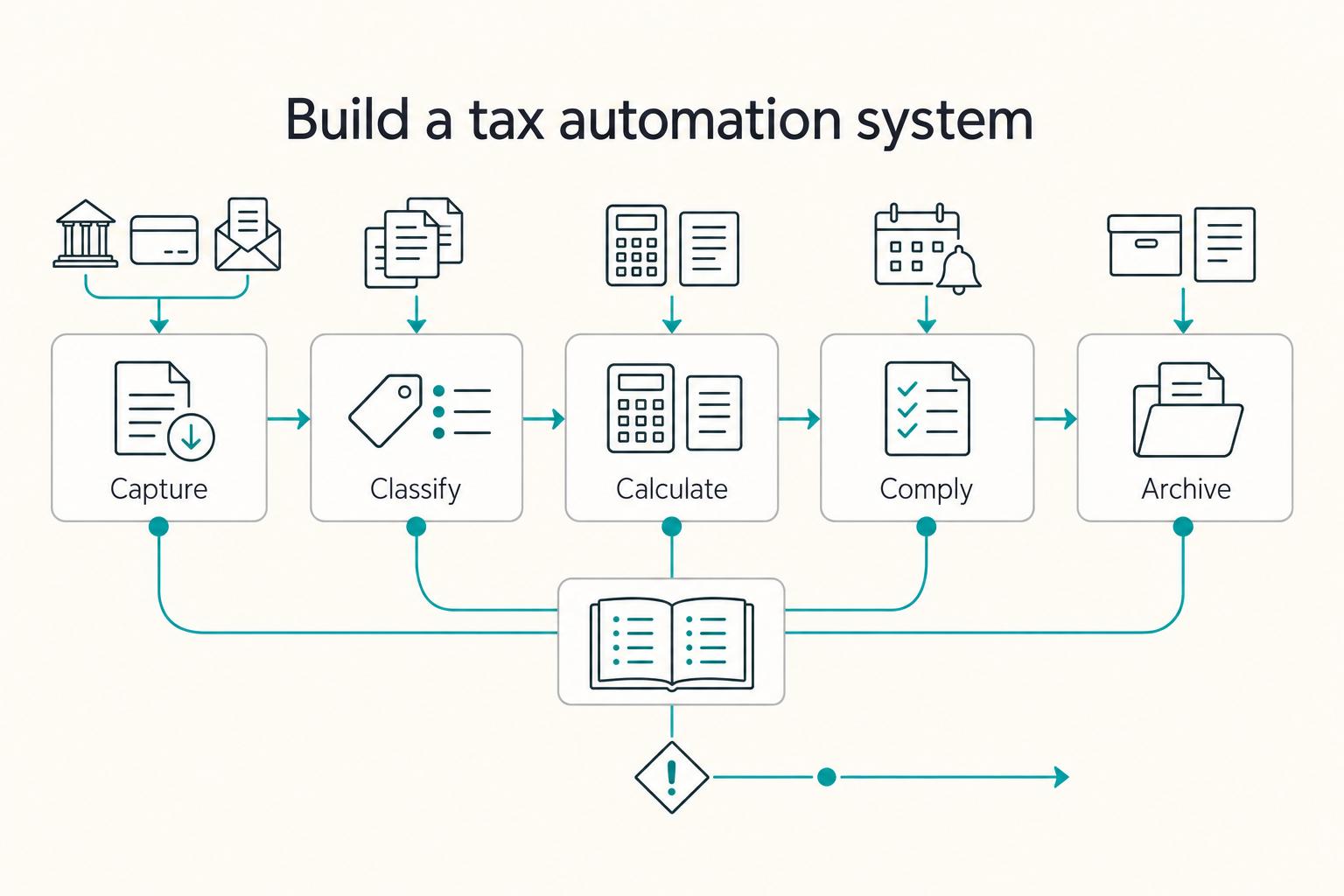
How to Automate Your Freelance Tax Preparation
**To automate freelance taxes safely, automate the boring mechanics and keep human approval for the decisions that create real compliance risk.** You are the CEO of a business-of-one. Your job is to run a system that stays resilient while your clients, tools, and countries change.

The Best Expense Tracking Apps for Freelancers
Admin drag usually starts small, then eats margin at month-end. Use this as a decision guide, not a popularity roundup: pick one tool quickly, then stick to a weekly routine that keeps records clean.
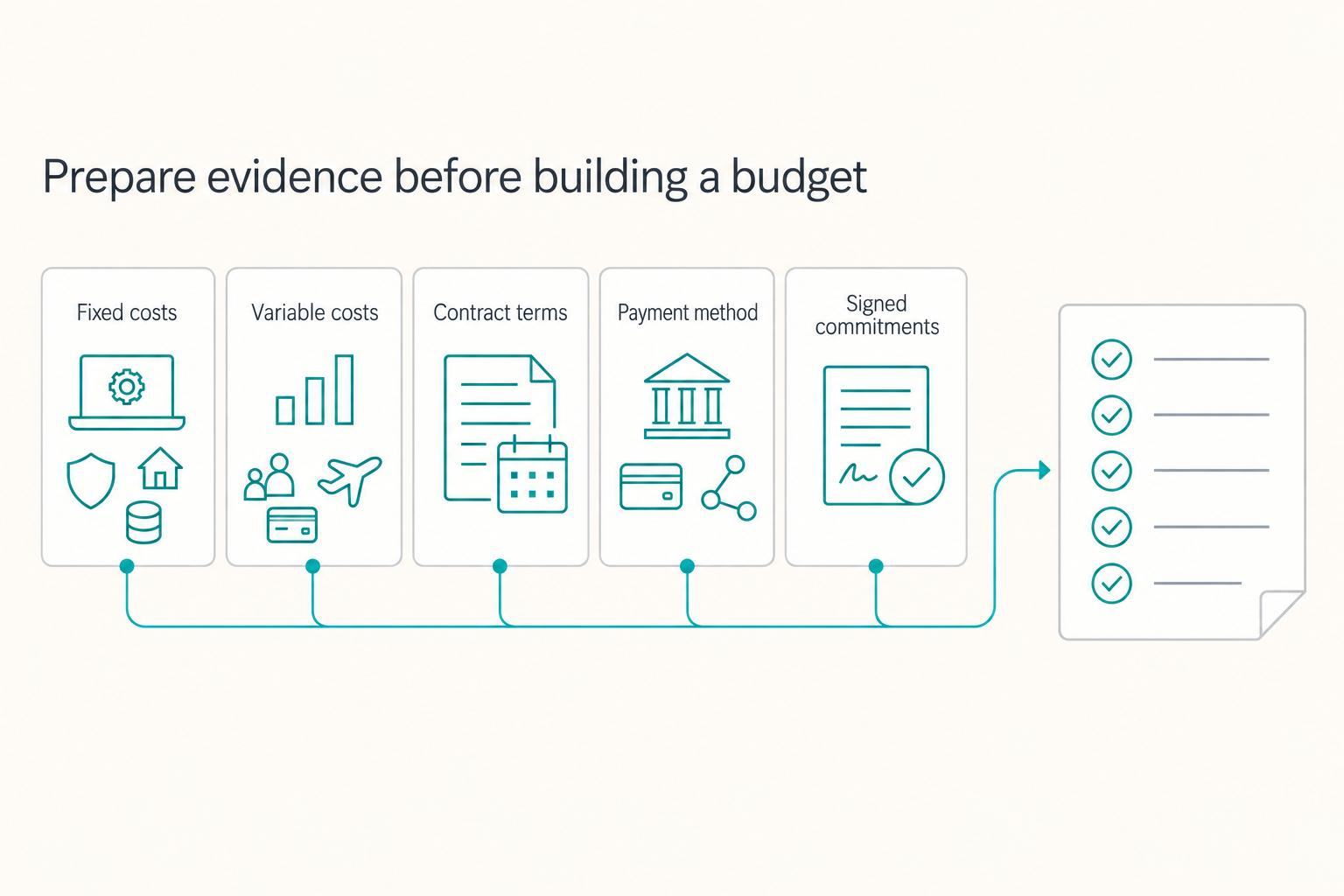
How to Create a Business Budget for Your Freelance Business
Most freelance budgets fail before the math starts. They assume freelance income behaves like a paycheck.