
Quick Answer
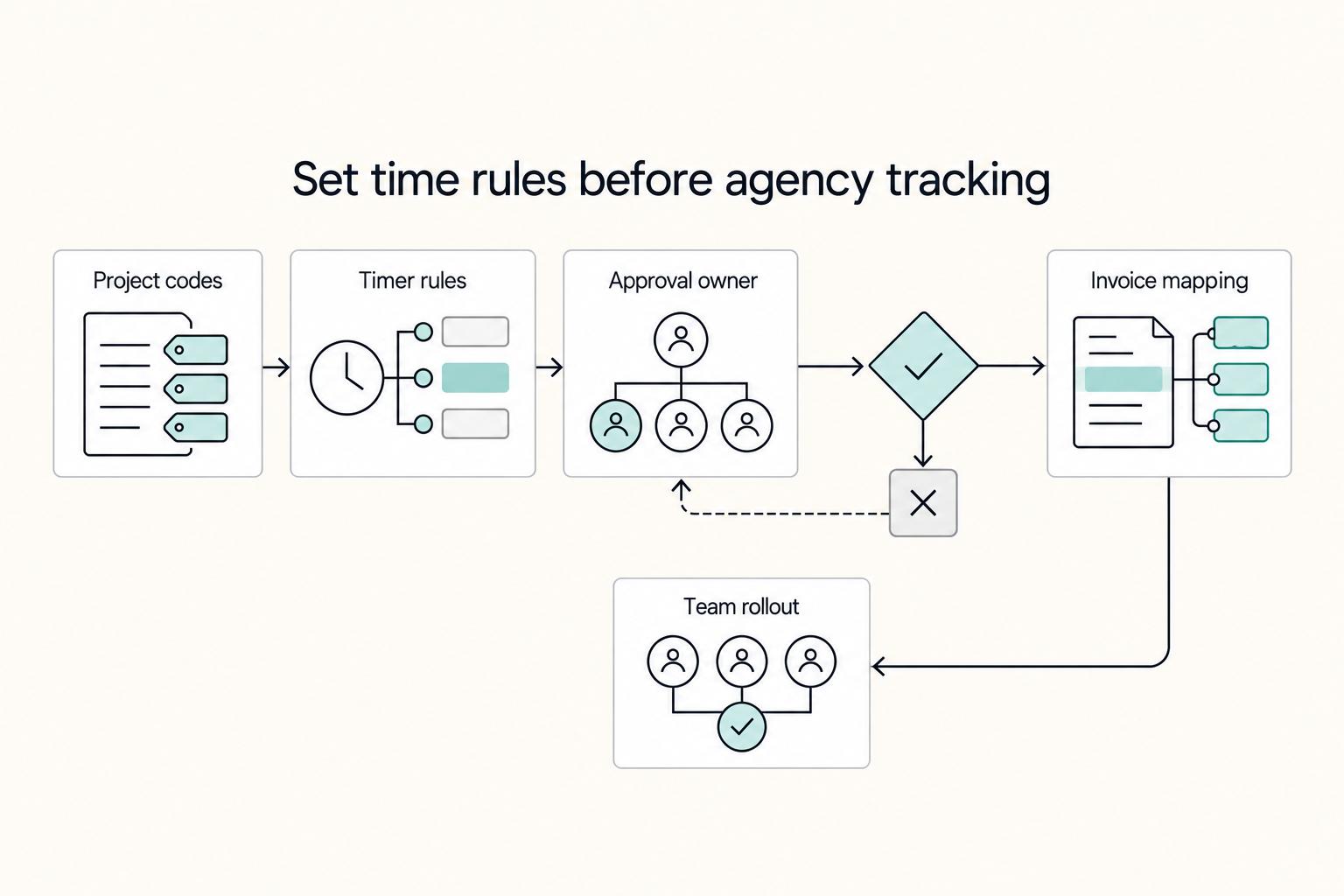
Set clients, project types, billable tasks and rates before inviting the team. Review same-day entries each week, then invoice approved hourly work or the agreed fixed fee. Pilot one client through reporting, invoice creation and payment reconciliation before migrating the agency. Check which approval and payment features your plan supports.
Start here if you want cleaner timesheets and faster client billing#
Step 1. Treat Harvest as the place where time turns into billing, not just a timer. If you're setting up Harvest for an agency, keep the mental model simple: your team logs work there, you review it there, and approved time becomes invoices there. A timer by itself does not fix billing if your notes, rates, and invoice logic still live somewhere else.
Keep the outcome practical. You want billable records accurate enough to invoice without end-of-month reconstruction, notes a client can understand without translation, and weekly reporting that flags project health before margins get squeezed. If a client questions hours, clean date-stamped entries and consistent task labels give you clearer context. If the data is vague, you end up negotiating from memory.
Step 2. Define what "working" looks like before you invite the team in. For many teams, week-one success is not advanced analytics. It's being able to answer three questions inside Harvest, with less spreadsheet cleanup: what was billable, what was not, and what is ready to invoice. A good check is to create a few sample entries, run the project report, and confirm those same entries would still make sense on a client-facing invoice.
Choose and label your utilization denominator. Billable hours divided by logged hours measures the mix of recorded work; billable hours divided by available capacity measures use of capacity. They answer different questions. Compare a consistent measure over time, and investigate missing entries before interpreting a change as a performance trend.
Step 3. Standardize the minimum viable setup, then stop. Small teams usually need less structure than they think. Start with only the pieces that keep timesheets clean and invoices readable:
- client naming rules
- project naming rules
- a short billable vs non-billable task list
- invoice terms and accepted payment method(s)
Leave elaborate task taxonomies and extra approval layers until they solve an observed problem. Too many near-identical tasks slow entry and make reports harder to interpret.
Set a practical boundary here. Use the 30-day trial to test one live client with this minimal setup. If time moves cleanly into reports and then into an invoice without manual patching, you have enough structure for now.
Decide whether Harvest fits your agency before you migrate data#
Harvest makes sense when you want time tracking, reporting, and invoicing in one workflow. If billing will stay in another system for now, pilot Harvest first instead of migrating old clients, projects, and rates immediately.
Step 1. Decide based on workflow, not features. Choose Harvest if you want approved time to move directly into invoices. If your immediate issue is only time-capture discipline, compare Toggl and Time Doctor first and postpone historical migration.
Step 2. Check manual logging habits. If the team backfills from memory, pilot same-day reminders and reviewer follow-up. Judge the quality of the resulting records rather than relying on another vendor’s general criticism of manual tracking.
Step 3. Check actual payment options. Harvest supports Stripe and PayPal Standard for online invoices. Confirm the gateway works for your business location, invoice currency and client. Harvest’s own help documents the integration conditions; the provider’s pricing page is the place to check your current fees.
| Collection path | Harvest workflow | Check before offering it |
|---|---|---|
| Stripe card | Client pays from the web invoice | Supported business country, currency, fees and dispute handling |
| Stripe ACH | Bank payment for eligible USD invoices from U.S.-based businesses and supported U.S. banks | Account eligibility; pending bank payments are not confirmed cash |
| PayPal Standard | Client is redirected to PayPal | Business/currency eligibility and relevant merchant fees |
| External bank transfer | Add payment details in invoice Notes; record receipt manually | Match bank receipt to invoice and avoid marking paid from a client promise |
If a client requires extra vendor onboarding or a specific payment path, flag it before migration.
Step 4. Make the no-regret call with one live pilot. Run one active client project through the full cycle: time entry, review, invoice draft, payment link, and paid-status check. Move to full adoption only if data quality stays invoice-ready and invoice turnaround improves; otherwise, keep the pilot small and tighten controls first.
Prepare your agency setup before anyone logs a minute#
Set your operating rules before rollout. Reliable time tracking comes from clear process and habits, not tool choice alone. For agencies, the way you manage time shapes proposals, invoices, and day-to-day decisions, so an inconsistent setup usually turns into billing and reporting problems later.
Step 1. Standardize naming in Harvest. Use one naming pattern for clients, projects, and task categories, and give your team copyable examples. Review a sample report before launch and clean up anything that looks duplicated or unclear to a client.
Step 2. Define billable and non-billable work in writing. Create a short reference your team can follow so categories are handled consistently. If you send invoices through Stripe or PayPal, make sure those category rules match how you present billed work to clients.
Step 3. Assign clear ownership before volume increases. Name one operations owner, one backup reviewer, and one approval checkpoint before invoices are sent. This helps catch the resistance and process breakdowns that growing teams commonly run into.
Step 4. Publish a one-page timesheet policy. Keep it practical: log time the same day, write client-readable notes, avoid end-of-week backfilling from memory, and ask before creating new categories. Store it with your client-facing billing terms so internal tracking and external billing stay aligned.
Related: A Guide to the Best Accounting Software for Small Agencies.
Configure Harvest so tracked time is invoice ready by default#
Configure Harvest so time can move straight into invoices with minimal cleanup. The goal is to review and format, not reconstruct what people meant.
Step 1. Create the right project type and rates. Add the client, then create a Time & Materials project for hourly billing, Fixed Fee for an agreed fee, or Non-Billable for internal work. Select the project’s billing-rate method, enter the applicable rates, mark the appropriate tasks billable and assign people. A fixed-fee contract does not become hourly billing because the team logs time against it.
Step 2. Pick timer vs manual entry by work pattern, then make it a rule.
| Work pattern | Default entry method | Rule to enforce |
|---|---|---|
| Fragmented, interrupt-driven work | Timer | Start and stop as work changes so small tasks are captured |
| Block-scheduled work | Manual entry | Enter time the same day, not from memory later in the week |
| Mixed role with frequent context switching | Timer by default | Use manual only for planned calendar blocks |
If manual entry drifts into end-of-week reconstruction, notes usually get too vague for clean invoicing.
Step 3. Enable the review process your plan supports. Where timesheet approval is available, an administrator can enable it under Settings > Modules. Teammates submit their time and expenses, and an authorized administrator or manager reviews them under Time > Approval. If your plan lacks that module, use a documented manual review before invoice drafting. Keep same-day reminders separate from the decision to approve.
Step 4. Set client-facing invoice defaults and payment instructions. Align descriptions, due dates and tax settings with your agreed terms. Connect supported online gateways under Settings > Integrations. Select only the enabled payment options you want on each invoice; external wire details belong in Notes rather than being treated as a separate native gateway.
Final checkpoint: create sample time entries, generate a test invoice, and read it as a client would. If line items contain internal shorthand, duplicate categories, or weak SOW mapping, fix project/task setup before rollout.
Run a daily capture routine people will actually follow#
If you want invoice-ready time entries, make same-day capture the default habit: every billable hour is logged in Harvest the same day, with notes a client can understand.
Step 1. Set the end-of-day standard in writing. Keep the policy simple: log billable time today, use plain-language notes, and clean up rough fragments before close. Time tracking should support billing and performance decisions, not just record hours. Use one quick test: if a client saw this line item tomorrow, would it still read clearly?
Step 2. Use a two-pass capture habit. First pass: capture fast during the workday so time is not lost. Second pass: clean descriptions before day-end so shorthand becomes invoice-ready language. This keeps consistency high even when the week gets busy.
Step 3. Escalate quickly when entries slip. If someone misses two days in a row, treat that as an internal management trigger and move from reminders to direct check-ins. The goal is not punishment. It's preventing end-of-week memory reconstruction that leads to vague notes and missed billable time.
Step 4. Keep tasks easy to choose. Add a task only when it improves scope, billing or reporting decisions. Put extra context in clear notes rather than inventing a category for every activity.
Review weekly reports and fix data quality before billing#
A weekly pre-billing review keeps your Harvest data usable for clean invoices and confident performance tracking. Keep the pass focused so you catch issues early without turning it into a long editorial exercise.
Step 1. Review the same three failure modes every week#
Start with missing time, vague descriptions and incorrect billable status. Also check duplicate timers, rates and the billing-period boundary before sending invoices; a tidy description does not prove the amount is right.
Run it on the same day each week for active client projects, then scan for:
- Missing time: gaps for people assigned to active work
- Vague descriptions: entries a client would not understand without translation
- Billable status mistakes: client work marked non-billable
Use a simple pass/fail rule: if an entry is unclear or misclassified, fix it before invoicing.
Step 2. Track recurring corrections and simplify the setup when needed#
If you keep making the same fixes, treat that as a setup problem. Harvest positions timesheets as something teams can use daily, so repeated confusion usually means your task structure or billable split is harder than it needs to be.
Use a consistent internal threshold for "too many repeat edits." When edits stay high, simplify categories before adding more review layers. Group corrections for a few weeks, then act on the pattern:
- Mostly category swaps: merge overlapping tasks
- Mostly note rewrites: tighten note guidance with clear examples
- Both: simplify first, retrain second
Step 3. Run a pre-invoice audit pack every week#
Before drafting invoices, assemble a standard audit pack so corrections do not get lost:
- Project report for each active client project to be billed
- Team timesheet summary for the review period
- Exception list with flagged entries, owner, and due date
Do not move invoice drafts forward while billable exceptions are unresolved.
Step 4. Compare planned effort to actual time before invoices go out#
Do one final comparison of expected effort versus logged time on active work. The goal is early risk detection, not a perfect formula.
Flag projects where logged time is rising faster than expected, especially when notes show rework or extra rounds. Then decide before sending invoices: tighten execution, reset internal assumptions, or raise scope changes with the client.
Turn approved time into invoices and collect payments with fewer surprises#
For hourly projects, invoice reviewed billable time and agreed billable expenses. For fixed-fee projects, invoice the agreed fee or milestone; tracked time informs profitability and scope decisions. Keep disputed or unapproved charges out of the draft while you resolve them.
Step 1. Create the invoice from the right source. In Invoices > Overview, choose New invoice and the client, then the tracked-time, expenses or fixed-fee option. Select the projects and billing period. For Time & Materials, choose the hours and their display; Detailed includes time-entry notes. Review the draft, due date and taxes before saving or sending. This is your invoice review checkpoint; do not assume selecting billable time proves that every entry passed your approval process. After sending, retain the invoice copy and billed-period snapshot so later time-entry edits cannot obscure what was billed.
Hypothetical hourly project: 12 reviewed design hours at $100 plus 3 reviewed development hours at $150 produce $1,650 before tax or expenses. Exclude 2 internal administrative hours marked non-billable. Compare those quantities and rates with the draft and the contract. On a separate $2,000 fixed-fee project, 15 tracked hours are cost evidence; they do not change the agreed $2,000 invoice into an hourly charge.
Step 2. Make invoice language client-readable and payment instructions explicit. Rewrite internal notes into clear line items the client can map to the statement of work. Group related work when it improves readability, but keep enough detail to explain the charge. If you accept payment via Stripe or PayPal, state the amount due, due date, payment option, and billing contact clearly on the invoice or send note.
Step 3. Reconcile collection and settlement separately. Harvest records processed integrated payments on the invoice, but a paid invoice and a bank deposit can occur on different dates. For external payments, match the receipt and record it manually. Reconcile invoice total, processor fees, refunds and the bank payout; leave pending bank payments pending instead of taking the client’s payment attempt as completion.
Step 4. Document handoffs when multiple tools are involved. Harvest covers time tracking and invoicing, but it may not be your full money workflow. If you also use Gruv modules for collection, payout, or reconciliation, document where Harvest ends and Gruv begins, where supported, with an owner and evidence at each handoff. A short note that covers invoice creation, payment receipt, and final record matching is usually enough.
Related reading: How to Use Notion AI for Productivity as a Solo Operator.
Recover from common failures without damaging client trust#
The recovery rule is simple: correct the record first, then handle the relationship. When records are weak, disputes grow.
Step 1. Set a short internal correction window for late or missing entries before invoicing. Manual entry is a practical fallback if a timer was missed, but treat it as an exception. Before anything is billed, make sure each corrected entry includes the date, client, project, task context, and a clear note.
Step 2. Reconstruct late entries from evidence. Use calendar events, project activity and dated work notes, then ask the person to confirm the entry. Do not inflate a duration to compensate for an assumed percentage of forgotten work. Keep the correction history and check whether the contract permits the resulting charge.
Step 3. Handle hour disputes with evidence first, concessions second. Share date-stamped notes and task context that connect tracked time to the invoice line item. Review wording, scope overlap, and logging accuracy before offering any discount.
Step 4. For payment delays, follow a consistent written follow-up process and restate the invoice reference, amount, and due date each time. Pause new out-of-scope work until payment status is clear. If missed or corrected entries keep recurring after process fixes, reassess your tracking workflow instead of relying on repeated backfill.
Your next step is a weekly operating checklist you can copy#
Use a fixed weekly rhythm in Harvest: track daily, review before invoicing, and use month-end signals to tighten the system. That keeps notes client-readable, reports trustworthy, and invoices cleaner without adding unnecessary admin.
| When | Focus | Action |
|---|---|---|
| Monday | Projects and tasks | Confirm active projects and tasks still match current scope; remove stale categories; rename unclear tasks; make sure billable work is not parked in generic buckets |
| Daily | Time capture | Log time the same day with notes a client can understand; use reminders to reduce missed hours |
| Thursday | Report review | Check for missing time, vague descriptions, and billable work logged as non-billable; simplify your task taxonomy if corrections keep growing week to week |
| Friday | Invoice readiness | Generate invoices only from entries that are ready for client review; confirm each line item and note clearly reflects the work performed and agreed scope |
| Month-end | Unbilled time and utilization | Review unbilled amounts and utilization using a named, consistent denominator; investigate missing time and budget overruns |
Monday: Confirm active projects and tasks still match current scope. Remove stale categories, rename unclear tasks, and make sure billable work is not parked in generic buckets.
Daily: Log time the same day with notes a client can understand. Harvest supports browser, desktop, and mobile tracking, so focus on entry quality and use reminders to reduce missed hours.
Thursday: Review reports before drafting invoices. In Harvest's track-report-invoice flow, check for three recurring issues: missing time, vague descriptions, and billable work logged as non-billable. If corrections keep growing week to week, simplify your task taxonomy.
Friday: Generate invoices only from entries that are ready for client review. Before sending, confirm each line item and note clearly reflects the work performed and agreed scope.
Month-end: Review unbilled amounts and utilization with the same denominator each month. Compare time cost with the contracted fee on fixed-fee work, and separate scope growth from inaccurate entries before changing rates or adding tools.
For a step-by-step walkthrough, see How to Use Airtable Automations to Simplify Your Agency Workflow.
Try a related tool
Researched and edited by the Gruv editorial team. Gruv builds cross-border billing, payouts, and finance-operations software for global businesses.
Sources
Includes 3 external sources outside the trusted-domain allowlist.
Educational content only. Not legal, tax, or financial advice.
Related Posts

Value-Based Pricing for Freelancers Under Real Payment Risk
Value-based pricing starts with the client’s expected benefit and willingness to pay. It still needs a deliverable, scope and payment agreement you can perform. Use a discovery phase when the benefit or effort is too uncertain to support a defensible quote.
Best Accounting Software for Small Agencies That Protects Cashflow
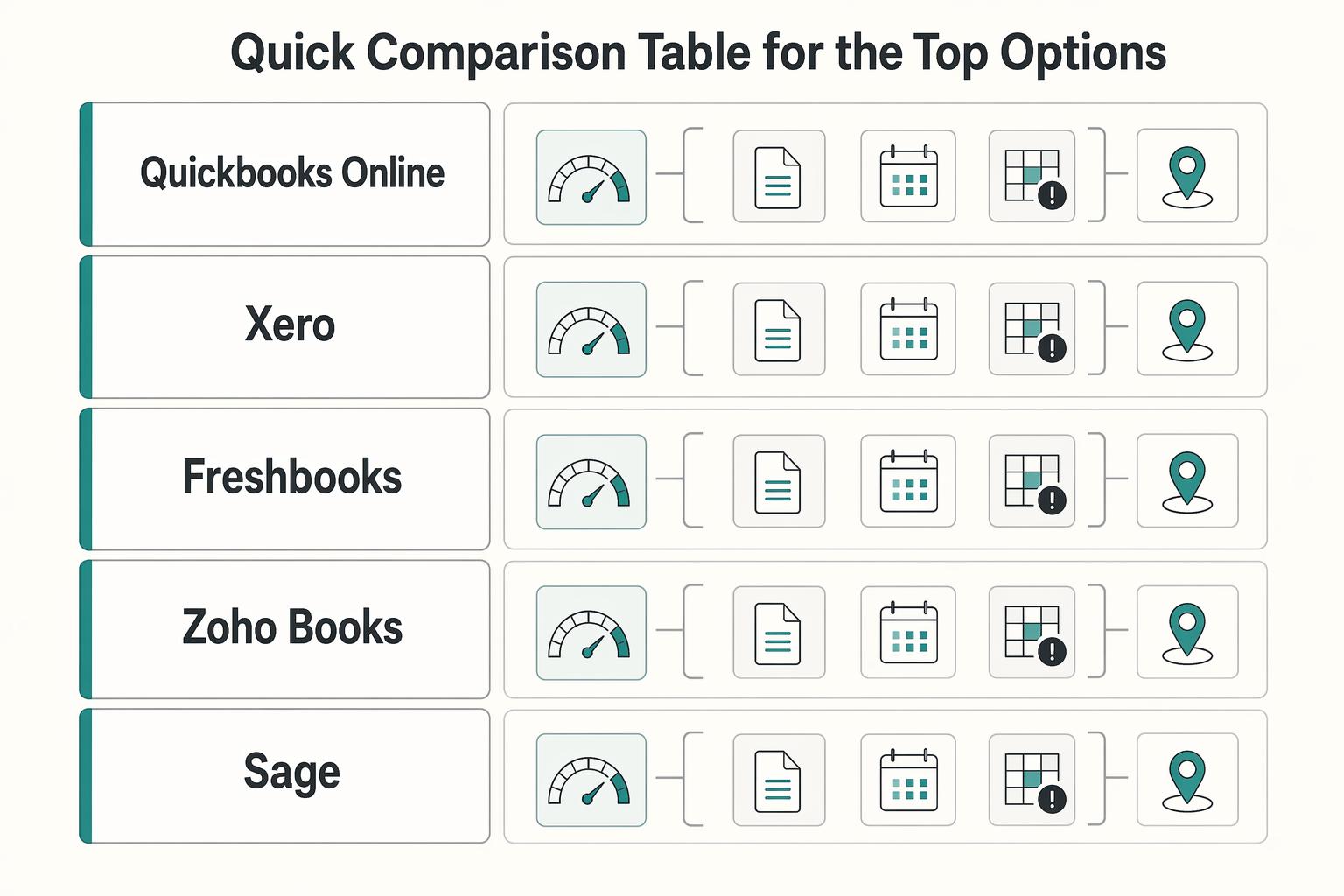
Choose accounting software that keeps invoice balances, payment records and project costs traceable. Those records answer different questions: receivables show what clients still owe, bank reconciliation shows money received, and project reports show revenue and costs. Software can expose delays and exceptions, but it cannot guarantee that a client will pay.
Choosing Time Tracking Software for Billable Hours in 2026
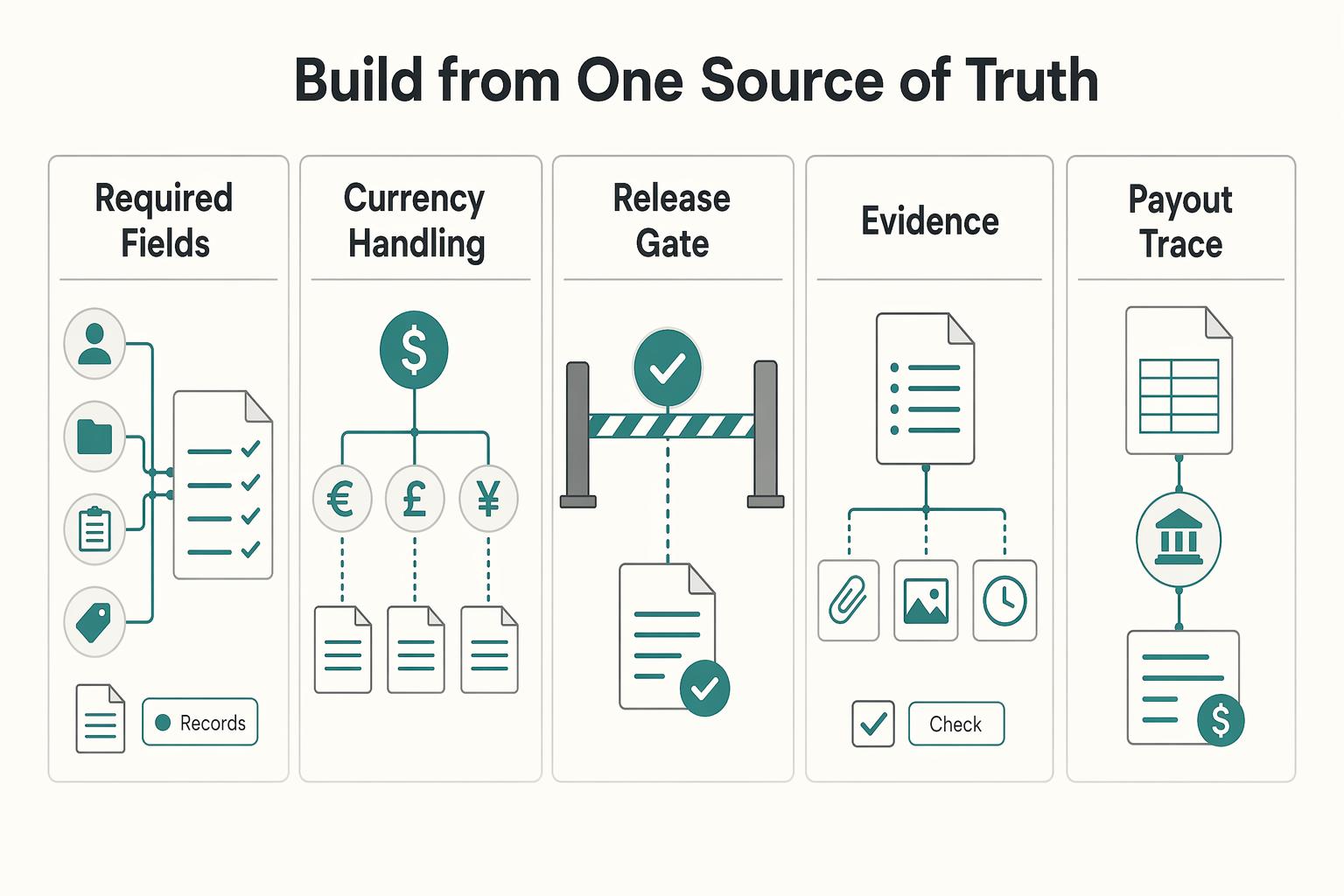
If a client challenges an invoice, or you need to support a tax position later, vague timers will not help. The goal is simpler: keep records that make disputes easier to resolve, invoices easier to justify, and your file easier to explain when someone asks, "What exactly happened here?"