
Quick Answer
Start with controls, not software screens. For platform operators, expense automation works when your corporate expense policy, approval chain, and reimbursement flow are designed as one operating system with explicit ownership across Finance, Product, and Engineering. Before comparing vendors, run a real claim and confirm end-to-end traceability from receipt to final financial outcome. Then choose strict blocking for objective violations, use warnings for context-heavy cases, and launch in phases with audit checks before scale.
Where Employee Expense Control Breaks Down#
Employee expense automation is a control-design problem first and a software-buying problem second. If you optimize only for faster expense report processing, you can still end up with weak policy enforcement, delayed reimbursements, and finance teams doing manual cleanup.
Step 1 Reframe the problem around controls#
Start with the full job of employee expense management: the systems, policies, and tools used to track, control, and reimburse business spending. In practice, the design surface is not just receipt capture or a cleaner employee form. It is your corporate expense policy, approval chain, reimbursement handling, and expense controls working together in a way the business can run as it grows.
That matters because the pain usually shows up outside the form. Once teams spread across locations, reimbursements cross borders, or approvals happen over email, the process gets messy fast. Finance spends hours chasing receipts and categorizing spend by hand. Employees can wait weeks to be paid back. Automation removes routine work, but it does not fix unclear ownership or vague policy logic on its own.
Step 2 Evaluate from the operator seat#
This guide is for people deciding scope and architecture, not just comparing expense management software screens or skimming 2025 platform roundups. A feature list can tell you whether a tool supports real-time tracking or faster reimbursements. It will not define your policy and approval model for you.
Use one practical checkpoint before you look at vendors: take a real sample claim and ask whether your current process can trace it from submission to approval, reimbursement, and final financial outcome. If the answer is no, your first requirement is traceability. Another red flag is split accountability with no clear owner. Policy intent, operator experience, and integrations can each have owners, but someone still needs to own the gaps between them.
Step 3 Set the goal before vendor selection#
Set the operating goal before demos begin. Some teams need hard gates on obvious noncompliance. Others need lighter warnings in lower-risk categories so adoption does not collapse under approval friction. You should be able to say which tradeoff you are making and why.
That is the frame for the rest of this guide. The focus is on implementation checkpoints, governance ownership, and the failure modes that matter in real operations. Faster processing is only useful if it also improves finance visibility, cost control, and compliance.
Related: What Is Vendor Management? A Platform Operator's Guide to Supplier Lifecycle Control.
What to prepare before you evaluate tools#
Do not start vendor demos with a blank requirements doc. Prepare a small evidence pack and clear owners first, or you will end up comparing interface features while gaps in policy, approvals, and accounting handoff stay unresolved.
Step 1 Gather the minimum evidence pack#
Collect four inputs before tool evaluation: your current corporate expense policy, a representative set of expense receipts, your real approval map, and month-end financial records showing how expense activity lands in finance. Use real claims, not polished examples.
Include a normal reimbursement, a policy-violation case, and a broken case, such as a missing receipt, stale approval, or failed payout. For each one, confirm you can trace the receipt, approver, reimbursement result, and final posting or export reference.
Step 2 Assign ownership by function#
Set ownership explicitly: Finance owns policy intent and exception judgment, Product owns the operator experience, and Engineering owns ERP and accounting software integration behavior. That includes what happens on retries, sync failures, and downstream structured-data handoff.
| Function | Owns |
|---|---|
| Finance | Policy intent and exception judgment. |
| Product | Operator experience. |
| Engineering | ERP and accounting software integration behavior, including retries, sync failures, and downstream structured-data handoff. |
Compliance spans roles across the full expense lifecycle. If ownership is unclear, missed approvals, unsubmitted receipts, and late finance cleanup become more likely.
Step 3 Lock decision criteria before demos#
Define your minimum audit trail, where you require local-currency reimbursement, and how quickly a policy violation should reach the right person. Treat traceability as a gate, not a nice-to-have.
If your current process cannot trace a request from submission to reimbursement and ledger outcome, pause tool scoring and fix that requirement first.
Map your end-to-end expense lifecycle before automating#
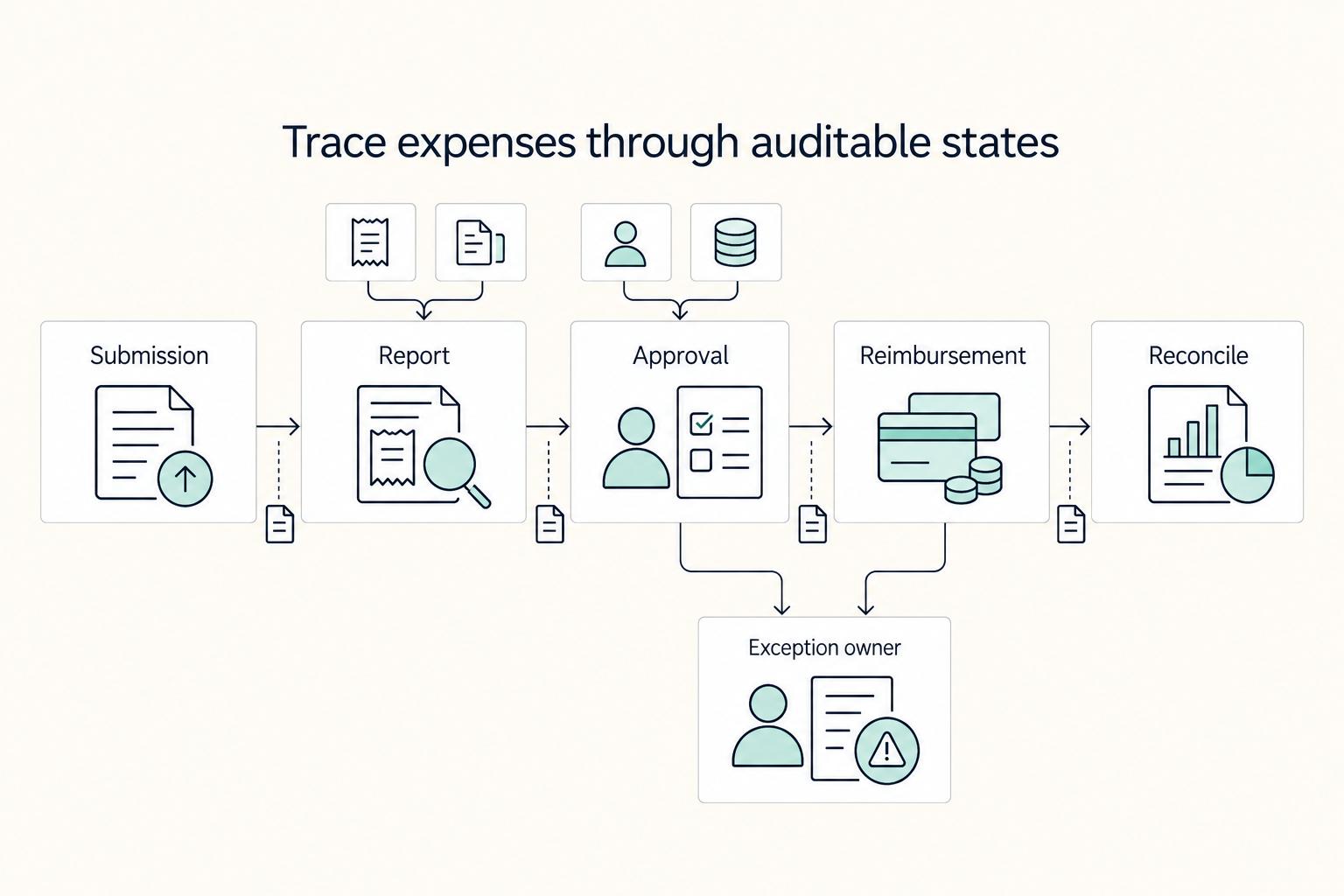
Map the full lifecycle before you automate rules. If you cannot trace a claim from submission to reconciliation close, automation can centralize activity without giving you control.
Step 1 Draw the real state sequence#
Define the workflow as claim states: submission window opens -> expense report created -> approval chain decision -> expense reimbursement execution -> expense reconciliation close. Keep it state-based so handoffs across Finance, managers, and Engineering do not hide what must happen next.
Use one clean claim and one broken claim from your evidence pack. Manual processes often scatter records across statements, inboxes, and receipts, so mapping real cases will surface gaps quickly.
Step 2 Put controls at the right decision points#
Add controls where they prevent downstream rework, not at month-end. Start with receipt quality checks, duplicate detection, approval-role checks, and budget limit validation.
If a receipt is missing or unreadable, catch it at report creation. If role checks run late or budget validation runs after approval, you create extra steps without fixing the underlying risk.
Step 3 Define failure states before rollout#
Treat failure modes as first-class states in the lifecycle. Include missing receipts, stale approvals, rejected reimbursements, and unresolved policy exceptions.
Set a clear next state and owner for each failure. Without that, approvals get missed, receipts go unsubmitted, and operations turn reactive.
Step 4 Require auditable state-change events#
Require every state change to produce an auditable event so finance ops can explain outcomes later. Capture enough context to reconstruct what happened from submission through reimbursement and reconciliation.
A final status is not enough. You should be able to tell what changed, when it changed, who or what changed it, and what action should happen next in finance.
For a step-by-step walkthrough, see The Best Expense Management Software for a Remote Team.
Set policy strictness and approval rules that actually reduce overspend#
Use strict blocking only for objective, policy-defined violations, and use warnings where manager judgment is still part of the decision. That split usually improves control without pushing teams into manual workarounds.
| Control | Guidance |
|---|---|
| Hard gate | Make it a hard gate if the claim can be evaluated directly from policy and expense data. |
| Warning | Keep it as a warning if context is required. |
| Exception path | Route it to an exception path if the platform cannot determine the outcome from the policy and claim data alone. |
| Approval routing and budget checks | Keep both on the same path for each claim. |
| Time control | Add a clear submission window and escalation rules for stalled approvals, unresolved exceptions, and employee corrections. |
- Set blocking vs warning by rule clarity and risk.
Start with what your expense policy explicitly defines: eligibility, spending limits, and violation consequences. If a claim can be evaluated directly from policy and expense data, make it a hard gate. If context is required, keep it as a warning or route it to an exception path.
A practical test: for each exception, can the platform determine the outcome from the policy and claim data alone? If not, do not force a block.
- Design approval routing and budget checks as one control, not two.
Role-based approvals decide who can approve. Budget controls decide whether spend is within limits. You need both on the same path for each claim, or you create extra approvals without stronger spend control.
For each claim type, confirm the route reaches someone who both has policy authority and budget accountability.
- Treat time controls as policy controls.
Add a clear submission window and escalation rules for stalled approvals, unresolved exceptions, and employee corrections. Without time controls, claims drift, finance loses visibility, and reimbursement delays grow.
Manual expense operations already create drag for both finance teams and employees; unresolved claims should stay visible in a tracked queue, not in inbox memory.
- Pick strictness posture based on the risk you need to reduce first.
If fraud exposure is the top concern, tighten hard gates for objective, higher-risk violations. If adoption and usability are the bigger issue, keep hard gates for clear non-negotiables and use warnings elsewhere.
Default operating posture: block what is provable, warn where judgment is needed, and escalate unresolved items before close.
For a contractor-focused companion to this topic, read What Is Spend Management? A Platform Operator's Guide to Controlling Contractor Costs.
Choose your build path with a real comparison#
After policy design, choose the path that enforces it with the least operator drag: suite-first for faster launch with standard policy models, or integration-led for custom approval logic and stronger platform-level auditability.
Step 1. Compare control depth, not just features. Expense tools usually cover expense report creation, submission, approval, reimbursement, and accounting, so treat that as baseline. When reviewing suites such as Paylocity, Rippling, and Tipalti, check whether the built-in workflow actually matches your approval, exception, and reconciliation model.
Integration-led usually means combining ERP, accounting software, and reimbursement rails. It adds integration effort, but can give you more control over approval branching, ledger mappings, and auditable state changes when your flow is non-standard.
Step 2. Measure operator burden with real scenarios. Run one normal claim and one broken claim using your own sample receipt, policy rule, approver role, and posting expectation. A clean happy-path demo is not enough.
Your pass/fail check is operational: can the team show where a failed reimbursement is recorded, who resolves it, and how the corrected payout ties back to the original claim and accounting entry?
Step 3. Use rankings as directional input only. Gartner, GetApp, and G2 can help with shortlist discovery, but they do not validate your reconciliation model. Treat ranked lists the same way: useful for narrowing options, not for final architecture decisions.
Step 4. Verify "global" against your required routes. Validate local-currency reimbursement needs and exception handling for failed payouts against your real operating requirements. If that path cannot be shown end to end, treat "global support" as unverified.
Design global reimbursement operations without breaking finance close#
Treat reimbursement design as a close-process decision, not just a payout feature. If you cannot name the route, currency, fallback owner, and accounting handoff for each market, month-end cleanup will likely become manual.
Step 1. Define coverage as an operating matrix. For each entity and worker type, document origin country, payout currency, funding currency, recipient, and fallback behavior when the preferred route fails. Keep global reimbursement and local-currency reimbursement as separate checks, since support for one does not confirm the other for your policy. Include one normal claim and one failed-route scenario for each important corridor.
Step 2. Lock reconciliation handoff before launch. Expense management software often spans creation, submission, approval, reimbursement, and accounting, and often connects to accounting and payroll systems. Use that only if your workflow carries reimbursement outcomes into reconciliation and month-end records without duplicate manual entry. Require durable references for each claim: claim ID, reimbursement/payout ID, and accounting export or journal reference.
Step 3. Set tax-adjacent data boundaries early. Because reimbursement tools often connect to payroll-adjacent systems, define which employee data can move through reimbursement operations and which data stays with payroll or tax owners. Document who can edit payout-related fields and which records remain out of scope for this expense project.
Step 4. Stress-test failure visibility for cross-border volume. If cross-entity contractor reimbursement volume is high, require clear failure states, ownership for each state change, and operational visibility during evaluation. "Global support" is not enough unless the team can trace submitted, approved, paid, failed, corrected, and exported states end to end.
Your final check is practical: can you trace a centrally stored, tagged receipt through claim status and reimbursement outcome into the accounting handoff without spreadsheet stitching?
Related reading: How to Handle Billable Expenses in QuickBooks.
Build the data and audit model first, then automate UI flows#
Start with records Finance can reconstruct at close, then layer the UI on top. Expense management covers submission, approvals, policy enforcement, payment approval, and financial records, so reliability comes from the data and audit model before screen polish.
| Data element | Items | Section note |
|---|---|---|
| Preserved event fields | Actor; timestamp; source object ID; downstream journal or export reference when available | Treat each action as its own preserved event, not an in-place status edit. |
| Canonical IDs | Receipt; policy decision; approval; reimbursement; reconciliation | Use separate canonical IDs with explicit links between them. |
| End-to-end references | Claim/receipt ID; reimbursement/payout ID; journal/export reference | Confirm the same references survive end to end. |
Step 1. Define event history for each expense report action. Treat each action as its own preserved event in your system design, not an in-place status edit. Keep actor, timestamp, source object ID, and downstream journal or export reference when available. If prior states disappear, policy-violation review and close reconciliation become fragile.
Step 2. Set canonical objects and IDs before integrations. Use separate canonical IDs for receipt, policy decision, approval, reimbursement, and reconciliation, with explicit links between them. This is what makes retries and deduping safe when exports rerun, callbacks repeat, or corrections are posted. Do not rely on weak matching keys like name, amount, merchant, or submit time alone.
Step 3. Test ERP and accounting mappings on exception paths. Happy-path tests are not enough. Validate reversals, partial approvals, and reimbursement corrections, and confirm the same references survive end to end: claim/receipt ID, reimbursement/payout ID, and journal/export reference. If any one breaks, teams fall back to spreadsheets and hand entry.
Step 4. Use reconstruction as the launch gate. Before launch, have Finance rebuild a real policy-violation case from source receipt to final posting using only system records. They should be able to identify what was submitted, which rule flagged it, who approved or overrode it, and where posting landed. If that still needs spreadsheet stitching, fix the record model first and automate more UI later.
Roll out in phases with hard verification gates#
Use a phase-gated rollout, not a broad launch. Keep the first scope tight, verify it, and expand only when the evidence is clean, since fixes are lower-impact earlier than after company-wide launch.
Step 1. Start narrow and prove baseline stability. Begin with low-risk categories and keep phase one small enough for Finance to review failed reimbursements, policy overrides, and reconciliation breaks directly. Expand only after those records are consistently reliable.
Step 2. Track pilot metrics that show operational stability. Monitor approval latency, exception rate, reimbursement failure rate, and reconciliation completion time. Judge the trend inside your pilot cohort, not against external benchmarks.
Step 3. Run cross-functional defect review before expansion. Product, Finance, and Engineering should review open exceptions and document gate progress each cycle. If unresolved exceptions still require spreadsheet stitching or inbox chasing, stop expansion.
Step 4. Enforce a go/no-go checklist before scale. Require signoff on:
- policy accuracy on real submissions, including known violation cases
- integration stability across retries, reversals, and corrections
- audit completeness from receipt through final posting
- user adoption based on on-policy submission behavior
If any item fails, hold scope and fix it before adding teams.
Conclusion and copy-paste implementation checklist#
Start with control design, not the tool demo. Teams that get durable results define the full operating path from intake to final record and reconciliation before they buy or build anything.
Step 1 Treat automation as an outcome problem#
Treat automation as an outcome problem, not a set of isolated tasks. If your current setup only speeds up isolated steps, you are still at the task-automation stage. That is where hidden failures and exception work usually survive.
The better target is outcome automation: a process that can intake a request, decide what should happen next, trigger the right downstream action, and escalate exceptions. In practice, that means your intake path, policy model, approval chain, downstream handoffs, and reconciliation logic need to make sense together. If those pieces are still unclear, vendor scoring will give you false confidence.
Your most important verification point is simple: can Finance reconstruct one workflow from initial request to final financial record without spreadsheet stitching or inbox chasing? If not, your audit trail is not strong enough yet. A second red flag is any design that depends on brittle UI automations. When screens change, those shortcuts break, and exception-heavy processes end up back in human hands.
Step 2 Use this checklist before rollout to catch control gaps#
Use this checklist before rollout, not after the tool is already live. It is meant to catch control gaps early, especially around approvals, system handoffs, and failed-case handling.
- End-to-end lifecycle mapped from intake to final record and reconciliation
- Policy model defined, including which cases block versus warn
- Approval chain and role-based approval rules tested on real scenarios, including exceptions and escalations
- System handoffs validated, including how exceptions are routed and corrected
- Audit trail can explain each decision and status change from intake to final record
- Failure states and ownership are explicit so teams know what escalates and to whom
- Pilot success criteria are defined before expanding scope
Step 3 Hold expansion until the pilot proves the operating model#
Hold expansion until the pilot proves the operating model. Governance and guardrails should exist from day one, not as cleanup work after launch. If your pilot still needs constant human intervention for normal exceptions, pause and fix the design before you add more teams or stricter policy rules.
A practical rule: do not scale because the happy path works in a demo. Scale when your audit trail, exception handling, and reconciliation checks hold up under real usage. That is when automation gives operators control instead of just moving the manual work somewhere harder to see.
Frequently Asked Questions
What should we automate first in expense management to get control quickly?
Start with receipt capture, policy checks, and approvals so you get cleaner inputs before downstream reimbursement steps. That helps address common manual failures where approvals are missed and receipts go unsubmitted. A good verification point is simple: can Finance trace one expense report from receipt to approval to posting without inbox chasing or spreadsheet stitching?
Which controls prevent overspending better than manual review?
Focus on policy enforcement and audit controls that run consistently, with approval workflows that are clear before reimbursement is processed. The goal is to keep pace as internal rules and priorities change while maintaining compliance. Manual review still matters for exceptions, but relying on people to catch every basic policy issue does not scale well.
How do blocking rules and warning rules differ in day-to-day operations?
In day-to-day operations, teams often use a mix of hard stops and softer risk flags. Hard stops are useful for non-negotiable policy requirements, while softer flags are better when reviewer context is needed. Tune both against real exception patterns so people follow the process instead of bypassing it.
What does real-time spend visibility require in data and approvals?
It requires structured expense data entering one place fast enough to be useful, not expense details scattered across card statements, email inboxes, and paper receipts. Your platform also needs approval and policy decisions recorded consistently, then synced into accounting software in a format Finance can reconcile. If approvals live in one tool and receipts in another, your “real-time” view is usually delayed reporting with gaps.
How do global reimbursements work when employees need local-currency payouts?
Treat this as a vendor-validation question: confirm supported payout currencies, how payout failures are surfaced to operators, and how retries are reconciled without duplicate records.
What should we verify with vendors before trusting ROI claims?
Ask vendors to demonstrate the product on your own expense policy, sample receipts, approval flow, and accounting export requirements. The minimum evidence should include policy enforcement, audit controls, and structured data syncing to accounting software. If a demo skips exceptions and only shows the happy path, treat the ROI story as unproven until your workflow test confirms fit.
Try a related tool
Researched and edited by the Gruv editorial team. Gruv builds cross-border billing, payouts, and finance-operations software for global businesses.
Sources
- ag-dashboard.acquisitiongateway.gov/system/files/ptai/2023-12/A003%20CBP%20TASPD...trusted
- comptroller.war.gov/Portals/45/Documents/afr/fy2025/4_Financial_...trusted
- federalregister.gov/documents/2010/11/15/2010-28303/risk-managem...trusted
- federalreserve.gov/publications/files/cbem-4000-202602.pdftrusted
- icc.illinois.gov/docket/P2018-0807/documents/271831/files/475...trusted
- icc.illinois.gov/docket/P2026-0047/documents/375133/files/657...trusted
- irs.gov/irm/part4/irm_04-038-001rtrusted
- leg.colorado.gov/initiative_files/3311/downloadtrusted
Educational content only. Not legal, tax, or financial advice.
Related Posts
Contractor Spend Management: Total Cost and Payout Controls
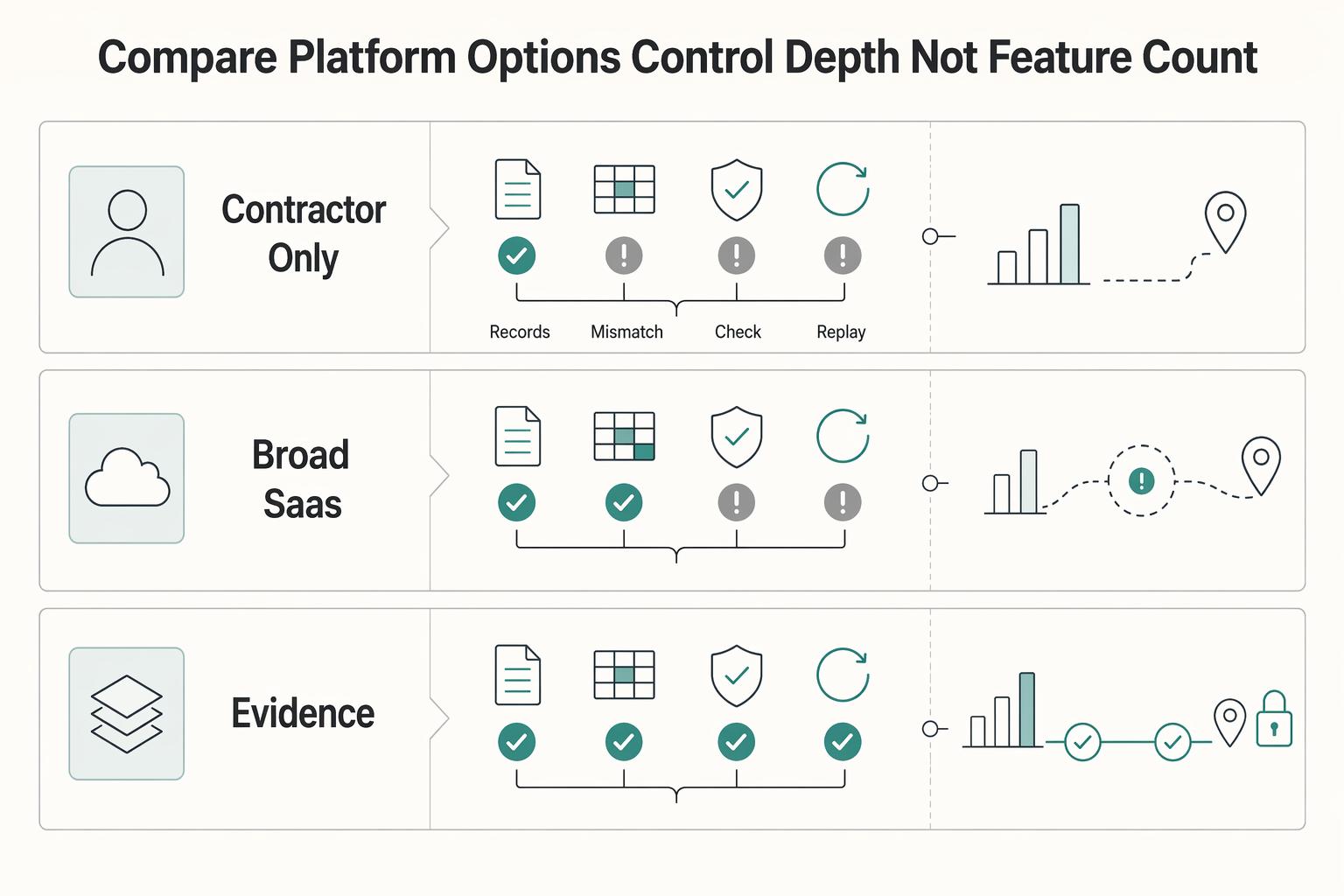
For platform operators, contractor spend is not a simple software seat decision. The real cost shows up in money movement, verification gates, failed or delayed payouts, and the finance time required to reconcile what actually happened against what should have happened. That mismatch often starts with the accounting boundary between [accrued expenses and accounts payable for contractor liabilities](/blog/accrued-expenses-vs-accounts-payable-contractor-liabilities-platform).
What Is Vendor Management? A Platform Operator's Guide to Supplier Lifecycle Control
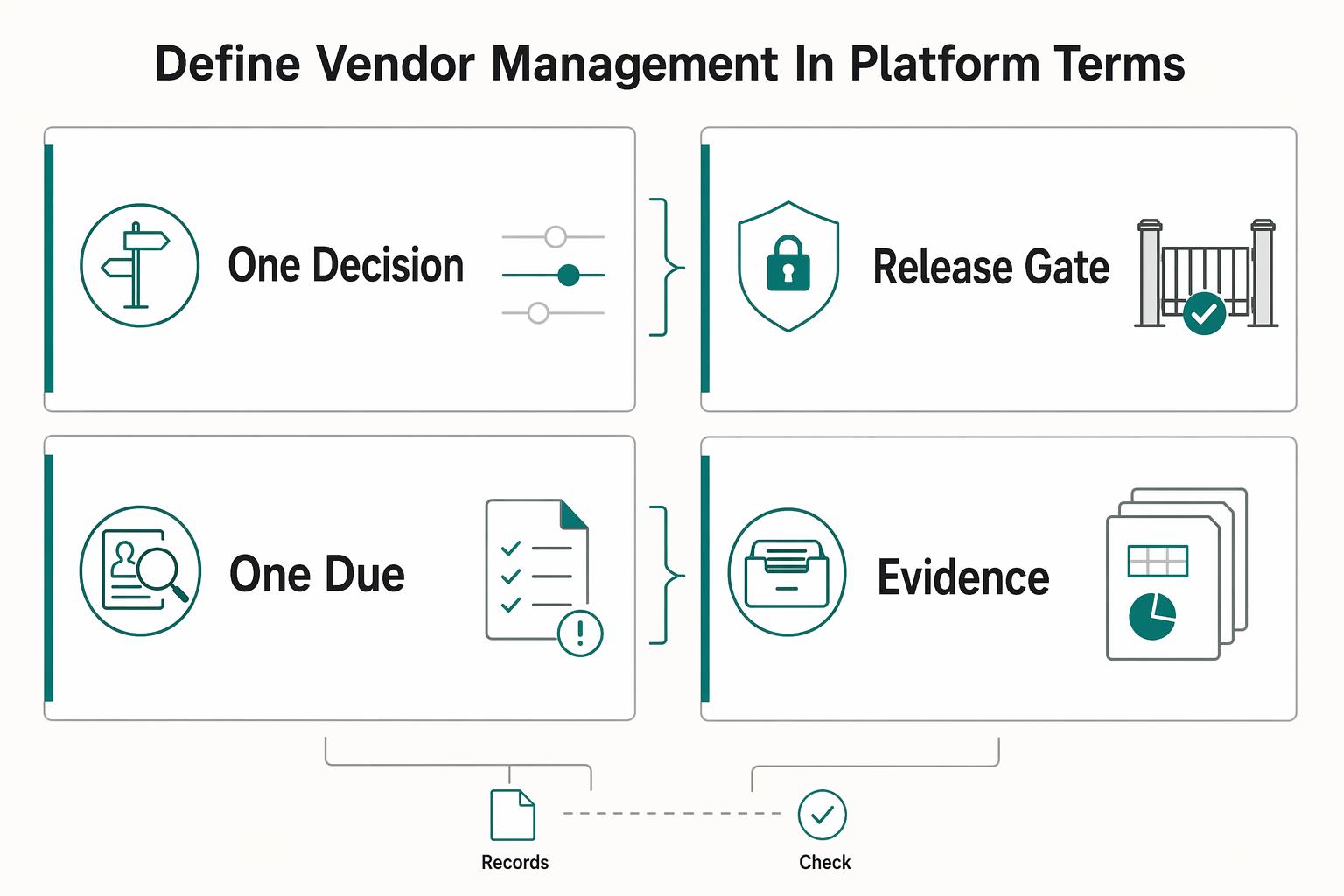
Vendor management in a platform business is not back-office admin. It is a core control point in the business. It determines which third parties can influence core operations, service quality, and customer experience, and under what conditions they can do it.

Manage SaaS Subscriptions Without Cashflow Surprises
In the first hour, decide every recurring tool: **keep, cut, or review before the next charge**. If you want to manage SaaS subscriptions without cashflow surprises, run four checks in order: **owner, usage, terms, timing**.