
Quick Answer
Start with your last 30 transactions: employee claims, company-card charges and vendor bills. Expensify supports all three categories, so direct spend does not automatically rule it out. Compare plan features, payment-country eligibility and ledger integration, then reconcile one sample month before switching.
Why Scope Decides Which Expense Tool Fits a Remote Team#
Choose expense software around the payments your remote team actually makes: out-of-pocket purchases, company-card charges and vendor bills. Then check approvals, reconciliation and invoice-status visibility against that mix.
Expensify supports reimbursements, company cards, connected existing cards and bill payments. Ramp and Brex also cover several spend workflows. A product’s expense-reporting history does not tell you whether it can handle direct company spend today; compare the features and eligibility of the account and plan you would use.
For example, a teammate buys a rail ticket personally, another charges the company card for software, and a vendor sends an invoice for design work. Test employee repayment for the first, card-to-receipt matching for the second, and approval-to-vendor-payment status for the third. Each should reach the ledger without a duplicate reimbursement.
The five jobs your setup needs to handle#
| Job | What to evaluate | Documented example |
|---|---|---|
| Money in | Client invoice creation, payment status and collections | Expensify Classic supports invoicing with a connected business bank account |
| Money out | Employee repayment, card charges and vendor bills as separate flows | Expensify bill pay handles vendor payables; Ramp and Brex also cover bills and expenses |
| Reconciliation | Match the receipt, payment and ledger entry | Ramp reporting covers Cards, Reimbursements and Bills |
| Policy and approvals | Who can approve a claim, issue a card or pay a vendor | Test approval roles and limits for the plan and payment method |
| Integration fit | Accounting mappings, exports and exception ownership | Check your actual ledger connection rather than the number of integrations advertised |
- Money in
Expensify Classic invoicing lets you create and send client invoices, receive payments and track status. Its documentation says the feature is included with all subscriptions, requires a connected business bank account and charges 2.9% per transaction for that payment flow. Distinguish this receivable from a vendor bill you owe.
- Money out
Expensify Classic bill pay captures vendor invoices, routes approval and exports accounting codes. Its documentation lists no fee for ACH with a connected business bank account; paying by card costs 2.9% and is limited to US vendors with a US business bank account. Bill payments are currently documented as USD-only. Payments made elsewhere can be marked as paid in Expensify.
- Reconciliation
Spend capture is not enough if close is still manual. Ramp reporting shows Cards, Reimbursements and Bills together, subject to the user’s access. Report sharing and emailed or scheduled exports require Ramp Plus, so include those needs when comparing plans.
- Policy enforcement and documentation
Test the control at the point it matters: the approver for an employee claim, the limit on a company card and the authority to release a vendor payment. A receipt-policy check after purchase and a card limit before purchase solve different problems.
- Decision dashboard and integration fit
Use your actual ledger and project fields in the trial. Check whether a sync preserves the payment reference, receipt attachment, tax code and project tag, and name the person who resolves a failed export. A large integration catalogue does not answer those questions.
Product scope and eligibility before rollout#
| Candidate | Workflow scope | Eligibility or cost condition | Useful trial |
|---|---|---|---|
| Expensify | Reimbursements, company cards, connected existing cards, bills and client invoicing | Features differ by plan and product version; payment and card eligibility depend on entity, bank and country | Match a claim, a card charge and a vendor bill through to the ledger |
| Ramp | Cards, reimbursements, bills and spend reporting | Its US application excludes individuals and sole proprietors; sharing/scheduled report exports require Plus | Test approval roles and one export using the selected plan |
| Brex | Expense management and bill pay alongside company spend | Account requirements include US incorporation, EIN, operations and physical address; approval and limits depend on underwriting | Test spend-policy handling and ledger mappings for your entity |
Expensify’s billing guide lists Collect at $5 per unique member per month for new customers whose first workspace was created on or after 1 April 2025, including inactive members. Control is $18 per active member per month on an annual subscription without the card discount, or $36 on pay-per-use. The $9 annual rate requires at least half of total settled US spending on the Expensify Card. Compare the billing basis and commitment as well as the headline price.
For new Expensify Card programs, the US setup requires a US business bank account for a US-incorporated business. The UK and selected European-country setup requires an eligible registered company, a connected GBP or EUR business bank account and Global Reimbursement enabled. Importing an existing corporate-card feed is a separate option; check support for the card you already use.
Ramp’s US qualifications include US registration, a corporation, LLC or limited partnership, at least $25,000 in linked US business-bank cash and mainly US operations and corporate spend. Brex’s requirements include US incorporation, an EIN, US operations and a physical US address; repayment terms and limits have further conditions. An international workforce does not by itself establish that its employer can open either account.
Use these candidates against the same sample month. The next sections cover documentation, project profit and day-to-day control. If you are also choosing cards, see The Best Business Credit Cards for Freelancers.
Keep expense records and applicable compliance records usable#
Start with the controls the team uses for every expense: a receipt or invoice, business purpose, approver, currency and ledger coding. Travel-day and foreign-account records belong alongside these only where the relevant tax or reporting obligations apply. They can live in a separate system with an owner and an export routine.
A practical review catches missing evidence, resolves the exception and checks that the correction reached accounting. Choose software that supports that loop without expecting an expense app to determine every worker’s tax or immigration status.
- Travel records where an obligation depends on presence
If a tax or immigration rule depends on where someone was, keep a dated travel log alongside bookings and border evidence. Expense transactions can support that log, but they do not prove every arrival, departure or full day abroad. Set alerts for the rule that applies to that person, not a universal remote-work day limit.
Reconcile the log against calendar entries, bookings or border records where available. You can keep this outside the expense platform; the selection question is whether the supporting expense evidence remains easy to retrieve.
- Foreign-account records for applicable US reporting
FBAR applies to US persons with a financial interest in, or signature or other authority over, foreign financial accounts when their aggregate value exceeds $10,000 at any time in the calendar year, subject to exceptions. Keep account details and maximum-value records. Monthly balance snapshots alone can miss a peak between snapshots.
Use account statements and transaction history to establish the values needed for reporting. A cross-account dashboard can help monitor changes, but keep the supporting records separately if the expense tool does not hold them.
- Cross-border invoicing
Validate invoice fields before sending. The risk is delay, corrections, and weak records when required fields are incomplete or inconsistent.
Check legal names, addresses, issue date, invoice number, service date or period, currency and tax identifiers where required. For your recurring client countries, maintain templates with the applicable fields and tax wording. Test a missing-field case and confirm that a corrected invoice keeps its version history.
| Record need | What to retain | Where it can live | Trial question |
|---|---|---|---|
| Expense evidence | Receipt or invoice, business purpose, approval and ledger link | Expense app and accounting ledger | Can you retrieve the supporting document from the exported transaction? |
| Travel presence, if relevant | Dated locations and evidence for the person’s applicable rule | Travel log with links to bookings or expenses | Does the record cover dates beyond purchase timestamps? |
| US foreign-account reporting, if relevant | Account details and supported maximum values | Account register and bank records | Could monthly snapshots miss an intra-month peak? |
| Client invoicing | Required fields, payment status and corrected versions | Invoicing app and ledger | Can you distinguish an unpaid invoice from one paid outside the app? |
A compact control loop you can run#
Keep a compact routine for the records you actually need. The expense platform can own receipts and approvals while another record holds travel or account-reporting evidence.
| Cadence | Control | Action |
|---|---|---|
| Weekly | Expense exceptions | Resolve missing receipts, approval holds and miscoded transactions |
| Monthly | Reconciliation | Match receipts, payments and ledger entries; save the export |
| Before sending | Client invoice fields | Check the template and retain corrected versions |
| When applicable | Travel and account reporting records | Update separate records and review the relevant dates and maximum values |
For a step-by-step walkthrough, see The Best Expense Tracking Apps for Freelancers.
Connect spend reporting to project profit#
Margin trouble shows up before the cash balance makes it obvious. When revenue and spend live in separate tools, you can miss the early signal on weak projects, category drift, and FX leakage. That is the real difference between tracking receipts and protecting profit.
| Focus | Signal to watch | Decision it unlocks |
|---|---|---|
| Project profit view | Profit by project, based on total invoiced less total project cost | Where to reprice, where to change scope, and which engagements to renew |
| Rule-based categorization | Category drift: uncategorized items, repeated manual recoding, and project or client miscoding | Cleaner margin tracking and fewer close-cycle corrections |
| Multi-currency leakage | The gap between quoted and booked value after conversion and transfer handling | Which rail to use next time, when to invoice in local currency, and when to avoid corridors that keep trimming margin |
Use this lens when comparing tools: project-level profitability, rule-based categorization controls, FX transparency, card and transfer reconciliation, and export quality.
- Build a real project profit view
Connect invoices, project costs, and tracked time in one place. The signal to watch is profit by project, based on total invoiced less total project cost. That tells you where to reprice, where to change scope, and which engagements to renew.
Keep the data complete. Project profitability stays reliable only when tasks, expenses, staff time, and invoices are all recorded to the same project. When reviewing tools, separate spend visibility from true profit visibility. Real-time spend across cards, reimbursements, and bills is useful, but it is not a full P&L by itself.
- Use rule-based categorization you can trust
Connect card transactions, reimbursements, bills, and accounting mappings so coding stays consistent. The signal to watch is category drift: uncategorized items, repeated manual recoding, and project or client miscoding. The decision it unlocks is cleaner margin tracking and fewer close-cycle corrections.
Compare rule depth, GL mappings, edit history and export quality. Include a transaction that needs recoding and a charge split across projects, then check whether the correction survives the next sync.
- Catch multi-currency leakage early
Connect original-currency spend, settlement amounts, transfer receipts, and net received value in your base currency. The signal to watch is the gap between quoted and booked value after conversion and transfer handling. The decision it unlocks is which rail to use next time, when to invoice in local currency, and when to avoid corridors that keep trimming margin.
Expensify Classic converts expenses into the workspace’s report currency using the purchase-date daily average from Open Exchange Rates, or the most recent available rate when markets are closed. That report valuation can differ from the actual card settlement or reimbursement. Keep both when explaining a currency difference.
| Payment flow | Costs to compare | Rate and settlement check | Record to keep |
|---|---|---|---|
| Employee reimbursement | Platform payment fees and any conversion cost | Compare the approved report amount with the employee’s actual receipt | Expense, approved amount, payment reference and received amount |
| Company-card purchase | Issuer FX and cross-border charges, if applicable | Compare the original-currency purchase with the settled statement line | Receipt, card statement and accounting conversion entry |
| Client invoice payment | Collection, conversion and transfer charges | Compare the quoted amount with the net amount reaching the account | Invoice, payment advice, fee breakdown and ledger match |
| Vendor bank payment | Transfer and possible intermediary or recipient-bank charges | Compare the amount sent with the vendor’s confirmation | Bill, approval, bank reference and vendor receipt confirmation |
This view connects directly to cash flow. If you catch margin erosion early, you can switch rails and adjust pricing before small losses stack up over a quarter. If you want a deeper dive, read Value-Based Pricing: A Freelancer's Guide.
Connect the systems your team actually uses#
Map the expense app, cards, banking, client invoicing and accounting ledger. A shared operating view is useful when it shows the next action and the owner, even if the records come from several systems.
- Set up receipt capture that actually closes the loop
Receipt capture only matters if the record stays usable later. During setup, check how receipts are captured, including mobile capture, how they are matched to transactions, whether policy controls are applied, and whether receipt records stay attached through reconciliation.
If your team still has to hunt across systems to match receipt, charge, and ledger entry, the process is still fragmented.
- Map your system before you trust integrations
Before you rely on sync, map the lanes that matter: expense tool, invoicing, card activity, banking activity, and accounting ledger. The real test is exception handling. When sync issues or coding errors happen, someone needs to own the fix in each lane.
When time and expenses connect cleanly to billing, invoicing moves faster. Invoice-status tracking also gets easier to manage in the same flow.
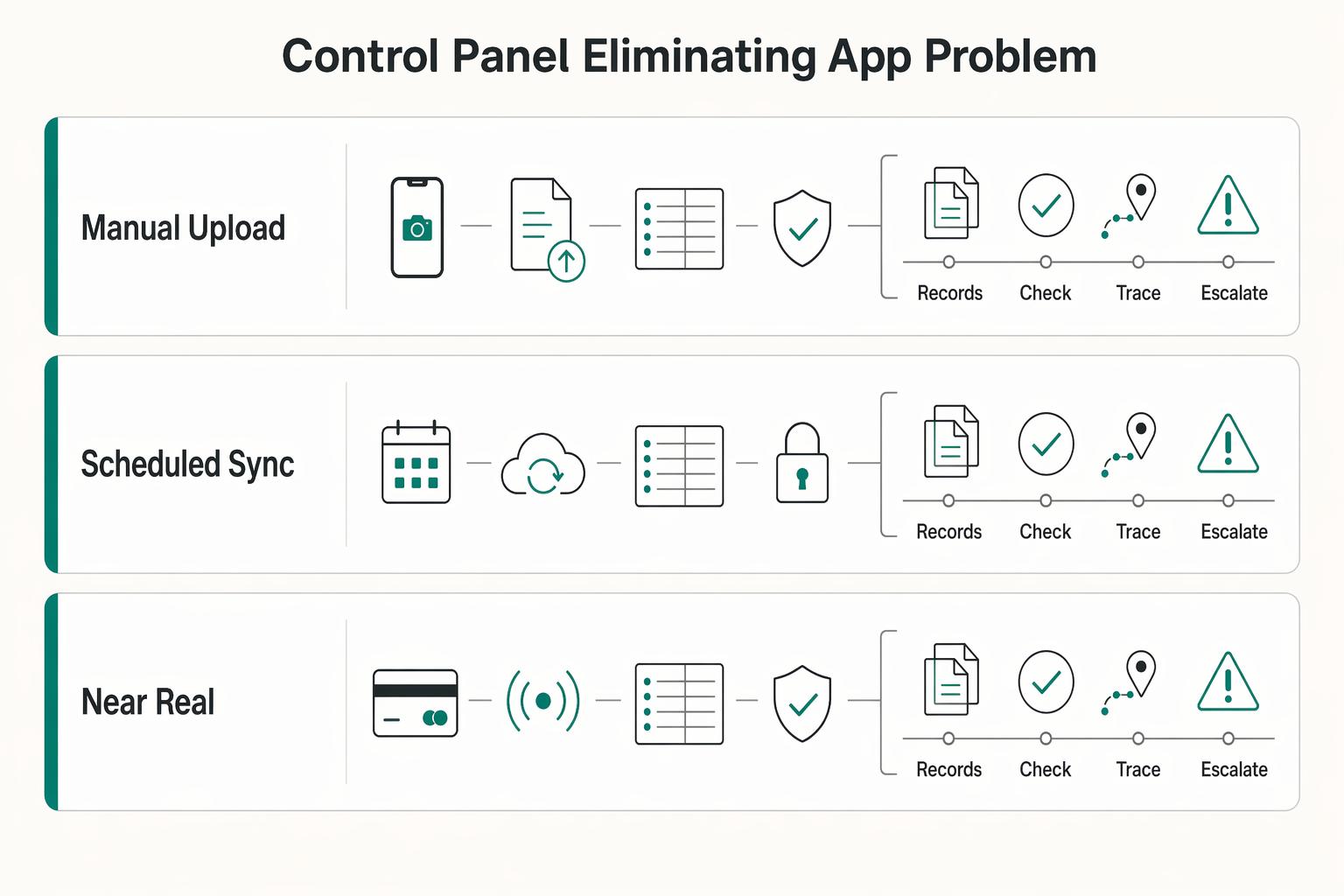
| Integration maturity | What it looks like | Reconciliation pace (typical) | Cashflow visibility (typical) |
|---|---|---|---|
| Manual upload | CSV or file imports with manual checks | Can be slower, with issues found near close | Can be partial and delayed |
| Scheduled sync | Data moves on a set cadence | Can improve pace, but exceptions may sit between runs | Can be more complete, with lag |
| Near real-time sync | Transactions and status updates appear quickly | Can help teams catch and clear exceptions sooner | Can improve day-to-day visibility |
- Use the dashboard as a daily decision panel
Use the dashboard to act on cash position, unpaid invoices, spend exceptions and upcoming obligations. Keep the underlying record linked so the person responsible can resolve the issue.
If cash is tightening, review unpaid invoices and upcoming obligations now. If invoice status stalls, follow up or correct billing data. If spend or policy controls flag issues, verify the transaction, receipt, and coding before close. If compliance issues appear, check the underlying record the same day.
Before choosing the stack, run a normal month and a heavier month of card, FX and transfer usage through the payment fee comparison tool. Then compare the assumptions with actual quotes and statement charges.
Choose by payment mix, then test one month end to end#
Review your last 30 transactions and group them by employee reimbursement, company-card charge and vendor bill. Add client invoice status if money-in visibility is part of the same workflow. Use that mix to compare the features you will use, not a rigid reimbursement-versus-spend label.
| Payment lane | Capability to test | Evidence of a working flow |
|---|---|---|
| Employee claim | Receipt capture, approval and repayment | One approved claim matched to one employee payment |
| Company-card charge | Limits, receipt matching and accounting mapping | Card statement line linked to the receipt and correct ledger entry |
| Vendor bill | Approval, payment method and status | Approved payable matched to a vendor payment reference |
| Client invoice, if needed | Required fields, collections and reconciliation | Invoice status agrees with receipt of funds and any fees |
A team with mainly company-card spend can still consider Expensify if its supported card and accounting features meet the need. A reimbursement-heavy team may also use Ramp or Brex if the employer qualifies and the plan fits. Compare the actual lanes, approvals and exports rather than excluding a product by category.
Run one sample month through the shortlisted setup, including a missing receipt, a coding correction and a payment made outside the app. Assign each sync exception an owner and keep a month-end export. That trial shows which work the platform removes and which work still belongs in your ledger or another system.
Also useful: How to Use Brex for a Venture-Backed Startup with a Remote Team.
Frequently Asked Questions
How do I manage expenses for taxes as a remote operator?
Record the original-currency amount, business purpose, receipt or invoice, approval and accounting entry. Use the reporting currency and conversion method required for your entity. For US reporting, IRS currency guidance requires dollar reporting and generally translation at the rate when an item is received, paid or accrued if USD is the functional currency. An app’s displayed conversion is not automatically the tax valuation.
What is the best software to track days for tax residency?
Choose a travel tracker with dated evidence, editable history and counting rules for the obligation that applies to you. For FEIE, foreign earned income and a foreign tax home are required. US citizens or resident aliens can qualify through at least 330 full days in foreign countries during a consecutive 12-month period. The alternative bona fide residence test requires an uninterrupted period including a full tax year; resident aliens must also be citizens or nationals of a country with a US income-tax treaty. Keep that travel log alongside the expense records rather than requiring the expense app to maintain it.
Can Expensify handle direct company spend as well as reimbursements?
Yes. Expensify supports company cards, connected existing corporate cards and bill payments as well as out-of-pocket reimbursements. Check the plan, product version and entity or payment-country eligibility for the features you need. Tag your last 30 transactions as employee claims, company-card charges or vendor bills, then test each material lane through approval, payment status and accounting export.
How can I track foreign bank accounts to stay on top of FBAR?
If you are a US person with reportable foreign accounts, keep a register covering ownership or signature authority, institution details and supported maximum values. The aggregate threshold is more than $10,000 at any time during the calendar year, subject to exceptions. FBAR is normally due 15 April with an automatic extension to 15 October. Use bank records to capture peaks; periodic snapshots are a monitoring aid, not complete maximum-value evidence.
What matters more than receipt capture in an expense app?
Approval authority, payment status and ledger reconciliation matter alongside capture. Test whether a claim is reimbursed once, a company-card charge stays out of employee repayments and a vendor bill’s status matches the payment record. Keep separate tax or travel records where they apply rather than making every expense app carry those controls.
Try a related tool
Researched and edited by the Gruv editorial team. Gruv builds cross-border billing, payouts, and finance-operations software for global businesses.
Sources
Includes 6 external sources outside the trusted-domain allowlist.
- irs.gov/individuals/international-taxpayers/foreign-...trusted
- irs.gov/businesses/small-businesses-self-employed/re...trusted
- brex.com/support/brex-account-requirementsexternal
- brex.com/product/expense-managementexternal
- expensify.comexternal
- help.expensify.com/articles/expensify-classic/bank-accounts-and...external
- help.expensify.com/articles/expensify-classic/workspaces/Set-Up...external
- support.ramp.com/applying-and-signing-up-for-ramp-us-basedexternal
Educational content only. Not legal, tax, or financial advice.
Related Posts

Value-Based Pricing for Freelancers Under Real Payment Risk
Value-based pricing starts with the client’s expected benefit and willingness to pay. It still needs a deliverable, scope and payment agreement you can perform. Use a discovery phase when the benefit or effort is too uncertain to support a defensible quote.
The Best Business Credit Cards for Freelancers
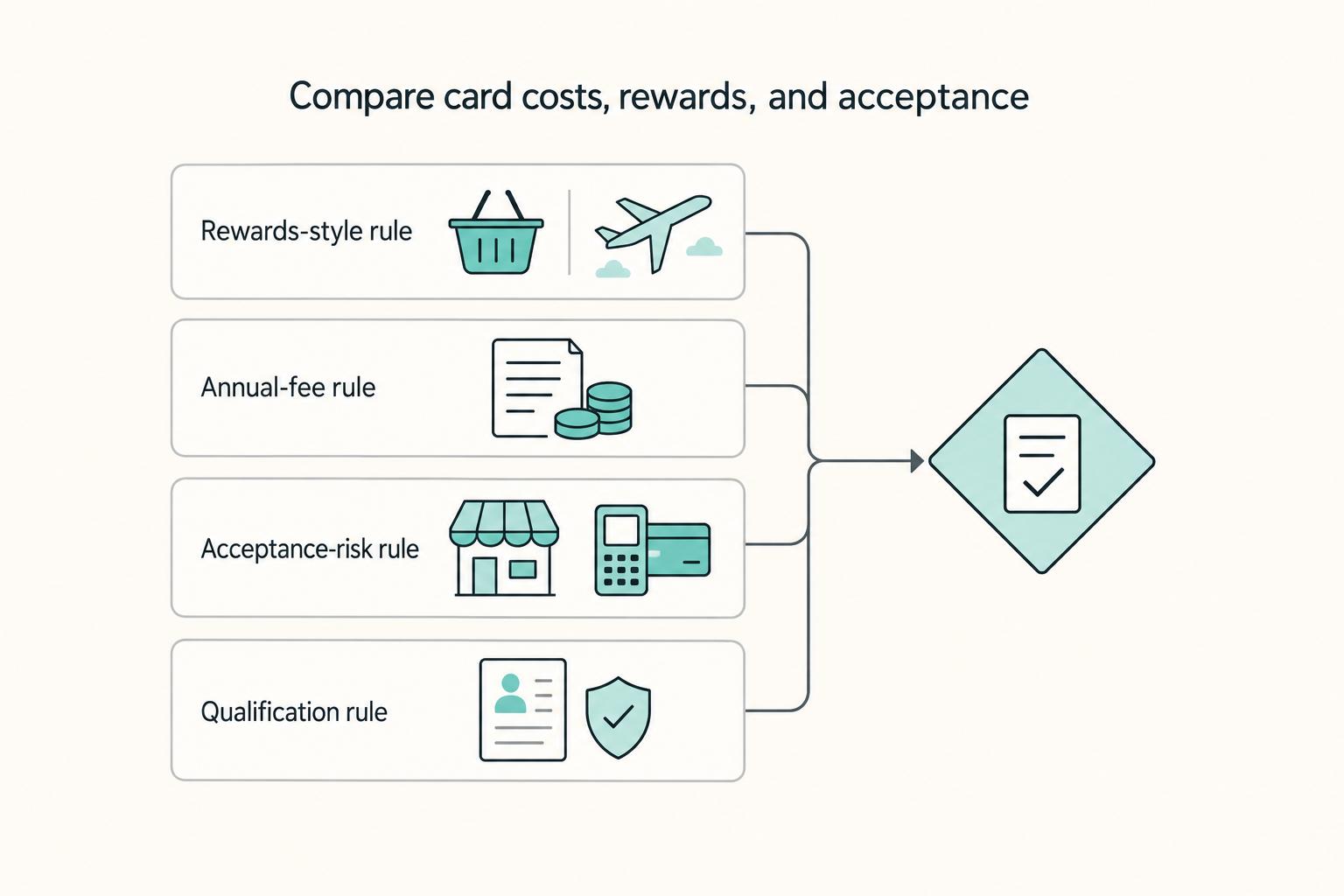
Pick for reliability first. For a freelancer, the right business card is usually the one that keeps recurring bills moving, keeps records clean, and avoids extra costs when income swings from month to month. Rewards still matter, but they sit on top of those basics. They do not replace them.
How to Use Brex for a Venture-Backed Startup with a Remote Team
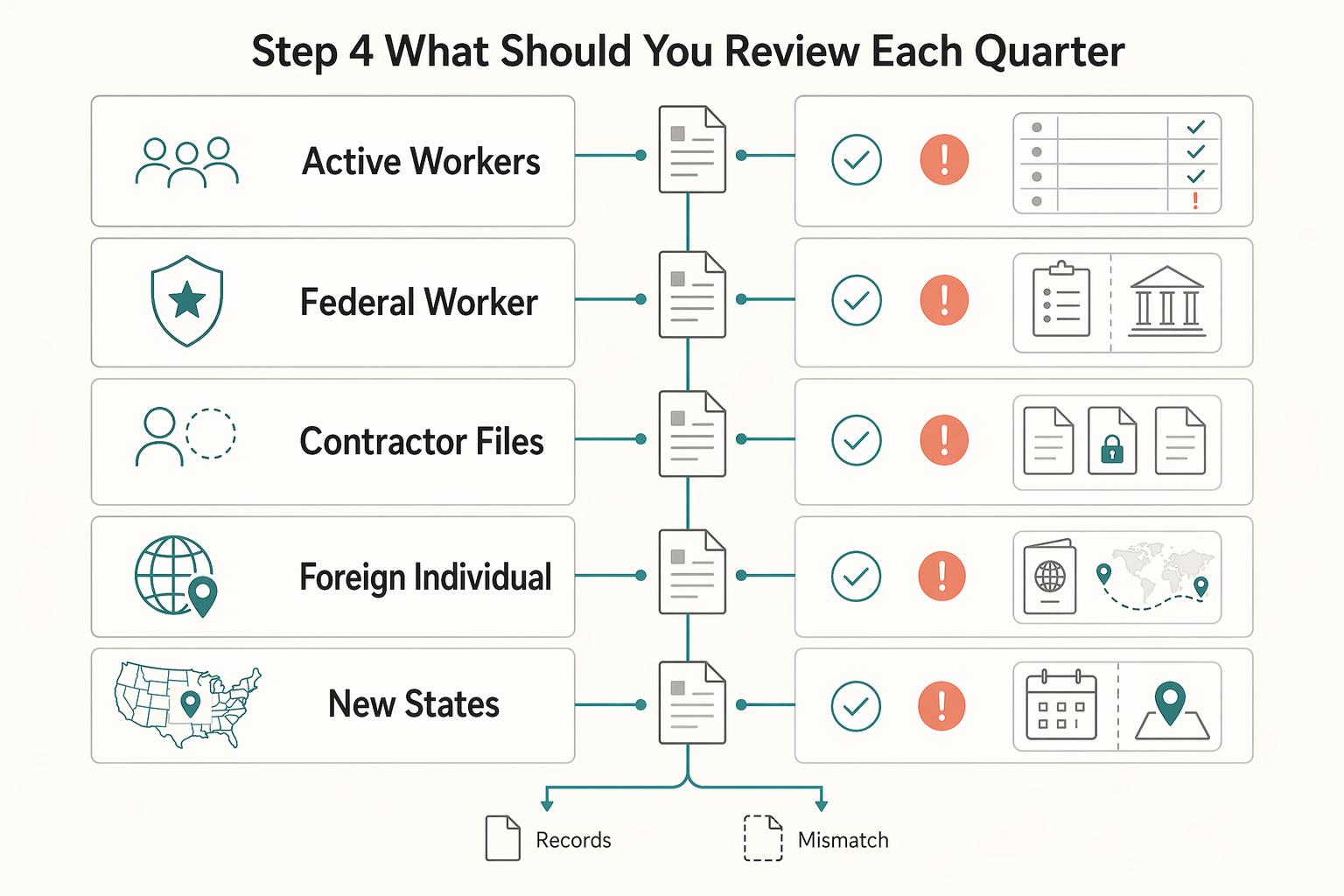
**Short answer:** If you are evaluating **brex for remote startups**, make this decision early. Use Brex as your operational finance layer, not as your only compliance layer. A resilient setup has two parts: one for spend control and clean accounting, and another for worker classification, tax documentation, and tax-presence review before payment.