
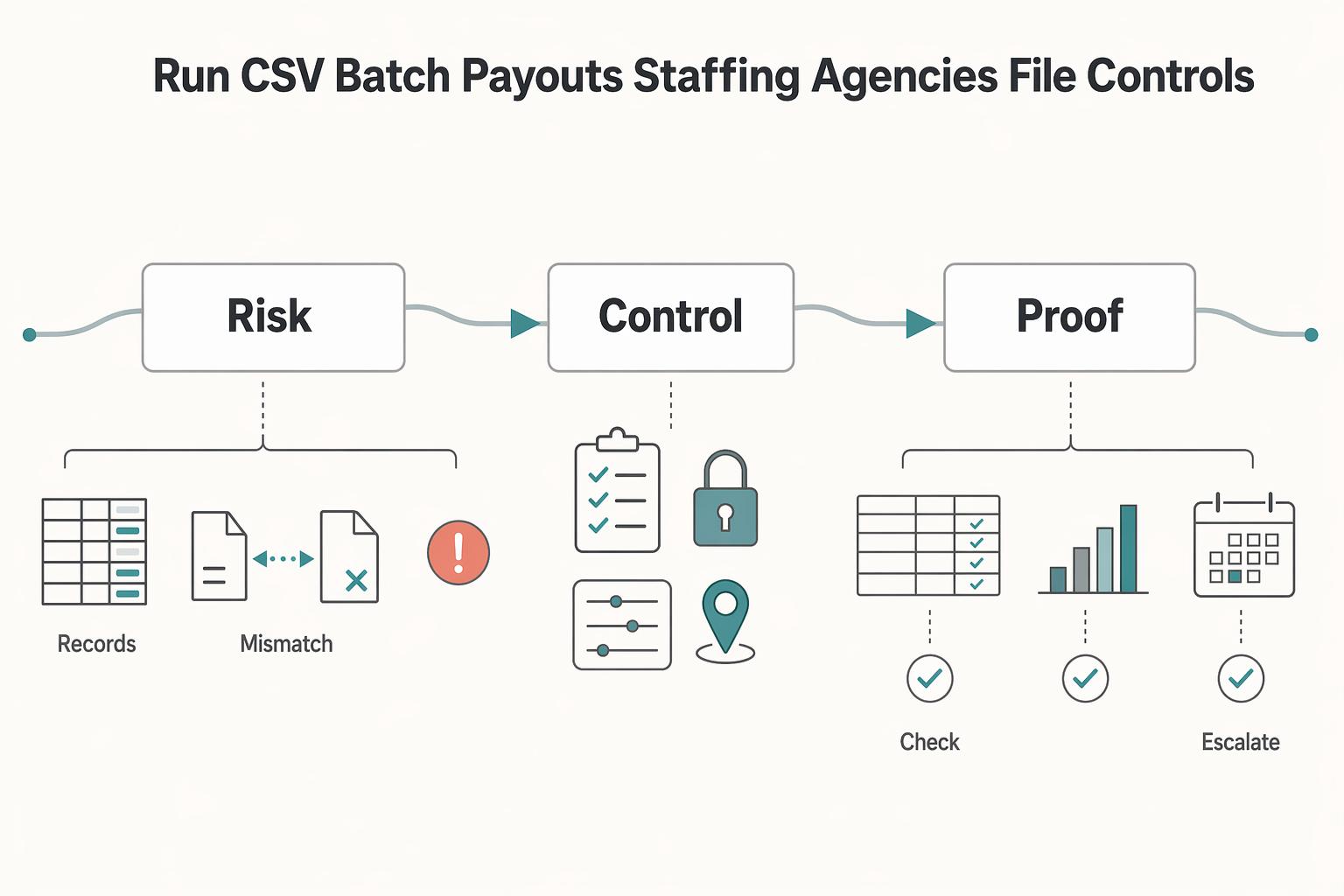
Quick Answer
Yes-CSV can work for contractor disbursements when staffing agencies treat it as a controlled batch operation, not an upload task. For batch payouts csv staffing agencies programs, keep one approved execution file, verify file hash or timestamp before release, and retain a batch ID with a post-run status file. Stay on CSV while cycles are predictable; move to API when manual row repair, exception handling, and delayed status updates become the recurring drag.
How to run CSV batch payouts for staffing agencies with file controls, not just upload habits#
CSV batch payouts can work for staffing agencies, but only if you control the process around the file. A CSV is a practical starting point. The risk begins when the workflow is treated as nothing more than export, upload, send. As volume grows, that approach gets hard to manage safely with memory, inbox threads, and spreadsheet edits.
What breaks first is often not the payment file itself. It is the lack of controls around it: who changed the amount, whether the latest file is the one that got approved, what happens to rejected rows, and how finance proves what actually went out. If you cannot answer those questions from a batch ID, an approval record, and a post-run status file, you do not really have a payout process yet. You have a file transfer with hidden operational risk.
This article takes a staged view of CSV batch payouts for staffing agencies. Start with CSV if you need a fast, controlled launch. Move to API automation when the signals are clear, such as repeated manual rework, growing exception volume, or a need for faster status feedback. The goal is not to force an engineering project too early. It is to give you a path you can run now without boxing yourself in later.
The useful mental model is batch processing, not file uploading. Good batch operations let you track what completed and what is still outstanding, instead of discovering mid-cycle that part of the run failed and no one can tell which part. In practice, each payout cycle should leave behind a small evidence pack: the source file version, validation output, approver name, provider reference, and reconciliation artifact.
One simple checkpoint pays off immediately. Verify that the approved file hash or timestamp matches the file actually released. One common failure mode is sending a corrected export that never went back through approval.
Keep the scope tight while you evaluate options. Payment rail coverage, onboarding rules, compliance steps, and tax handling may vary by market, provider, and program, so confirm those details before launch instead of assuming one setup applies everywhere. The same goes for status reporting and exception handling. Some teams can live with batched updates for a while, while others need API-level visibility sooner. If your process has to support that jump later, build your CSV operation with clear approvals, tracked exceptions, and reconciliation from day one.
What batch payouts via CSV means for staffing agencies#
Batch payouts via CSV means paying many contractors in one approved file run instead of sending payments one by one. You will also see mass, bulk, and batch payments used almost interchangeably. If your team prepares data in XLS, use it as a working sheet and normalize it into your provider's required CSV or XML template before release.
Treat this as an operating workflow, not a file upload task:
- Source data
- File validation
- Approval
- Release
- Status updates
- Reconciliation artifacts
That sequence is where control comes from. A practical check is confirming the approved row count and file version, or hash if you track one, matches the file actually released. Many failed rows come from incorrect beneficiary details or file-formatting errors, even when the spreadsheet looks fine.
This is also not payroll in disguise. Mass payouts are generally positioned for high-volume, non-salary transactions and are meant to complement, not replace, payroll or AP systems. For staffing agencies, the operational difference is less about the label and more about how your provider validates, processes, and reports each batch.
For weekly or shift-based cycles, repeatability is the real advantage. Lock the handoff points: one source export, one approved execution file, one provider reference, and one reconciliation record per cycle. Once that is stable, you can decide whether CSV is still efficient or whether manual handling and slow status feedback have become the bottleneck.
Decide when CSV is enough and when to move to API#
Use CSV when control and approval discipline are the bottleneck. Move to API when repeated manual rework and slow status visibility become the bottleneck.
| Dimension | CSV | API |
|---|---|---|
| Setup effort | Lower. You can run from a defined file template and approval gate. | Higher. You need an integration that can submit, track, and handle batch updates reliably. |
| Control depth | Strong at batch-level approvals. Limited once the file is submitted. | Better for structured status handling across long-running bulk operations. |
| Failure recovery | Often manual: split failed rows, rebuild, and resubmit. | Better for structured retries and progress tracking when those controls are implemented. |
| Engineering lift | Light to moderate. Most work is file prep, validation, and reconciliation. | Moderate to high. More application logic and operational controls are required. |
| Audit traceability | Good if you retain the approved file, approver record, and provider reference together. | Can be stronger when request/response and status history are retained as one trail. |
Start with CSV when fast launch and clear approvals matter most#
CSV is enough when your team needs a quick, inspectable bulk process with clear release gates. A native CSV bulk workflow is a practical fit at that stage: simple to operate, easy to review, and predictable when the runbook is strict. Keep the process tight: one source export, one approved execution file, one release record, one reconciliation record per cycle.
Move to API when manual cycles are the recurring cost#
API is the better next step when your team is repeating the same structured actions every cycle and spending too much time on manual file rework. In batch-oriented API patterns, intake and output paths can be mixed, and some workflows can start processing while data transfer is still in progress, which improves handling for larger runs. The key decision is operational, not technical prestige: if you need better in-cycle progress visibility and less manual rebuilding, API is likely the right move.
PayQuicker, MultiPass, and Corefy are often part of this evaluation. Keep expectations grounded: vendor-side CSV speed does not remove your responsibility for exception handling, release control, and evidence retention. If you are deciding architecture at the same time, read Integrated Payouts vs. Standalone Payouts.
Build the payout file and preflight checks that prevent rework#
Most CSV payout rework is preventable if you lock one internal file policy and run one fixed preflight sequence before release. Treat your own documented schema as the source of truth, because provider templates do not define your full operating controls.
| Step | Preflight check |
|---|---|
| 1 | Schema consistency |
| 2 | Duplicate review |
| 3 | Eligibility/routing rules from your configured stack |
| 4 | Required-field completeness |
| 5 | Final file version or hash stamp before upload |
Define your minimum column groups as an internal standard, and keep identity, payment instruction, and approval traceability in separate fields so checks and reconciliation stay reliable. Then run preflight in a consistent order each cycle: schema consistency, duplicate review, eligibility and routing rules from your configured stack, required-field completeness, and a final file version or hash stamp before upload.
Also test the exact upload path your team will use. A browser preflight request can fail before the main upload if required headers are missing, which blocks release even when payout rows are otherwise clean.
For finance, confirm your export mapping preserves the references needed to trace ledger entries back to the approved CSV and release record. Use automation to inspect these controls, but keep ownership with your team: automation can help check implementations, and accountability still sits with the operator.
Set approval gates and audit trail ownership before first run#
Before your first live run, set ownership so approval and evidence are unambiguous. A practical starting split is: ops prepares the batch, finance approves release, and engineering owns idempotency and event integrity.
Make your audit trail answer one question quickly: what changed, and who last updated it. Marketo's framing is useful here, with user-based detail in Admin Audit Trail and asset-level activity in Asset Audit Trail. The useful pattern is keeping user actions and object changes as separate records so reviews are traceable.
Define the release record before anyone uploads#
Create one release record per batch that includes:
| Item | Include |
|---|---|
| Uploaded by | who uploaded the file |
| Final approver | who approved final release |
| Version changes | what changed between draft and approved versions |
| Provider reference or batch ID | after submission |
| Ledger posting references | from your finance export |
Test this once before launch: trace one payout row from approved file version to provider reference to ledger entry using only that record.
Do not assume provider logs are complete evidence#
Real-time logs can still be incomplete. Marketo documents a six-month self-serve change-history window and also notes that some product areas are outside audit coverage. Treat that as a planning reminder: keep your own evidence pack outside the upload tool.
Retain the approved file hash, approval record, submission response, provider reference, exception notes, and ledger references where finance and engineering can both access them.
Gate release on unresolved policy items#
Only release when required policy gates are resolved and exceptions are documented with an owner. If your program requires checks such as KYC, KYB, or AML, treat them as explicit release gates rather than background tasks.
Use one operating rule: no batch release with unresolved policy items or undocumented exceptions.
Related: How to Use Gusto for Payroll for a Small US-Based Agency.
Choose rails and routing rules by corridor and urgency#
Route by corridor and urgency only after you confirm each rail gives you row-level traceability and usable failure data.
| Rail option | Make it a default only if your team has verified | Required evidence per payout row |
|---|---|---|
| SWIFT | Beneficiary-field validation, status outputs, and return handling in your provider flow | Original row ID, provider reference, status/reason code |
| SEPA | Eligibility checks, field validation, and ledger mapping in your provider flow | Original row ID, provider reference, status/reason code |
| Faster Payments | Corridor support, pre-submit validation, and item-level failure visibility | Original row ID, provider reference, status/reason code |
| PayPal Payouts | Recipient readiness, payout-status exports, and settlement mapping for finance | Original row ID, provider reference, status/reason code |
Use speed, cost, reach, and error behavior as a single decision set, not as separate decisions. A low-fee route can still be expensive to operate if returns are hard to match back to the original CSV rows.
For urgency, define your own corridor rules in advance, then allow exceptions only when the exception still preserves validation and reconciliation quality. Do not auto-route on headline pricing alone.
If you are evaluating network options, Wise and Stripe Connect may fit different architecture choices, but your internal controls and reconciliation logic still carry the risk. Wise says it is pay-as-you-use with no subscriptions or plans, that sending-money fees vary by currency, and that sending pricing starts from 0.57% on some routes. Wise also says it uses the live mid-market rate with an upfront fee, and that discounts begin once monthly transfers exceed 25,000 USD (or equivalent) and apply for the rest of that month.
Related reading: How Australian Agencies Can Pay US Contractors With Lower Risk.
Handle failed items, retries, and reruns without double-paying#
The safest way to avoid duplicate payouts is to classify each failed row first, then allow retries only after status is clear. Batch workflows can create delays, complexity, and data-quality issues, so you need row-level controls rather than batch-level assumptions.
Classify failures before anyone retries#
Use four failure classes on each row:
| Failure class | What it means operationally | Next action |
|---|---|---|
| Validation rejection | The row was blocked before initiation | Correct data and replay the same internal payout row |
| Provider rejection | The batch moved forward, but the provider later rejected that row | Capture reason code, fix the issue, and replay idempotently |
| Return after initiation | The payout initiated, then came back later | Treat as recovery, and match the return to the original row before any rerun |
| Pending or unknown | No terminal outcome yet | Hold and escalate for status confirmation |
Keep rejection-before-initiation separate from return-after-initiation. They are different events and should not share the same retry path.
Make retries idempotent and make reruns controlled#
Use one strict rule: do not create a new payout record until the prior row is confirmed terminal. That matters because duplicate downstream execution can happen even when one upstream action appears to run once.
For each row, your rerun gate should answer:
- Did this exact row initiate?
- If yes, what reference is tied to it?
- Is it terminal, or still in motion?
If any answer is unclear, do not rerun.
Split partial failures into a controlled new CSV#
When only some rows fail, move only the failed rows into a controlled repair CSV and preserve original run references. Treat that file as a tracked retry artifact, not a clean slate.
Include, at minimum, original row ID, original batch reference, retry sequence, corrected fields, and rerun approver. Then keep a complete evidence pack for each run and rerun: completion report, failed-item reason codes, approval log, and reconciliation file mapped to ledger entries.
For a step-by-step walkthrough, see A Guide to Key Person Insurance for Small Agencies.
Prepare compliance and tax documents before payout scale amplifies risk#
Do not open a high-volume payout window until required tax and identity records are complete for every payable row. Treat this as a release-control step, not cleanup after upload.
| Item | Article note |
|---|---|
| W-8/W-9 profiles | Collect and validate before you build the CSV; flag stale or missing records before approval |
| 1099 | Run in a distinct queue where that process applies in your business |
| VAT | Run in a distinct queue where that process applies in your business |
| FEIE | Route to tax owners; it applies only to a qualifying individual with foreign earned income, still requires filing a U.S. return that reports that income, and the physical presence test evaluates 330 full days during a 12-month period |
| FBAR | Run in a distinct queue where that process applies in your business |
For U.S. documentation, collect and validate W-8/W-9 profiles before you build the CSV. The goal is to route each payee into the correct document lane early, flag stale or missing records before approval, and keep exception handling out of release-day operations.
Keep tax operations separated by exposure. Run 1099, VAT, FEIE, and FBAR workflows in distinct queues where those processes apply in your business. For FEIE, route to tax owners instead of making ops judgment calls: the exclusion applies only to a qualifying individual with foreign earned income, claiming it still requires filing a U.S. return that reports that income, and the physical presence test evaluates 330 full days during a 12-month period.
Before any large CSV release, confirm:
- required tax and identity artifacts are present for each payable row
- exception rows are removed or explicitly approved
- logs, notes, and exports mask sensitive fields and avoid unnecessary PII
A common failure is copying passport numbers, tax IDs, or full account details into payout notes during follow-up. Keep sensitive details in the system of record, not in operational chatter or rerun files.
Conclusion#
The main takeaway is simple: success with batch payouts is not about getting a file to upload. It is about having clear decision rules, visible controls, and the discipline to treat exceptions as first-class work instead of cleanup after the fact. Grouped processing does reduce operational bottlenecks at scale, but that benefit only shows up when your team can trust the batch you submitted and the records you keep after it runs.
That is why CSV batch payouts for staffing agencies should be treated as an operating method, not just a file format. In a batch model, you are grouping many instructions together, often on scheduled processing windows such as daily, weekly, or monthly cycles. That makes sense for recurring disbursements and other bulk payments where immediate one-by-one execution is not required. It may make less sense when the business needs urgent individual handling, or when the team is spending too much time proving what happened after each run.
Your immediate next step should be one pilot cycle with tighter controls than you think you need. Use a single approved CSV template and lock the columns before release. Then have someone verify the basics before upload: row count, total amount, worker match field, and whether the beneficiary details, amounts, currencies, and routing requirements are actually complete. Require a separate approver to sign off on that same file version, not a later export with quiet edits.
The checkpoint after release matters just as much. Do not treat submission as success. Bulk flows still need batch reconciliation to identify and correct issues after processing. Your pilot should end with a small evidence pack: the exact file used, the approval record, the processor result or import outcome, and a reconciliation note showing which rows cleared, which failed, and what you did next. One risk is assuming the batch was handled as one clean unit when only part of it really was.
From there, keep CSV while it gives you controlled scale and clean reviews. It remains a good fit when your payout cadence is predictable and your team can close each cycle without ambiguity. Phase into API automation later when the burden of repeated file preparation, manual checking, and exception follow-up starts to outweigh the simplicity of scheduled batches. There is no universal switch point. There is a clear warning sign: if you cannot explain a payout run quickly from the file, the approvals, and the reconciliation artifacts, the problem is not the upload button.
Frequently Asked Questions
What columns must a staffing payout CSV include for reliable contractor disbursements?
Use the fields your importer expects. In the BrightPay example, employee matching fields include first name, surname, PPSN, and works number, and each column is mapped to the payment data it represents before import. BrightPay can also try to auto-match headers with Match Header Row.
How should approvals work for weekly contractor payout batches?
Approval design should follow your internal policy and controls.
What happens when only part of a batch fails?
This section does not provide a confirmed partial-failure playbook. It does show import-stage controls, such as ignoring columns and unchecking rows you do not want imported, but those controls are not the same thing as payout confirmation outcomes.
How do we prevent duplicate payouts during retries or reruns?
There is no full duplicate-prevention mechanism for retries or reruns to rely on. What is clear is that Replace Existing can overwrite equivalent pay items already on record, so reruns should be reviewed carefully before re-import.
When should a staffing agency move from CSV batches to an API-based payout flow?
This section does not provide a hard threshold for moving from CSV to API. One staffing-industry source claims manual timesheet-to-invoice workflows can add administrative lag, but no cutoff for switching payout architecture is established here.
Which rail should we choose between SWIFT, SEPA, and Faster Payments?
Confirm rail selection between SWIFT, SEPA, and Faster Payments with your payment provider.
What compliance and tax checks should be complete before releasing a batch?
This section does not define compliance or tax gate requirements before release.
Try a related tool
Where Gruv fits
Researched and edited by the Gruv editorial team. Gruv builds cross-border billing, payouts, and finance-operations software for global businesses.
Sources
- aa.esp.hcai.ca.gov/docs/ConfigurationGuide/1-paymentReceivedTyp...trusted
- coloradosos.gov/CCR/GenerateRulePdf.dotrusted
- file.lacounty.gov/SDSInter/ceo/agendas/1190956_09.03.25Agenda-...trusted
- fincen.gov/report-foreign-bank-and-financial-accountstrusted
- fiscal.treasury.gov/otcnet/training/wbt/content/_resources/userg...trusted
- irs.gov/individuals/international-taxpayers/figuring...trusted
- irs.gov/individuals/international-taxpayers/foreign-...trusted
- it.tamus.edu/workdayservices/training/glossarytrusted
Educational content only. Not legal, tax, or financial advice.
Related Posts

Choosing Nursing Agency Payout Models for Shift-Based Healthcare Staffing
Choose your payout model based on operational proof, not payout-speed marketing. For healthcare staffing platforms, the real question is whether payouts stay reliable when shifts change, get canceled, or are disputed.
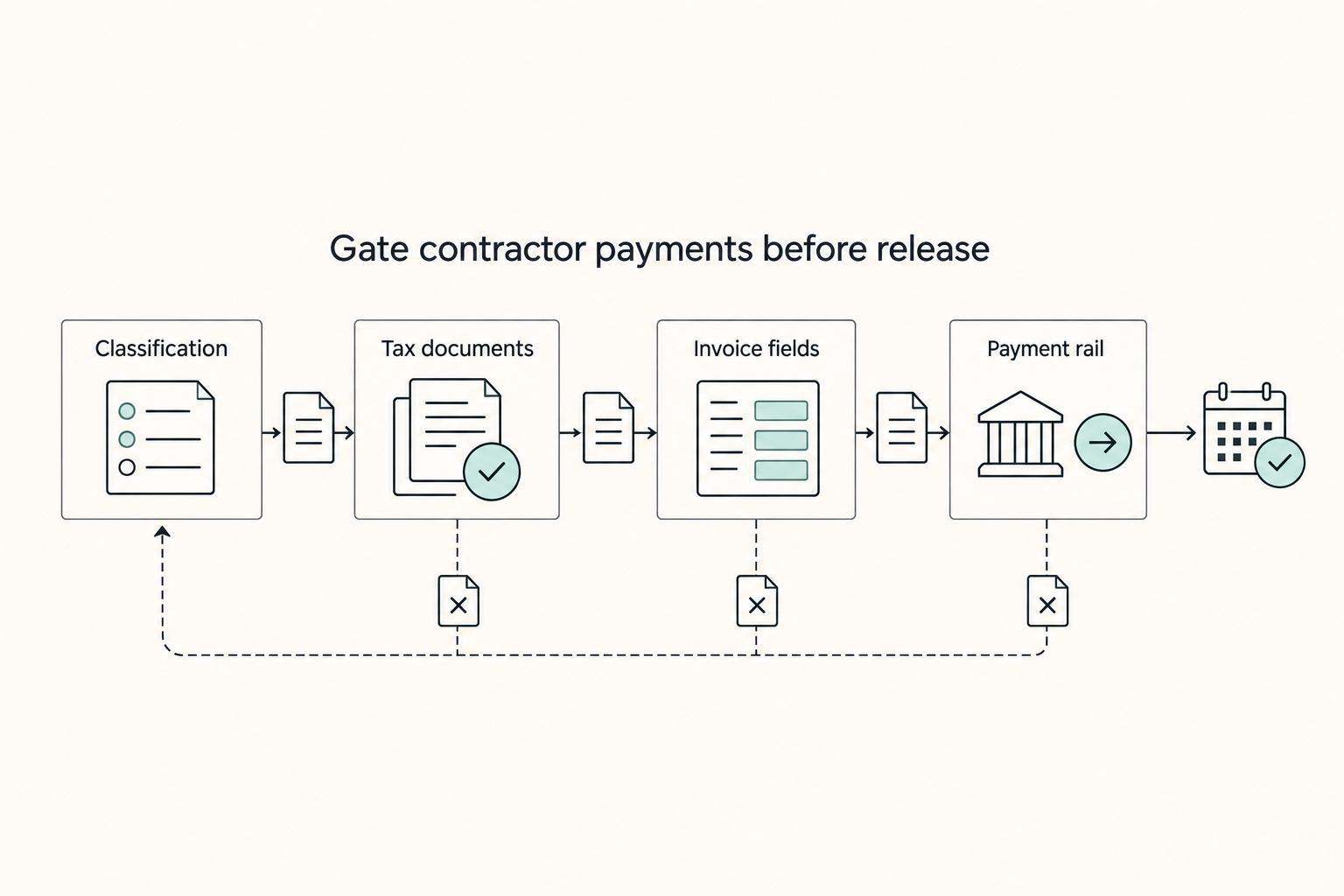
How to Use Gusto for Payroll for a Small US-Based Agency
Gusto is a strong primary payroll system when your agency mostly runs U.S. payroll. Once you start paying people outside the U.S., it becomes one part of a broader stack, because sending money and carrying compliance responsibility are different jobs.
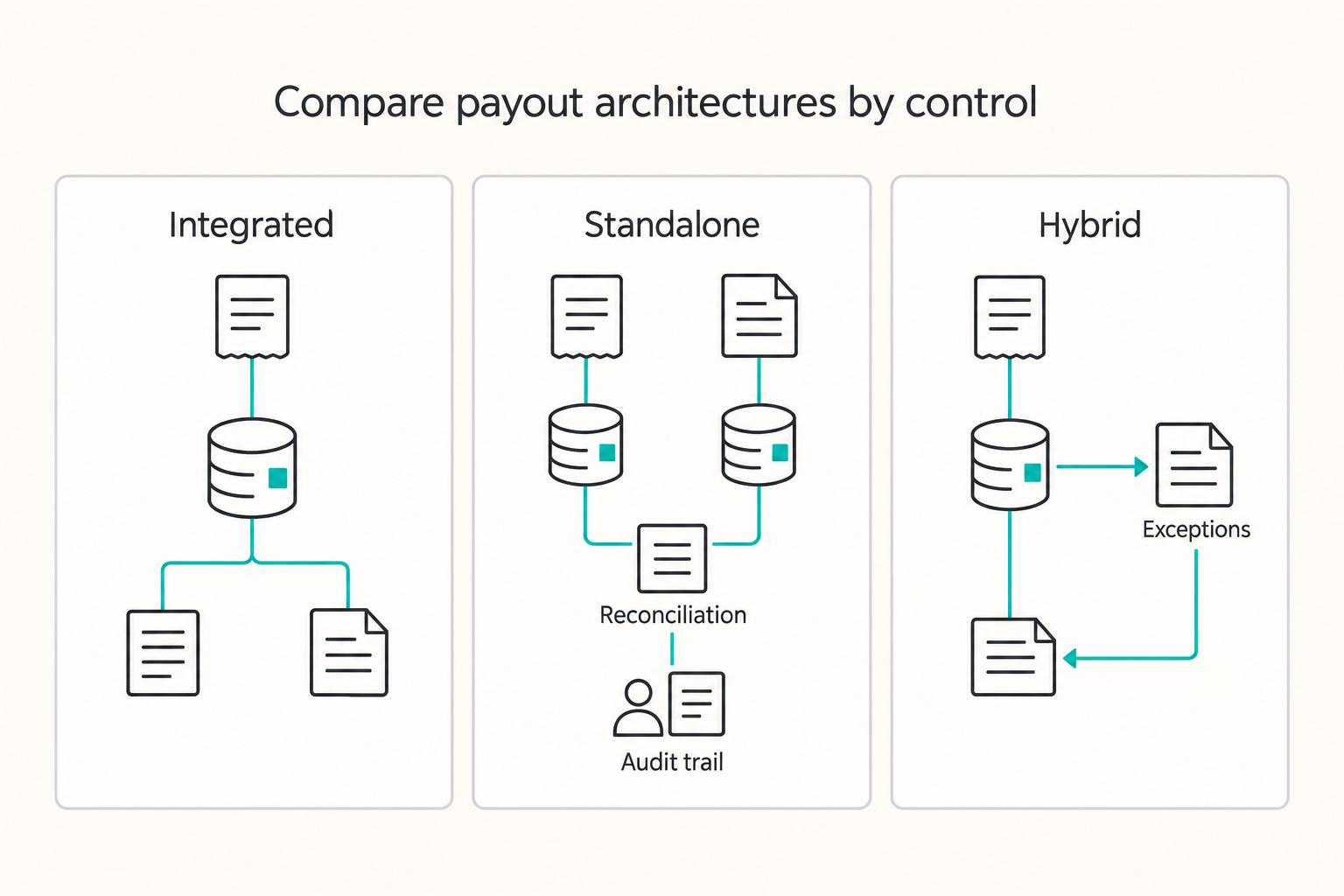
Integrated Payouts vs Standalone Payouts for Platform Architecture Decisions
**Treat integrated and standalone payouts as an architecture decision, not a product toggle.** The real split is the same one you see in payment processing more broadly: either payments are connected to the core platform experience, or they are not. [Lightspeed](https://www.lightspeedhq.com/blog/payment-processing-integrated-vs-non-integrated) puts that plainly in POS terms: your payment terminal either speaks to your point of sale, or it does not. For platform teams, the equivalent question is whether payment flows run through one connected system or sit in separate lanes you manage independently.