
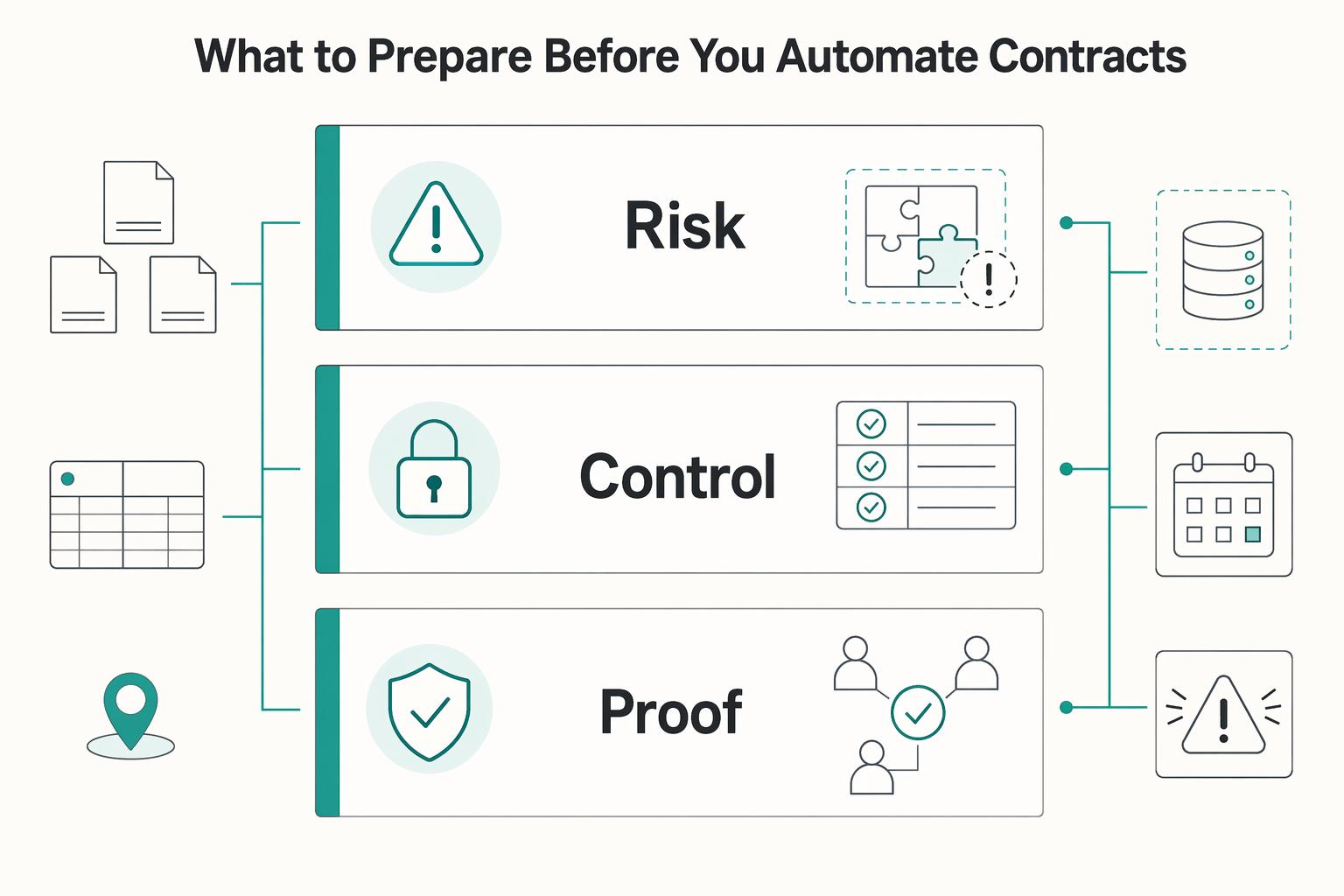
Quick Answer
Use a control-first rollout: separate MSA and SOW variants, map CRM fields to contract variables, and enforce pre-send approval gates before any envelope is created. Require deterministic clause rules with explicit hit-policy behavior, and stop routing when governing law, jurisdiction, or dispute-resolution fields are missing. Keep one evidence pack per signed contract with the proposal snapshot, template version, approval history, signer timeline, and provider Certificate of Completion. If legal cannot reconstruct why language was selected, keep that path out of production.
How Contract Automation Works from Proposal to Signature#
If you are automating contract generation and proposal-to-signature work, optimize for control quality, not raw speed. The goal is fewer manual touches, clear approval gates, and an audit trail you can defend when legal, finance, or risk asks how a contract was sent and signed.
Electronic signing itself is not the weak point. Under the U.S. ESIGN Act, a contract cannot be denied legal effect, validity, or enforceability solely because an electronic signature or electronic record was used. But e-signature validity does not replace internal control. Automation holds up only if you can show who approved what, what data populated the contract, which template version was used, and what happened after send.
Set the success metric first. This guide assumes you are not trying to remove judgment from contracting. You are removing repeatable manual work from low-variance steps while preserving legal control. That is why this guide puts so much weight on approval and authorization checkpoints. They are the control activities that keep risk within an acceptable range.
Use that framing to decide what to automate. Only auto-generate agreements your team can explain later. If legal cannot trace clause selection, or finance cannot confirm that the right approver released a non-standard deal, the process is too loose for production.
Treat proof as part of the design. Your output is not just a signed file. It is the record around it, including:
- the input proposal
- the selected contract template version
- approval history
- signer timeline
- the final execution artifact from the e-signature platform
Start with a simple checkpoint. Confirm your signature provider returns event-level history you can store or retrieve consistently. For example, DocuSign provides a Certificate of Completion with envelope identity and event details, plus envelope status and recipient activity history. If your setup cannot reliably produce that record, pause before you scale automated sends.
Know the boundary conditions. A common mistake is to treat 21 CFR Part 11 as if it governs all contract automation. It does not. Its scope is limited to electronic records covered by specific agency recordkeeping requirements. Use that boundary to define your actual regulatory and audit requirements instead of importing controls that do not fit your business.
Another common risk is front-end over-automation. A fast generator with weak clause logic, missing approvals, or poor status tracking can still produce clean documents with weak accountability. This guide therefore favors hard stops before send, explicit exception routing, and post-signature monitoring over a one-click path for every deal.
By the end, you should have concrete decisions on the three points that most determine whether this works in practice. Those are contract template structure, approval control in the signature workflow, and record retention that keeps the signed agreement tied to why it was approved.
What to prepare before you automate contracts#
Before you automate, lock inputs and ownership. If document variants, authoritative systems, and approvals are unclear, automation can hide risk instead of reducing it.
Step 1. Inventory the document variants you already use. Separate your Statement of Work (SOW) and Master Service Agreement (MSA) instead of treating them as one stack. An MSA sets relationship terms across current and future work, while each SOW should be checkable for core execution fields: work description, location of work, period of performance, and deliverable schedule. If reviewers cannot tell which SOW variant applies and who approves it, do not automate that variant yet.
Step 2. Name the system of record for every critical field. Document where legal name, pricing, scope, term, and signer data originate. Your CRM may be the system of record for some fields, while another approved source may own commercial terms for others. If the same price or term can be edited in two places, resolve ownership before rollout.
Step 3. Define non-skippable controls before auto-send. Treat each Approval gate as an explicit control activity. Define required Audit trail fields up front: approver identity, signer-event timeline, signer IP address, and key event timestamps, along with any additional execution evidence your E-signature API can return. Test one completed envelope and confirm signer-event data is consistently retrievable. If required evidence is missing, route those deals through a manual exception path until the gap is fixed.
Step 4. Lock market scope and legal ownership for updates. For U.S. transactions in or affecting interstate or foreign commerce, the E-SIGN Act says electronic form alone is not a basis to deny legal effect. In the EU, eIDAS Article 25 says an electronic signature cannot be rejected solely because it is electronic. Even so, confirm counterparty acceptance rules and assign legal ownership for clause changes, plus business ownership for release approval, before production starts.
You might also find this useful: Vendor Contract Management for Platforms: How to Automate SOWs MSAs and Rate Cards.
Choose your automation architecture before buying tools#
Pick the architecture that can explain its own decisions before you evaluate feature depth. A polished demo matters less than traceable clause selection, template-version control, and reliable post-signature status sync.
Step 1. Compare the three architecture paths against control needs#
Use the simplest path that still lets Legal answer two questions for any deal: which approved language was used, and why.
| Path | Best fit | What it does well | Where it breaks first | What to verify before you buy |
|---|---|---|---|---|
| CLM-first Contract Lifecycle Management platform | You want one place to generate, route for review, send for signature, and store executed contracts | CLM platforms can orchestrate generation, approval, signature, and storage. Some can auto-populate agreements from CRM data, route non-standard terms for review, and let Legal maintain a pre-approved clause library | Setup and governance overhead can be heavy while documents are still changing frequently | Confirm it supports template versioning and can show which template version produced each generated contract |
| CRM-driven template automation | Clause logic is limited, stable, and tightly tied to proposal data already in CRM | A fast path when proposal fields map cleanly to contract variables. Condition-based inclusion and exclusion is supported in tools like DocuSign Gen for Salesforce | Can become brittle as service bundles, market variants, and exceptions accumulate in template conditions | Confirm e-signature status updates return to CRM reliably and conditional rules are readable by Legal, not only admins |
| Custom orchestration with Claude API plus AWS Lambda | Clause logic changes by service bundle, market, or exception type and you need tighter control over decisions and integrations | Event-driven handling can react to inputs and signature events. AWS Lambda runs on many event types, and Claude is available programmatically through the Messages API at POST /v1/messages | Highest burden for logs, testing, and change control. Hidden logic drift is a real risk if prompts, mappings, or handlers change without review | Confirm every clause decision is logged with source inputs, selected template version, and the exact path that produced the output |
Step 2. Match clause complexity to the architecture, not to the sales pitch#
Template automation is often viable when conditional clause logic is simple and stable. If Legal can read the condition set and predict the resulting MSA or SOW without opening a technical spec, template automation is usually still viable.
Custom orchestration may be a better fit when clause selection varies by service bundle, market, or exception type in ways that are hard to express cleanly in template conditions. A key warning sign is when different people give different explanations for why a deal got specific language.
Use CLM between those extremes when you need stronger review routing and a centrally managed approved clause library under Legal ownership. CLM can centralize those controls, but you still need to prove which clause or template version was selected and on what basis.
Step 3. Test the control points before you commit#
Decide on architecture by testing three controls, not by comparing feature lists. First, test status sync reliability. Webhook callbacks are useful, but they are not proof of complete two-way sync. DocuSign Connect sends HTTPS POSTs for subscribed events, and Dropbox Sign also supports real-time callback events. Send a test envelope, complete it, and confirm the source record updates once with the correct signer status, provider reference, and final contract state.
Second, test template version governance. You need to trace each signed document to the exact template version that produced it and preserve historical state when language changes. If that link is unclear, your rollback and audit posture is weak.
Third, test exception handling depth. Non-standard terms, unsupported markets, or conflicting inputs must route to review with a clear reason instead of slipping into production.
Apply one hard-stop rule. If Legal cannot explain how a clause was selected from the logs, the design is not production-ready. In regulated contexts, audit expectations may require stricter time-stamped records, but the baseline is the same. Logs must show input values, the applied rule or condition, the selected template version, and the signature packet or provider event tied to that contract.
Related: QuickBooks Online + Payout Platform Integration: How to Automate Contractor Payment Reconciliation.
Build an approved template library that can survive audits#
If you cannot show which approved language was available on a given date, your library is not audit-ready. Treat templates as controlled documents: separate them by purpose, version them formally, and block obsolete language from reuse.
Step 1. Split the library by document type and risk#
Use separate tracks for baseline MSA, service-specific SOW, and, where needed, market-specific addenda. This is a control choice, not a universal legal requirement, but it improves traceability because each document serves a different purpose. The MSA sets foundational terms, and the SOW defines tasks and objectives for the work.
Within each track, separate auto-send templates from review-only templates so higher-risk language is less likely to be selected without review. For any generated contract, you should be able to confirm document type, approved version, and whether it came from the auto-send or review-only pool.
Step 2. Version each contract template and block obsolete language#
Version every Contract template with effective date, approval metadata, and deprecation rules. Require an explicit status and make retired templates unavailable for generation so obsolete language is removed from points of use or otherwise prevented from unintended use.
Keep approval records with the template itself, including approver identity and date, and use naming that Legal can review quickly. 21 CFR 820.40 supports documented approval and control of obsolete documents.
Step 3. Tie each template to allowed CRM inputs and limit unapproved substitutions#
Allow population only from approved CRM merge fields or other named source records. Controlled merge-field mapping and structured document generation support this model by inserting submitted values into predefined fields.
If a legal value is not mapped to an approved source field, do not auto-populate it. Use field validation where available so invalid or out-of-scope input is blocked before send. For a signed contract, reviewers should be able to trace each populated legal variable back to its source field.
Step 4. Require publication approval and link every change to the audit trail#
Require designated approver sign-off before a template becomes selectable, and record approver identity and date. Route template changes through review and approval instead of allowing silent edits.
Link every template change to a secure, time-stamped Audit trail that shows what changed, who approved it, when it became effective, and which version it replaced. Keep that record tied to the agreement record and retained electronically.
Control baseline: 21 CFR 11.10(e) for time-stamped audit trails, with 21 CFR 820.40 for document approval and change control.
Encode clause decision rules for SOW and MSA variants#
Aim for deterministic clause logic. With hit policy, overlap handling, and completeness checks defined, the same Proposal input should resolve through a consistent rule path and produce the same SOW or MSA output.
Step 1. Turn policy into explicit rule rows#
Write clause logic in a decision table, not in scattered notes. Decision tables are designed to keep conditions, conflicts, and actions in one artifact.
Use input columns that actually change language, such as service type, payment model, and market coverage. Define outputs just as explicitly: MSA variant, SOW variant, conditional clause logic shown or hidden, and whether the record can auto-send or must route to review. Each row should make four things clear:
- which Proposal fields it reads
- which exact approved output artifact it selects
- whether it is exclusive or can coexist with another row
- what happens when required inputs are missing or contradictory
Tie outputs to approved template versions so reviewers can reconstruct what was selected and why.
Step 2. Choose a hit policy before trusting outputs#
Hit policy determines how matched rows are resolved, so set it deliberately before production use. Camunda documents that Unique, Any, and First return at most one satisfied rule, but they differ in how overlap is handled. Camunda also states that under Any, if matched rows produce different outputs, the hit policy is violated.
| Hit policy | What it allows | Main risk | Good use in contract logic |
|---|---|---|---|
| Unique | One matching row | Fails when rows overlap | Selecting one MSA or one SOW variant |
| Any | Multiple matches only when outputs are identical | Violation when outputs differ | Equivalent conditions that intentionally resolve to the same output |
| First | First matched row wins | Row order silently drives outcome | Narrow cases where ordered precedence is intentional |
DocuSign CLM Essentials documents that once a condition is met, later conditional rules can be ignored. If your platform behaves that way, row order is a legal control, not formatting.
Step 3. Define MSA-SOW precedence before conflicts happen#
Set document precedence explicitly before launch. A common drafting pattern is that MSA terms control unless the SOW explicitly overrides a specific MSA section, but that is a contract design choice, not a universal default.
FAR 52.215-8 is a formal example of order-of-precedence structure for inconsistent contract documents. Even outside federal procurement, the core control is the same: define hierarchy in writing and mirror it in rule logic. Your precedence design should state:
- which document governs by default
- which sections may be overridden
- what evidence is required for a valid override (for example, explicit section-level reference)
If two matched rules produce different liability outcomes, route to the exception path instead of letting row order decide.
Step 4. Route conflicts and liability splits to legal before send#
Route to legal before send when matched rules create different liability outcomes. Keep auto-send for clean, unambiguous matches. At minimum, send these conditions to the exception queue:
- overlapping matched rows
- incomplete inputs that prevent a valid result
- conflicts between MSA and SOW outputs
Record enough context for review: Proposal snapshot, matched rule IDs, table version, template versions, and reason code.
In U.S. federal procurement, 41 U.S.C. §1304 requires elevated approval for repetitive use of nonstandard clauses. That rule is federal-specific, but the control signal is broadly useful. Repeated exceptions should trigger policy review, not remain ad hoc.
For a step-by-step walkthrough, see How to Automate W-9 Collection for a 1099 Contractor Pool.
Map CRM proposal data to legal fields with hard validation checks#
This is your stop-or-go control for generation. If proposal data fails mapping or validation, the draft should not move forward to send or signature.
Step 1. Define one authoritative field map#
Create one controlled map from CRM fields to contract template variables for this workflow. In Salesforce, a practical pattern is to pass CRM or Omniscript input through an Omnistudio Data Mapper Transform that populates the DocuSign template, so source, target, and transform logic are explicit. At minimum, each row should include:
| CRM source field | Contract template variable | Mandatory | Accepted format | Notes |
|---|---|---|---|---|
| Proposal legal entity | client_legal_name | Yes | exact text | must match approved proposal data |
| Proposal term start date | sow_start_date | Yes | date | required before send |
| Proposal currency | fee_currency | Yes | approved value list | must match approved pricing record |
| Proposal ID | envelope custom field | Yes | text | DocuSign envelope custom text fields allow up to 100 characters |
For always-required values, use Salesforce field-level required settings. For format and cross-field controls, use Salesforce validation rules so bad records fail before save.
Step 2. Validate money and term data against your approved pricing record#
Block generation when commercial terms are inconsistent. Use Salesforce CPQ price rules and quote validation checks to enforce pricing logic and quote-line constraints before document generation.
The key behavior is explicit failure, not a warning users can ignore. Salesforce quote validation examples include rejecting discounts above 40%. Your threshold may differ, but the control pattern is the same.
Step 3. Store provenance in the audit trail#
Keep a provenance record for each generated document so reviewers can trace how key legal fields were populated. Include Proposal ID, source field name, source value at generation time, target template variable, template version, and override actor where applicable.
DocuSign data labels can help align template fields with your mapping record, and DocuSign audit evidence, including the Certificate of Completion, supports envelope-level event history. Keep these records together for review.
Step 4. Add a pre-send gate for nulls, stale data checks, and overrides#
Do not auto-send when key legal fields are missing or unresolved. Use required envelope custom fields to block send until required metadata is present, and use Salesforce approval entry criteria to gate progression.
For stale-data and manual-override controls, implement explicit custom checks in your workflow and route failures to approval before send. The objective is simple: prevent inconsistent or unapproved contract data from reaching signature.
Related reading: How to Write a Book Proposal for a Nonfiction Book.
Set approval gates and escalation triggers before any auto-send#
Once your field map is in place, the next control is decision ownership. A draft should not move to send until the Approval gate has named owners, clear escalation triggers, and a time-bound path for non-standard terms.
Step 1. Build an escalation matrix around real exception owners#
Define owners by exception class, with a primary and backup for areas such as legal, tax, and risk or compliance. An escalation policy should cover who gets the item, when it branches by severity, and who takes over if the first reviewer does not respond.
| Exception type | Trigger example | Owner | Example response target |
|---|---|---|---|
| Legal | Non-standard indemnification language | Legal counsel | 2 hours for high risk |
| Tax | Cross-border terms unclear | Tax owner | 12 hours for medium risk |
| Risk/compliance | Missing governing law selection | Risk or compliance lead | 24 hours for low risk |
Use 2/12/24 as a tiering example, not a universal requirement. What matters is risk-priority response times.
Step 2. Wire trigger conditions into the Approval gate#
Set trigger conditions before send. Configure approvals as single-approver or multi-approver decisions based on the exception type. Keep triggers explicit and testable, for example:
- non-standard indemnification language
- missing governing law selection
- unfamiliar jurisdiction in a cross-border contract
Indemnity is often one of the most contested contract terms, so it is a practical escalation trigger. Governing-law choices are often enforceable, but limits can vary by jurisdiction, so missing or mismatched selections should pause routing for review. In cross-border work, use a simple rule: if the jurisdiction is unfamiliar, get a quick local-counsel check before proceeding.
If your send path uses DocuSign, enforce hard gating with document or envelope custom field conditions so auto-send runs only when required conditions are met.
Step 3. Route every blocked item into an Exception queue with ownership#
Blocked contracts should not sit in inboxes or personal task lists. Route each blocked item to an Exception queue with accountable ownership, whether that is a user, team, or queue, and capture the reason and risk level. At minimum, log:
- proposal or contract ID
- exception reason
- risk level
- current owner
- approval decision
- entered and cleared timestamps
Before rollout, test at least three paths: a standard draft that should pass, a non-standard indemnification draft that should stop for legal review, and a draft missing governing law that should remain blocked until resolved. If any of these can still auto-send, the gate is not functioning as a gate.
Configure signature workflow and status sync end to end#
After approvals, signature-state drift becomes a common failure point. The best defense is to define your internal contract status model first, then map provider events into it instead of letting external event names drive CRM or CLM state.
Step 1. Define the signing states you will control internally#
Model business states, not just provider states. A practical sequence is: Generated draft → Approval cleared → Signature packet created → Sent to signer 1 → Sent to signer 2 or Sent to customer counter-signer → Completed by all signers → Fully executed and stored.
| Internal state | What it means |
|---|---|
| Generated draft | Draft exists before approvals and signature actions |
| Approval cleared | Required approval gate is complete |
| Signature packet created | The signature packet has been created |
| Sent to signer 1 | The first signer has been sent the packet |
| Sent to signer 2 or Sent to customer counter-signer | The next signer in the sequence has been sent the packet |
| Completed by all signers | All signers have completed signing |
| Fully executed and stored | The final executed contract has been stored |
If signing order matters, configure it explicitly. In DocuSign, routing order controls recipient sequence, and pause-based routing requires an API call to resume, so a paused envelope without a resume action will stall.
For timeout handling, use internal policy flags such as overdue signer 1, overdue final signer, or resend requested instead of assuming a universal provider timeout state.
Step 2. Integrate the E-signature API with outbound and inbound references#
Treat two-way status sync as two separate controls. Outbound means creating the signature packet and immediately writing the provider reference to the Proposal, SOW, or MSA record. Inbound means updating that same record from webhook events using the stored provider reference, not fuzzy matching on names or titles.
For DocuSign-backed flows, use Connect as the primary status path and consume events such as envelope-completed. For Dropbox Sign (HelloSign), callbacks are POSTs to your callback URL and arrive as multipart/form-data. Dropbox Sign requires HTTPS callback URLs to continue receiving Sign callback events.
Verification check: send one test contract with two ordered signers and confirm the same provider reference appears in the provider console, your CRM or CLM record, and your event log.
Step 3. Make resend and retry behavior idempotent#
Duplicate packets can come from retry logic. Use one idempotency rule for create packet and a separate one for resend packet, keyed to contract record, signer set, and approved version.
If a provider reference already exists for that contract version, retries should reuse it instead of creating a new packet. In DocuSign, resend_envelope on recipient updates lets you resend an existing envelope. Two active provider references for one approved contract version should route to your Exception queue.
Step 4. Add a reconciliation path for missed or delayed events#
Webhooks should drive updates, but they should not be your only recovery path. For DocuSign-backed flows, use getEnvelope first when CRM and provider state disagree.
If Connect deliveries fail, use failure logs and per-envelope republish before manual patching. For scheduled batch checks with listStatusChanges, account for the 1,000-envelope response cap and the from_date behavior. Without it, envelopes older than two years are excluded. Your target state is one provider reference and one final completion record per signed contract, with no orphaned sent status after provider completion.
If you are defining webhook retries and status reconciliation, review Gruv integration patterns in the developer docs.
Track audit trail and reporting outputs finance and risk will ask for#
Automation is only defensible if finance and risk can quickly reconstruct what was approved, what was signed, and why a downstream action moved forward.
Step 1. Build one evidence pack per completed contract#
Keep one contract-level evidence pack, not scattered records across CRM, CLM, and your e-sign tool. A practical baseline is to retain a send-time Proposal snapshot, selected Contract template version, applied Clause decision rules, signer timeline, final executed artifact, and provider reference. If the contract went through an Exception queue, include override reason, approver identity, and timestamp.
| Evidence item | Include when | Note |
|---|---|---|
| Proposal snapshot | All completed contracts | Use the send-time Proposal snapshot, not live CRM fields |
| Contract template version | All completed contracts | Retain the selected Contract template version |
| Clause decision rules | All completed contracts | Retain the applied Clause decision rules |
| Signer timeline | All completed contracts | Keep the signer timeline with the contract record |
| Final executed artifact | All completed contracts | Retain the final executed artifact |
| Provider reference | All completed contracts | It should align across the contract record and provider record |
| Envelope History | DocuSign-backed flow | Include with the evidence pack |
| Certificate of Completion | DocuSign-backed flow | Include with the evidence pack |
| Override reason, approver identity, timestamp | If the contract went through an Exception queue | Include the exception details |
For a DocuSign-backed flow, include Envelope History and the Certificate of Completion. DocuSign describes these resources as a full audit trail, and the certificate includes envelope identifiers plus complete envelope event details. If a signature is challenged later, your business record and provider record should align.
If your retention policy uses integrity controls, you can store a final artifact hash with the executed PDF. Treat it as an integrity control, not a legal substitute for the document.
Verification check: pick one signed MSA or SOW and confirm the same provider reference appears in your contract record, event log, and Certificate of Completion. Red flag: if your evidence pack relies on live CRM fields instead of send-time snapshots, you may be proving current data, not sent terms.
Step 2. Publish recurring control reports from contract and signature data#
Use a fixed, owned reporting cadence that finance and risk actually review, and keep the logic tied to provider status data.
| Report | Include | Act when |
|---|---|---|
| Approval exceptions | Contracts sent through the Exception queue, non-standard approvals, missing approval evidence | Any item lacks an approver, reason code, or linked record |
| Unsigned aging contracts | Envelopes still outstanding by age bucket and status code | Items remain too long in sent or delivered state, or hit declined / expired / voided |
| Manual override counts | Manual field edits, template swaps, or clause overrides by owner and template version | A team, template, or rule shows repeat overrides |
Use provider status outcomes such as completed, declined, voided, and expired for aging and exception logic. If you use DocuSign reports, account for row limits: up to 5,000 rows in-app and up to 100,000 rows for emailed reports. Near those limits, split by date range, entity, or document type to avoid incomplete exports.
Verification check: each report row should link back to its contract evidence pack in under a minute.
Step 3. Tie execution status to payout and compliance gates#
Downstream release should depend on final execution state, not earlier milestones like Approval cleared or Signature packet created.
For DocuSign, Connect is the recommended path for tracking request status, and status changes can drive immediate downstream responses. Use that to release the next step only after a completed envelope is confirmed and the evidence pack is stored. If status is declined, voided, or expired, route back to review and keep payout or onboarding blocked.
Keep the policy decision in your system. The provider delivers event data. Your controls decide whether financial or compliance gates open.
Standardize cross-market legal positions for high-risk clauses#
High-risk clauses should not be inferred from CRM defaults or seller location. In this flow, require explicit clause logic so legal outcomes stay controlled across markets.
Step 1. Define approved fallback language and escalation tags#
Set approved primary and fallback language for Termination, Limitation of Liability, and Indemnification by MSA, SOW, and addendum type. Pair each clause family with escalation tags such as non-standard liability cap, broad indemnity request, local law conflict, or customer paper so the system can route exceptions consistently.
This is a control point, not an editorial preference. Limitation of liability and indemnification are still among the most negotiated terms. Before draft generation, your Clause decision rules should make two outcomes explicit: which fallback text is allowed for the market or program, and which deviation must go to review instead of auto-send. If one Contract template can produce materially different liability outcomes without a recorded rule path, clause control is broken.
Step 2. Require explicit dispute-position selections before routing#
Make Governing Law, Jurisdiction, and Dispute Resolution required before signature routing starts. Governing law selects which law applies. A forum selection clause designates court and location. Arbitration should use clear written clause text rather than shorthand because unclear wording creates uncertainty and delay.
For EU-facing contracts, treat this as a hard validation gate. Rome I Article 3 requires the choice of law to be express or clearly demonstrated. Brussels I Recast Article 25 requires jurisdiction agreements to be in writing, or evidenced in writing, and treats agreed jurisdiction as exclusive unless the parties agree otherwise. Verification check: attempt one cross-border MSA with those fields blank and confirm routing stops before an envelope is created.
Step 3. Block conflicts and log every deviation#
If market or program constraints conflict with default clause language, pause auto-send and route to counsel review. For each clause-level deviation, record it in the Audit trail with clause name, prior text version, selected fallback, approver identity, timestamp, and an internal reason code.
Also block mixed dispute paths before send. If a draft contains both court-jurisdiction language and an arbitration selection, require a single dispute path before routing can continue.
Common failure modes and how to recover without legal exposure#
When a control fails, pause downstream automation and verify the system of record before you resume generation, routing, or downstream actions.
| Failure mode | Immediate action | Key detail |
|---|---|---|
| Outdated template may still be live | Pause new sends from that template and verify version ownership and effective date | Confirm the generated document version maps to the expected template record, not just the expected file name |
| Status sync breaks | Reconcile against the e-signature provider before trusting CRM or CLM status | Use Connect recovery options to identify failed event posts and republish affected envelope events |
| Clause output appears incorrect | Hold the contract for review instead of patching the document manually | Trace field provenance from CRM to template variables and check for blanks or overrides |
| CPQ term-validation failure | Correct the failing data or validation issue before retrying contract generation | One invalid contract term can roll back contracting for the full set, and other contracts are not created when one record fails |
| Webhook failure or incomplete event history | Investigate and republish quickly; treat internal status as provisional until reconciled with the provider record | Connect keeps only the latest 100 logs and deletes logs after 15 days |
Step 1. Contain suspect templates before more drafts inherit the problem#
If an outdated Contract template may still be live, pause new sends from that template while you verify version ownership and effective date against your Approved template library. In Salesforce Contracts, auto-generation can use the default document template, and that template must be active in the org, so stale configuration can continue producing unintended drafts.
Use a concrete checkpoint: confirm the generated document version maps to the expected template record, not just the expected file name. If you send with DocuSign templates, use template modification settings to limit sender changes to recipient, document, or field details so template-governance issues are easier to detect.
Step 2. Reconcile signature events from the provider before trusting internal status#
If Status sync breaks, reconcile against the e-signature provider before trusting CRM or CLM status. For DocuSign-backed flows, Connect is the recommended status path and includes recovery options to identify failed event posts and republish affected envelope events.
Run this quickly: Connect stores only the most recent 100 logs, and logs are deleted after 15 days. After republish, verify your internal status matches the provider record before releasing payout, provisioning, or compliance gates.
Step 3. Investigate clause outputs and trace them back to source data#
If a clause appears to have been triggered incorrectly, hold that contract for review instead of patching the document manually and sending it forward. Trace field provenance from CRM to template variables and check for blanks or overrides, since Salesforce notes custom automation or user changes can blank product-derived values.
Treat CPQ term-validation failures as high impact: one invalid contract term can roll back contracting for the full set, and other contracts are not created when one record fails. Correct the failing data or validation issue before retrying contract generation.
Step 4. Tighten recovery timing when event history is limited#
If webhook failures are part of the incident, investigate and republish quickly because Connect keeps only the latest 100 logs and deletes logs after 15 days. If event history is incomplete, treat internal status as provisional until it is reconciled with the provider record.
Conclusion and copy-paste launch checklist#
Automation should reduce repetitive drafting, not reduce control. Success means you can reconstruct the full decision path: template version, clause logic, approval path, and provider-side signature events.
Launch only when these checks are true in production.
- Version the approved template library. Keep templates in a controlled library with lifecycle controls: create, edit, publish, delete, history, restore.
Check: A retired template version cannot be selected by the integration. Red flag: Older versions are still callable by API or copied outside the controlled library.
- Document and test clause decision rules against real proposal scenarios. The same inputs should produce the same clause outcomes, including edge cases.
Check: Maintain a scenario sheet with inputs, expected output, and actual generated output. Red flag: Rules can change liability outcomes without forced legal review.
- Configure the approval gate and escalation matrix with named owners. Use pre-send internal approval for non-standard positions, missing governing law, unusual indemnification, or manual overrides.
Check: A test document in escalation cannot be sent externally until required approval is complete. Red flag: Users can bypass review through another screen or path.
- Verify the e-signature API integration and status sync. Sending is not enough. Status should sync back through webhook events, and routing order should be controlled when needed.
Check: Internal status matches provider event history for test agreements, and retry behavior is tested to avoid duplicate signature packets. Red flag: Internal states such as complete, void, or pending cannot be matched to provider history.
- Define the audit trail evidence pack and assign a reporting owner. Include proposal input, template version, clause logic, approval history, signer timeline, final artifact, and provider completion certificate or equivalent.
Check: Someone outside implementation can retrieve a full evidence pack without manual hunting. Red flag: Evidence is split across tools with no clear report owner.
- Require explicit checks for high-risk clauses before send. At minimum, check Termination, Limitation of Liability, Indemnification, Governing Law, Jurisdiction, and Dispute Resolution. WorldCC's 2024 findings (937 organizations) place limitation of liability and indemnification among the most negotiated terms; termination should define triggers; governing law defines which law applies; and if dispute resolution is not specified, default court jurisdiction risk can arise.
Check: Drafts cannot proceed with blank governing law or dispute resolution, and deviations require a reason code plus approver identity in the audit record. Red flag: Market constraints conflict with default clause language, but auto-send still proceeds.
If these six checks pass consistently, you can automate with less manual work while keeping traceability. If they do not, pause rollout and fix the control gap first.
Before rollout across markets, run your checklist in a live controls review and talk to Gruv to confirm program and market coverage.
Frequently Asked Questions
What is the safest way to automate proposal-to-signature without losing legal control?
The safest approach is usually template-first automation with a hard approval gate before any e-sign send. CLM templates support this because reusable templates and clause libraries keep contracts on pre-approved language, and approvals are obtained before sending. Keep each generated draft tied to its template version, and retain signer evidence including the provider's Certificate of Completion.
When should we use a CLM template setup versus custom clause logic orchestration?
Use CLM templates first when your MSA, SOW, and addenda are mostly standardized and covered by approved clause-library positions. This is usually easier to govern. Move to custom orchestration when you need conditional routing, market-specific branching, or explicit human pauses in the process.
What controls are mandatory before auto-sending a contract for e-signature?
Before auto-sending, use at least these controls: approved templates with pre-approved clause language, a pre-send approval gate, provider-backed webhook status tracking, and retained envelope audit records. For status, rely on webhook events, for example, DocuSign Connect or Dropbox Sign callbacks, rather than ad hoc polling. In U.S. consumer-disclosure flows, do not send electronic records without affirmative consent under 15 U.S.C. § 7001.
What should trigger escalation to legal, tax, or compliance teams?
Escalate when non-standard legal positions are introduced or when required inputs are missing and the selected clause/template path cannot be clearly explained from system records. Route tax or compliance review when market-specific signer identity or document requirements are unclear, since accepted methods and documents vary by country and region.
How do we prove automation improved speed without increasing risk exposure?
Measure improvement against a pre-launch baseline, not faster sends alone. Track cycle time alongside control metrics such as approval exceptions, manual overrides, unsigned aging, status-sync failures, and exception-queue routing. Keep an evidence pack for each contract path, including envelope event history and the Certificate of Completion.
What vendor limitations should we confirm before rollout in multiple markets?
Confirm plan eligibility and throughput limits first, because they can constrain production automation. For example, Docusign documents a default 3,000 requests-per-hour account limit and burst limits of 200 for developer or 500 for production per 30 seconds. It also recommends webhook acknowledgments within 5 seconds on infrastructure designed for 99%+ availability. Monitor headers like X-RateLimit-Limit during testing, verify CLM API availability for your plan and environment, and do not assume one signature or ID-verification setup will fit every market.
Try a related tool
Researched and edited by the Gruv editorial team. Gruv builds cross-border billing, payouts, and finance-operations software for global businesses.
Sources
- acquisition.gov/far/8.405-2trusted
- acquisition.gov/far/52.215-8trusted
- congress.gov/106/plaws/publ229/PLAW-106publ229.pdftrusted
- csrc.nist.gov/pubs/sp/800/92/r1/ipdtrusted
- csrc.nist.gov/pubs/fips/180-4/upd1/finaltrusted
- digital-strategy.ec.europa.eu/en/faqs/questions-answers-trust-services-und...trusted
- ecfr.gov/current/title-21/chapter-I/subchapter-A/part...trusted
- ecfr.gov/current/title-21/chapter-I/subchapter-A/part-11trusted
Educational content only. Not legal, tax, or financial advice.
Related Posts
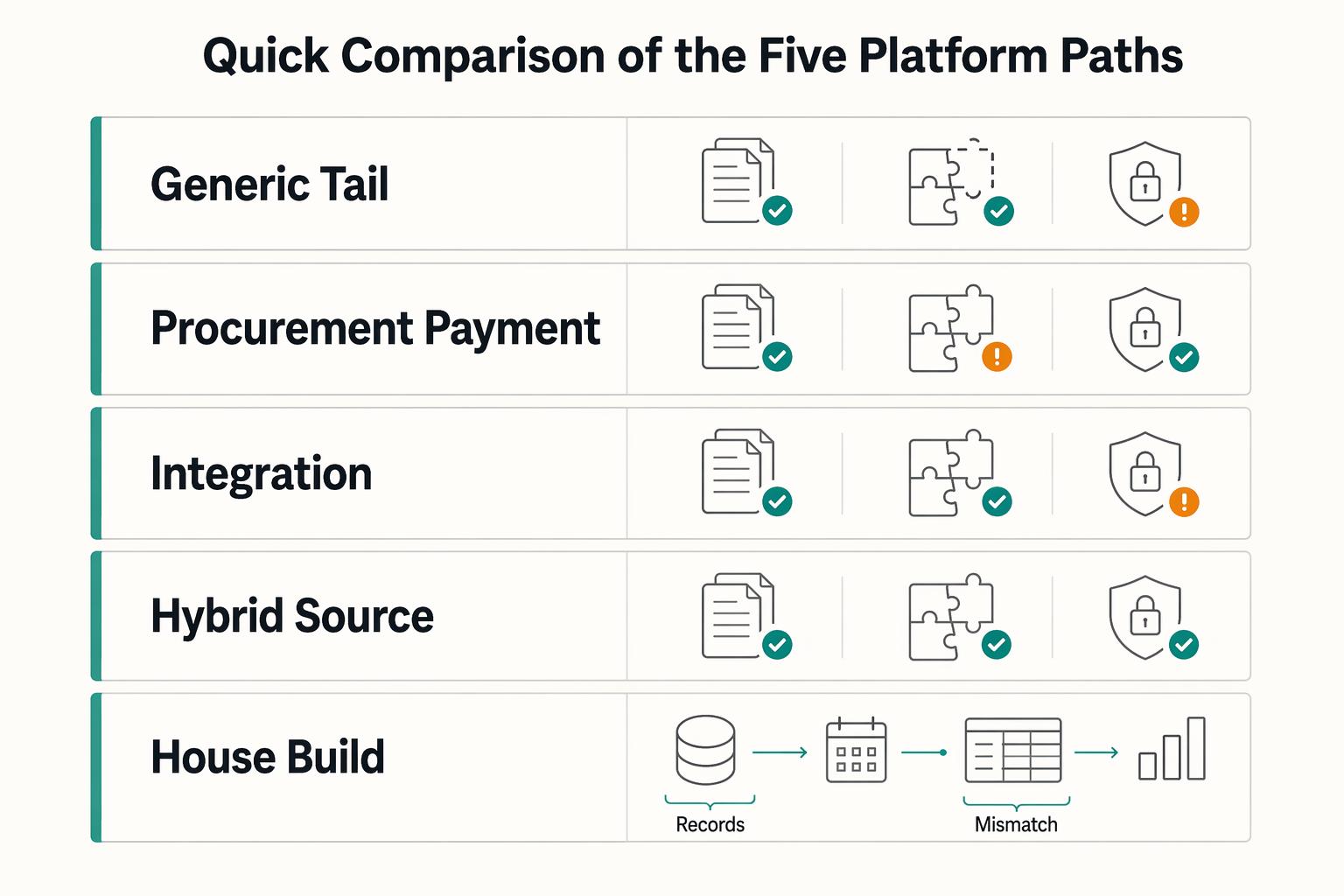
Choosing a Tail-End Spend Management Platform for Long-Tail Contractor Payments
Tail-end spend management can start to break down when long-tail contractor payouts begin to scale. Tools built for low-value, low-visibility procurement can tighten approvals and policy. They are not automatically built for payout-state tracking, retry safety, payout failures, or reconciliation evidence. That gap is the real decision here.
QuickBooks Online + Payout Platform Integration: How to Automate Contractor Payment Reconciliation
For platform operators, this is an operations design problem. You need a reliable path from each payout event to a bank-matched close in QuickBooks Online, with controls finance can trust and automation engineering can replay safely.
Vendor Contract Management for Platforms: How to Automate SOWs MSAs and Rate Cards
If you are evaluating how **vendor contract management platforms automate SOWs, MSAs, and rate cards**, start with the control chain, not a feature grid. You need a governing **Master Service Agreement (MSA)**, the right **Statement of Work (SOW)** for each engagement, a current **Contract Rate Card**, and checks before anyone is approved, activated, or paid.